
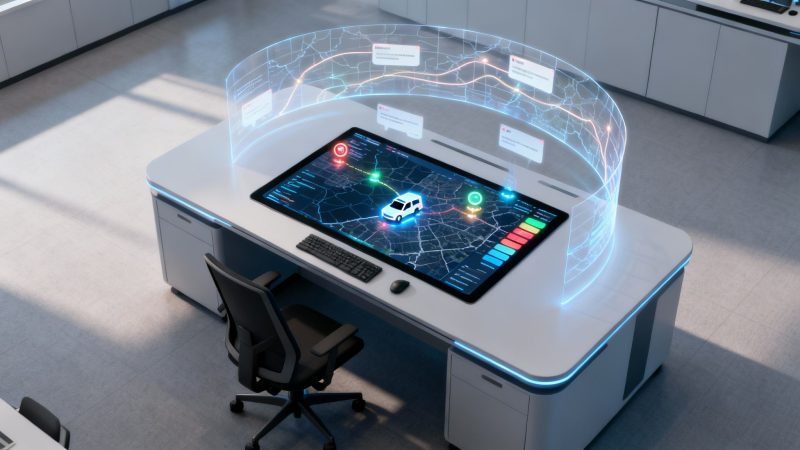
A Guide to Modern CAD Dispatch Systems
At its core, a Computer-Aided Dispatch (CAD) system is the mission control for any team working out in the field. Think of it as the digital brain connecting dispatchers, the boots on the ground, and all the critical information they need in real-time. It’s what turns a potentially chaotic situation into a coordinated, effective response.
The Role of Modern CAD Dispatch Systems
Can you imagine trying to run an emergency service or a fleet of delivery trucks with just a phone and a stack of paper maps? It would be a nightmare—inefficient, slow, and riddled with errors. That's exactly the problem modern CAD dispatch systems were built to solve. They act as the central nervous system for an organization, bringing order to the chaos.
This isn't just about putting a map up on a screen. Today's CAD technology gives dispatchers complete situational awareness, letting them make smarter decisions, faster. For industries where every second is critical—like public safety, security, and utilities—this isn't some fancy add-on; it's an absolute necessity. The whole point is to get the right people and equipment to the right place at the right time, armed with all the information they need to get the job done.
From Manual to Automated Coordination
Moving to a CAD system is really a shift from putting out fires manually to coordinating your team proactively and automatically. That switch to automation brings some serious improvements and savings.
- Optimized Resource Allocation: Instead of a dispatcher guessing which unit is closest, the system knows. It automatically identifies and suggests the best option based on real-time location, status, and even traffic data. A utility company, for example, can dispatch the nearest crew that actually has the right excavator for a water main break, saving fuel and slashing response time.
- Reduced Administrative Burden: Every single action, from the moment a call comes in to when a unit is dispatched, is automatically logged. This gets rid of manual paperwork, cuts down on human error, and creates a clean, time-stamped record for any future reporting or analysis. The hours saved on admin work alone are huge.
Actionable Money-Saving Insight: A well-implemented CAD system doesn't just make you faster. By optimizing routes to avoid traffic and reduce idle time, a delivery company can cut its monthly fuel bill by 10-15%. For a fleet of 20 vehicles, that can easily translate to over $10,000 in direct fuel savings per year.
The growing need for this kind of efficiency is why the market is blowing up. The global Computer Aided Dispatch market hit around $2.7 billion in 2024 and is expected to climb to $7.0 billion by 2033. This growth is being pushed by everything from smart city projects to the simple, universal demand for faster emergency response. If you're interested in the numbers, you can explore more data on the CAD market growth on imarcgroup.com. This isn't just a trend; it's a testament to how essential these systems have become.
The Core Features That Drive Efficiency
A modern CAD dispatch system is much more than a digital map and a contact list. It's a powerful engine built from interconnected features, all working together to make your operations smoother and cut down on waste. When you dig into these core components, you start to see exactly how the technology translates into a healthier bottom line for any organization with people in the field. Every tool is there to solve a real-world logistical problem, saving time, fuel, and administrative headaches.
This diagram gives you a great visual of how a CAD system's core functions—connecting people, coordinating actions, and informing decisions—all come together to create a single, powerful operational hub.
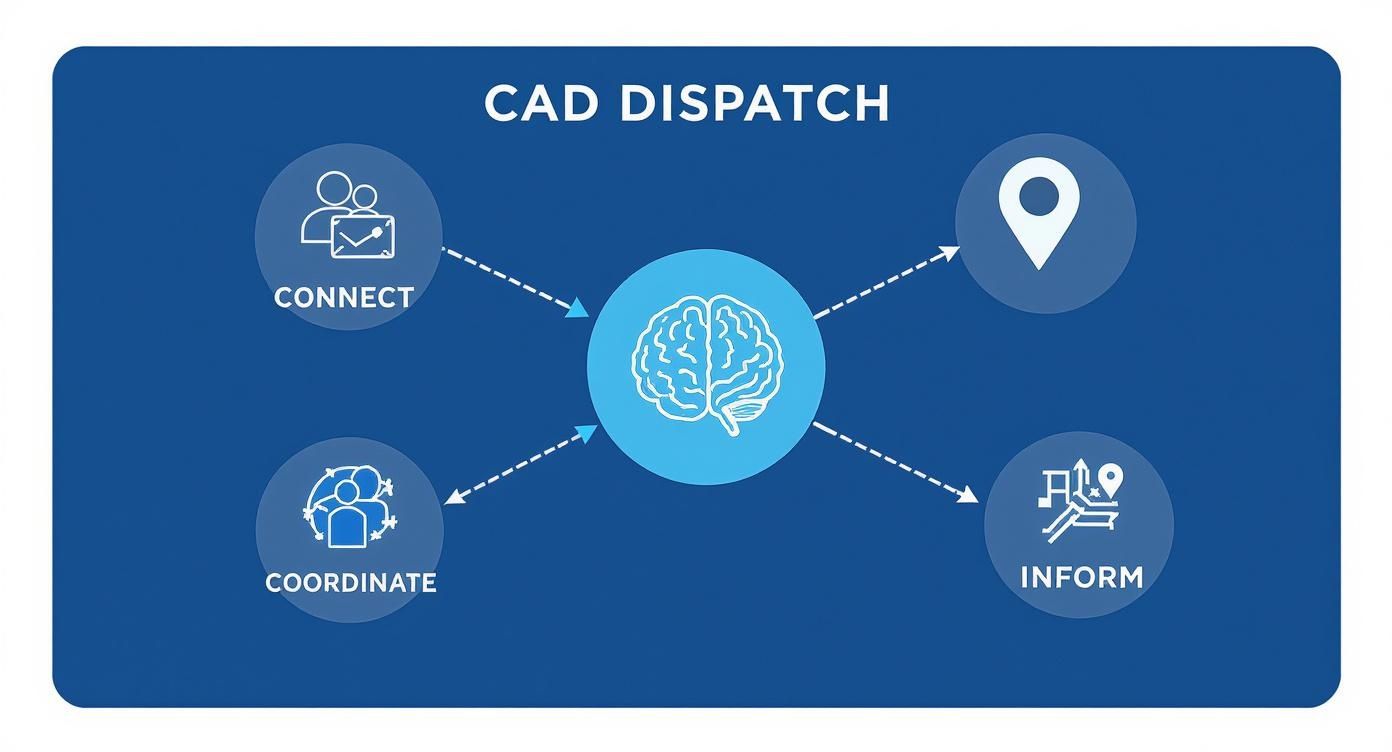
As you can see, every piece of the puzzle serves one of these three fundamental goals. It’s all about turning raw data into coordinated, intelligent action out in the real world.
Incident and Workflow Management
At the very heart of any CAD system is its ability to manage an incident from the first call all the way to the final report. Every single action—the initial call, the dispatch, and every status update from the field—is logged with a precise timestamp. This creates an airtight, indisputable record of what happened and when.
This automated audit trail is a massive time-saver. For example, a private security company can automatically generate end-of-shift reports for clients, detailing every patrol stop and response call with exact times. This eliminates hours of manual data entry and provides instant, verifiable proof of service, which can prevent costly billing disputes.
Mapping and GIS Integration
You can't dispatch effectively if you don't know where your people are and the best way to get them where they need to go. That's where modern mapping and Geographic Information System (GIS) data come in.
Dispatchers aren't just looking at a basic street map. They can overlay crucial data layers on top of it, like real-time traffic, the locations of key assets (think fire hydrants or utility poles), and even current weather conditions.
Actionable Money-Saving Insight: By combining real-time traffic data with unit locations, dispatchers can choose the fastest route, not just the shortest one. A logistics company delivering time-sensitive medical supplies can use this to avoid a highway standstill, saving an average of 20 minutes per trip. This not only cuts fuel consumption by up to 15% but also prevents steep penalties for late deliveries.
AVL and Unit Status Tracking
Automated Vehicle Location (AVL) is the technical term for the GPS tracking that gives you a constant, real-time view of every vehicle's position and speed. This is paired with unit status tracking, which lets your field personnel update their status—like "En Route," "On Scene," or "Available"—with a single click.
This combination gives dispatchers total visibility, allowing them to make smarter, faster assignments.
- Maximize Personnel Uptime: Dispatchers can instantly see which units are free, cutting out the radio chatter and guesswork. This ensures the closest available unit is always assigned, slashing response times and keeping people productive.
- Monitor Driver Behavior: AVL data isn't just about location. It can track metrics like idle time, speeding, and harsh braking. For example, a public works department can identify a vehicle that idles for over 2 hours a day, wasting nearly a gallon of fuel. By addressing this one behavior across the fleet, they can save thousands in annual fuel costs.
- Secure Communications: Built-in messaging provides a secure, auditable channel for communication. Unlike a commercial chat app, every message is logged within the incident record, ensuring accountability and protecting sensitive operational details.
To help visualize how these features directly contribute to cost savings, we've broken it down in the table below.
Key CAD System Features and Their Financial Impact
This table connects the dots between a specific CAD feature, what it does, and how it puts money back into your budget.
| Feature | Primary Function | Actionable Money-Saving Insight |
|---|---|---|
| Incident Management | Creates a time-stamped, digital record of every event from start to finish. | Reduces administrative overhead by automating report generation and eliminating time spent resolving billing or service disputes. |
| Mapping & GIS | Provides real-time maps with custom data layers (traffic, assets, etc.). | Lowers fuel costs and prevents penalties by routing units around traffic, ensuring the fastest, most efficient path is always taken. |
| Automated Vehicle Location (AVL) | Tracks the real-time location, speed, and status of all field units via GPS. | Improves asset utilization by identifying idle vehicles and poor driving habits (speeding, long stops) that waste fuel and cause wear. |
| Unit Status Tracking | Allows personnel to update their availability (e.g., On Scene, Available) instantly. | Increases personnel productivity by enabling dispatchers to assign the closest available unit, reducing downtime and travel time. |
| Integrated Messaging | Offers a secure, logged communication channel between dispatch and field units. | Mitigates legal risk by providing an auditable communication record, which is invaluable for incident reviews and legal discovery. |
Each of these components plays a critical role in creating an efficient, accountable, and cost-effective operation.
These are just a few of the foundational tools that make up a robust system. You can explore a more detailed list of what modern dispatch platforms offer and see how they can be customized to fit the unique needs of your operation.
How CAD Systems Deliver Measurable ROI
When you're looking at investing in a new technology platform, it's not just about the flashy features—it's about the numbers. A modern CAD dispatch system needs to deliver a clear, measurable return on investment (ROI). It does this by hitting the core metrics that really matter to decision-makers: direct cost reduction, operational speed, and risk mitigation. Think of it less as an expense and more as a strategic tool for building a more efficient and resilient operation.

The market's explosive growth really tells the story. The Computer Aided Dispatch market was already valued at over USD 3.9 billion in 2024 and is on track to blow past USD 23.19 billion by 2037. A huge chunk of this growth—nearly 35% of the market share—is being driven by major investments from government and defense sectors. You can discover more insights about these market trends at researchnester.com.
Direct Financial Savings
The quickest ROI you'll see comes straight from cost reductions. A good CAD system attacks two of the biggest expenses for any field operation—fuel and maintenance—by optimizing routes and keeping an eye on vehicle diagnostics.
- Reduced Fuel Waste: The system doesn't just find the shortest route; it finds the fastest one, factoring in real-time traffic. That simple shift can slash fuel consumption, adding up to thousands of dollars saved per vehicle every single year.
- Lower Maintenance Costs: It's not just about saving gas. Monitoring things like excessive idling or hard braking reduces wear and tear on engines and brakes. This extends the life of your fleet and cuts down on surprise, costly repairs.
Actionable Money-Saving Insight: A tow truck company can use AVL data to identify drivers who consistently speed or brake harshly. By using this data for targeted coaching, they can reduce aggressive driving habits, leading to a 5% decrease in brake-related maintenance costs and extending the life of their tires, saving thousands per vehicle annually.
On top of that, automation means you can handle more calls without increasing your headcount. By automating routine jobs like logging and reporting, you can scale up your operations without having to bring on expensive new hires. This is a good time to explore how different platforms handle these costs by checking out their structures, like the straightforward pricing models available for modern dispatch solutions.
Gains in Operational Efficiency
Beyond the hard-dollar savings, the gains in efficiency deliver massive value. In so many industries, time is literally money, and a CAD system is built from the ground up to save time at every turn.
Practical Example: Think about a utility company responding to a power outage. Cutting response time by just 15 minutes can prevent thousands of dollars in commercial losses for their customers and help avoid hefty penalties. A CAD system makes that happen by instantly dispatching the closest, best-equipped crew for the job.
This isn't just a minor tweak to your workflow; it's a fundamental improvement. Faster response times lead directly to happier customers, better adherence to service level agreements (SLAs), and a much stronger reputation in your field.
Enhanced Safety and Risk Mitigation
Finally, a CAD system gives you total visibility into your field operations, which is absolutely critical for protecting both your people and your budget. Knowing exactly where everyone is in real-time means you can get help to a field worker in distress much faster.
Plus, the detailed, time-stamped logs of every single action create an indisputable record of events. This documentation is invaluable for reducing liability if there's ever an accident or a customer dispute, protecting your organization from what could otherwise be costly legal battles. For example, if a client claims a security guard never showed up for a patrol, the CAD's GPS and status logs provide indisputable, time-stamped proof, instantly resolving the dispute and preventing a potential contract loss.
See CAD Systems in Action Across Industries
Feature lists are one thing, but to really get a feel for what a modern CAD dispatch system can do, you have to see it solve a real-world mess. Let's walk through a day in the life of a couple of different organizations to see how these tools come together to save money, improve service, and make tough logistics manageable.
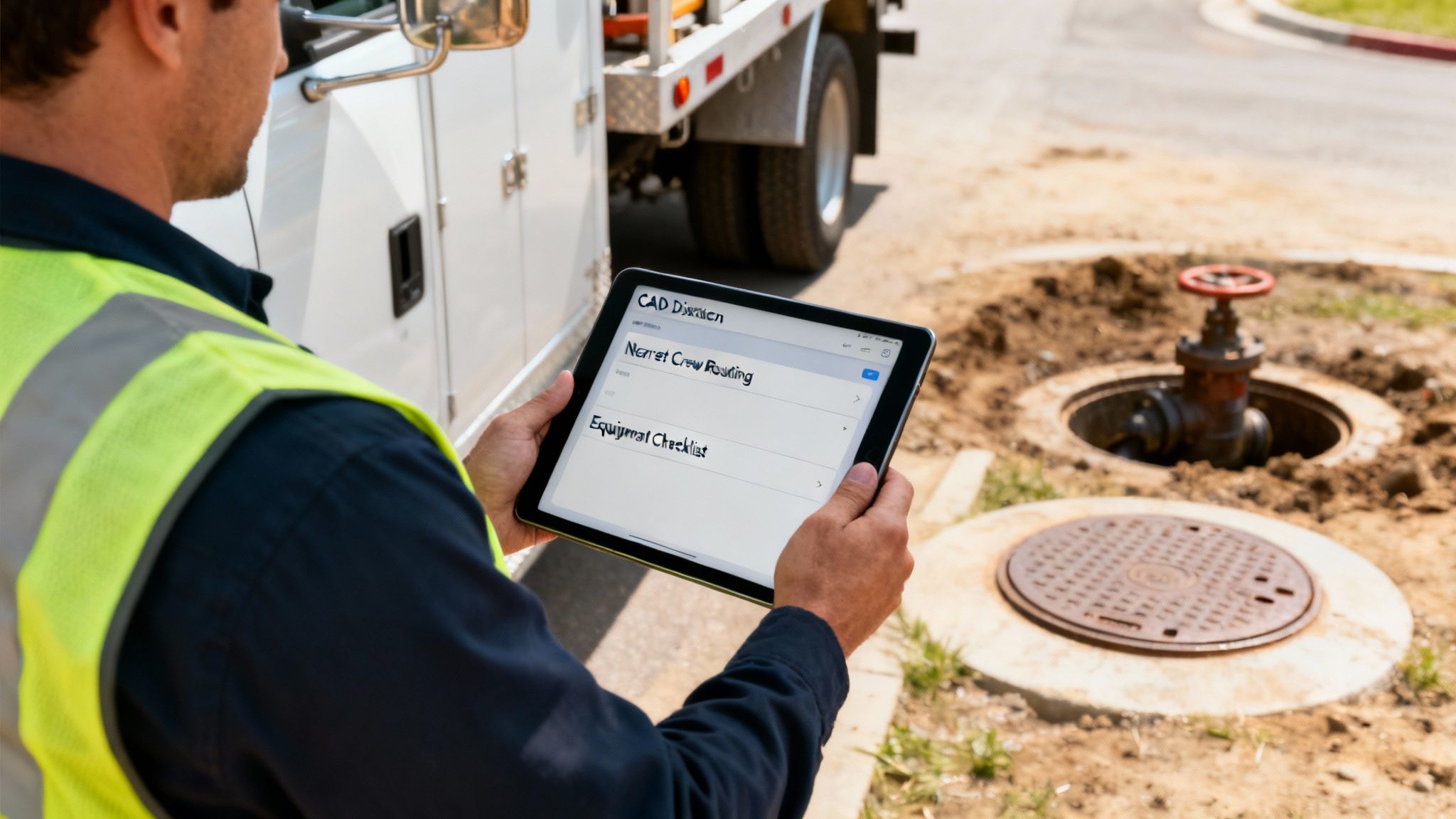
These stories show how different features click together to tackle unique operational headaches, delivering far better results in wildly different settings.
Public Works Water Main Break
Picture this: a major water main explodes under a busy intersection right in the middle of the morning rush hour. Without a CAD system, the public works department is flying blind. A dispatcher is fielding frantic calls, trying to get a supervisor on the radio, and then starts dialing crew members one by one, hoping to find someone who's close and has a backhoe.
Now, let's replay that with a CAD system in the mix.
- Instant Triage: The first call automatically creates an incident ticket in the system, immediately tagging it as high-priority. No guesswork.
- Smart Dispatch: The dispatcher pulls up a live map showing the location of every crew and vehicle. In seconds, the system pinpoints the nearest available team and confirms their truck is equipped with a backhoe.
- Efficient Routing: The crew is dispatched with a single click. The system pushes turn-by-turn directions to their device that automatically navigate around the traffic jam the break itself has created.
Actionable Money-Saving Insight: This isn't just about moving faster; it's about precision. By getting the right crew with the right equipment to the scene 30 minutes faster, the department can prevent an extra hour of road closure. This minimizes overtime costs by getting the job done quicker and avoids the need to call in extra crews, saving hundreds of dollars on a single incident.
The time saved is money saved, and it dramatically improves the public's perception of the department's competence. Extending these capabilities into the field is key; you can see how Resgrid apps empower teams on the go with this kind of powerful mobile functionality.
Private Security Campus Alert
Let's shift gears to a private security firm responsible for a huge corporate campus. A fire alarm goes off in one of the main buildings. The client isn't just expecting a response—they expect a fast, coordinated, and thoroughly documented one.
The firm's CAD system is the nerve center for the entire operation. As soon as the dispatcher kicks off the campus alert protocol, the system starts assigning tasks automatically.
- Guard Patrol Coordination: The closest guard is sent straight to the alarm's location, while another is routed to the main gate to meet and escort first responders.
- Real-Time Tracking: The client can pull up a live view of the guards' locations on a map, giving them immediate confirmation that response times are being met according to their service level agreement (SLA).
- Automated Reporting: Every single action is time-stamped, from the initial alarm to the "all clear" message a guard sends from their mobile app. Once the incident is closed, a detailed report is automatically generated and sent to the client. This eliminates tedious manual paperwork and heads off any potential disputes.
By using a CAD system, the security firm doesn't just do its job—it proves its value, maintains strict SLA compliance, and delivers a professional, transparent service that builds rock-solid client trust. It’s a great example of how you can centralize driver and dispatch communication in logistics to create a more efficient and accountable operation.
How to Choose the Right CAD System
Picking a CAD dispatch system isn't just another software purchase. It's a major decision that will shape your operations—and your budget—for years to come. You've got to look past the slick sales pitches and focus on what your organization actually needs to grow and operate efficiently.
The demand for these systems is absolutely exploding. The CAD market is on track to hit about USD 1.48 billion in 2025 and is expected to climb to USD 2.62 billion by 2033. That's not just a trend; it's a clear signal that organizations everywhere are leaning heavily on solid dispatch solutions. You can dive deeper into the numbers by checking out the full market research on CAD systems from archivemarketresearch.com.
Assess Scalability and Future Needs
The first question you should be asking a vendor is, "Will this system still work for us in five years?" A platform that fits you like a glove today could become a straightjacket as your organization expands. You need a system that can grow right alongside you.
- Here's a practical example: A small security company starts out with five vehicles and chooses a cheap, on-premise CAD system capped at ten units. Two years later, they land a huge contract and need to add fifteen more vehicles. Now they're stuck. They have to ditch the old system and go through a painful, expensive migration to a new one. A scalable, cloud-based platform would have let them simply add the new units to their existing plan without disruption or hidden costs.
Prioritize Seamless Integration
Your CAD system can't be an island. It has to talk to all the other tools you rely on, like your records management system, billing software, and communication platforms. If it doesn't, you're creating data silos. That means someone is stuck doing manual data entry, which is a massive waste of time and a recipe for errors.
Actionable Money-Saving Insight: A system with a solid API (Application Programming Interface) can automatically push incident data into your billing software. This eliminates the need for an administrative employee to spend 1-2 hours per day manually reconciling service calls with invoices, potentially saving over $10,000 a year in administrative labor costs.
Understand the Total Cost of Ownership
The sticker price is just the tip of the iceberg. What you really need to look at is the Total Cost of Ownership (TCO), which covers every single cost—direct and indirect—over the life of the system. This is where you can find some serious savings.
When you break it down, the choice often comes down to hosting it yourself (on-premise) versus using a cloud-based service (SaaS).
On-Premise vs. Cloud-Based (SaaS) Solutions
| Cost Factor | Traditional On-Premise System | Modern SaaS/Cloud System |
|---|---|---|
| Upfront Cost | High. You're buying servers, hardware, and expensive software licenses. | Low to zero. You start with a predictable monthly or annual subscription. |
| IT Maintenance & Staffing | Requires dedicated IT staff for server maintenance, updates, and security. That's a salary expense. | The provider handles all maintenance, security, and updates. It's included in your subscription. |
| Upgrades & New Features | Often means buying and installing new software versions, which costs extra. | Updates and new features are rolled out automatically at no additional cost. |
Opting for a Software-as-a-Service (SaaS) model, like Resgrid, offers a clear path to saving money. You get to skip the massive upfront investment in hardware and avoid the ongoing salary costs of maintaining your own servers. It transforms a huge capital expense into a predictable operational one, making your budget a lot simpler and freeing up cash for other critical areas.
Got Questions About CAD Systems? We've Got Answers.
Making the jump to a new CAD dispatch system is a big deal, and it’s smart to have questions. In my experience, decision-makers always seem to land on the same three core worries before they’re ready to pull the trigger: What’s this really going to cost us? How much of a headache will the rollout be? And will it even talk to the other software we rely on?
Let's cut through the noise and tackle these questions head-on. A modern approach can save you a ton of money and a world of frustration.
What’s the Real Cost Beyond the Price Tag?
The first question is always about the budget. When you're looking at different systems, it's easy to get fixated on the initial quote, but that's a mistake. You have to look at the Total Cost of Ownership (TCO). That's where the true story is.
A traditional, on-premise system hits you with a massive upfront cost for servers and all the hardware that goes with it. Then, you're on the hook for IT staff salaries to keep it all maintained, secure, and updated. It’s a constant drain. A modern cloud-based or SaaS (Software-as-a-Service) subscription completely flips that script.
Actionable Money-Saving Insight: With a SaaS system, you wipe out the huge capital expense for hardware (often $10,000+) and the ongoing payroll for dedicated IT maintenance (potentially $60,000+/year). Instead, you get a predictable, operational expense that makes budgeting a breeze and frees up your cash for other critical needs. It’s a direct saving for your organization, right from day one.
How Disruptive Is the Implementation Process?
The next big worry is disruption. Nobody wants to bring their entire operation to a screeching halt for a painful, month-long software rollout. The good news? Modern systems are built for speed and a light touch.
Since cloud-based systems don't need a team of technicians installing complex hardware on-site, the initial setup is worlds faster. On top of that, today's platforms are designed with intuitive, user-friendly interfaces that look and feel like the apps your team already uses every single day. This slashes the learning curve.
- Practical Example: A private security firm can get its entire team up and running on a new mobile CAD app in a single afternoon. Because the interface is so straightforward, they skip weeks of formal training, saving thousands in lost productivity and training expenses.
This smoother adoption means your team starts seeing the benefits almost immediately, without the long downtime that comes with older, clunkier tech.
Will It Work with Our Other Tools?
Finally, you need to be sure your new CAD system won't turn into a data island. If it can't communicate with your other essential software—like your records management or billing systems—you’ll just create more work and force your staff into mind-numbing manual data entry.
The key to avoiding this mess is a robust Application Programming Interface (API). Think of an API as a universal translator that lets different pieces of software share data automatically and securely. This seamless connection prevents the expensive and error-prone data silos that plague so many organizations. When you're talking to vendors, always ask about their API. It's what makes an investment future-proof.
Ready to see how a modern, cost-effective CAD system can change the game for your operations? Resgrid offers a customizable, intuitive platform that gets rid of high upfront costs and grows right along with you. Explore our features and get started today at Resgrid.com.