
Security guard management software: Boost Efficiency and Control
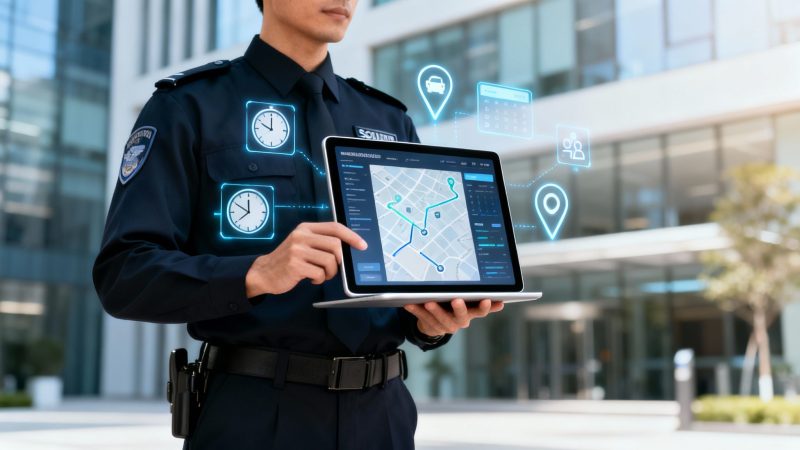
Trying to run a security operation with clipboards, paper logs, and a non-stop barrage of phone calls is like trying to navigate a sprawling city with a tattered, folded paper map. It’s clunky, outdated, and frankly, just inefficient. Security guard management software is the modern GPS for your entire team. It gives you real-time visibility, figures out the smartest patrol routes, and opens up instant communication channels, turning chaos into calm, predictable control.
Moving Beyond Clipboards and Spreadsheets
For years, security companies have been stuck with manual processes that honestly create more headaches than they solve. Just think for a minute about all the hidden costs piling up from those paper-based systems.
A supervisor burns hours piecing together schedules by hand, juggling guard availability with specific site needs. It’s a recipe for mistakes, often leading to accidental overtime that blows up the payroll. Then, when an incident happens, a guard scribbles a report on a clipboard. That report might not land on a manager's desk for hours, delaying the response and cranking up the liability.
This kind of operational friction isn't just a minor annoyance; it's a direct leak in your company's profitability. Making the switch to a modern security solution is part of a much bigger industry shift toward essential technology for property management that puts efficiency and accountability front and center.
The Real Cost of Outdated Methods
The fundamental problems with old-school management are clear, and they hit you right in the wallet. They create operational blind spots—the very things modern software is built to eliminate.
- Poor Field Visibility: Without real-time tracking, you’re flying blind. You don’t really know where your guards are or if patrols are actually getting done on time. This can lead to missed checkpoints and, worse, potential security breaches.
- Costly Scheduling Inefficiencies: Building schedules manually is just asking for human error. It leads to uncovered shifts or unnecessary overtime payments that can cost a company thousands of dollars every year.
- Delayed Incident Reporting: Paper reports are a communication bottleneck. They leave clients and management in the dark for far too long, increasing the risk that a small, unresolved issue snowballs into a major problem.
The shift toward digital tools isn't just a trend; it's a fundamental change in how the security industry works. It’s all about making smarter, data-driven decisions that directly improve safety on the ground and save money back at the office.
An Industry Embracing Automation
It’s no surprise that the demand for these digital tools is exploding. The global market for Security Guard Management Software was pegged at around USD 1.60 billion in 2024. From here, it’s projected to climb at a rate of about 11.66% every year, hitting an estimated USD 5.38 billion by 2035.
What’s fueling this growth? It's simple: companies are desperate to automate their operations, slash costs, and deliver a more reliable, professional service to their clients.
Unpacking The Features That Drive Real Savings
Good security guard management software is a lot more than just a digital version of a paper logbook. Think of it as an engine built specifically to create efficiency, and that efficiency translates directly into money saved. Each feature is a tool designed to plug a leak in your budget, whether that's wasted gas, surprise overtime pay, or just too much time spent on administrative busywork. By automating and optimizing the core jobs your team does every day, this kind of technology quickly pays for itself.
Let's move past the buzzwords and look at how specific functions create real, tangible value. Imagine a guard finds a broken lock on a late-night patrol. With a pen-and-paper system, that report might sit in a binder until the next supervisor's shift starts. But with modern software, the guard can snap a time-stamped photo and upload it instantly, triggering an immediate alert. That one simple action can be the difference between a quick fix and a costly theft—and the insurance headache that follows.
Real-Time GPS Tracking And Guard Tour Systems
Knowing where your team is in real time isn't about being a micromanager; it's about smart resource allocation. When you combine live GPS tracking with a guard tour system, you get a live operational map of your entire field presence. This visibility lets dispatchers send the closest guard to an incident, which drastically cuts down on response times and fuel costs.
Instead of just hoping patrols are being done right, supervisors can actually verify it. This level of accountability is huge for keeping clients happy and, more importantly, keeping their business.
- Practical Example: A security company managing a large industrial park used GPS tracking data to redesign their patrol routes. By analyzing historical data showing where vehicles idled or took inefficient paths, they identified shorter routes that still hit every critical checkpoint. The result? They cut their nightly fuel usage by 15% per vehicle.
- Actionable Insight for Savings: Use GPS data to establish "geofences" around client properties. You can set up automatic alerts if a patrol vehicle leaves its designated area without authorization. This simple step prevents unauthorized trips and personal errands on company time, directly cutting down on fuel waste and liability.
Automated Scheduling And Timekeeping
If there's one area where hidden costs pile up, it's manual scheduling. It’s a painful, time-consuming puzzle that's just begging for human error. One wrong entry can lead to accidental overtime, an uncovered shift that puts a contract at risk, or a last-minute scramble that forces you to pay premium rates just to get someone on-site.
Automated scheduling tools just make these problems disappear. The software handles complex rotations, keeps track of guard availability and certifications, and flags potential overtime before it ever gets approved.
By automating the scheduling process, we've seen security firms reduce their administrative workload by an average of 8-10 hours per week. That frees up supervisors to focus on high-value tasks like talking to clients and training their team instead of getting buried in paperwork.
This map shows how central features like GPS tracking directly improve visibility, patrol efficiency, and the accuracy of your reports.
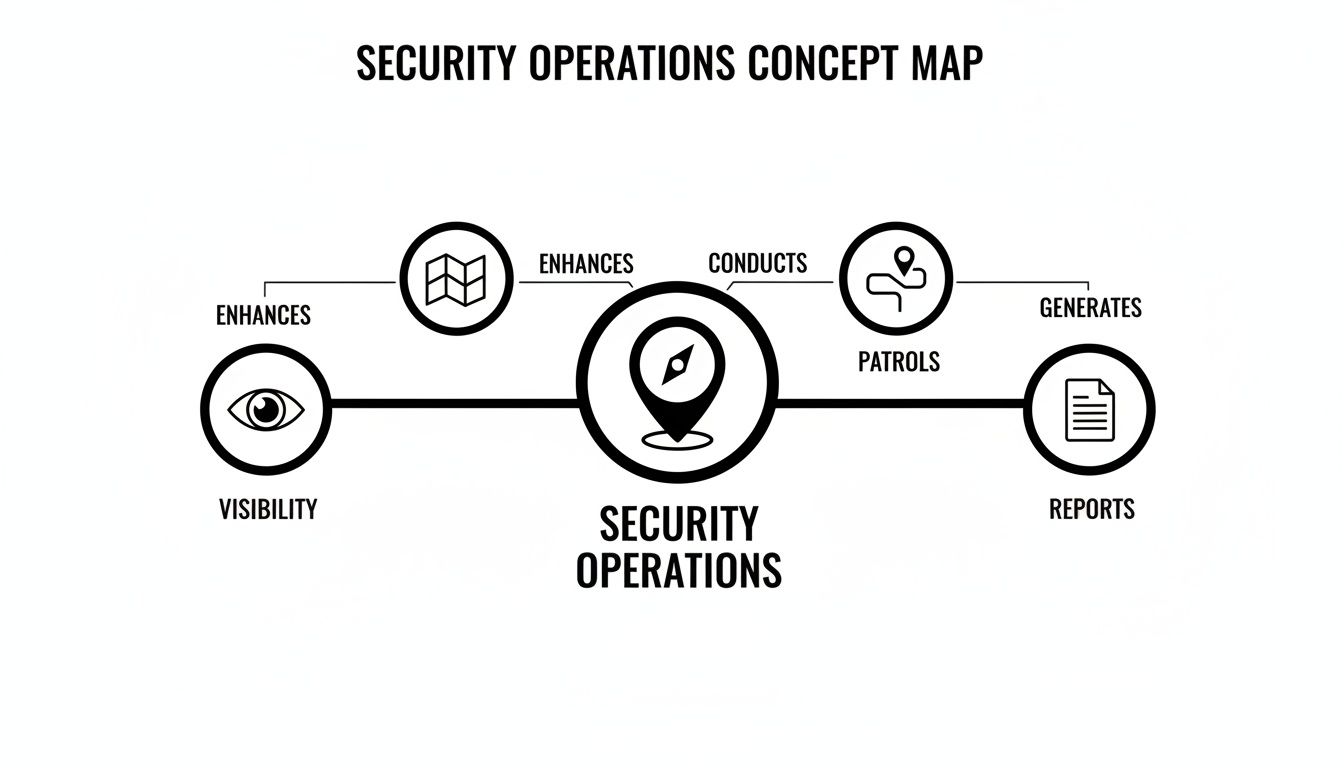
It’s clear from this that better visibility and optimized patrols aren't separate perks—they are interconnected results you get from a single, unified system.
Instant Communication And Digital Reporting
Clear, immediate communication is the absolute backbone of effective security. A central communication hub inside the software lets you send instant messages to individuals, specific groups, or your entire team at once. This ensures everyone has the latest information right when they need it, especially during an incident.
Digital reporting completely changes how information is captured and shared. Guards can fill out reports right on their phones, attaching photos and videos to show exactly what’s happening. This creates a detailed, indisputable record that's instantly available to you, your supervisors, and your clients.
- Practical Example: During a protest near a client’s building, a supervisor used the software's mass messaging feature to instantly redirect incoming guards to a secure, alternative entrance. This prevented vehicle damage and maintained the building's security without any chaos or disruption, avoiding potential property damage claims.
- Actionable Insight for Savings: Quick, well-documented digital reports are a massive liability shield. Let's say a slip-and-fall claim happens on a property you protect. A time-stamped report with photos proving a "wet floor" sign was properly displayed can become the key piece of evidence that gets an expensive, frivolous lawsuit dismissed early, saving you thousands in legal fees.
To show just how much these features impact the bottom line, we've put together a table breaking down the cost of doing things the old way versus the new way.
Feature vs. Manual Method Cost Impact
| Core Feature | Manual Method (The Problem) | Software Solution (The Savings) | Estimated Cost Reduction |
|---|---|---|---|
| GPS & Guard Tours | Inefficient routes, high fuel use, unverified patrols, slow incident response. | Optimized routes, reduced mileage, verified patrol completion, nearest guard dispatch. | 15-20% in fuel and vehicle maintenance costs. |
| Automated Scheduling | 8-10 hours/week in admin time, costly overtime errors, uncovered shifts risking contracts. | Automated, error-free schedules, overtime alerts, easy shift-swapping. | 5-10% reduction in payroll costs from eliminating errors and overtime. |
| Digital Reporting | Delayed, incomplete paper reports, high printing/storage costs, increased liability risk. | Instant, detailed reports with media, reduced admin overhead, stronger legal defense. | 70-80% reduction in paper and printing costs; significant liability mitigation. |
| Centralized Comms | Disjointed communication (phone, text), slow information flow during incidents. | Instant mass/group messaging, documented communication logs for post-incident review. | Reduces incident resolution time by up to 25%. |
As you can see, the savings aren't just theoretical. They come from concrete improvements in how your team operates day-to-day.
This focus on better patrol management is exactly why the market is growing so fast. Industry analysis shows the patrol management part of the software market is set to be the biggest piece of the pie, commanding about 53.2% of the market share in 2025. This really underscores how critical efficient scheduling and real-time tracking are for any modern security operation.
You can check out the full range of features available in a unified platform to see how these capabilities can plug directly into your own operational needs.
How to Calculate Your Return on Investment
Putting money into new software can feel like a leap of faith, but it doesn't have to be a blind one. Instead of just guessing what it's worth, you can build a solid business case by figuring out your potential return on investment (ROI) before you spend a single dollar. This isn’t about pulling out complex financial models; it’s about turning operational improvements into real, hard savings.
By zeroing in on a few key areas—like administrative overhead, operational waste, and client retention—you can put together a clear, data-backed projection. This simple framework shifts the conversation from "Can we afford this?" to "How can we afford not to?"
Quantifying the Cost of Administrative Time
One of the first and biggest savings you'll see is from slashing the hours your team sinks into manual admin work. Just think about the time your supervisors spend building schedules, checking timesheets, and piecing together daily activity reports. These hours are a huge soft cost that security guard management software tackles head-on.
Let's walk through a real-world example:
- Manual Scheduling: A supervisor spends 10 hours every week creating and tweaking schedules for 50 guards.
- Software Automation: The software knocks this down to just 2 hours per week.
- Time Saved: That's 8 hours a week back in their pocket.
If that supervisor makes $25 an hour, those 8 hours saved add up to $200 per week. That's $10,400 per year in recovered productivity. This is money that goes right back into your budget, freeing up that supervisor to focus on things that really matter, like client relations and team training, instead of being buried in paperwork.
Measuring Savings from Operational Efficiency
The savings don't stop at the office. The right software creates tangible savings out in the field. Two of the biggest money pits for any security company are fuel and overtime. Manual systems make it almost impossible to get a handle on either, but software gives you the data you need to finally take control.
Using GPS tracking to create optimized patrol routes can seriously cut down on fuel costs and vehicle wear and tear. At the same time, automated scheduling and timekeeping systems stop accidental overtime before it has a chance to quietly blow up your payroll.
- Practical Example (Fuel Costs): A mid-sized company with 10 patrol cars discovered that optimized routing cut their daily mileage by 15 miles per vehicle. At an average fuel and running cost of $0.50 per mile, that’s a savings of $7.50 per vehicle, per day. Over a year, that adds up to more than $27,000 in fuel savings alone.
- Actionable Insight (Overtime): Set up automatic alerts in your software to flag any shift that would push a guard into overtime before it gets approved. This single action can prevent the most common source of budget overruns, potentially cutting unintentional overtime costs by 50% or more.
The Financial Impact of Client Retention
Keeping your clients happy is one of the most powerful, yet often overlooked, financial wins. Getting a new client is expensive; keeping the ones you have is pure profit. Security guard management software boosts the quality and transparency of your service, which is the bedrock of client loyalty.
When clients get instant digital reports, GPS-verified patrol logs, and real-time incident alerts, they see undeniable proof of the value you're providing. This level of accountability builds trust and makes it a lot harder for a competitor to swoop in and undercut you on price. Honestly, keeping just one major client who might have left due to shoddy reporting can often pay for the software subscription for the entire year.
To get a clear picture of what this might cost and start planning your investment, you can explore the different pricing tiers available for management platforms and see how they stack up against the savings you've calculated.
A Realistic Case Study
Let's put all the pieces together. Picture a mid-sized security firm with 75 guards.
- Administrative Savings: They cut down their admin tasks by 20 hours per week. At a blended rate of $22/hour, that's $22,880 saved per year.
- Overtime Reduction: They trimmed overtime pay by 15%, saving another $18,000 annually.
- Fuel and Maintenance: Optimized routes and less idling time saved them $10,000 per year.
In its first year alone, this firm saw total savings of over $50,000. By applying this same clear, straightforward model to your own business, you can make a powerful, data-driven decision and prove the software's worth long before you even start implementation.
Choosing the Right Software for Your Needs
Picking the right security guard management software isn't like buying a gadget off the shelf; it's more like bringing on a new strategic partner. What works wonders for a huge national firm could be total overkill for a local operation just getting its footing. The real goal is to find a system that actually solves your unique headaches and supports where you want to go.
The whole process has to start with an honest look in the mirror. What are your biggest operational nightmares? Is it the constant scramble of last-minute schedule changes? Or maybe the radio silence between guards on-site and the dispatch office? When you pinpoint what’s truly holding you back, you can cut through the marketing noise and zero in on platforms that offer real solutions.
Pinpoint Your Primary Pain Points
Before you even think about watching a demo, you need to do a serious internal audit. Where are the leaks in your operational boat? Getting this part right is crucial because it means you're shopping for a genuine fix, not just a flashy list of features.
Think about where the friction is. Most often, it comes down to one of these areas:
- Scheduling and Payroll Chaos: Are you burning too many admin hours manually building schedules? This almost always leads to costly overtime errors and frustrating payroll disputes.
- Poor Field Communication: Do your guards struggle to report incidents quickly? How long does it take for supervisors to get a critical update out to the entire team?
- Lack of Accountability: Can you actually prove to your clients that patrols happened on time and followed the plan? Having an undeniable digital trail is non-negotiable.
- Inefficient Incident Reporting: Are your reports consistently late, incomplete, or all over the place? This doesn't just annoy clients; it ramps up your liability.
Once you’ve ranked these headaches, you can start looking at software based on how well it tackles your top one or two problems. It's easy to get distracted by bells and whistles you'll never touch. Stay focused on the fundamentals that will make the biggest difference right away.
Cloud-Based vs. On-Premise Solutions
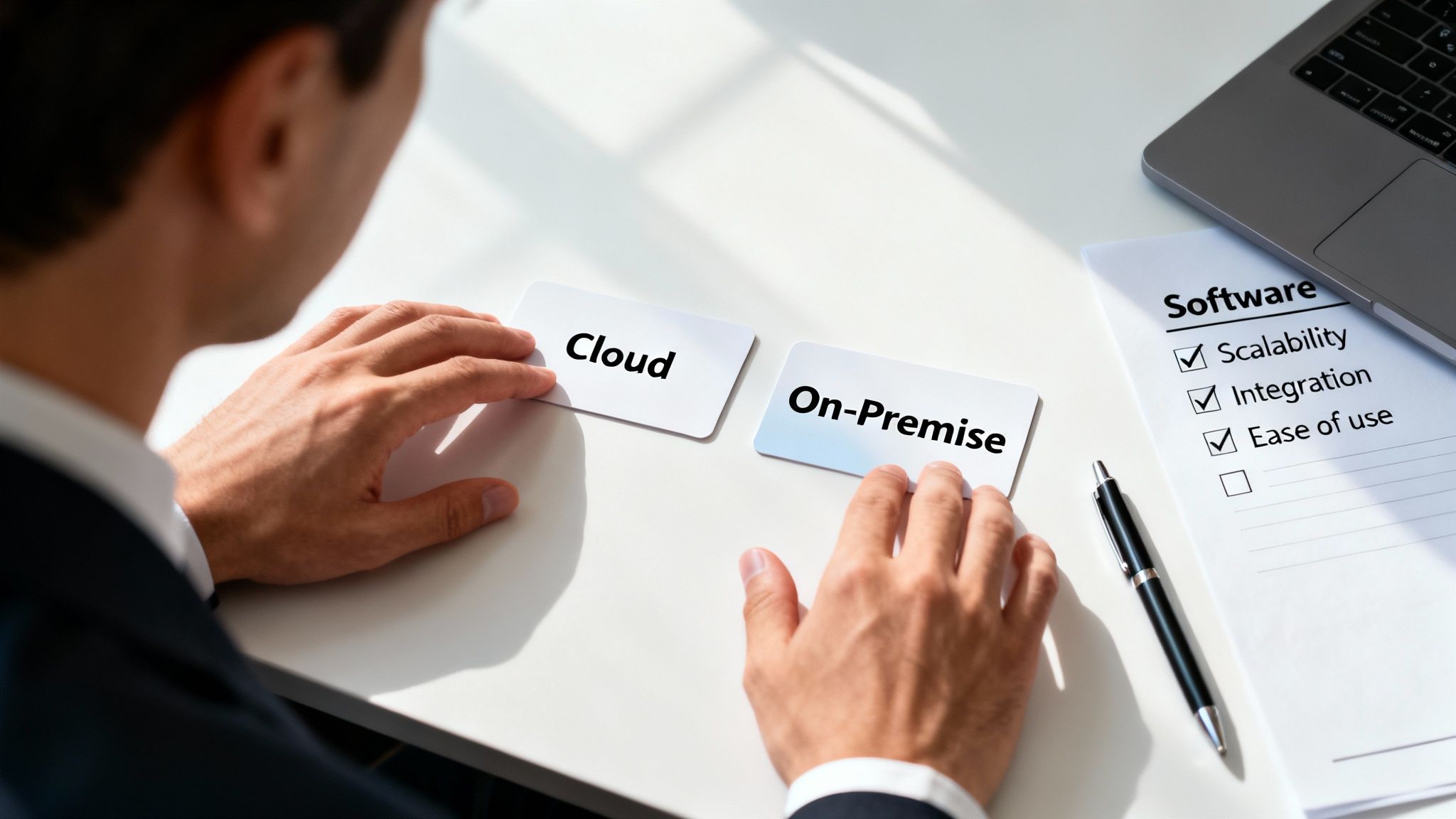
One of the first big decisions you'll face is whether to go with a cloud-based system (often called SaaS, or Software as a Service) or a traditional on-premise installation. Each has its place, but for most modern security companies, the cloud offers a pretty clear financial edge.
An on-premise system means you buy the software license upfront and install it on your own servers. That's a huge initial cash outlay for the software and hardware, not to mention the ongoing cost of having an IT crew to keep it all running.
A cloud-based solution, on the other hand, is a subscription. You pay a predictable monthly or annual fee, and the provider takes care of all the hosting, security updates, and maintenance.
Actionable Insight for Savings: For a growing security company, a cloud-based platform is almost always the smarter financial move. It eliminates the massive upfront capital expense for servers and IT infrastructure, converting a large capital expenditure (CapEx) into a predictable, manageable operating expense (OpEx). This frees up cash flow for other critical investments like training or new vehicles.
The entire industry is moving in this direction. The Security Guard Management Software market, valued at around USD 2.5 billion in 2025, is growing at a compound annual rate of about 12%. That growth is almost entirely fueled by the demand for flexible, cloud-based systems that lower the barrier to entry and offer far greater accessibility.
Your Buyer’s Checklist
As you start comparing different software options, it’s easy to get lost in the details. The following table breaks down the most important criteria to keep in mind. Think of it as a checklist to ensure you’re making a well-rounded decision that serves you today and supports your growth tomorrow.
Software Evaluation Checklist
| Evaluation Criteria | Key Questions to Ask | Why It Saves Money |
|---|---|---|
| Scalability | Can the software grow with us? Will it handle more guards and clients without a massive price jump or slowing down? | Avoids the cost and headache of migrating to a new system when you outgrow your current one. |
| Ease of Use | How intuitive is the mobile app for our guards? Is the learning curve steep? | High user adoption means less time spent on training and fewer errors, maximizing the software’s benefits from day one. |
| Integration | Does it connect with our existing payroll and billing systems? | Seamless integration eliminates hours of manual data entry, preventing costly human errors in payroll and invoicing. |
| Customer Support | What kind of support do they offer? Is it 24/7? Is there a real person I can talk to who understands our business? | Fast, effective support minimizes operational downtime and ensures you get the most value out of your investment. |
| Reporting | Does the platform create clear, professional reports we can show clients? Can we prove our value with hard data? | Demonstrating ROI and compliance with data-backed reports is crucial for retaining valuable contracts and winning new ones. |
Ultimately, the right software should do more than just put out today's fires; it should be a solid foundation for your future. And if you're in a business that overlaps with property services, it's worth it to explore top property management apps to see how their features might complement or integrate with your security operations.
Your Guide to a Smooth Implementation
Let’s be honest—even the most powerful security guard management software is just a line item on an expense report if your team refuses to use it. Getting this right isn’t about just flipping a switch on a new system. It's about a smart, thoughtful transition that makes everyone's job genuinely easier, not harder.
A solid implementation plan is what turns a piece of technology from a potential headache into your company's greatest operational asset. This process starts long before you ever "go live." It begins with a clear strategy for moving your data over, training your staff, and—most importantly—managing the human side of change. Skipping these steps is the fastest way to ensure your new investment gathers digital dust.
The Phased Rollout: A Money-Saving Strategy
Diving headfirst into a company-wide launch is a recipe for chaos. It’s a classic mistake that ends up costing a fortune in time and frustration. A phased rollout, on the other hand, is the smartest, most budget-friendly approach you can take. It lets you find and squash bugs on a small scale before they can disrupt your entire operation.
Start by picking a small, dedicated pilot group. You'll want a mix of people here—include some of your tech-savvy guards and a few who might be a little more resistant to new tech. Their honest feedback is gold for ironing out the kinks in your training and system setup before the big launch.
Actionable Insight for Savings: A phased rollout is your low-cost insurance policy. Fixing a scheduling bug for a five-person pilot team might take a supervisor one hour. Finding and fixing that same bug after it has created payroll errors for your entire 100-person workforce could cost thousands in administrative overtime and decimate team morale. This controlled launch prevents expensive, large-scale problems.
By the time you roll the software out to everyone, you’ll have a proven, successful model to follow.
Tailored Training for Every Role
A one-size-fits-all training program just doesn't cut it. Your dispatchers, supervisors, and guards all use the software differently, and their training needs to reflect that reality. Throwing everyone into the same generic session only leads to confusion and guarantees that people won't use the system.
Instead, create specific training modules for each job function:
- Administrators: These folks need the 10,000-foot view. Focus their training on system configuration, setting up new clients, payroll integrations, and pulling high-level performance reports. They need to know how to maximize the software’s strategic value.
- Supervisors: Train them on the tools they’ll live in every day. That means building schedules, approving reports, tracking guard performance, and using the built-in messaging to manage their teams in real-time.
- Guards: Keep their training simple and laser-focused on the mobile app. They need to master a few core tasks: clocking in and out, submitting incident reports with photos, and completing their digital patrol logs. That’s it.
This targeted approach makes sure everyone feels confident with the parts of the system they actually use, which makes the whole adoption process go a lot faster.
Overcoming Resistance and Incentivizing Adoption
The biggest hurdle in any tech rollout is almost always human nature. People are naturally wary of change, especially if they can't see how it benefits them directly. The secret is to frame the new software not as another top-down mandate, but as a tool that genuinely makes their jobs better.
Start by clearly communicating the "what's in it for me" for each role.
- For Guards: Show them how digital reporting means no more tedious paperwork at the end of a long shift. Point out how automated scheduling brings fairness and transparency to who gets what hours.
- For Supervisors: Emphasize how much time they'll get back. The software frees them from the soul-crushing work of manual scheduling and chasing down reports, letting them focus on actually leading their teams.
Next, turn your potential skeptics into champions. You'd be surprised how effective a simple, low-cost incentive program can be for boosting morale and getting people on board.
- Practical Example: Offer a small reward, like a $25 gift card, to the first five guards in your pilot group who perfectly submit a full week of digital incident reports. This tiny investment creates positive buzz and encourages others to figure it out. It’s a cheap and effective way to build momentum and show that learning the new system is both doable and valued.
How Resgrid Steps Up for Modern Security Demands
It’s one thing to talk theory, but connecting the dots to a real-world solution is where you see the actual value. A platform like Resgrid is built specifically to answer the challenges modern security teams face every single day. It goes way beyond a simple list of features to act as a unified command-and-control system, delivering the kind of visibility and efficiency today’s security firms absolutely need to stay on top of their game.
The real power of Resgrid is how it pulls dispatch, communication, and tracking into one cohesive interface. This simple act eliminates the dangerous information silos that pop up when you're juggling separate tools for scheduling, messaging, and reporting—a classic headache with less capable security guard management software.
A Real-World Dispatch Scenario
Picture this: an alarm goes off at a client’s warehouse at 2 a.m. Instead of scrambling to make phone calls or just guessing who’s closest, a dispatcher using Resgrid sees a live map of every guard on duty.
- Identify: The dispatcher instantly spots the nearest available guard, seeing their real-time location and status.
- Dispatch: With a single click, the guard is on their way. The assignment, site details, and any special instructions get pushed directly to their phone.
- Track: The system follows the guard's progress to the scene, giving the dispatcher a live ETA. No more "where are you now?" radio calls.
- Inform: The client can even get automated notifications, keeping them in the loop every step of the way without the dispatcher having to pick up the phone again.
This is what a live, interactive dispatch map brings to the table: total situational awareness.
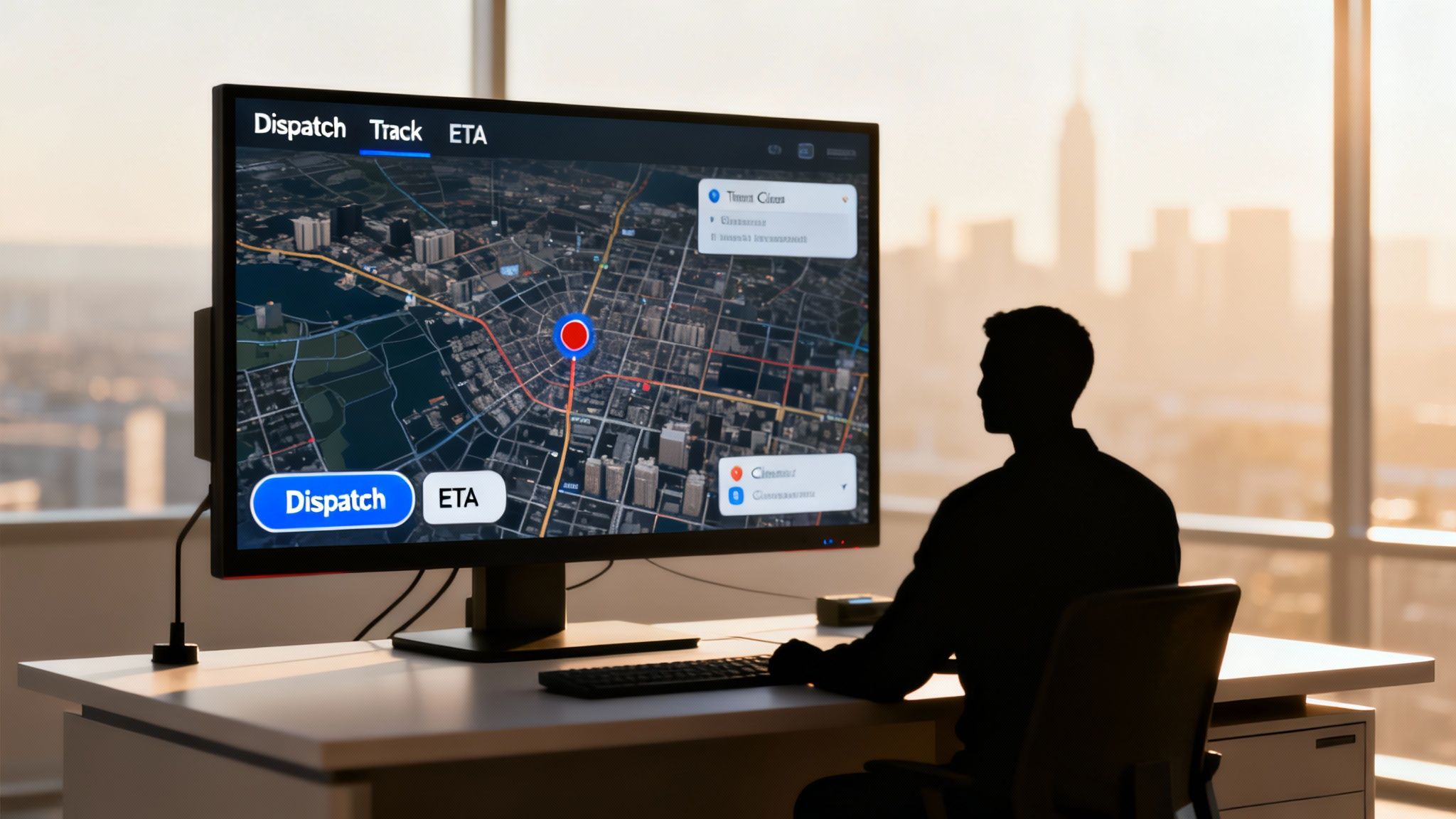
This kind of integrated visibility means faster response times, much greater accountability, and ultimately, a safer situation for both your client and your guard.
Protecting Your Bottom Line
This isn't just about better service; it's about efficiency that directly saves you money. Getting the right unit to the right place faster means less wasted fuel. Having documented, real-time tracking gives you an indisputable record of service, which goes a long way in building client trust and cutting down on retention issues.
Actionable Insight for Savings: By giving you a single source of truth for all field activities, Resgrid helps security companies prove their value with hard data. Use these detailed, professional reports during contract renewals to justify your rates and prevent clients from switching to a lower-cost competitor who can't provide the same level of verifiable service. This directly protects your revenue streams.
If you want to get a deeper look at how these systems are structured for security operations, you can explore the specific solutions Resgrid offers for security teams and see for yourself how they line up with your company’s needs. This unified approach is what helps protect your clients and, just as importantly, your company’s profitability.
Still Have Questions? Let's Clear Things Up.
When you're looking at adopting new software for your security operations, a few key questions always come to mind. Let's tackle the big ones head-on, so you can see how this kind of platform actually works in the real world for your team, your operations, and your bottom line.
How Exactly Does This Software Reduce Our Costs?
It's a fair question, and the savings show up in places you might not expect. The most obvious win is with scheduling. Automating your schedules slashes the administrative hours you're paying for and, more critically, it catches those costly overtime errors before they ever hit your payroll.
Then there are the operational savings. When you use GPS data to optimize patrol routes, you're directly cutting fuel consumption and reducing the wear and tear on your vehicles. Less time on the road means less money spent on gas and maintenance. And by going digital with reports, you're completely eliminating the recurring costs of paper, ink, and file cabinet space.
Actionable Insight for Savings: The biggest financial impact often comes from reduced liability. Having a solid, unchangeable digital log of every action a guard takes is your best defense against frivolous claims. Ask your insurance provider if they offer discounts for companies that use GPS-verified guard tour systems; many do, as it demonstrates a lower risk profile.
Will My Guards Actually Use This? Or Is It Too Complicated?
This is probably the most common worry we hear, but modern systems are built for the person in the field, not a tech wizard. The best platforms are all about simplicity. Think big, clear buttons on a mobile app for the core tasks: clocking in, sending a report, or starting a patrol.
The entire point is to make a guard's job easier, not to add another headache.
- Practical Example: Instead of fumbling with a clipboard, pen, and a flashlight in the dark, a guard can pull out their phone, use a pre-built template for an "unlocked door" report, attach a photo as evidence, and submit it in less than 60 seconds.
- What we've seen: This ease of use is a huge morale booster. Guards actually prefer using the software because it gets rid of the tedious paperwork and gives them a direct line to supervisors. They feel more connected and supported.
Can This Software Play Nicely With Our Other Systems?
Absolutely—and if it can't, you should walk away. A key feature of any top-tier security management platform is its ability to connect with the tools you're already using, especially for payroll and billing.
Look for platforms that offer direct integrations or an API to link up with systems like QuickBooks or ADP. This lets guard hours and incident details flow right into your other software, no manual entry required. This doesn't just save you administrative time; it dramatically cuts down on the risk of human error that can lead to expensive mistakes on paychecks and client invoices. Always double-check a platform's integration capabilities before you commit.
Ready to see how pulling everything into one unified platform can change the game for your security operations? With Resgrid, you can streamline dispatch, improve field communication, and deliver the rock-solid accountability your clients demand. Find out how our solutions can save you time and money by visiting https://resgrid.com today.