
The Ultimate Equipment Inventory Management System Guide
At its core, an equipment inventory management system is a dedicated platform for keeping tabs on your organization's physical assets. We're talking everything from hand tools and heavy machinery to vehicles and critical tech hardware.
It serves as a single source of truth, showing you exactly what you own, where it is at this very moment, its condition, and its entire maintenance history. Think of it less like a spreadsheet and more like a digital command center, replacing chaotic paper logs with clarity and real-time control.
Beyond Spreadsheets: The Real Value of an Equipment Inventory System
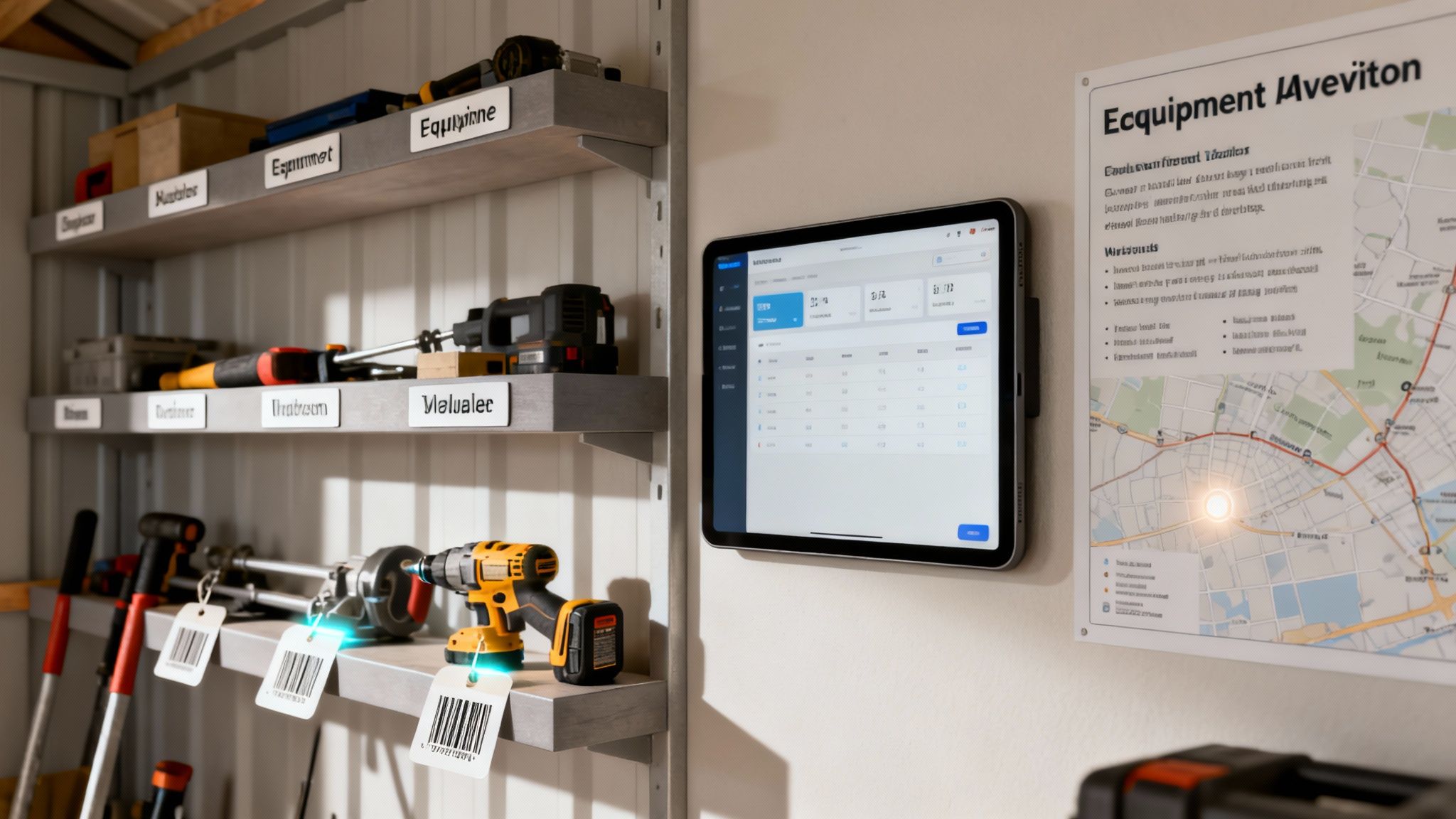
Picture your business's valuable equipment scattered across a massive, disorganized tool shed. Tools go missing, some are broken, and nobody has a clue who borrowed that expensive generator last week. For too many organizations, this isn't an exaggeration—it's the daily reality of manual tracking. It’s a constant state of guesswork that chips away at the bottom line.
An equipment inventory management system transforms that messy shed into a high-tech, organized workshop. Suddenly, every item has a home, a clear history, and a status that anyone can check in seconds. It’s a living record of your company's most vital physical resources.
The Financial Drain of Poor Equipment Tracking
The real problem with outdated tracking isn't just the frustration; it's the slow, steady financial bleed it causes. When you don't have a clear view of your assets, you lose money in ways that are often hard to spot until it’s too late.
This financial leakage comes from a few key areas:
- Repurchasing "Lost" Assets: How often do teams buy or rent duplicate equipment just because they can't find the original? Those unnecessary expenses add up fast.
- Unexpected Downtime: A critical piece of machinery fails without warning because its maintenance schedule was buried in a forgotten spreadsheet. Operations grind to a halt, causing costly delays.
- Wasted Labor: Your skilled people spend valuable hours hunting for tools instead of doing their actual jobs. That's pure payroll waste.
- Theft and Misplacement: Without a bulletproof check-in/check-out process, expensive gear can simply walk away, with no accountability or record of who had it last.
We often see these hidden costs firsthand. The table below breaks down just how quickly the expenses of a manual process can eclipse the investment in an automated system.
Manual Tracking Vs Automated System: A Cost Comparison
| Area of Operation | Cost with Manual Tracking | Savings with Automated System |
|---|---|---|
| Asset Replacement | High costs from repurchasing "lost" or misplaced items. | Drastically reduces unnecessary purchases by providing real-time location data. |
| Operational Downtime | Significant revenue loss when equipment fails unexpectedly due to missed maintenance. | Minimizes downtime with automated maintenance scheduling and alerts. |
| Labor Efficiency | Hours of paid time wasted weekly as employees search for tools. | Frees up thousands of labor hours annually by making equipment easy to find. |
| Administrative Overhead | Extensive staff time spent on manual data entry, audits, and reconciliation. | Cuts administrative tasks by over 75% by automating tracking and reporting. |
The numbers don't lie. Moving away from manual methods isn't just about convenience—it's a direct investment in operational efficiency and financial stability.
An Actionable Example of Immediate ROI
The return on investment for a solid inventory system can be incredibly fast. Let's take a real-world example: a construction company that owns a specialized concrete scanner worth $15,000.
Without a system, a project manager on a new job site can't find it. After a few frantic calls, they assume it's lost and rent a replacement for $500 a day to keep the project on schedule. Two days of rental fees just cost the company $1,000.
Actionable Insight: With a proper system, that manager could have pulled out their phone, instantly seen the scanner was available at the main warehouse, and had it dispatched immediately. This single event—avoiding a rental or the catastrophic cost of replacing a "lost" $15,000 asset—can often pay for the entire annual cost of the software.
It’s also helpful to see where this fits into the bigger picture of IT asset management software, which covers all of a company's technological resources. Ultimately, both disciplines share the same goal: turning chaos into predictable, manageable operations to save you significant time and money.
Core Features That Drive Tangible Savings
An equipment inventory management system is far more than just a digital spreadsheet. It's really a collection of powerful, interconnected tools, each one designed to plug financial leaks and make your operations run smoother. Let's break down these core features and connect them to real, tangible savings your organization can see—often much faster than you’d expect.
The business world is catching on, and fast. The market for equipment management software is set to explode from USD 11.0 billion in 2025 to a massive USD 24.5 billion by 2035. That's not just random growth; it’s a clear signal that organizations are finally getting a serious handle on their physical assets.
Real-Time Asset Tracking and Location Services
The most basic, yet most powerful, feature is simply knowing where your stuff is right now. This isn't just a list; it's live location data that starts saving you money from day one.
Practical Example: Picture a construction company with crews scattered across five different job sites. A project manager desperately needs a specialized generator. Without a system, he wastes hours making phone calls and chasing down leads. The project stalls. Frustrated, he ends up renting a replacement for $400 a day.
Now, with real-time tracking, that same manager pulls out his phone. He sees the exact generator he needs sitting idle at another site just two miles away. He dispatches a driver, and the problem is solved in minutes. That’s $400 in rental fees saved, plus hours of avoided downtime. It's that simple.
Predictive Maintenance Scheduling
Moving from reactive, "fix-it-when-it-breaks" repairs to proactive maintenance is one of the biggest cost-saving moves you can make. An inventory system automates this entire process, turning maintenance from a headache into a strategic advantage.
Here's how it works. The system tracks usage hours, mileage, or whatever metrics matter for each piece of equipment. Based on manufacturer recommendations or your own data, it automatically schedules maintenance tasks before something fails.
Actionable Insight: A fleet manager gets an alert that a delivery truck is hitting its 100,000-mile service interval. The scheduled transmission fluid change costs $300. If they miss it, a blown transmission on the highway could easily top $5,000 in emergency repairs, towing, and lost revenue. The system just prevented a catastrophe with a simple notification.
Barcode and RFID Scanning for Accountability
Let’s be honest: manual data entry is slow and full of errors. Integrating barcode or RFID scanning gets rid of those problems entirely, creating a fast, foolproof way to check equipment in and out.
When a crew member grabs a tool, they just scan its barcode with their phone. The system instantly logs who took it, when, and for what job. This simple workflow has a huge financial impact:
- Drastically Reduces Loss: When people know every item is tracked back to them, equipment is a lot less likely to "walk away."
- Eliminates "Ghost" Assets: You can stop accounting for assets on paper that don't actually exist, giving you a truly accurate inventory.
- Speeds Up Audits: Those physical inventory counts that used to take days? They can now be done in hours with a simple scanner.
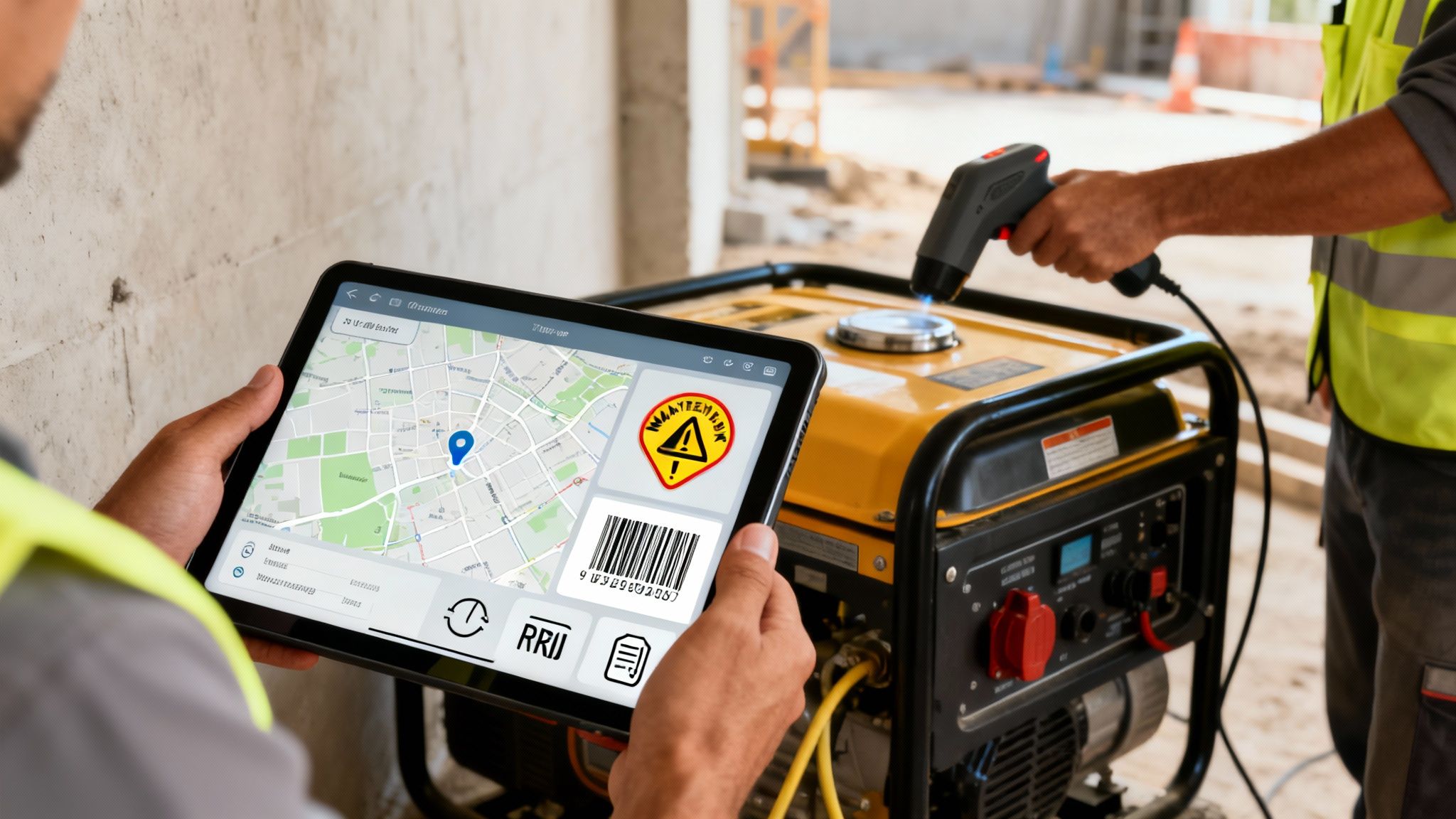
This kind of clear, centralized view ensures every piece of equipment is accounted for, stopping the slow financial drain from lost or underused assets.
Comprehensive Asset Lifecycle Management
Every piece of equipment has a life—from the day you buy it to the day you get rid of it. Managing that whole journey saves a ton of money by helping you make smarter long-term decisions. A good system tracks every cost associated with an asset, from the purchase price to every single repair, and weighs it against the asset's performance.
This gives you the hard data to answer critical questions. Is it cheaper to repair this aging truck again or just replace it? When's the best time to sell this machine to get the most money back? By planning for replacements well in advance, you can budget effectively and turn major purchases from a reactive scramble into a predictable plan. For first responders, exploring the full range of features available shows just how critical this is for life-saving equipment.
Unlocking the Financial Benefits of Smart Equipment Management
Bringing in a solid equipment inventory management system isn't just a move for better organization—it's a direct investment in your company's financial health. We can move past the fuzzy promises of "efficiency" and get right down to the specific, measurable ways this technology plugs serious financial leaks and actively shores up your bottom line. The real magic happens when you turn hidden costs into visible savings.
The entire industry is waking up to this. The market for this kind of software is set to jump from USD 2.48 billion in 2025 to USD 3.64 billion by 2029. Why the rapid growth? Because old-school manual methods are incredibly expensive, often leading to 30% more inventory than you need and a whole lot of wasted cash. You can dig into the numbers and see the research driving these insights on Research and Markets.
Slash Equipment Loss and Theft with Accountability
One of the first places you'll see a financial win is by stopping equipment from just walking away. When tools and gear aren't tracked, they have a funny way of getting misplaced, left on-site, or flat-out stolen, with zero record of who had them last. An equipment inventory system creates a digital paper trail for every single asset.
With a simple barcode or QR code scan, you create a clear check-in and check-out history for every tool. This simple act builds a powerful culture of accountability.
Practical Example: A mid-sized electrical contractor was bleeding about $2,000 a month in lost power tools and testing gear. After they rolled out a system with mobile scanning, everyone knew who was responsible for what. In just three months, that monthly loss plummeted to under $200. That’s an annual savings of over $21,000 from that one change alone.
This isn't about micromanaging your crew. It's about giving them the tools to be good stewards of the company's assets, which directly protects your investments.
Extend Asset Lifespan to Defer Capital Costs
Proactive maintenance is easily one of the smartest money-saving moves you can make. Instead of running a piece of equipment into the ground until it has a catastrophic failure, a management system lets you schedule and track preventative maintenance based on actual use—things like engine hours, mileage, or a certain number of cycles.
This approach keeps your most expensive assets running longer and pushes back the date you have to shell out big money for replacements.
Here’s how that translates directly into savings:
- Avoids Catastrophic Failures: A scheduled $300 service can easily prevent a surprise $7,000 engine replacement.
- Maximizes Uptime: Equipment that's properly maintained is equipment you can count on, preventing costly project delays and crews standing around.
- Improves Resale Value: When it's time to sell or trade in, a complete, verifiable maintenance history will get you a much better price.
Actionable Insight: Set up automated maintenance alerts based on usage. For example, a system can automatically create a service ticket for a forklift after every 250 hours of operation. This proactive step costs a fraction of an emergency repair and keeps your most critical equipment in service and generating revenue.
Optimize Equipment Utilization for Maximum Profit
Finally, a good system gives you a crystal-clear picture of how your equipment is actually being used—or, more importantly, how it's not being used. So many companies have expensive assets sitting idle in a yard for months, completely forgotten, while at the same time, they're spending thousands to rent the exact same type of gear. It's a massive, unnecessary financial drain.
An equipment inventory system can generate utilization reports that show you which assets are your workhorses and which ones are just collecting dust.
Practical Example: A landscaping company's new system flagged three high-end aerators that were sitting unused in a secondary yard. Meanwhile, the operations manager was renting two similar units for a big commercial job, costing them $1,200 a week. By simply moving their own underused equipment to the job site, they instantly erased a $4,800 monthly rental bill. That's the power of having clear visibility.
A Practical Guide to Successful System Implementation
Rolling out a new equipment inventory management system can feel like a huge project, but thinking strategically turns it from a headache into a smooth transition that pays off right away. Real success comes down to a clear, step-by-step plan that covers your data, your tech choices, and—most importantly—your people.
The idea is to take the mystery out of the process and give you a practical roadmap. If you follow a structured rollout, you can make your software investment a powerful, working asset from day one and dodge the common mistakes that lead to delays and blown budgets.
This process flow shows how a well-implemented system directly translates into financial gains by preventing loss, extending equipment lifespan, and optimizing its use.
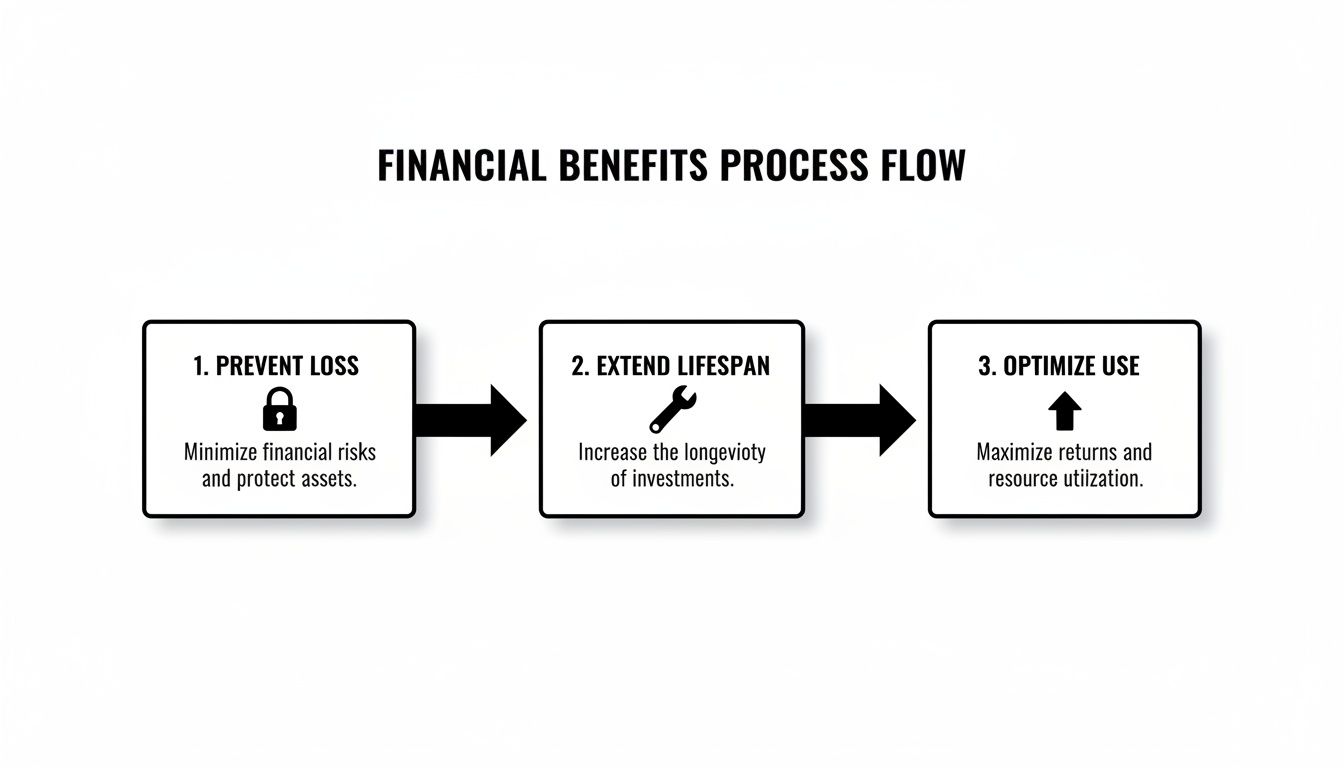
Each step really does build on the last. It creates a cycle where better tracking leads to smarter maintenance and lets you get the most out of your valuable assets.
Kicking Off with a Pilot Program
One of the best ways to save money right from the start is to avoid a massive, company-wide rollout all at once. Instead, launch a pilot program in a single, controlled environment—think one department or even a specific job site. This approach gives you a crucial testing ground.
A pilot program lets you:
- Identify Workflow Issues: You can find and fix any process kinks on a small scale before they mess up your entire operation.
- Refine Training Materials: See what questions your team actually has and build your training around those real-world needs.
- Gather Authentic Feedback: Get honest input from the people who will be using the system every day. This ensures the final setup works for them, not against them.
Practical Example: A public works department could run a pilot with its vehicle maintenance crew. They might discover their initial tagging process is way too slow for small parts. By solving this for a team of ten, they save hundreds of hours they would've wasted trying to fix it across a workforce of 200.
Data Migration and Asset Tagging
Look, your system is only as good as the data you feed it. The first real step is moving over your existing equipment data. This is the perfect time for a data "spring cleaning" to get rid of outdated, wrong, or duplicate records from old spreadsheets.
Actionable Insight: Establish a standardized naming convention for all your equipment before you import anything. A consistent format—like "Generator – 2000W – Honda – #043"—prevents confusion and guarantees that your reports are accurate and easy to read. This simple step saves countless hours searching for misplaced items later.
Once your data is clean, the physical work begins: asset tagging. You'll want to choose the right tool for the job.
- Barcodes or QR Codes: These are ideal for smaller tools and equipment that live in a central spot. They're cheap and easy to scan with any smartphone.
- RFID Tags: Perfect for scanning a bunch of items at once without a direct line of sight, like an entire toolbox.
- GPS Trackers: Best reserved for your high-value, mobile assets like vehicles or heavy machinery where you need real-time location data.
Securing Team Buy-In and Training
Technology alone doesn't get you there; your team has to actually use it. You need to involve your field crews—the people using the equipment day-in and day-out—in the setup process from the very beginning. Their feedback is gold and will help you configure workflows that make sense in the real world.
When it's time for training, focus on hands-on sessions. Show them exactly how the new system makes their job easier, whether it's finding a tool in 30 seconds or quickly logging a maintenance ticket from their phone.
If you hit a snag or have tricky configuration questions, don't be afraid to ask for help. A good vendor should provide clear guidance, and you can often get answers through official product support channels at https://resgrid.com/support. For a deeper dive into long-term success, check out these essential IT Asset Management (ITAM) best practices to round out your implementation.
How to Choose the Right Software Vendor
Picking a software vendor is a massive decision, one that can shape your department’s success for a long time. It's easy to get bogged down in features, but this is really about finding a long-term partner. The right choice feels like adding a powerful new engine to your operation; the wrong one feels like a costly, frustrating headache.
This isn’t a niche market anymore. The demand for inventory optimization—the smart evolution of basic equipment management—is exploding. The market was valued at USD 5.87 billion in 2025 and is projected to more than double to USD 12.42 billion by 2032. Software is the dominant piece of that pie, making up a huge 67.6% share. Why? Because smart algorithms can forecast demand and fine-tune stock levels, helping organizations cut their holding costs by an average of 20-30%. You can read more about these inventory optimization market trends on coherentmarketinsights.com.
Evaluate Scalability and Integration Capabilities
Your department isn't static, so your software can't be either. The very first thing to check is scalability. Will the system grow with you? If you’re planning to add more apparatus or bring on another station in the next few years, you need to know the software can handle it without slowing to a crawl.
Practical Example: A small volunteer department with 10 members and two trucks. A basic plan works fine today. But if the goal is to grow to 50 members and five trucks in five years, they need a vendor who can scale up users, assets, and data without forcing a painful migration to a whole new system.
Just as important are its integration capabilities. Your equipment inventory system shouldn't be an island. It has to talk to the other tools you rely on, like your scheduling platform or your reporting software.
Actionable Insight: Ask a potential vendor if they have a pre-built integration with your accounting or CAD system. A direct link that syncs automatically can eliminate duplicate data entry, saving countless hours of administrative work and reducing the risk of costly billing errors.
Insist on Tailored Demos and Check References
A generic, one-size-fits-all sales demo is a waste of your time. You need to insist on a live demonstration that walks through scenarios you face every single day. If you manage a fleet of fire engines and ambulances, don't let them show you how their system tracks warehouse widgets.
Make them show you exactly how you would:
- Track the maintenance schedule for a specific engine, including its next pump test.
- Assign a full set of rescue tools to a specific crew for a 24-hour shift.
- Run a report on the total repair costs for your entire vehicle fleet over the last quarter.
After the demo, ask for references—specifically from departments of a similar size and type. If you're a mid-sized fire department, talking to another one just like you is infinitely more valuable than hearing from a massive municipal fleet service. Ask them tough questions about support response times and whether the software actually delivered on its promises. A few phone calls can save you from a huge financial mistake down the road.
Before you make a final decision, take a good look at the vendor's own pricing and plan structures. For example, some clear pricing models for dispatch solutions can give you a real sense of a company's transparency and how they handle scaling for growing teams.
Vendor Selection Checklist Key Factors
When you're comparing a few different options, it's easy for the details to blur together. A simple checklist can help you stay focused on what truly matters to your operations and make a clear, side-by-side comparison.
| Evaluation Criteria | Vendor A | Vendor B | Vendor C |
|---|---|---|---|
| Scalability for future growth? | |||
| Integrates with current systems? | |||
| Customized demo provided? | |||
| Industry-specific references? | |||
| Meets security/compliance needs? | |||
| Transparent and flexible pricing? | |||
| Support response time meets SLA? | |||
| Ease of use/intuitive interface? |
Using a structured approach like this ensures you’re not just wowed by a flashy feature but are making a sound decision based on a true partnership that will support your team for years to come.
Where Equipment Management is Headed Next
The world of equipment inventory isn't standing still. We're moving way beyond just knowing where a piece of gear is. The next wave is all about predicting needs and automating decisions, turning raw data into real intelligence that saves serious time and money. Getting a handle on these changes now is what will keep your department ahead of the curve for years to come.
Think of investing in a solid equipment inventory management system today as laying the foundation. You're building the data-rich environment that all these future tools will need to plug into.
AI and Predictive Maintenance
The biggest leap forward is easily AI-powered predictive maintenance. Right now, you probably service gear on a fixed schedule—every six months, every 5,000 miles, you know the drill. AI throws that out the window. Instead, it chews on real-time usage data, past repair logs, and even environmental factors to predict when something is actually about to fail.
This means the system might flag a specific engine for inspection not because it hit a mileage number, but because its temperature has been trending just a little bit hotter on recent calls. That's a subtle clue a human might miss, but it could be an early warning of a failing coolant system.
Practical Example: An AI system picks up on tiny vibrations in a critical hydraulic pump on your ladder truck—vibrations no one can feel. It flags the part for replacement, a $500 job. By catching it early, you avoid a catastrophic failure on a fire scene that would have cost $10,000 in emergency repairs and taken a frontline apparatus out of service.
The Internet of Things (IoT)
The Internet of Things (IoT) is what makes all this possible. It's about putting small sensors directly onto your equipment. These sensors automatically phone home with data on location, status, fuel levels, and run-time hours. No more manual scanning or logbooks. This creates a live, constantly updated dashboard of your entire fleet.
Practical Example: Imagine an IoT sensor on a portable generator at a major incident. It could automatically tell the system its fuel is getting low, or that it's running too hot, and instantly create a maintenance ticket for logistics to handle. This prevents the generator from dying mid-operation and avoids potential project delays that cost thousands per hour.
This constant stream of data gets even smarter when you feed it into an AI. An algorithm could look at IoT data from past structure fires and automatically suggest the best equipment package for a new one. It might see that a smaller, more fuel-efficient light tower is all that's needed based on the scene size and time of day, saving you fuel and deployment headaches on a single call.
Have Questions? We've Got Answers.
When you're looking into equipment inventory management, a lot of questions come up. It's a big decision. We've been there, so we've put together some straight answers to the most common questions we hear.
How Much Should I Expect to Pay?
The price tag on these systems can really vary. You'll see a few different models out there—some vendors go with a flat monthly or annual fee, while others might charge you based on how many assets you're tracking or how many people are using it. But don't get fixated on just the upfront cost. The real question is about the return on your investment.
Actionable Insight: Think about it this way: say a system costs you $2,000 for the year. If that system keeps you from losing a single $2,500 piece of equipment, it's already paid for itself. Or if it helps you catch a maintenance issue before it becomes a $3,000 emergency repair, you're ahead. The trick is to stop thinking about it as a cost and start seeing it as a way to plug the leaks where money is currently seeping out of your budget.
How Long Does It Take to Get Up and Running?
This really depends on the size and complexity of your operation. If you're a smaller outfit with maybe 50 assets, you could be fully operational in about a week. But for a larger organization with thousands of pieces of gear spread across multiple stations, you're probably looking at a one-to-three-month process.
Actionable Insight: Start small to save yourself time and money. Roll out a pilot program in just one department first. This lets you work out all the kinks on a small scale in just a couple of weeks, before you go department-wide. It's a phased approach that saves a ton of time and avoids massive disruptions that could impact revenue-generating activities.
Can It Really Track Everything From Hand Tools to Heavy Rigs?
You bet. A good, flexible system is built to handle the entire spectrum, from a single wrench all the way up to a fleet of engines. The magic is in using a mix of tagging technologies that all feed into one single platform.
Here's how that usually breaks down in the real world:
- Barcodes/QR Codes: These are your go-to for the small, numerous items like power tools, SCBA masks, or safety harnesses. They're cheap, you can print them yourself, and any smartphone can scan them. This makes checking gear in and out incredibly fast.
- RFID Tags: These are perfect when you're dealing with kits or groups of items, like a full medical bag or a toolbox. You can scan the entire container at once without needing a direct line of sight on every single tag, which is a massive time-saver during rig checks and audits.
- GPS Trackers: You save these for the big-ticket, mobile assets—your trucks, trailers, generators, or command vehicles. This gives you real-time location data, which is non-negotiable for logistics and keeping your most valuable assets from walking away.
By blending these methods, you get one unified dashboard showing you where everything is, no matter how big or small.
Ready to get a complete handle on your assets and stop losing money on misplaced or broken gear? Resgrid, LLC offers a unified solution for managing the equipment and personnel that matter most. See how it all comes together at https://resgrid.com.