

Dispatching Software for Small Business: A Guide to Efficiency
If you're running a mobile workforce, you know the chaos. Sticky notes, endless phone calls, and messy spreadsheets are the old way of managing jobs and tracking your people in the field. Dispatching software is the modern answer—a centralized digital tool that brings order to that chaos, automating how you assign jobs and manage your entire mobile operation. It's not just a replacement for manual coordination; it’s a command center that saves you real time and money.
What Is Dispatching Software and Why Does It Matter?
Let's paint a picture. You run a small HVAC company, and it's the hottest day of the year. A customer calls in a panic—their AC unit is dead. Your old process probably involved frantically calling one technician after another, trying to guess who was closest and free, all while that customer's patience wore thin. That's a slow, clunky system ripe for mistakes, like sending someone to the wrong address or double-booking a critical time slot.
Dispatching software changes all that. Think of it as an air traffic control system for your team. It gives you a real-time, bird's-eye view of your entire operation on one screen. When a new service request lands, the system instantly finds the best person for the job based on their location, skills, and current workload. No more guesswork.
Here’s a look at what a computer-aided dispatch (CAD) interface might show. It’s all about organizing information for clarity and immediate action.
This kind of visual dashboard lets dispatchers see active units, pending calls, and key details at a glance. It completely eliminates shuffling through paperwork or trying to remember who is where.
Moving from Manual Chaos to Automated Clarity
For any small business, making this jump from manual to automated is a game-changer. It's about survival and growth. The whole point of dispatching software for small business is to cut out the guesswork and wasted effort. It takes those inefficient manual tasks and replaces them with smart automation that directly pads your bottom line.
-
Practical Example: A local plumbing business used to block off 30 minutes every single morning just to manually plan routes for its three plumbers. After they started using dispatching software, the system automatically generated the most fuel-efficient routes in less than five minutes. That simple change saved them nearly two hours of administrative work every week.
-
Actionable Insight (Money-Saving): Those two hours saved per week add up to over 100 hours of paid administrative time a year. If your office manager makes $25/hour, that’s a straight $2,500 back in your pocket annually. And that’s just from automating one task.
The Real-World Impact on Your Business
The benefits go way beyond just scheduling. With real-time GPS tracking, you know exactly where your team is at all times. This means you can give customers accurate ETAs and cut down on all those "where are you?" phone calls.
This tech isn't just for the big players anymore. Small businesses (with under 50 employees) now make up a huge chunk—35-40%—of the market for these tools. Why? Because they're seeing efficiency boosts of around 30%, and real-time tracking can slash dispatch errors by 40%. Perhaps most impressively, 60% of small business clients see a return on their investment in just six months.
A common myth is that this software is only for huge fleets. The truth is, it gives the biggest relative advantage to small teams, where the efficiency of every single employee has a direct impact on profitability.
This is more than just a route manager. It's a powerful tool designed to sharpen your operations and improve team productivity. By automating the tedious stuff and opening up clear communication channels, it frees up your team to do what they do best: taking care of your customers.
Core Features That Directly Impact Your Bottom Line
When you start shopping for dispatching software, it's easy to get lost in a sea of features. The real goal is to find tools that solve your most expensive problems. Think of each feature less as a tech spec and more as a way to plug the leaks in your operational budget.
Let's cut through the jargon and connect these tools to real, tangible savings. Every feature we're about to cover is designed to cut down on waste—whether that's wasted time, wasted fuel, or missed opportunities with customers.
This is how it all connects to improve your company's financial health.
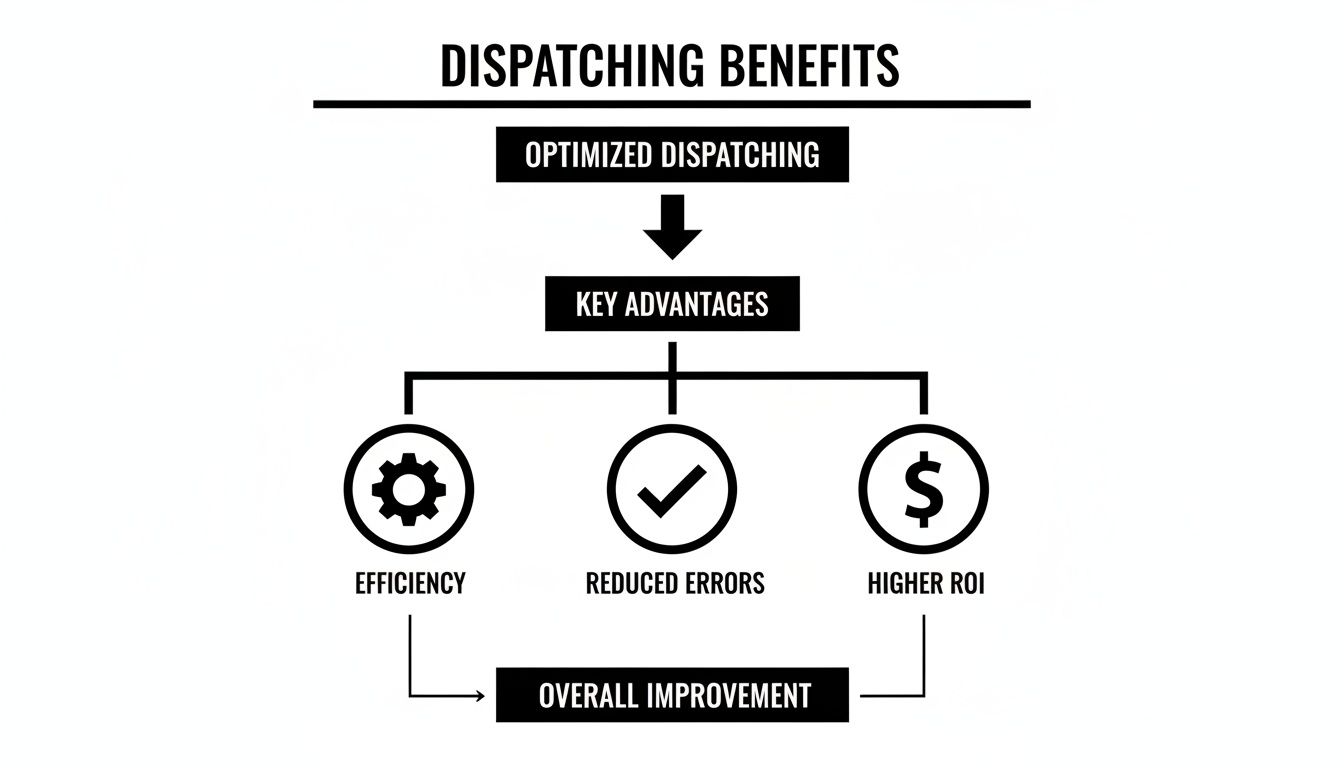
At the end of the day, greater efficiency and fewer mistakes always lead to a healthier bottom line.
Automated Scheduling and Route Optimization
Manual scheduling is one of those hidden costs that just eats away at your profits. It's the hour your office manager spends playing Tetris with appointments. It’s the extra fuel burned when a technician zig-zags across town twice in one day for jobs that could have been grouped.
Automated scheduling puts a stop to that. It intelligently assigns jobs based on who's closest, who's available, and who has the right skills for the job.
This is more than just a convenience; it's a direct path to higher job density. Smart route optimization can slash daily drive time by 15-20%. That’s often enough time for a technician to squeeze one more high-value job into their day.
Actionable Insight (Money-Saving): If your average job brings in $300, adding just one extra job per tech each week means over $15,000 in new annual revenue. That's pure profit, earned from the same team, just by cutting out wasted time behind the wheel.
Real-Time GPS Tracking
Knowing where your team is in real time isn't about micromanaging. It's your best defense against billing disputes, a fantastic tool for elevating customer service, and your secret weapon for making smarter dispatch decisions on the fly.
When a customer questions an invoice, GPS data provides undeniable proof of arrival and departure times. That alone can save you from having to write off perfectly good work. When an emergency call comes in, your dispatcher can see exactly who is closest, sending the right person without pulling another tech from across the city.
This isn't just for big fleets anymore. Cloud-based systems have made it possible for even the smallest business to monitor their team and optimize routes without any expensive hardware.
Mobile App Access for Field Teams
A good mobile app is a game-changer. It effectively turns every technician's smartphone into a mobile office, closing that frustrating communication gap between the field and home base where so many mistakes happen.
With a solid mobile app, your technicians can:
- Get instant job updates: No more missed calls or frantic text messages about a last-minute change of plans.
- Pull up customer history: They can arrive on-site fully prepared, cutting down on those back-and-forth calls to the office for information.
- Snap photos and capture signatures: This creates an immediate digital paper trail for proof of service, protecting you from disputes and liability.
Practical Example: A landscaping crew uses their app to photograph a beautiful, finished project before they leave. When the client later claims a sprinkler head was damaged, the timestamped photo proves it was intact. That simple action just saved the company a $250 repair bill.
Customer Communication Tools
How many times a day does your office phone ring with a customer asking, "Where's my technician?" Every single one of those calls is an interruption that pulls your staff away from tasks that actually make you money.
Modern dispatch software solves this with automated communication.
- Automated ETA Notifications: You can send a simple text or email when a tech is on their way, often with a live tracking link so the customer can see them coming.
- Appointment Reminders: Automatically send a confirmation the day before. This simple step can reduce no-shows and costly last-minute cancellations by up to 30%.
To see what's possible when automation is pushed to its limits, check out the key features for automated drone operations, a field where precision is everything. For a more direct look at what a professional-grade platform offers, this detailed breakdown of Resgrid features gives a great overview of what you should expect.
Calculating the Real ROI of Your New Software
Trying to justify new software can feel a bit like guesswork, but calculating the return on investment (ROI) for a dispatching system is refreshingly direct. Forget complex financial models; this is all about translating the software’s real-world benefits into hard numbers that make sense for your business case.
We’re going to break down the savings into a few key areas so you can see exactly how the software pays for itself—often in just a couple of months. It’s a lot like upgrading a delivery van. You wouldn’t just stare at the sticker price; you’d factor in the savings from better gas mileage and fewer breakdowns. Same logic, different line items: fuel, labor, and happy customers.

Reduced Fuel Costs from Optimized Routes
This is where you'll see the most immediate payback. Let's be honest, manual routing is a mess of backtracking, U-turns, and long trips between jobs. Dispatching software flips that on its head, using smart algorithms to map out the most efficient sequence of stops for your entire crew.
The numbers don't lie. For small businesses, Computer-Aided Dispatch (CAD) software can slash response times by 35%. Integrating GPS for precise dispatching can cut fuel costs by up to 20% for small trucking outfits. This is made possible by cloud-based systems, whose adoption by private agencies has jumped 45% since 2022, eliminating the need for servers that can cost upwards of $10,000. Small transport operators routinely see 25% efficiency gains and a 70% bump in customer satisfaction. If you want to dive deeper, you can check out this comprehensive market analysis of CAD systems.
Practical Example & Actionable Insight (Money-Saving):
Imagine your small HVAC company has three vans burning through $3,000 in fuel each month. A very conservative 15% reduction from optimized routing saves you $450 every single month. That's $5,400 a year that goes straight back into your pocket—more than enough to cover the software subscription.
Increased Job Completion Rates
Time spent driving is time you're not billing for. By shrinking travel time, you can often squeeze one more service call into each technician's day. It's a powerful way to boost revenue without having to hire more people.
Practical Example & Actionable Insight (Money-Saving):
Let's say you have five technicians, and each one completes just one extra $250 job per week thanks to better routing. That’s an extra $1,250 in revenue every single week, adding up to a massive $65,000 over a year. That's new money generated purely from efficiency.
This is a huge deal. It shifts the entire conversation from cutting costs to driving growth. The right dispatching software for a small business isn't just another expense; it’s a tool that actively makes you more money with the team you already have.
Minimized Administrative Time
Think about it: how many hours does your office staff spend on the phone playing schedule Tetris, manually typing up invoices, or fielding "where's my tech?" calls? All that administrative drag is a serious hidden cost. Good dispatch software automates the grunt work.
- Automated Scheduling: Turns hours of manual planning into a few clicks.
- Instant Invoicing: Pushes job details straight to your accounting software the moment it’s done.
- Customer Notifications: Automatically texts or emails customers with ETA updates.
Practical Example & Actionable Insight (Money-Saving):
If your office manager sinks two hours a day into manual dispatching, automation saves 10 hours a week. At $25 an hour, that’s $250 saved every week, or $13,000 a year. Now they have time for things that actually grow the business, like customer follow-ups or marketing. As you compare solutions, it’s worth looking at a clear breakdown of Resgrid pricing models to see how these costs stack up against the potential savings.
Better Customer Retention and Growth
Happy customers are loyal customers. When you can provide reliable ETAs, clear communication, and consistently show up on time, you build serious trust. This one is a little harder to put a number on, but the ROI is massive. Keeping a customer is far cheaper than finding a new one.
Practical Example: A local delivery service used automated ETA notifications to improve their customer experience. After six months, they saw a 5-10% increase in repeat business from their top clients, who cited the reliable delivery windows as a key reason for their loyalty.
How to Choose the Right Dispatching Software
Picking the right dispatching software can feel like a huge commitment, but breaking it down into a few key steps makes it a whole lot easier. It’s not about finding some mythical, flawless platform. It's about finding the right fit for your team’s DNA. The real goal is to grab a tool that eases your biggest headaches today but is still flexible enough to run with you as you grow.
Think of it like buying a work truck. A solo landscaper needs a nimble, gas-sipping pickup, not a massive semi. In the same way, a small HVAC company has completely different needs than a local courier service. Let's walk through the core factors so you can make a choice you feel good about.
Evaluate Scalability and Future Growth
The software you choose today can’t become a roadblock a year from now. When we talk about scalability, we mean the system’s ability to grow with you. If you’re planning to bring on five more technicians or push into a new service area, the software has to handle that bigger workload without crashing or sending your monthly bill through the roof.
A classic mistake is grabbing a cheap plan that only covers three users. The moment you hire that fourth person, you’re shoved into a pricey "enterprise" tier that completely erases any money you thought you were saving.
Actionable Insight (Money-Saving):
During a demo, hit them with this specific question: "What is the total cost for my business if I double my team from 5 to 10 technicians and add 10 more vehicles?" This forces the salesperson to get real about scaling costs, moving past that attractive entry-level price so you can avoid a nasty surprise later.
Prioritize Ease of Use and Team Adoption
A powerful tool is useless if your team finds it too confusing to use. The best dispatching software for small business feels intuitive right out of the box, needing minimal training for both your dispatchers and your crews in the field. The mobile app, especially, has to be dead simple with big buttons and a clear workflow.
If your people have to tap through seven screens just to mark a job "complete," they’ll find a workaround or just stop using it. That completely defeats the purpose of your investment, and you'll find yourself paying for a system that no one wants to touch.
Practical Example:
Let’s say you run a plumbing company. Your top plumber is a 30-year veteran who's a genius with pipes but gets hesitant with new tech. Before you commit, pull him into the demo. If he can easily navigate the mobile app to see his next job and update the status, your chances of getting the whole team on board just went way up.
The "best" software is the one your team will actually use every single day. User adoption is the single biggest factor that determines your return on investment.
Align Software with Industry-Specific Needs
Not all dispatching platforms are built the same. A generic scheduler that works for a cleaning service will be a complete disaster for a towing company that needs to track vehicle classes and manage impound lots. You need software that speaks your industry's language.
- HVAC/Plumbing: Needs features for multi-day jobs, service agreements, and tracking specific equipment.
- Landscaping: Requires tools for recurring jobs (like weekly mowing) and assigning work to specific crews.
- Courier/Delivery: Must have solid route optimization, proof of delivery with signature capture, and even barcode scanning.
If you pick a generic platform, you’ll end up creating clumsy manual workarounds for essential tasks, which is the exact opposite of the efficiency you were trying to buy in the first place.
Demystify the Pricing Models
Software pricing can seem intentionally confusing, but it usually boils down to two main models. Getting a handle on them is key to protecting your budget.
| Pricing Model | How It Works | Best For |
|---|---|---|
| Per-User/Per-Technician | You pay a monthly fee for each person who needs access (e.g., $40/user/month). | Businesses with a few users but lots of vehicles, like a small trucking company where one dispatcher handles 10 drivers. |
| Per-Vehicle/Per-Asset | You pay a monthly fee for each truck or piece of equipment you're tracking. | Businesses with many part-time users per vehicle, like an event security firm where different guards use the same patrol car on different shifts. |
Actionable Insight (Money-Saving):
Do the math for both models based on your current team size. A company with three dispatchers and 15 trucks would save a fortune on a per-vehicle plan compared to a per-user plan. Always run the numbers for your specific operational setup.
A Step-by-Step Guide to a Smooth Rollout
Choosing the right dispatching software is a huge step, but the real win comes from a successful rollout. Just buying the software isn't enough; your team has to actually use it. This guide is your roadmap for making a smooth transition from your old methods to a new, more efficient system.
A well-planned implementation cuts down on downtime, reduces frustration from your crew, and gets you to the money-saving part a lot faster. Without a clear plan, even the best software can end up collecting digital dust.
Prepare Your Data for a Clean Start
The first real step is getting all your essential business data in one place. Think of it like packing boxes before a move—do it right, and unpacking on the other side is a breeze. A clean import prevents weeks of headaches caused by bad information.
Most dispatching software for small business lets you import data with simple spreadsheet files (like CSVs). Your goal here is to collect and organize:
- Customer Lists: Round up all the names, addresses, phone numbers, and any special notes into a single file.
- Job Histories: Pull together past service records. This stuff is gold for giving your technicians context when they're on-site.
- Parts and Service Catalogs: List out every service and inventory item with its price. This is what will automate your quoting and invoicing later.
Actionable Insight (Money-Saving):
By getting this data ready upfront, you avoid paying your team for hours of mind-numbing manual data entry after you go live. A clean import can easily save 10-20 hours of admin work, which for a small crew, translates to $250-$500 in saved wages right off the bat.
Train Your Team for Enthusiastic Adoption
Honestly, the biggest hurdle to new tech is usually team buy-in. If your crew sees the software as a burden, they won't use it correctly. The trick is to frame the training around how it makes their jobs easier, not just how it helps the business's bottom line.
Practical Example: Instead of a dry lecture on features, show them the direct benefits. Show a plumber how the mobile app means no more calling the office for an address, or show a delivery driver how snapping a photo for proof-of-delivery protects them from customer disputes.
Appoint a "software champion" on your team—someone who's decent with tech and respected by their peers. They can offer informal help and hype up the new system, making the whole thing feel more like a team effort than a top-down mandate.
Configure Workflows to Match Your Business
Your dispatch software should bend to your business, not the other way around. Take the time to customize the system so it mirrors how you actually work. This means setting up job statuses, custom fields, and automated notifications that make sense for your day-to-day operations.
Practical Example: A plumbing company, for instance, might set up statuses like "En Route," "On-Site," "Awaiting Parts," and "Completed." This simple customization gives everyone at-a-glance clarity and ensures the whole team is speaking the same language. For first responders or security teams, you'll often need a dedicated platform with specialized communication tools. You can see examples of these advanced features in the Resgrid mobile apps, which are built specifically for mission-critical operations.
Use a Phased Rollout to Ensure Success
Whatever you do, don't try to switch everything over in a single day. A phased rollout lets you find and fix small issues before they blow up into major problems. Start with a single technician or a small, receptive part of your team for the first week.
Actionable Insight (Money-Saving):
For a short period, maybe a week, run your old system in parallel with the new software. It feels like double the work, but it acts as a safety net and builds confidence. It guarantees no jobs are missed and gives your team a chance to learn the new system without the pressure of a hard cutover, preventing costly mistakes during that critical learning phase.
Real-World Examples of Businesses Saving Money
Feature lists and theory are great, but the real proof is in the pudding—how does dispatching software actually impact your bottom line? Let's get out of the weeds and look at a few stories based on real-world business headaches. Each one connects a common operational problem to the specific software feature that fixed it, showing a direct line to saving, and making, more money.
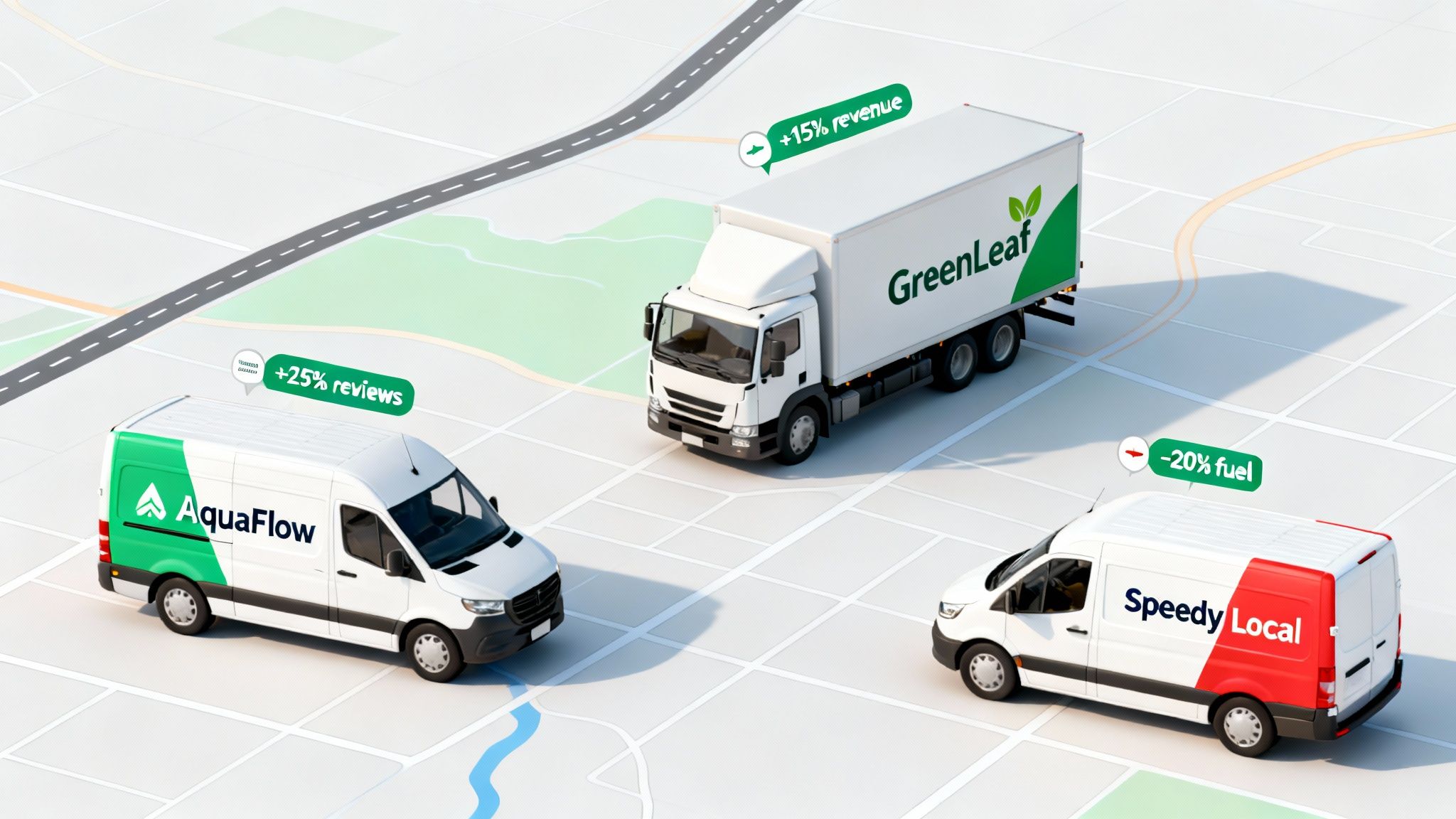
These examples show how just one or two well-chosen features can create a ripple effect, boosting efficiency, keeping customers happy, and putting more cash back in your pocket.
The Plumber Boosting Reputation and Referrals
First up, let's talk about 'AquaFlow Plumbers,' a small crew that was constantly getting hammered by negative online reviews. It wasn't about the quality of their work—it was about missed appointments and those dreaded all-day arrival windows. Customers were just fed up with waiting.
- The Problem: Inaccurate ETAs were frustrating customers and led to a 15% drop in repeat business year-over-year.
- The Solution: They got software with real-time GPS tracking and automated customer notifications. Now, the moment a plumber is heading to a job, the customer gets an automatic text with a live tracking link. Simple.
- The Money-Saving Result: Within three months, their positive online reviews shot up by 25%, with customers specifically mentioning punctuality. That improved reputation brought in more referral business, increasing job bookings by 10% without spending another dime on marketing.
The Landscaper Increasing Daily Revenue
Next is 'GreenLeaf Landscaping,' a business that was struggling to squeeze more billable hours out of the day. The owner was planning routes by hand every morning, which meant crews were often backtracking across town. That wasn't just wasting fuel; it was wasting time that could have been spent on another job.
- The Problem: All that wasted drive time meant each crew could only finish four properties a day, max.
- The Solution: They switched to software with an advanced route optimization feature. The system now automatically crunches the numbers and maps out the most efficient multi-stop route for each crew.
- The Money-Saving Result: Route optimization cut an average of 90 minutes of driving per crew, per day. That newfound efficiency let them fit one or two extra jobs into every schedule, boosting weekly revenue by 15% without hiring more people or buying another truck.
This is a classic example of working smarter, not harder. The software didn't just cut costs; it unlocked hidden revenue potential that was already there.
The Courier Slashing Fuel Expenses
Finally, imagine 'Speedy Local Couriers,' a small delivery service getting eaten alive by fuel prices. Their dispatch process was chaos. Drivers would call in for their next pickup, and the dispatcher just gave it to whoever was free, no matter where they were on the map.
- The Problem: This scattershot approach to dispatching was racking up excessive mileage. Fuel had become their second-biggest expense.
- The Solution: They moved to a platform with automated, proximity-based dispatching. When a new order pops up, the system automatically assigns it to the closest available driver. No guesswork needed.
- The Money-Saving Result: This one change slashed their fleet's overall fuel consumption by 20%. For their five-van operation, that translated into over $8,000 in direct fuel savings a year—money that went straight to their profit margin.
Got Questions? We've Got Answers.
When you're digging into dispatching software, a few questions always seem to pop up. Let's tackle the big ones I hear all the time to clear up any confusion and help you feel confident about your next move.
How Much Does This Stuff Actually Cost for a Small Team?
For a small business, you're typically looking at a cloud-based plan that runs between $30 and $80 per user, per month. Some companies will charge you per vehicle instead, which can be a smarter deal if you have more trucks on the road than dispatchers in the office.
Actionable Insight (Money-Saving): Before you get hung up on the monthly subscription price, do a quick back-of-the-napkin calculation on what you'll save. If smarter routing saves your three-van fleet just $300 in fuel each month, that $100 software plan isn't a cost—it's an instant $200 in your pocket. Always, always ask for a free trial to see the savings for yourself before you commit.
Is This Software a Pain for Field Techs to Learn?
Honestly, it shouldn't be. Modern dispatch apps are built to be as easy to use as the apps your team already has on their phones. The best ones have big, obvious buttons, crystal-clear job instructions, and simple one-tap updates for when a job is done. A complicated app that makes your techs want to throw their phone is a failed investment, period.
Practical Example: I always tell people to involve one of their most practical (and maybe even a little tech-skeptical) team members in the demo. If they can open the app and figure out their schedule and how to complete a job without a manual, you've probably found a winner for the whole crew.
Can It Talk to My Accounting Software?
Yes, and you absolutely shouldn't settle for a system that can't. Most of the solid dispatch platforms out there connect smoothly with popular accounting software like QuickBooks, Xero, and Sage. This isn't just a convenience; it's a huge time-saver.
Actionable Insight (Money-Saving): When your systems are connected, completed job details get pushed right into your accounting software, which kicks off the invoicing process automatically. This single feature gets rid of hours of mind-numbing data entry, slashes billing errors by over 90%, and gets you paid a whole lot faster. It’s a game-changer for your cash flow.
Now, for organizations in public safety, emergency services, and other mission-critical fields, you're playing a different ballgame. You often need a dedicated command, control, and communications system with far more advanced capabilities. If that's you, you should take a look at what Resgrid, LLC offers. It’s a robust, scalable platform built from the ground up for first responders and emergency management. You can learn more over at https://resgrid.com.