

Emergency Operations Center Software Guide: Essential Tools for Incident Response
Emergency operations center software sits at the heart of every critical response, acting as a live command post for incident managers. It weaves incident management, secure messaging, dispatch coordination, personnel and equipment tracking, plus robust analytics into one unified interface.
Public safety teams and private organizations turn to these platforms to swap out paper workflows and siloed emails. In high-pressure scenarios, that shift to real-time collaboration can make all the difference.
Why Emergency Operations Center Software Matters
Imagine you’re running the switchboard at a busy air traffic control tower—you need to spot threats, assign resources, and keep everyone on the same page, all in real time. EOC software automates alerts, routes tasks to the right people, and threads every update into a single, searchable log.
That level of consolidation slashes manual handoffs, cuts down on missed communications, and empowers leaders to decide faster when it matters most.
Practical Example: A municipal emergency services department replaced three separate systems with one EOC platform and cut incident briefing time from 45 minutes to 15 minutes.
Key Benefits Include:
- Centralized Visibility: A single pane of glass for events, assets, and conversation threads
- Cost Reduction: Eliminates up to 60 percent of manual paperwork, freeing dozens of staff hours
- Scalability: Grows with your needs—from a local fire department to a multi-agency task force
- Compliance Support: Built-in audit trails and automatic reporting keep you inspection-ready
Below is a screenshot showing the main dashboard with an integrated alert feed and resource map.

This view illustrates how real-time alerts and layered geolocation data merge to boost situational awareness and trim response times.
In one real-world scenario, a small public safety department cut its manual forms by 60 percent. Paper logs gave way to a centralized event feed, freeing up 10 hours per week for patrol officers. It’s a clear example of how digital command hubs deliver both cost savings and better interagency collaboration.
Actionable Insight: Automate routine notifications to save time and reduce manual data entry by 40%, freeing staff for mission-critical tasks.
Key Components Of Emergency Operations Center Software
Below is an overview of the primary elements that power modern EOC platforms and the advantages they deliver.
| Feature | Purpose | Benefit |
|---|---|---|
| Incident Management | Capture, log, and monitor events end to end | Reduces manual errors and communication gaps |
| Resource Dispatch | Assign teams and equipment based on real-time data | Speeds up field deployment |
| Secure Messaging | Provide encrypted channels for stakeholder updates | Improves coordination and accountability |
| Personnel Tracking | Display on-duty staff locations continuously | Enhances safety and oversight |
| Reporting Dashboard | Generate post-event reports and analytics | Informs lessons learned and readiness |
Each building block works together to create a seamless, safer, and more efficient response operation.
Integrating your EOC solution with existing CAD and GIS systems breaks down data silos and avoids expensive custom builds. Prebuilt APIs can accelerate deployment by 70 percent, saving over $20,000 in integration fees and getting agencies compliant and coordinated from day one.
Actionable Insight: Use unified dashboards to cut response delays and trim overtime costs during large-scale events. In practice, that same small department saw a marked drop in overtime payouts—proof that investing in EOC software quickly pays dividends.
Understanding Emergency Operations Center Software
Imagine your emergency operations center (EOC) software as the body’s central nervous system—constantly processing signals from sensors and issuing clear instructions to responders.
From the instant a smoke detector sounds to the moment a crew confirms an incident is resolved, EOC software choreographs every move.
- Detection: Inputs flow in from detectors, 911 calls, even social media.
- Situational Awareness: Live dashboards plot incidents and resources on a map.
- Resolution: Automated alerts assign tasks and record completion times.
This nonstop data stream replaces clumsy paper logs and accelerates response.
Decision makers react as swiftly as nerve impulses, guiding teams with pinpoint accuracy.
Real World Application
Along a flood-prone coastline, one city tied its tide sensors directly into the EOC alert engine. The result? A 30% cut in flood response time.
That tweak also trimmed overtime costs by $20,000 during a major storm.
- Automatic sensor feeds eliminated manual-entry mistakes.
- Geofencing sent evacuation notices 15 minutes earlier.
- Dynamic resource shifts saved 3 hours of staging per event.
This real-world win proves that open integrations can boost safety and drive savings.
Actionable Insight: Connect at least one sensor feed and test geofencing to cut manual entry errors by up to 30% and speed notifications.
Market Trends Driving Adoption
Public safety budgets have swelled in recent years, fueling robust growth for EOC platforms.
Analysts peg the global Emergency Management Software market at USD 0.44 billion in 2025, climbing to USD 1.36 billion by 2035. That’s a CAGR of 11.3% and double-digit expansion in EOC solutions. Learn more about emergency management software market growth
11.3% annual growth shows agencies are willing to trade manual processes for digital command hubs.
Even cash-strapped departments now view EOC platforms as essential investments. Centralizing incident response puts an end to scattered spreadsheets and hidden costs.
Actionable Insight: Leverage market forecast data to secure budget approvals early and negotiate multi-year contracts with built-in price protections to save 10–15%.
Avoiding Costly Customization
Here’s a tip: choose modules that plug directly into your GIS and CAD systems. No one wants surprise invoices later.
For example, a mid-size fire department linked its mapping module to the city’s GIS feed. That move cut development time by 40%.
- GIS Integration: Live map layers slash geocoding errors and saved $15,000 in custom-mapping fees.
- CAD Integration: Direct dispatch handoffs erase duplicate entries and trim operational costs.
- API-First Modules: Prebuilt connectors speed deployment by 70%, driving down integration bills.
An open-API platform prevents pricey “custom bridges” and keeps your project on schedule.
Unifying incident logs, messaging, and resource data can reduce manual errors by up to 60%. That frees staff to focus on strategy instead of paperwork.
Integrated alerts and compliance dashboards also handle reporting mandates automatically. No more late nights chasing signatures.
Situational awareness tools layer weather, asset positions, and comms logs in one view—eliminating wasted time toggling between apps.
Preparing For Core Features
Now that you understand EOC software’s nerve-center role and integration priorities, you’re ready to evaluate the modules that power swift incident response.
In the next section, we’ll dive into:
- Core features every command hub needs
- Pro tips to squeeze the most value from your platform
These insights will show how lifecycle mapping and smart integrations translate into real time and cost savings.
Exploring Core Features Of Emergency Operations Center Software
Emergency operations center software acts like a control bridge, uniting separate modules into one command hub. This cohesion trims manual steps and unlocks insights you can act on instantly.
Think of it as swapping a messy toolbox for a single, well-oiled machine. A Midwest utility provider, for instance, boosted field efficiency by 15 percent during a major storm simply by automating key workflows.
The infographic below lays out the EOC journey—from initial alert to final resolution.
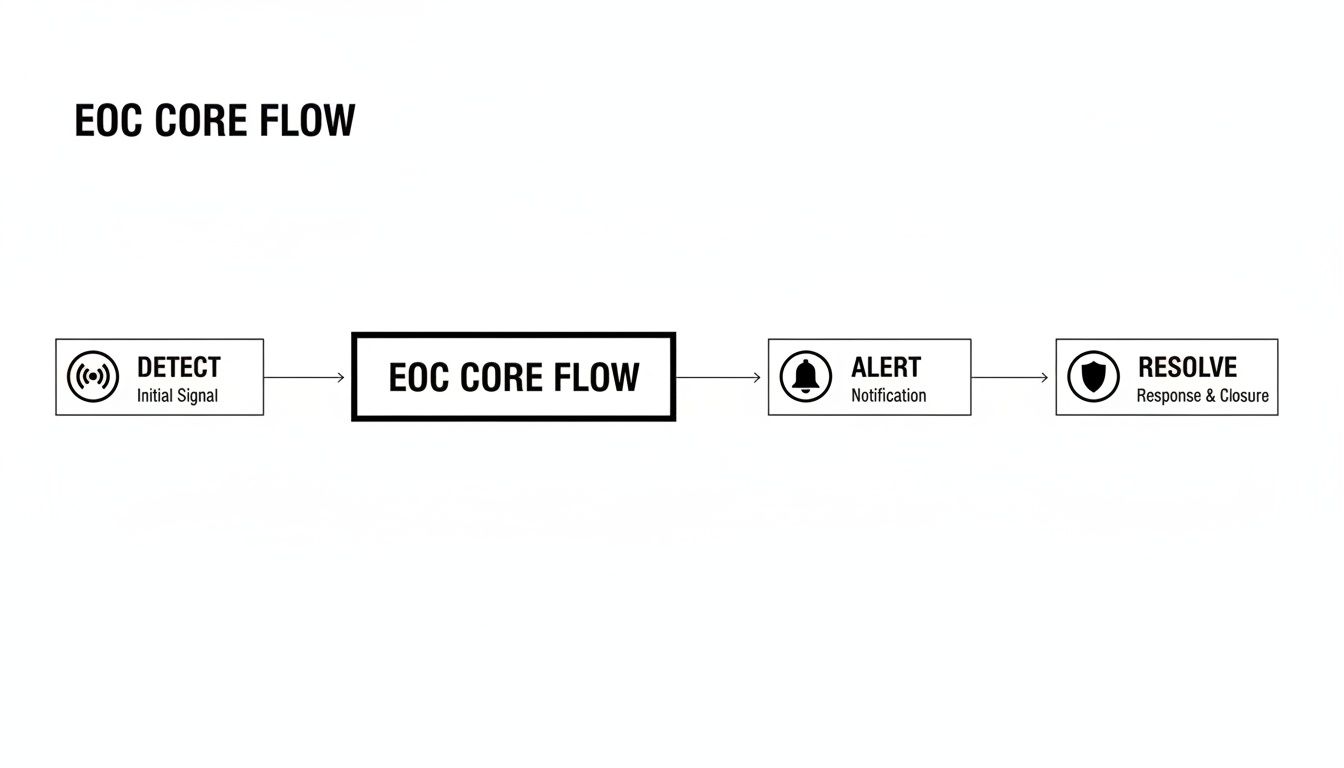
By feeding real-time alerts into a continuous loop of task assignments, teams stay updated and can ramp up support before small issues become big ones.
- Automatic Logging captures every timestamp without human error.
- Task Routing sends assignments to on-duty personnel based on skills and proximity.
- Escalation Rules trigger follow-up alerts whenever a task exceeds its time limit.
For example, a wildfire response unit used escalation rules to deploy air support in under two minutes.
- Document your top three incident types and assign each a priority tier.
- Configure automated assignments that match on-call roles to each tier.
- Run field drills to validate your escalation rules and plug any gaps.
Dispatch Tools And Resource Coordination
On the ground, responders need precise directions—and fast. Resgrid’s dispatch module marries live mapping data with incident priority, ensuring every crew member knows exactly where to go.
Dynamic rerouting adapts to road closures or accidents, shrinking travel distance by 12% and cutting fuel and overtime costs.
- Dynamic Routing adjusts paths on the fly around hazards.
- Priority Queues make sure the most urgent calls reach first responders first.
- Shift Management rotates crews automatically to keep fatigue at bay.
Secure Messaging And Stakeholder Sync
When multiple agencies converge on a scene, secure communication is essential. Encrypted channels let you spin up incident-specific chat threads without exposing sensitive information.
- Audit Trails log every message for compliance reviews.
- Priority Channels broadcast urgent updates to all key players.
- File Sharing delivers maps and documents securely.
In one multi-agency drill, encrypted messaging shaved miscommunication by 80%, dramatically improving coordination.
“A unified command console saved one department $20,000 in overtime costs during a major flood.”
Personnel And Asset Tracking
Picture a digital tag on every responder and every piece of gear. Geofencing and mobile check-ins deliver live visibility, so logistics managers know who’s on site and which equipment is ready to roll.
- Live Locations chart team movements to prevent overlap.
- Check-In Logs record field updates automatically.
- Equipment Status flags maintenance needs before breakdowns.
During a flood response, teams cut routine safety calls by 90% thanks to check-in logs—freeing supervisors for mission-critical decisions.
Reporting Dashboards And Analytics
After-action reviews shouldn’t be guesswork. Custom dashboards transform raw data into clear takeaways—track response times, cost per incident, or resource gaps in seconds.
Live analytics even predict staffing needs, helping agencies reduce budget variances by 30% and avoid overstaffing.
Comparison Of Core Features
To see everything at a glance, here’s how the core features stack up:
| Feature | Description | Use Case |
|---|---|---|
| Incident Workflow | Automated logging and task assignments | Utility storm response |
| Dispatch Module | Real-time team routing and mapping | City event coverage |
| Secure Messaging | Encrypted channels and incident threads | Multi-agency coordination |
| Tracking | Geofencing and mobile check-ins | Field personnel oversight |
| Reporting | Custom dashboards and post-event analytics | After-action reviews |
This snapshot highlights which modules deliver quick wins when seconds matter.
For a deeper dive into each capability, explore our guide on Resgrid Features.
Actionable Insight: Pair automated workflows with real-time tracking to cut incident resolution times by 25%, reclaim staff hours, and slash overtime costs.
Benefits Of Emergency Operations Center Software
Think of your EOC software as the central nervous system of an emergency response. It channels data, automates tasks, and keeps teams in sync—no more juggling multiple platforms or drowning in paperwork.
Practical Example: A Midwest utility provider switched to automated dispatch, cutting manual call triage by 40% and pocketing $50,000 in annual savings. They also retired overlapping systems and saw software licensing drop by 30%.
- Automated Dispatch slashes overtime and manual steps, freeing teams for mission-critical work and trimming up to 25% of extra labor costs.
- Unified Systems eliminate redundant tools, driving down licensing and maintenance bills.
- Resource Allocation taps real-time insights to assign crews where they’re needed most, minimizing idle time.
- Integrated Communications bring everyone onto the same page faster, speeding up average response by 20%.
- Compliance Reporting logs every action automatically, cutting audit prep and avoiding fines.
Actionable Insight: Negotiate bundled modules upfront to unlock volume discounts, potentially reducing total subscription costs by 15–20%.
Sector Demand And Market Growth
High-risk industries are leading the charge for EOC platforms. North America still holds the biggest slice of the market, while Asia-Pacific is sprinting ahead with the fastest growth rates.
Key verticals include:
- Healthcare networks conducting scenario-based drills
- Utility companies managing live incidents
- Transportation authorities coordinating across agencies
- Education institutions and government bodies
Dig deeper into these trends with Archive Market Research.
In real terms, healthcare drills using EOC tools revealed staffing gaps and cut exercise costs by 35%. Utilities reallocated crews on the fly and saved $75,000 per major event. Transportation agencies synced dashboards across cities and saw on-time service jump 15%.
| Vertical | ROI Driver | Cost Savings |
|---|---|---|
| Healthcare | Scenario-Based Drills | 35% Drill Cost Reduction |
| Utilities | Live Incident Management | $75,000 Per Event |
| Transportation | Cross-Agency Dashboards | 15% On-Time Service Boost |
| Private Enterprise | Shared Resource Pools | 20% Annual Budget Shrink |
Strategies To Maximize Savings
Negotiation starts with real numbers. Track which modules your teams actually use—down to hour-by-hour peaks—before you sit down with vendors.
Practical Example: A coalition of city and county agencies saved $120,000 by sharing communications and logistics teams during a large-scale drill.
- Audit module usage and flag underutilized features for renegotiation or removal.
- Bundle dispatch, messaging, and reporting under one vendor to unlock volume discounts.
- Review adoption rates each quarter to adjust licenses and avoid paying for idle seats.
“Tracking real consumption data has saved us thousands in renewal fees,” says a public safety director.
Actionable Insight: Use usage analytics to renegotiate contracts mid-cycle and reduce idle-seat costs by 25%.
Compliance And Accountability Gains
Built-in compliance workflows automate the heavy lifting, cutting audit prep time in half. Prebuilt templates align with FEMA, NIMS, and other mandates so you can skip custom development.
- Automated Audit Trails record every click with timestamps for instant verification.
- Report Templates meet mandatory standards out of the box.
- Shared Incident Logs guard against fines, potentially saving $100,000 per event.
Practical Example: A university in the education sector bypassed a $75,000 penalty by generating after-action reports in minutes.
Actionable Insight: Leverage out-of-the-box templates to slash compliance consulting fees by 50%.
Calculating Return On Investment
To gauge ROI, divide your total annual savings by the platform’s subscription fees. If you save $200,000 in a year and pay $50,000, that’s a 400% return.
- Add up labor reductions, overtime savings, and license cuts.
- Subtract your subscription and maintenance costs for the same period.
- Divide net savings by total costs to get your ROI percentage.
With clear metrics in hand, you’ll make smarter investments and justify EOC upgrades to decision-makers.
Actionable Insight: Present a simple ROI dashboard at steering committee meetings to secure continued funding and demonstrate value.
Choosing The Right Emergency Operations Center Software
Picking the right EOC platform is more than ticking boxes—it’s about matching real-world demands with technical capabilities. Start by mapping your organization’s priorities against potential vendor offerings.
- Scalability ensures the system grows with your incident load without lag.
- User Experience drives adoption and slashes training time.
- Integration Compatibility with GIS, CAD and dispatch systems prevents costly custom builds.
- Security Certifications like ISO 27001 signal a vendor’s commitment to protecting data.
Defining Evaluation Criteria
Begin by breaking your needs into core categories: feature set, customization and ongoing support. Then, give each area a weight based on how critical it is to your mission.
For instance, a statewide agency might assign 30% to scalability, while a small operation prioritizes training resources at 40%. This weighted approach levels the playing field.
“A simple scoring matrix cut our evaluation time by 40%, and it clarified trade-offs,” recalls a public safety director.
Applying Weighted Scoring
Turn qualitative impressions into quantitative scores:
- List your essential requirements.
- Assign weights according to strategic impact.
- Rate each vendor on a 1–5 scale per criterion.
- Multiply the rating by its weight.
- Sum the results to reveal top contenders.
Practical Example: A regional transit agency used weighted scoring to select a vendor, cutting evaluation time by 30% and securing a 15% discount.
Negotiating Licensing And Pricing
Armed with clear scores, you gain leverage in price discussions. Aim for volume discounts or multi-year agreements to lower your overall spend.
- Audit actual seat usage to avoid paying for idle licenses.
- Use your weighted scores to back up discount requests.
- Negotiate included training hours or onboarding support.
- Pin down renewal rates to sidestep unexpected increases.
Below is a straightforward checklist to capture each vendor’s strengths and assign a clear score.
Vendor Evaluation Checklist
| Criteria | Description | Scoring |
|---|---|---|
| Scalability | Ability to add users and modules without lag | /30 |
| User Interface | Intuitiveness and ease of use for responders | /20 |
| Integration | Compatibility with GIS, CAD, and dispatch feeds | /25 |
| Security | Compliance certifications like ISO 27001 | /15 |
| Support | Vendor SLAs and training resources | /10 |
Use this table as a launch point. Adjust weights or add custom rows to reflect unique requirements.
Before you sign on the dotted line, double-check each vendor’s reputation, SLA terms and forward-looking roadmap. For a deeper dive into security benchmarks and compliance, see our detailed guide on certifications and best practices: Resgrid Security Guide.
Final Selection Tips
Budget upfront for annual maintenance and support renewals. Then pilot your leading candidate in a controlled environment.
- Collect user feedback on key workflows.
- Measure impact on incident response times and cost savings.
- Compare vendor SLAs to confirm promised response windows.
- Review update schedules for feature rollouts and patches.
Investing in a thorough evaluation can cut your total cost by up to 25%, while giving your team confidence in the new system.
Actionable Insight: Secure a pilot-phase discount or trial extension to identify configuration issues early and avoid costly rework.
Implementation And Training Best Practices

Rolling out EOC software isn’t just flipping a switch. It demands a clear plan and room for course corrections along the way.
A phased rollout helps your team absorb changes in bite-sized chunks and flags any configuration issues early. Starting with low-risk pilots boosts confidence and keeps core operations running smoothly.
On-the-ground feedback from a handful of users uncovers tweaks you’ll want to make before organization-wide adoption. These insights ensure you iron out surprises ahead of time.
Phased Deployment Strategy
Your pilot teams should reenact real incidents so you can see workflows in action under safe conditions. That means tapping dispatchers, field responders and coordinators to get a 360° view of what works—and what doesn’t.
Key steps include:
- Define Pilot Scope: Set clear goals and success criteria to measure real value.
- Gather Feedback: Use short surveys and group sessions to surface pain points fast.
- Refine Configurations: Tweak settings based on input, avoiding costly rework later.
These trial runs often expose integration hotspots or training gaps that need addressing before the wider rollout. Addressing these gaps early sets the stage for a smooth scale-up.
| Phase | Goal | Typical Duration |
|---|---|---|
| Pilot | Validate workflows and gather feedback | 4-6 weeks |
| Scale | Roll out to wider user base | 8-12 weeks |
Building Effective Training Modules
Blending self-paced eLearning with live drills helps teams absorb both theory and practice. Virtual lessons walk users through platform features, while hands-on sessions lock in critical steps.
- Develop on-demand tutorials so staff can revisit key topics anytime.
- Schedule realistic drills in a sandbox environment to build muscle memory.
- Create quick-reference guides and checklists to support fast decision-making.
A searchable knowledge base cuts down on repeated questions and can save thousands in support. It quickly becomes the go-to resource for quick fixes.
“Practice builds confidence,” says a training coordinator at a major dispatch center.
Practical Example: One fire department saw training hours drop by 40% by running virtual drills during off-peak shifts, saving over $15,000 in instructor fees and cutting travel expenses by 85%.
Measuring Success And Ongoing Support
Agree on success metrics up front so you know when adoption is on track—or requires more focus. Common indicators include login rates, task completion time and the number of support tickets.
- Adoption Rate Percentage: Tracks module engagement.
- Average Task Completion: Shows efficiency gains over time.
- Support Ticket Trends: Highlights recurring issues for targeted training.
- Training Quiz Scores: Measures knowledge retention across cohorts.
Short, frequent assessments keep users engaged without adding stress. They keep users engaged without adding stress.
Governance teams should meet regularly to review data and refresh training materials. Frequent reviews make sure the program evolves.
You might be interested in our dedicated support portal for on-demand guides and tutorials with detailed instructions at Resgrid Support.
Minimizing Downtime And Hidden Costs
Shadow sessions let trainers catch errors before they reach a live incident. They catch procedural gaps before they become real problems.
Planning maintenance windows during off-peak hours keeps disruptions to a minimum. That way you keep everyone focused on mission-critical tasks.
| Cost Driver | Impact |
|---|---|
| Unplanned Downtime | Controls response delays and extra labor |
| Licensing Overages | Preventable fees when user counts spike |
Monitoring license usage closely prevents surprise overage charges. A small dashboard can save big money.
Uncovering hidden costs—like extra consultancy fees or extended hardware support—early can trim budgets by up to 25%.
A living repository of lessons learned slashes search times by 50%. It keeps every lesson at your fingertips.
A dedicated change management team smooths the path, reduces resistance and keeps everyone on board. Their support makes a huge difference in buy-in.
Actionable Insight: Schedule off-peak training and maintenance windows to minimize downtime costs and avoid premium-rate support fees.
Emergency Operations Center Software FAQ
Anyone looking at Emergency Operations Center (EOC) software usually has three big questions: how it plugs into existing systems, whether it meets security standards, and what training looks like. Tackling these concerns early can save agencies both time and money.
How Do EOC Platforms Differ From Incident Management Tools
Think of an EOC platform as your mission control. Rather than running separate dispatch, messaging, tracking, and reporting solutions, everything lives under one roof. That unified approach can cut licensing costs by up to 30%, and it simplifies ongoing maintenance.
What Are Integration Steps With CAD And GIS Systems
Integrating CAD and GIS isn’t about reinventing the wheel. In fact, you can often avoid costly custom builds by relying on prebuilt APIs.
- Start with a thorough audit of existing data feeds and user permissions.
- Connect CAD endpoints using standard API authentication.
- Run drills to validate GIS layers, geocoding accuracy, and field mappings.
Next, test everything in a pilot environment before rolling out to all users. This phased approach helps you catch mismatches and tweak performance in a controlled setting.
What Are Best Practices For User Training
Good training blends online lessons with real-life scenarios. Make sure your team has quick reference guides, then schedule hands-on drills that mirror the chaos of an actual incident. Finish each session with short quizzes to measure retention and spot knowledge gaps.
“Real-world drills before go-live can reduce support tickets by 40%,” says a training lead.
How Do I Ensure Security And Compliance
When evaluating software, look for built-in templates for ISO 27001 and FEMA NIMS. Then:
| Standard | Benefit |
|---|---|
| ISO 27001 | Robust data protection and audit trails |
| NIMS Templates | Out-of-the-box compliance reporting |
Finally, enforce role-based access controls and schedule quarterly security audits to keep everything up to date.
How Can I Maximize Software Value
Keep an eye on which modules your team actually uses. A monthly usage report lets you spot idle licenses and renegotiate your contract based on real consumption data. Multi-year agreements tied to those metrics often lead to better pricing and fewer surprises.
Actionable Insight: Use monthly usage analytics to identify unused modules, negotiate license reductions, and save up to 20% on renewals.
Experience seamless coordination and cost savings with Resgrid. Get started today with Resgrid, LLC by visiting https://resgrid.com for a completely risk-free secure trial now. Our dedicated team is ready to assist.