
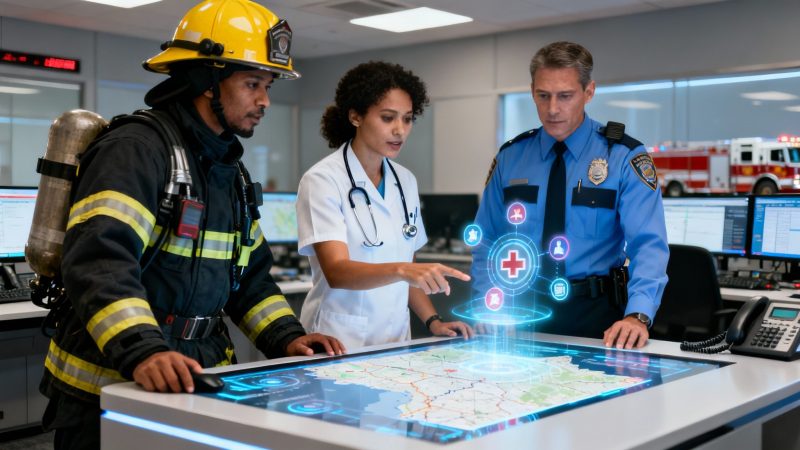
How to Improve Team Communication: how to improve team communication in practice
Improving team communication, especially when the stakes are high, isn't just about talking more. It’s about building a bulletproof system where information flows predictably, ensuring every single person has the right details at the right time.
Why Standard Communication Advice Fails in Emergencies
Let’s be honest for a second. Most of the team communication tips you read online are built for quiet offices, not the chaos of an emergency scene. When you’re dealing with fragmented information and life-or-death decisions, generic advice like "have an open-door policy" is completely useless.
Under pressure, communication transforms. It's no longer just about being friendly or collaborative; it becomes a critical operational function. The usual advice assumes a low-stress environment with plenty of time to ask for clarification. You don't have that luxury. A missed radio call, conflicting information from different apps, or a simple misunderstanding can snowball into dangerous delays.
This is where a structured, deliberate approach comes in. You can’t leave it to chance.
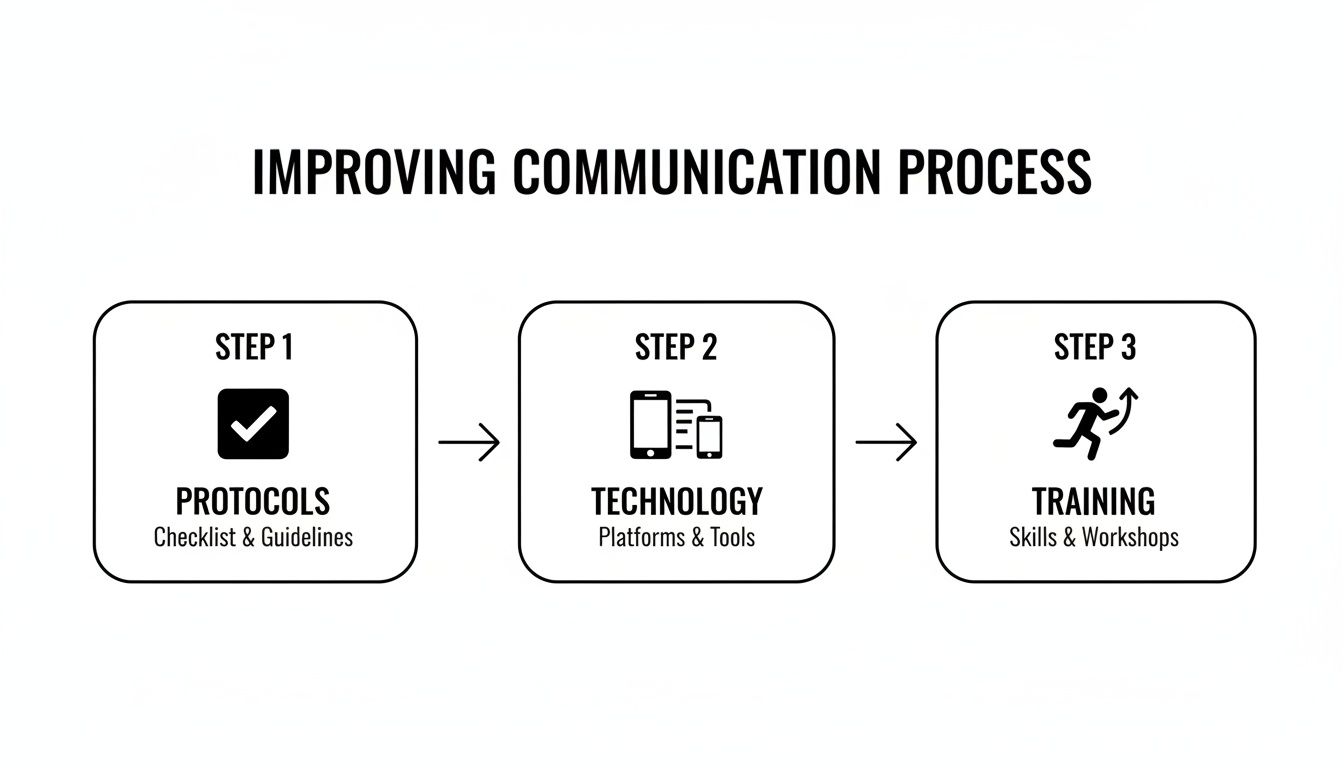
This isn’t just a nice-to-have flowchart. It’s a roadmap for building a communication system that is intentional, strategic, and designed to withstand pressure.
The Real Cost of Disconnected Communication
When communication breaks down, the consequences are real and measurable. Consider this: in high-stakes, non-desk environments, a staggering 9% of employees report being 'very much satisfied' with their internal communication tools. That’s a huge disconnect.
It's not just about morale, either. Teams with strong, connected communication see productivity jump by as much as 25%. More importantly for our world, a unified system can lead to a 4.5 times increase in employee retention. Retaining skilled dispatchers and experienced first responders is mission-critical, and good communication is a huge part of that puzzle. Staffbase's research has some powerful insights on this.
When every single person—from the dispatcher taking the initial call to the boots on the ground—is working from the same playbook, ambiguity evaporates. That clarity translates directly into faster, safer, and more effective outcomes.
To help you get a quick handle on what this framework looks like, here are the core pillars we’ll be breaking down. Think of this as your cheat sheet for building a communication system that actually works when it matters most.
Core Pillars of High-Stakes Team Communication
| Strategy Pillar | Primary Goal | Real-World Impact (Cost & Time Savings) |
|---|---|---|
| Standardized Protocols | Create a common language and clear, consistent workflows. | Reduces errors by an estimated 15-20%, saving critical seconds on every call and preventing costly mistakes like sending the wrong equipment. |
| Unified Technology | Consolidate tools into a single source of truth for all personnel. | Cuts redundant software costs by up to 40% and reduces training time by eliminating the need to learn multiple systems. |
| Practical Training Drills | Build muscle memory and test protocols in realistic simulations. | Decreases incident response time by identifying system weaknesses before a real crisis, preventing potential liability and equipment losses. |
These pillars aren't just abstract ideas; they are actionable strategies that directly impact your team's performance, budget, and safety.
A Framework for High-Stakes Teams
To really fix team communication, you have to move beyond just tips and build a resilient framework. In this guide, we're going to dig into these three pillars:
- Standardizing Protocols: This is about creating a common language. We’ll look at building clear 'if-this-then-that' workflows so that responses are consistent, no matter who is on shift.
- Unifying Technology: We’ll talk about how to stop the app-switching madness by consolidating everything into a single platform like Resgrid. The goal is one source of truth to kill confusion and save money on software you don’t need.
- Running Practical Drills: This is where the rubber meets the road. We’ll cover how to use realistic simulations to build muscle memory and stress-test your protocols before a real crisis hits.
By focusing on these areas, you can build a communication system that holds up under pressure, saves precious time, and ultimately helps protect lives.
Building Communication Protocols That Work Under Pressure
When chaos erupts, clear communication protocols are the bedrock that prevents a crisis from spiraling out of control. These aren't just rules gathering dust in a binder; they're the shared language and muscle memory that let a team operate as a single unit under insane pressure. Thinking through these systems beforehand is how you ensure your team can communicate when every second matters.
Without established protocols, teams fall back on guesswork. Information gets lost, messages are misinterpreted, and response times drag. The goal here is to stamp out ambiguity so that every action is predictable, repeatable, and efficient.
Establish a Common Operational Language
First things first, you have to make sure everyone is speaking the same language. In high-stakes situations, even common words can have multiple meanings, and that confusion is a killer. Standardizing your terminology is the only way to eliminate this risk.
A classic example is the use of ten-codes (like "10-4" for "message received"). While some agencies are moving away from them, the principle is as vital as ever: create short, unmistakable codes for common situations, statuses, and requests. This cuts down on radio traffic and guarantees clarity.
- Practical Example: Define simple, specific codes for your common incident types. "Code Red" might mean a structure fire, while "Code Blue" is a medical emergency. This lets dispatch paint a clear picture in a single phrase.
- Actionable Insight: Use a system like Resgrid to create custom call types and statuses that match your agency’s unique protocols. This makes it easier for new hires to get up to speed and helps veterans stay consistent. That simple step saves money by cutting down on onboarding time and reducing the potential for costly errors that stem from miscommunication.
Building a common language is a zero-cost, high-impact strategy. It lowers the cognitive load on your team during a crisis, freeing them up to focus on the problem at hand, not on trying to figure out what someone just said.
This is something you can build directly into a dispatch system like Resgrid. It makes it easier for new folks to get up to speed and helps veterans stay consistent. That simple step saves money by cutting down on training time and reducing the potential for costly errors that stem from miscommunication.
Define Role-Based Communication Channels
Not everyone on the team needs every piece of information. A huge mistake I see is broadcasting all updates to all personnel. It just creates a wall of noise that drowns out the truly critical messages. By defining role-based communication channels, you make sure the right information gets to the right people, without the distraction.
Think about a large-scale traffic incident involving police, fire, and EMS. The fire captain doesn't need constant updates on traffic rerouting, and the police sergeant doesn't need the play-by-play on patient vitals.
Here's a practical way to set it up:
- Incident Command (IC): All high-level strategic updates flow to and from the Incident Commander. This is your central hub for decision-making.
- Tactical Channels: Create dedicated channels or talk groups for different functions. For instance, a "Fire Ops" channel for the firefighters on scene and an "EMS Ops" channel for the medical teams.
- Logistics Channel: Set up a separate channel just for coordinating resources, personnel staging, and equipment needs.
This kind of structure prevents a single radio channel from getting completely overwhelmed. Inside Resgrid, you can create specific groups (like "SWAT Team" or "Paramedic Unit A") and send targeted messages or dispatches straight to them. This digital approach sidesteps radio chatter and gives you a clear, documented record of communication—something that's invaluable for after-action reviews. By targeting your comms, you kill information overload and save precious minutes that would otherwise be wasted sifting through irrelevant noise, reducing the operational cost of each incident.
Create Actionable If-Then Workflows
The most effective protocols are built on simple, undeniable logic: if this happens, then you do that. These "if-then" workflows are basically pre-made decisions that guide your team's actions during predictable scenarios. They take improvisation out of the equation when things get heated.
For instance, what's your protocol for a lost radio communication? It should be crystal clear.
- IF: A unit fails to answer three consecutive radio checks…
- THEN: The dispatcher will try to reach them on their mobile device using the Resgrid Responder app.
- IF: There's still no answer after two mobile attempts…
- THEN: The dispatcher will send the closest available unit to the unit's last known location for a welfare check.
This workflow is clean, sequential, and leaves zero room for interpretation. It outlines a precise escalation path that ensures both team member safety and operational continuity.
When you document these protocols and integrate them into your dispatch system, you create a powerful, semi-automated process. This reduces the manual oversight needed from supervisors and dispatchers, saving on labor costs and letting them focus on managing the more complex parts of an incident. It's a proactive investment that pays off big in efficiency and safety.
Unifying Your Team With the Right Technology
Technology should be a force multiplier, not another source of confusion. So many agencies get stuck juggling a mess of disconnected apps—text messages for quick pings, emails for formal reports, and constant radio chatter for everything in between. This patchwork approach is a recipe for disaster. It creates information silos, slows down response times, and frankly, it costs you money.
Picture this: you're trying to coordinate a large-scale event with five different applications. A critical update gets sent via text but never reaches the person monitoring email. Suddenly, you have a massive gap in situational awareness, and that's when things get dangerous. Now, imagine a single, integrated system where every dispatch, message, and location update is visible to the entire team, instantly, on one platform. That's the goal.
Ditching Disconnected Apps for a Single Source of Truth
The burden of managing multiple communication tools isn't just about the subscription fees piling up. The real cost is hidden in the inefficiency and miscommunication that happens when your team has to switch between apps just to get a complete picture.
Every second lost switching screens is a second you don't get back. And the financial impact is staggering. Poor workplace communication costs U.S. companies $1.2 trillion every year. A whopping 86% of employees point to a lack of collaboration as the reason for failures on the job. On the flip side, when organizations consolidate their tools, productivity can jump by up to 30%, and they see 50% lower turnover—a huge deal when it comes to retaining experienced people.
By moving to a single platform, you create one undisputed source of truth. Every bit of information, from the initial call to the final all-clear, lives in one place. Everyone who needs it can see it. No more guesswork.
Core Features That Matter for First Responders
It's easy to get distracted by flashy features that sound cool but don't add real-world value. When you’re choosing a technology solution, you need to focus on the stuff that directly supports clear, fast, and reliable communication.
Here are the non-negotiables you should be looking for:
- Integrated Dispatch and CAD: The system needs to let dispatchers create and assign calls seamlessly, with all the info populating automatically for units in the field.
- Real-Time Messaging: Secure messaging with group capabilities is a must. It cuts down on radio traffic and makes sure every important message is logged.
- Personnel Tracking (GPS): You have to know where your units are. It's fundamental for safety and for allocating resources efficiently.
- Scheduling and Staffing Tools: Managing shifts and ensuring you have enough people on duty shouldn't require a separate app. Integrated scheduling prevents gaps and makes roster management simple.
These are exactly the kinds of integrated capabilities that platforms like Resgrid are built to provide. You can check out a full breakdown of the https://resgrid.com/features that unify first responder teams and see how they all work together. This is how you solve the communication puzzle.
A Cost-Effective Approach to Unifying Technology
One of the biggest hurdles to adopting new tech is always the cost. Traditional enterprise software often hits you with heavy setup fees, long-term contracts, and expensive per-user licenses. That model just doesn't work for a lot of agencies.
The right technology shouldn't drain your budget; it should free it up. By consolidating multiple software subscriptions into one, you eliminate redundant costs and simplify administrative overhead.
Resgrid’s self-service, no-contract model offers a financially sensible way forward. Agencies can sign up and start using the system right away without a massive upfront investment. This approach allows you to replace a scheduling app, a messaging service, and a tracking system with a single, affordable platform. That freed-up budget can then be put toward other critical needs, like new equipment or more training. For a look at how advanced tech is streamlining communication in other critical fields, consider examples like AI voice recognition in healthcare, which shows the wider trend toward more integrated and intelligent systems.

The key takeaway is simple: a unified view prevents information from getting lost in the shuffle. It ensures every team member is on the same page, which boosts both safety and efficiency across the board.
Running Drills That Simulate Real-World Chaos
Communication isn't a textbook skill. It’s a muscle. And if you don't use it, it weakens. You wouldn't send a firefighter into a blaze without hose training, or a paramedic on a call without practicing IVs. The same logic applies to communication—it absolutely must be honed through regular, realistic drills.
Waiting for a five-alarm fire or a multi-car pileup to test your protocols is setting your team up for failure. The goal is to build that crucial muscle memory in a controlled environment so that when the real thing happens, their reactions are automatic.
This means getting beyond tabletop discussions and running practical simulations that mimic the absolute chaos of a major incident. These don't have to be massive, day-long events that take units offline. High-impact drills can be woven right into a regular shift, offering huge value without disrupting operations.
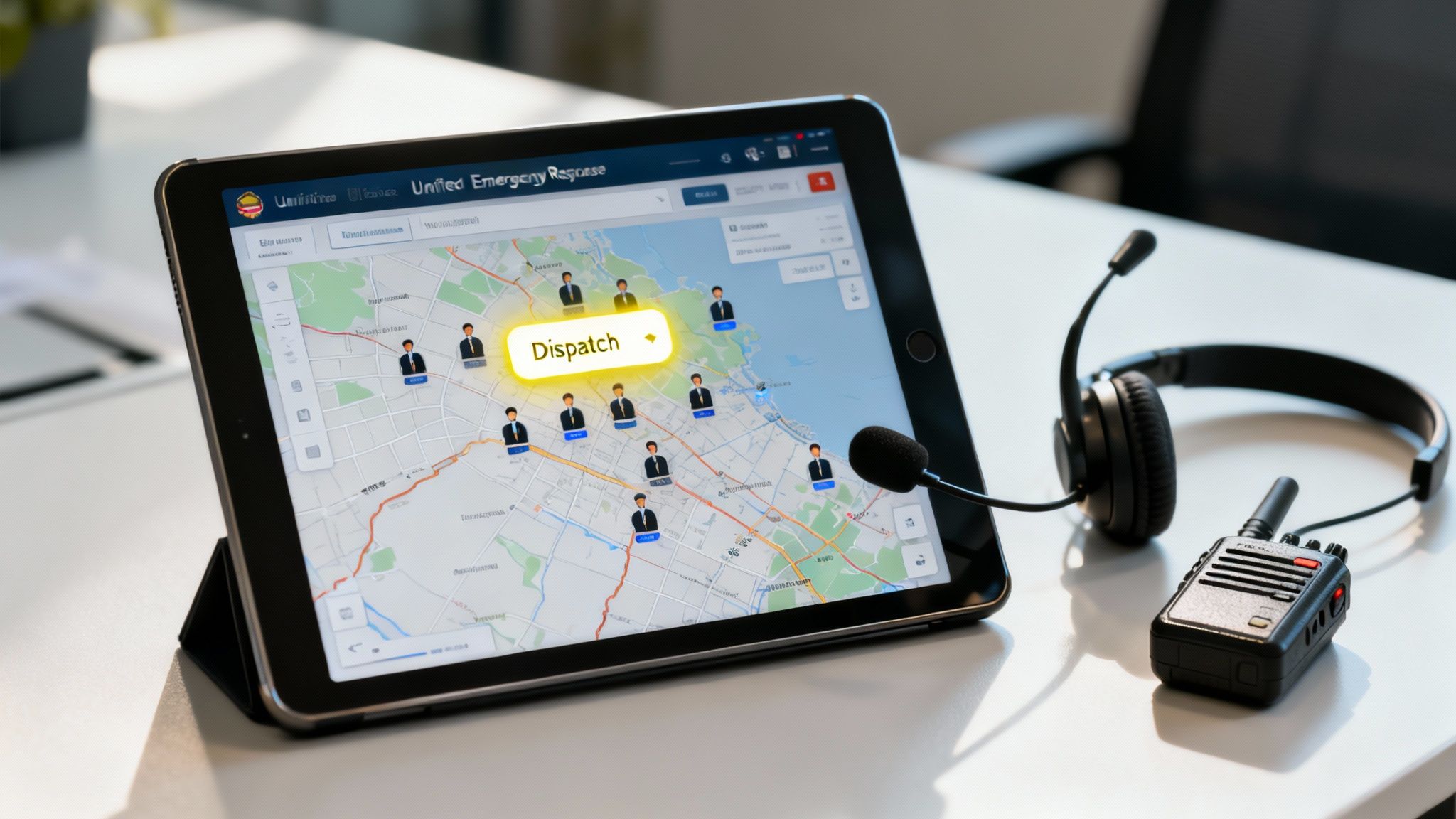
The 'Comms Blackout' Drill
One of the most eye-opening drills I've seen is the 'comms blackout.' It’s simple: you simulate a primary communication failure, like the radio system going down. This immediately forces your team to depend on backup protocols and secondary channels. It’s a gut check for your redundancies and your crew’s ability to adapt on the fly.
- Practical Example: During a quiet moment, a supervisor announces a simulated radio outage for a specific unit. That crew must switch to the messaging features in the Resgrid app to get updates, report their status, and coordinate. The dispatcher, meanwhile, uses the same platform to send notifications and track the unit via GPS.
- Actionable Insight: This drill costs absolutely nothing to run, but the insights are priceless. You'll instantly see where the gaps are in your backup plan and find out who isn't comfortable with the technology. Identifying these issues in a drill prevents a real-world equipment failure from becoming a catastrophic event, saving potential costs related to lost assets or failed operations.
By simulating the failure of your primary tool, you force your team to master the entire toolbox. This simple exercise builds confidence and ensures that a real-world equipment failure is a minor inconvenience, not a catastrophic event.
The 'Misinformation' Drill
On any chaotic scene, rumors and bad info can spread faster than the incident itself. A 'misinformation' drill is designed to test your team's discipline. Do they verify facts through the chain of command, or do they react to chatter?
- Practical Example: A training supervisor injects credible-sounding but false information into an exercise. During a simulated MVA drill, a message comes across a secondary channel: "Confirmed second MVA, rollovers with entrapment, two blocks east."
- Actionable Insight: The drill tests if the crew follows protocol and verifies with dispatch through official channels first. This simple test hammers home the importance of a single source of truth, like the dispatch log in Resgrid, for confirming operational details. It's a massive money-saver when you avoid sending an engine company on a wild goose chase, saving fuel, personnel hours, and equipment wear-and-tear.
How does the crew respond? Do they immediately divert resources, or do they follow protocol and verify with dispatch through official channels first? This drill hammers home the importance of a single source of truth for confirming operational details.
Using Technology to Maximize Training ROI
Running these drills with a clipboard is good. Running them with technology is a game-changer. A platform like Resgrid can turn your training exercises into data-driven opportunities for real improvement.
Using a system that includes features like those in the Resgrid mobile apps, you can manage the entire drill digitally from start to finish.
- Create a Training Call: Log the entire simulation as its own call within the system. This keeps everything organized.
- Log Performance Data: Every message, status change, and action is automatically time-stamped, creating a perfect, unbiased timeline for your after-action review.
- Pinpoint Weaknesses: After the drill, pull up the call log. You can see exactly where communication lagged or protocols got missed.
This approach gives you a much better return on your training time. Instead of relying on who remembers what, you have hard data to guide your feedback and shape future drills. You can build a powerhouse in-house training program that constantly sharpens your team's edge, all without the cost of expensive off-site courses.
Measuring Communication to Drive Improvement
You can't fix what you don't measure. That’s an old saying, but it’s especially true in our world. For first responder and dispatch teams, gut feelings about how well you're communicating just don't cut it. To actually get better, you need to stop guessing and start using hard data.
By introducing key performance indicators (KPIs), you can pinpoint exactly where the breakdowns are happening, make a solid case for training or new gear, and actually prove that your efforts are paying off. It transforms communication from a fuzzy "soft skill" into a core operational metric you can actively manage and improve.
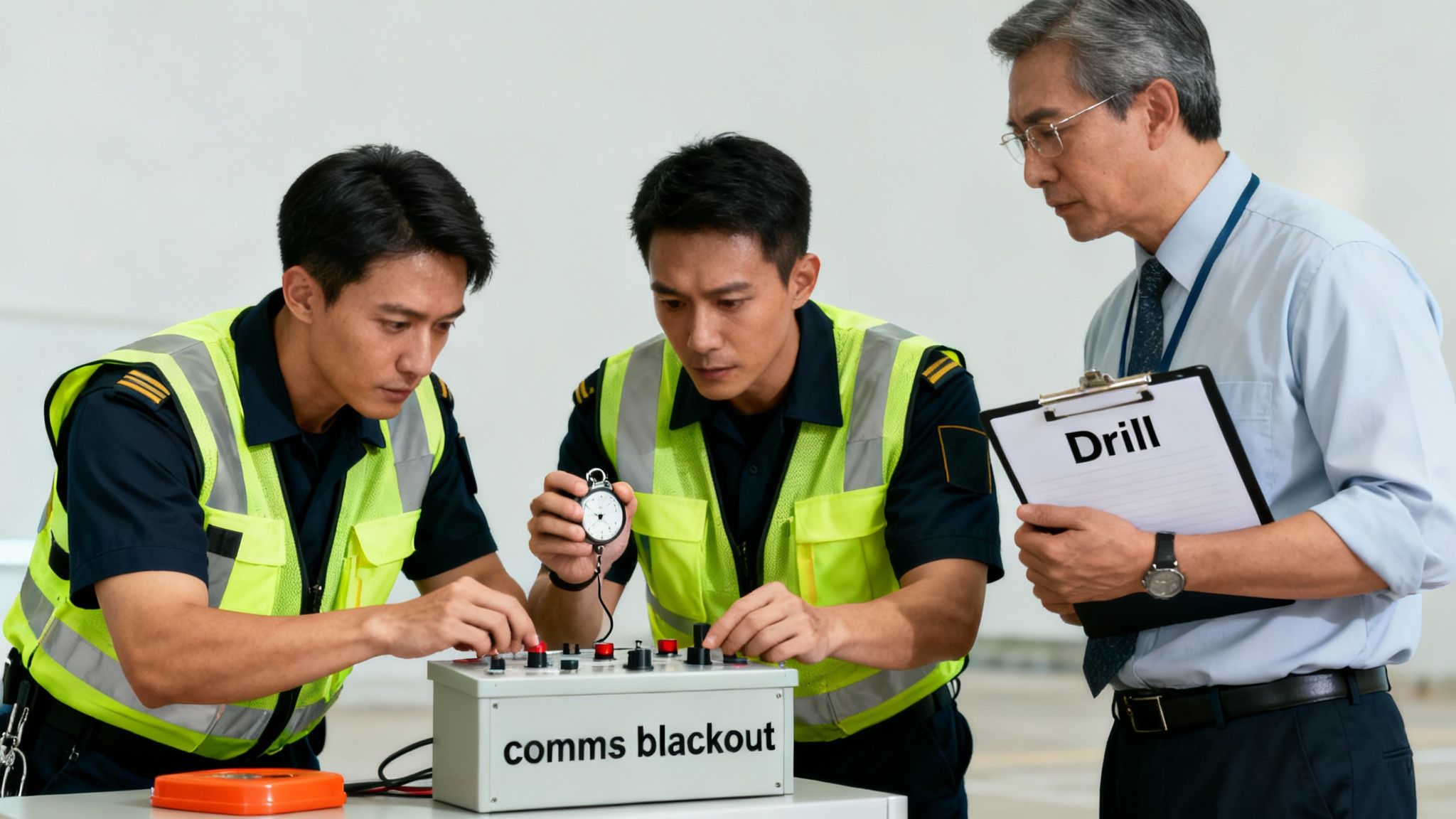
Key Communication KPIs for Responder Teams
First things first, you need to track the right things. Generic business KPIs are useless here. We need metrics that reflect the unique pressures of emergency response—things that directly impact speed, clarity, and safety on the ground.
Here are three metrics I've seen make a real difference:
- Time-to-Acknowledgement: How long does it take from the moment a dispatch goes out until the assigned unit confirms they got it? Long delays here are a huge red flag. It could be a tech issue, a signal dead zone, or simply someone not paying attention.
- Clarification Request Rate: This is a simple but powerful one. How often do units have to radio back to ask for more info or a repeat? If this number is high, your initial messages are probably unclear, too complicated, or full of jargon.
- Protocol Adherence Percentage: Drills aren't just for practice; they're for measurement. During a training scenario, how often did the team stick to the established comms protocols? This tells you if your training is actually sinking in and becoming muscle memory.
Tracking these gives you a clear, evidence-based picture of where you stand. No more guessing. You can target your efforts exactly where they’ll have the biggest impact.
To help you get started, we've put together a table of actionable metrics you can begin tracking right away. These KPIs are designed to give you a clear, data-driven view of your team's communication effectiveness.
| Metric (KPI) | What It Measures | How to Track It (Using Resgrid) |
|---|---|---|
| Time-to-Acknowledgement | The delay between sending a dispatch and receiving confirmation from the assigned unit. | Resgrid automatically timestamps every action, from call creation to unit acknowledgment. Run reports on call logs to calculate the average time. |
| Clarification Request Rate | The frequency of follow-up questions from units, indicating a lack of initial clarity. | Use Resgrid’s messaging logs to manually review and tag instances of clarification requests within a specific incident or time period. |
| Missed Message Rate | The percentage of critical messages that are not acknowledged or require re-transmission. | Analyze dispatch and message logs in Resgrid to identify messages that never received an acknowledgment status update. |
| Protocol Adherence | How consistently teams follow established communication protocols during drills and real incidents. | Use Resgrid's training and logging features to document drill performance. Review incident after-action reports and compare them to protocol. |
| Incident Resolution Time | The total time from the initial call to the final "all clear," which is heavily influenced by communication efficiency. | Resgrid’s call management system tracks the entire lifecycle of an incident, making it easy to report on resolution times. |
By focusing on these specific metrics, you can move beyond subjective feedback and begin making targeted, evidence-based improvements that enhance both safety and operational speed.
Creating a Data-Driven Feedback Loop
Collecting data is just the first step. The real magic happens when you use it. The goal is to create a continuous loop: gather metrics, analyze them for trends, make a change, and then measure again to see if it worked.
Let’s say you find your Time-to-Acknowledgement is consistently creeping over 60 seconds. Instead of shrugging it off, you can dig in. Is it one particular shift? A specific geographic area with bad reception? Maybe the data shows it's only happening with newer members who need a quick refresher on the mobile app.
This data-driven approach is also your best friend when it comes to the budget. It's one thing to ask for new equipment; it's another thing entirely to show leadership that a new tool or training program cut response times by 15%. That's a powerful argument. To get an even fuller picture, you might find these powerful 360 feedback examples useful for structuring your review process.
Data turns your communication improvement efforts from an expense into an investment with a clear, measurable return. Faster response times and fewer operational errors translate directly into better outcomes and significant cost savings.
How Resgrid Automates Data Collection
Trying to track all this manually would be an absolute nightmare of spreadsheets and logbooks. It's just not practical.
This is where a unified platform like Resgrid really shines. Its automated reporting and logging features do all the heavy lifting for you.
Every single action—from the moment a call is created to the final message acknowledgement—is automatically time-stamped and logged. This creates an objective, searchable, and unchangeable record of every incident. You can pull reports on your KPIs in minutes without any extra administrative work. If you ever get stuck setting up reports, our team is here to help through our support resources.
This automation isn't just about saving time. It's about focusing your energy on what matters: analyzing the data and making your team better, not getting buried in paperwork. The data is clear—good communication slashes employee turnover by as much as 50%. In our field, keeping experienced people is everything. Automating data collection lets you focus on the improvements that keep your team sharp, safe, and ready for the next call.
Frequently Asked Questions
Switching up how your team communicates in high-stakes environments is more than just good intentions; it takes a real, systematic approach. Here are some of the most common questions we get from teams trying to build a more resilient and effective communication framework.
What Is the Single Most Impactful Change We Can Make?
Hands down, the biggest leap forward you can make is adopting a single, unified platform. We see it all the time—teams are hamstrung by a patchwork of tools. Radios, personal cell phones, a handful of different apps… it's a recipe for information silos and dangerous delays.
When you centralize everything—dispatching, messaging, and personnel tracking—into one system like Resgrid, you create a single source of truth. It's a simple shift, but the impact is massive. Everyone gets the same critical information at the exact same time, which cuts down on missed messages and makes your entire operation smoother.
A unified platform doesn't just improve communication; it delivers an immediate return on investment. You'll eliminate the cost and administrative headache of managing multiple software subscriptions, freeing up your budget for other essential needs.
Getting everyone on the same page, literally, is the fastest way to bridge the gaps that put your team and your mission at risk. It’s the foundational step that makes every other improvement you try to make that much more effective.
How Do We Get Team Members to Follow New Protocols?
Getting buy-in for new protocols is a classic hurdle, but it's completely doable if you nail three things: clarity, training, and enforcement. Just sending out an email with a new set of rules and hoping for the best is a plan destined to fail.
First, pull your team into the creation process. When they actually understand the "why" behind a new protocol—like how it keeps them safer or genuinely makes their job easier—they’re way more likely to adopt it. This builds ownership from the ground up, not the top down.
Second, don't just talk about the new rules; run drills. Put your team through practical, hands-on training that simulates real-world scenarios. This is how you build the muscle memory needed for those protocols to become second nature when stress is high and every second counts.
Finally, use your tech to make following the rules the path of least resistance. For instance, you can configure your dispatch software with required fields or automated checklists that perfectly align with your new protocols. This makes doing it the right way a natural part of the workflow, not some extra, clunky step that gets skipped when things get chaotic.
What Are the Most Cost-Effective Improvement Strategies?
Improving communication doesn't have to mean draining your budget. In fact, some of the most powerful moves are also the most affordable, letting you see big results with very little financial outlay.
Start with the changes that only cost you time:
- Practical Example: Run a communication audit. Get the team together and map out how you're doing things now. You might discover that dispatchers spend 10 minutes per shift manually checking a separate system for personnel availability. Fixing that one bottleneck can have a massive ripple effect.
- Actionable Insight: Standardize your language. This costs absolutely nothing. Agreeing on common terminology, codes, and acronyms gives you a huge boost in clarity and speed, eliminating the dangerous ambiguity that can creep in during a critical moment and prevent costly errors.
- Cost-Saving Tech: Look for technology that consolidates. A platform like Resgrid runs on a self-service, no-contract model, so you can ditch hefty setup fees and long-term commitments. By swapping out multiple paid apps for one affordable, all-in-one solution, you can actually reduce your monthly software spend while making your team's communication dramatically better. It's a clear path to saving money while upgrading your capabilities.
Ready to build a communication system that works under pressure? Resgrid provides the unified platform you need to connect your team, standardize your protocols, and respond faster. Discover how Resgrid can save you money and improve your team's performance today.