
A Guide to Computer Assisted Dispatch Systems and Saving Money
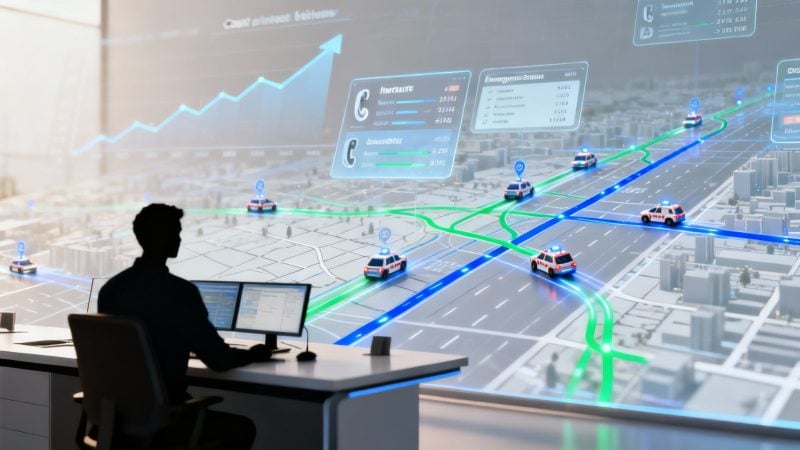
A computer assisted dispatch system is basically the digital nerve center for any outfit that has people and resources out in the field. Think of it like an air traffic controller, but for everything happening on the ground. It’s the magic that turns a storm of chaotic radio calls and messy whiteboards into a single, clean command hub.
Ultimately, it’s all about getting the right people and equipment to the right place at the right time.
What Is a Computer Assisted Dispatch System
At its heart, a computer assisted dispatch system—usually just called CAD—is a software platform built to manage and coordinate resources. Its entire job is to take a request for service, figure out the best available unit to send, get them dispatched, and then track that whole incident from the first call until it's completely wrapped up.
This tech gives you a single, unified view of everything happening in real-time. For any organization where response time is everything, this is non-negotiable. Without it, you're back in the dark ages of disjointed radio chatter, phone tag, and scribbled notes. A CAD system replaces that mess with structured, live data you can actually use.
From Chaos to Coordinated Response
To really get what a CAD system does, just picture a volunteer fire department before and after they get one.
-
Before CAD (The Old Way): An emergency call hits. A dispatcher scribbles the address on a notepad and blasts a message out over the radio, hoping someone is nearby and ready to go. You might get a bunch of people showing up, causing confusion, or you might get crickets because everyone assumed someone else had it covered. There’s no good way to know who’s actually on their way, when they’ll get there, or even where they are. It's slow, full of holes, and wastes precious minutes when seconds are on the line.
-
After CAD (The New Way): That same call comes in and gets plugged right into the CAD system. The software instantly drops a pin on a digital map and shows the closest, most qualified volunteers based on their live status. An alert goes straight to their phones with all the details they need. The system then tracks who has acknowledged the call and is rolling, giving the dispatcher a crystal-clear picture of the entire response.
This jump from reactive guesswork to a proactive, coordinated response is the real value of a CAD system. It takes the "I hope someone's coming" out of the equation and gives teams the intel they need to act fast and smart.
Saving Money by Saving Time
All that newfound efficiency has a direct impact on the bottom line. For a volunteer fire department, faster and more organized responses mean less property damage, which is a real financial benefit to the community they protect. For a business like a security firm or a logistics company, the savings are even easier to see.
Sending the closest vehicle every time cuts down on fuel and vehicle wear-and-tear. It also means field staff spend less time driving aimlessly, which reduces overtime and lets them handle more jobs in a single shift. By turning operational chaos into digital clarity, a computer assisted dispatch system gives you a clear road to some serious, measurable savings.
The Core Features That Power Modern Dispatch
A computer assisted dispatch system is a whole lot more than just a fancy digital map. Think of it as a complete toolkit, a suite of powerful instruments all working in sync to bring calm and order to chaotic situations. When you dig into these core features, you start to see exactly how a simple call for help gets transformed into a coordinated, efficient, and surprisingly cost-effective response.
Every piece of the puzzle has a specific job, turning raw data into real-world intelligence that saves time, resources, and—most importantly—money.
This simple diagram shows how a request flows through the system to kick off a fast, organized response.
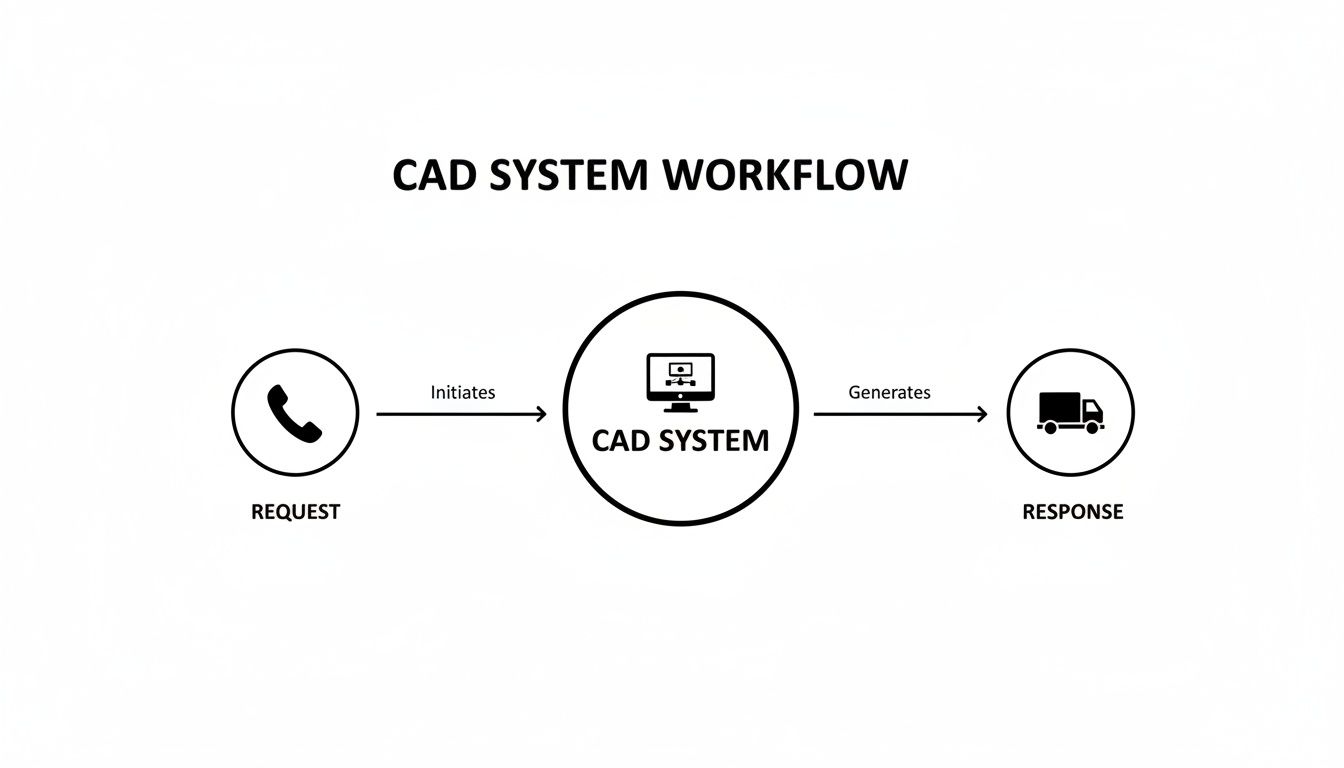
As you can see, the CAD system acts as the central hub, automating that critical link between a call for service and getting your people and equipment on the move.
Call Taking and Incident Logging
Every operation starts with a call. This feature is the digital version of a dispatcher's notepad, but it's infinitely smarter. It captures every single critical detail—caller info, location, the nature of the incident, and timestamped notes—creating a permanent, searchable record from the very first second. That digital log is your best friend when it comes to accountability and after-action reviews.
Practical Example: A dispatcher gets a frantic call about a multi-car pileup on the freeway. Instead of trying to scribble on a notepad while managing the call, they plug the location, number of vehicles, and reported injuries straight into the CAD. The system instantly spins up a new incident file, logs the time, and gets everything ready to assign units, ensuring no detail gets lost in the adrenaline rush.
Actionable Insight: This is a huge error-reducer. One wrong number in an address or a forgotten detail in a manual log can mean a delayed response, which burns fuel, wastes time, and can have tragic consequences. An accurate digital log eliminates those risks and gives you a rock-solid record to defend against liability claims, potentially saving a fortune in legal costs.
GIS Mapping and AVL
This is where the "where" of dispatch really comes to life. Geographic Information System (GIS) mapping puts all your incidents, resources, and key landmarks on a live, interactive map. When you pair that with Automatic Vehicle Location (AVL), which uses GPS to track every unit, dispatchers get the ultimate bird's-eye view. They see not just where the incident is, but where every single truck, car, and person is in relation to it.
Practical Example: A search and rescue team is looking for a lost hiker in a massive state park. With GIS and AVL, the command center sees the hiker's last known point and the real-time GPS pings of every search team member on their phones. They can steer teams toward unexplored grids and stop two teams from accidentally covering the same ground.
Actionable Insight: AVL is a direct line to cutting down on unnecessary mileage. By always seeing the closest available unit, you kill the fuel and maintenance costs that come from sending a crew from across town. This efficiency also means your teams can handle more calls per shift, cutting down on the need for expensive overtime.
Automated Unit Recommendations
A modern CAD system actually does some of the thinking for you. Based on the incident type, location, and the real-time availability of your units, the software can automatically suggest the best resources for the job. It’s smart enough to consider things like a unit's specific skills (a paramedic vs. an EMT), their current status (free, en route, on scene), and their proximity.
Practical Example: An alarm monitoring center for a security firm gets a break-in alert. The CAD system instantly analyzes the location of all on-duty patrol cars and flags the closest one. The dispatcher just has to click to confirm, and the assignment is zapped directly to the officer's in-vehicle terminal in seconds.
Actionable Insight: This is a direct driver of cost savings. By automating the selection of the closest unit, you consistently reduce fuel consumption and vehicle wear and tear. Multiply that by hundreds of calls, and it adds up to thousands of dollars saved every year. Plus, it helps you nail your service-level agreement (SLA) response times.
Status Tracking and Messaging
Once a unit is rolling, the job is far from over. Status tracking lets crews update their status with a single tap—en route, on scene, transporting, available. All that info feeds right back into the CAD system, keeping the dispatcher in the loop without clogging up the radio. Integrated messaging also allows for quiet, text-based comms, which is great for reducing radio chatter and creating a written log of every conversation.
Practical Example: A paramedic crew is taking a critical patient to the hospital. Using their mobile CAD terminal, they update their status to "Transporting" and shoot a secure message to dispatch with the patient's vitals. The dispatcher relays this to the receiving ER, so the medical team is fully prepped and waiting when they arrive.
A complete computer assisted dispatch system provides a single pane of glass for managing every aspect of an operation, from personnel availability to in-field communications. You can explore a full breakdown of these capabilities to see how they fit together.
Reporting and Analytics
For long-term savings, the reporting feature might just be the most powerful tool in the box. A CAD system logs every bit of data from every single incident. The analytics tools then crunch that raw data into gold, showing you trends in incident types, response times, and unit performance.
Practical Example: A field service manager pulls a quarterly report from their CAD. The data clearly shows that one specific service area consistently has slow response times on Tuesday afternoons. Armed with this knowledge, the manager tweaks the schedule to station an extra unit in that area during those peak hours, solving the problem before it even starts.
Actionable Insight: This is how you find the hidden leaks in your operation. By analyzing historical data, you can optimize shift schedules to match real demand, which prevents costly overtime. You can also spot routes or zones that are costing you a fortune in fuel and re-plan them. It turns your operational data into a direct strategy for cutting costs.
Here's a quick look at how things stack up, side-by-side.
Comparing Manual Dispatch with a Modern CAD System
The difference between old-school dispatch and a modern CAD system is like night and day. One relies on memory, paper, and radio chatter, while the other uses data to make every decision smarter, faster, and more cost-effective.
| Operational Task | Traditional Method (Manual) | Modern CAD System (Automated) | Actionable Insight for Cost Savings |
|---|---|---|---|
| Call Intake | Handwritten notes, potential for errors and lost details. | Digital forms, instant data capture, permanent record. | Reduces liability risk from inaccurate information, saving on potential legal fees. |
| Unit Assignment | Dispatcher's best guess based on memory or radio calls. | AI-powered recommendations for the closest, most appropriate unit. | Consistently lowers fuel consumption and vehicle maintenance costs by optimizing routes. |
| Location Tracking | Relies on radio check-ins, often with inaccurate locations. | Real-time AVL/GPS tracking on a live GIS map. | Eliminates wasted mileage from dispatching distant units, increasing efficiency. |
| Status Updates | Clogs radio channels with "en route," "on scene" calls. | Single-tap mobile status updates, quiet and efficient. | Frees up radio traffic for critical comms, improves operational awareness. |
| Reporting | Time-consuming manual review of paper logs and reports. | Instant, automated reports on response times, unit performance, etc. | Identifies trends to optimize staffing and resource allocation, cutting overtime costs. |
| Communication | Voice-only radio, no permanent record of conversations. | Secure, logged text messaging between dispatch and units. | Creates a searchable log for accountability and reduces communication errors. |
Ultimately, a CAD system doesn't just replace paper—it fundamentally changes how you manage your resources. It provides the data-driven insights needed to make smarter financial decisions, turning every dispatch into an opportunity to be more efficient and save money.
Benefits for Public Safety and Private Business
A modern computer assisted dispatch system isn't just another operational tool—it's a direct investment in your organization's efficiency, safety, and bottom line. The benefits ripple across any team with a mobile workforce, turning abstract features into real, measurable results. Whether you're protecting a city or delivering packages, the core outcomes are surprisingly similar: faster responses, smarter resource management, and some serious cost savings.
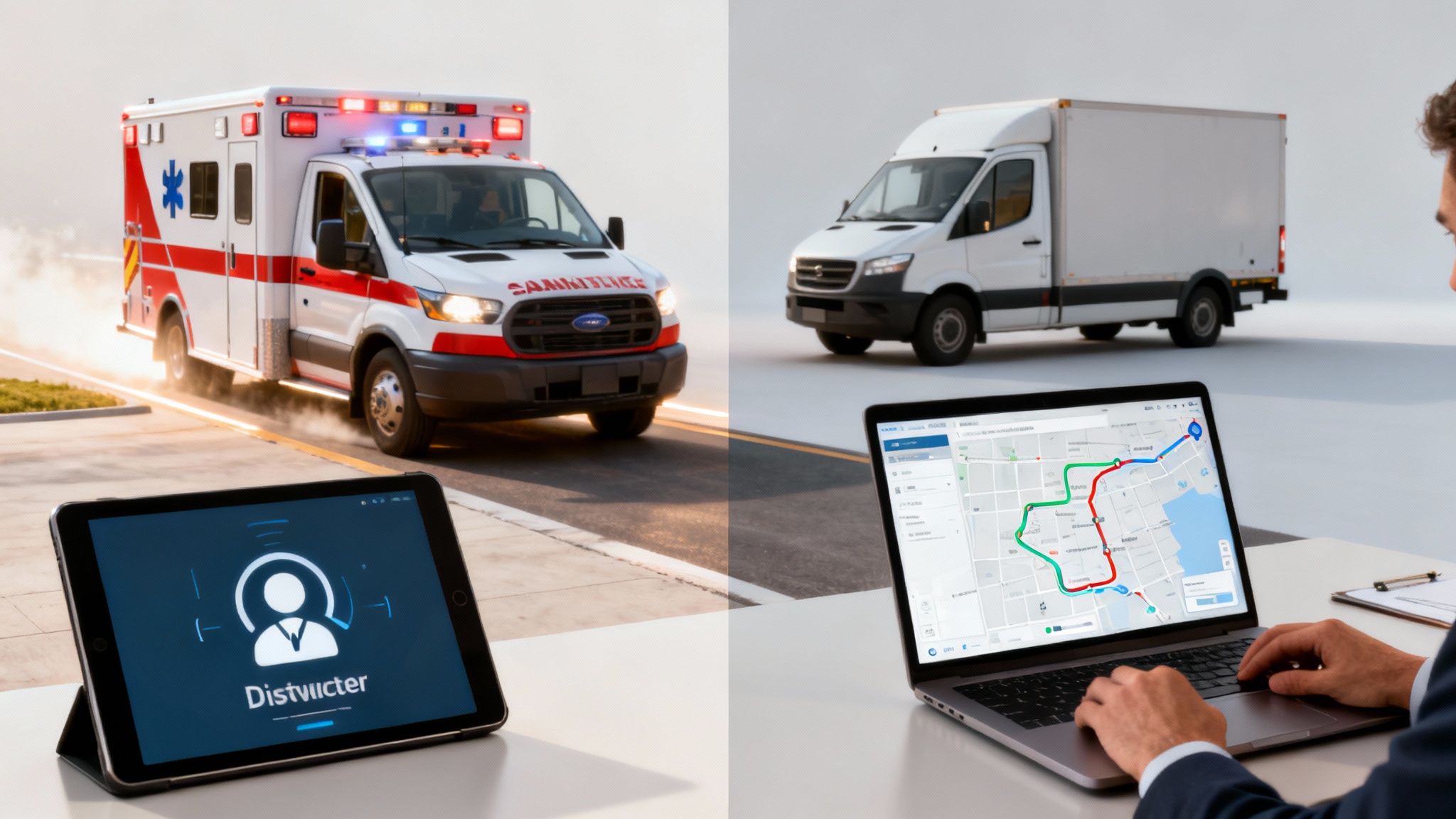
This move toward data-driven operations isn't a fleeting trend; it’s a fundamental change in how both public and private sectors manage their people and assets. The market reflects this shift, with projections showing its value growing from USD 1.73 billion in 2021 to an estimated USD 3.95 billion by 2028. While emergency services are still the primary users, the fastest growth is actually in planned dispatch for business logistics, proving its expanding commercial value. You can also explore more on how AI and machine learning are evolving dispatch.
Faster Response and Enhanced Responder Safety
For agencies like fire, EMS, and law enforcement, every single second is critical. A CAD system directly attacks this problem by shrinking the time between a call coming in and help arriving on the scene. Automated unit recommendations instantly identify and dispatch the closest, most appropriate asset, cutting out the human delay and guesswork that can cost lives.
Practical Example: A police dispatcher receives a silent 911 call. The CAD system automatically plots the phone's GPS coordinates on the map and identifies the nearest patrol car, which is just three blocks away. The dispatcher sends the unit with a single click, getting help en route within seconds, a process that might have taken minutes with manual radio calls and map lookups.
This speed is paired with a huge leap in responder safety. Real-time GPS tracking and live status updates give command staff a complete picture of what's happening. They know exactly where their teams are, what they’re doing, and if they need backup—right now.
Think about a large-scale emergency involving multiple agencies. A shared CAD platform lets fire, police, and EMS see each other’s units on the same map. This prevents dangerous overlaps, ensures the right resources get deployed, and creates a unified, coordinated response that saves lives.
Streamlined Business Operations and Direct Cost Savings
In the private sector, the wins from a computer assisted dispatch system are measured in dollars and cents. The same features that save lives in public safety also drive profitability in business by stamping out waste and boosting productivity.
Take a logistics company struggling with sky-high fuel costs. By putting a CAD with optimized routing in place, they can make sure drivers always take the most efficient path. This one change can slash fuel spending by 15-20% annually while also reducing wear and tear on the vehicles.
- Practical Example for Field Services: An HVAC repair company uses its CAD to see that a technician has just finished a job. At the same time, a new emergency call comes in just two miles from the technician's current location. Instead of sending another tech from the main office 15 miles away, the system recommends the nearby tech, who can get there in 5 minutes.
- Actionable Insight for Cost Savings: This move saves over an hour of travel time and fuel for the company. The customer gets faster service, and the technician can fit an extra billable job into their day. Multiply this across a fleet of technicians, and the increase in revenue and reduction in operational costs are substantial.
Improved Accountability and Resource Management
Whether you’re managing volunteers for a marathon or a fleet of delivery trucks, accountability is the key to controlling costs. A CAD system gives you a transparent, data-driven view of your entire operation, making it painfully obvious who is doing what and where.
Practical Example: An event organizer for a large music festival needs to dispatch a medical team to a guest suffering from heat exhaustion. Using the CAD, they can see all available medic teams on a map of the venue. They dispatch the closest team, track their movement through the crowd, and get a confirmation when they are on-scene. The system's log provides a perfect record of the incident, from the initial call to the resolution.
Actionable Insight: This level of efficiency means the organizer can cover a massive event with a leaner, more effective team. By precisely deploying resources only when and where they're needed, they can significantly cut down on labor costs without compromising safety. It turns every dispatch into a chance to improve service and save money.
How to Implement a CAD System and Save Money
Let's bust a common myth right now: adopting a computer assisted dispatch system no longer requires the budget of a major metropolitan agency. The idea that powerful dispatch tech is out of reach for smaller businesses, volunteer groups, or startups is officially a thing of the past, thanks to modern cloud-based platforms. These systems pack a serious punch, delivering robust features without the crippling upfront hardware costs we used to see.

This whole shift to a Software-as-a-Service (SaaS) model changes the game. It means you can roll out a full-featured CAD with a smart, phased approach that gets you a return on your investment from day one. If you’re smart about it, you can gain a massive operational advantage without breaking the bank.
Step 1 Assess Your Core Needs
The absolute fastest way to save money is to stop paying for features you'll never touch. It's easy to get wowed by a long feature list, but many legacy systems are bundled with complex tools built for massive, multi-agency operations. Before you do anything else, take a hard, honest look at your daily workflow.
What do you actually need?
Practical Example: A local plumbing business needs to get technicians to service calls efficiently. Their essentials are simple: see where their techs are on a map (AVL), assign the closest one to a new job, and send job details. They really don't need complex tactical channels or multi-agency interoperability.
Actionable Insight: By focusing only on these core needs, the plumbing company can choose a leaner, more affordable subscription tier. That simple decision could save them thousands a year compared to a bloated enterprise package with features they'd never use, turning the CAD into a profit center rather than a cost center.
Step 2 Compare Vendors with a Focus on Scalability
When you're shopping around, the biggest cost difference you’ll find is between on-premise and cloud solutions. On-premise systems demand a huge initial investment in servers, installation, and the IT staff to maintain it all. Cloud-based SaaS providers, on the other hand, offer a much more predictable and affordable path.
Look for vendors with clear, subscription-based pricing. This model flips a massive capital expense into a manageable monthly operating expense.
The key here is scalability. You want a system that lets you start with a basic plan that fits today's needs and budget, but gives you the option to add more advanced features or users as you grow.
Step 3 Execute a Lean Rollout Strategy
A successful implementation doesn't have to be a massive, disruptive event. In fact, a lean, phased rollout can save a ton of money on training and keep operational downtime to a minimum. Start with a small pilot group of your most tech-savvy team members.
This approach pays off in a few ways:
- Reduced Training Costs: That pilot group becomes your internal champions. They can help train the rest of the team, which means you won't need to shell out for expensive, time-consuming formal training.
- Leverage Existing Hardware: Modern cloud CAD systems are built to run on the devices your team already owns—smartphones and tablets. This completely eliminates the need to buy those pricey, specialized in-vehicle terminals.
- Smooth Data Migration: Start by importing only the essential data, like your personnel lists and key service locations. A good provider will have tools or support to make this simple, helping you avoid the high costs of custom data migration services.
By planning your implementation carefully, you can get your new computer assisted dispatch system up and running quickly and affordably. To see how this works in the real world, you can explore subscription options that lay out the features at each level, making sure you only pay for what you need. Learn more about Resgrid's transparent pricing plans to see how a scalable model can fit your budget. It's a smarter approach that delivers the benefits of a modern CAD without the financial headache of older, monolithic systems.
The Evolution of Computer Assisted Dispatch
To really get why a modern computer assisted dispatch system is such a big deal, you have to look at how far the technology has come. What’s now an affordable, cloud-based tool started out in the 1970s as a jumble of room-sized mainframes and custom-coded software. Back then, it was a luxury only the biggest, wealthiest metro agencies could even dream of.
These early systems were monumental projects. They required huge investments in hardware, highly specialized staff, and years of development just to get off the ground. That kind of complexity and cost put advanced dispatch tools way out of reach for smaller departments, volunteer crews, and private businesses.
From Mainframes to Mobile Devices
The journey from those early days to today’s mobile-friendly platforms is a story about access and affordability. The first wave of CAD systems needed their own climate-controlled rooms and multi-million-dollar budgets, making them exclusive and a real headache to maintain.
To put it in perspective, in 1980, the Fire Department of New York invested about $15 million (in 1980s money!) to launch its groundbreaking STARFIRE CAD system. By the early 1990s, the tech was becoming standard in many large agencies because it proved it could slash the staff needed to share information while cranking up the speed and volume of data being passed around. You can dig deeper into the history and development of CAD systems to see the full picture.
Looking back just hammers home the incredible progress. Technology that once demanded a massive capital investment is now available as a subscription, often running on the same smartphones your team already has in their pockets.
Bringing Dispatch Tech to Everyone
This whole evolution has basically democratized access to powerful dispatch tools. The move from custom-built, single-agency systems to interoperable, cloud-based platforms has thrown the doors wide open for organizations of all sizes to tighten up their operations and save some serious money.
Practical Example: A small, volunteer-run ambulance service can now use a cloud-based CAD on their personal smartphones. For a low monthly fee, they get the same real-time location tracking and instant dispatching capabilities that used to be reserved for major city EMS. This allows them to shave critical minutes off response times without needing a single dollar of government funding for expensive hardware.
Actionable Insight: The low barrier to entry for modern CAD means any organization can start realizing cost savings immediately. A small security firm can optimize its patrols to cut fuel costs, and an event organizer can manage staff with an efficiency that was unimaginable a few years ago. This widespread availability empowers everyone to operate more safely, respond faster, and make smarter, cost-saving decisions.
Frequently Asked Questions
Jumping into dispatch technology can bring up a lot of questions. I get it. You're wondering about the cost, if it's even practical for smaller teams, and what it actually takes to get started. Let's tackle some of the most common questions about a modern computer assisted dispatch system.
How Much Does a Computer Assisted Dispatch System Cost?
The cost can swing wildly, and the key to saving a ton of money is understanding the difference between the old way and the new way of doing things.
Traditional, on-premise systems are the old guard. These setups often meant huge upfront capital investments, easily running into the hundreds of thousands of dollars. That price tag included expensive servers, complicated installation contracts, and recurring maintenance fees that just weren't realistic for most organizations.
Thankfully, that's not the world we live in anymore. The rise of modern, cloud-based SaaS (Software-as-a-Service) platforms has completely changed the game, making powerful dispatch tech affordable for just about anyone.
Instead of a massive upfront purchase, SaaS solutions work on a predictable subscription. This is usually priced per user, per month, which turns a crippling capital expense into a simple, manageable operating cost.
This approach has some serious financial upsides:
- No Hardware to Buy: You don't need to purchase or maintain a room full of expensive servers. Everything runs on the provider's cloud infrastructure.
- No Hidden Fees: What you see is what you get. Transparent subscription pricing means no surprise bills for implementation or long-term maintenance.
- Pay for What You Use: You can pick a plan that fits your team right now and have the freedom to scale up or down as your organization evolves.
This model has made CAD a viable tool for organizations of all sizes, from volunteer outfits to growing businesses.
Is CAD Suitable for a Small Business or Volunteer Group?
Absolutely. In fact, you could argue that modern CAD systems are perfectly suited for the challenges smaller, more agile teams face. While the tech might have started in huge public safety agencies, its core functions are universal: tracking your resources, assigning tasks efficiently, and keeping communication lines clear. These are things every mobile team needs.
Practical Example: A local food delivery business can use a simple CAD interface on a tablet to see all its drivers on a live map. When a new order comes in, the system instantly identifies the closest driver with available space in their delivery bag. This ensures the food arrives hot and the driver doesn't waste time and gas crisscrossing the city.
Actionable Insight: For that delivery business, faster delivery times mean happier customers and more repeat business. More efficient routes directly translate to lower fuel costs per delivery. By leveraging an affordable SaaS CAD, even a small business can compete on logistics with larger players, boosting both profitability and customer satisfaction.
How Difficult Is It to Switch to a New CAD System?
Migrating to a new CAD system is way more straightforward than people think, especially when you compare it to the painful overhauls required by older, legacy systems. The process is less about technical headaches and more about smart, phased planning.
A smooth transition usually breaks down into four key stages:
- Planning: First, define your goals. What are you actually trying to fix? Faster response times? Better fuel efficiency? This step ensures you set up the new system to solve your real-world problems.
- Data Prep: Get your existing data together—personnel lists, vehicle info, common addresses, that sort of thing. Most modern CAD providers have simple tools or offer support to help you import this information cleanly.
- Configuration: This is where you customize the system to match how you work. You'll set up user roles, define incident types, and create custom alerts or notifications.
- Training and Rollout: The good news is that the learning curve for modern SaaS platforms is dramatically shorter. We recommend a phased rollout, starting with a small pilot group. This lets you work out any kinks and build up some internal experts before going live with the whole team.
This measured approach minimizes disruption and makes sure everyone feels comfortable with the new tools from day one.
Does CAD Technology Replace Human Dispatchers?
Not a chance. It empowers them. Think of a computer assisted dispatch system as a force multiplier, not a replacement. Its real job is to automate the repetitive, time-sucking tasks that can bog a dispatcher down and open the door to human error.
Imagine all the manual work a dispatcher does without CAD: flipping through map books, trying to guess which unit is closest, and scribbling every single call and update on a paper log. A CAD system does all of that in a heartbeat, and it does it perfectly every time.
This automation frees up the human dispatcher to focus on the things that actually require their skill and judgment:
- Critical Thinking: Analyzing a complex, evolving situation and making strategic calls.
- Empathy and Communication: Calming down someone in crisis while getting clear, actionable information.
- Complex Judgment Calls: Juggling multiple high-priority incidents at once and deciding how to best allocate resources.
The system manages the data; the dispatcher manages the crisis. By taking the administrative weight off their shoulders, CAD technology lets dispatchers be more effective, which leads to safer, faster, and better outcomes for everyone. For more guidance, you can always check out the resources on the Resgrid support and documentation page.
Ready to see how a modern computer assisted dispatch system can save your organization time and money? Resgrid offers a powerful, scalable, and affordable solution designed for teams of all sizes. Get started today and transform your operations.