
A Guide to Fire Department Pre Plan Software
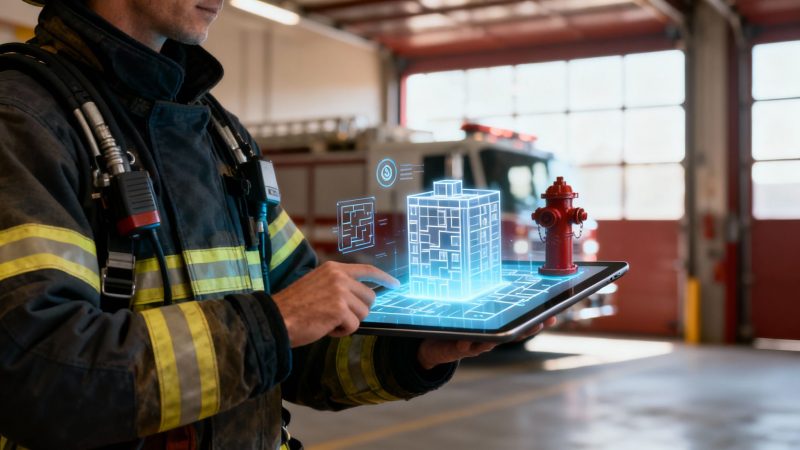
Fire department pre-plan software is a powerful tactical tool that takes static building blueprints and hazard information and turns them into a dynamic, interactive digital playbook.
Think of it like the difference between a paper road map and a live GPS with real-time traffic updates. This software gives firefighters critical intelligence while they're en route and on the scene, sending it directly to their mobile devices.
Understanding the Power of Digital Pre Plans
Picture this: you're arriving at a three-story commercial fire. One crew has a binder of outdated paper blueprints, leaving them guessing about where hazardous materials are stored or the location of the nearest hydrant.
Another crew pulls up with tablets in hand, instantly accessing the building’s floor plans, utility shut-offs, and key ventilation points. That's the difference fire department pre plan software makes. It's the gap between a reactive response and a proactive, coordinated attack.
This isn't just a digital filing cabinet. It's an interactive command center for every single building in your jurisdiction. This software takes all that vital data—hydrant locations, hazmat info, entry points, and structural weaknesses—out of dusty binders and transforms it into intelligence you can actually use.
From Static Photos to Live Models
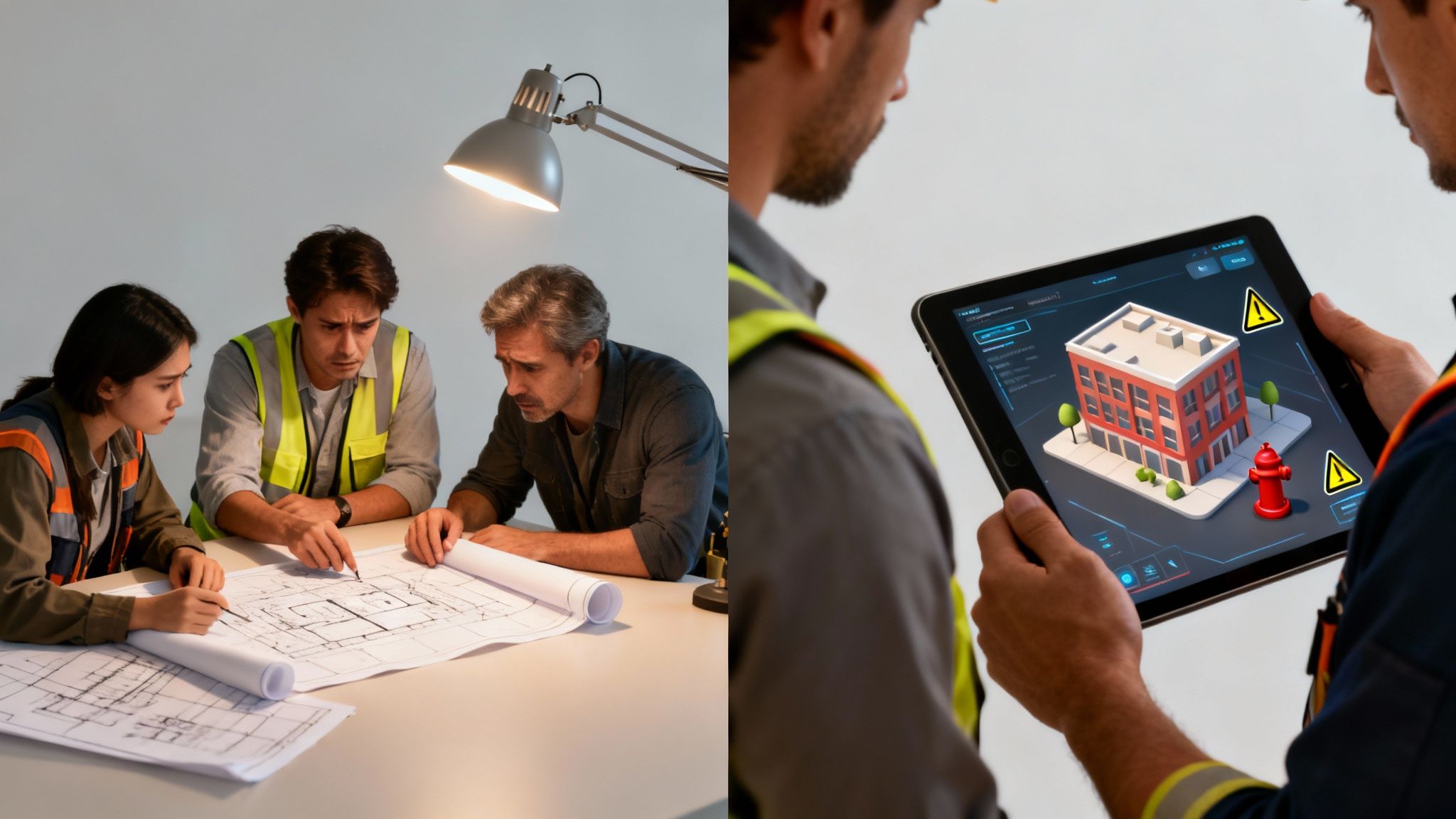
Here's a good way to think about its value: if a paper plan is a static photograph, this software is a live, interactive 3D model you can spin around in your hands. This shift isn't just about convenience; it’s about boosting safety and operational speed when every single second counts.
Let's take a fire in a large warehouse as a practical example.
- With Paper Plans: Crews might burn precious minutes just finding the right binder, frantically flipping through pages to locate the sprinkler room, and guessing where flammable materials are stored based on old, handwritten notes.
- With Pre Plan Software: Before they even arrive, the incident commander can see an overlay of the building's layout, pinpoint the fire alarm panel, and direct the first-in engine to the nearest hydrant with verified flow-rate data.
This immediate access to information replaces guesswork with a coordinated, safer, and faster response. The industry is clearly moving in this direction. The global fire department software market, which includes these critical tools, was valued at USD 860.5 million in 2022 and is projected to hit USD 2.06 billion by 2030. That's a strong signal that data-driven firefighting is here to stay.
This technology provides a vital tactical advantage, turning uncertainty into a coordinated, safer, and faster response. It ensures every firefighter, from the rookie to the chief, has the same critical intelligence at their fingertips.
The table below breaks down the real-world differences between sticking with paper and making the switch to digital.
Paper Pre Plans vs Digital Pre Plan Software
| Feature | Paper-Based Pre Plans | Digital Pre Plan Software |
|---|---|---|
| Accessibility | Stored in a single binder, often in one vehicle. Hard to access for multiple crews. | Instantly accessible on tablets, phones, and MDC's for all personnel on scene. |
| Updating | Manual process. Requires printing and physically replacing outdated pages in every binder. | Edits are made once and synced instantly to all devices in real-time. |
| Data Richness | Limited to static drawings, notes, and maybe a few printed photos. | Supports interactive maps, 360° photos, videos, and live data integrations. |
| On-Scene Use | Cumbersome to use in low-light or adverse weather. Easily damaged. | Backlit screens are easy to read. Information can be layered and filtered as needed. |
| Searchability | Requires manually flipping through pages to find specific information. | Keyword searchable. Instantly find shut-offs, hydrants, or hazmat locations. |
| Integration | Standalone. No connection to dispatch or other systems. | Can integrate with CAD, AVL, and other systems for a complete operational picture. |
As you can see, the advantages of a digital system aren't just minor conveniences—they fundamentally change how information is used during an emergency.
Key Advantages of Going Digital
Switching to a digital system offers immediate and measurable benefits. Instead of everyone relying on a single, cumbersome binder in the chief's truck, information is decentralized and put into the hands of everyone on the scene.
This approach also saves money by preventing costly mistakes. For instance, knowing the exact location of a gas shut-off valve before making entry can prevent a secondary explosion, saving not only property but lives. Having pre-identified roof access points can cut ventilation time in half, significantly reducing smoke and water damage.
This drive for efficiency is a core part of modern response strategies. If you're interested, you can read more about how our team at Resgrid builds solutions with first responders in mind. It's this focus on practical, real-world application that drives the development of effective fire department pre plan software.
Essential Features for Modern Firefighting
Let's be clear: modern fire department pre-plan software is so much more than a digital blueprint. Think of it as an active, breathing intelligence hub designed to give you a tactical edge when every single second is on the line. The right features don't just show you a floorplan; they turn abstract building data into actionable intel, which directly translates to better firefighter safety and a more effective operation.
These tools are built around a core set of functions that tackle specific fireground problems head-on. Every feature has a purpose, whether it's visualizing your water supply or making sure that critical data is in your hands even when you're in the middle of nowhere.
Interactive Mapping and Hydrant Data
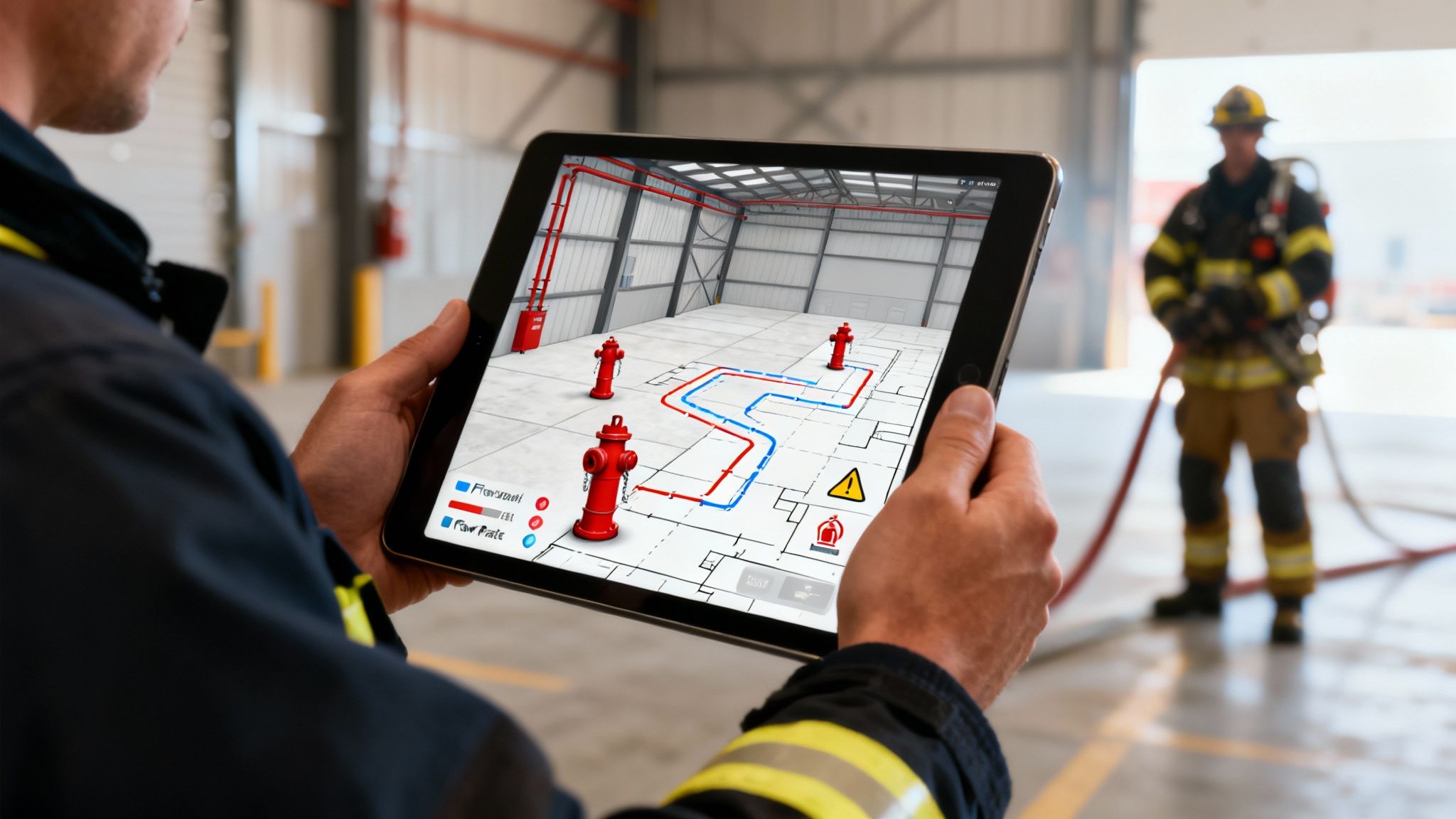
One of the most powerful tools in the box is interactive mapping. This isn't your grandpa's static PDF map with a little hydrant icon. We're talking about layering critical data right onto the map interface, turning a simple location marker into a strategic asset.
Imagine your crew pulls up and, with a single tap on a hydrant icon, they can instantly see its last tested flow rate, nozzle sizes, and even read notes about its condition—like if it's tucked behind a locked fence. This is the kind of intel that prevents a crew from hooking up to a dud hydrant, a mistake that can eat up precious minutes and cripple your initial attack. The financial impact is obvious: a faster, more effective fire attack means less property damage, period.
- Actionable Insight: Departments can use this data proactively. By identifying underperforming hydrants during routine inspections, you can prioritize repairs and use the software's hard data to justify budget requests for water main upgrades. It's about preventing a failure before it happens on a call.
Robust Building Information Management
A good pre-plan isn't just a floor plan; it's a visual story about a building's unique hazards and systems. Modern software lets you build a rich, detailed library for every structure in your first-due.
This means you can upload photos and videos of key locations—utility shut-offs, fire alarm control panels (FACP), standpipe connections, you name it. When you're on a scene, a firefighter doesn't have to guess what the gas meter looks like. They can pull up a picture with an arrow pointing to the exact shut-off valve.
A study by the National Fire Protection Association (NFPA) found that 29% of firefighter injuries on the fireground from 2015-2019 were from overexertion or strain. Having precise pre-plan data in hand reduces the immense physical and mental stress of scrambling to find critical infrastructure under pressure.
This is also invaluable for documenting hidden structural dangers. Photos showing lightweight truss construction in a commercial roof, for instance, can immediately alert an incident commander to a high risk of early collapse. That single piece of information can stop crews from being put in an unnecessarily dangerous position. If you're curious about the full scope of what these systems can do, you can check out the complete feature set of platforms like Resgrid that handle dispatch and response.
Mobile and Offline Access
Let's face it, critical information is completely useless if you can't get to it on the fireground. The single most important feature of any fire department pre plan software is its ability to work flawlessly on a tablet or smartphone, even with zero internet connection.
We all know the reality—we often end up in places with bad or non-existent cell service. Concrete basements, huge industrial buildings, or rural areas are dead zones. A system that needs a constant internet connection is a system designed to fail you when you need it most.
- Practical Example: Imagine a crew is sent down to the basement of a huge warehouse to shut down the sprinklers after the fire is out. With offline access, they can pull up the pre-plan on their tablet, see a photo of the riser room, and find the right valve. No need to tie up the radio trying to get directions from command.
This offline capability ensures everyone, from the IC in the command vehicle to the search team deep inside, is looking at the exact same life-saving information. It creates a common operating picture, which is the foundation of any safe and coordinated response.
The Financial Case for Pre Plan Software
When you're a fire chief or a municipal leader, every new technology purchase has to be justified. It’s not just about cool new tools; it’s about the bottom line. It's a mistake to look at fire department pre plan software as just another line-item expense. Think of it as a strategic investment, one that pays real, measurable dividends in a few critical ways.
This is about more than just going digital. It's about making smarter financial decisions that protect your community's assets and get the most out of every dollar in your budget. From cutting down on property loss to helping lower insurance premiums for everyone, the financial argument is solid.
Reducing Property Damage Through Precision
The most immediate financial win is how much property damage you can prevent. When your crews can launch a faster, more precise fire attack because they have good pre-plan data, that directly translates to less destruction from fire, smoke, and water.
Imagine a sprinkler going off in a big commercial building. Without a digital pre-plan, your firefighters could be hunting for the right water shut-off for 30 minutes or more. All that time, thousands of gallons of water are causing more and more damage. Now, picture this: a crew pulls up a photo of the riser room on a tablet, spots the exact valve, and shuts it down in less than five minutes.
Actionable Example: In a commercial building filled with sensitive electronics, preventing an extra 25 minutes of water flow can easily save over $100,000 in inventory and equipment. One incident like that can pay for the software multiple times over.
That level of preparation turns a potential disaster into a managed event, saving business owners from crushing losses and long, painful recovery periods.
Improving Community ISO Ratings
Here’s a huge financial benefit that often gets overlooked: the software’s impact on your community's Insurance Services Office (ISO) rating. The ISO's Fire Suppression Rating Schedule (FSRS) is the yardstick that determines how well a fire department protects its community. That rating directly impacts what homeowners and businesses pay for insurance.
A big piece of that FSRS score is based on a department’s planning and preparedness. When you can show that you have comprehensive, current, and instantly accessible pre-incident plans for all your high-risk buildings, you’re demonstrating a high level of readiness. That can give your ISO score a serious boost.
- Financial Impact for Residents: Even a single-point improvement in an ISO rating (say, going from a 4 to a 3) can lead to a 5-10% reduction in insurance premiums for every property owner in town.
- Long-Term Community Savings: That adds up to thousands of dollars in collective annual savings for residents and businesses. It makes your community a more affordable and attractive place to live and work.
Reclaiming Administrative Hours and Resources
Finally, let's talk about the administrative savings, which are massive. The old way of doing things—manually drawing plans, printing them, making copies, and stuffing binders for every single truck—is a huge time suck. It’s wildly inefficient.
Modern pre-plan software cuts right through all that manual work. Getting a handle on the broader business process automation benefits really shows how these tools make fire departments more efficient across the board. The shift from paper to digital is a huge reason the market for this tech is growing so fast, with projections showing major expansion driven by the need for better safety and real-time info.
By digitizing this workflow, you get hundreds of valuable man-hours back. Instead of standing over a copier, your personnel can focus on what really matters: hands-on training, equipment maintenance, and public fire safety education. Those reclaimed hours are a direct, quantifiable savings in labor costs, making your department more productive without having to add more people. You can find different pricing models to see how this approach reduces costs even further.
How to Choose the Right Software for Your Department
Picking the right fire department pre-plan software can feel a lot like spec'ing out a new engine or truck. You're faced with a ton of options, features, and different price points. It’s a major decision that deserves the same methodical approach, ensuring you get a tool that genuinely helps on the fireground instead of just adding another layer of administrative hassle.
Let's be clear: the goal isn't just to buy software. It's to adopt a system that becomes second nature in your daily operations and gives your crews a real tactical edge. This means looking past the slick sales demos and zeroing in on how it will actually perform in the real world. A tool is only worth anything if your people trust it and can use it when the pressure is on.
Prioritize Simplicity and Field Usability
During an emergency, a complicated interface is a flat-out liability. The best pre-plan software is so intuitive a firefighter can pick it up and use it with almost no training. If a crew member has to pull out a manual to find the gas shut-off on scene, the software has failed. Period.
When you're looking at different options, picture this: a firefighter, decked out in full gear, in a low-light environment, trying to get critical info off a tablet. Can they find what they need in just a couple of taps? That's the real user-friendliness test.
An intuitive interface isn't a luxury; it's a safety feature. The less time firefighters spend fighting the software, the more time they have to fight the fire and maintain situational awareness.
This focus on simplicity has a direct impact on your budget, too. It dramatically cuts down the training hours needed to get everyone up to speed and reduces the need for constant refresher courses. That frees up your training division and budget for more important hands-on drills.
Ensure Seamless Integration and Scalability
Your pre-plan software can't be an island. To get the most out of it, it needs to talk to your other systems, especially your Computer-Aided Dispatch (CAD). A solid integration means that as soon as a call is dispatched, the right pre-plan automatically pops up on the Mobile Data Computers (MDCs) in every responding unit.
This automation shaves off critical seconds and pretty much eliminates human error. Nobody has to remember to look up a plan; the information is just there, right when they need it.
- Practical Example: A commercial fire alarm comes in for a large warehouse. With CAD integration, the pre-plan for that address—complete with aerial photos, hydrant locations, and hazmat warnings—is already on the engine and truck crews' tablets before they even pull out of the bay.
You also have to think about the future. Your department's needs will change. Will the software let you add more users as you grow? And just as important, can mutual aid partners easily use it during a big incident? You want everyone operating from the same playbook. Picking a platform that can scale saves you from having to rip everything out and start over in a few years.
Scrutinize the Total Cost of Ownership
The sticker price is just the beginning of the story. You have to understand the total cost of ownership over the life of the software. It’s not uncommon for some vendors to lure you in with a low upfront cost, only to hit you with a bunch of extra fees down the road.
When you're calculating the real cost, it’s vital to include the long-term investment in reliable software maintenance and support services.
Questions to Ask Vendors:
- Are there separate charges for getting our initial data moved over or for the initial setup?
- Is ongoing tech support included, or is that another annual fee?
- Are software updates and new features part of the deal, or do they cost extra?
- What are the training costs, both for the initial rollout and for bringing new hires up to speed?
Often, a transparent, all-in-one pricing model, like a straightforward annual subscription, is the most budget-friendly option in the long run. It gives you cost certainty and helps you dodge those hidden fees that can turn an "affordable" tool into a financial headache.
Pre Plan Software Evaluation Checklist
Choosing the right partner is just as important as choosing the right software. This checklist is designed to help you cut through the marketing noise and ask the tough questions that matter. Use it to compare vendors side-by-side and find a solution that truly fits your department's operational needs.
| Evaluation Criteria | Questions to Ask | Importance (High/Medium/Low) |
|---|---|---|
| Field Usability | Can a firefighter in full gear use it easily? Is the interface simple and intuitive? Is it fast and responsive? | High |
| Mobile & Offline Access | Does it work flawlessly on tablets (iOS/Android)? Can crews access plans without an internet connection? | High |
| CAD Integration | Does it integrate with our current CAD system? Is the integration automatic and seamless? | High |
| Core Features | Does it cover all our needs (mapping, building info, hydrants, contacts)? Are the features practical for our operations? | High |
| Data Migration | Will you help us migrate our existing pre-plans? What's the cost and timeline for migration? | Medium |
| Training & Support | What does initial training involve? Is ongoing support included? What are your support hours and response times? | High |
| Total Cost of Ownership | What is the annual subscription cost? Are there any hidden fees for support, updates, or data storage? | High |
| Security & Compliance | How is our data secured? Where is it hosted? Does it comply with standards like CJIS or HIPAA if needed? | Medium |
| Scalability | Can the system grow with our department? Is it easy to add new users or share plans with mutual aid partners? | Medium |
Making a thoughtful decision upfront will pay dividends for years to come. A system that is easy to use, integrates well, and comes from a supportive vendor will become an indispensable tool for firefighter safety and operational efficiency.
A Practical Guide to Software Implementation
Picking up new pre-plan software is more than just a tech upgrade; it’s a commitment to a smarter, safer way of operating. But getting it right depends as much on your people as it does on the technology. A smooth rollout doesn't happen by accident.
The goal is to have a methodical approach that makes your department see the value right away. You want to turn all that raw data into a real tactical advantage from the very first call, building trust and skill with every run.
Data Migration and Prioritization
First things first: you need to get your existing pre-plans into the new system. The trick is not to try and digitize every single building in your district at once. That's a recipe for burnout.
Instead, start with a targeted list. Focus on the high-risk, high-occupancy properties where a detailed pre-plan can make the biggest difference.
Think about prioritizing places like:
- Schools and Universities: Where large numbers of people are, protecting them is always priority one.
- Hospitals and Nursing Homes: These places are tough. You've got non-ambulatory occupants, complex layouts, and specialized systems to worry about.
- Large Industrial or Commercial Sites: Any building with hazmat, weird layouts, or unique fire suppression systems needs to be at the top of that list.
By knocking out these critical locations first, your crews get life-saving intel on the calls where they need it most. This proves the software's worth almost immediately, which is huge for getting your team on board.
This infographic breaks down the basic steps for a solid selection and implementation plan.
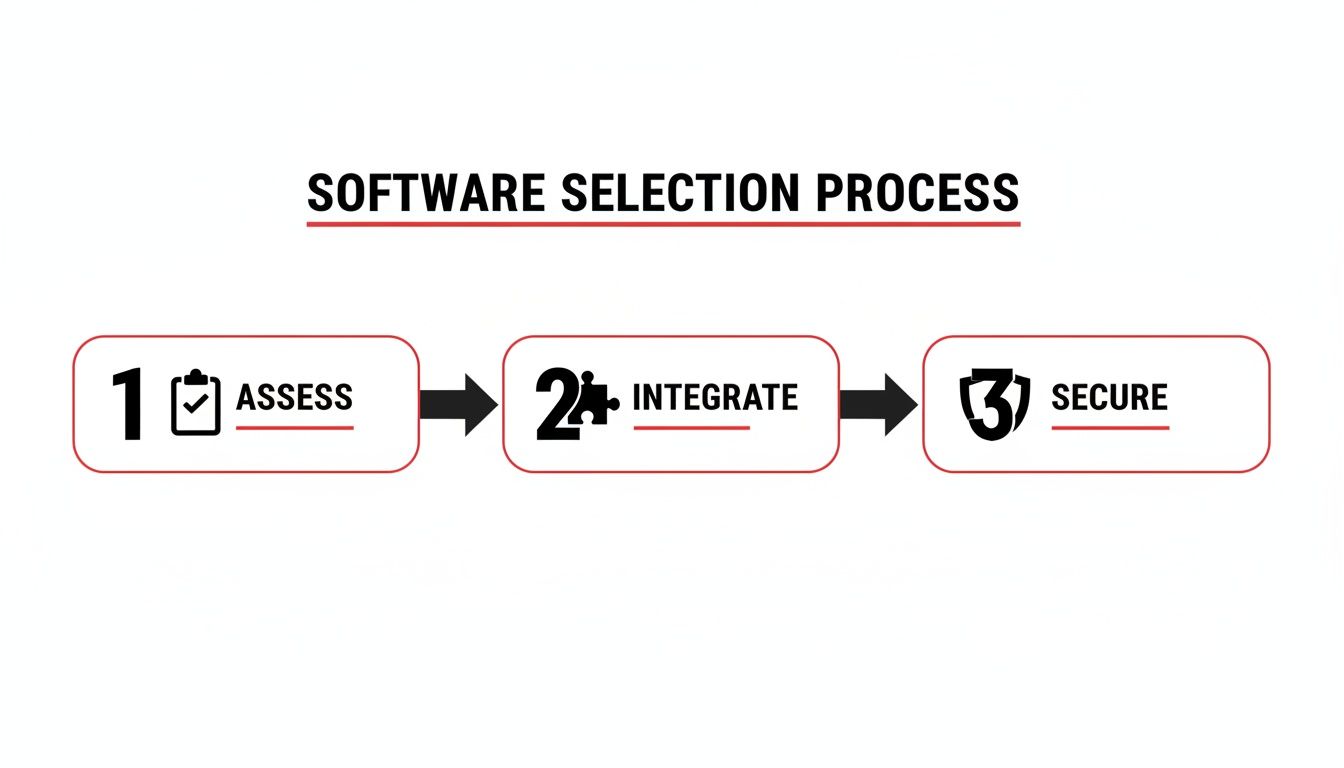
As you can see, a successful rollout starts way before you buy anything. It begins with a clear-eyed assessment and a solid plan for integration and security.
Training and Team Adoption
Technology is useless if your firefighters don't trust it and can't use it instinctively when things get chaotic. The best way to build that confidence is with hands-on, scenario-based training. Ditch the boring classroom lectures and get this software into your regular drills.
Practical Example: Run a training evolution at a local warehouse. Get your crews to use the software on their tablets to find the utility shut-offs, pinpoint where hazardous materials are stored, and locate the FDC. This builds muscle memory and shows them the tool works in a real-world setting.
This kind of active training makes the software feel like just another tool on the rig—not some complicated piece of tech they have to fight with.
Seamless System Integration
To really get your money's worth, your pre-plan software has to talk to your existing dispatch (CAD) system. When it's integrated properly, the second a call drops, the right pre-plan automatically pops up on the mobile data terminals in every responding unit.
No more scrambling to search for a plan while you're racing to the scene. This shaves off critical seconds when every single one counts. This kind of integration is becoming standard as our cities get more crowded and buildings get more complex. The global market for this tech is expected to grow from USD 0.22 billion in 2026 to USD 0.43 billion by 2035, which tells you how important it's becoming. You can read the full research about fire department software market growth to see where things are headed.
Also, consider a self-service model for your pre-plan software. This approach can save you a ton of money. It lets your own department manage the rollout and data migration, which means you can avoid shelling out thousands for expensive third-party implementation fees and consultants.
Got Questions? We've Got Answers.
When you're looking at a tool that could fundamentally change how your crews operate on a fire scene, you're going to have questions. It's only natural. Making a smart decision means getting straight answers about security, data, working with other agencies, and the training burden.
Let's cut through the noise and tackle the big questions we hear from departments just like yours. The goal here is to give you real insights that not only clear things up but show you how this kind of software actually saves you money and headaches down the road.
How Is Pre-Plan Data Kept Secure and Confidential?
This is non-negotiable. We're talking about blueprints, alarm panel locations, and hazardous materials—information you can't have falling into the wrong hands. Modern pre-plan software is built with security at its core, using several layers of protection to make sure only your people see your data.
Most top-tier platforms use the same kind of heavy-duty encryption your bank does. This scrambles the data when it's moving between the server and your device and when it's stored on a server or tablet. It's all about preventing anyone from snooping or stealing the information.
But encryption is just the start. The real power is in controlling who can do what.
- Tiered Access: You can set different permission levels for different roles. A Captain might need to edit and approve plans, while a firefighter just needs to view them on the way to a call.
- Command Staff Controls: Administrators get granular control. You can lock down the pre-plans for sensitive locations like government buildings or critical infrastructure so only specific command staff can ever access them.
- Secure Logins: Multi-factor authentication (MFA) is becoming standard. This adds a simple but powerful layer of security, requiring a code from your phone in addition to a password.
Actionable Money-Saving Insight: A rock-solid, secure system prevents a data breach that could cost you a fortune. By choosing a platform with security baked in from the start, you dodge the massive financial hit and reputation damage of a leak. Plus, you won't have to shell out for expensive third-party security audits.
What Is the Best Workflow for Keeping Pre-Plans Current?
An old pre-plan isn't just useless; it's dangerous. The secret to keeping information accurate isn't some complex, time-consuming process. It's about building a simple, repeatable workflow that becomes second nature for your crews. The right fire department pre plan software makes this a routine task, not a major project.
A great way to approach this is to base your review schedule on risk. Not every building is a five-alarm fire waiting to happen.
- Annual High-Priority Review: For your high-risk spots—schools, hospitals, industrial complexes—set an automated reminder in the software for an annual review. This task can be rolled into a company's regular building inspection schedule, killing two birds with one stone.
- Biennial Standard Review: For most of your standard commercial buildings, a check-in every two years is usually plenty.
- Event-Triggered Updates: This is the most critical part. When something changes, the plan changes. A business owner tells you they moved the Knox Box? The water department swaps out a hydrant? That information needs to be updated in the system that day.
Practical Example: A local hospital just opened a new wing. The engine company for that district schedules a quick walk-through. With a tablet in hand, they update the pre-plan right on the spot—snapping photos of the new FACP, marking new standpipe locations, and dragging and dropping walls on the floor plan. The update syncs to the cloud, and every unit in the department has the new info before that engine company even backs into the bay.
This proactive mindset stops "data decay" in its tracks and ensures your crews can trust the information they see on the screen.
Can Mutual Aid Partners Access Our Pre-Plans?
When things go sideways and you're calling in the neighbors, seamless cooperation is everything. This is where modern software really shines. It's designed to let you share critical information with mutual aid partners on the fly, without giving them the keys to your entire system.
This isn't about just handing over your login. It's handled through smart, interoperable features:
- Guest Access Portals: Many systems let you generate a temporary, secure link or QR code for a specific pre-plan. When a mutual aid chief shows up, they can scan the code with their own phone and instantly see the building layout and hazards.
- Tiered Sharing Permissions: You have total control over what they see. Maybe you share the floor plan, hydrant map, and known hazards, but you keep your own tactical notes and building contact info private.
Actionable Money-Saving Insight: This feature is a game-changer for big incidents. It saves precious minutes and prevents expensive mistakes. Instead of trying to paint a picture of a complex layout over a crackling radio channel, you give them instant visual clarity. This leads to a smarter, more coordinated attack, which means less property damage and a lower risk of firefighter injuries—and the workers' comp claims that follow.
How Much Training Is Typically Required?
Let's be honest: if it takes an IT degree to use it, firefighters won't. The best pre-plan software is built for the fireground, not a computer lab. The interface needs to be so intuitive that a firefighter can grab a tablet under pressure and find what they need with little to no formal training.
While the initial system setup for an administrator might take a couple of hours, getting the crews up to speed is a much faster process.
- Initial Rollout: Often, a single 1-2 hour hands-on session is all it takes to get crews comfortable navigating the app, finding key info, and understanding the layout.
- Ongoing Proficiency: The best training isn't done in a classroom. It's integrated into your regular drills. When you're running a multi-company drill at a local warehouse, make pulling up and using the pre-plan a mandatory step. This builds muscle memory and shows everyone how valuable the tool is when it counts.
The financial upside is obvious. An easy-to-use system means a smaller training budget and less time with units out of service for PowerPoints. You can put those training hours and dollars back where they belong: hands-on fireground skills.
At Resgrid, we build our systems with these real-world needs front and center, ensuring our platform is secure, simple to maintain, and ready for a collaborative response. Find out more about how our dispatch and management solutions can support your department's pre-planning efforts.