
What Is Computer Aided Dispatch Your Complete Guide
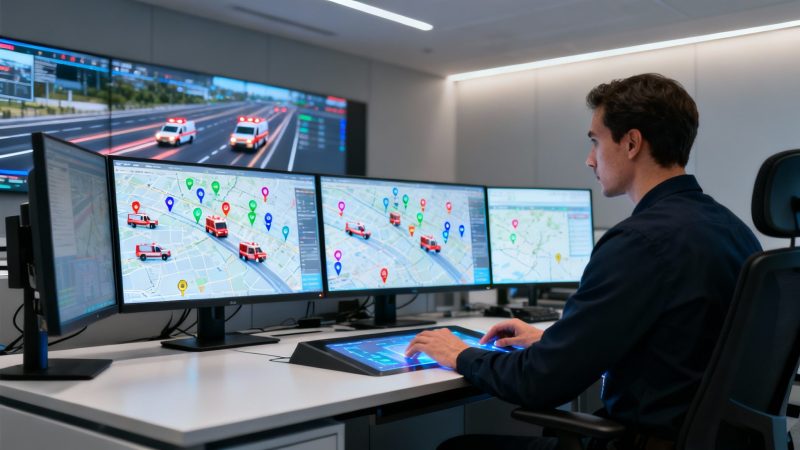
Think of a computer aided dispatch (CAD) system as the digital brain of any operation that has people and equipment on the move. It's the platform that cuts through the noise of incoming calls and frantic radio chatter, turning potential chaos into a clear, organized response. The mission is simple: get the right resources to the right place at the right time, every single time.
What Is Computer Aided Dispatch
If you’ve ever tried to coordinate a team during a crisis, you know how quickly things can fall apart. Picture trying to manage an emergency with just paper maps, a flurry of phone calls, and maybe a few sticky notes. Information gets lost. The closest available unit gets overlooked. There's no single source of truth for anyone to follow.
A computer aided dispatch system swaps that manual mess for a calm, intelligent digital command center. It’s way more than just software; it's a strategic platform that logs every incident detail, identifies the best-positioned resources, and tracks every moving piece on a single screen, all in real time.
This technology has become the absolute backbone for modern public safety agencies and private businesses alike. The market for these systems is growing fast, valued at around USD 2.7 billion and expected to jump significantly by 2030. That kind of growth tells you just how focused organizations are on getting more efficient and keeping their people safe. You can dig into more of the market growth data on gminsights.com.
From Chaos To Clarity And Cost Savings
At its heart, a CAD system delivers on three things: clarity, speed, and accuracy. For any organization with boots on the ground, that foundation translates directly into saved time and lower operating costs.
Let's use a practical example: a local plumbing company. Without CAD, a dispatcher might get a call for an urgent leak and send a technician from clear across town, totally unaware that another qualified plumber just wrapped up a job two blocks away. The result? Wasted fuel, bloated labor hours, and a customer left waiting. This is a direct hit to your profit margin.
With a CAD system, that same dispatcher sees all their technicians on a live digital map.
A computer aided dispatch platform isn't just about managing emergencies; it's about optimizing every single dispatch decision to minimize waste and maximize efficiency, turning operational data into direct cost savings.
The system can even automatically suggest the closest available unit, turning a 30-minute drive into a 5-minute one. Actionable Insight: When you repeat that small efficiency gain dozens of times a day, you can save thousands of dollars per month on fuel and labor. It also means the company can squeeze more billable service calls into the day, directly boosting revenue. For first responders, that exact same efficiency boost means getting to the scene faster when every second truly counts.
To really see the difference, it helps to put the old way and the new way side-by-side. Before CAD systems were common, dispatching was a purely manual, high-stress job that relied on memory, paper, and radio skills.
Manual Dispatch vs Computer Aided Dispatch at a Glance
| Feature | Manual Dispatch (The Old Way) | Computer Aided Dispatch (The Modern Way) |
|---|---|---|
| Incident Logging | Handwritten logs, prone to errors and hard to search. | Digital records, timestamped and easily searchable. |
| Unit Location | Relies on radio check-ins and dispatcher's memory. | Real-time GPS tracking on a digital map. |
| Resource Assignment | Based on guesswork or who answers the radio first. | Automated recommendations for the closest, most appropriate unit. |
| Data & Reporting | Almost non-existent; requires manual tallying of paper logs. | Rich, automated reporting for performance analysis and planning. |
| Situational Awareness | Limited to what the dispatcher can recall at one time. | A complete, shared view of all active units and incidents. |
| Communication | Voice-only radio and phone calls. | Integrated messaging, status updates, and mobile data terminals. |
The table makes it pretty clear. While manual dispatchers were (and are) incredibly skilled, the technology they had to work with was fundamentally limited. Modern CAD platforms don't just replace the paper—they provide a level of intelligence and operational visibility that was impossible before.
How a CAD System Manages an Incident
To really get what a computer aided dispatch (CAD) system can do, you have to see it in action. Think of any incident—a security breach, a burst pipe, a power outage—not as one big problem, but as a journey. A good CAD system is your expert guide on that journey, making sure every step is logged, efficient, and crystal clear from start to finish.
Let's walk through a practical example for a private company: a major utility outage reported by a customer. This isn't just about abstract tech; this example shows how a solid workflow translates directly into faster fixes and real savings.
Stage 1 The Call Intake and Triage
It all kicks off the second a call hits the line. A customer reports that the power is out for their whole neighborhood. Instead of just scribbling on a notepad, the call taker plugs the details straight into the CAD interface: the caller's address, the problem type ("widespread outage"), and any other key info.
This is where sharp call center operations really pay off. A trained operator can key in the data in seconds, and that simple action sets the entire automated response in motion.
That first data entry isn't just about logging a complaint. It’s the trigger that wakes up the system’s brain.
Stage 2 The System's Brain Recommends a Response
Right away, the CAD’s logic kicks in. Using the address, it instantly plots the location on a GIS map. Then, it pulls in real-time location data for all field crews using a feature called Automatic Vehicle Location (AVL).
The system crunches several variables at once:
- Proximity: It spots the closest available utility truck to the outage.
- Status: It automatically ignores any crews already tied up on another job or on a break.
- Skills: It checks to make sure the recommended crew is actually qualified and has the right gear for a high-voltage line repair.
Within seconds, the CAD serves up the best option to the dispatcher—Truck 7, just three miles away and fully equipped. That single recommendation just prevented a huge mistake, like sending a crew from the other side of the county. Actionable Insight: This saves 30+ minutes in travel time, which translates to direct savings on fuel and labor costs, before a truck has even started rolling. You also restore service faster, improving customer satisfaction and potentially avoiding service-level agreement (SLA) penalties.
This chart really shows how a CAD system takes a messy, manual process and turns it into a clear, direct workflow.
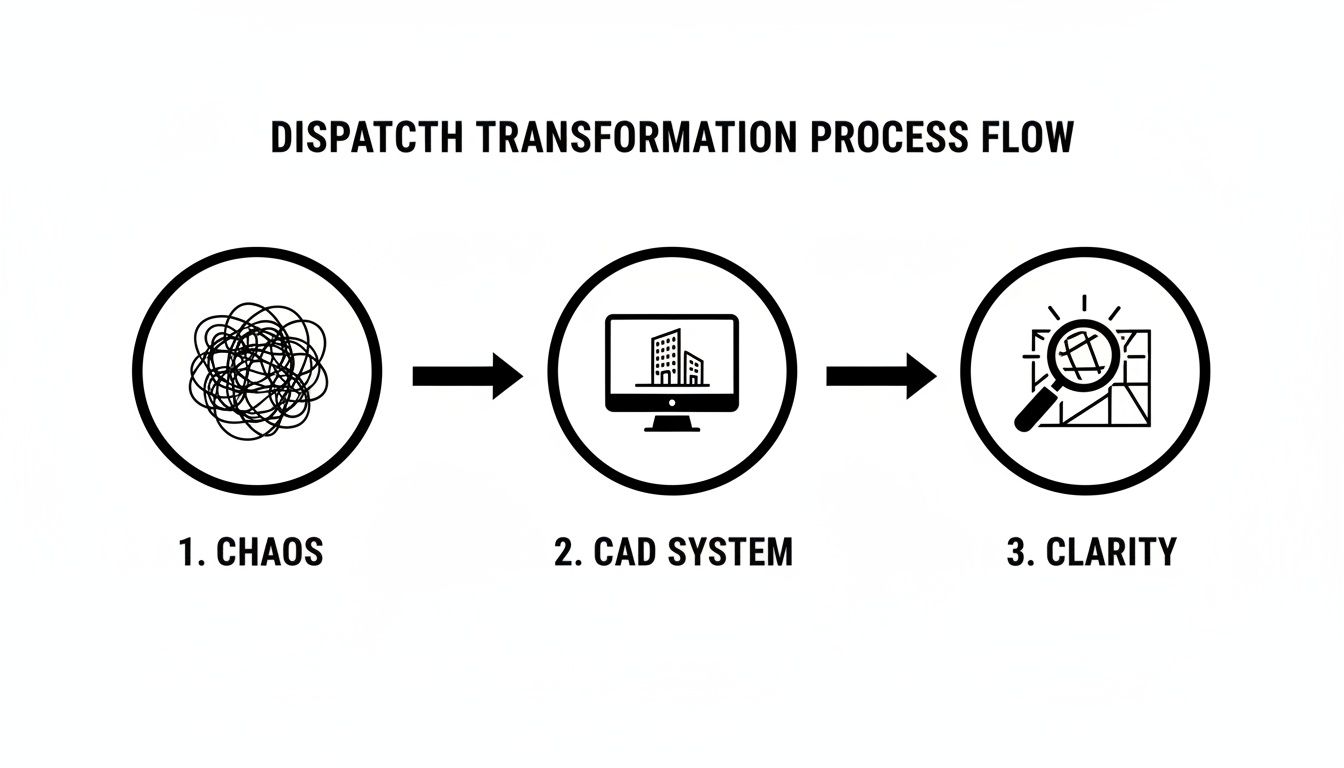
You can see the journey from tangled, inefficient dispatching to the focused clarity that a computer aided dispatch platform delivers.
Stage 3 The Dispatch Action and Real Time Tracking
The dispatcher sees the recommendation and assigns Truck 7 with a single click. The crew gets the alert instantly on their in-vehicle terminal or tablet. It has everything they need to know:
- The exact location with turn-by-turn directions.
- The type of incident and all the notes from the initial call.
- Any known hazards or history for that specific address.
No more garbled, time-wasting radio chatter. As the crew heads to the scene, their vehicle is tracked in real time on the dispatcher's map. The dispatcher can watch their status update from "En Route" to "On Scene." This gives everyone total situational awareness, making it easier to coordinate and keep stakeholders in the loop.
A CAD system creates an unbroken chain of information. From the initial call to the final report, every piece of data is captured, shared, and logged, eliminating guesswork and creating a perfect audit trail.
Stage 4 The Digital Record Is Created
While all this is happening, the computer aided dispatch system is methodically logging every single action. It timestamps the initial call, the moment of dispatch, the crew's arrival time, and the second the incident is closed out.
This automatic record-keeping is a game-changer. For the utility company, it provides hard data to analyze performance, spot recurring problems in their infrastructure, and serves as a legal record of their response. Actionable Insight: This cuts out hours of manual admin work. Instead of paying someone to piece together paper logs for compliance reports, that employee can now focus on higher-value tasks, saving significant labor costs.
The final result? A faster, safer, and more cost-effective response, every single time.
Core Features That Drive Operational Savings
Sure, the main point of any computer aided dispatch system is to sharpen your response times and effectiveness. But what often gets overlooked is the powerful return on investment these systems deliver. The right features don't just make your team faster; they make your entire operation leaner and more efficient by slashing waste, optimizing how you use your resources, and taking tedious manual tasks off your plate.
These savings aren't just theoretical—they show up directly on your balance sheet.
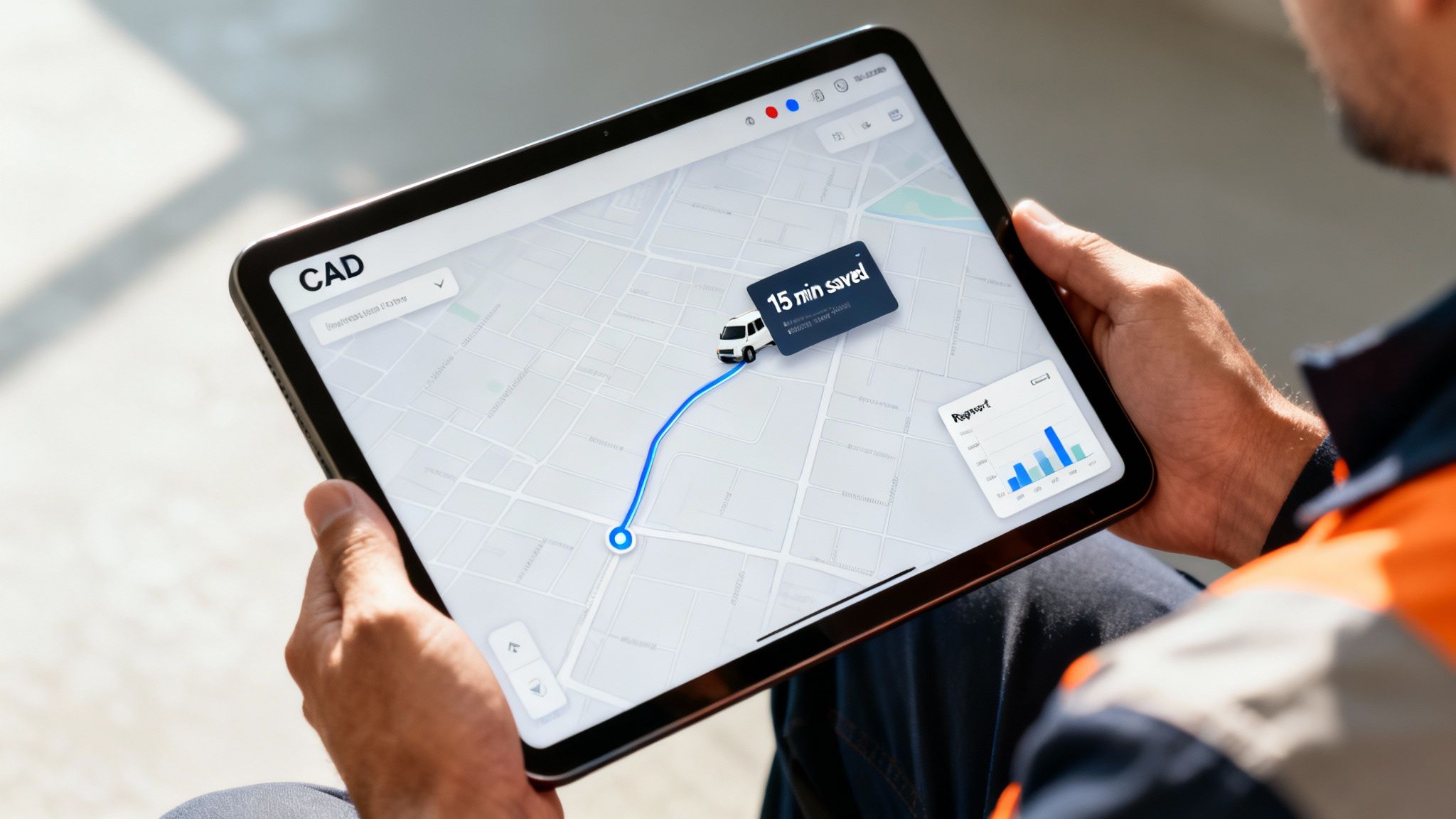
Let's get into the specific features that translate directly into real, measurable cost reductions for your organization.
Automatic Vehicle Location and GIS Mapping
Right out of the gate, the most immediate cost-saver is the combination of Automatic Vehicle Location (AVL) and integrated Geographic Information System (GIS) mapping. Think of AVL as a live dot on a map for every single vehicle you have, and GIS is the smart map itself, loaded with addresses, landmarks, and even live traffic data.
Putting them together completely eliminates the expensive guesswork that used to define dispatching. Instead of sending the unit a dispatcher thinks is closest, the system identifies the absolute nearest, most appropriate resource with surgical precision.
Let me give you a practical example. A private security firm gets an alarm call. Without AVL, the dispatcher radios the patrol car assigned to that zone, who might be 15 minutes away on the far side of his territory. But with AVL, the CAD system instantly sees another unit just two blocks away, finishing up a routine check.
By sending the closer unit, the company saves 15 minutes worth of fuel, vehicle wear, and paid labor on just that one call. Now, multiply that across hundreds of calls a month, and those small savings snowball into thousands of dollars.
Actionable Insight: Use your CAD's GIS mapping to pre-plan routes that avoid known traffic bottlenecks or high-congestion zones during peak hours. Even shaving a few minutes off each trip adds up to significant annual savings in fuel and labor.
Live Unit Status Monitoring
Knowing where your units are is half the battle. Knowing what they're doing is just as critical for saving money. Unit status monitoring gives you a real-time dashboard showing every resource's current state—"En Route," "On Scene," "Available," or "Out of Service."
This visibility plugs costly operational blind spots. It stops a dispatcher from accidentally assigning a new call to a team that's on a lunch break or already tied up, which would only cause delays and frustration.
A practical example: A field service company dispatcher sees a technician is stuck on a job longer than expected. Instead of letting the next customer wait, they can proactively reassign that upcoming call to another technician who just became available nearby. This simple move prevents a customer complaint and avoids the potential cost of having to offer a discount for a missed appointment window.
It really boils down to a few key benefits:
- Less Idle Time: Managers can spot units that have been sitting still for too long and get them positioned for the next call instead of burning time.
- Smarter Decisions: A dispatcher sees one unit is busy with a minor issue and can immediately assign a higher-priority incident to another unit that just became available. Efficiency skyrockets.
- Better Accountability: It creates a clear, digital record of all activity, helping supervisors analyze performance and fine-tune their deployment strategies.
For teams looking to get a better handle on their people and assets, you can see more about the comprehensive features available in modern dispatch platforms that make all this possible.
Automated Reporting and Analytics
Let's be honest: manual report generation is a massive time sink. Staff can spend hours every single week digging through logs, crunching performance numbers, and building reports for management or compliance audits. A good CAD system automates this entire headache.
Every single action—from the initial call timestamp to the final resolution code—is logged automatically. This data can then be pulled into pre-built or custom reports with just a couple of clicks.
Here's a practical example. A public works department used to have an admin spend 5 hours every Friday poring over paper logs just to create a weekly fuel and vehicle usage report. After putting a CAD system in place, that same report is generated automatically in less than a minute.
Actionable Insight: That simple change frees up 20 hours of that admin's time every month. At an average admin salary, this can save over $5,000 a year in labor costs for that one task alone. Now, instead of being a data entry clerk, they can focus on higher-value work like proactive scheduling or inventory management, boosting the department's productivity without adding headcount.
Below is a quick breakdown of how these features directly impact your finances.
Key CAD Features and Their Financial Impact
This table connects the dots between specific system functions and the direct cost-saving benefits they provide.
| CAD Feature | Primary Function | How It Saves Money |
|---|---|---|
| AVL & GIS Mapping | Pinpoints the exact location of all units on a smart map. | Reduces fuel consumption, vehicle maintenance, and labor hours by dispatching the closest available unit. |
| Unit Status Monitoring | Provides real-time visibility into what each unit is doing. | Minimizes idle time, improves resource allocation for priority calls, and prevents wasted dispatches to unavailable units. |
| Automated Reporting | Automatically generates performance, incident, and compliance reports. | Reclaims hundreds of administrative hours per year, allowing staff to focus on more productive, revenue-generating tasks. |
Ultimately, investing in a modern CAD system isn't just an operational upgrade; it's a financial strategy that pays for itself by making your entire organization smarter, faster, and more efficient.
Real World Applications of CAD Systems
When you hear "computer aided dispatch," it’s easy to picture a busy 911 call center, dispatchers glued to their screens. But that's only scratching the surface. The real magic of CAD is its flexibility. The core ideas—coordination, real-time tracking, and solid record-keeping—are gold in any industry where you have people and assets on the move.
From private security to public works, CAD systems are the quiet operational backbone that drives efficiency in some pretty unexpected places.
The proof is in the numbers. North America, for instance, has a huge piece of the global CAD pie, accounting for somewhere between 38% and 41.1% of the entire market. This boom is largely thanks to big pushes like the Next Generation 911 (NG911) initiative in the US, which is forcing an upgrade of dispatch tech across the country. You can get more detail on this market trend from Strategic Market Research.
What this all points to is a bigger realization: CAD isn't just for emergencies. It's a fundamental tool for running a smarter operation.
Private Security Managing Patrols and Liability
Think about a private security firm covering a massive corporate campus. In the old days, managing guard patrols was a game of trust and radio check-ins. You couldn't really confirm a guard's exact location or know if they truly walked their entire route. That left gaping holes in security and opened the company up to huge liability if something went wrong.
A computer aided dispatch system completely changes the game.
- Smarter Routes: Dispatchers can map out and assign digital patrol routes, making sure every critical checkpoint is covered without wasting time.
- Live Accountability: GPS tracking isn't about big brother; it's about proof. Supervisors can see every guard's location in real-time, confirming they're on post and doing their job.
- Instant Digital Reports: If a guard finds an unlocked door or deals with a trespasser, they can file an incident report right from their phone or tablet, complete with photos and timestamps.
Actionable Insight: That digital paper trail is an absolute lifesaver when it comes to liability. If a client ever asks, "Was this area patrolled before the break-in?" the firm can pull up timestamped GPS data to prove a guard was right there. That simple piece of data can save thousands in legal fees or prevent a client from terminating a contract, protecting a company's revenue and reputation.
Public Works Coordinating Snowplow Deployment
Now, picture a massive snowstorm bearing down on a city. The public works department has a fleet of plows and salt trucks ready to roll. Without a central system, it's organized chaos. Routes overlap, some streets get hit twice while others are completely missed, and fuel gets burned as drivers crisscross town trying to figure out where to go next.
A CAD system becomes the storm's command center. The dispatcher sees the whole battlefield on one map—the location and status of every single vehicle. They can assign plows to specific, pre-drawn zones, guaranteeing full coverage without any wasted effort.
Using CAD to map out snowplow routes means a public works department can clear roads faster. At the same time, they're slashing fuel consumption and overtime costs, giving citizens better service for less taxpayer money.
Actionable Insight: The system can even track consumables like how much salt each truck has spread. By analyzing this data, a department can optimize its salt usage, potentially cutting material costs by 10-15% over a winter season. For a large city, this can translate to tens of thousands of dollars in savings.
Event Management Coordinating a Music Festival
A huge music festival is basically a pop-up city with its own unique set of headaches. The event coordinator is juggling hundreds of staff—security, medical teams, vendors, stagehands—all scattered across a huge, chaotic venue.
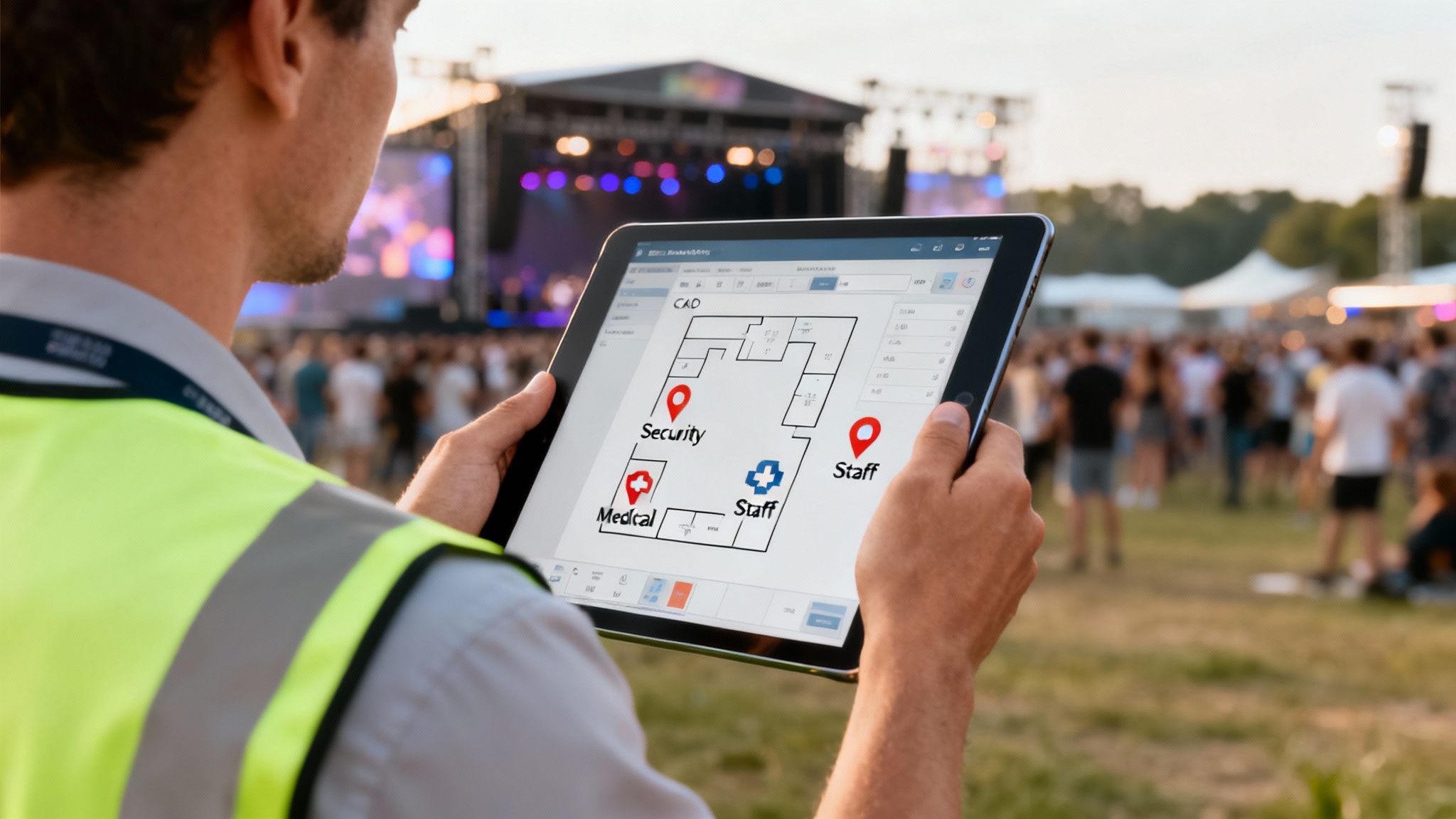
Here, a CAD system is non-negotiable for keeping people safe and making sure things run smoothly.
- Medical Response: Someone has a medical emergency in a thick crowd. The dispatcher can see the incident's exact location on a detailed event map, find the closest medical cart, and send them on their way with precise directions.
- Staff Coordination: The coordinator can blast out a notification to all security about a developing situation or assign a specific task to an individual staff member with just a few clicks.
- Resource Tracking: It keeps the gears turning. Need a golf cart to get an artist to the stage or restock a vendor's supplies? The system helps manage those assets so nothing falls through the cracks.
Actionable Insight: For events, time is money. By using a CAD to efficiently dispatch a cleanup crew to a spill or a technician to a faulty generator, organizers can prevent small issues from becoming large, costly disruptions that could delay performances or shut down vendor stalls, protecting revenue streams.
For any organization trying to get a handle on complex logistics, it's worth checking out the various apps and tools designed for effective dispatch that can be shaped to fit specific needs. Each of these real-world examples proves that computer aided dispatch is a powerful, flexible tool that solves very different problems, showing its value far beyond the traditional 911 center.
How to Choose the Right CAD System
Picking a new computer aided dispatch system is a huge decision, one that will stick with your organization for years. Let's be honest, this isn't just another software subscription. It's the central nervous system for your entire operation. The right choice can unlock massive gains in efficiency and safety. The wrong one? It can lead to years of headaches, frustrating workarounds, and costs that seem to pop up out of nowhere.
To get this right, you have to look past the slick sales demos and dig into the factors that really matter. The goal here is to find a powerful, flexible system that not only solves today's problems but can also grow with you into the future.
Define Your Core Needs and Priorities
Before you even think about looking at vendors, the first step is to look inward. What are the specific, nagging problems you're actually trying to solve? A vague goal like "we need a better system" just won't cut it. You have to get specific and turn your pain points into a concrete checklist.
For instance, a security company might put a huge emphasis on flawless GPS tracking and instant incident reporting from guards in the field. A public works department, on the other hand, might care more about asset management and how the CAD talks to their existing work order system.
Actionable Insight: Sit down with your team and create a simple list of "must-haves" versus "nice-to-haves" and tie each "must-have" to a potential cost saving.
- Must-Have: Seamless GPS tracking to reduce fuel costs by 15%.
- Must-Have: Automated reporting to save 20 hours of admin time per month.
- Nice-to-Have: An integrated weather overlay on the map.
- Nice-to-Have: The ability for field units to self-initiate low-priority calls.
This little exercise gives you a powerful scorecard to measure every potential system against. It keeps everyone objective and helps you calculate a potential ROI before you even sign a contract.
Evaluate Scalability and Future Growth
The CAD system you choose today has to be able to handle what you throw at it tomorrow. A system that runs smoothly with a team of 10 units can quickly grind to a halt under the strain of 50. And scalability isn't just about adding more users—it's about maintaining performance as your operations get more complex.
Ask vendors direct questions about how their system scales. A good one is: "What's the largest agency you support in terms of daily incident volume, and can you show us performance data for that client?"
This forces them to give you hard proof, not just promises. Imagine your towing company is planning to expand into two neighboring counties next year. You need to be absolutely certain your new computer aided dispatch platform can handle the bigger map, increased call volume, and extra units without slowing down or forcing you into a costly system overhaul.
Scrutinize Integration Capabilities
Let's be blunt: a CAD system that doesn't play well with your other tools isn't a command center—it's just an expensive data silo. Real operational efficiency comes from seamless integration, where your CAD acts as the central hub connecting all your critical systems.
Before you talk to a single vendor, map out your entire tech stack. List every single piece of hardware and software your CAD needs to communicate with, like:
- Radio Systems (e.g., Motorola, Harris)
- Records Management Systems (RMS)
- Mobile Data Terminals (MDTs) in your vehicles
- Automatic Vehicle Location (AVL/GPS) hardware
- Third-party alerting systems (e.g., ShotSpotter, alarm panels)
During a demo, make them prove it. Don't just take their word for it. Say something like, "Can you show us, right now, how an incident created in your CAD populates a report in our specific RMS?" Seeing it work is infinitely more valuable than just hearing that it "should" work. Actionable Insight: Proper integration eliminates redundant data entry, which is a major source of labor waste and errors. Shaving off just 30 seconds of manual entry per call can save hundreds of hours a year in a busy dispatch center.
Compare Deployment Models and Total Cost of Ownership
Finally, you need to wrap your head around the true financial commitment, which goes way beyond the initial price tag. The two main deployment models have completely different cost structures over time.
- On-Premise: You buy the software licenses upfront and run everything on your own servers. This means a big capital expense to start, plus the ongoing costs for IT staff, server maintenance, and hardware upgrades down the road.
- Cloud-Based (SaaS): You pay a predictable subscription fee, usually monthly or annually. This model almost always has a much lower upfront cost because the vendor handles all the hosting, security, and updates for you.
To make a fair, apples-to-apples comparison, you have to calculate the Total Cost of Ownership (TCO) over at least five years for each option. A good vendor should be transparent about all potential costs, and it's worth learning more about how different dispatch software pricing models are structured to fit various budgets. By carefully digging into these key areas, you empower your organization to select a computer aided dispatch solution that isn't just a tool, but a true strategic asset.
A Practical Guide to CAD System Implementation
Getting a new computer aided dispatch system up and running isn't really a technology problem—it's a planning problem. A smart implementation plan is the single most important factor in getting the most out of your investment, dodging expensive setbacks, and making sure your team is ready to go on day one. Think of it less like flipping a switch and more like building a solid foundation.
The whole process can be broken down into a few critical stages. Each step is designed to get ahead of common headaches, from messy data to pushback from the team, turning potential roadblocks into simple checkpoints on your way to a successful launch.
Clean Data Migration
Your new CAD system is only as good as the data you feed it. Let's be honest, migrating years of addresses, incident histories, and personnel files from an old, clunky system is going to be messy. The key is to dedicate time to cleaning up that data before you even think about moving it.
This one step will save you a world of hurt and a ton of money in post-launch fixes. For example, imagine a security company switching to a new CAD. They might find their old database is littered with thousands of duplicate client addresses.
Taking a week to clean and standardize this data beforehand prevents months of dispatching errors and frustrated officers being sent to the wrong location. It's a small upfront investment that pays for itself immediately.
Actionable Insight: Don't pay your CAD vendor's expensive hourly rate to clean your data. Assign this task to an internal administrative employee. This simple move can save you thousands of dollars in implementation fees.
Effective User Training Programs
People naturally resist change, but good training is the antidote. A generic, one-size-fits-all training session is almost always a waste of time. You need to tailor the training to how people actually do their jobs—dispatchers, field units, and admins all use the system differently and have their own unique worries.
One of the best things you can do is appoint a few internal "champions." These are the tech-savvy people on your team who can provide peer-to-peer support and get everyone else excited. It works a lot better than a mandate coming from the top down.
- Role-Specific Scenarios: Don't just show features. Train dispatchers by running them through simulated high-stress calls that mirror what they'll actually face.
- Peer-Led Support: Let your internal champions run casual Q&A sessions. It’s a great way to build confidence in a low-pressure environment.
- Gradual Rollout: Don't throw everything at them at once. Introduce new features in stages to avoid overwhelming your team.
This approach turns user adoption from a major hurdle into a smooth process, making sure everyone feels capable and ready. Actionable Insight: An investment in good training is really an investment in your team's long-term efficiency and morale. Well-trained users make fewer mistakes, which means fewer costly errors like sending the wrong unit or missing critical call details. Faster, more confident dispatching directly impacts your bottom line.
A Few Common Questions About CAD
Diving into the world of computer aided dispatch can stir up a lot of questions, especially around the big topics: cost and compatibility. Before you make a critical investment like this, you need clear, straight-to-the-point answers.
What’s a Computer Aided Dispatch System Going to Cost?
The price tag can vary wildly, but you can usually save a lot of headaches—and money—by understanding the two main pricing models. The old-school, on-premise systems often hit you with hefty upfront fees for hardware and software licenses. On top of that, you’re looking at ongoing maintenance contracts that just keep adding up over time.
A more modern (and frankly, more budget-friendly) way to go is a cloud-based SaaS system. These typically run on a predictable monthly subscription, which gets rid of that huge initial investment. It makes powerful CAD tech accessible even for smaller organizations and saves you from the surprise cost of replacing a server down the road. When you're comparing options, always calculate the total cost of ownership over five years—that means factoring in implementation, training, and support—to see what you're really spending.
Can CAD Systems Work with the Tools We Already Have?
They absolutely should, and this is where you can see some serious savings by not having to replace technology that already works. Modern CAD systems are built to be the hub of your operations. They’re designed to connect smoothly with tools you probably already use, like radio systems, Records Management Systems (RMS), AVL/GPS hardware, and the mobile devices in your team's hands.
Before you even start talking to vendors, make a quick checklist of all your current tech. Then, when you get a demo, ask them to show you—live—how their system plugs into your specific tools. This is the best way to make sure your new CAD becomes a true command center, not just another piece of software sitting in a silo.
How Long Does It Take to Get a New CAD System Up and Running?
The timeline can be anything from a few weeks to several months. It really depends on how complex the system is and how ready your team is to make the switch. Cloud-based CAD systems are almost always quicker to get going because you don't have to deal with a mountain of hardware setup.
The things that tend to stretch out the timeline the most are migrating data from an old system, setting up a lot of third-party integrations, and how much training your users will need. A solid, well-thought-out project plan is your best friend for a fast and successful launch.
A modern, flexible computer aided dispatch system really can change how your whole operation runs. Resgrid offers a comprehensive, open-source platform that brings dispatching, messaging, and real-time tracking together in one powerful interface. See how our customizable and cost-effective solution can work for you at https://resgrid.com.