
Your Guide to the Firstnet Coverage Map for First Responders
When you're a first responder, there's no room for guessing games with your comms. Knowing you have a signal is non-negotiable. That’s where the official FirstNet coverage map comes in. It’s the single source of truth for verifying exactly where your team can expect a solid connection on the dedicated public safety network.
Think of it less as a map and more as a strategic asset for planning every single operation, big or small.
Why the FirstNet Coverage Map Is a Mission-Critical Tool
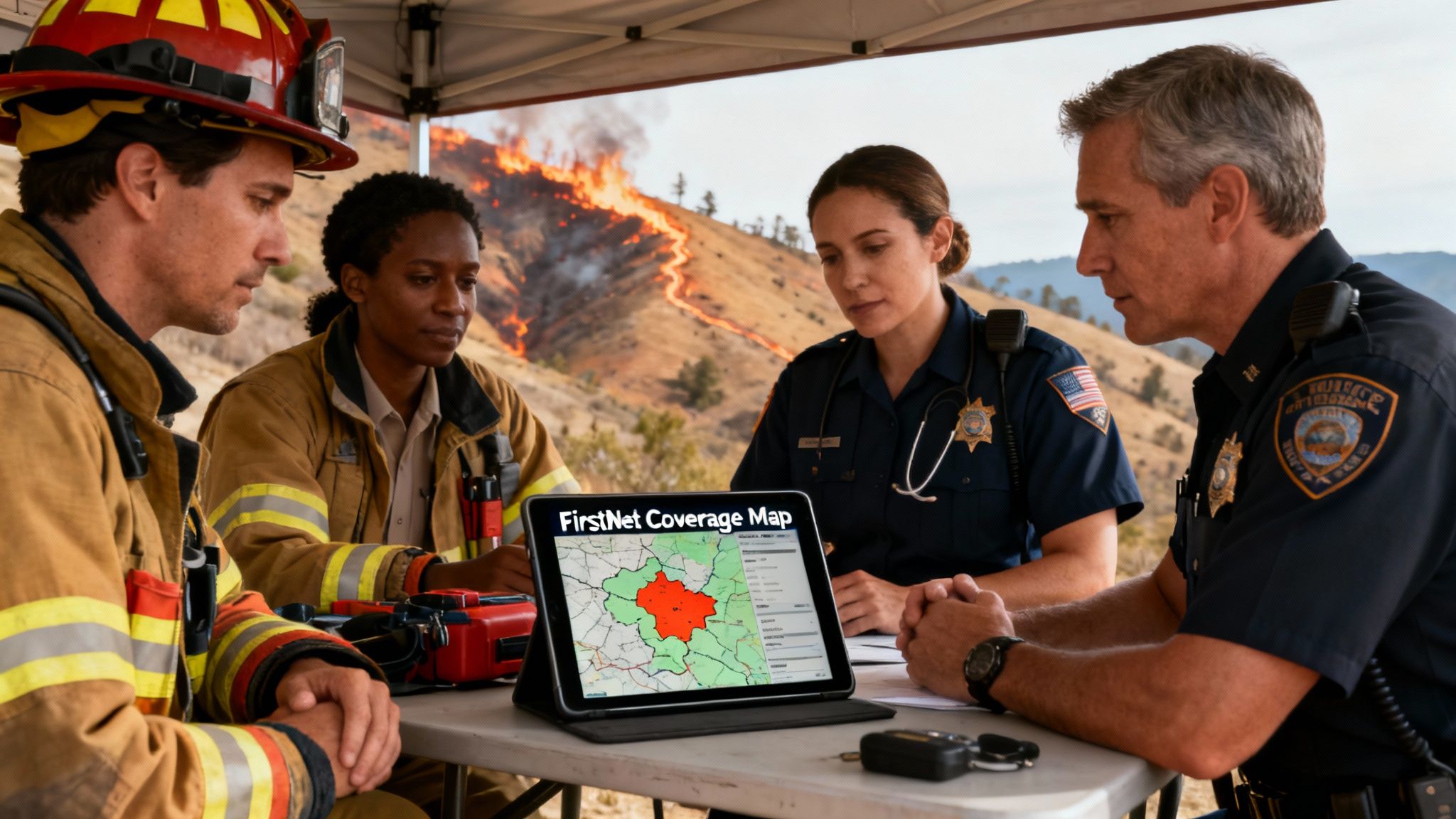
In our world, reliable communication is the bedrock of every successful mission. A dropped call or a failed data transmission isn't just an inconvenience—it's a critical failure that can put responders in danger and unravel an entire operation. This is exactly why the FirstNet coverage map is an indispensable part of your tactical toolkit.
Getting familiar with the map's data lets your agency shift from a reactive to a proactive communications strategy. Instead of stumbling into a dead zone in the middle of a critical incident, you can see it coming and plan around it hours or even days ahead.
From Wildfires to Urban Events
Let’s look at two very different, but common, scenarios. Imagine setting up a command post for a wildfire in a remote, mountainous region. The map is your first stop to confirm if your people can transmit real-time data or if they’ll be stuck with just voice and text.
That knowledge completely changes your game plan. It dictates whether you can deploy live drone video feeds or if you need to fall back on runners to relay messages, directly impacting your situational awareness and how you allocate resources.
Now, flip that to planning security for a big urban event like a marathon. The map helps you pinpoint potential network congestion spots. Even in a city packed with cell towers, huge crowds can easily overwhelm commercial networks. The FirstNet map, however, will show you dedicated Band 14 availability, giving you confidence that your comms have priority and won't get lost in the noise of an overloaded public network.
By validating coverage before you deploy a single person, your agency can avoid the steep costs of overstaffing an area where communication is impossible anyway. A few minutes of pre-planning with the map prevents wasted man-hours and the last-minute scramble for expensive satellite phones or signal boosters.
This proactive approach is everything. Consistent connectivity is the essential foundation for platforms that manage real-time personnel tracking and dispatching. Systems like Resgrid absolutely depend on a stable data link to function as designed. Using the FirstNet coverage map to guarantee that link ensures your dispatchers always have eyes on your team's location.
To see how seriously we take system integrity, you can learn more about Resgrid's commitment to security and reliability in our detailed overview.
A Network Built for Public Safety
The real value of FirstNet is rooted in its massive and constantly growing reach. This dedicated network, built in partnership with AT&T, has achieved an incredible footprint spanning more than 2.99 million square miles across the U.S., making it the largest wireless coverage area in the country.
Its reach extends from urban centers to the most rural expanses and tribal lands, often surpassing competing commercial networks by an average of 250,000 square miles. You can find more details on this expansion by exploring the latest FirstNet coverage statistics. This vast coverage significantly minimizes the chances of your team ever operating in the dark.
How to Navigate the Official FirstNet Map
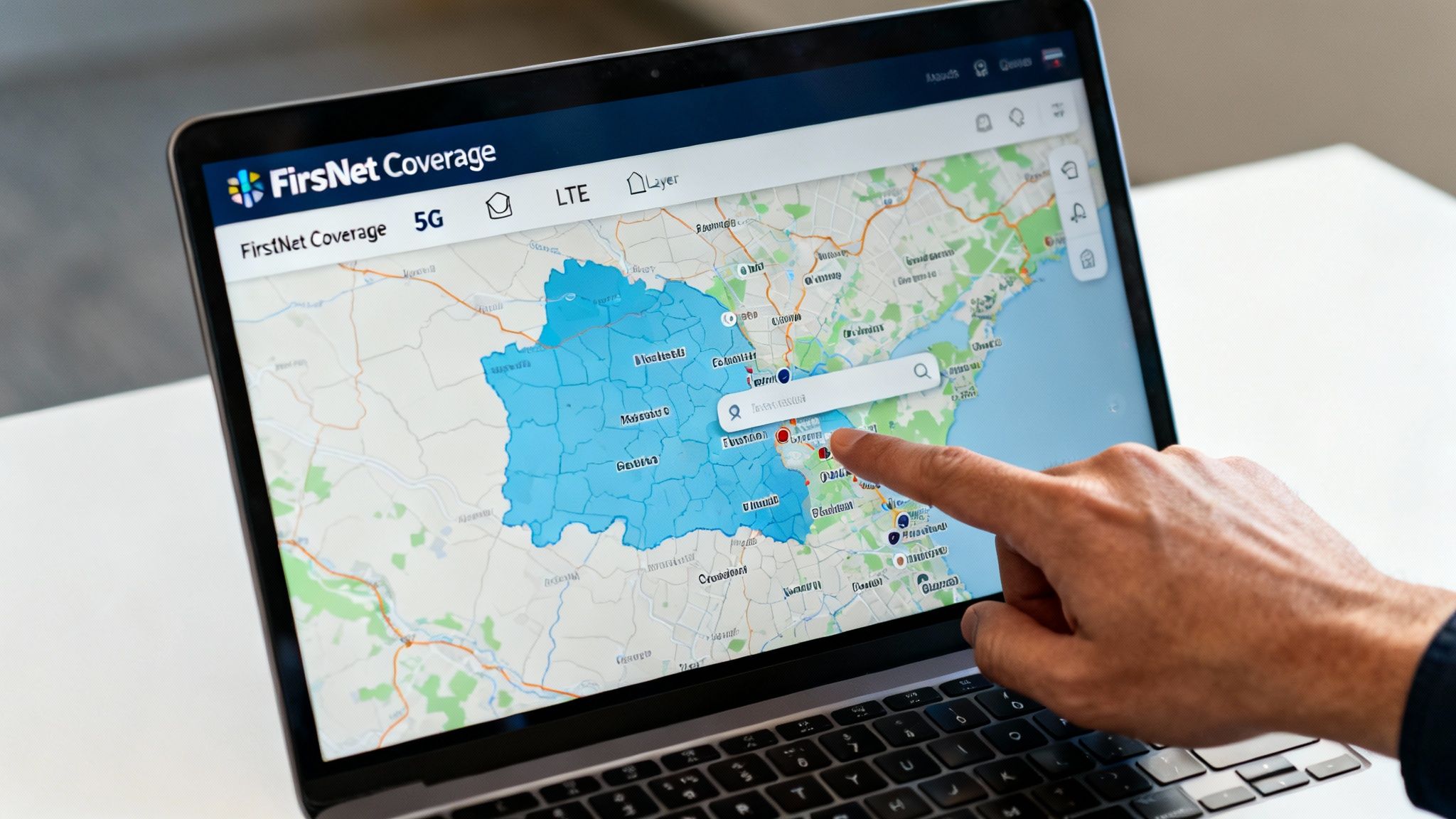
Getting the hang of the FirstNet coverage map isn't about being a tech wizard. It's really about knowing where to look and what that information means for your crews on the ground. The whole interface is built for speed and simplicity, so you can get the data you need without fighting a complicated system. The real goal is to turn those colored map layers into intel you can act on.
At its heart, it works just like any other digital map you've used. You can zoom, drag the map around, and search for places. But the real game-changer is the specialized data layers designed specifically for public safety. Understanding these is what separates a routine check from a mission-critical insight that could save time, resources, and keep your people safer.
Pinpointing Your Exact Location
The search bar is your starting point, but thinking tactically about what you search for is key. You can get incredibly specific to verify service where it matters most.
- Street Addresses: This is perfect for checking a potential Incident Command Post (ICP), a staging area, or an emergency shelter. A quick search beforehand can prevent you from setting up shop in a communications dead zone.
- Landmarks and Venues: Need to know what you're working with at "Yellowstone National Park" or "Dodger Stadium"? Typing in a landmark gives you an instant overview for large-scale events or wide-area search and rescue ops.
- ZIP Codes: This gives a broader picture, which is great for initial planning when you're heading into an unfamiliar area for mutual aid.
Let's put this into a real-world context. Imagine a fire department needs to set up a medical tent at a big county fair. Before they even roll a single unit, the operations chief pops the fairground's address into the FirstNet map. They see solid 5G coverage across most of the area, but there's a pocket of weaker LTE service right where they planned to put the tent.
With that simple piece of intel, they shift the planned location by just 200 yards into the confirmed 5G zone. This quick check ensures their patient tracking software and comms apps will run smoothly, potentially saving them the headache and cost of scrambling for a satellite hotspot at the last minute.
Interpreting the Coverage Indicators
The map's color-coded legend is straightforward, but the operational difference between each color is huge.
The distinction between 5G and LTE coverage is crucial. 5G allows for high-bandwidth activities like streaming live video from a drone or body camera, whereas LTE is perfectly reliable for voice, text, and running essential dispatch applications. Misjudging this can lead to failed video feeds and a critical loss of situational awareness.
Knowing what each service level can handle lets you match your tech to the network. You wouldn't try pushing multiple HD video feeds over a spotty LTE connection, but you could run your command and control software with confidence. This kind of pre-planning is what prevents the communication breakdowns that can jeopardize a whole operation.
For agencies that depend on that constant flow of data, knowing these indicators is non-negotiable. Many of the tools in the Resgrid suite of first responder apps, for example, are built to perform well across different network conditions, but having a solid connection is always the foundation.
Enhancing Situational Awareness with Map Views
Don't forget to toggle between the different base map views. The default street map is good, but sometimes you need more context.
- Satellite View: For wildland firefighting or SAR missions, this view is invaluable. It shows you actual tree cover, clearings, and natural barriers that you'll never see on a standard map.
- Terrain View: Operating in hilly or mountainous country? This view helps you anticipate where ridges and valleys will block signals, so you can position your command vehicle and personnel for the best possible line-of-sight to cell towers.
By flipping over to satellite view, a search manager might spot a clear, accessible meadow to use as a helicopter landing zone that also has confirmed LTE coverage. That one click just integrated logistics and communications planning, making the mission safer and a whole lot more efficient.
Decoding Map Layers and Signal Strength Indicators
At first glance, the FirstNet coverage map looks like a simple patchwork of colors. But for those of us in the field, those colors are a tactical language. They dictate what we can and can't do, impacting everything from operational safety to how efficiently we can run a scene.
This isn't just about checking for bars. It's about understanding the quality and resilience of that signal. Knowing how to read this map correctly means you're making critical decisions long before your units are on the ground. Everyone deploys with a clear, realistic picture of their communication environment.
Understanding the Core Coverage Types
The map breaks down service into a few key types, and misunderstanding them can lead to some seriously flawed assumptions out in the field. You might expect a solid connection only to find yourself in a communications black hole.
Here’s what you absolutely need to know:
- FirstNet & Family: This is your bread and butter. It means you’re on the primary AT&T network with access to Band 14—public safety’s dedicated spectrum. Think of it as your priority "VIP lane" on the network.
- Off-Network: This is basically your extended-range fuel tank. When the map shows "Off-Network," your device is roaming on a partner carrier’s towers. It’s fantastic for keeping basic voice and text alive in remote areas, but your priority and preemption capabilities won't work here.
- No Service: Pay close attention to these zones during any planning phase. An area marked "No Service" is a true dead zone. Assume you'll have zero cellular capability without a deployable asset.
The Power of Band 14 Public Safety Spectrum
The single most important layer on this map is the one that shows Band 14. This isn't just another frequency; it’s a dedicated, high-quality slice of spectrum reserved exclusively for first responders. When you see Band 14 coverage, it means you’re tapping into a network that's built to be less congested and more resilient.
During a major event—think a hurricane, an earthquake, or a massive festival—commercial networks get absolutely slammed. They become useless. This is exactly when Band 14 proves its worth, ensuring your critical voice calls and data get through when everyone else's are failing. FirstNet has made huge strides here, with Band 14—that dedicated 20 MHz slice at 700 MHz—now surpassing 95% completion nationwide. It covered more than 500 markets and 40% of rural targets way back in 2018, and it's only grown since. You can get a deeper dive into FirstNet’s decade of network advancements to see how far it's come.
A Practical Example That Saves Money
Let’s put this into a real-world scenario that has a direct impact on your budget. Imagine your agency is handling security for a big city parade. The route cuts through dense urban canyons, notorious for creating signal dead zones.
Before a single officer is deployed, the planning team traces the entire parade route on the FirstNet coverage map. They quickly spot two specific blocks where Band 14 drops off and the signal is predicted to be weak.
Instead of just throwing extra bodies at the problem and hoping for the best, they build a smarter, more cost-effective plan.
- They post a single officer at the edge of the weak zone to act as a comms relay.
- Any personnel assigned inside the dead zone are told to rely on line-of-sight communication or switch to short-range radios for local talk.
- Command is briefed not to expect live video feeds from units in those specific blocks.
That simple, five-minute map check just saved the agency from paying overtime to a handful of officers who would have been stuck in an area without effective communication. By planning around a known dead zone, they kept the operation running smoothly and avoided wasting personnel resources—a direct saving to the city's budget.
How to Validate Coverage for Specific Missions
Understanding the map layers is one thing, but applying that knowledge during mission planning is where your agency truly builds resilience. This is the crucial step where you move from just looking at the FirstNet coverage map to actively using it as a predictive tool that shapes your entire operation. It's all about proactively vetting your communication capabilities long before the first unit ever rolls out.
When you validate coverage for specific locations, routes, and operational areas, you turn the map into a powerful risk-reduction asset. This simple check ensures your teams deploy with a clear, accurate picture of their communications environment. It prevents dangerous disconnects and saves you from the high costs of mission delays.
Vetting Fixed and Mobile Assets
Your planning process needs to account for both stationary command posts and assets on the move. Each presents unique communication challenges, and the map can help you get ahead of them.
- Fixed Locations: Think about your Emergency Operations Centers (EOCs), incident command posts, or field medical tents. Before you ever finalize a location, plug its address directly into the map. You're looking for solid FirstNet & Family coverage—ideally with Band 14 access—to ensure your command staff can handle data-heavy tasks like video streaming and personnel tracking without a hitch.
- Mobile Routes: For things like patient transports, convoy movements, or just standard patrol routes, trace the entire path on the map. Pay close attention to any transitions between FirstNet, Off-Network roaming, and potential no-service areas. Knowing a transport unit will lose its primary connection for a five-mile stretch allows you to pre-plan communication check-ins or set up relay points.
This simple diagram shows the hierarchy of network connectivity your teams might encounter in the field.
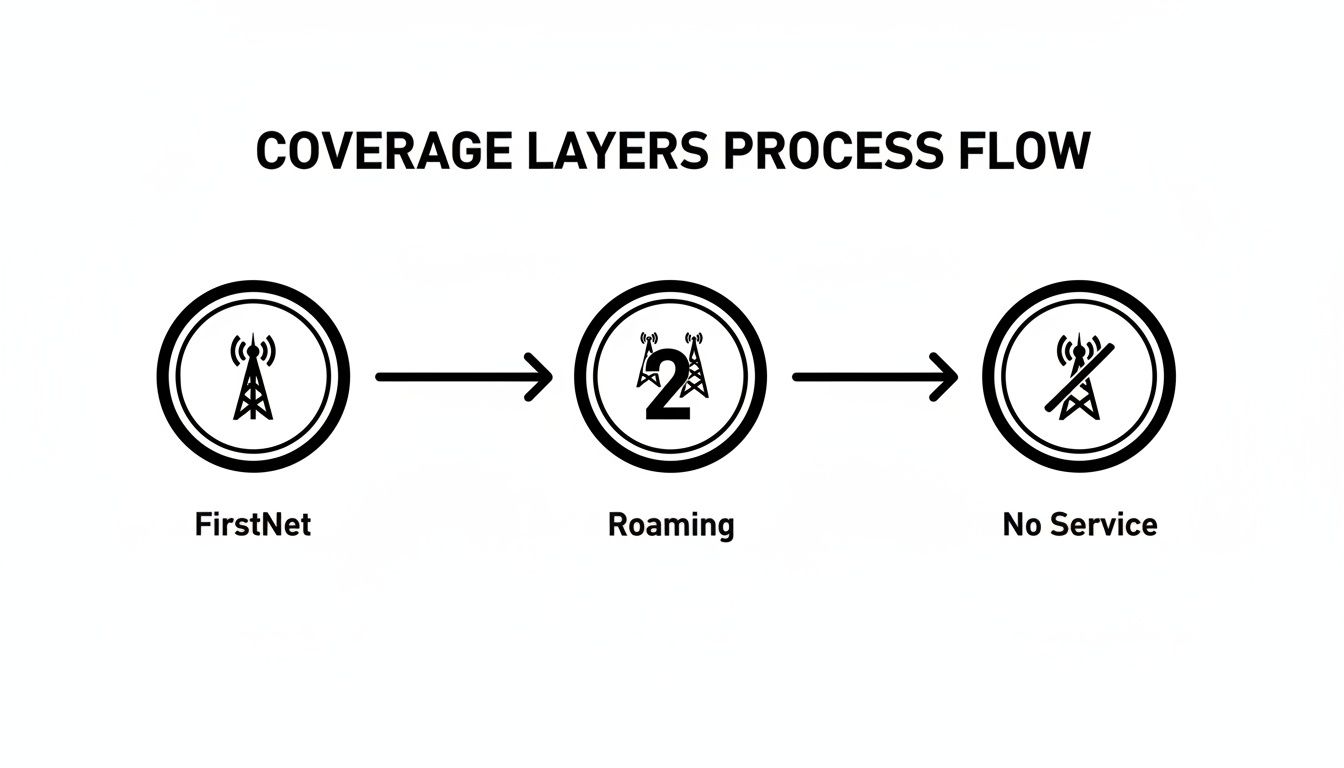
This flow really drives home the point that while roaming extends your reach, it doesn't have the priority and preemption features of the core FirstNet network. That's a critical detail to factor into your planning.
A Search and Rescue Scenario
Let's walk through a real-world example. Imagine a multi-agency search and rescue (SAR) operation is being planned for a missing hiker in a large national park known for its rugged, varied terrain.
The SAR commander starts by pulling up the park on the FirstNet coverage map. Right away, they see a patchwork of service. The main park entrance and visitor center have strong LTE, but as the trails wind deeper into the canyons, the signal gets spotty, with large pockets of "No Service" clearly marked.
Instead of just sending teams out blind, the commander uses this intel to make several smart decisions that improve safety and save money:
- Staging Area Placement: The primary staging area is set up in a meadow with confirmed FirstNet coverage. This ensures command staff have rock-solid communications right from the start.
- Team Assignments: Search teams assigned to canyons showing no service are equipped with satellite communicators and told to use a specific radio channel for line-of-sight comms. This avoids wasting precious time and resources trying to get a cell connection that the map already shows is impossible.
- Deployable Asset Request: The commander spots a critical junction deep in the search area that's a complete dead zone. Knowing this will be a central point for multiple teams, they make a proactive request for a FirstNet deployable asset, like a Compact Rapid Deployable (CRD), to be placed there.
This strategic planning, all driven by the coverage map, prevents the huge cost of mission delays. Instead of discovering communication gaps mid-operation, they are identified and mitigated beforehand. This saves critical hours and helps ensure search teams stay connected and safe.
Before any major operation, command staff should run through a quick communications check using the map. This formalizes the process and ensures no stone is left unturned.
| Mission Planning Coverage Checklist | ||
|---|---|---|
| Planning Step | Action Using FirstNet Map | Contingency Plan |
| Incident Command Post (ICP) Location | Verify address has strong FirstNet coverage with Band 14. | Identify backup ICP location or request a deployable asset. |
| Staging Area(s) | Check for reliable coverage to manage personnel/resource check-ins. | Designate a comms officer with a satellite device at staging. |
| Primary Ingress/Egress Routes | Trace routes to identify any "Off-Network" or "No Service" gaps. | Note dead zones on route maps; establish radio check-in points. |
| Forward Operating Areas | Assess coverage in high-priority operational zones (e.g., search grids). | Equip forward teams with satellite phones or high-power radios. |
| Mutual Aid Staging/Travel | Check routes for incoming mutual aid units to anticipate comms issues. | Provide mutual aid with a comms plan including radio channels. |
Using a checklist like this turns map validation into a standard, repeatable part of your operational readiness.
Using the Network Status Map
While the main coverage map is for planning, the FirstNet Network Status Map is your tool for real-time situational awareness. This is a separate tool, available to subscribers, that shows temporary outages or network issues caused by weather, power failures, or other incidents.
Checking this map before a shift or deployment can save your team from walking into an unexpected communication blackout. For instance, if a storm has knocked out a key cell site along a major highway, the status map will show it. Your dispatchers can then reroute units or advise them to use backup communication methods for that specific segment, maintaining operational continuity without missing a beat.
Addressing Coverage Gaps with Deployable Solutions
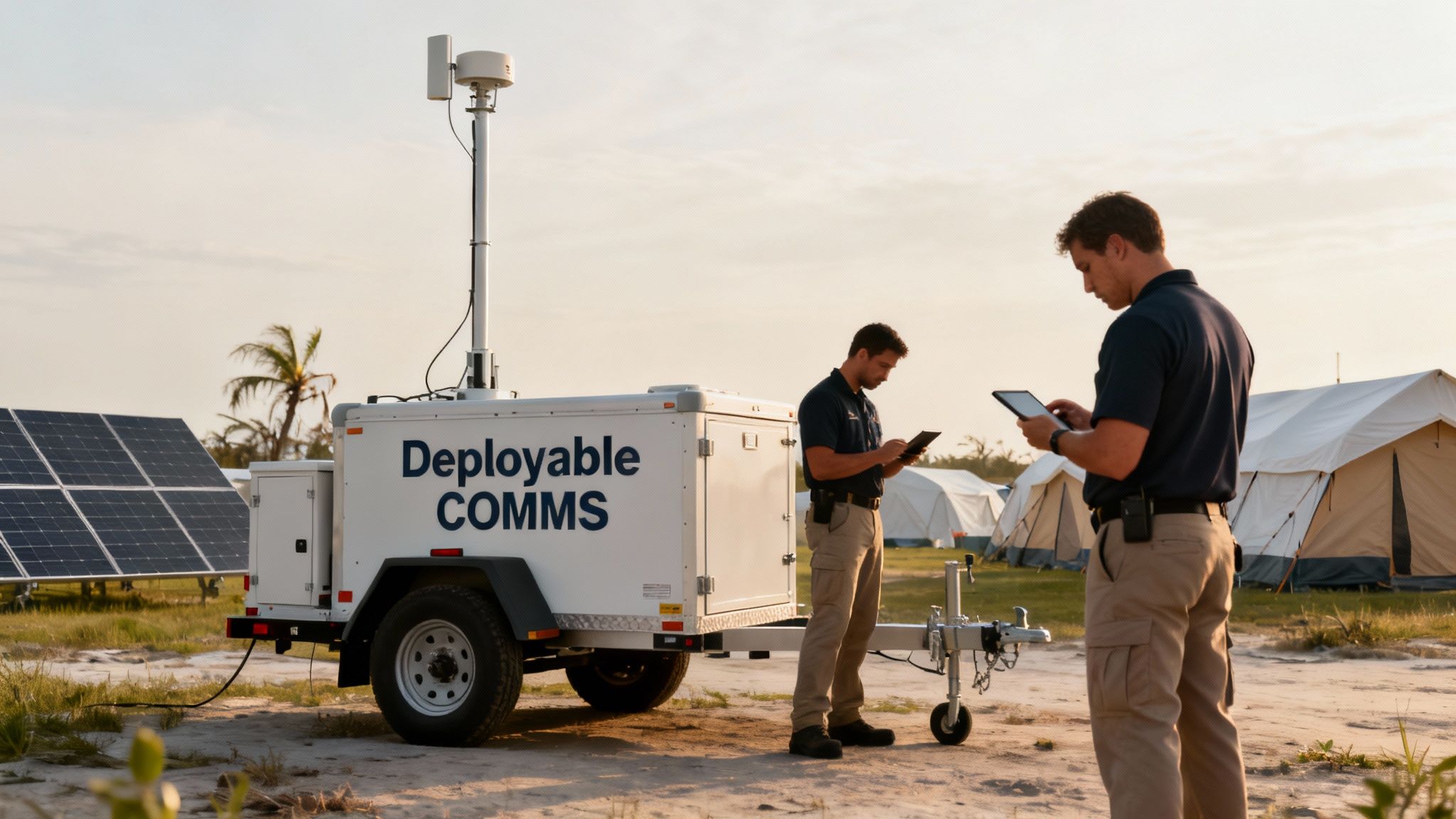
Let's be real. Even with the best network out there, public safety operations inevitably push us into places with zero bars. It could be a remote search and rescue mission deep in a national forest, a valley that’s a natural dead zone, or a disaster that takes out the local towers. When that happens, you've got a communications black hole, and that's where FirstNet’s deployable solutions become absolute mission-savers.
Think of these assets as more than just a backup plan. They're mobile, on-demand cell sites that bring dedicated Band 14 connectivity right to your incident command post. Knowing how to get one rolling and when to make the call can be the difference between a coordinated response and a communication breakdown.
How to Request a FirstNet Deployable Asset
When your planning on the FirstNet coverage map flags a critical gap for an upcoming operation, getting a deployable is surprisingly straightforward. As a FirstNet subscriber, you can submit a request 24/7 at no extra cost. This can be done through the FirstNet Central portal or by simply calling their customer care line. The most important part is giving them good intel.
Your request goes to the FirstNet Response Operations Group (ROG), a team made up of folks who’ve been in our boots—former first responders. They need the specifics: the exact location, the nature of the incident, terrain details, and what your communication needs are. This helps them dispatch the right gear for the job.
Be specific. Don't just say, "we need coverage in the north county." Give them GPS coordinates and paint a clear picture: "We're setting up an ICP for a wildfire base camp at these coordinates. Expecting 30 personnel using data-heavy apps for mapping and video feeds." That kind of clarity ensures the ROG sends the right tool the first time.
Choosing the Right Tool for the Job
FirstNet maintains a fleet of hundreds of deployable assets, strategically staged across the country so they can get them to you fast. The asset they send is tailored to the mission's scale and environment.
- Satellite Cell on Light Trucks (SatCOLTs): These are the heavy hitters, the workhorses for large-scale incidents. A SatCOLT is a truck-mounted mobile cell site that can light up a coverage bubble up to three miles in radius. Perfect for major disasters, hurricanes, or big planned events.
- Compact Rapid Deployables (CRDs): For smaller, more agile missions, a CRD is your go-to. These are trailer-hitch-mounted units that a single person can set up in just a few minutes. They're ideal for providing up to a one-mile radius of coverage in rugged or remote spots.
Think about a post-hurricane scenario. A coastal town gets leveled, and all the local infrastructure is wiped out. Your agency is tasked with setting up a long-term base of operations for recovery efforts, but the map shows the area is a complete dead zone. This is a textbook use case for a SatCOLT. It provides the powerful, wide-area coverage you need to run the entire show—from logistics and dispatch to medical and personnel accountability.
A Smart Way to Save Money: Mutual Aid
While FirstNet provides deployables at no cost for emergencies, some agencies want their own assets, like a CRD, for more routine or planned events. The problem is, that's a serious capital expense. A really effective, cost-saving strategy I've seen work well is forming mutual aid agreements with neighboring agencies to share a deployable.
Imagine three rural counties that all have occasional coverage gaps but can't justify the cost of their own CRD. By pooling their funds, they can purchase one unit to share among them. When one agency has a planned event or a localized emergency, they have guaranteed access to a deployable without shouldering the entire financial burden.
This approach turns a major capital investment into a manageable operational expense. It makes sure every agency in the agreement has a solution ready to go, which dramatically improves regional preparedness and saves a ton of taxpayer money. It's just a smart, collaborative way to fill those gaps without breaking the bank.
Answering Your Questions About the FirstNet Map
Even with a tool as solid as the FirstNet coverage map, a ton of practical questions pop up once you start using it for real-world planning. Getting straight answers is key to making sure your operational decisions are based on the best possible communication intel. Let's tackle some of the most common questions we hear from public safety pros in the field.
How Often Is the FirstNet Coverage Map Updated?
The map is updated pretty regularly to keep up with the constant network expansion. That includes lighting up new cell sites, rolling out software upgrades, and adding new roaming partners. While there isn't a fixed, public schedule for these updates, they usually happen around major buildout announcements from FirstNet.
This is why it's so important to make it a standard practice to always check the official online map right before a planned deployment or event. Relying on a screenshot or a PDF from even a month ago could mean you're working with outdated information.
For live, real-time issues like a temporary tower outage from a storm, you need to check the separate FirstNet Network Status Map. It’s available to all subscribers and gives you live updates on network health.
What Is the Difference Between FirstNet Coverage and Roaming?
This is probably one of the most critical things to understand when you're planning a mission. When you see 'FirstNet & Family' coverage on the map, it means you are on the primary AT&T network. You've got access to the exclusive Band 14 public safety spectrum and, more importantly, the game-changing features of priority and preemption. This is what ensures your comms get through when commercial networks are jammed.
'Off-Network' means your device is roaming on a partner carrier's network because there's no native AT&T service in that spot. This is a great feature for extending basic connectivity for calls and texts, but it comes with a huge catch: priority and preemption are not available when you are roaming.
Imagine your team is sent for mutual aid into a rural county covered mostly by a roaming partner. If a major incident kicks off, your communications will be fighting for bandwidth with the general public, just like a standard commercial plan. This detail is absolutely crucial for your risk assessment. For more complex operational needs, you can explore potential solutions with our team by getting in touch through the Resgrid support portal.
Does the Map Show In-Building Coverage?
The short answer is no, not precisely. The FirstNet coverage map is designed to show outdoor signal strength, and it should be used as a strong general indicator of service in an area. It simply can't predict in-building performance, which gets hammered by construction materials like concrete, steel, and low-emissivity glass.
However, a strong outdoor signal is a fantastic starting point. If the map shows solid 5G or LTE coverage right outside a building, there's a good chance you'll have decent service inside.
For any mission-critical facility like a hospital, EOC, or command post, on-site testing is non-negotiable. Do a simple walkthrough with a FirstNet device to confirm performance. If you find weak spots, you can plan and budget for signal boosters or other solutions before an emergency strikes, avoiding a dangerous and costly communication failure.
What Are Some Cost-Effective Options for Rural Coverage Gaps?
When you pinpoint a gap in a rural area, you aren't out of options. You actually have several practical, budget-friendly ways to tackle it.
- Document and Report: First things first, use the map to document the specific dead zone with GPS coordinates. Get that data to your agency's FirstNet representative. This helps them with future network planning.
- Request a Deployable: For short-term, planned events like a festival or a multi-day SAR operation, requesting a no-cost deployable asset like a SatCOLT is the smartest, most cost-effective move.
- Boost Your Fleet: To get a permanent boost at the fringe of your coverage area, look into investing in high-power, vehicle-mounted cellular routers or signal boosters for your apparatus. This can make a massive difference in extending your connectivity without needing the logistics of a full deployable.
- Share Resources: This is a fantastic money-saving strategy. Work on a mutual aid agreement with neighboring agencies to co-purchase and share a deployable asset, like a Compact Rapid Deployable (CRD). Everyone gets access to a powerful tool while splitting the upfront cost.
At Resgrid, LLC, we build tools that thrive on reliable connectivity to keep your teams safe and informed. Our comprehensive dispatch, management, and real-time tracking platform is designed to give you a clear operational picture, powered by the resilient communications you establish with tools like the FirstNet map. See how we can support your mission at https://resgrid.com.