

Guide: what is computer aided dispatch and its impact on 911 operations
When you hear the term Computer Aided Dispatch, or CAD, what probably comes to mind is the digital command center for public safety. It’s essentially the air traffic control system for police, fire, EMS, and even private security or logistics outfits. This is the software that grabs an incoming emergency call or service request and spins it into an organized, efficient response.
What Is Computer Aided Dispatch
At its heart, a CAD system is the critical link between the person taking a call and the units out on the street. Before this kind of tech existed, dispatchers were juggling paper maps, clunky card systems, and a whole lot of radio chatter to manage incidents. It was slow and, frankly, full of opportunities for mistakes. A modern Computer Aided Dispatch system automates that entire flow, making sure the right people and equipment get to the right place as fast as humanly possible.
Let’s put it in a real-world context. A security company gets an alarm notification for a warehouse break-in. Instead of a dispatcher manually flipping through binders or trying to guess which guard is closest, the CAD system just handles it. Instantly.
- It gets the alarm data and drops a pin on a live map.
- Using real-time GPS, it finds the closest available security patrol.
- It then pushes every important detail straight to that guard's mobile device.
- Every single action is logged for later review and reporting.
This isn’t just about speed; it’s about making the entire operation more cost-effective. By finding the smartest routes and preventing a unit from driving across town when another is just around the corner, organizations see a real drop in fuel costs and vehicle wear and tear. That added efficiency also means you can handle a higher call volume without having to bring on more staff or pay out for overtime.
How CAD Functions Save Your Organization Money
The real value of a CAD system clicks into place when you see how its core features directly impact your bottom line. Each function isn't just built for safety—it’s built for operational and financial smarts.
We can break down how these essential jobs translate into tangible savings.
Core CAD Functions and Their Financial Impact
| Core Function | What It Does | How It Saves Money |
|---|---|---|
| Automated Unit Assignment | Instantly identifies the closest and most appropriate unit for a call. | Reduces fuel costs and vehicle maintenance by ensuring the nearest unit always responds, cutting down on unnecessary travel distance. Actionable Insight: A courier service can reduce its fuel budget by 10-15% just by implementing this feature. |
| Real-Time Mapping & AVL | Displays the live location of all units on a map. | Lowers operational overhead by providing complete situational awareness, allowing dispatchers to manage resources more effectively without needing extra staff. Actionable Insight: A tow truck company can handle more calls per shift by visually identifying and dispatching the closest available truck, boosting revenue. |
| Digital Logging & Reporting | Creates an automatic, time-stamped record of every incident. | Decreases administrative costs by eliminating hours of manual data entry and simplifying compliance, liability, and performance reporting. Actionable Insight: Use automated reports to easily prove service-level agreement (SLA) compliance to clients, preventing disputes and securing contract renewals. |
As you can see, the investment in a solid CAD system isn't just an expense. It’s a direct path to smarter, leaner, and more effective operations.
How a CAD System Actually Works, Step-by-Step
To really get a handle on what computer aided dispatch is, let's walk through a single incident, from the first call to the final all-clear. This workflow is the absolute heartbeat of any dispatch center, turning what could be a chaotic mess into a structured, efficient response. Each step logically flows into the next, all geared toward speed, accuracy, and responder safety.
This simple diagram breaks down the core process of a modern dispatch operation from start to finish.
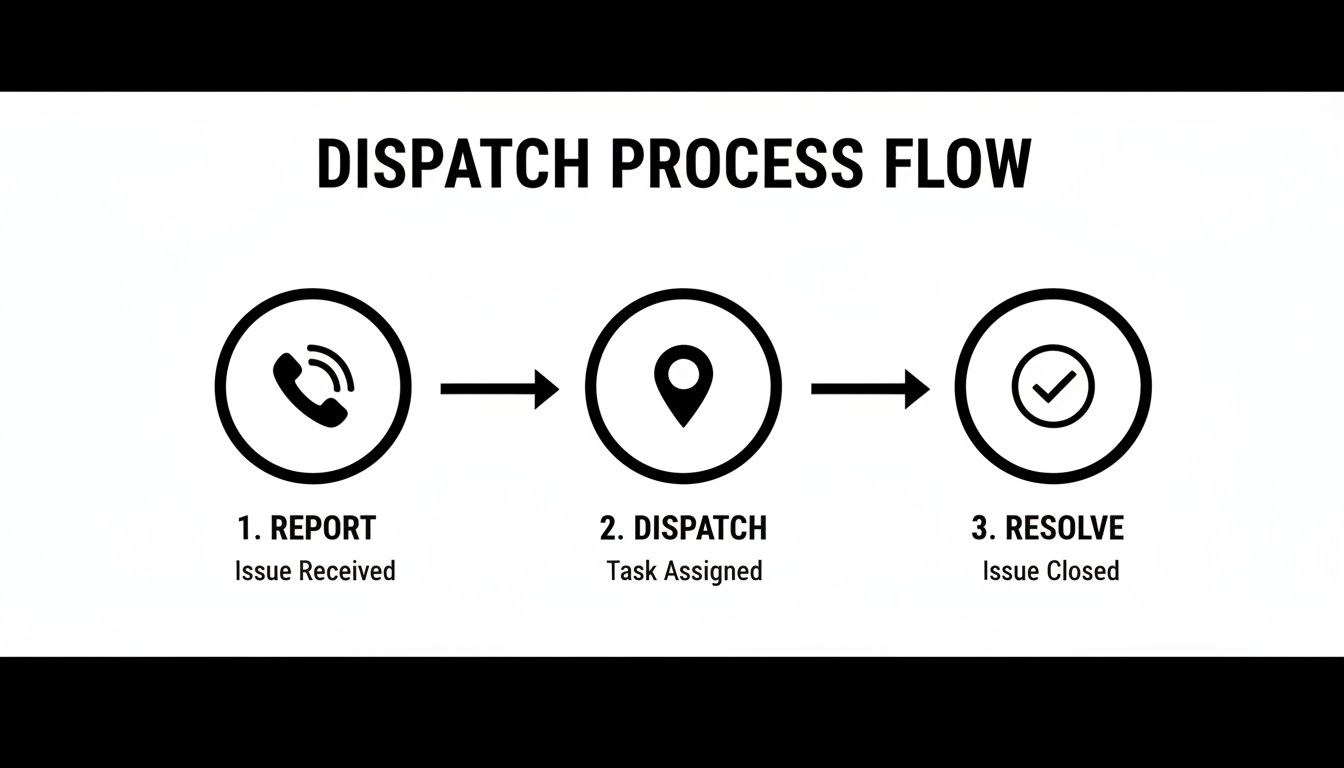
It’s easy to see how a CAD system takes an incident from an initial report to a successful resolution, creating a clean, repeatable process every single time.
Call Intake and Geolocation
It all kicks off the second a call for service comes in. A dispatcher starts plugging in the critical details—what’s happening, who’s involved, and most importantly, where. Right away, a modern CAD system performs geolocation, instantly turning an address or even a rough area into a precise pin on a digital map.
This isn't just data entry; it's the foundation for the entire response. Getting an accurate location plotted immediately saves critical seconds that would otherwise be burned just trying to find the scene.
One of the biggest money-saving aspects of CAD is how it slashes human error. By automatically checking addresses against a GIS database, the system prevents units from being sent to the wrong place—a mistake that wastes a ton of time, fuel, and staff resources. For example, sending a plumbing van to "123 Main St" instead of "123 Main Ave" could cost an hour of paid labor and fuel, which a CAD system prevents.
Intelligent Unit Assignment
Once the incident is on the map, the CAD system’s brain takes over. Instead of a dispatcher manually scanning rosters or calling out over the radio to see who's available, the software runs an intelligent unit assignment. It crunches several factors in a blink of an eye:
- Proximity: Which available unit is the closest to the scene?
- Status: Which units are actually free and ready to roll right now?
- Skills & Equipment: Does this call need special skills (like first-aid certification) or specific gear that only certain units carry?
Here’s a practical example: a security firm gets a medical alert. The CAD system sees two nearby guards. Guard A is only 0.5 miles away, but Guard B, who is 0.8 miles away, is also a certified EMT. The system will recommend dispatching Guard B, making sure the right skills get to the scene. This kind of automated decision-making just leads to better outcomes and stops you from sending the wrong people to the wrong call.
Real-Time Status Tracking
As soon as a unit is dispatched, they are never off the grid. The CAD provides real-time status tracking through Automatic Vehicle Location (AVL) technology. Dispatchers see the exact location, speed, and status of every single unit on their map—whether they are en route, on scene, or clearing the call.
This constant visibility is huge for situational awareness and for keeping your people safe. It allows dispatch to make quick adjustments on the fly, like routing a unit around a traffic jam or sending backup to the precise spot it's needed. Actionable Insight: Use AVL data to analyze daily routes and identify where drivers are wasting time, such as in traffic or at long stops. This insight can help you optimize future routes and cut fuel costs by 5-10%.
Automated Incident Logging
Finally, every single action, from the very first keystroke, is automatically logged. The automated incident logging function creates a perfect, time-stamped digital record of the entire event. This includes call times, unit dispatches, arrival times, and any notes entered by the dispatcher or the crews in the field.
This gets rid of tedious manual paperwork, saving countless hours of admin work. That data also becomes priceless for post-incident analysis, training, and pulling performance reports. Many of these features are available through dedicated mobile dispatch apps, letting personnel manage their status and get updates right from their phones in the field.
The Real-World Impact of Modern CAD Systems
Okay, let's move past the theory. The real value of a Computer Aided Dispatch system shows up in tangible, measurable results. Putting a modern CAD in place isn't just some operational upgrade; it’s a direct investment in efficiency that pays off in better outcomes and serious cost savings. These benefits ripple out across the whole organization, from the dispatch center right down to the people in the field.
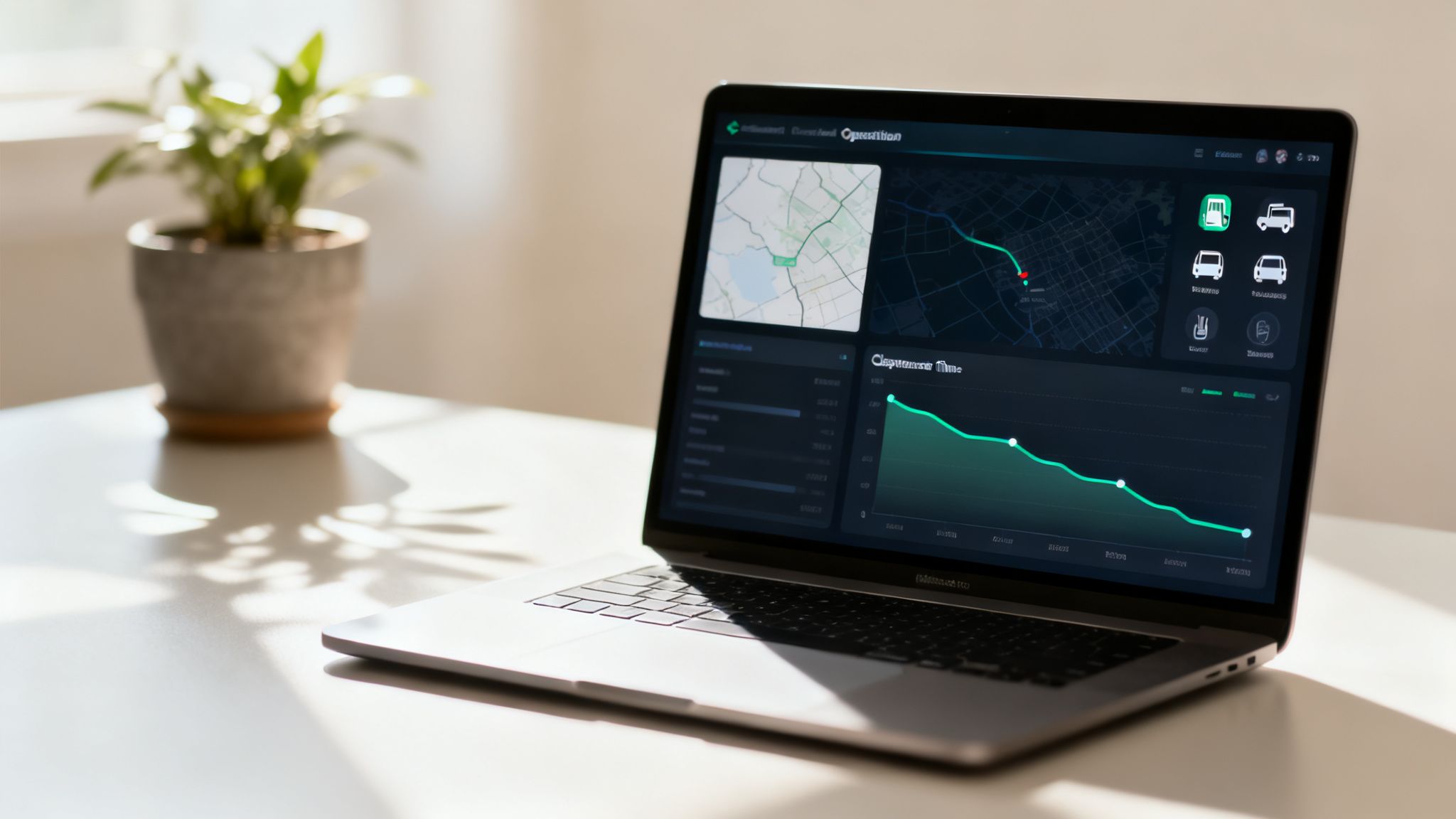
The first thing you’ll notice is a huge improvement in response times. By automatically picking out and assigning the closest, most appropriate unit, CAD shaves critical minutes off every single call. This speed is backed up by better situational awareness, since live mapping and status updates give every team member a clear, real-time picture of what’s happening on the ground.
Slashing Costs with Smarter Resource Management
One of the strongest financial arguments for what computer aided dispatch brings to the table is how it optimizes your resources. The system's intelligence stops you from over-deploying and makes sure assets are used strategically. That translates directly into cost savings.
- Cutting Fuel Consumption: By always sending the nearest unit and finding the most efficient routes, agencies can slash their fuel budget. A logistics company, for instance, could use CAD data to tighten up delivery routes, leading to a direct 15% reduction in fuel costs and the ability to handle more deliveries each day.
- Reduced Labor Costs: With optimized dispatching, organizations can manage a rising call volume without having to hire more people. The system’s efficiency means your current staff can handle more incidents effectively, which keeps overtime pay in check. For example, a field service company might find they can complete one extra job per technician per day, significantly boosting revenue without increasing payroll.
- Lower Maintenance Bills: Fewer miles on the road means less wear and tear on your vehicles. This stretches the life of your fleet and cuts down on what you spend for ongoing maintenance and repairs. Actionable Insight: Use CAD mileage reports to schedule preventative maintenance based on actual usage, not just a calendar date, which can prevent costly breakdowns and extend vehicle life by up to 20%.
The core financial benefit of a CAD system is simple: it lets you do more with less. By automating routine decisions and optimizing every deployment, it frees up money and people for more important needs.
Data-Backed Gains in Safety and Accuracy
The impact of CAD isn't just anecdotal; it's well-documented. Early systems drastically cut down response times, and that trend continues today. Modern software has been proven to reduce dispatch errors by up to 30% by using automated mapping and predictive routing. The global market for CAD systems was valued at around USD 2.7 billion and is expected to jump to USD 7.0 billion by 2033, which really shows how critical this tech has become. You can dig into more data on the CAD market's growth and impact.
This data-driven approach also makes things safer for your people. Live tracking means dispatchers always know where their units are. If a situation gets hairy, they can send backup to the precise location immediately. That constant oversight provides a vital safety net for every single person in the field, making CAD an essential tool for any modern operation.
Key Features That Define a Powerful CAD System
When you're looking at what a computer aided dispatch system can actually do for your organization, you'll quickly find that not all platforms are created equal. A basic system might get you simple call-taking and unit assignment, but a truly powerful CAD solution is a complete command-and-control hub. These are the key features that separate a simple tool from a mission-critical asset that saves both time and money.
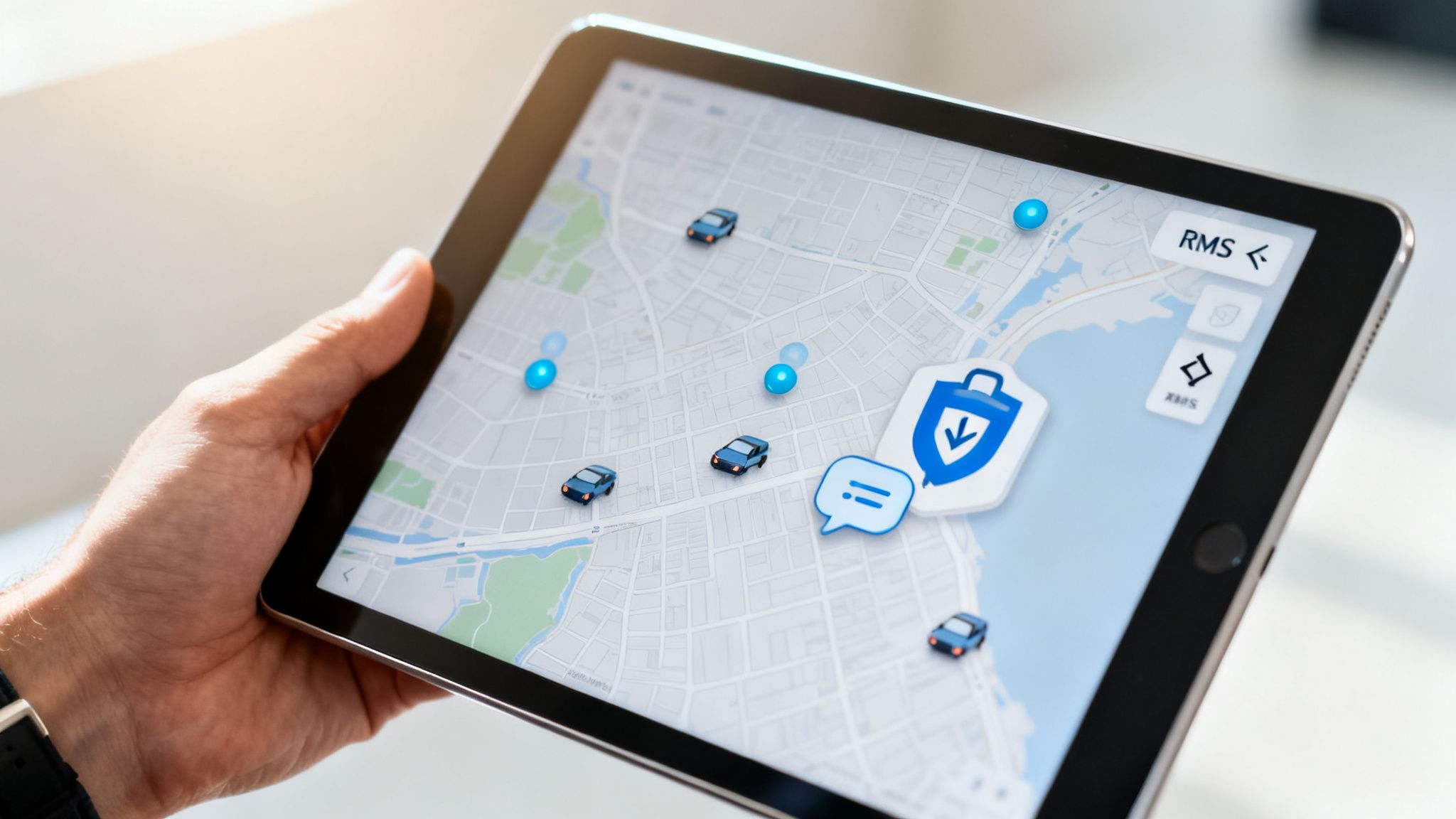
At the very top of that list is Automatic Vehicle Location (AVL) tied directly into a Geographic Information System (GIS) map. This is so much more than just seeing dots on a screen; it’s about having a live, dynamic view of your entire operation. Dispatchers can instantly see the closest unit, spot potential traffic chokepoints, and make smarter deployment decisions in seconds. That precision directly cuts down on fuel consumption and vehicle wear by making sure the most efficient unit is always sent, saving your organization a ton on operational costs over time.
Seamless Integrations and Mobile Access
A powerful CAD system never works in a silo. One of its most critical features is a seamless integration with your Records Management System (RMS). When these two systems talk, all your incident data—from the initial call notes to the final reports—flows automatically into your permanent records. This completely gets rid of redundant data entry, saving countless administrative hours and slashing the risk of costly human errors.
On top of that, modern operations demand solid mobile access. Your field units need to get updates, view incident details, and update their status right from a vehicle’s mobile data terminal or even their smartphone. This constant connectivity keeps everyone on the same page and gives personnel in the field the information they need to do their jobs safely. You can check out some of the dispatching features Resgrid offers to see how these tools work in the real world.
The real power of a modern CAD system is its ability to serve as a central data hub. It should connect seamlessly with other critical software to create a single source of truth for your entire operation, from dispatch to final reporting.
We've seen these systems get a lot more advanced, especially in North America, where the market is being pushed forward by NG911 and LTE networks that can handle things like real-time video and drone feeds. After 9/11, U.S. adoption of advanced CAD systems shot up thanks to federal funding, which helped slash average response times nationwide by 20% by 2010.
And the technology keeps evolving. Many advanced CAD systems now integrate tools like AI powered transcription software to ensure every single detail of a critical conversation is accurately logged, making operations even more buttoned-up.
Choosing The Right Platform: On-Premise vs. Cloud
Finally, a huge differentiator is the underlying platform. For years, the only option was a traditional on-premise system, which meant massive upfront hardware investments and an ongoing headache of maintenance. That model creates a pretty high total cost of ownership. But now, modern cloud-based systems offer a much more flexible and affordable alternative.
Deciding between an on-premise setup and a modern cloud-based solution is a major fork in the road for any agency. It impacts everything from your initial budget to your long-term scalability.
Here’s a quick breakdown of what that looks like:
On-Premise CAD vs. Modern Cloud-Based CAD
| Feature | Traditional On-Premise CAD | Modern Cloud-Based CAD |
|---|---|---|
| Initial Cost | High upfront investment in servers and hardware, often thousands of dollars. | Low to zero upfront costs, typically a predictable monthly subscription. |
| Scalability | Difficult and expensive to scale; requires purchasing new hardware. | Easily scalable; add or remove users as needed with no hardware changes. |
| Maintenance | Requires a dedicated IT team for updates, security, and maintenance. | All maintenance, security, and updates are managed by the provider. |
The move toward the cloud isn't just a trend; it's a fundamental shift in how public safety and field service organizations access powerful technology without the traditional barriers of cost and complexity.
How to Choose the Right CAD System for Your Budget
Picking a Computer Aided Dispatch system is a huge decision, and let's be honest, the price tag is usually the first thing everyone looks at. But if you only focus on that initial quote, you can walk right into common traps like vendor lock-in, surprise fees, and systems that just can't grow with your team. A much smarter way to look at it is through the lens of Total Cost of Ownership (TCO), not just the upfront price.
Traditional CAD systems often hit you with massive, five-figure implementation fees and tie you down with restrictive long-term contracts. This old-school model creates a high barrier to entry and makes it a real pain to adapt if your needs change down the road. Before you sign on the dotted line, you have to understand the full financial picture.
Key Evaluation Criteria for a Smart Investment
To make a decision that’s actually good for your budget long-term, you need to look past the shiny feature list and dig into three core areas.
Scalability: Can the system actually grow with your organization? A system that forces you to buy expensive new hardware or jump to a pricey enterprise-level tier just to add a few more users will bleed your budget dry. You want to find solutions that let you add or remove users as needed, without getting hit with financial penalties.
Customization: Does the system bend to your workflows, or do you have to bend your workflows to the system? A rigid system might look cheaper at first, but it’ll cost you dearly in lost efficiency and frustrated staff. Flexible platforms that can be configured to match how you actually operate deliver much better value in the long run.
Total Cost of Ownership: This is the big one. TCO isn't just the purchase price; it’s everything else, too—ongoing maintenance, support, required hardware upgrades, and training. Modern, self-service models often roll all these costs into a predictable monthly subscription, which gets rid of the surprise bills that are so common with older systems.
Actionable Insight: When comparing CAD vendors, ask for a detailed TCO breakdown for a three-year period. Make sure it includes support, updates, training, and any potential data migration fees. This will reveal the true cost and help you avoid vendors with low upfront prices but high long-term expenses.
Avoiding Hidden Costs with Modern Solutions
The rise of cloud-based technology has been a complete game-changer for dispatch centers. Cloud deployments are jumping by 20-30% annually because they offer incredible scalability with low upfront costs—it's a market that has exploded from USD 1.38 billion to USD 2.78 billion in just a few years. These systems give you continuous updates without ever forcing you to buy expensive on-site servers. You can read more about the growth of cloud-based CAD solutions to see where the industry is heading.
This shift means that organizations can finally get their hands on powerful dispatch tools without the traditional financial headache. A self-service model, for instance, cuts out those hefty setup fees and lets you get started right away. By understanding your options, like a flexible subscription pricing for dispatch software, you can find a powerful system that fits your budget today and is ready to support your growth for years to come.
Common Questions About Computer Aided Dispatch
When people start looking into what a computer aided dispatch system can do for their organization, they usually land on the same practical questions. Once you get past the technical specs, the real concerns boil down to cost, security, and whether the investment actually makes sense for smaller operations.
Let's tackle these common questions head-on. We'll clear up any misconceptions and give you the straight answers you need to understand the true value of a modern CAD system.
How Much Does a CAD System Actually Cost?
This is usually the first question, and honestly, the answer varies wildly.
Traditional, on-premise CAD systems are known for their eye-watering price tags. You’re often looking at five or six-figure upfront costs for hardware, software licenses, and mandatory implementation fees. Then, you've got the ongoing expenses for maintenance, support, and necessary upgrades.
For example, a legacy system might hit you with a $50,000 bill for servers and licenses right out of the gate, plus another $10,000 every year for a maintenance contract. That kind of pricing model puts powerful dispatch tools completely out of reach for most smaller agencies and businesses.
But the industry has shifted, and for the better. Modern, cloud-based CAD systems run on a subscription model, just like most software you use today. This completely gets rid of the massive upfront costs. Instead, you pay a predictable monthly or annual fee, usually based on the number of users or units you have.
This makes powerful CAD technology accessible and affordable, letting you budget effectively without any nasty surprises. It turns what was once a huge capital expense into a manageable operational cost.
Is a Cloud-Based CAD System Secure?
Handing over your operational data to a cloud provider can feel like a leap of faith, and security is a legitimate concern. The reality, though, is that modern cloud-based CAD systems are often far more secure than the self-hosted, on-premise setups they replace.
Reputable providers build their platforms on the backs of secure infrastructure from giants like Amazon Web Services or Microsoft Azure, companies that pour billions into security. These systems are wrapped in multiple layers of protection designed to keep your critical data locked down.
- Data Encryption: All your data, whether it's flying across the internet or sitting on a server, is encrypted using industry-standard protocols. Even if someone managed to intercept it, it would be unreadable without the right keys.
- Data Redundancy: Your information is automatically backed up across multiple geographic locations. This means that if one data center has a bad day, your system stays online and your data is safe.
- Access Controls: Strict user permissions and multi-factor authentication stop unauthorized access in its tracks. You're in complete control of who can see and do what inside the system.
Research shows that cyberattacks on public safety systems are on the rise, with many breaches happening because of weak spots in local networks. A professionally managed cloud environment almost always provides a much stronger defense than what a small IT team can maintain on its own.
Can a Small Business Benefit from CAD?
Absolutely. The idea that CAD is only for massive emergency service agencies is a thing of the past. The affordability and scalability of today's systems have made them indispensable tools for all kinds of smaller businesses.
If your operation involves coordinating people and assets in the field, you can see a significant return on your investment.
Think about these real-world examples:
- Private Security Companies: A small security firm can use CAD to dispatch guards to alarms faster, track patrol routes for accountability, and give clients detailed incident reports. That level of professionalism helps them compete with the big guys.
- Event Organizers: Running a festival or a big event? A CAD system can help manage medical staff, security, and logistics. When something happens, the dispatcher can instantly see the nearest first-aid team on a map, saving critical time and keeping attendees safer.
- Non-Emergency Transport: A medical transport service can use CAD to schedule pickups, find the best routes to save on gas, and give clients accurate ETAs. This efficiency boost means more trips per day with the same number of vehicles.
At Resgrid, we believe powerful dispatch tools should be accessible to everyone. Our platform offers a comprehensive, self-service solution that eliminates expensive implementation fees and restrictive contracts, giving you the tools you need to manage your operations effectively. Find out how Resgrid can support your mission by visiting https://resgrid.com.