
Choosing the Right Fire Department Software to Save Time and Money
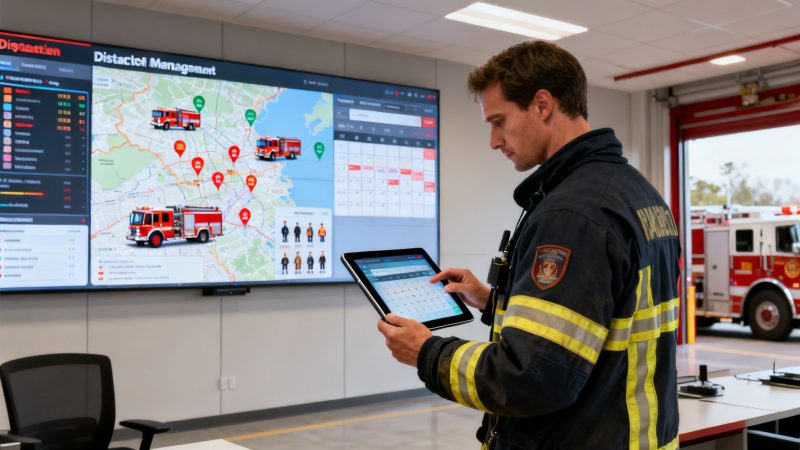
Think of fire department software as the digital command center that finally drags departments out of the era of paper, spreadsheets, and messy group texts. It’s a unified system built for the realities of dispatch, communication, and resource management. What this really does is give departments a clear, real-time picture of what’s happening, turning what could be a chaotic mess into a coordinated, effective response.
It’s all about moving away from dropped radio calls and confusing text chains to make faster, smarter, and safer decisions when every single second is on the line.
What Is Fire Department Software and Why Does It Matter Now
Picture this: a volunteer fire chief is trying to figure out who’s available for a major structure fire. He’s scrolling through a chaotic group text, trying to piece together who’s responding, if they’re certified for an interior attack, and when they might actually get to the scene. This clunky process wastes critical minutes that people in crisis simply don't have.
Now, imagine that same chief looking at a single screen. He can instantly see which volunteers are en route, what their qualifications are, and even their real-time location on a map. That’s the fundamental shift in operational clarity that modern fire department software brings to the table.
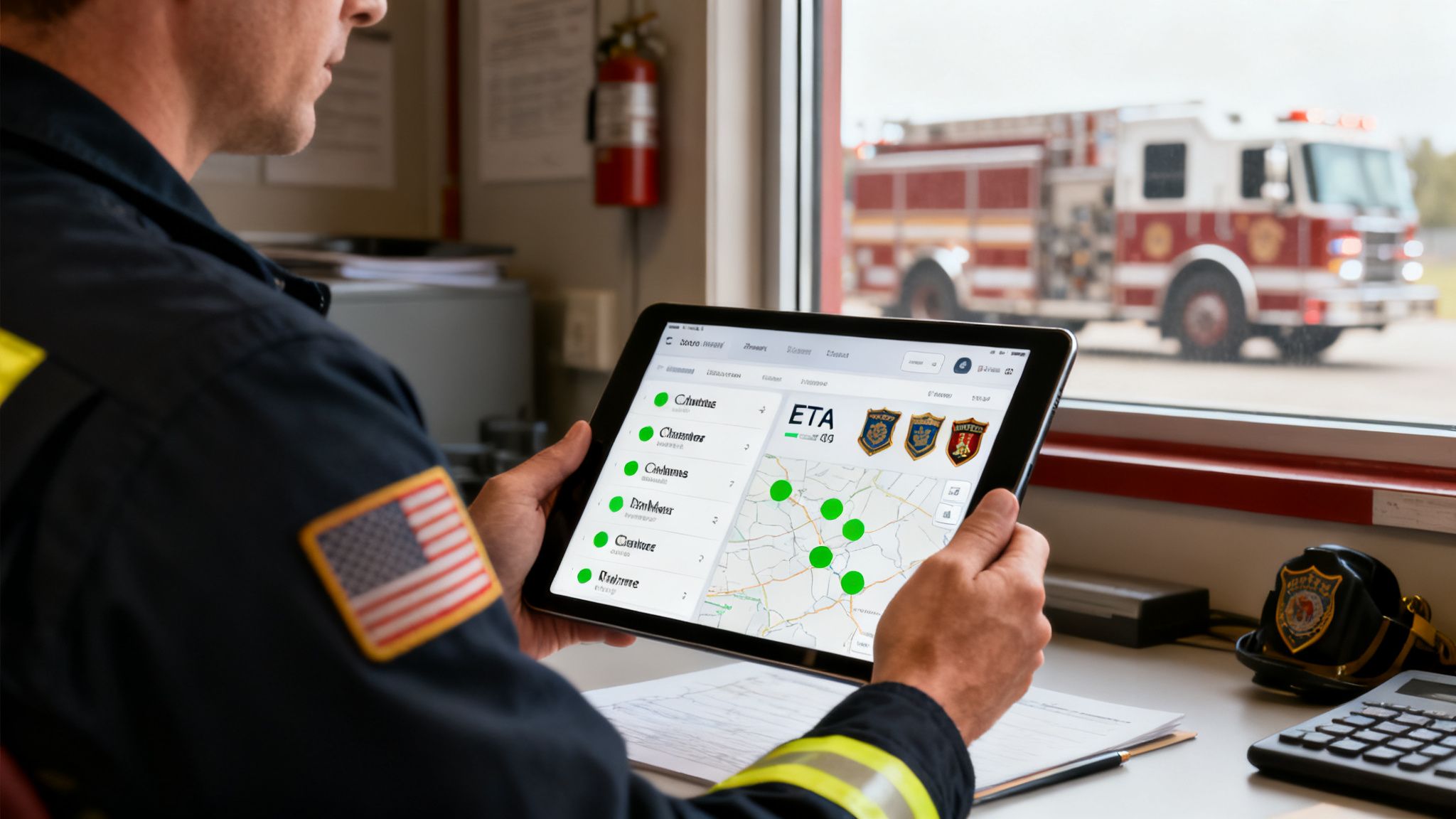
At its heart, this software is the central nervous system for a fire department. It connects the dispatch center, every crew member on the ground, and each piece of apparatus into one intelligent, cohesive unit. It’s about moving past the limitations of whiteboards and gut feelings and into an environment where decisions are driven by solid data.
The Evolution from Chaos to Cohesion
For decades, fire ground operations ran on radio traffic and the hard-earned knowledge of veteran firefighters. And while that got the job done, it has its limits, especially when you’re dealing with complex, large-scale incidents. The move to software isn't just about making things easier; it’s a direct response to the need for greater efficiency and, most importantly, better safety for everyone involved.
This shift from analog to digital is what’s fueling the massive growth we’re seeing in public safety technology. The market is exploding as agencies hunt for better tools to handle high-stakes situations. A detailed market analysis projects the industry will grow by USD 976.1 million between 2026 and 2030, with North America making up a huge 35.1% of that growth. Cloud-based solutions are really leading the way, offering powerful features without the pain of massive upfront hardware costs. You can dig into the full market dynamics in the Technavio research report.
Turning Data into Action and Savings
The biggest win with fire department software is its ability to deliver actionable intelligence that saves time, money, and lives. Centralizing dispatch and communication is a perfect example. By automating call-outs and providing real-time response tracking, departments can slash their mobilization time by up to 30%.
Actionable Insight: The money saved on unnecessary overtime or inefficient call-outs can be put back into the things that really matter—like new PPE or advanced training. For a department paying an average of $60/hour for overtime, eliminating just five hours of unplanned OT per week translates to over $15,000 in annual savings.
This efficiency translates directly into real dollars and cents saved. Think about a common headache: a department needs to fill an unexpected shift opening. The old way? A captain spends two hours on the phone, calling off-duty members one by one and usually ends up paying overtime to whoever picks up first. With scheduling software, an open shift notification goes out to all qualified personnel instantly. The system can even award the shift to the first person who accepts and isn't projected to hit overtime.
To see just how stark the difference is, let's compare the old way of doing things to the new, software-driven approach.
Manual vs. Software-Driven Department Operations
This table breaks down the dramatic efficiency gains and cost savings that come from switching from traditional, manual processes to an integrated software solution.
| Operational Task | Manual Method (The Old Way) | With Fire Department Software (The New Way) | Direct Money-Saving Impact |
|---|---|---|---|
| Emergency Call-Outs | Phone tree, group text, or pager blast. Takes 5-10 minutes with no real-time status. | Automated push notifications to all personnel with instant response tracking. | Reduces Mobilization Time: Faster response can lessen property damage, reducing municipal liability and insurance costs. |
| Shift Scheduling | Spreadsheets and whiteboards. Captain spends hours calling staff to fill open shifts. | Centralized calendar with automated open shift notifications. Staff claims shifts online. | Eliminates Unnecessary Overtime: Fills shifts with non-overtime personnel first, saving thousands annually. |
| Personnel Tracking | Paper sign-in sheets at the station. Radio check-ins on scene. Accountability is difficult. | Real-time GPS tracking and status updates. Automated personnel accountability reports (PAR). | Improves Safety & Reduces Liability: Ensures firefighter accountability, lowering the risk of injuries and associated worker's comp claims. |
| Asset Management | Paper logs for equipment checks and maintenance. Hard to track inventory and service needs. | Digital logs tied to specific apparatus/equipment. Automated service reminders and inventory alerts. | Extends Equipment Lifespan: Proactive maintenance prevents costly emergency repairs and premature replacement of assets. |
The bottom line is that the right software doesn't just streamline tasks—it fundamentally improves the financial health and operational readiness of the entire department.
- Practical Example: A small volunteer department with 30 members used to rely on a phone tree for call-outs. It was a 5-7 minute process that often led to a disorganized response. After implementing software with push notifications, their average time-to-response confirmation dropped to under 90 seconds. This meant getting the first engine out the door three minutes faster, a critical window for containing a room-and-contents fire before it becomes a structure fire.
This simple switch optimizes the use of both paid and volunteer hours, making sure that resources are deployed as intelligently as possible. The money saved on unnecessary overtime or inefficient call-outs can be put back into the things that really matter—like new PPE or advanced training—making the whole operation safer and more effective for everyone.
The Core Features That Every Modern Department Needs
When you're looking at different fire department software options, it’s easy to get buried in a mountain of technical specs. But at the end of the day, a few core features really form the backbone of any system that's worth its salt. These aren't just nice-to-haves; they're the fundamental tools that directly impact firefighter safety, operational efficiency, and your bottom line.
Think of it like building an engine. You can have all the polished chrome you want, but if the pistons, crankshaft, and block aren't solid, you're not going anywhere. For fire departments, that engine block is built on seamless dispatch integration, pinpoint personnel tracking, and smart scheduling.
Dispatch and CAD Integration
The first absolute non-negotiable is tight integration with your existing Dispatch or Computer-Aided Dispatch (CAD) system. Without this, your software is just an island, cut off from the most critical, time-sensitive information you get.
Practical Example: A 911 call comes in for a car accident. The dispatcher enters the address and details into the CAD. Without integration, a firefighter has to manually re-enter that same data into a separate system. With integration, the call data instantly populates in the fire department software, sending a push notification with the address, call type, and a map link directly to every responding member's phone. This eliminates the risk of a typo sending a crew to the wrong address.
True integration means that the second a call hits the dispatch center, that data flows instantly and automatically into your department's software. This one feature alone can shave precious seconds, even minutes, off your response times.
Personnel and Apparatus Tracking
Knowing exactly where your people and your trucks are in real-time is a complete game-changer for any incident commander. Modern tracking is so much more than just a dot on a map. It’s about having a complete, live operational picture right at your fingertips.
Imagine an IC at a big mutual aid fire. With the right software, they can see the qualifications of every person arriving on scene without clogging up the radio. They can instantly spot who's a certified paramedic, a HAZMAT tech, or has specialized rescue training. This lets them put the right people on the right jobs immediately, which is huge for both effectiveness and firefighter safety. This is also where the software becomes vital for enabling efficient collaboration with external services, making sure everyone is working together.
Actionable Insight: Use personnel tracking data to improve post-incident analysis. By reviewing who responded and their actions on scene, you can identify training gaps. For instance, if you see that only two of your ten interior-certified firefighters responded to a structure fire, it highlights a need to recruit or train more members for that critical role, reducing future risk.
This capability is a huge reason why the market for this tech is growing so fast, especially in North America. Projections show the market hitting USD 504.5 million by 2028, with larger departments really pushing for unified platforms that combine personnel tracking and real-time communication. For a closer look at how these tools work, you can explore Resgrid's full list of personnel and unit management features right here: https://resgrid.com/features.
Automated Scheduling and Roster Management
Manual scheduling might be one of the biggest hidden time and money sinks in any fire department. Supervisors can easily burn dozens of hours every month just trying to fill open shifts, juggle time-off requests, and make sure they don't accidentally trigger overtime. Automated scheduling puts a stop to all that.
Here’s how it plays out in the real world:
- A firefighter calls in sick, leaving a shift wide open.
- Instead of the captain starting a phone tree, the software automatically blasts a notification to all qualified personnel who aren't scheduled and won't hit overtime by taking the shift.
- The first person to accept the shift is instantly added to the roster, and everyone who needs to know gets an update.
That simple workflow saves a supervisor hours of tedious phone calls and, more importantly, prevents those incredibly expensive last-minute overtime assignments. By making roster management smarter, departments can realistically cut their overtime costs by 15-20% a year. That’s a direct, measurable return on investment that frees up a ton of cash for new gear or much-needed training.
How Software Delivers a Measurable Return on Investment
When you’re looking at new technology, the big question for any department chief or city manager always comes down to one thing: what's the actual return on investment? For fire department software, the answer goes way beyond just being convenient. The real value is in the hard, measurable improvements that hit your budget, your operational readiness, and even your shot at securing future funding.
The right platform isn't just another tool for the job; it becomes a financial asset. It does this by chipping away at costs in some key areas while opening up new doors for revenue, especially through data-backed grant applications.
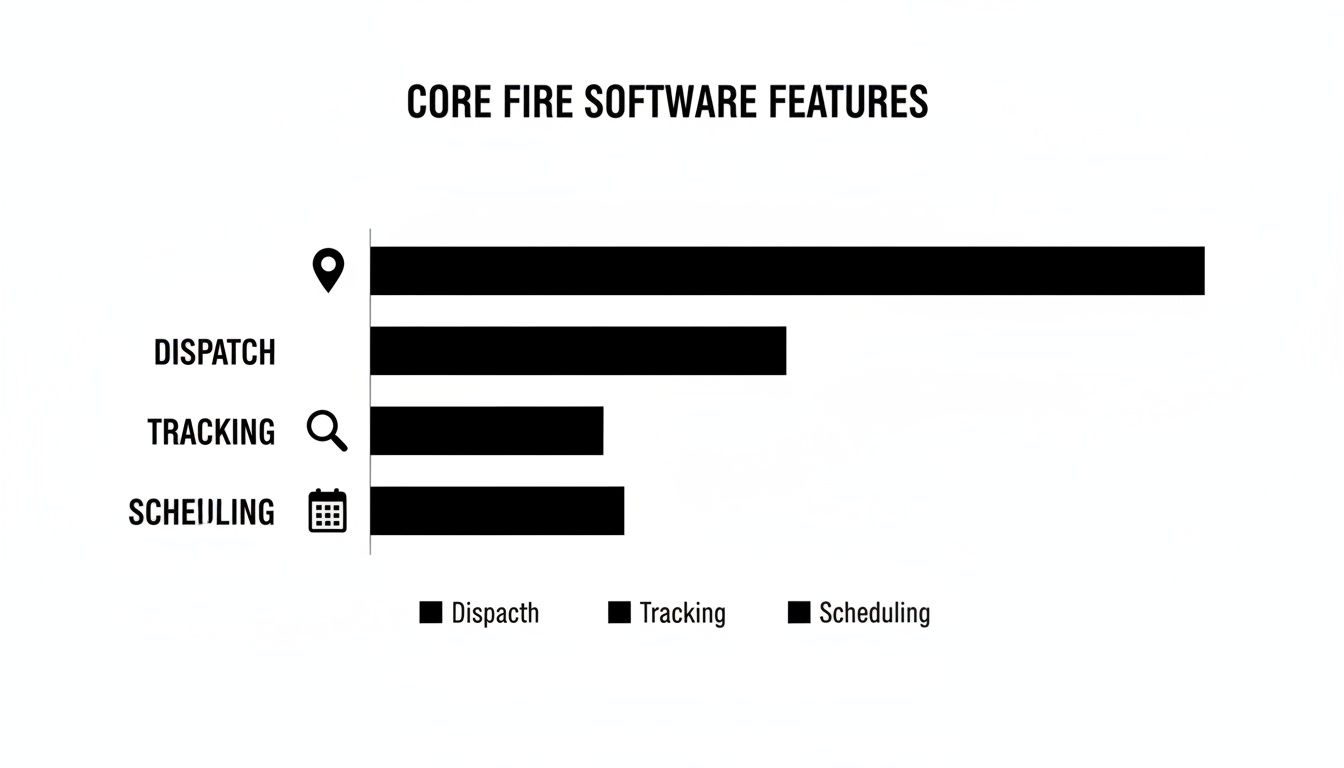
Each of these core functions—dispatch, tracking, and scheduling—directly helps you run a smarter, more cost-effective operation by making the most of every resource you have.
Optimizing Resource Allocation to Cut Costs
One of the quickest ways fire department software shows its worth is by optimizing how you deploy your most expensive assets: your people and your rigs. The old-school way of dispatching often follows a simple rule—send the unit from the geographically closest station. But what if that unit just got back from a tough call and is parked way at the other end of its district?
This is where Automatic Vehicle Location (AVL) data turns into a serious money-saving tool.
Actionable Insight: By using AVL-based dispatching, you can directly lower your operating costs. The average cost per mile for a fire engine (factoring in fuel, maintenance, and depreciation) can be over $15. If AVL routing saves your fleet just 500 miles over a year, that’s a direct saving of $7,500.
Instead of just sending the unit from the nearest station, the software looks at real-time GPS data and dispatches the genuinely closest unit. Let’s break down how that simple adjustment saves real money:
- Reduced Fuel Consumption: Shorter routes mean less fuel burned for every single call.
- Lower Vehicle Maintenance Costs: Fewer miles on the road means less wear and tear on engines, tires, and brakes. This stretches the life of your expensive apparatus.
- Increased Unit Availability: By sending the absolute closest truck, you keep your other units free and ready for the next call.
Practical Example: Engine 2 is returning to its station on the west side of town. A new medical call comes in on the east side, which is technically Engine 3's territory. But Engine 2's current AVL location is only two blocks away from the call. The software dispatches Engine 2, shaving five minutes off the response time and saving Engine 3 from driving an unnecessary three miles. That single decision saves fuel, reduces wear, and gets help to the scene faster.
Calculating Your Department's Potential Savings
It can be tough to visualize how these efficiencies translate to dollars and cents. The table below breaks down how specific software features can lead to direct and indirect savings for a typical small to mid-sized department.
| Software Feature | Area of Savings | Example Calculation/Metric | Estimated Annual Savings (Small Department) |
|---|---|---|---|
| AVL-Based Dispatch | Fuel & Maintenance | Save 1 mile/call x 1,000 calls/year x $5/mile = Savings | $5,000+ |
| Automated Scheduling | Overtime Reduction | Reduce 5 hours of unplanned OT/week x $50/hour = Savings | $13,000+ |
| Digital Reporting | Administrative Labor | Save 10 admin hours/month x $25/hour = Savings | $3,000+ |
| Grant Reporting Tools | New Funding Secured | Successful AFG grant for new equipment | $25,000 – $100,000+ |
As you can see, the savings aren't just theoretical. They come from concrete improvements in day-to-day operations that directly reduce expenses and, in the case of grants, actively bring in new revenue.
Streamlining Grant Reporting for New Funding
This might be the most powerful, and yet most overlooked, financial perk of fire department software: it completely changes the game for your grant applications. Getting grants for new equipment, PPE, or training is incredibly competitive. Success often comes down to who can provide the hard data that proves their need.
Without good software, departments are stuck pulling together estimates, sharing anecdotes, or manually crunching stats. Automated reporting fixes all of that.
Practical Example: A department needs new thermal imaging cameras (TICs). Instead of just saying, "We need them," they use their software to pull a report showing they responded to 45 structure fires in the last year, with an average of 12 personnel on scene for each. This data proves the high-risk environment their firefighters face and justifies the need for one TIC per engine, making a much stronger case to the grant committee.
With just a few clicks, you can pull up detailed, accurate reports on the metrics that matter:
- Average response times, broken down by call type and district.
- The exact number of calls each unit and station has handled.
- Specific data on mutual aid you've given or received.
- Personnel hours logged for training versus incident response.
Having this kind of concrete data at your fingertips dramatically boosts your chances of securing new funding. This turns your new fire department software into an investment that can pay for itself many times over. To see just how affordable this can be, you can explore various software pricing options that give you these powerful features without a massive upfront cost.
Your Practical Checklist for Choosing the Right Software
Picking the right fire department software is a huge decision, one that’s going to live with your department for years. This isn't just about buying another tool. It's an investment in a system that absolutely has to be reliable, easy for everyone to use, and capable of growing as you do. To make a smart choice you won't regret, you need a clear game plan for sorting through the options.
Think of this checklist as your buyer's guide. It's here to help you cut through all the sales pitches and marketing fluff to focus on what really matters for your crew.
Start By Looking Inward: Assess Your Core Needs First
Before you even think about watching a single demo, you need to do a thorough internal assessment. Where are the biggest bottlenecks in your current operations? Is it slow call-outs? Scheduling that feels like herding cats? Or maybe reporting that takes hours to pull together? Getting your team involved right from the start is non-negotiable if you want them to actually use the new system.
- Talk to Your People: Get input from everyone—the chief, your most seasoned officers, and the newest volunteer. What do they need to do their jobs safer and better?
- List Your "Must-Haves": Create a list of features that are deal-breakers. Maybe that’s seamless CAD integration, real-time personnel tracking, or a mobile app that doesn't die in low-signal areas.
- Face Your Budget Reality: Figure out what you can realistically afford. And don't just think about the upfront cost; factor in ongoing subscriptions, support, and maintenance fees.
This first step is all about grounding your search. It stops you from getting distracted by fancy features you'll never use and keeps the focus on solving your department's actual, day-to-day problems.
Key Questions to Grill Every Vendor On
Once you know what you need, it's time to talk to vendors. Don't let them run the show. Walk into that conversation with a list of tough questions designed to uncover the real cost and true capabilities of their platform.
Here’s what you absolutely must ask:
- What’s your complete pricing model?
- Get past the sticker price. Ask about per-user fees, data storage costs, mobile access charges, and any other fee they might have buried in the fine print. Transparent, all-inclusive pricing is a great sign.
- How do you handle software updates and support?
- Are updates included, or are they an extra charge? What does the standard support package actually cover, and what’s the turnaround time when something critical breaks?
- Will your system play nice with our existing tools?
- Name your specific CAD, GIS, or records management systems. Ask for proof they’ve successfully integrated with similar setups. A system that can’t integrate just creates more work and isolated data.
- How scalable is the platform?
- Can the system handle it if we add more members or apparatus next year? What does that process look like, and how much will it cost us?
Actionable Money-Saving Insight: The biggest financial trap a department can fall into is getting locked into a system with a murky pricing structure. Prioritize platforms that offer a flat-rate or unlimited-user model. This prevents your bill from unexpectedly ballooning as your volunteer roster grows, saving you from a common "cost creep" that penalizes successful recruitment.
Always Run a Pilot Program Before You Sign
At the end of the day, the only way to know if a piece of fire department software is the right fit is to test it in the real world. Before you even think about signing a multi-year contract, insist on running a small-scale pilot program.
Grab a small, diverse group from your department—get a tech-savvy firefighter, a skeptical veteran who’s seen it all, and an officer. Let them put the software through its paces for a few weeks on a specific task, like handling scheduling or responding to a few non-emergency calls.
This trial period is priceless. It will expose any potential headaches and, more importantly, help you get firefighter buy-in before you commit to a full, department-wide rollout. It's the ultimate litmus test to see if the solution works on the fire ground, not just in a polished sales demo.
How to Implement New Software Without the Headaches
Bringing new technology into a fire department feels like a huge job, but if you have a plan, you can turn a potential nightmare into a smooth, manageable process. The secret is to break down the implementation of your fire department software into clear, distinct phases. This way, nothing gets overlooked, and you can build momentum and get your team on board along the way.
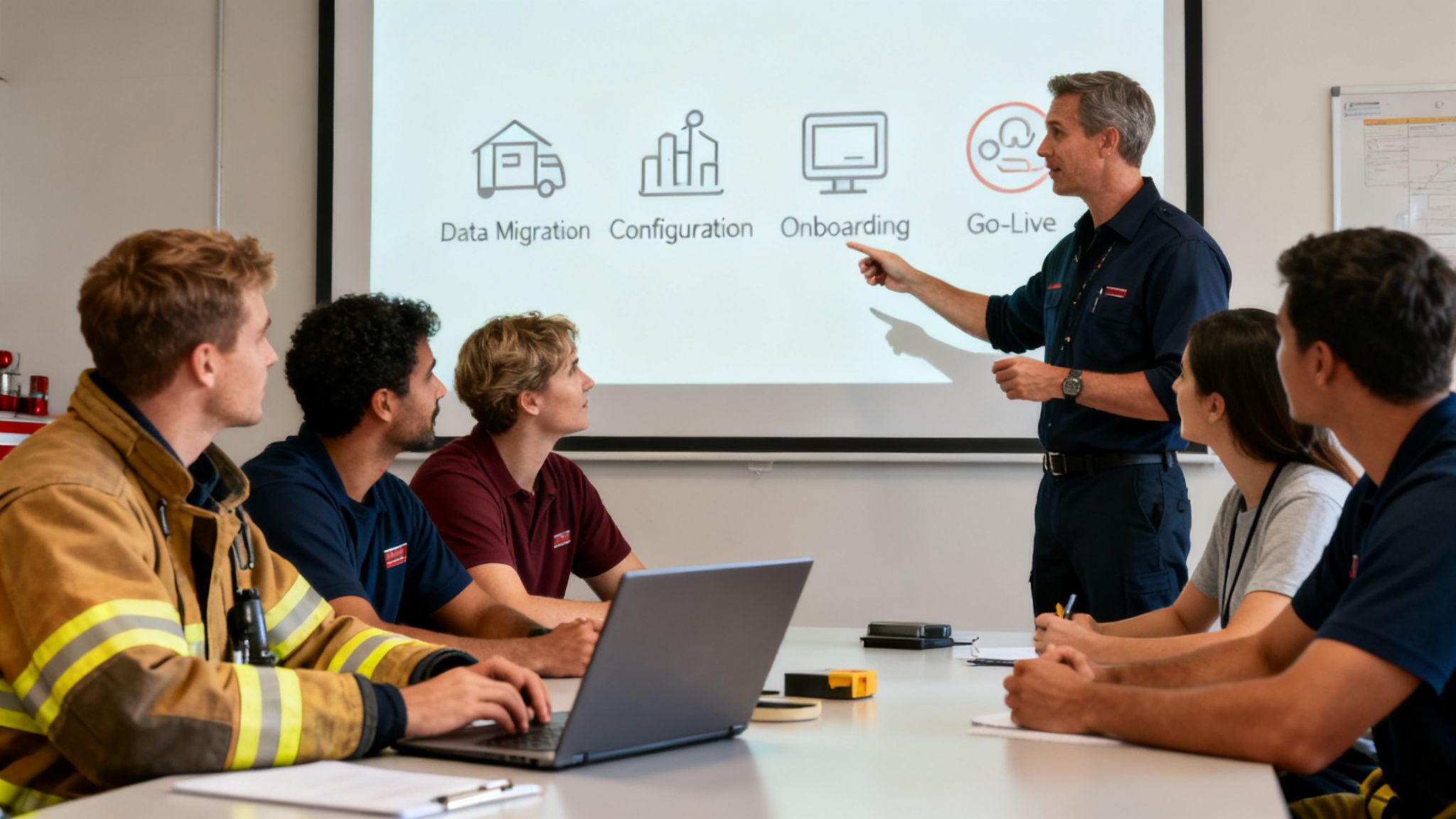
If you think of it as a four-stage mission—Data Migration, System Configuration, Team Onboarding, and Go-Live—the whole project becomes a lot less intimidating. Each step builds on the last, creating a solid foundation for a successful launch that avoids the usual headaches of a chaotic rollout.
Breaking Down the Implementation Phases
A successful deployment isn't about flipping a switch; it's a gradual process. Each phase has a specific goal to make sure the system is ready for the real world before it ever sees a live call. This methodical approach is the best way to prevent day-one disasters.
Here’s a typical breakdown of the four phases:
- Data Migration: First things first, you have to move all your existing information—personnel rosters, qualifications, apparatus details, and historical data—into the new system. Getting a clean data import is absolutely critical for the software to work correctly from the start.
- System Configuration: This is where you tweak the software to fit how your department actually operates. It involves setting up user roles, defining response types, and creating the right communication groups for your crews.
- Team Onboarding: Now it's time to introduce your firefighters to the new tool. Good training focuses on real-world scenarios, making sure everyone from the tech-savvy rookie to the veteran officer feels comfortable using the system.
- Go-Live: The final phase is the official launch. This is often done in a controlled way, maybe by running the new system alongside the old one for a short time to catch any last-minute bugs.
When you're getting ready to roll out new software, having a structured plan is everything. For a more generic but still comprehensive guide to making sure the transition goes smoothly, you might find a dedicated software deployment checklist helpful.
A Practical Example of Smart Integration
A lot of departments worry that new software means they have to replace their expensive, county-run CAD system. That’s almost never the case. Modern software is built to integrate, not replace.
Practical Example: A volunteer department can use an API (Application Programming Interface) to connect their new management software directly to the county dispatch center. When a 911 call is created in the CAD, the API automatically pushes that data right into the department’s new software. This gives firefighters instant mobile alerts and real-time tracking without ever touching the county's core system. It’s an approach that delivers huge benefits without the massive cost of a full CAD replacement.
Actionable Money-Saving Insight: The single best way to save money during implementation is to choose a platform with a self-service model. This approach empowers your own tech-savvy members to lead the deployment on your schedule, completely eliminating the need for expensive on-site consultants. A typical consultant-led implementation can easily cost $10,000 or more. By choosing a self-service platform, you can turn that massive expense into a project with near-zero implementation costs.
For more help on this journey, our team provides extensive guidance through our dedicated support portal to assist with every step.
How Resgrid Offers a Modern Solution Without the High Cost
It's one thing to talk about software features, but it's another to see how they actually connect to what you do every single day. This is where Resgrid comes in. It’s not just another program on the market; it’s a practical, affordable tool built from the ground up to solve the problems that fire departments are really facing.
We designed Resgrid to deliver all the powerful tools we’ve been talking about, but without the insane price tags or the rigid contracts that keep so many departments stuck with yesterday's technology.
Let's be honest: traditional fire department software often throws up huge financial roadblocks. You're looking at steep implementation fees, long-term contracts you can't get out of, and per-user licenses that nickel and dime your budget to death. For a lot of agencies, especially smaller or volunteer-run outfits, these costs make modern tools feel completely out of reach.
Resgrid flips that entire model upside down. Our entire platform is built around a no-contract, no-implementation-fee approach. Right out of the gate, that removes the biggest financial hurdle and lets any department get started without a massive upfront check.
Tying Core Features to Real Savings
Every feature in Resgrid is designed to connect directly to your bottom line and improve your operations. Take the integrated messaging and personnel tracking, for example. They work together to get your response times down and give you rock-solid accountability on scene, which means better outcomes and less operational risk.
And then there's the scheduling module—it’s built to take on one of the biggest administrative headaches in any department. By automating open shift notifications and making roster management simple, it frees up your officers' time. More importantly, it helps slash unplanned overtime costs. That’s a real, measurable financial win.
Actionable Insight: Use the self-service model to avoid consultant fees. Instead of paying thousands for an expert to set up your system, empower one of your own members to follow the online documentation. This not only saves the entire implementation fee but also creates an in-house expert who can train new members and troubleshoot minor issues, reducing long-term support costs.
A Practical Example of Zero-Cost Improvement
Imagine a small, rural volunteer EMS squad running on a shoestring budget. They’re juggling on-call schedules with spreadsheets and a messy group text, which sometimes leads to missed calls or slow responses. It's a classic problem.
This squad can sign up for Resgrid's free tier and, in a matter of minutes, have a real-deal scheduling and dispatch system.
- Action: They set up their personnel roster and create their recurring on-call schedule.
- Result: The next time a call comes in, the system instantly pings the on-call crew through the mobile app.
- Impact: They see huge operational gains—faster responses, better organization, and a serious boost in crew morale—with absolutely zero impact on their budget.
This is the key takeaway: you can start using a robust fire department software system today and prove its value for yourself without spending a dime. It’s a completely risk-free path to bringing your operations into the modern era.
Some Questions We Hear All the Time
When a department starts looking at new technology, it's only natural for some practical questions to pop up. Let's tackle some of the most common things decision-makers ask us about modern fire department software.
How Secure Is Cloud-Based Software?
This one comes up a lot. Reputable cloud platforms actually use advanced encryption for data, both when it's stored and when it's moving, that's often better than what a department can manage with its own on-premise servers. Think of it this way: your sensitive incident and personnel data is protected by the same kind of security protocols used in online banking. It keeps everything confidential and locked down from anyone who shouldn't have access.
Does This Work for Combination Departments?
Absolutely. In fact, this is where flexible software really shines. It's built to handle the unique puzzle of a combination department. The system can easily tell the difference between career staff on their scheduled shifts and volunteers who are responding to a call-out. This means you get dead-accurate tracking of who's available, what their qualifications are, and their hours, for every single person.
Practical Example: A captain can glance at a map and see their career crew on-station while simultaneously watching icons for volunteers pop up as they respond from home. The system can be configured to automatically count the on-station crew toward minimum staffing but only add volunteers to the headcount once they've checked in. This provides a true real-time picture of available resources for effective incident command.
Actionable Insight: Use the software to track volunteer participation hours automatically. This data is invaluable for recognition programs, stipend calculations, and proving community engagement to city council during budget season. It turns volunteer effort into a quantifiable asset, which can help justify funding requests.
What Is the Real Learning Curve for Firefighters?
It's nowhere near as steep as you might think. Modern software is designed with simple, intuitive interfaces that often feel just like using a regular smartphone app. The learning curve is surprisingly gentle, and we've found most firefighters get the hang of it after just one training session. The key is a clean design that focuses on getting you the information you need fast, without getting bogged down in complicated features.
How Does This Handle Mutual Aid Calls?
Interoperability is baked right in. When a mutual aid call comes through, the software can track those incoming units from neighboring departments on the very same map as your own apparatus. This lets an incident commander see exactly what resources are rolling in and when they'll arrive. It completely eliminates the guesswork over the radio and allows for smarter, faster tactical decisions on the fireground.
Ready to see how a modern, flexible platform can completely change your department's operations, but without the crazy price tag? Resgrid gives you all the tools you need in a simple, self-service model. You can check out the solution at https://resgrid.com.