
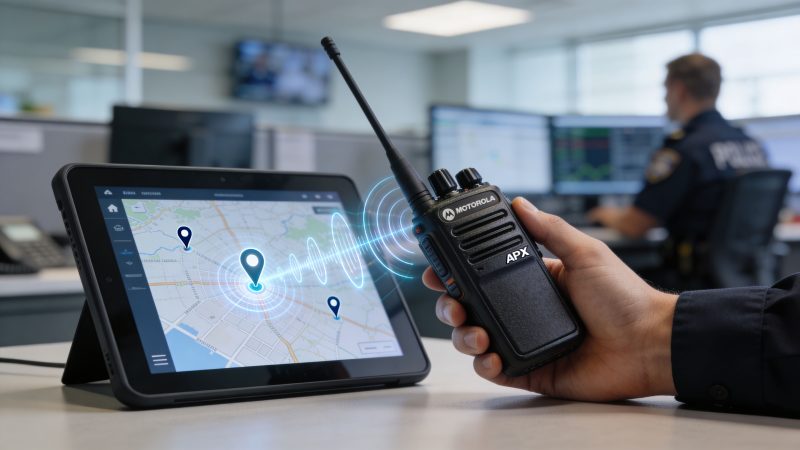
Motorola APX Radio: P25, Programming & Resgrid
You’re probably dealing with the same question most communications leaders hit sooner or later. A chief wants better interoperability. Dispatch wants cleaner audio and better location awareness. Finance wants to know why a premium handheld costs more than the cheaper radios on the market.
That’s where the motorola apx radio conversation usually starts, but it shouldn’t end at the purchase price. In the field, a key issue is whether crews can move from routine traffic to a multi-agency incident without changing radios, losing clarity, or creating programming headaches that only one technician can fix.
The APX family has earned its place because it solves real operational problems. It also creates a few of its own if you buy the wrong tier, overbuild the fleet, or ignore programming discipline. The agencies that get the best value out of APX aren’t just buying radios. They’re building a communications system that supports dispatch, accountability, maintenance, and long-term replacement planning.
Why the Motorola APX Radio Dominates Public Safety
A major incident exposes weak communications fast. Fire is on one band. Law enforcement is on another. Mutual aid arrives with incompatible templates. Dispatch starts repeating traffic because units can’t hear each other clearly over apparatus noise, traffic, or aircraft.
That environment is exactly why the APX line matters.
The Motorola APX series was introduced in 2008 as Motorola Solutions’ flagship Project 25 multi-band two-way radio family, designed with input from first responders, and by the mid-2010s over 1 million APX radios were in service globally according to the APX Series Radios reference. That matters because APX wasn’t built as a generic commercial handheld adapted for public safety later. It was built around interoperability, rugged field use, and the post-9/11 push for standardized public safety communications.
Why agencies standardized on APX
APX became dominant because it addressed several problems at once:
- Interoperability pressure: Agencies needed radios that could work across different systems and jurisdictions.
- Field-driven design: Features like integrated GPS, text messaging, and microphones built for noisy scenes reflected responder input.
- Protocol flexibility: The platform supports conventional analog, conventional P25, Motorola Type II trunking, P25 Phase 1 trunking, and P25 Phase 2 trunking.
- Operational continuity: It gave agencies a path from older analog and mixed fleets into modern P25 environments without throwing away every existing workflow.
A lot of radios can pass audio. Fewer radios can serve as a long-term fleet standard.
Practical rule: A radio becomes “cheap” only if it stays usable across mutual aid, dispatch integration, and future system changes. If it fails any of those tests, the lower bid usually costs more later.
Why chiefs and dispatch managers still choose it
For a chief, APX reduces risk in the moments that matter most. For dispatch, it gives more consistent behavior across the fleet. For technicians, it offers a known ecosystem, which is often worth more than a long feature list on paper.
That doesn’t mean every user needs the top model. It means the platform has become the default benchmark. When agencies compare alternatives, they usually end up measuring them against APX for audio, interoperability, accessories, and programming support.
Decoding the APX Radio Model Tiers
A county buys all-band portables for every seat, then spends the next five years explaining the invoice to finance while half the fleet never leaves one trunked system. Another agency buys the cheaper tier across the board, then scrambles for cache radios every time a regional incident pulls in outside units. Both mistakes come from the same problem. They bought by model name instead of by operational role.
The APX family makes more sense when you evaluate total cost of ownership, not just unit price. That means looking at coverage needs, mutual aid patterns, spare inventory, accessory compatibility, programming time, training burden, and how cleanly each radio will fit into dispatch and incident workflows later.

The practical split between the tiers
The APX 8000 sits at the top of the portability and interoperability ladder. It is the radio for agencies that regularly cross bands, work mixed regional systems, or assign users to incidents where they cannot predict what they will need an hour later. That flexibility is valuable, but it is expensive to buy, expensive to replace, and often unnecessary for users who stay inside one system all year.
The APX 6000 is often the better line radio for agencies with a stable single-band environment. It still gives crews a serious public safety portable without pushing every position into all-band pricing. For many fire and EMS fleets, this approach begins to make financial sense.
The APX 4000 can fit support roles, lower-complexity users, or agencies that need P25 capability without the broader feature set of the higher tiers. The trade-off is simple. If the organization later expects those users to operate like command staff during mutual aid events, the savings disappear fast.
The APX NEXT belongs in a separate budget discussion. It is less a direct substitute for a conventional portable and more a connected workflow tool for selected roles. If your agency has not already defined how broadband apps, data access, and software lifecycle management will be handled, buying NEXT units broadly can shift costs from procurement into IT, training, and support.
Match the radio to the assignment
One model for the whole fleet sounds clean on paper. In practice, role-based deployment usually costs less and causes fewer field complaints.
| User group | Usually needs | Common fit |
|---|---|---|
| Front-line firefighter in a stable single-system county | Reliable P25 voice, durable hardware, simple controls | APX 6000 |
| Command staff working across agencies or bands | Broad interoperability and fewer field workarounds | APX 8000 |
| Support units, facilities, or lower-complexity users | Basic P25 portability | APX 4000 |
| Users who need broadband data and connected applications | LMR plus advanced data functions | APX NEXT |
That approach reduces more than acquisition cost.
It also cuts programming variation, limits accessory sprawl, and makes spare management easier. If ten different user types all get the premium radio with different templates, the agency pays for that complexity every time a battery fails, a loaner is issued, or a technician has to explain the knob and zone layout to a user at shift change.
Where agencies overspend
The first common error is issuing all-band radios to people who never use all-band capability. Chiefs, interoperability officers, and selected strike team leaders often justify that cost. Every seat does not.
The second error is underestimating accessory and maintenance costs. A mixed fleet can be smart, but only if you control batteries, chargers, speaker mics, programming templates, and replacement parts. If each tier turns into its own support ecosystem, the savings from buying lower-cost units erode.
The third error is buying for a future concept that has not been operationally defined. Agencies do this with broadband features all the time. If dispatch is not ready to use the data, if field supervisors are not trained on the workflow, and if platforms such as Resgrid are not part of the implementation plan, those added capabilities sit idle while the invoice remains very real.
Buy to the user’s actual incident profile, then standardize everything you can around that decision.
What works in real fleets
The strongest APX deployments usually start with three questions. Which users cross bands. Which users stay inside one system. Which users create the most operational risk if they carry the wrong radio.
From there, agencies should set a small number of fleet personas and hold the line. For example, line firefighters get one template, command gets another, support staff get a simpler build, and only selected roles receive broadband-capable units. That keeps training cleaner and lowers the chance that someone misses a mayday button location or lands in the wrong zone during a fast-moving event.
I have seen agencies save real money by spending more carefully, not by cutting blindly. Put all-band where it solves a recurring field problem. Keep accessories interchangeable where possible. Limit template creep. Budget for programming, refresh cycles, and replacement stock up front. The radio price is only the opening number. The long-term bill is driven by how disciplined the fleet plan is.
Mission-Critical Features That Save Lives
A crew calls a mayday from a smoke-charged hallway. The channel is busy, the background noise is brutal, and dispatch gets one broken transmission to work with. In that moment, the radio either preserves enough intelligibility to act on, or it does not.
This is the ultimate test of the APX family.
Audio that still works when the scene is loud
Motorola built the APX line for places where normal portable radios start to fall apart. The practical value is not a spec sheet term. It is whether command hears the location correctly next to a pump panel, whether dispatch catches a unit number over freeway traffic, and whether a firefighter wearing gloves and SCBA can get a message through without repeating it three times.
FireRescue1 coverage of Motorola APX portable radios highlights features such as dual-microphone noise suppression, adaptive audio processing, and the AMBE+2 vocoder. Those features matter because they cut down on clipped, muddy transmissions in high-noise environments.
Every repeated transmission costs time. It also increases channel load during the part of an incident when nobody has spare bandwidth.
Location and emergency signaling only matter if someone can use them
Integrated GPS and emergency alerting can improve accountability, but agencies should be honest about the operational cost. A radio that reports location is only useful if dispatch screens, CAD workflows, map layers, and response policies are ready to use that information. If not, the agency paid for a feature that becomes background noise.
Used correctly, location data shortens the back-and-forth. Dispatch can confirm where a unit stopped, supervisors can track crews across a wide incident footprint, and command can work with a shared operating picture instead of voice estimates. That becomes more valuable when the radio fleet is tied into dispatch tools such as Resgrid, where location and incident status can support resource tracking instead of living in a separate silo.
Features that justify their cost
The APX features worth buying are the ones that reduce failure points during real incidents:
- Noise suppression and audio processing: Reduce repeats and missed traffic in high-noise settings.
- Emergency button behavior: Give dispatch and command a faster way to identify distress traffic, if alert handling is configured correctly.
- Integrated location services: Support accountability and unit tracking, if the system and dispatch workflow are set up to consume the data.
- Text and data options: Help during channel congestion, especially for short updates that do not need voice airtime.
Each one has a cost beyond the purchase price. More features usually mean more programming time, more training, more testing, and more opportunities for template drift across the fleet. Chiefs and radio managers should treat that as part of the procurement decision, not an afterthought.
Good radios still fail under bad policy
I have seen agencies buy top-tier portables and still get poor field results because nobody defined microphone technique, emergency activation rules, or who monitors location alerts. The hardware was sound. The operating discipline was not.
The APX radio earns its keep when settings, training, dispatch procedures, accessories, and maintenance all match the mission. That is what saves money over time too. Fewer missed transmissions, fewer user workarounds, fewer programming exceptions, and fewer avoidable field failures.
Mastering Interoperability with P25, Trunking, and LTE
Interoperability is where many radio purchases either prove themselves or fail. The radio may sound great on the home system, but major incidents expose every mismatch in band planning, trunking access, talkgroup design, and backup connectivity.

P25 and trunking in plain language
P25 is the public safety standard that lets agencies buy mission-critical radios with an expectation of interoperable digital voice behavior. In the APX world, that matters because the family supports both conventional P25 and P25 trunking modes, along with analog and some legacy Motorola system support.
Trunking works like a managed roadway. Instead of every talkgroup owning a dedicated lane all day, the system assigns channel resources as users key up. That’s why trunking handles heavy user volume better than simple conventional layouts when it’s designed correctly.
For a dispatch manager, the practical questions aren’t academic:
- Which users need conventional fallback?
- Which talkgroups must be available during mutual aid?
- Which templates need analog still enabled?
- What fails over automatically, and what requires user action?
If those answers aren’t defined before deployment, the fleet will be expensive and messy.
Where LTE and satellite fit
Broadband-connected radios are changing expectations. They can extend workflows beyond traditional land mobile radio coverage, but they also add complexity. The new satellite angle is the clearest example.
Recent integrations involving T-Mobile’s T-Satellite and Starlink for APX NEXT radios, announced in April 2026, were described as extending coverage to 500,000 U.S. square miles beyond cell towers, but the same discussion notes practical concerns including battery drain and signal acquisition delays in obstructed terrain, as covered in this analysis of satellite-enabled APX NEXT communications.
That’s promising for rural operations, but no chief should read “coverage extension” and assume uninterrupted performance in canyons, forests, or heavy structural environments.
The trade-offs that matter in the field
A few realities are easy to miss during procurement:
- LMR still handles core voice best: Broadband and satellite are useful additions, not excuses to weaken core radio system planning.
- Battery planning gets harder: Every added connectivity path can affect runtime and charging logistics.
- User training becomes more important: If a responder doesn’t understand what network path they’re on, they may misread coverage behavior.
- Dispatch needs visibility: If connectivity changes affect latency or location reporting, the communications center needs to know what “normal” looks like.
Don’t buy hybrid connectivity to avoid fixing your radio plan. Buy it to cover the gaps your radio plan can’t reasonably solve.
What a sound interoperability plan looks like
Strong deployments usually separate users into operational groups. Some need all-band access every day. Some need a simple home-channel radio and a cache option for rare events. Some need broadband data because their role depends on maps, messaging, or remote incident support.
That distinction saves money. It also reduces field errors.
The agencies that struggle most are the ones that try to make every radio do everything. The agencies that do this well assign capabilities intentionally and document exactly how dispatch, supervisors, and line personnel will use them during escalation.
Essential APX Programming and Configuration Insights
A well-programmed APX fleet feels invisible. Users turn the knob, press the side button, and the radio behaves exactly as expected. A badly programmed fleet burns time every shift, and the worst problems often hide until an incident goes sideways.
Codeplug discipline matters more than fancy options
The codeplug is the radio’s operating personality. It defines zones, channels, button assignments, scan behavior, alerting, encryption options, and a lot of the little details users assume are “just how the radio works.”
In practice, APX programming problems usually come from drift. One technician changes a template for one battalion. Another copies an older version for a special event. A vendor loads a feature set that doesn’t match the agency’s mixed analog and digital use. Months later, dispatch has three versions of “the same” radio in service.
That’s expensive because every support call takes longer and every training problem multiplies.
The analog audio trap in mixed-mode fleets
One under-documented issue deserves special attention. Muffled analog audio after P25 digital tweaks in CPS is a known problem in mixed-mode environments and often requires vendor-level adjustments that basic guides don’t cover, as noted in the Motorola radio software catalog and related programming references.
This catches smaller agencies hard because they often inherit a mixed environment. They want better digital performance, so they tune around P25 behavior. Then an analog mutual-aid or legacy channel suddenly sounds poor, and users blame the speaker mic, the repeater, or the system itself.
The fix usually starts with disciplined testing, not guesswork.
What technicians should check first
Use a repeatable process before calling for paid support:
- Test analog and P25 separately: Don’t evaluate audio quality on one mode and assume the other is fine.
- Compare against a known-good template: Keep one approved codeplug version as your baseline.
- Check encryption and clear transmit settings: Mismatches can create confusing field symptoms.
- Validate accessory behavior: Some audio complaints are really accessory or microphone profile issues.
- Document every change: If a change can’t be traced, it can’t be supported cheaply.
If your team needs a centralized place to track technical procedures, support notes, and deployment guidance, it helps to keep that information where dispatch and technical staff can access it. A support knowledge base such as Resgrid support resources can fit that operational need if you’re standardizing internal workflows.
Configuration habits that reduce support costs
The cheapest service call is the one you never have to make. A few habits pay for themselves quickly:
- Freeze production templates: Don’t let every field request become a new permanent codeplug variant.
- Pilot changes on a small group: Test with real users before fleet-wide pushes.
- Standardize button layouts: Muscle memory matters under stress.
- Create a mixed-mode test checklist: Every release should include analog, digital, trunked, emergency, and accessory checks.
Programming discipline doesn doesn’t sound exciting, but it’s one of the biggest total cost of ownership factors in any APX deployment. Radios that are easy to support stay in service longer and create fewer surprises for dispatch.
Integrating APX Radios with Dispatch Systems Like Resgrid
A radio alone gives you voice. A connected workflow gives you operational awareness. That difference is where integration starts paying off.

Turn radio data into dispatch context
An APX radio can feed more than push-to-talk traffic into the larger operational picture. Location data, user identity, and event-trigger behavior become more useful when dispatch can see them in one place rather than piecing them together across separate tools.
That’s why the integration question matters. If a portable has GPS but dispatch can’t use the location cleanly, the agency paid for hardware without capturing the operational benefit.
For teams that need field accountability and live incident management, a dispatch workflow built around dispatching capabilities can tie radio-driven awareness into call handling, mapping, personnel status, and event coordination. The value isn’t that the radio becomes something different. The value is that dispatch stops treating it as an isolated device.
Practical use cases that justify the effort
A few examples show where integration is worth the work:
- Personnel tracking during large scenes: Dispatch can monitor unit movement without repeatedly asking for position updates over the air.
- Emergency activations: If the radio’s emergency behavior is configured correctly, dispatch can prioritize that event faster and with more context.
- Multi-location incidents: Wildland, search operations, event security, and storm response all benefit when field locations are visible on a shared map.
- Documentation support: Cleaner linkage between units, events, and timeline records improves after-action review.
What usually goes wrong
Integration projects fail for ordinary reasons, not exotic ones.
Sometimes the radio shop and dispatch center don’t agree on naming, identifiers, or update timing. Sometimes GPS is enabled but nobody decides which roles need constant visibility versus periodic updates. Sometimes field supervisors aren’t trained on what the map is showing, so they still work from radio traffic alone.
The map only helps if everyone trusts what it represents and knows when to act on it.
The low-cost way to implement it
Start small. Pick one battalion, one event team, or one operational unit with a clear need. Make sure user naming is consistent. Verify that dispatch sees the right unit identity. Test emergency workflows before relying on them. Then expand.
That staged approach saves money because it prevents broad rollout of bad assumptions. It also gives dispatch time to refine how radio data fits the actual workflow, instead of forcing staff to adapt all at once.
Smart Procurement and Maintenance Strategies That Save Money
Most agencies focus too hard on the purchase line item and not hard enough on the years that follow. With APX, total cost of ownership depends on model selection, accessories, programming control, battery management, and replacement planning.
A radio that costs less upfront can become the expensive option if it creates more failures, more support calls, or an earlier replacement cycle.

Save money before the purchase order
The cheapest mistake to fix is the one you never sign for.
Use a procurement checklist that forces operational decisions before pricing discussions:
- Define who needs all-band: Reserve premium models for roles that cross systems and bands.
- Separate must-haves from nice-to-haves: GPS, advanced connectivity, and specialty accessories should be tied to a documented use case.
- Standardize accessory packages by role: Don’t let each station or shift build its own mix of chargers, mics, and carry options.
- Ask what support the agency can handle internally: A feature that requires constant vendor intervention usually costs more than it looks.
If budgets are tight, staged replacement often works better than full-fleet replacement. Command staff, interoperability positions, and heavy mutual-aid users usually justify the first wave. Stable single-role users can follow later.
Accessories are where hidden waste creeps in
Accessory choices can wreck a budget. Cheap speaker mics, poor carry solutions, and weak charging discipline all create unnecessary failures.
Good carry gear matters more than many agencies admit. If users clip radios poorly or improvise carry methods, housings and antennas take more abuse, and microphones snag more often. For teams evaluating durable carry options in industrial or field settings, these radio holsters for two-way radios are a useful example of the kind of retention-focused setup that can reduce avoidable damage.
That’s not a cosmetic issue. It affects repair volume.
Maintenance habits that extend service life
A practical maintenance plan doesn’t need to be complicated. It needs to be consistent.
Weekly and monthly checks
- Inspect housings and knobs: Small cracks and loose controls become expensive failures later.
- Check accessory ports and contacts: Dirt and wear often show up here before a user reports a full failure.
- Verify audio performance with a live test: Don’t rely on “it powers on” as proof the radio is ready.
- Rotate spare batteries intentionally: Spares should be tested and cycled, not forgotten in a cabinet.
Fleet-level controls
A communications manager should also track:
| Cost driver | What to watch | Money-saving response |
|---|---|---|
| Programming drift | Too many template variants | Lock approved codeplugs |
| Accessory failures | Repeat mic or charger replacements | Standardize proven accessories |
| Battery decline | Short duty-cycle performance | Replace on schedule, not at failure |
| User-caused damage | Broken clips, knobs, housings | Improve carry methods and training |
Refurbished units and mixed fleets
Refurbished APX radios can make sense, but only if the agency controls firmware, programming consistency, and accessory compatibility. They’re often best used for reserve pools, training, or lower-risk assignments rather than mixed in casually with front-line issue radios.
What doesn’t work is buying used units to save money, then spending the savings on reprogramming, battery replacement, missing features, and troubleshooting.
A bargain radio stops being a bargain the minute it needs special treatment that the rest of the fleet doesn’t.
Budget planning beyond the radio itself
A realistic budget should include:
- Initial programming and template development
- Spare batteries and chargers
- Approved accessories
- Periodic battery refresh
- Repair reserve
- Training time for users and dispatch
If you’re comparing operating costs against software and workflow tools, it helps to look at the communications stack as one budget, not separate silos. A transparent self-service model such as Resgrid pricing can be useful in that comparison because agencies can evaluate dispatch and coordination costs without adding contract-heavy implementation assumptions to the radio budget.
The departments that control APX costs best are the ones that buy fewer exceptions, standardize early, and maintain aggressively.
The Future of Mission-Critical Radio Communication
A dispatcher is handling a working fire, a medical call is holding, and a mutual aid unit is coming in from a neighboring system. In that moment, the radio is still the primary tool for command and control, but agencies now expect more than clear voice. They want location data that is usable, status information that reaches dispatch without extra radio traffic, and incident information that fits the rest of the communications stack.
That is where the Motorola APX radio family still earns its place. P25 voice reliability remains the baseline requirement, yet the long-term value now depends on how well the radios fit CAD, staffing, alerting, and accountability workflows. Agencies that plan for that integration early usually spend less over the life of the fleet because they avoid duplicate tools, custom workarounds, and retraining every time a process changes.
Maintenance planning matters just as much as feature planning. Older fleets often stay in service longer than expected, and small hardware failures can sideline otherwise usable radios if clips, housings, or other low-volume components are hard to get. For departments evaluating alternatives to standard replacement channels, this article on on-demand production replacement parts is a useful example of how to think about parts availability and lifecycle support.
The key takeaway is straightforward. An APX fleet remains a strong choice for public safety communications when the agency treats it as part of an operating system, not a stand-alone hardware purchase. Standardized programming, disciplined refresh planning, and clean integration with dispatch tools usually do more to control cost and improve field performance than adding another high-tier radio feature.
If you’re evaluating how your radios, dispatch workflows, staffing, and incident tracking fit together, Resgrid, LLC provides an open-source platform for dispatching, messaging, organization management, personnel tracking, and reporting that agencies and response teams can assess without contract-heavy implementation.