
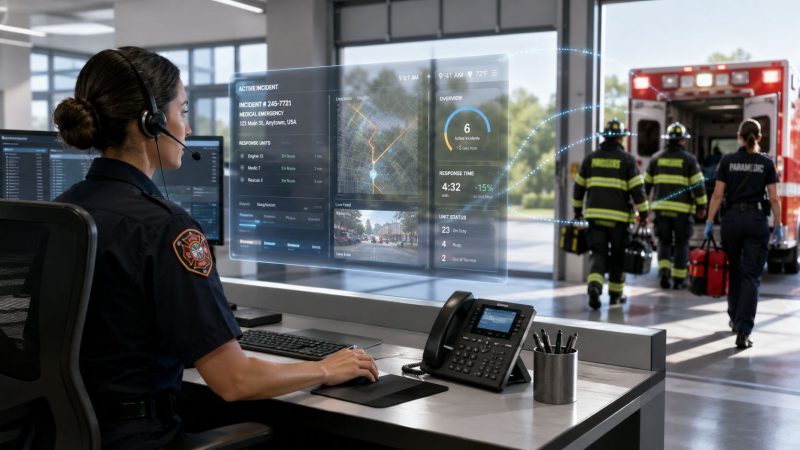
Operational Efficiency Improvement for First Responders
If your dispatch floor feels busy all day but still ends every shift with loose ends, you don't have a staffing problem alone. You probably have a workflow problem.
It usually shows up the same way. A call comes in. The dispatcher updates one system, then sends a text in another, then checks a roster in a spreadsheet, then calls a supervisor because the status board is stale. Crews answer on radio, then by phone, then in chat. Someone logs the event twice because the reporting system doesn't talk to the scheduling system. Nobody planned that mess. It just grew.
In first-response work, operational efficiency improvement isn't some office metric that lives in a monthly slide deck. It's the difference between a clean handoff and a missed one. It's the difference between a dispatcher managing the room or chasing the room. It's also one of the few ways to cut waste without cutting readiness.
What makes this hard is that organizations often don't lose time in one obvious failure. They lose it in fragments. Thirty seconds waiting for a callback. A duplicate entry. A unit status that wasn't updated. A schedule change that never reached the right person. Those fragments stack up across a shift, then across a month, then across a budget cycle.
The fix isn't another standalone tool. It's a disciplined look at how work moves through your center, where communication breaks, and which steps deserve automation versus human control.
Why Your Team's Efficiency Is Hitting a Wall
A lot of agencies hit the same ceiling. They add people, add checklists, add another messaging app, add another report. The work still feels harder.
That happens because the wall usually isn't effort. It's fragmentation. Dispatch, chat, scheduling, personnel tracking, and after-action reporting sit in separate systems, so your people become the integration layer. They carry context from one screen, radio, or phone call to the next.
The real drag is in the handoffs
The hidden cost in most emergency operations isn't always the core decision itself. It's what happens between decisions. Communication fragmentation creates rework, missed handoffs, and slower response across teams, shifts, and devices, especially when dispatch, chat, scheduling, and reporting are split apart, as noted in FranklinCovey's discussion of operational efficiency.
That's why a center can look fully occupied and still underperform. People are working hard. They're just spending too much of that effort stitching together disconnected processes.
Efficiency is often lost at transition points, not only in the primary workflow.
You can hear it in the room when this is happening. Dispatchers ask the same question twice because the answer sits in another system. Supervisors keep side lists because they don't trust the main dashboard. Field personnel use personal phones because the official path is slower than the workaround.
What this looks like on shift
You don't need a consultant to spot the symptoms. Watch for patterns like these:
- Repeated status checks: Dispatch asks for availability because unit status isn't current or visible.
- Duplicate documentation: Staff enter the same call, roster, or incident note in more than one place.
- Workarounds outside policy: Crews use texts, personal apps, or paper notes to move faster than the official process.
- Slow shift turnover: Incoming personnel spend the first part of the shift rebuilding situational awareness.
- Supervisor bottlenecks: Routine approvals and clarifications climb up the chain because nobody has a shared operational picture.
Why the old fixes stop working
More labor can mask inefficiency for a while. More discipline can help too. But once the underlying workflow is broken, extra effort just pushes the same waste through the pipe faster.
The agencies that break through this wall treat efficiency as an operations discipline. They define the work, remove waste, standardize what should be standard, and leave judgment calls where judgment still matters.
That's especially important in first response, where speed matters but blind automation can create new risk.
Finding Your Starting Line with a Baseline Assessment
Improvement often begins incorrectly. Practitioners pull a few reports, debate the numbers, and buy a tool. That's backward.
A baseline has to show how work is done, not how the SOP says it's done. In practice, that means pairing observed workflow with real performance data. A rigorous improvement method starts by mapping the current state, setting a SMART target, piloting changes, then standardizing and controlling the new process, because pilot-and-check cycles expose failure modes early, according to Integrated Insight's guidance on operational-efficiency improvement.

Start with observation, not opinion
Sit with dispatchers through a full operational rhythm. If you run field teams, do ride-alongs or station visits. Watch call intake, assignment, acknowledgment, escalation, relief, and reporting.
You're looking for the unofficial process. That's the one that usually runs the center.
A few examples worth documenting:
- Roster verification by workaround: A dispatcher checks the official schedule, then sends separate messages because the schedule doesn't reflect late changes.
- Shadow logging: A supervisor keeps a private spreadsheet to track unit readiness because the main system isn't trusted.
- Personal device escalation: Staff call or text each other outside the platform because acknowledgments in the official path come too slowly.
- Manual reconciliation: End-of-shift reporting requires someone to compare radio logs, chat threads, and dispatch notes by hand.
Field test: If a process depends on one veteran employee “just knowing how we do it,” that process is not under control.
Pair those observations with a small set of hard measures
Don't drown your team in metrics at this stage. Pull enough data to identify where delay, rework, and idle time live.
Useful baseline measures often include:
- Call-to-dispatch latency: How long it takes from intake to assignment.
- Unit acknowledgment time: How quickly assigned personnel confirm receipt.
- Turnout pattern by shift: Where delays cluster by time of day or staffing pattern.
- Manual touch count: How many human steps are required before a unit is moving.
- Exception frequency: How often someone has to override the normal process.
If you can't measure every one precisely yet, document them qualitatively and tighten the data later. A rough baseline with honest observation beats a polished dashboard built on bad assumptions.
Build a map your operators recognize
A process map should be simple enough that dispatchers and supervisors can point at it and say, “Yes, that's what happens.”
I prefer a current-state map that includes:
- Trigger event such as inbound call, alarm, scheduled staffing gap, or mutual aid request
- Decision points such as qualification check, nearest unit check, escalation rules
- Communication channels used including radio, CAD, text, chat, phone
- Manual re-entry points where the same information gets typed again
- Failure points where handoffs commonly break
Once you do this thoroughly, the waste usually becomes obvious. You'll see where people wait, where they repeat work, and where communication gaps create avoidable delay.
Set one target that matters operationally
Don't start with ten goals. Pick one operational pain point that affects cost, readiness, and stress at the same time.
Good examples include reducing manual schedule fill effort, cutting duplicate data entry in dispatch, or shortening acknowledgment lag during peak periods. The point is focus. A baseline only matters if it sets up a controlled improvement effort your team can execute.
Redesigning Workflows to Eliminate Waste
The cleanest model for this work still comes from Lean. The Toyota Production System established the core framework many operations teams still use today: identify waste, standardize work, measure throughput, and continuously improve processes, as outlined in this review of the Toyota Production System and operational improvement.
That idea translates well to first response. You're not building cars, but you are moving time-sensitive work through a system. Waste still slows flow.

What waste looks like in a dispatch environment
Waste in emergency operations is usually easy to name once staff see it in plain language.
- Waiting: A unit sits ready while dispatch confirms availability through two channels.
- Duplicate entry: The same call details are logged in CAD, chat, and a report sheet.
- Unnecessary motion: A dispatcher leaves the console to check a wall board or printed binder.
- Overprocessing: A supervisor reviews routine items that should route automatically.
- Defects: Status errors trigger bad assignments or missed notifications.
- Unused talent: Experienced personnel spend time cleaning up administrative noise instead of handling exceptions.
A before-and-after workflow example
Take a volunteer fire call-out with fragmented tools.
Before
- Dispatcher receives the incident.
- Dispatcher checks a separate roster to see who's on.
- Dispatcher sends a group message.
- Members reply in mixed channels.
- Dispatcher manually confirms qualifications.
- Dispatcher calls additional personnel if coverage is thin.
- Supervisor updates another log for accountability.
- End-of-event reporting is built from several sources.
That process works. It also creates delay, duplicated effort, and room for avoidable error.
After
- Incident is created in one operational workflow.
- Available personnel are surfaced from current status and scheduling data.
- Notifications route through the same platform used for acknowledgment.
- Qualification and assignment checks happen inside the workflow.
- Supervisors and dispatch see responses in one view.
- Reporting pulls from the same event record.
A workflow engine doesn't replace judgment. It removes the admin debris around judgment. If you're redesigning these steps, workflow automation for dispatch and response operations is the kind of capability worth evaluating alongside your current process map.
Don't automate every step. Automate the repeatable parts around the decision, then leave edge cases and escalation paths to people.
The redesign rule most teams miss
Don't start with software screens. Start with the handoff you want.
If your handoff from dispatch to field personnel requires confirmation, location awareness, qualification checks, and supervisor visibility, design that sequence first. Then configure the tool around it. Teams that buy technology before agreeing on the target workflow usually preserve the same waste in a more expensive format.
A better redesign process looks like this:
- Strip the workflow down: Remove every step that doesn't directly support dispatch, response, accountability, or reporting.
- Standardize the normal path: Routine incidents should follow one clean process.
- Create explicit exception paths: Mutual aid, failed acknowledgment, staffing shortage, and comms outage need separate rules.
- Document ownership: Every handoff needs a named role, not a vague team responsibility.
That's how operational efficiency improvement moves from theory to a dispatch floor that feels calmer and runs tighter.
Leveraging Technology and Automation to Save Time and Money
Technology helps when it removes friction across the whole chain. It hurts when it adds one more login and one more dashboard.
Modern operational efficiency improvement works best when technology, automation, and measurement are combined, and repetitive-task automation is often the most effective intervention because it reduces manual labor, error rates, and cycle time across tasks like reporting, data entry, and approvals, according to PrimePay's review of operational efficiency methods.

Why siloed tools cost more than they look
Most agencies don't buy fragmentation on purpose. It accumulates. One system for dispatch. Another for shift scheduling. Another for messaging. Another for personnel records. Another for reports.
Each tool may be defensible on its own. Together, they create hidden operating cost.
Those costs show up as:
- Admin overhead: Someone has to reconcile conflicting records.
- Context switching: Dispatchers and supervisors jump between systems during active work.
- Training drag: New staff learn local workarounds instead of one coherent process.
- Compliance exposure: Critical communication moves into side channels when official tools are slower.
- Slow relief and turnover: Shift handoff depends on piecing together multiple feeds.
A practical comparison
| Aspect | Siloed Tools Approach | Unified Platform Approach (e.g., Resgrid) |
|---|---|---|
| Dispatch visibility | Information is split across separate screens and apps | Dispatch, personnel, messaging, and reporting are visible in one operational view |
| Scheduling | Staff check separate rosters and then confirm availability manually | Shift and availability data can feed the same workflow used for assignment |
| Messaging | Updates scatter across radio, phone, text, and chat | Team communication stays attached to the operational record |
| Reporting | Staff rebuild the event trail from multiple sources | Reporting draws from the same workflow that handled the incident |
| Training burden | Operators learn tools plus local workarounds | Operators learn one primary process with fewer side steps |
| Failure points | Handoffs break when one system isn't updated | Fewer transitions reduce missed updates and duplicate work |
Where automation saves real money
The easiest savings usually come from tasks nobody considers strategic but everyone keeps doing. Shift-filling is a good example. In many organizations, a supervisor or dispatcher spends part of each day sending messages, checking who's qualified, waiting for replies, and updating records in more than one place.
When scheduling, availability, messaging, and acknowledgment are connected, that administrative load drops. Payroll savings follow because skilled staff spend less paid time chasing coverage and more time handling work that requires a person.
A unified toolset can also reduce the downstream cost of mistakes. Fewer duplicate entries mean fewer reporting corrections. Better visibility into personnel status means fewer scramble calls. Cleaner event records make review and compliance easier.
If you're evaluating AI-assisted features in this space, keep the mission-critical standard high. There's useful context in Alignmint's piece on understanding AI's role in nonprofit operations, especially the difference between hype and controlled, practical automation. The same caution applies in public safety.
Use AI selectively, not blindly
AI can help with recommendations, summaries, pattern detection, and admin reduction. It should not automatically own every critical operational decision.
That's why the right question isn't “Can this be automated?” It's “Which parts are safe to automate end to end, and which parts need human review?” For emergency operations, a sensible pattern is to automate routine admin and preserve human control over dispatch exceptions, escalation, and ambiguous situations. Teams exploring AI-supported operational tools for first-response workflows should judge them by reliability, transparency, and override control before convenience.
Here's a quick look at the kind of platform behavior that matters in practice:
What actually works
In the field, the strongest technology choices usually share four traits:
- One source of operational truth: The team doesn't argue over which screen is current.
- Automation around repeatable admin: Notifications, acknowledgments, routine approvals, and status changes don't require constant hand work.
- Clear human override: Dispatchers can intervene fast when the live situation breaks the normal rule set.
- Measurement built in: You can see where the process still sticks.
That combination saves money because it cuts labor spent on waste. It also reduces risk because it keeps control visible.
Defining the Metrics That Truly Matter for First Responders
You can't improve what you only review after a bad shift. First-response teams need metrics that expose friction while the system is still recoverable.
Operational efficiency is often measured through output-to-input ratios such as operating expenses divided by total revenue, and teams also track cycle time, time to resolution, automation rate, and error rate to find where process changes matter most. Organizations that excel in operational improvement can achieve 25% higher productivity and 20% lower operating costs, according to Moveworks' discussion of operational efficiency measurement.
For dispatch and field coordination, those broad measures need to be translated into operational signals your supervisors can act on.

Go beyond response time
Response time matters. It just doesn't tell you why performance is drifting.
A better dashboard includes supporting indicators that reveal where the workflow is degrading before the headline metric slips.
- Unit acknowledgment time: Shows whether notifications are reaching the right people fast enough.
- Personnel availability percentage: Reveals whether your roster view matches actual deployable staffing.
- Manual intervention rate: Tracks how often dispatchers or supervisors must override automated steps.
- Time to resolution for admin tasks: Measures how long schedule changes, approvals, or incident closeout take.
- Error rate in status or assignment data: Exposes quality problems that create bad downstream decisions.
Command insight: A rising manual intervention rate is often an early warning that your automation logic no longer matches field reality.
What each metric is really telling you
A metric is only useful if leadership knows what action it should trigger.
| Metric | What it signals | Typical follow-up |
|---|---|---|
| Unit acknowledgment time | Notification path may be weak or overloaded | Review alert routing, device use, and acknowledgment rules |
| Personnel availability percentage | Staffing data may be stale or shift management may be weak | Audit roster updates and relief process |
| Manual intervention rate | Workflow automation is failing on exceptions or poor design | Identify where operators are stepping outside the system |
| Time to resolution | Admin and support processes are dragging | Remove approval layers or automate routine steps |
| Error rate | Data quality is undermining operations | Tighten validation and reduce duplicate entry points |
Build metrics around operational decisions
The metric should match the decision you need to make.
If you're trying to reduce schedule chaos, track how quickly open shifts are identified, routed, and filled. If you're trying to reduce dispatch drag, track touchpoints per incident. If you're trying to improve trust in the system, track how often staff abandon the official process for side-channel communication.
For teams managing staffing volatility, shift management tools for emergency operations are worth assessing only if they make those decisions easier to see and act on. A pretty dashboard without operational follow-through won't change the floor.
Keep the dashboard lean
Don't put every possible KPI on one screen. A dispatch supervisor needs a short list that can be read quickly and acted on immediately.
A solid operating dashboard usually has:
- A few real-time indicators for live operations
- A small set of daily review metrics for shift leaders
- Trend lines for command staff to catch recurring failure points
That's enough to support operational efficiency improvement without turning measurement into its own bureaucracy.
Implementing a Phased Rollout for Lasting Change
Big-bang rollouts fail in emergency operations for a simple reason. Your center still has to run while the change is happening.
A phased rollout is safer and usually faster in the long run. It gives you room to prove the process, fix the rough edges, and build trust with the people who have to use it at speed. That matters even more in fragmented environments, where efficiency is often lost at the transition points between teams, shifts, and devices when dispatch, chat, scheduling, and reporting are separate.
Start with one quick win
Pick a pilot area where the pain is obvious and the risk is manageable. Shift scheduling is often a good candidate because everyone feels the friction and the workflow is easier to control than live incident dispatch.
A sound pilot has four parts:
- One unit of rollout: one station, one shift, or one supervisor group
- One pain point: open-shift fill, acknowledgment tracking, or duplicate reporting
- One success test: fewer manual touches, cleaner handoff, or faster completion
- One feedback path: operators can report what broke, what confused them, and what saved time
Start where the administrative burden is high and the operational risk is moderate. That's where adoption usually sticks.
Train for real use, not feature tours
Most failed deployments aren't technology failures. They're training failures.
Dispatchers and field supervisors don't need a broad product demo. They need scenario-based training built around the calls, handoffs, and staffing problems they handle. Show them what changes on a routine day, what changes on a bad day, and how to override the system when reality doesn't match the workflow.
Focus your training on:
- Normal path operations: what the standard process now looks like
- Exception handling: late relief, failed acknowledgment, mutual aid, outage conditions
- Role clarity: who owns each step and who gets alerted when it stalls
- Feedback discipline: how staff report friction without creating side-channel chaos
Lock in the gains
Once the pilot works, standardize it. Update SOPs, shift guides, and training materials. Refresh the process after the first few operational cycles, not just at launch.
What doesn't work is declaring victory after go-live and assuming the new method will hold on its own. It won't. Supervisors need to monitor adoption, review exceptions, and correct drift before the old workarounds return.
The agencies that sustain operational efficiency improvement treat rollout as command work. They phase it, measure it, coach it, and tighten it until the new process becomes the normal one.
If your team is still stitching together dispatch, messaging, scheduling, and reporting across separate tools, Resgrid, LLC is worth a look as one platform for bringing those functions into a single operational workflow. The practical value is straightforward: fewer handoffs across systems, less manual coordination, and a cleaner path to modernizing without adding another disconnected app to the stack.