

A Guide to CAD System Dispatch Operations and Savings
In the heat of an emergency, chaos is the enemy. A CAD system dispatch is the digital command center that brings order to that chaos, turning a flood of incident reports into a coordinated, actionable response. It's the central nervous system for dispatchers, using powerful software to manage incoming calls, track resources, and direct units in the field—all in real-time.
What Is a CAD System Dispatch?
Think back to old movies depicting a busy 911 call center. Dispatchers were surrounded by paper maps, rolodexes, and the constant crackle of radio chatter. It was a system that worked, but it was incredibly prone to human error and delays.
Today, a computer-aided dispatch (CAD) system is the digital brain of the operation. It’s a unified platform that manages the entire lifecycle of an incident, from the initial call to the final report. It's designed to turn an overwhelming amount of incoming data into clear, manageable tasks.
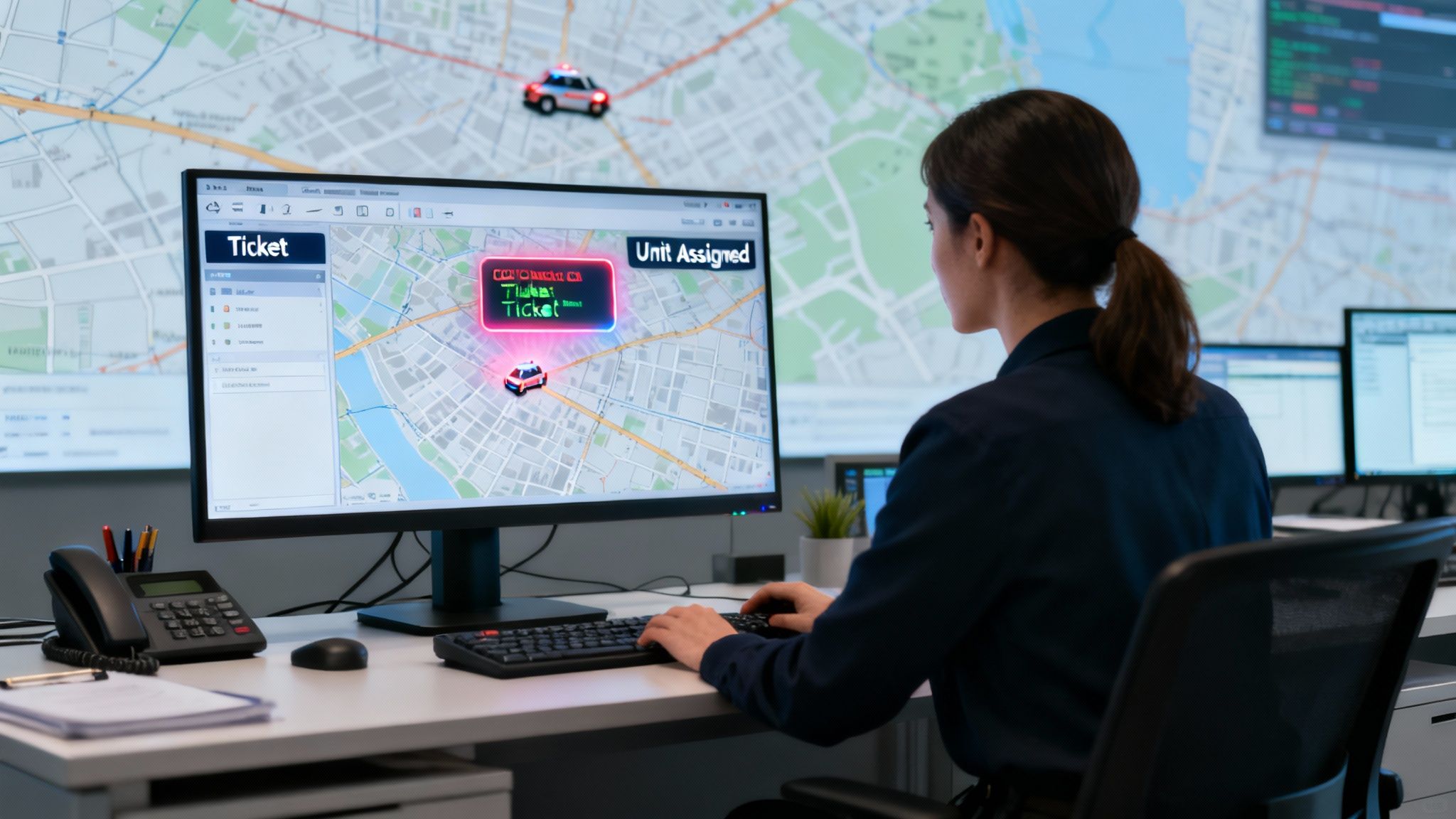
This isn't some niche tool anymore; it's rapidly becoming the global standard. The worldwide CAD market was valued at USD 2.26 billion and is on track to hit USD 4.31 billion by 2030. That's a huge global shift away from manual processes toward automated, data-driven systems. This growth is a direct reflection of the need for faster, more precise responses in critical situations. You can dig into the numbers and trends in the full research from Grand View Research.
The Core Workflow: Think Digital "Tickets"
A great way to understand it is to think of every emergency call as a "ticket" that enters a highly efficient digital workflow. The second a call comes in, the CAD system creates this ticket, automatically logging vital details like the caller's location, the type of incident, and a timestamp.
A CAD system doesn't just record information; it actively interprets it to recommend the best course of action. It's the difference between having a simple address book and an intelligent assistant that knows the fastest route and which person is best suited for the job.
This digital ticket is then instantly visible to every dispatcher on duty. The system uses integrated mapping to pinpoint the incident's location and immediately identify the closest, most appropriate units available. Right there, in that automated suggestion, is where you see the first layer of value.
How CAD Delivers Immediate Value
By automating unit recommendations, the system cuts out the guesswork and shrinks dispatch times from minutes down to mere seconds. This has a direct, measurable financial impact in a few key ways:
- Optimizing Fuel and Vehicle Use: Sending the closest unit seems simple, but over thousands of calls, it adds up to a massive reduction in mileage, fuel consumption, and vehicle wear and tear. Actionable Insight: A mid-sized security company might save over $10,000 annually in fuel alone by consistently sending the nearest patrol car, an optimization impossible to do manually at scale.
- Reducing Dispatcher Workload: Automation allows a single dispatcher to handle more incidents with less stress, often delaying the need to hire and train additional staff as call volume grows. This directly saves on salary, benefits, and training costs.
- Minimizing Costly Errors: Sending the wrong unit or dispatching responders to an incorrect address can have huge financial and operational fallout. Practical Example: A city fire department avoids a six-figure liability claim by using CAD-verified address data, preventing a response team from being sent to a similarly named street in a different part of town.
Core Features That Drive Operational Savings
A modern CAD system isn't just one tool; it’s a whole suite of interconnected features working in sync to boost efficiency and, just as importantly, cut down on costs. Each piece of the puzzle is designed to tackle a specific operational headache, turning raw incoming data into real, measurable savings. This is worlds away from simple call logging—it’s about creating a smart, responsive ecosystem for your entire operation.
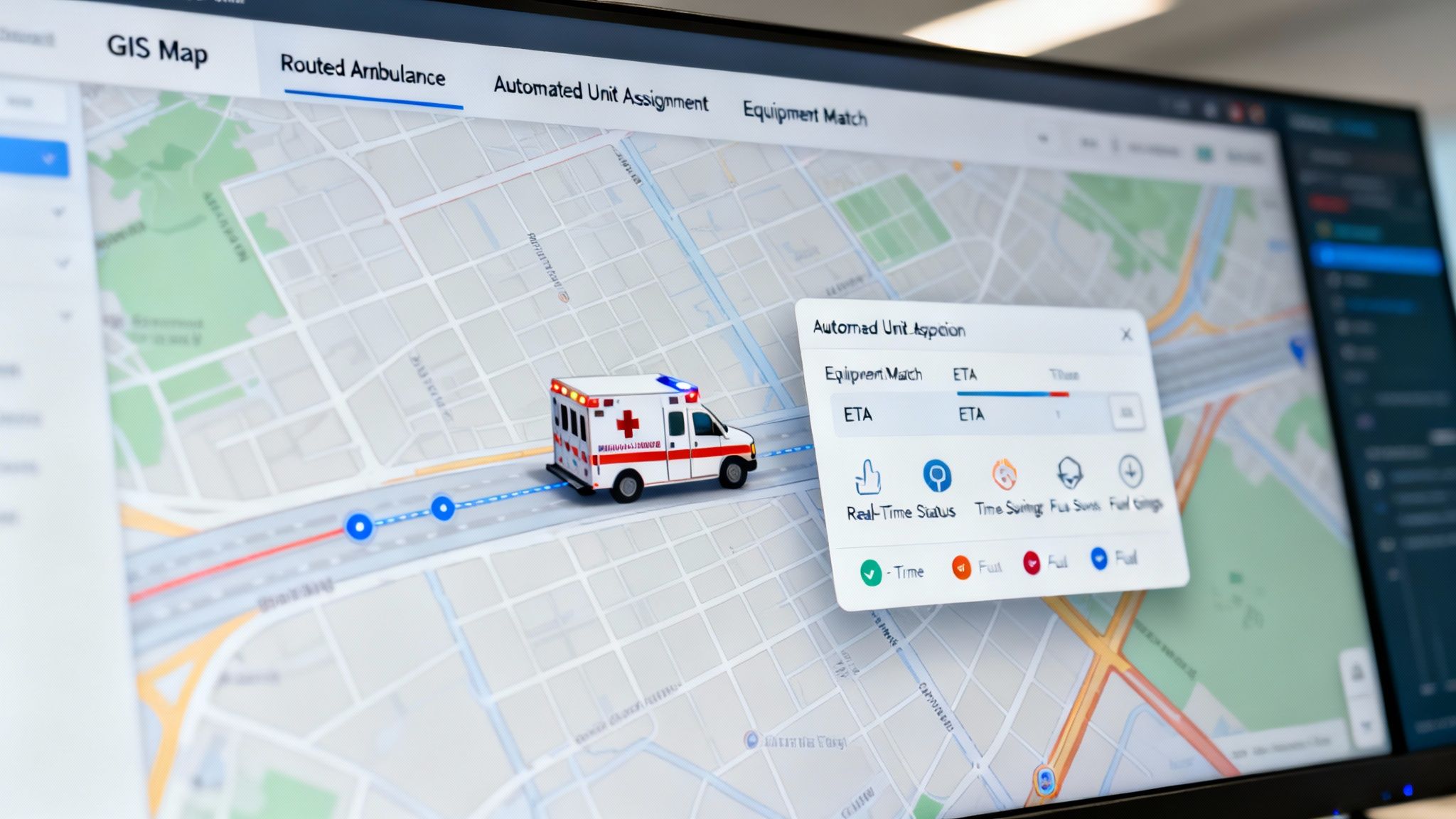
At the heart of all these savings is intelligent automation. Instead of getting bogged down by manual processes that are slow and ripe for human error, the system handles complex decision-making in the blink of an eye. This immediately lightens the load on your dispatchers, freeing them up to focus on high-stakes communication where their expertise truly matters.
GIS Mapping and Intelligent Routing
Think of Geographic Information System (GIS) mapping as the visual backbone of any good CAD. It gives your team a real-time, bird's-eye view of the entire operational area, showing unit locations, incident scenes, and critical infrastructure all at once. But it’s not just a fancy digital map; it’s a dynamic tool that leads to smarter, faster decisions on the ground.
A CAD system with integrated GIS is like giving your dispatchers a GPS with predictive powers. It doesn't just show the shortest route—it shows the fastest and safest one based on live conditions.
Here’s a common scenario: a dispatcher gets a call for a medical emergency right in the middle of rush hour. The system’s GIS is already pulling in real-time traffic data. It spots a major accident blocking the most direct route and instantly plots an alternate path for the ambulance.
That one simple, automated action saves money by:
- Reducing fuel consumption from idling in gridlock.
- Minimizing vehicle wear and tear over thousands of calls.
- Improving response times, which can lower the severity of incidents and the costs that come with them.
Automated Unit Assignment and Recommendations
One of the most powerful cost-saving features is automated unit assignment. The system analyzes an incident's type and location, then instantly recommends the best unit for the job based on rules you’ve already defined. This is so much more than just picking the closest truck.
A structure fire, for instance, requires very specific apparatus. The CAD system can recommend a fire engine not just because it’s a block closer, but because it has the necessary ladder height and equipment on board. This ensures the right resources get dispatched the first time, preventing costly delays or having to call for more units later on.
Real-Time Status Tracking and Logging
Knowing the exact status of every single unit—En Route, On Scene, Available—is absolutely critical for managing your resources effectively. A CAD system gives dispatchers instant visibility, letting them make informed decisions without clogging up the radio with constant check-ins.
This continuous logging also creates an invaluable data trail. Actionable Insight: After an incident, managers can review response times and unit performance to spot operational bottlenecks. For example, a report might show that units in a specific zone are consistently "On Scene" 20% longer than average. Investigating this could reveal a recurring issue—like a faulty gate code—that can be fixed, saving hours of paid staff time each month.
The right CAD system is a big leap toward better efficiency. For more ideas on this front, you might want to look into broader strategies for reducing operational costs and boosting efficiency. Many of the comprehensive features available in platforms like Resgrid are specifically built to deliver these kinds of outcomes.
Essential CAD Features and Their Direct Cost-Saving Impact
To really nail down the value proposition, it helps to connect specific features to tangible savings. The table below breaks down how core CAD functionalities translate directly into a healthier bottom line for your organization.
| Core Feature | Primary Function | How It Saves Money |
|---|---|---|
| GIS Mapping & Smart Routing | Visualizes unit/incident locations and calculates optimal routes using live data. | Reduces fuel costs, vehicle maintenance, and overtime by avoiding traffic, road closures, and bad routes. |
| Automated Unit Assignment | Recommends the best-suited unit based on type, status, and proximity. | Prevents sending the wrong resources, minimizing the need for secondary dispatches and wasted personnel hours. |
| Real-Time Status Tracking | Provides instant visibility into the status of every unit in the field. | Improves resource allocation, cuts down on unnecessary radio traffic, and allows for faster redeployment. |
| Integrated Logging & Reporting | Automatically captures all dispatch activity for analysis and compliance. | Slashes administrative time spent on manual logs and simplifies generating reports for audits or planning. |
Ultimately, each of these features works together to eliminate guesswork and manual effort. The result is a tighter, more cost-effective operation that can do more with the resources it already has.
How a CAD System Actually Helps Your Dispatch and Field Teams
It's one thing to list features, but it's another to understand how a modern CAD system fundamentally changes the game for your people. Think of it as a force multiplier—it empowers your team in the command center and your responders out in the field. This isn't just about boosting morale; it translates directly into smarter, safer, and more efficient operations.
For a dispatcher, the system is like an extension of their own brain. They no longer have to juggle paper maps, frantic radio chatter, and scribbled notes. Instead, they get a single, clean screen showing clear, prioritized information. That alone dramatically cuts down on stress and shrinks the window for human error when the pressure is on.
A Calmer, More Effective Command Center
Picture a dispatcher trying to manage a multi-car pileup. In a traditional setup, it's organized chaos at best. With a solid CAD system, the entire process becomes structured and calm. The software can automatically suggest the right mix of fire, EMS, and law enforcement units, while logging every single action and building a clean timeline of events.
This frees up the dispatcher to focus on what humans do best: critical communication. They're not stuck doing manual data entry. The result is a much more controlled and effective response, which can de-escalate incidents faster and reduce the chances of further property damage or costly liabilities.
The real power of a CAD system is that it allows your team to move from being reactive to proactive. It provides the situational awareness needed to anticipate needs instead of just responding to them.
Giving Responders the Intel They Need
For the first responders heading to the scene, the benefits are just as huge. They're no longer flying blind. While they're on the road, they can get critical updates and data pushed directly from the CAD. This could be anything from building schematics for a structure fire, a patient's medical history for an EMS call, or the known incident history of a particular address.
Practical Example: A fire crew responding to an alarm at a chemical plant receives a pre-plan document via their mobile CAD terminal. This document highlights hazardous material locations and hydrant hookups before they arrive. This preparation prevents a catastrophic (and costly) mistake and allows for a faster, more effective response, minimizing potential damage. This constant flow of information creates immense situational awareness, which is a massive win for both safety and effectiveness. You can see how this collaboration is evolving with integrated tools like mobile apps designed for first responders.
This kind of centralized data management is a huge reason for the widespread adoption of CAD. North America, for instance, is leading the market as thousands of emergency centers upgrade their aging systems. According to some great analysis on market trends and insights at Dataintelo, this investment is helping to slash response times and improve unit tracking, which is absolutely vital in complex urban environments.
And when it's all over, the data captured by the system becomes a goldmine for post-incident analysis. Actionable Insight: By reviewing response times, unit assignments, and how long teams were on-scene, you can spot operational weaknesses. For example, reports might show consistently slow response times in a newly developed area. This data provides concrete justification to municipal planners for adding a new substation, a long-term investment that saves money through improved efficiency and better community outcomes.
A Smart Roadmap for CAD System Implementation
Rolling out a new CAD system dispatch can feel like a massive project, but with the right game plan, you can sidestep the usual headaches and surprise costs that trip up so many agencies. A successful implementation isn't about flipping a switch one day. It's a deliberate process that begins long before you even look at a single piece of software. The real goal is to get a system that fits your operation like a glove, without paying for a bunch of bells and whistles you'll never touch.
The very first—and most important—step is a solid needs analysis. This is where you save the real money. Before you get dazzled by demos, sit down with your dispatchers, your crews in the field, and your administrative staff. What are the biggest frustrations in your current workflow? Where do things get bogged down, costing you precious time and resources?
Writing all this down gives you a clear benchmark for what any new system must solve. This simple exercise keeps you from getting distracted by flashy features that don't address your core problems, making sure every dollar you spend delivers a real return.
Phase 1: Needs Analysis and Platform Selection
Once you know exactly what problems you're trying to solve, you can start looking at your options. Modern platforms have a huge advantage over the old legacy systems: they get rid of the need for expensive consultants and rigid, long-term contracts. Look for a self-service model that puts you in the driver's seat, letting you configure the system yourself.
To keep your CAD system implementation on track, it helps to borrow from the world of IT and use proven project management strategies. This helps you manage your timeline, your budget, and any curveballs that come your way. For a deeper look at this, you might want to check out some resources on Mastering IT Project Management Strategies, which provides some great frameworks for complex tech rollouts like this.
The image below shows how a well-implemented system empowers dispatchers, turning a flood of raw data into decisive, confident action.
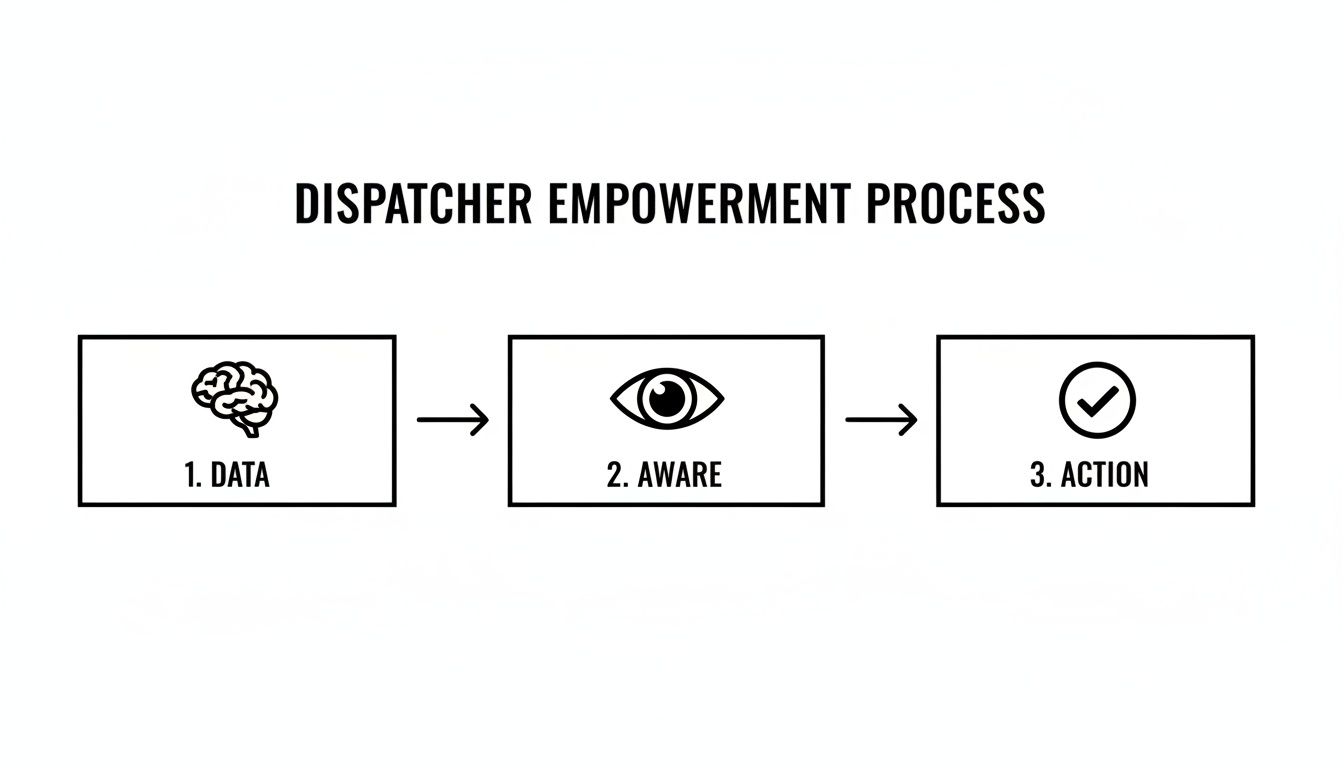
This flow really gets to the heart of what a CAD system does—it takes information, builds awareness, and allows your team to act quickly and intelligently.
Phase 2: The Smart Migration Checklist
With a platform selected, it’s time to think about migration. Rushing this part is a recipe for disaster and can bring your operations to a grinding halt. Instead, the smart move is a phased rollout, guided by a simple checklist to make sure the launch goes off without a hitch.
A phased rollout is your best friend here. Start with a small, tech-savvy group of users. Let them kick the tires. They'll become your internal champions, helping train everyone else and providing priceless feedback before you go live for the whole department.
Your checklist should cover these critical, money-saving steps:
- Data Backup and Cleaning: Before you move a single byte of data, make secure backups of everything. Actionable Insight: Use this opportunity to archive old incident data that is no longer needed for daily operations. A cleaner database means faster searches and a more responsive system, saving seconds on every call which add up to hours over a year.
- User Account Setup: Go back to your needs analysis and set up user roles and permissions. Make sure every single person has the right level of access from the moment they first log in.
- Hardware and Network Check: Do a quick audit. Can your current computers, monitors, and network handle the new system? Finding this out now prevents last-minute scrambles and expensive rush orders for new hardware.
- Comprehensive Training Plan: Don't just show slides. Build a training schedule with plenty of hands-on practice. A team that feels confident with the new system will adopt it faster, and you'll start seeing the cost-saving benefits much sooner.
- Go-Live and Support: If you can, plan your official launch day during a typically slower period. Just as important, make sure you have a direct line to your provider's support team to tackle any immediate issues that pop up.
Avoiding Common and Costly Deployment Pitfalls
Rolling out a new CAD system dispatch is a huge undertaking. It's also shockingly easy to get bogged down by pitfalls that kill your budget and frustrate your entire team. The best way to guarantee a smooth, successful, and cost-effective deployment is to learn from the mistakes others have already made.
One of the biggest blunders we see is underestimating the need for real training. An agency will spend a fortune on a powerful new system but then only budget for a single, one-day training session. What happens next is predictable: dispatchers get overwhelmed, feel unsupported, and quickly fall back on their old, inefficient habits. That expensive new software just sits there, collecting digital dust.
The financial hit is real. You've not only wasted the initial investment but you're also missing out on all the efficiency gains you were counting on. Actionable Insight: Instead of one large training session, schedule shorter, recurring training modules (e.g., 30 minutes every week for a month). This "micro-learning" approach is less disruptive to shifts and improves retention, ensuring you get the full value from your software investment faster.
Inadequate Planning and Scope Creep
Another costly mistake is failing to figure out what you actually need from the start. We've seen it happen. A small volunteer fire department gets sold on a massive, enterprise-level system packed with features designed for a metropolitan police force. They end up paying for complex analytics and integrations they will never touch, bloating their budget for no good reason.
To stop this from happening, make a simple "must-have" vs. "nice-to-have" features list before you even start looking at vendors. This document becomes your North Star. It keeps you focused on solving your real-world problems instead of getting distracted by shiny tools that don't fit your operation.
The goal isn't to buy the most powerful CAD system on the market; it's to implement the right system for your unique operation. A focused, well-defined scope is your best defense against overspending and a system that's overly complicated for your team.
Overlooking Scalability and Future Needs
Picking a system that can't grow with you is a classic trap. It all but guarantees you'll be forced into a costly replacement in just a few years. Imagine a small security company that chooses a rigid, on-premise CAD that works perfectly for their current 20-person team. A year later, they expand to a new city and discover their system can't handle multiple geographic zones without a massive, expensive overhaul. They're stuck.
This is where modern, flexible platforms have a clear edge. Technology like AI and cloud computing is pushing CAD systems forward at a breakneck pace. As recent market analysis points out, cloud-based models cut down IT costs and make systems more accessible for everyone. This trend is making advanced capabilities like predictive incident forecasting available without a huge upfront investment. You can dig into more insights on this shift in the full CAD market outlook research.
To protect your investment, always ask potential providers these key questions:
- How does your pricing scale? Can we add users or features as we go without being shoved into a new, more expensive tier?
- What's your update process like? Are new features included, or are we going to get hit with surprise fees down the road?
- Can we customize the system ourselves? How easily can we adjust workflows and terminology as our needs change?
Choosing a flexible platform means you can implement in phases and continuously improve, ensuring your CAD system dispatch remains a valuable asset for years to come, not a liability.
Got Questions About CAD? We've Got Answers.
Jumping into a new piece of technology like a Computer-Aided Dispatch (CAD) system always brings up a lot of questions. It's totally normal to wonder about the cost, how your team will adapt, and if it will actually work for your specific operation. Getting straight answers is the only way to make a smart decision for your organization. Let's tackle some of the most common questions we hear.
How Much Does a CAD System Dispatch Typically Cost?
This is the big one, and the answer really is: it depends. The price for a CAD system can swing wildly. Old-school, on-premise systems are notorious for their sticker shock—we're talking tens of thousands to millions of dollars just to get in the door. That's before you even get to the mandatory implementation fees and expensive annual maintenance contracts that lock you in. For most, that's a huge financial roadblock.
But things have changed. Modern, cloud-based solutions flip that model on its head. They run on a Software-as-a-Service (SaaS) model, which means you get a predictable monthly subscription without that massive upfront investment. Actionable Insight: This model shifts a massive capital expenditure (CapEx) to a manageable operating expense (OpEx). This makes budgeting predictable and eliminates surprise costs for server maintenance or software upgrades, directly protecting your bottom line.
Can a CAD System Be Used Outside of Public Safety?
Absolutely. While police and fire departments made CAD famous, the core job it does—coordinating resources in the field—is valuable almost everywhere. The basic principle of getting the right people to the right place at the right time is universal.
- Practical Example: A private security firm uses its CAD to send guards to alarm calls across a huge corporate campus. They can track every guard's location and response time, which is crucial for proving they're meeting their contract and potentially reducing insurance premiums due to improved security posture.
- Practical Example: A logistics company can use a single system to manage its delivery fleet. By optimizing routes, they can cut fuel waste by 15-20% and give customers those real-time ETAs everyone loves. That directly improves service and slashes operating costs.
The secret is finding a platform that you can actually customize. When you can tailor it to the specific language and workflows of your industry, it stops being just a "public safety tool" and becomes a command center for any operation.
How Difficult Is It to Train Staff on a New CAD System?
How tough the training is comes down to one thing: the system's design. Legacy systems are famous for their cluttered, confusing interfaces that feel like they were designed in another century. Getting people up to speed on those often requires long, expensive, and frankly, boring training sessions.
Modern CAD systems, on the other hand, are built with the user in mind. They often have intuitive, map-focused interfaces that just make sense, which dramatically shortens the learning curve.
Here's the most cost-effective way to train: roll it out in phases. Don't throw everyone into a single, overwhelming training day. Instead, find a few tech-savvy people on your team and turn them into internal experts first. They can then train their coworkers, creating a support system that grows on its own.
This peer-to-peer approach not only saves a ton on formal training fees but also gets people to actually use and adopt the system. And if you do run into a specific snag, you can always find detailed guides in our comprehensive support and knowledge base.
What Is the Difference Between On-Premise and Cloud-Based CAD?
With an on-premise system, you're buying it all. You have to purchase, house, and maintain your own servers and all the IT infrastructure that goes with them. That means a huge upfront cost, ongoing maintenance expenses, and the constant headache of handling your own data security and backups. You're basically running a mini IT company on the side.
A cloud-based CAD system is hosted by the provider, and you just access it over the internet. This model completely eliminates hardware costs and replaces them with a simple, predictable subscription fee. For most organizations, the cloud is far more cost-effective, flexible, and resilient. Actionable Insight: The total cost of ownership (TCO) for a cloud-based system is typically 40-50% lower than an on-premise solution over five years because you eliminate costs for hardware replacement, IT staff time for server maintenance, and electricity for cooling.
Ready to see how a modern, flexible CAD system can transform your operations without breaking the bank? The Resgrid platform offers a powerful, self-service solution with no contracts and no implementation fees. Get started for free today and discover a smarter way to dispatch.