

A Guide to Cloud Based Dispatch Software
It’s unthinkable to navigate a crisis with outdated paper maps while your team has real-time GPS, right? Yet, a surprising number of organizations run their entire dispatch operations exactly that way. That’s the core difference between a traditional, on-premise system and modern cloud based dispatch software. This isn't just some IT upgrade; it’s a complete shift in how you coordinate, communicate, and respond.
The Future of Coordination Is in the Cloud
Picture this: your whole dispatch operation is tethered to a single, expensive server humming away in a back room. If that server goes down, your coordination grinds to a halt. That’s the daily reality for many teams stuck with legacy systems, where high maintenance costs, communication bottlenecks, and a total lack of live visibility are just part of the job.
Cloud based dispatch software cuts those physical ties. Instead of being locked into one location, your dispatch center becomes a secure, virtual hub you can access from any device with an internet connection. This is how you build a resilient and agile organization.
Shifting from High Costs to Smart Investments
The financial difference is immediate and it's big. Let's look at the old model:
- Upfront Costs: A new server can easily run you thousands of dollars, and that's before you even get to software licenses and installation fees.
- Ongoing Maintenance: You need dedicated IT staff to manage updates, troubleshoot problems, and deal with hardware failures when they inevitably happen.
- Hidden Expenses: The electricity to run and cool servers, plus the very real risk of costly downtime, adds up fast.
Now, compare that to a cloud-based approach. That massive upfront capital hit is gone, replaced with a predictable, low-cost monthly subscription.
This transition fundamentally changes your budget from a capital expense (CapEx) model to an operational expense (OpEx) one. You're no longer buying a depreciating piece of hardware; you're subscribing to a service that's always getting better. This saves a ton of money by axing hardware costs and making your expenses predictable and scalable.
Gaining Operational Freedom and Efficiency
At the end of the day, this software delivers smarter, faster, and more cost-effective coordination for everyone, from first responders to commercial logistics. Take a plumbing company, for instance. An after-hours emergency call comes in. The dispatcher, working from their home office, can see the closest available truck on a live map and send them straight there. That simple action saves fuel, slashes response time, and makes for a much happier customer—all things that directly translate to a healthier bottom line.
Cloud based dispatch software simply dissolves the barriers that make traditional systems so slow and clunky. It gives you the visibility and flexibility needed to make smart decisions on the fly, ensuring your team is always connected and effective, no matter where they are.
Why Modern Teams Are Moving to the Cloud
The move away from clunky, on-premise dispatch systems isn’t just a passing trend. It's a fundamental shift driven by some serious financial and operational wins. Teams are ditching expensive hardware and embracing cloud based dispatch software for some very practical reasons.
This isn’t just about new tech; it’s about working smarter.
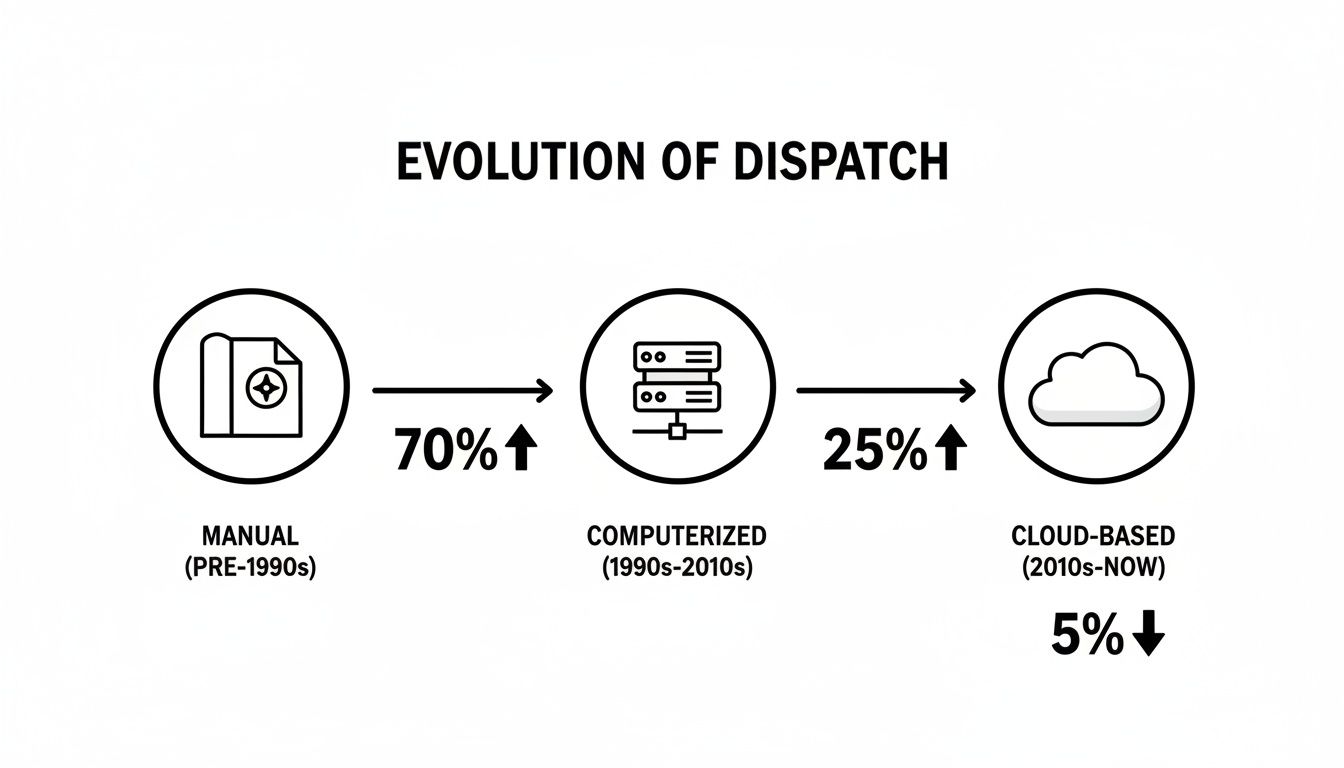
We've come a long way from paper maps and clunky local servers. The evolution to flexible, go-anywhere cloud platforms is the next logical step.
Slash Upfront Costs and Predict Your Budget
Let's get right to it: the biggest immediate win is ditching massive upfront costs. Forget buying a pricey server for thousands of dollars, then paying someone to install and maintain it. Instead, you get a predictable subscription. That single change completely transforms how you budget for operations.
Picture a local delivery business. An on-premise system could mean a $5,000 – $10,000 hit to the bank account right out of the gate. With a cloud solution, that cost vanishes, replaced by a simple monthly fee. That's cash you can put back into growing the business.
This financial model is fueling some incredible growth. The global Computer Aided Dispatch (CAD) market, where cloud solutions already make up about 65.2% of the software share, hit USD 2.4 billion in 2023. It's projected to climb to USD 7.7 billion by 2033, and a big reason is that cloud-based CAD can cut implementation costs by up to 40%. Suddenly, powerful tools are within reach for smaller agencies that were previously priced out.
Achieve Instant Scalability and Flexibility
This is where cloud dispatching really pulls ahead. Your operational needs are never static, and your software should be able to keep up without forcing you to buy new hardware.
- Volunteer Fire Departments: A major wildfire breaks out, and you need to add 50 mutual-aid responders to your system for the next few days. With cloud software, you add them instantly and remove them when the incident is over. You only pay for what you used.
- Growing Delivery Businesses: Your small courier service just landed a huge contract. You can add 20 new drivers to your dispatch system overnight without thinking twice about server capacity.
This on-demand scalability means you never pay for more than you need. It gives you the agility to respond to both emergencies and growth opportunities without being held back by physical hardware.
Enhance Accessibility and Operational Resilience
Cloud based dispatch software frees your team from the four walls of a dispatch center. As long as there's an internet connection, authorized personnel can log in from any device, anywhere. This creates a powerful level of operational resilience.
If a storm knocks out power at your main office, dispatchers can keep working from home or a backup location without missing a beat. This ensures your operations continue, preventing costly downtime. Knowing your data is hosted in secure, redundant data centers provides real peace of mind.
For teams thinking about this move, understanding the broader benefits of cloud computing for small businesses can show just how big the advantages are. It’s also worth seeing how a provider handles the technical side of things; taking a look at how we approach security at https://resgrid.com/security can give you a good idea of what a robust cloud setup looks like.
Core Features That Revolutionize Your Operations
All the technical jargon in the world can make powerful software feel out of reach. But the core features of cloud based dispatch software aren't just lines of code. They’re practical tools built to solve real-world problems, save you a surprising amount of money, and get your operations running smoother than you thought possible.
Let's break down exactly what these features do and how they deliver tangible results on the ground.
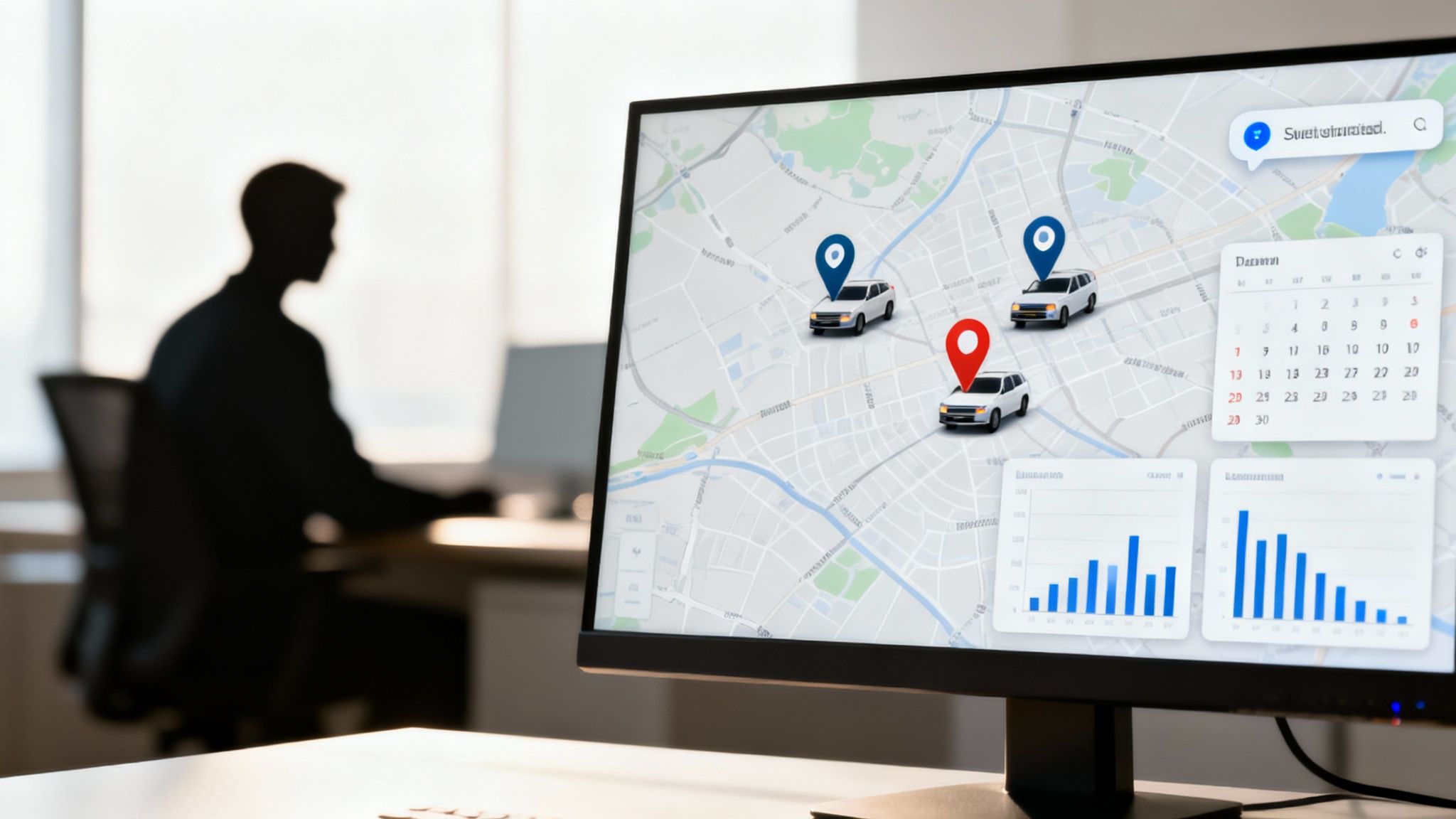
Real-Time Unit Tracking
Picture a dispatcher's screen as a live command center. With real-time tracking, every vehicle, first responder, and field tech shows up as a moving icon on a map. This isn't just about knowing where your people are; it's about making smarter, faster, and cheaper decisions in the moment.
Think about it this way: an emergency call comes in for a heart attack. Instead of guessing or radioing multiple units, the dispatcher instantly sees three available ambulances. One is six blocks away, another is two miles out but already heading in the right direction, and a third is just wrapping up a call three blocks from the scene. The software lets the dispatcher send the absolute closest unit, without hesitation.
That simple act of choosing the nearest unit saves precious minutes that can literally save lives. It also directly cuts fuel costs and reduces vehicle wear and tear over thousands of calls. Even a 5% reduction in fuel consumption across a fleet of 20 vehicles can save thousands of dollars every year.
Integrated Messaging and Communication
Old-school communication often means clogged radio channels and a constant stream of phone calls. It’s a recipe for bottlenecks and missed information. Modern cloud based dispatch software pulls all that communication into a single, organized hub where nothing gets lost.
For example, a security firm managing a big music festival gets a report of a breach at the main gate. The dispatcher types one message into the system: "Code Red: Breach at Gate A. All units converge." That message instantly hits every guard's smartphone, complete with a map pin showing the exact location.
This kind of instant, unified communication eliminates the time wasted trying to reach people one by one. That speed can stop a minor incident from blowing up into a major one, saving money on potential damages, liability, and the need to call in more personnel. Plus, it creates a digital log of every message for after-action reviews.
The real power of a centralized system is turning chaos into coordination. When every team member has the same real-time information, they can act as a unified force instead of isolated individuals, dramatically improving efficiency and safety.
Automated Scheduling
For many organizations, scheduling is a logistical nightmare, especially if you rely on volunteers or manage complex shifts. It's a world of spreadsheets, endless emails, and hours of administrative grunt work. Automated scheduling transforms this manual grind into a smart, hands-off process.
Imagine a volunteer ambulance corps needing to fill the schedule for the upcoming month. Instead of a manager spending a week on the phone, the system lets members log in and mark their own availability. The software then uses pre-set rules to automatically populate the schedule, making sure every shift is covered with qualified people. To see what a comprehensive feature set looks like, you can explore the full list of features a robust dispatch system offers.
This feature alone can give back 10-20 hours of administrative time to a manager every single week. That time can then be put into more critical tasks like training, community outreach, or grant writing. It reduces the need for dedicated admin staff, directly cutting down on payroll.
Advanced Reporting and Analytics
You can't fix what you can't measure. Cloud dispatch platforms automatically gather huge amounts of operational data and turn it into easy-to-read reports. This gives managers a crystal-clear view of performance, highlights inefficiencies, and points out opportunities for improvement.
Let's say a logistics manager for a regional delivery company is reviewing the monthly performance report. The data shows that one driver's routes are consistently taking 15% longer than projected, which is driving up overtime pay and fuel usage. Digging a little deeper, the manager sees the driver is frequently getting stuck in predictable midday traffic.
Armed with that data, the manager can tweak the route to avoid the congested area. This small adjustment could save hundreds of dollars a month in overtime and fuel for just that one vehicle. Many advanced dispatch platforms can also integrate with tools like electronic logs (ELDs) for trucks, giving you even deeper data on driver availability and compliance for smarter planning. This data-driven approach turns gut feelings into actionable, cost-saving strategies.
Choosing the Right Cloud Dispatch Solution
Picking the right cloud based dispatch software is a huge decision. It's more than just a software purchase; you're choosing a long-term partner for your entire operation. The wrong system can lead to money down the drain, frustrated staff, and a platform that creates more problems than it solves. To get this right, you need a practical way to weigh your options.
This isn’t about being wowed by the flashiest features. It's about finding a solution that fits your team's day-to-day needs and budget perfectly. What works for a massive national logistics company is probably total overkill for a local volunteer fire department, and vice-versa.
Start with Security and Compliance
Before you even glance at a feature list, you have to dig into a vendor’s security and compliance. This is absolutely non-negotiable, especially if you're handling any kind of sensitive information. A single data breach can be catastrophic, wrecking your finances and your reputation.
For anyone in medical transport or home healthcare, the software must be HIPAA compliant to keep patient data safe. No exceptions. Likewise, public safety agencies need a platform that meets CJIS security standards. Ask vendors straight up for their compliance certifications and data encryption protocols. If they get cagey or can't give you a clear answer, it's a huge red flag. Just walk away.
Evaluate Integrations and Ease of Use
Your dispatch software won’t be working in a silo. It has to play nice with all the other tools you already rely on, whether that’s a records management system (RMS), billing software, or your existing GPS hardware. A system that doesn’t integrate well creates digital islands, forcing your team to waste precious time on manual data entry just to keep things in sync.
Just as important is how the software actually feels to use. A system can have all the power in the world, but it's worthless if your team finds it clunky and confusing. The interface should be intuitive enough that people can get going with minimal training. After all, every minute spent fighting with software is a minute not spent serving your community or customers.
A truly effective platform should feel like a natural extension of your workflow, not another hurdle to overcome. If the software requires a week-long training course just to handle basic tasks, it’s probably not the right fit for a fast-paced environment.
Calculate the True Cost of Ownership
That initial price tag? It's just the beginning. To avoid nasty surprises that blow up your budget, you have to calculate the Total Cost of Ownership (TCO). Some providers are notorious for hiding significant costs behind a low subscription fee, and you don't want to get caught in that trap.
Use this checklist to uncover those hidden fees:
- Implementation and Onboarding Fees: Do they charge extra just to get you set up and running?
- Support Tiers: Is 24/7 support included, or is it a premium add-on that costs hundreds more per month when you're in a jam?
- Per-User Costs: How does the price change as your team grows? Will it become unaffordable?
- Data Storage Limits: What happens if you exceed data or API call limits? Are there overage charges?
Asking these questions upfront helps you compare vendors honestly, on a level playing field. For a clear, transparent example of what straightforward pricing should look like, you can see a breakdown of different plans and what they include. This lets you model your costs accurately and avoid any ugly financial surprises down the line.
Run a Pilot Program Before Committing
One of the smartest things you can do is run a small pilot program before you sign a big, long-term contract. A full-scale rollout is a massive commitment of time, money, and people. A trial run lets you test the software in the real world, but in a low-risk way.
Pick a small, dedicated group of your end-users—maybe a single station, one specific shift, or a handful of drivers. Let them use the software for 30-60 days and get their raw, honest feedback. This is where you'll quickly uncover any critical flaws or usability headaches that a polished sales demo would never show you.
This approach saves you a ton of money by making sure the platform is a genuine fit before you invest heavily in it. It prevents the expensive mistake of deploying a system your team hates and refuses to adopt, ultimately setting you up to choose a solution that will actually work for the long haul.
How Cloud Dispatch Works in the Real World
Theory is one thing, but the real test of any tech is how it holds up under pressure. To really get the impact of cloud-based dispatch software, we need to move past the feature list and see how it works on the ground. These examples show how different organizations are using this tool to save money, keep people safe, and get better results when every second counts.
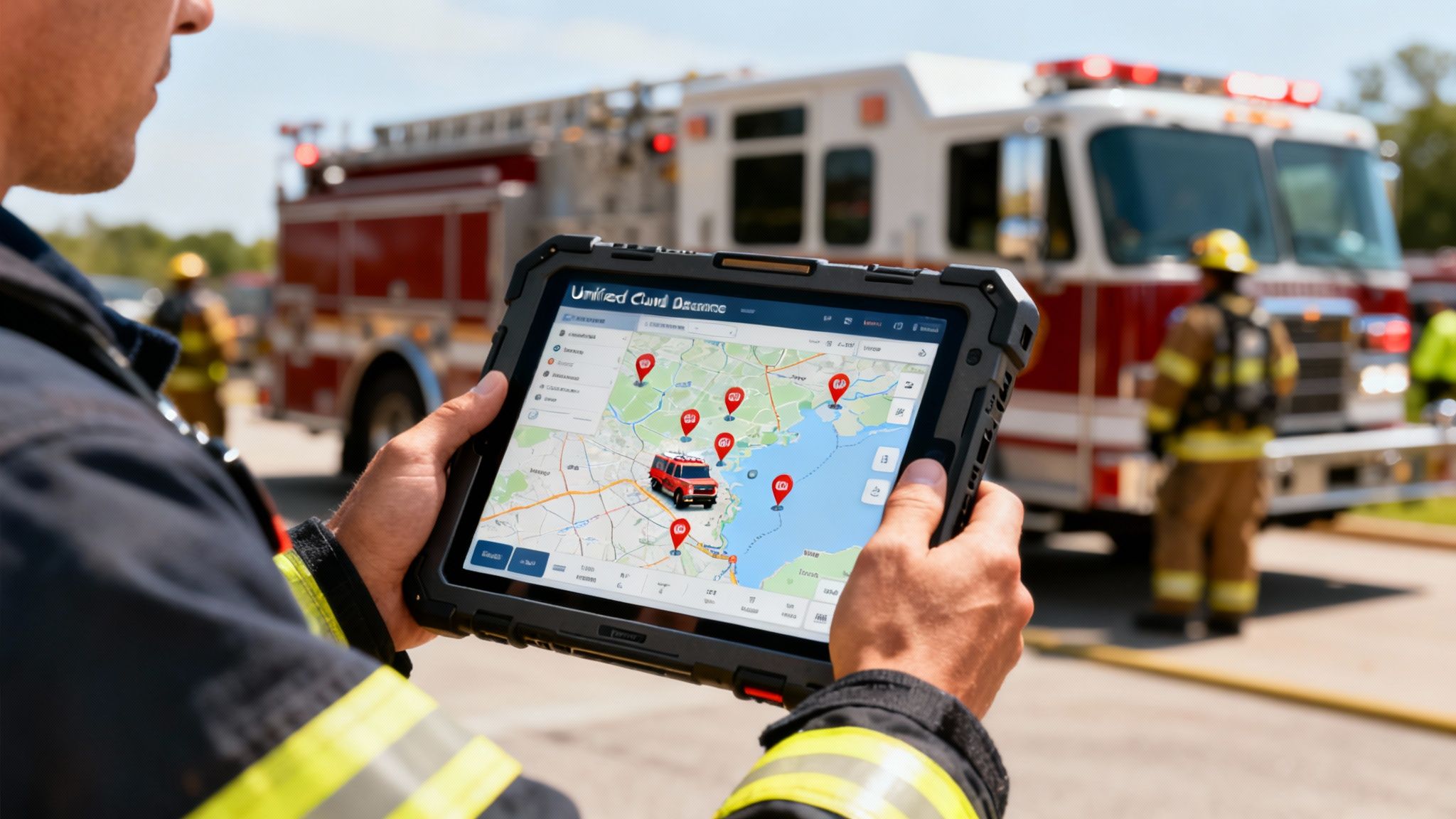
A Fire Department Battles a Major Incident
Picture this: a multi-alarm fire rips through a downtown high-rise. Chaos is the default setting. With an old-school system, the incident commander is stuck trying to piece together fragmented radio chatter to figure out where their units are. But with a cloud platform, their tablet becomes the unified command center.
They get a live map showing every engine, ladder truck, and ambulance—not just from their department, but from all the mutual aid agencies responding. GPS trackers show exactly which crews are inside the building and what floor they’re on, a critical piece of information for safety. When a firefighter's air tank runs low, command sees that alert instantly and can send a rescue team to their exact location.
This kind of shared awareness is a complete game-changer. It stops units from being sent to the wrong place, a mistake that burns through precious time and fuel. More importantly, it dramatically boosts firefighter safety and accountability on a chaotic scene.
A Field Service Company Delights Its Customers
Now, let's switch gears to a commercial plumbing company. Their day used to be a frantic mess of last-minute schedule changes and fielding calls from angry customers. With cloud-based dispatch software, their operation is now a well-oiled machine.
A technician is heading to a routine job when an emergency call comes in—a burst pipe is flooding a restaurant kitchen. The dispatcher sees the new job pop up on their screen, along with the real-time location of every tech in the field. The system’s algorithm immediately identifies the closest available plumber and reroutes them, sending all the new job details straight to their phone.
At the same time, the system sends an automated text to the non-emergency customer, letting them know about the delay and giving them a new, accurate ETA. The panicked restaurant owner also gets a text with a link to track the technician's arrival in real time.
This dynamic rerouting saves the company a fortune on fuel by always sending the closest unit. It also cuts down on lost revenue by ensuring emergency jobs are tackled immediately, all while keeping every customer in the loop—which boosts satisfaction and stops cancellations.
Managing a Large-Scale Community Event
Finally, think about the complex logistics of running a city marathon. You've got thousands of runners, spectators, and volunteers spread out over a 26.2-mile course. The event organizers use a cloud dispatch platform to coordinate everything from a central command post.
- Medical Teams: A runner goes down with heatstroke at mile 19. A volunteer reports it on their phone. A dispatcher sees the pin on their map and sends the nearest roving medical cart, cutting response time in half.
- Security Posts: A report comes in about an unattended bag near the finish line. The dispatcher blasts a message to all security personnel in that zone, who can converge on the location and check it out in minutes.
- Volunteer Coordination: As the race moves along, the system automatically sends shift change reminders to volunteers at water stations, making sure there are no gaps in coverage.
This real-time coordination is what keeps the event running smoothly and safely. It's no surprise that public safety agencies make up 30.5% of the global CAD market, driven by the need for these kinds of integrated systems. The global shift away from on-premise servers is undeniable, with cloud's cost-effectiveness leading to a 65.2% software market dominance. This technology allows for real-time tracking that has been shown to cut response times by 20-30% in trials across North America and Europe. You can dig into more data on the global CAD market share.
From saving lives to satisfying customers, these examples make it clear how cloud dispatch software delivers the visibility and agility needed for modern operations. It turns complex, messy challenges into manageable, coordinated responses.
Making a Seamless Transition to the Cloud
Thinking about switching systems can feel like a huge project, but moving to cloud based dispatch software is a lot simpler and more budget-friendly than most people realize. The key is having a solid plan to make sure you get all the benefits without throwing a wrench in your daily operations.

It all comes down to following a clear, step-by-step process. You'll prepare your data, get your team ready, and adjust your workflow for the change. Today’s self-service platforms are built to be intuitive, which saves organizations a ton of money on consultants and those long, complicated implementation projects of the past.
Prepare for a Smooth Rollout
A good launch starts with good preparation. Before you flip the switch, a few best practices will help you dodge common headaches and make sure everything goes smoothly. The idea is to be methodical, not to rush into a change that catches everyone by surprise.
A phased rollout is usually the smartest and most cost-effective way to go. Instead of pushing the new system out to everyone at once, start small. Pick a single department or even just one shift to pilot the software. This gives you a low-risk space to work out any kinks and get real feedback from your team before you go live across the entire organization.
This approach keeps your team from feeling overwhelmed and helps build positive momentum as the first group starts sharing how well the new system works.
Appoint an Internal Champion
One of the most effective, money-saving things you can do is find an internal "champion." This is someone on your team who's enthusiastic about the change, learns the system inside and out, and becomes the go-to person for questions.
Having an internal champion dramatically reduces the need for expensive external trainers or support calls. This person builds confidence and enthusiasm from within, making the transition feel like a team-led upgrade rather than a top-down mandate.
It's an incredibly powerful way to get ahead of any resistance to change. When people see one of their own peers mastering the new tools and pointing out how it means less paperwork or faster communication, they're much more likely to get on board.
Focus on Training and Data Migration
You can't overstate the importance of good training. Zero in on the specific features that will make your team’s job easier from day one. For instance, you could show dispatchers how the live map cuts down on radio chatter or walk field personnel through updating a job status with a single tap on their phone.
Getting your data ready is the final piece of the puzzle. Modern platforms make this part easy with tools to import personnel lists, locations, and unit information from standard spreadsheets. Take the time to clean up that data beforehand—it ensures you start with accurate, reliable information from the moment you go live.
There's a reason so many organizations are moving to the cloud, and it comes down to clear financial and operational wins. On average, cloud CAD reduces downtime by 50% and cuts maintenance costs by 30-40% compared to old on-premise systems. That kind of reliability and efficiency makes the switch a smart, strategic investment. You can dig into more stats on the advantages of cloud CAD systems to see the full picture.
We Get It, You've Got Questions
Making a big operational change like this always brings up some important questions. It’s natural. So, let’s get right to it and answer some of the most common things people ask when considering a move to cloud based dispatch software.
Is Cloud Based Dispatch Software Secure?
Yes, and honestly, it’s often a huge step up in security compared to what most organizations can manage on their own. It’s not just a sales pitch; it's backed by layers and layers of professional-grade protection.
Think of it this way: would you rather keep your valuables in a home safe or a bank vault? The bank has round-the-clock monitoring, reinforced construction, and high-tech alarm systems that are just not practical for a single home. Top-tier cloud platforms are the bank vault for your data. They provide:
- End-to-End Data Encryption: Your information is scrambled and unreadable from the moment it leaves your device until it's securely stored.
- Certified Data Centers: These facilities are built like fortresses and are regularly audited against tough standards like SOC 2 to prove their security controls are rock-solid.
- Strict Access Controls: You have the keys. You decide exactly who can see what and who can do what, which slashes the risk of internal mishaps.
For groups handling sensitive information, like a medical transport service needing HIPAA compliance, the cloud isn't just an option—it's usually the most secure and dependable path forward.
How Does a Cloud System Actually Save Money?
The savings come from a lot of different places, and most of them are hiding just beneath the surface. The obvious win is avoiding the massive upfront check you’d have to write for server hardware and old-school software licenses.
The real long-term savings, though, come from killing off all those hidden operational costs. You stop paying for IT staff to babysit servers, for the electricity to run and cool that hardware 24/7, and for the crippling downtime that inevitably happens when an on-premise system goes dark.
A predictable subscription means no more budget surprises. You only pay for what you actually use. For a volunteer fire department, that’s huge. You can easily add 50 mutual-aid responders during a major event and then scale right back down without paying for dormant licenses all year.
How Hard Is It to Get Our Team Trained Up?
This is where modern cloud software really shines. It’s designed to be intuitive, with interfaces that look and feel like the web and mobile apps your team already uses every single day. The learning curve is way gentler than with the clunky, outdated systems of the past.
Most providers have great training resources ready to go, and self-service platforms often come with tons of documentation and video tutorials. This makes the switch pretty smooth for everyone, no matter their tech skills, and gets your team up and running fast.
Ready to see how a flexible, powerful, and cost-effective dispatch solution can really change your operations? Resgrid offers a comprehensive, self-service platform with no contracts or implementation fees. Get started for free at Resgrid today!