

Your Guide to a Computer Aided Dispatch CAD System
Think of a computer aided dispatch (CAD) system as the digital brain of an emergency operations center. It takes in all the raw information, like 911 calls, and instantly orchestrates a swift, intelligent response. It's the difference between chaotic radio traffic and paper maps versus precise, life-saving action, all driven by automating critical tasks and tracking resources in real-time.
What a Computer Aided Dispatch System Does
Picture an emergency operations center as a central nervous system. A CAD system is its high-speed processor. It takes all the chaotic signals from countless sources and turns them into a clear, coordinated action plan. This shifts operations from being purely reactive—just sorting through calls and manually finding units—to being proactive, where every decision is data-driven and almost instantaneous.
This system is the essential link between a public need and an organized response. It doesn't matter if it's a 911 call for a medical emergency, a sensor alert from a secure building, or a field report from an officer on patrol. The CAD system logs it, prioritizes it, and assigns the right people to it with incredible speed and accuracy. It gets rid of the guesswork and manual cross-referencing that eat up precious time and lead to errors in high-stress situations.
The Core Functions of a CAD System
At its heart, a CAD system does three critical things: it processes information, coordinates assets, and tracks everything as it happens. This workflow is really the foundation of any modern dispatch operation, whether for emergency services or business logistics.
- Process Information: The moment a call comes in, the system logs the details, pinpoints the caller's location, and classifies the type of incident. This creates a structured digital record right from the start.
- Coordinate Resources: Based on the incident's location and what's needed, the system will recommend—or even automatically dispatch—the closest and most appropriate units. That could be police cars, ambulances, or private security patrols.
- Track Progress: From the second a unit is dispatched until the incident is wrapped up, the system gives you a live, map-based view of all personnel and vehicles. This is a game-changer for situational awareness in the command center and for the safety of people in the field.
The image below really brings to life how a CAD system serves as the central hub for these core functions.

As you can see, a CAD system isn't just a fancy logging tool. It's a dynamic engine that actively manages, coordinates, and keeps an eye on every single phase of an operation.
To make these abstract functions more concrete, the table below breaks down what a modern CAD system really does on a day-to-day basis.
Core Functions of a Modern CAD System at a Glance
| Function | What It Does | Practical Benefit |
|---|---|---|
| Call Taking & Logging | Captures and organizes all details from incoming calls, including time, location, and nature of the incident. | Creates an instant, error-free digital record for every event, eliminating manual note-taking. |
| Unit Recommendation | Suggests the best units to dispatch based on location, availability, and qualifications. | Ensures the closest, most appropriate help is sent every time, reducing response times. |
| Real-Time Tracking | Displays the live location and status of all personnel and vehicles on a digital map. | Provides dispatchers with complete situational awareness and improves responder safety. |
| Incident Management | Maintains a running log of all actions, communications, and status changes for each incident. | Offers a clear, chronological history of events for reporting, review, and legal purposes. |
| Data Analysis & Reporting | Gathers operational data to generate reports on response times, resource allocation, and incident trends. | Helps agencies identify patterns, optimize operations, and justify budget requests with hard data. |
Ultimately, these functions work together to create a system that's far more efficient and reliable than any manual process could ever be.
A Practical Money-Saving Example
Let's imagine a private security firm handling a huge music festival. Without a CAD, a call about a medical emergency would set off a storm of radio calls trying to find the nearest security cart with a medic. That whole process could take several minutes, wasting fuel as multiple units head toward the same spot and clogging up the radio channels with confusing chatter.
Actionable Money-Saving Insight: With a CAD system, the dispatcher instantly sees the incident's location on a digital map, identifies the closest medic unit via GPS, and sends them with a single click. The system can even calculate the fastest route. This saves precious minutes, but more importantly, it cuts down on fuel consumption by preventing multiple units from responding to the same call and eliminates unnecessary vehicle mileage. Over the course of a large event, these optimized dispatches can lead to significant fuel and maintenance savings.
This kind of efficiency isn't just about improving safety; it translates directly into cost savings by optimizing how resources are deployed and minimizing wasted fuel and man-hours.
The technology's history really highlights its importance in scaling up operations. Computer-Aided Dispatch systems got their start back in the 1960s, but it was the shift from massive mainframe computers to smaller microcomputers in the 1970s that made them practical for cities and towns. By the 1990s, features like protocols for hard-of-hearing callers and Amber Alerts cemented CAD's essential role. Today, a major city like Seattle handles nearly 400,000 CAD events a year, showing just how powerful these systems are at managing chaos. You can learn more about the evolution of CAD technology and its impact on public safety.
Understanding the Growth of Modern CAD Technology
The evolution of computer-aided dispatch systems has been nothing short of incredible. What started as massive, room-sized mainframes has transformed into the agile, cloud-based platforms we use today. This isn't just technology marching on for its own sake; it's a direct response to critical needs like Next Generation 911 (NG-911) and the universal push for smarter, data-driven public safety.
If you're thinking about investing in a new system, this explosive growth is a great sign. It means more innovation, more competition, and more options than ever before.

The numbers tell the story. The global CAD market is projected to jump from USD 2.26 billion in 2024 to USD 4.31 billion by 2030. North America is leading the pack, accounting for 44.1% of that revenue, thanks in large part to NG-911 rollouts and the expansion of FirstNet.
But here's the most interesting trend: the fastest adoption is happening in smaller dispatch centers (those with fewer than 25 seats), which are growing at an insane 15.8% CAGR. You can dig into more insights about the CAD market and its trends, but the takeaway is clear—affordable technology is changing the game.
How SaaS Broke Down the Barriers
A huge piece of this puzzle is the Software-as-a-Service (SaaS) model. Not too long ago, getting a powerful CAD system was a luxury reserved for big city agencies with multi-million dollar budgets. You were on the hook for expensive on-premise servers, massive software license fees, and punishing long-term maintenance contracts. For most smaller organizations, it was simply a non-starter.
SaaS completely flipped the script. Instead of a huge upfront capital hit, agencies can now subscribe to a service for a predictable monthly or annual fee. It’s a game-changer.
Practical Example: Think about a volunteer fire department that used to run on spreadsheets and chaotic group texts. With a SaaS solution, they can suddenly afford a sophisticated CAD system with GPS tracking, automated availability management, and clean incident reporting—all for a fraction of the old-school cost. They get a massive boost in safety and response without needing a huge grant or tax levy.
This shift has made essential technology available to everyone, leveling the playing field for agencies of all sizes.
How SaaS Directly Saves You Money
The financial perks of a modern SaaS-based CAD go way beyond just avoiding that initial sticker shock. The savings are baked right into the model, giving you a much lower total cost of ownership over time.
Here's an actionable breakdown of how this approach puts money back in your budget:
- No Hardware Costs: You can forget about buying, housing, and maintaining expensive servers. This immediately eliminates a capital expenditure that can run into the tens of thousands of dollars.
- Reduced IT Overhead: Your IT staff is freed up from the constant grind of managing software updates, security patches, and server uptime. The vendor takes care of it, saving countless payroll hours that can be reallocated to other critical tasks.
- Scalable Pricing: You only pay for what you actually use. If your team grows or your needs change, you can adjust your plan without being stuck in an oversized, overpriced contract. This prevents spending on unused licenses, a common source of wasted budget.
- Inclusive Updates: Good SaaS providers, like Resgrid, roll all feature updates and improvements into the subscription cost. You always have the latest and greatest tech without getting nickeled and dimed for it.
By knocking down these financial and technical hurdles, SaaS makes a state-of-the-art CAD system an attainable reality for any agency. It allows smaller organizations to operate with enterprise-level efficiency and safety, all without the enterprise-level price tag.
How Key CAD Features Drive Efficiency and Savings
A modern computer-aided dispatch system is so much more than a digital logbook. It’s the nerve center of your operation, an engine built specifically to boost efficiency and, just as importantly, deliver some serious cost savings. When you see how specific features automate critical tasks and feed you real-time data, you start to understand their true financial impact. They take common, expensive headaches and turn them into opportunities.
Let's dig into a few of these features to see how they really work.
Pinpoint Accuracy with Automatic Vehicle Location
Picture this: an urgent call comes in. Without a real-time map, the dispatcher is flying blind, relying on radio check-ins or just plain guesswork to find the closest unit. More often than not, they end up sending a vehicle from farther away. That means slower response times, wasted fuel, and needless wear and tear on your fleet.
That's where Automatic Vehicle Location (AVL) comes in. Using GPS, it paints a live picture of every unit's exact position on the dispatcher's map. Instantly, they have a clear, accurate view of all available resources and how close they are to the incident.
Actionable Money-Saving Insight: With AVL, a dispatcher can see that Unit A is 1.2 miles away from a call, while Unit B is 3.5 miles away. By dispatching Unit A, you not only improve response time but also save 2.3 miles of driving. For a fleet that runs thousands of calls a year, this reduction in mileage directly translates to lower fuel bills, reduced engine hours, and fewer preventative maintenance cycles, saving thousands of dollars annually.
This dispatch map shows exactly what that looks like. The dispatcher can see unit locations, call details, and who’s assigned, all in one place.
This centralized view gives dispatchers the power to make the smartest, most efficient assignments on the fly, cutting out the costly delays of doing it all by hand.
Slashing Administrative Hours with Automated Records
Manual record-keeping is a notorious time-killer. Dispatchers and field crews can burn hours filling out paper forms, transcribing radio logs, or punching data into different systems. This isn't just a drag on their time; it's a huge source of human error and pulls them away from the work that actually matters.
A good CAD system takes care of all that automatically. Every call detail, unit assignment, status change, and timestamp gets logged and compiled into a clean, comprehensive digital incident report.
Practical Example: A police department requires a detailed incident report for every dispatched call. Manually, an officer might spend 20-30 minutes post-shift compiling notes and filling out forms. With an automated CAD, the report is 90% complete the moment the call is closed, requiring only a brief review and narrative addition. If an officer handles 5 calls a shift, this feature alone can save over an hour of administrative time per officer, per day. That saved time is a direct payroll saving, as it can be reallocated to proactive patrol or community engagement instead of paid overtime for paperwork.
The savings here are measured directly in payroll. By automating the paperwork, an agency can easily shave hundreds of administrative hours per year. You're freeing up highly trained people to do their actual jobs, which means you can accomplish more with the exact same headcount and budget.
Reducing Workload with Real-Time Status Updates
In an old-school dispatch center, the radio is a constant stream of status checks: "Unit 5, what's your 20?" "Engine 2, are you on scene?" This non-stop chatter adds noise, cranks up dispatcher stress, and can actually block critical communications during a big event.
Modern CAD systems give your people in the field a much better way. Using a mobile app or terminal, they can update their status—En Route, On Scene, Available—with a single tap. That information pops up instantly on the dispatcher's screen, giving them a quiet, real-time overview of what every unit is doing.
This simple change cuts way down on radio traffic, which means less work for the dispatcher and a much lower chance of missing something important. A less stressed, more focused dispatcher can manage more incidents more effectively.
For any organization looking to make these kinds of improvements, it’s worth checking out the full range of dispatch features available in modern CAD platforms to see how they line up with your needs. It also pays to look for a system with a straightforward, subscription-based model to sidestep the crazy licensing fees and hidden costs that are all too common with legacy vendors.
Cost-Saving Features of a Computer Aided Dispatch System
To put it all together, let’s look at a side-by-side comparison. This table breaks down how specific CAD features solve common operational challenges and directly impact your bottom line.
| Operational Challenge | CAD Feature Solution | How It Saves Money |
|---|---|---|
| Inefficient unit dispatching leads to wasted fuel and time. | Automatic Vehicle Location (AVL) shows the real-time position of all units. | Minimizes mileage by dispatching the closest unit, reducing fuel costs, vehicle wear, and improving response times. |
| Hours spent on manual paperwork and data entry. | Automated incident reporting logs all actions and data digitally. | Frees up hundreds of personnel hours per year, reducing administrative overhead and payroll costs. |
| Radio channels are clogged with routine status checks. | Mobile status updates allow field units to update their status with one tap. | Reduces dispatcher workload and stress, enabling more efficient incident management without needing more staff. |
| Lack of clear data for post-incident analysis and planning. | Centralized data and analytics provide comprehensive insights into operations. | Identifies trends in call volume and response times, allowing for smarter resource allocation and budget planning. |
| High risk of human error in manual call-taking and logging. | Standardized call-taking forms and automated logging. | Reduces costly mistakes and potential liability by ensuring accurate, consistent data capture for every incident. |
Ultimately, a modern CAD system isn't an expense; it's an investment in operational intelligence. By automating the mundane and providing crystal-clear data, it empowers your team to work smarter, faster, and more cost-effectively.
Choosing the Right CAD System for Your Agency
Picking a computer aided dispatch CAD system can feel like a massive job. You're staring down a mountain of options, features, and pricing models, and it's easy to get buried. But if you break it down into a clear, actionable plan, you can confidently find a system that fits your agency's real-world needs and, just as importantly, your budget. The trick is to look past the sticker price and focus on the total value.

The first step is simple: define what you actually need. Are you a volunteer fire department that mostly needs to track personnel availability and certs? Or are you a private security firm needing rugged GPS tracking across multiple sites? Make a list of your must-haves versus the nice-to-haves.
This single exercise stops you from getting talked into a bloated system packed with features you’ll never touch. It also sharpens your focus on vendors who are truly aligned with what you do every day.
Evaluate Scalability and Total Cost of Ownership
Once you know what you need today, you have to think about tomorrow. A system that works for your current operation might be a dead end in two years. Ask potential vendors how their platform scales. Can you add more users, vehicles, or even dispatch centers without getting hit with punishing fees or a nightmarish upgrade process?
A scalable system grows with you, making sure your initial investment keeps paying off. This is also where you need to get real about the Total Cost of Ownership (TCO)—all the hidden expenses that vendors don't always advertise.
Here are the critical costs to dig into beyond the monthly subscription:
- Implementation and Setup Fees: Is there a mandatory multi-thousand-dollar setup process?
- Training Costs: Is training included, or are you paying extra every time a new person joins the team?
- Support Contracts: What does tech support cost after that first year honeymoon is over?
- Hardware Requirements: Are you on the hook for buying and maintaining expensive on-premise servers?
Actionable Money-Saving Insight: The single most critical money-saving insight is to challenge the necessity of long-term, binding contracts and exorbitant implementation fees. Legacy vendors often lock you into multi-year commitments with steep upfront costs, stripping you of flexibility and budgetary control. Seek out vendors with transparent, month-to-month SaaS pricing. This approach not only eliminates large capital outlays but also gives you the leverage to switch providers if the service fails to meet your needs, ensuring you're always getting the best value for your money.
Look for systems that offer a transparent, self-service model. Solutions like Resgrid put you in control by getting rid of restrictive contracts and hidden costs, letting you manage your budget and technology without sacrificing powerful features. It’s a smarter way to invest, ensuring you get the best value for the long haul.
Prioritize Security and Data Protection
In today's world, the security of your computer aided dispatch CAD system is completely non-negotiable. Cyberattacks targeting dispatch centers have doubled in recent years, and an alarming 83% of attacks get in through breaches in related city or law enforcement networks. The fallout from a breach is ugly, from operational downtime to having your sensitive data compromised.
Your evaluation has to include a hard look at a vendor's security posture. Ask them for documentation on their security protocols, data encryption standards, and disaster recovery plans. Any vendor who takes security seriously will be upfront about their practices. For instance, understanding how a provider handles security and compliance gives you the peace of mind that your operational data is protected. Choosing a secure platform isn't just a technical detail—it's fundamental to maintaining operational integrity and public trust.
Real-World Applications and Success Stories
Feature lists and technical specs are one thing, but the real test of a computer aided dispatch CAD system happens out in the field. Let's get past the theory and look at how this technology actually solves the day-to-day headaches that teams face. These stories show how the right system isn't just another piece of software—it's the backbone of a smooth, safe, and efficient operation.
We'll dive into two very different worlds—a volunteer fire department and a private security firm—to see how a modern CAD platform holds up when things get real.
Empowering a Volunteer Fire Department
Picture a small-town volunteer fire department. Before they had a modern CAD, a call would set off a messy phone tree or a blast of group texts. The chief was left guessing who was actually available and on their way. It was a slow, disorganized process that added a layer of risk nobody needed.
Now, imagine that same department using a system like Resgrid. A fire call comes in and gets punched into the CAD.
- Instant Availability Checks: The system immediately pings every member through their mobile app. Responders just tap "Responding" or "Not Responding," and command staff gets a live roster of who’s coming.
- Skill-Based Dispatching: The dispatcher sees the call notes require a certified EMT and a firefighter with hazmat training. The CAD lets them filter available personnel by their qualifications, making sure the right skills get sent out the door right away.
- On-Scene Accountability: As volunteers show up, they check in on the app. The incident commander has a live dashboard showing every person on scene, what they’re qualified to do, and where they’ve been assigned. It's a massive leap forward for safety and accountability.
Actionable Money-Saving Insight: This shift from pure guesswork to data-driven coordination is huge. The automated attendance tracking creates a digital paper trail for compliance, training, and stipend/payroll purposes. This can save the department's administrative officer dozens of hours per month that were previously spent manually compiling rosters and timesheets, directly reducing administrative overhead costs.
Coordinating Security at a Large Music Festival
Next, think about a private security firm tasked with managing a huge, multi-day music festival with 50,000 people. The grounds are sprawling, and incidents—from medical calls to lost kids—are popping up constantly. Without a central system, it would be a nightmare of radio chaos and slow-moving responses.
This screenshot from the Resgrid platform shows exactly how a dispatcher gets a clean, map-based overview of all their resources and active calls.
This kind of visual command center is absolutely essential for managing a big, fluid event. It allows for immediate and precise decisions.
With a solid computer aided dispatch CAD system, the security command post runs like a well-oiled machine. A call comes in for a medical issue near the main stage. The dispatcher creates a new call in the CAD, dropping a pin on the exact spot. The system's AVL feature instantly highlights the three closest medic teams on patrol.
With one click, the dispatcher assigns the nearest team. They get the alert on their phone with the patient's location and a direct route. Just as importantly, the other two teams are automatically told to stay put, preventing a pile-up on a minor incident and keeping resources free. This kind of optimized workflow saves on fuel and makes sure people are deployed where they're actually needed, not just chasing the same call.
For a broader look at how technology is pushing the industry forward, it's worth exploring the other innovations transforming emergency services and supporting teams in the field.
Integrating Your CAD System for Maximum Impact
A standalone computer aided dispatch CAD system is a powerful tool, but an integrated one is a complete game-changer. Think of it this way: a standalone CAD is like a highly skilled specialist, brilliant at its one specific job. An integrated CAD, on the other hand, is the conductor of an entire orchestra, making sure every instrument—every single piece of tech in your operation—works together in perfect harmony.
When your CAD system can talk seamlessly with other essential software, you create a massive force multiplier for your team. This connectivity transforms separate, isolated data streams into a single, cohesive source of truth, giving everyone unprecedented situational awareness and efficiency.
Building Your Technology Ecosystem
True integration means connecting your CAD to the other critical systems your team depends on every single day. This creates a unified command center where information flows freely, killing data silos and getting rid of the manual, error-prone task of copying information between different programs.
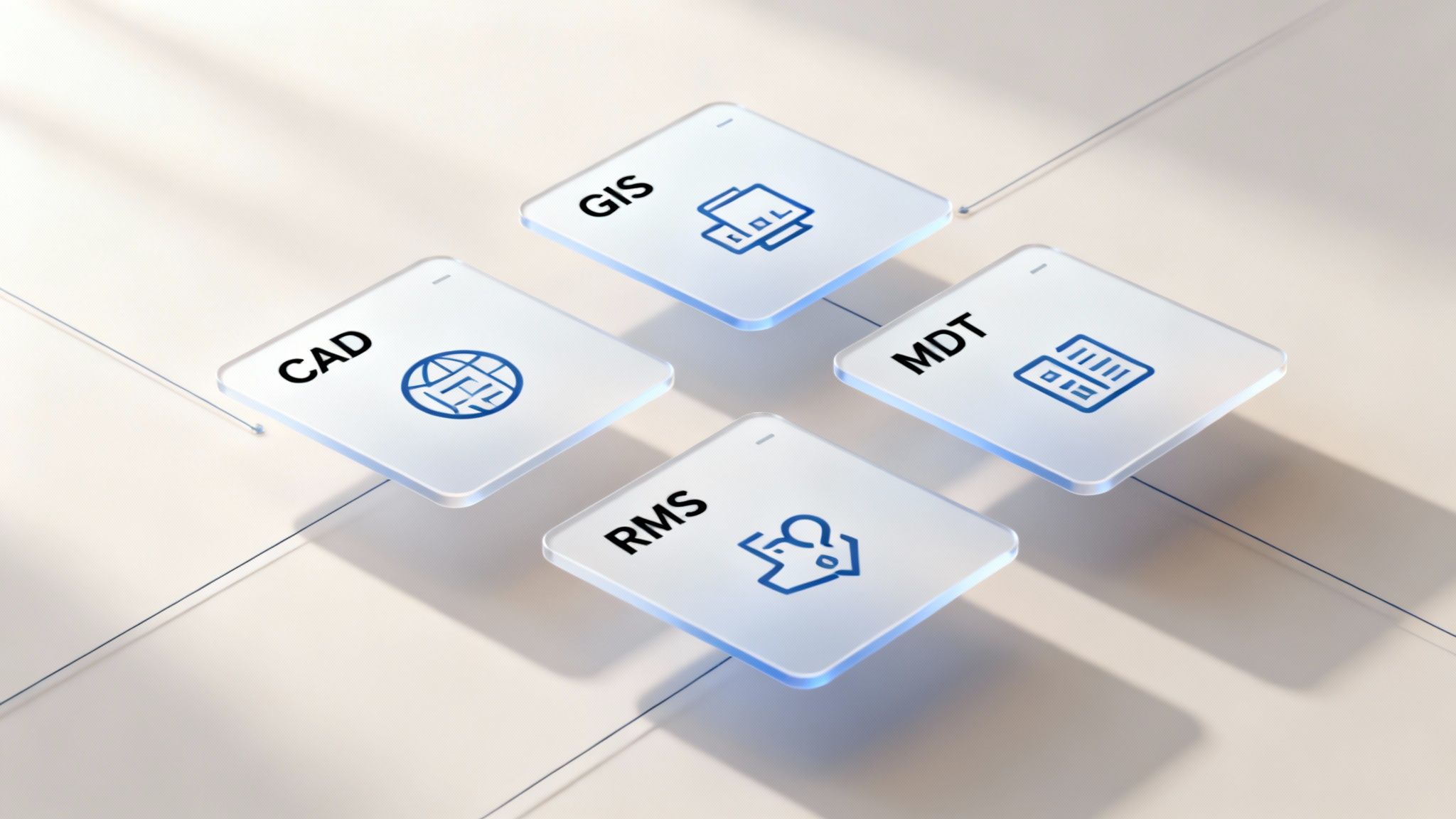
Key integrations to look for include:
- Geographic Information Systems (GIS): This goes way beyond a basic map. Integrating with GIS provides rich, layered data—think building floor plans, hydrant locations, and hazardous material sites—right on the dispatcher's screen.
- Mobile Data Terminals (MDTs): This puts the full power of the dispatch center directly into the hands of your field units. They can get real-time updates, see all the call details, and update their status without tying up radio channels.
- Records Management Systems (RMS): This is where you can automate the entire reporting lifecycle. When an incident is closed in the CAD, a report is automatically generated and populated in the RMS. This can save hundreds of administrative hours.
By plugging these tools together, you build a smarter, more responsive operational ecosystem where every component makes the others better.
The Most Important Money-Saving Strategy
Here’s the single most critical piece of advice for any agency looking at a new CAD: prioritize a system with an open API (Application Programming Interface). An open API is essentially a universal adapter for software, allowing different systems to talk to each other without a fuss.
Actionable Money-Saving Insight: Choosing a CAD with an open API is your best defense against expensive vendor lock-in. It gives you the freedom to build a 'best-of-breed' tech stack using the tools you already own and trust, rather than being forced into a costly, all-in-one suite from a single provider. This means you don't have to replace your existing, perfectly good records management system or GIS platform just to get a new CAD. This approach saves a serious amount of money by avoiding redundant software purchases and massive data migration projects.
A flexible platform like Resgrid, for example, is built on this open framework, empowering you to create custom connections with your existing software.
When you take this approach, you keep control over your technology and your budget. You can integrate new tools as your needs change over time, ensuring your computer aided dispatch CAD system remains a valuable, long-term asset. To get a better idea of what's possible, you can check out the different apps and integrations compatible with Resgrid and see how they can support your specific operational workflows.
Answering Your Questions About CAD Systems
Choosing a computer aided dispatch CAD system always brings up some very practical questions. It usually boils down to cost, training, and whether it’s the right fit. Let’s tackle the most common concerns head-on, so you can make a confident, well-informed decision for your organization.
How Much Does a CAD System Cost?
The cost can range dramatically. You might be looking at a six-figure investment for a traditional on-premise system, or you could find an affordable monthly subscription with a modern SaaS solution.
Actionable Money-Saving Insight: Look for cloud-based providers with transparent, tiered pricing. This approach gets rid of the huge upfront capital expense for hardware and allows you to pay only for the features and number of users you actually need. This makes powerful CAD technology accessible for organizations of any size, saving you from a massive initial outlay and the recurring costs of server maintenance and upgrades.
Is It Difficult to Train Staff on a New CAD System?
While legacy systems are notoriously complex and can require weeks of training, modern CAD software is a different beast. Most are designed with intuitive, user-friendly interfaces to keep the learning curve as flat as possible.
Actionable Money-Saving Insight: To save money on training, prioritize vendors that offer free trials, extensive online knowledge bases, and video tutorials. This allows your staff to learn at their own pace without the need for expensive, on-site trainers. A system built with the user in mind gets your team up and running fast, cutting down on training costs and operational downtime.
Can a CAD System Work for Non-Emergency Businesses?
Absolutely. The core functions—locating, dispatching, and tracking resources—are invaluable for all kinds of commercial operations like logistics, field services, and even event security.
A great practical example is a plumbing company. They can use a CAD to see the real-time location of all their technicians. When an emergency call for a burst pipe comes in, the dispatcher can instantly identify and assign the closest available plumber, providing the customer with an accurate ETA. This not only improves customer satisfaction but also optimizes routes, reduces fuel costs, and allows the company to fit more service calls into a single day, directly boosting revenue without adding staff.
Ready to see how a modern, affordable computer aided dispatch CAD system can transform your operations? Resgrid offers a powerful, flexible, and contract-free solution designed for first responders and businesses alike. Discover how Resgrid can streamline your dispatching today.