

A Guide to the Modern Computer Aided Dispatcher
A computer-aided dispatcher runs purpose-built software that brings order to both emergency and non-emergency calls. Think of it as the nerve center for response teams, feeding them live maps, status updates, and messaging tools so decisions happen faster and with greater confidence. Gone are the days of scribbled notes and wall-sized maps—modern CAD turns chaos into coordination.
From Chaos To Coordination With Computer Aided Dispatch
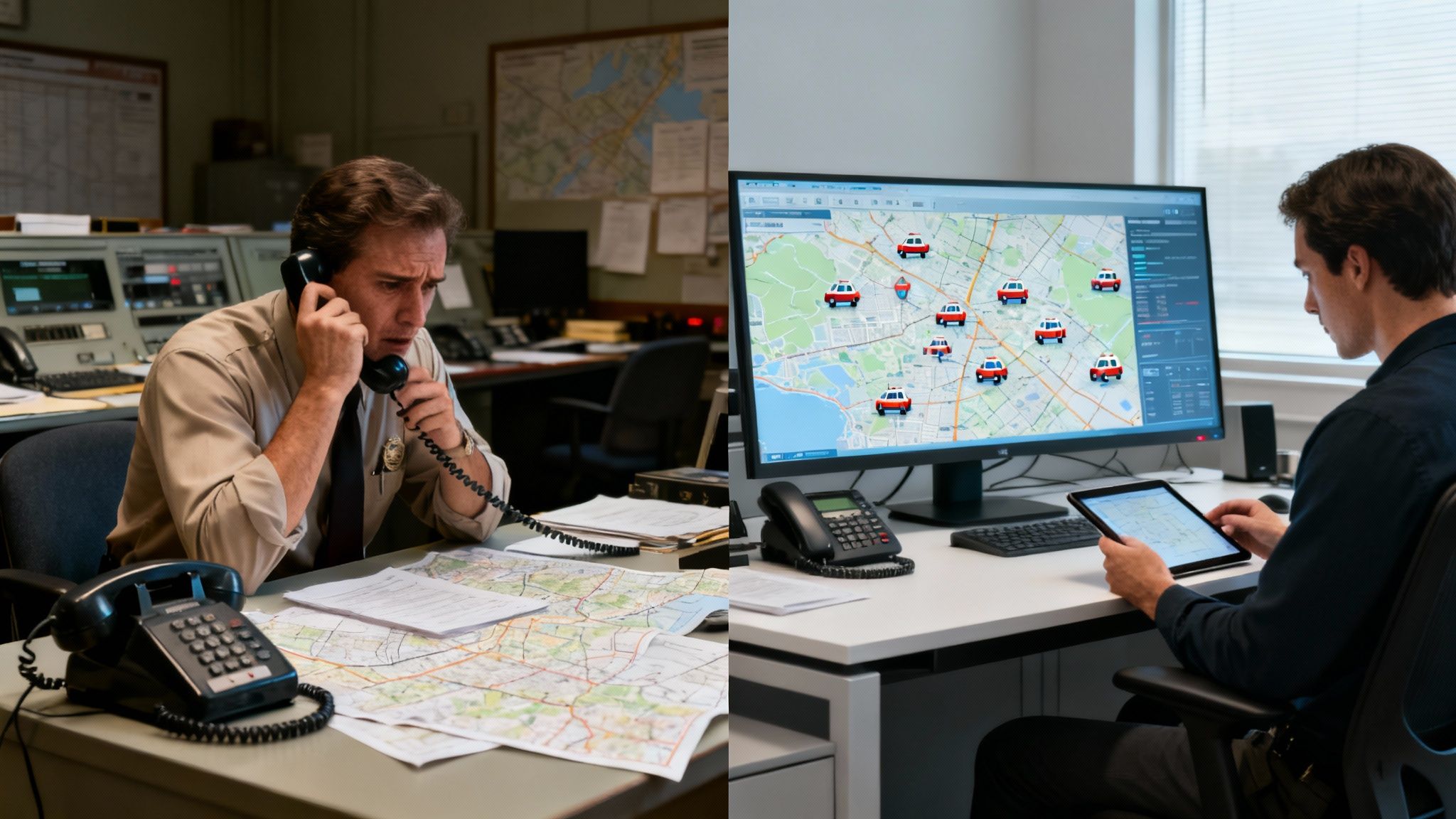
Picture a dispatch center thirty years ago. Phones jangle, radios crackle, and someone scrambles to tack a pin on a paper map. Information overload was the name of the game—and every second felt like a lifetime.
Now fast-forward to today. An incoming call about a multi-vehicle crash instantly fills your screen with the caller’s location, contact details, and any prior notes. A computer-aided dispatcher watches a dynamic map highlighting every available unit, their status, and exact position in real time.
The Strategic Shift From Reactive To Proactive
With a few clicks, you can:
• Identify the closest ambulance, fire engine, or police cruiser
• See traffic patterns and suggested routes
• Dispatch units simultaneously with all incident details and navigation data
This isn’t just speedier—it’s a whole new playbook for managing emergencies. The dispatcher evolves from a simple call-taker into a strategic coordinator.
A CAD system is a force multiplier. It empowers one dispatcher to oversee complex scenarios with precision and speed that once required an entire team.
CAD technology dates back to the 1960s, but it wasn’t until the 1990s that police, fire, and EMS agencies began swapping manual processes for these systems. That shift marked the end of labor-intensive methods and the start of real-time coordination.
Tangible Benefits That Save Money And Lives
At its core, CAD solves two big headaches: slow response times and wasted resources. Every second saved can mean a life spared or a major cost avoided. Platforms like Resgrid nail these challenges head-on.
Here’s how modern CAD delivers measurable savings:
• Reduced Fuel And Maintenance Costs: By always sending the nearest unit and offering optimized routing, you cut down on unnecessary miles. Actionable Insight: A private security firm can save thousands annually by implementing a "closest unit response" protocol through CAD, turning a 10-mile patrol car journey into a 2-mile one for dozens of calls each week.
• Optimized Personnel Allocation: Real-time visibility means you never over- or under-deploy crews. Practical Example: A city's public works department sees a water main break on their CAD map. Instead of calling in an entire on-call crew and paying overtime, they see a smaller repair team is already finishing a job two blocks away and re-route them, saving hours of unnecessary labor costs.
• Elimination Of Information Errors: Manual entries and radio chatter can lead to mistakes. A single source of truth makes sure every responder sees the same accurate data—every time, preventing costly errors like sending a crew to the wrong address.
In short, a computer-aided dispatcher equipped with today’s CAD tools brings order to chaos. Operations run faster, smarter, and more cost-effectively, delivering real impact where it matters most.
How a Modern CAD System Actually Works
The best way to think about a modern computer aided dispatch system is to see it as an operation's central nervous system. It’s constantly taking in information, processing it in a split second, and then directing the body's resources—your responders—with incredible speed and precision. This isn't just one piece of software; it's a whole web of interconnected components all talking to each other.
When these parts work together, they demolish the information silos that slow down response times and create dangerous confusion on the ground. Let's walk through how this plays out with a real-world example, like a multi-vehicle accident.
The Initial Call Intake Process
It all starts with that first call for help. In a modern CAD, this step is so much more than just a dispatcher scribbling notes. The second the call comes in, the system is already hard at work in the background.
Caller ID and E911 data can instantly populate the caller's name, phone number, and a pretty good estimate of their location. As the dispatcher types in the key details—"three-car pileup," "possible injuries," "eastbound lane blocked"—they're filling out a structured form. This isn't just for neatness; this standardized data entry makes sure critical info isn't missed and immediately feeds every other part of the system.
Dynamic GIS Mapping and Unit Location
This is where the magic really happens. The moment that location is confirmed, the Geographic Information System (GIS) module lights up, plotting the incident on a dynamic map. All at once, the computer aided dispatcher sees the accident scene and the real-time locations of every single available unit.
A truly integrated CAD system eliminates guesswork. It doesn't just show you where your units are; it recommends the best unit for the job based on proximity, status, and capabilities, saving fuel and cutting response times.
For our multi-vehicle pileup, the system might automatically flag the best options:
- Engine 5: The closest fire apparatus, just 1.2 miles away.
- Medic 2: An ALS ambulance that just cleared its last call, located 2.5 miles away.
- Patrol 12: A police cruiser on patrol, only three blocks from the scene.
This kind of visual intelligence lets the dispatcher make a rock-solid decision in seconds, a massive improvement over relying on chaotic radio check-ins and memory.
Seamless Dispatching and Live Status Tracking
With the best units picked out, the dispatcher selects them in the system and hits "dispatch." That single click sets off a chain reaction of automated events. All the incident details, notes, and the precise location are instantly pushed to the mobile data terminals (MDTs) inside the responding vehicles.
Responders can accept the call right from their MDTs, and their status automatically flips in the CAD from "Available" to "En Route." As they drive, their GPS continuously updates their position on the dispatcher's map, creating a live, common operating picture for everyone. If a unit gets bogged down in traffic, the dispatcher sees it happen in real-time and can send a backup without missing a beat.
Many modern CAD systems even pull in advanced communication tools, borrowing concepts from Unified Communications as a Service (UCaaS) to make the dispatcher's job easier. This keeps all the messaging, voice, and data flowing through one consistent, reliable environment.
A quick look at the old way versus the new way really drives home how much of a game-changer this is.
Manual Dispatch vs Computer Aided Dispatch Workflow
| Dispatch Step | Manual Process (The Old Way) | Computer Aided Dispatch (The Modern Way) | Key Benefit (Time/Money Saved) |
|---|---|---|---|
| Call Intake | Dispatcher writes notes on a card, relies on verbal description for location. | System auto-populates caller info & location. Structured forms guide data entry. | Reduces human error, cuts intake time by 50% or more. |
| Unit Selection | Dispatcher radios units to ask for location/status, uses a physical map or memory. | System visually displays all units on a GIS map, recommends closest/best-suited. | Eliminates radio traffic, ensures the most efficient unit is sent every time. |
| Dispatch | Dispatcher verbally relays all incident details over the radio, hoping it's heard correctly. | Dispatcher clicks a button; all data is sent digitally to in-vehicle computers (MDTs). | Instant, error-free information transfer. Frees up the radio channel for critical updates. |
| Status Tracking | Units must constantly radio in their status changes ("en route," "on scene"). | MDTs automatically update unit status in the CAD system based on responder input & GPS. | Provides a live, accurate view of all resources without cluttering the radio. |
| Reporting | A supervisor manually collects paper logs and reports from different sources to reconstruct the incident. | System auto-logs every action with a timestamp. Reports are generated with one click. | Saves countless administrative hours and creates a perfect, auditable record. |
The difference is night and day. Every step of the way, the CAD is saving precious seconds that add up to minutes—minutes that can make all the difference.
Integrated Reporting and Data Management
From the second that call is created to the moment the last unit clears the scene, the CAD system is meticulously logging everything. Every timestamp, every status update, every message sent is recorded, building a perfect digital timeline of the incident. This data is pure gold for after-action reviews, legal documentation, and analyzing your team's performance.
This all-in-one approach saves agencies the massive headache and expense of trying to stitch together separate, clunky software for mapping, messaging, and reporting. A unified platform like Resgrid gives you all these core functions right out of the box. By keeping these tools under one roof, agencies can easily tap into a wide range of dispatching and management apps available within the Resgrid ecosystem to level up their operations without the pain and cost of adding more vendors.
Features That Drive Real-World Cost Savings
Software packed with bells and whistles is only worthwhile when it trims your bottom line. A modern computer-aided dispatch (CAD) system does more than look good on a spec sheet—it closes operational gaps that silently drain your budget. By automating routine bits of work and feeding you clear, actionable data, CAD features can slash spending on fuel, overtime, and paperwork.
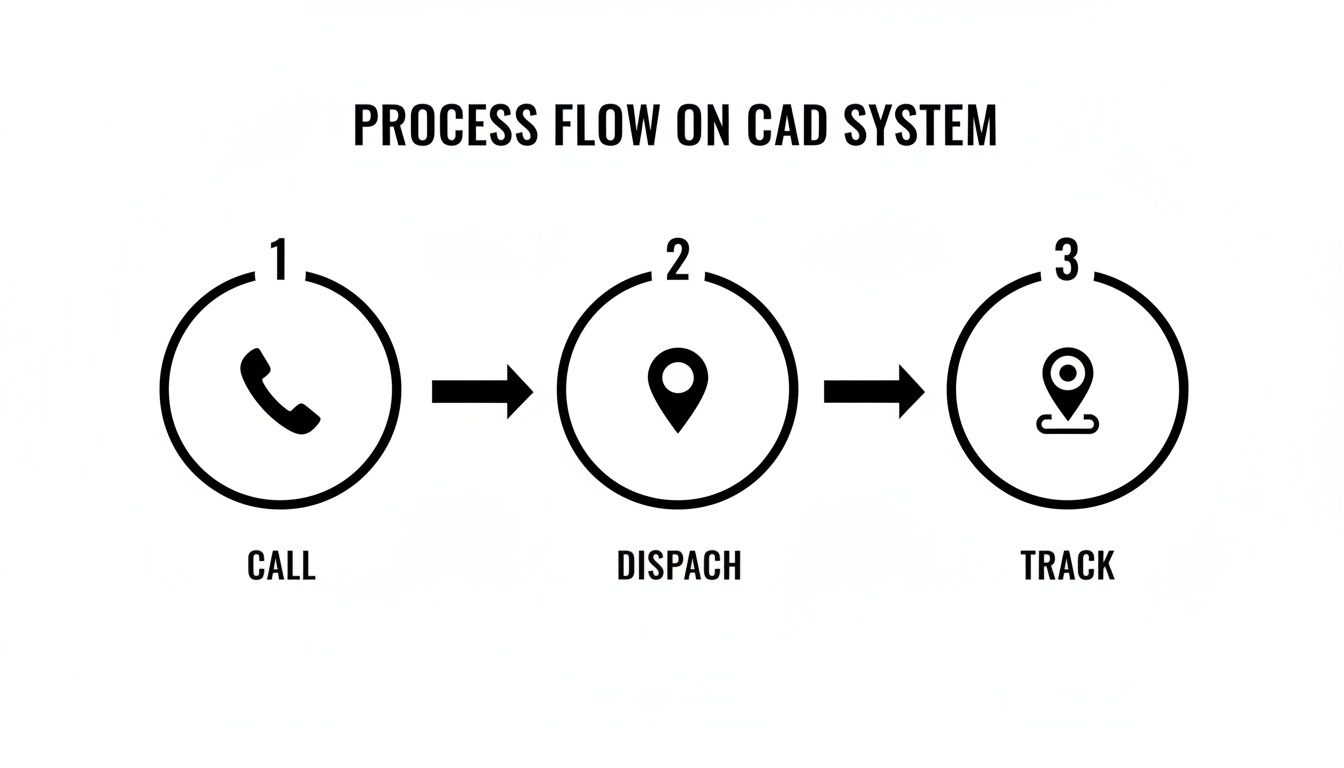
That simple diagram drives the point home: when each step—from taking a call to tracking a unit—flows without interruption, you cut delays and boost efficiency.
Slashing Fuel And Maintenance With Smart Routing
Vehicles eat up a huge chunk of any field operation’s budget. Automated Vehicle Location (AVL) shifts that equation by doing more than plotting dots on a map. Tie it into GIS data and you get:
- Instant identification of the closest available unit
- Route suggestions that factor in real-time traffic
- Reduced wear on engines and brakes by steering clear of congestion
A single mile saved here, ten minutes shaved there—multiplied over hundreds of calls, it adds up fast.
Practical Example: A private ambulance service receives a non-emergency transport call. The CAD system's AVL identifies that an available ambulance is just finishing a drop-off only three blocks from the new pickup location. By dispatching that unit instead of one returning to base 10 miles away, the company saves 20 minutes of drive time, fuel, and vehicle wear, allowing them to fit an extra transport into the day's schedule and boost revenue.
Reducing Overtime With Data-Driven Scheduling
Overtime can quietly balloon if you’re poking around in the dark. A capable CAD logs:
- Call volumes by hour
- Average response times
- Patterns of unit availability
Armed with those insights, you swap guesswork for precision. Maybe you need an extra crew on Wednesday nights but can dial back on Sunday mornings. Smarter schedules mean fewer last-minute shift swaps and a leaner overtime bill.
Actionable Insight: Run a "Call Volume by Hour" report in your CAD system for the last three months. Identify your top three busiest hours of the week and align your shift changes to overlap during these peak times. This simple adjustment can eliminate the need for costly hold-over overtime by ensuring maximum staffing when you actually need it.
Maximizing Dispatcher Focus Through Automation
A dispatcher’s most valuable asset is attention. Every minute spent on manual paging is time lost managing the next crisis. Automated alerts change the game:
- One click sends notifications via app push, text, and email
- Entire groups hear the call simultaneously
- Dispatchers can move straight on to the next incoming incident
Handle more calls with the same team—and sidestep the cost of hiring extra dispatchers.
Avoiding Hidden Costs With An All-In-One Model
Legacy CAD solutions often lure you in with a base price, then tack on steep fees for mapping, reporting, or mobile access. The result? A final invoice that blows your budget. Modern platforms take a different tack. Explore a full suite of Resgrid’s dispatching features without worrying about add-ons.
This kind of integration powers next-level tactics:
- Drone-as-first-responder programs that launch in 90 seconds for 98% of incidents
- Predictive analytics and chatbots that boost performance by up to 15%
- Multi-agency CADs handling over 1.1 million calls a year
For a deeper dive into how the CAD market is evolving, check out Mordor Intelligence’s analysis: Computer-Aided Dispatch (CAD) Market.
Selecting the Right CAD System for Your Budget
Choosing a new computer-aided dispatch system is a massive undertaking, both financially and operationally. It’s easy to get overwhelmed by complex feature lists and pricing models that seem designed to confuse you. Picking the wrong system can lock your agency into years of surprise costs and operational headaches.
The trick is to look past the sticker price. A lot of traditional, on-premise CAD systems will hit you with a big, straightforward-looking quote, but the real costs are lurking in the fine print. These legacy systems usually demand a huge upfront investment in server hardware, followed by a painfully long and expensive implementation project that can drag on for months.
On-Premise vs Cloud: The Real Cost Difference
This old-school approach creates a high barrier to entry, putting powerful tools out of reach for smaller agencies and businesses. And the costs don't stop once it's installed. You'll likely find your budget getting drained year after year by a steady stream of recurring expenses.
- Software Licensing: Per-user or per-terminal fees that nickel-and-dime you every time your team grows.
- Mandatory Support Contracts: Expensive annual agreements you have to pay just to get help when something inevitably breaks.
- Update and Upgrade Fees: Paying extra for new features that modern platforms just include as part of the service.
This model makes powerful dispatch tech feel like an exclusive club for organizations with six-figure budgets to burn.
Calculating the Total Cost of Ownership
The single most effective way to save money and avoid these traps is to calculate the Total Cost of Ownership (TCO), not just the initial purchase price. TCO paints a clear, honest picture of what you’ll actually spend over the life of the system. Grasping this concept is the most important, actionable insight any decision-maker can have.
Actionable Insight: Before signing any contract, create a simple 5-year TCO spreadsheet. List the initial price and then add rows for annual software maintenance, support contracts, hardware replacement/upgrades, and training fees for every vendor you consider. This exercise will instantly reveal the true, long-term cost and prevent you from choosing a system that seems cheap upfront but is expensive to own.
Modern, cloud-based platforms like Resgrid flip this old model on its head. Instead of a massive upfront capital expense, you pay a predictable, subscription-based fee. This Software-as-a-Service (SaaS) approach completely eliminates the need for on-site servers and all the maintenance headaches that come with them, making it a far more affordable and scalable option right out of the gate.
Questions to Ask Every CAD Vendor
Before you sign any contract, you need to go in armed with a checklist of crucial questions. Getting straight answers on these points will shield you from surprise bills and ensure you’re comparing apples to apples.
- Implementation and Setup: Are there any one-time fees for implementation, setup, or getting our initial data moved over? (For context, Resgrid has zero implementation fees.)
- Training Costs: Is initial team training included, or is that a separate, billable service? What about training new people we hire down the road?
- Support and Maintenance: What level of technical support is included in the standard price? Are there different support tiers that cost more?
- Software Updates: Are future software updates and new features included, or are we going to have to pay for major version upgrades?
- Per-User Fees: Is the pricing based on the number of users, units, or calls? How does the cost change as our organization gets bigger?
By demanding transparent answers, you can sidestep the costly traps of legacy systems. The goal is to find a partner who offers clear, straightforward value. For a great example of this in practice, you can check out Resgrid's transparent pricing structure, which is designed to be simple and predictable. It’s an approach that lets even small volunteer fire departments and growing security firms access the same powerful dispatch technology that was once reserved for massive municipal budgets.
The Future of Dispatch and Why It Matters Now
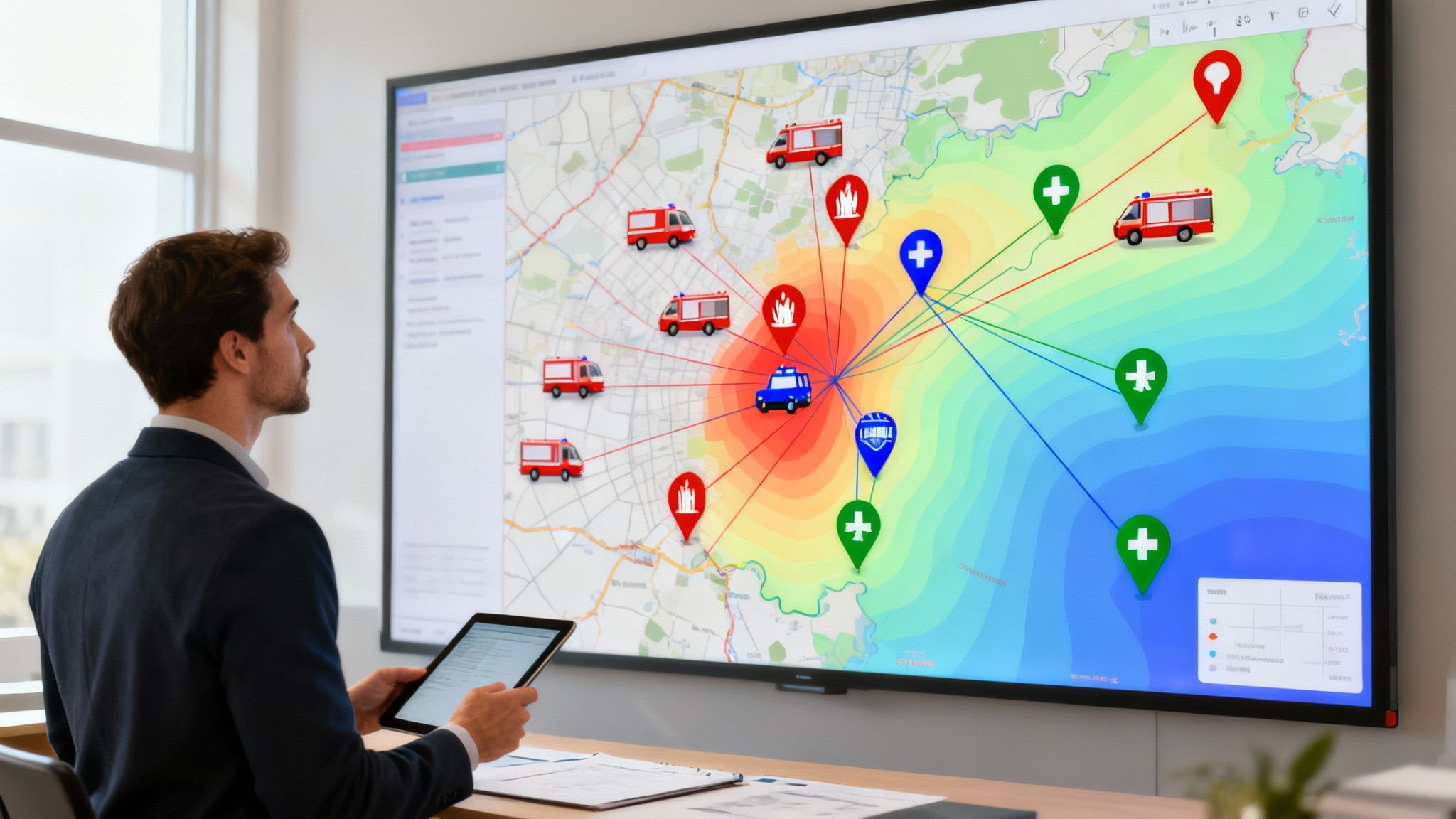
The dispatch world is on the cusp of a huge leap forward. The tech that seemed experimental just a few years ago is quickly becoming essential. For any agency, paying attention to where this is all headed isn't just about staying current—it's about making smart investments that will actually pay off for years to come. The future isn't some far-off concept; it's already shaping the tools a computer aided dispatcher will be using tomorrow.
This shift is obvious when you look at the market's explosive growth. The global computer-aided dispatch market was pegged at around $2.8 billion in 2024 and is on track to hit nearly $4.9 billion by 2030. That kind of growth tells you one thing: more and more agencies are realizing that a modern CAD system is non-negotiable for an effective emergency response. You can dig into the numbers yourself in this detailed market research analysis.
From Reactive to Predictive with AI
Artificial Intelligence (AI) is finally shaking off its "buzzword" status and getting down to practical, money-saving work. The biggest game-changer here is predictive analytics. Imagine a system that chews through historical call data, traffic patterns, public event schedules, and even weather forecasts to predict where the next emergency is most likely to happen.
This allows agencies to pre-position resources in likely hotspots before a 911 call even comes in.
- Practical Example: A city's EMS agency uses AI to analyze years of data. The system finds that medical calls related to dehydration spike in a specific city park between 2 p.m. and 4 p.m. on days when the temperature exceeds 90°F. The agency then pre-stages an ambulance nearby during those high-risk windows. This proactive deployment cuts response times for heatstroke victims in half and reduces the likelihood of more costly, critical care interventions.
This proactive approach saves real money by making sure the closest, most logical unit is already in the area, cutting fuel costs and response delays. It empowers a computer aided dispatcher to get ahead of bottlenecks instead of just reacting to them.
True Interoperability in Action
The other major frontier is interoperability—getting different agencies, often using totally different systems, to communicate and share data without a hitch. In the past, this has been a massive headache during large-scale incidents.
Think of a wildfire that jumps county lines. Without good interoperability, the fire department from one town can't see the unit locations or incident data from the neighboring town on their maps. This creates a dangerous "fog of war," forcing commanders to make decisions with only half the picture.
Actionable Insight: When evaluating CAD systems, ask vendors specifically how they handle data sharing with neighboring jurisdictions (mutual aid). A system with built-in, standards-based interoperability saves you from having to purchase expensive, third-party interface software down the line when a multi-agency event occurs. This foresight prevents a massive, unbudgeted expense during a crisis.
Seamless data sharing isn't a luxury anymore. It's a fundamental requirement for modern emergency management. It stops agencies from duplicating efforts and ensures resources go exactly where they're needed most, saving both time and taxpayer dollars.
Protecting Your Investment for Tomorrow
Picking a CAD system is a huge investment. The last thing any department wants is to choose a platform that becomes a dinosaur in five years because it can't handle new technology. This is where the system's underlying architecture really matters.
A modern, adaptable platform like Resgrid is built with this future in mind. Its flexible architecture is designed to integrate new tech, like AI analytics and advanced interoperability protocols, as they become mainstream. This approach protects your investment by making sure your organization won't get left in the dust. By choosing a system built for what's next, you're guaranteeing your team will always have the best tools to do their job safely and efficiently.
Your Questions About Computer Aided Dispatch, Answered
Jumping into dispatch technology can feel overwhelming. You've got questions about cost, about the day-to-day reality, and whether it’s even the right fit for your team. We get it. Let’s cut through the noise and tackle the most common questions we hear from decision-makers just like you.
What Does a Computer Aided Dispatcher Actually Do?
Think of a computer aided dispatcher as the human command-and-control center for any operation, emergency or not. They’re the ones on the other end of the line, taking in the initial call, but their job goes way beyond just answering the phone.
Using the CAD system, they instantly pinpoint locations, figure out the priority of the incident, and then dispatch the closest, best-equipped unit to the scene.
But their work doesn't stop there. Not even close. From that moment on, they are the lifeline, using the system to watch over responders in real-time, feeding them crucial updates as a situation evolves, and coordinating between different agencies when things get complicated. They are strategic thinkers using technology to bring order to chaos, keep their people safe, and create a perfect digital footprint for after-action reviews or legal needs.
How Can a CAD System Genuinely Save Our Organization Money?
It’s easy to see a new system as just another expense, but a modern CAD actually delivers real, tangible cost savings in a few key ways.
First up is optimization. By using real-time location data to send the absolute closest unit every single time, you're directly cutting down on fuel costs and vehicle wear-and-tear. Wasted miles and unnecessary engine hours might seem small on a per-call basis, but they add up to a huge number over a year.
Second, the system's analytics are a game-changer for scheduling and overtime. When you can clearly see your peak call times and operational trends, you can build smarter schedules. This means you’re not overstaffed during quiet periods or—just as costly—forced to pay overtime because you were caught understaffed during a rush.
Actionable Insight: The biggest immediate money-saver is moving from multiple software solutions to one integrated platform. Add up what you currently spend per year on separate subscriptions for mapping, personnel scheduling, messaging, and reporting. A modern, all-in-one CAD like Resgrid can often replace all of them for a single, lower monthly cost, providing an instant and easy-to-calculate ROI while eliminating the massive upfront server costs of traditional systems.
Is Implementing a New CAD System a Huge Headache?
Legacy CAD systems earned their reputation for being long, expensive, and seriously disruptive to install. We’ve all heard the horror stories. But modern, cloud-based platforms have completely changed the game. A system like Resgrid is built from the ground up for a fast, straightforward rollout.
Because it’s all web-based, there's no complex server installation or IT-heavy setup on your end. The user interface is so intuitive that your team can be trained and comfortable in a matter of hours, not weeks. That alone saves you thousands in specialized consultants and avoids dragging out operational downtime.
You’ll still need to get your personnel and unit data into the system, of course, but the whole process is designed to get you up and running—and seeing the benefits—in a fraction of the time you’d expect. This ease of setup is a massive hidden money-saver.
Is a CAD System Complete Overkill for a Small Agency?
Absolutely not. This is probably the biggest myth we see. The core reasons you want a CAD system—better responder safety, faster response times, and bulletproof documentation—are just as critical for a small volunteer fire department as they are for a major city’s 911 center.
Affordable, scalable cloud systems like Resgrid have leveled the playing field, giving smaller organizations access to the same powerful tools that used to require a massive budget.
For a smaller team, a CAD can:
- Boost Professionalism: It gives you a structured, auditable record of every operation. This is gold when you're applying for grants, filing reports, or dealing with liability issues.
- Slash the Admin Burden: Automated logging and reporting saves your people countless hours of paperwork. That’s more time they can spend on the mission, not filling out forms.
- Improve Safety and Coordination: Even with just a handful of people, knowing exactly where everyone is and what they're doing is fundamental to keeping them safe and working effectively.
A CAD system isn't about the size of your roster; it's about a commitment to running a safer, smarter, and more effective operation.
Ready to see how a modern, affordable dispatch solution can transform your operations without the high costs of traditional systems? Resgrid offers a comprehensive, easy-to-use platform with no contracts or implementation fees. Discover how Resgrid can work for your team.