
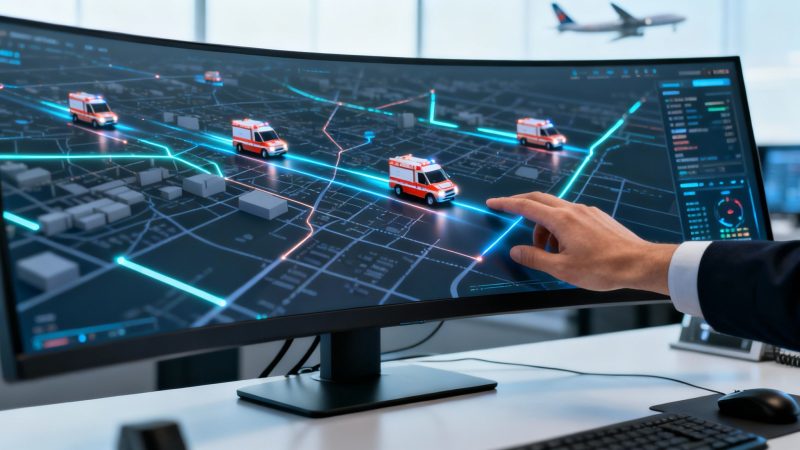
Your Guide to Computer Aided Dispatching Systems
At its heart, Computer Aided Dispatching (CAD) is the digital command center that transforms an emergency call into a coordinated, real-time response. It's the central nervous system for public safety and service agencies, making sure the right resources get to the right place at the right time.
Think of it as the air traffic control for first responders on the ground.
The Digital Backbone of Emergency Response
Before we had modern CAD systems, emergency dispatch was a manual, and often chaotic, affair. Dispatchers were surrounded by paper maps, scribbled notes, and had to rely on radio chatter to figure out what was happening. It was an analog process that was slow, ripe for human error, and just couldn't provide the real-time picture needed for complex situations.
Today, a computer aided dispatching system swaps that guesswork for automated precision. It becomes the single source of truth for an entire operation.
At its core, CAD software takes in information from all over—911 calls, text messages, reports from units in the field—and pulls it all together into one unified screen. This gives a dispatcher the power to instantly see an incident’s location on a map, check the status and position of every available unit, and get a smart recommendation for the most effective response based on who's closest and best equipped.
From Manual Guesswork to Automated Precision
The jump from manual to automated dispatching has been a massive leap forward for public safety and operational efficiency. You can see just how critical these systems have become by looking at the market trends. The global CAD market was valued somewhere between USD 2.5 to 3.3 billion in 2024, and it's projected to hit USD 7.7 billion by 2034.
This growth is really being pushed by the demand for smarter, more reliable public safety tech, with the software itself making up over 63.5% of the market's revenue. You can dig into more details about CAD market growth on Strategic Market Research.
This kind of investment is paying off with real, tangible improvements. It's turning slow, manual tasks into swift, automated actions. The difference isn't just a tech upgrade; it’s a fundamental change in how emergency services get the job done.
A modern computer aided dispatching system doesn't just manage calls; it creates a common operational picture. It ensures every dispatcher, field unit, and command officer shares the same real-time information, eliminating confusion and enabling faster, more informed decisions.
A Practical Comparison
The true value of a CAD system really clicks when you compare the old way of doing things with the new standard. This isn't just about moving faster; it's about being more accurate, managing resources better, and ultimately, getting better outcomes when it counts.
The table below breaks down just how different day-to-day operations look before and after bringing a CAD system into the fold.
Dispatch Operations Before and After CAD Implementation
| Operational Task | Manual Dispatch Method (Before CAD) | Modern CAD System (After CAD) |
|---|---|---|
| Locating Incidents | Manually searching for addresses on a physical map. | Instantly plots the location on a dynamic digital map. |
| Assigning Units | Guessing the closest unit based on radio check-ins. | Automatically suggests the nearest available units using GPS data. |
| Tracking Resources | Relies on responders verbally reporting their status. | Provides real-time status updates (en route, on scene) automatically. |
| Information Sharing | Critical details relayed verbally over the radio, risking miscommunication. | All incident data is shared digitally to all responding units' devices. |
| Reporting | Tedious, manual logging of times and actions for after-action reports. | Automatically generates detailed incident logs and performance reports. |
Looking at this side-by-side, it’s clear that a modern CAD doesn't just make a dispatcher's job easier—it completely overhauls the entire response process, making it smarter, safer, and more effective from start to finish.
The Anatomy of a Modern CAD System
A modern computer aided dispatching system is a whole lot more than just a digital map on a screen. It's a living ecosystem of tools, all working together to create a single, shared view of an incident for everyone involved—from the person taking the call to the first responder racing to the scene. This integration is what turns a flood of raw data into coordinated, life-saving action.
Think of it as the central nervous system for an emergency response. It takes in sensory input (a 911 call), processes it in the brain (the dispatcher's interface), and sends precise commands out to the body's limbs (the responding units). Every single part has to work together for the response to be effective. This flow of information is the lifeblood of today's public safety operations.
The Core Data Flow: From Call to Action
The whole thing kicks off the second a call for help comes in. A CAD system is built to capture, analyze, and push out critical information in a logical sequence. This structure makes sure no detail gets lost and every action is logged, turning a potentially chaotic situation into a managed response.
The journey of an incident through a CAD system typically breaks down into three basic stages:
- Call Intake and Incident Creation: A dispatcher fields a call and starts plugging the details into the call-taking screen. Right away, the system geolocates the address, flags any potential duplicate calls for the same event, and creates a new incident record with its own unique ID. This first data entry sets the foundation for everything else.
- Resource Recommendation and Dispatch: With the incident on the map, the system starts crunching real-time data from Automatic Vehicle Location (AVL) tech. It pinpoints the closest and best-suited units—maybe a fire engine with specific rescue gear or an ambulance with advanced life support. The dispatcher gets a list of recommended units and can send them on their way with a single click.
- Real-Time Tracking and Communication: Once they're dispatched, the CAD system tracks each unit's status automatically—en route, on scene, transporting, or back in service. All responders can see the incident details and any new updates on their mobile data terminals (MDTs) or smartphones, keeping everyone on the same page.
This simple flowchart shows the high-level process, from that initial call to the boots-on-the-ground response.
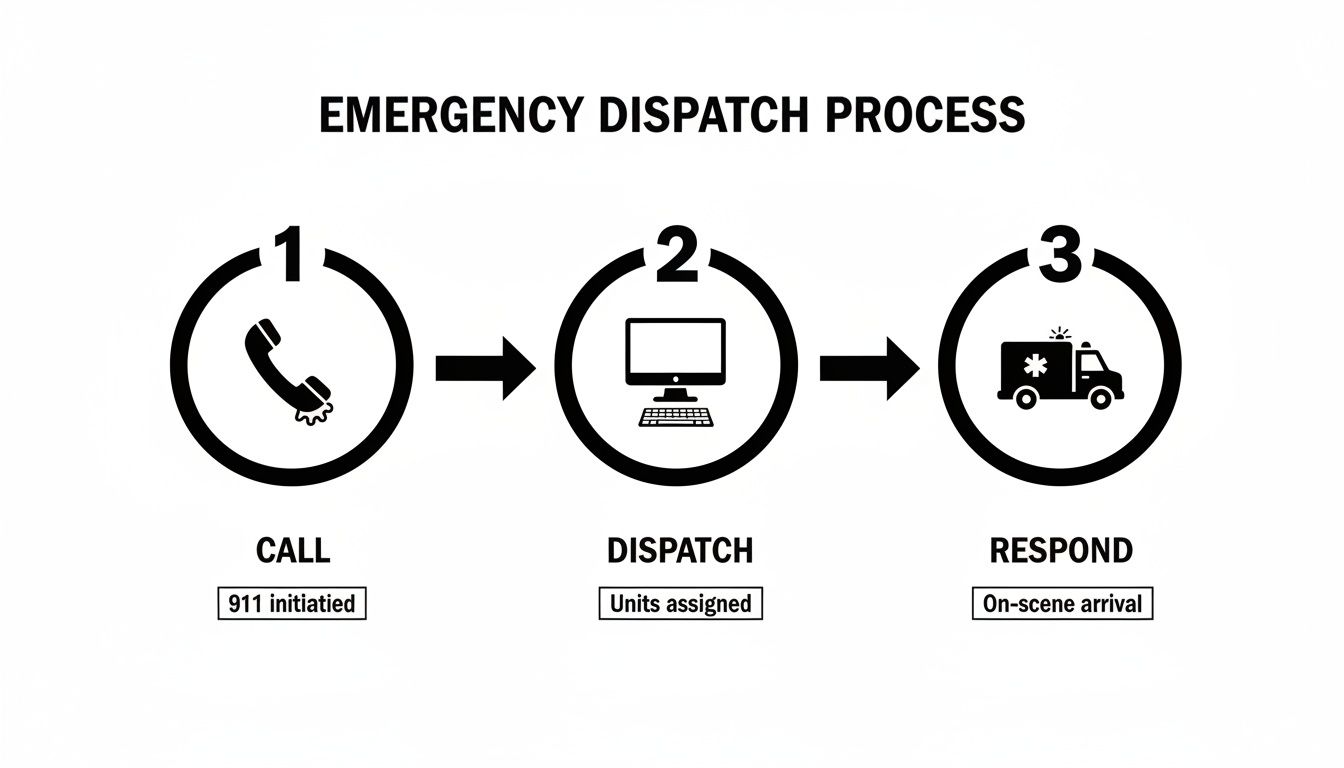
You can see how the system acts as a bridge, turning a citizen's plea for help into a direct, trackable action by emergency services.
A Practical Scenario Unpacked
To get a feel for how this works in the real world, let's walk through a common situation. A call comes in reporting a multi-car wreck on a busy highway. The dispatcher types in "vehicle collision with injuries" and the location given by the caller.
The CAD system immediately jumps into action. It plots the incident on a dynamic map, showing traffic backups and the best ways to get there. Using GPS data, the system suggests the two closest police cars, the nearest fire engine with Jaws of Life, and an advanced life support ambulance.
With a single command, the dispatcher assigns all three recommended units. Instantly, each unit's in-vehicle device lights up with the dispatch info: incident type, location, and any notes from the caller, like "driver is trapped." The system automatically logs the time of dispatch, creating an unbreakable digital chain of events.
This level of automation and shared information is what really elevates a response. It cuts out the guesswork and the back-and-forth radio chatter that can eat up precious seconds.
The Financial Upside of a Cohesive System
This streamlined workflow isn't just about moving faster; it's also about saving money. By automatically suggesting the closest appropriate unit, a CAD system directly cuts down on fuel consumption and vehicle wear and tear across an entire fleet. Instead of sending a unit from clear across town, the system makes sure the most efficient resource gets the call every time.
Multiply that by thousands of calls a year, and you're looking at significant budget savings. On top of that, by automating the logging of response times and unit statuses, the system slashes the administrative hours needed for manual reporting. That frees up personnel for more important tasks. This operational efficiency is a direct and measurable financial win.
Features That Drive Faster and Smarter Responses
While a basic computer aided dispatching system can log calls and track units, modern platforms have tools that completely change the game for emergency response. These aren't just bells and whistles; they are powerful features that lead to faster, smarter, and more efficient operations. It’s the difference between just reacting to an incident and proactively managing it with real intelligence.
These capabilities are the foundation for operational excellence. They ensure the right information gets to the right people at the exact moment it’s needed, creating a digital nervous system with a level of situational awareness that was impossible just a few years ago.
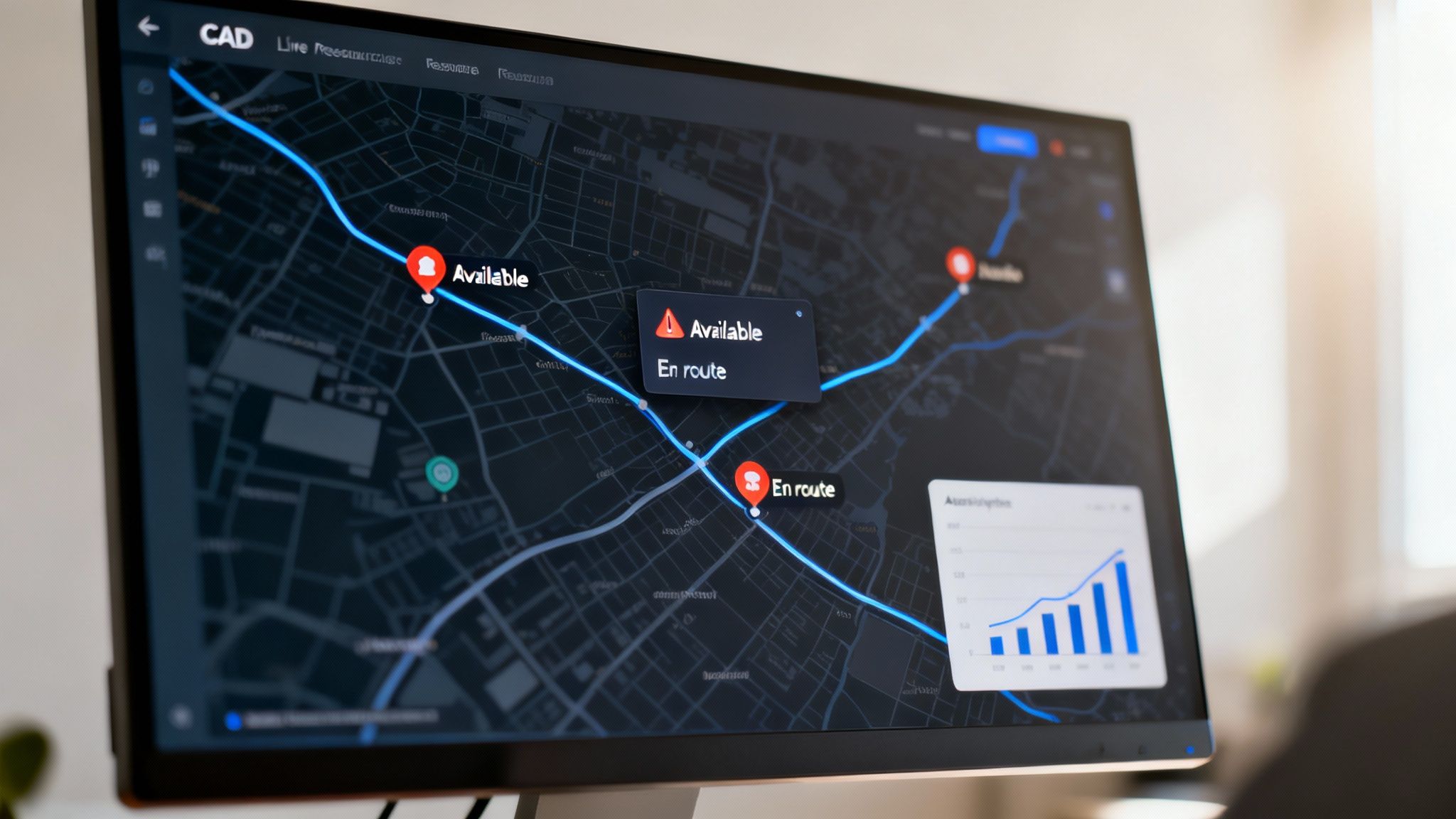
Live Resource Tracking and Geolocation
The heart of any modern CAD system is the ability to see everything happening in real time. Live resource tracking, usually powered by Automatic Vehicle Location (AVL) or GPS, turns a dispatcher’s map from a static grid into a living, breathing view of their entire operational area. It's no longer a guessing game—it's a dynamic dashboard showing the exact location of every vehicle and person.
But it’s more than just dots on a map. Advanced systems layer this location data with live traffic conditions, road closures, and even weather alerts. These same principles are critical to help centralize driver and dispatch communication for logistics teams, but in public safety, that clarity can literally save lives.
This level of detail removes all the guesswork from dispatching. Instead of asking which unit is closest, a dispatcher knows instantly and can route them around a sudden traffic jam, shaving critical minutes off a response when every second counts.
Integrated Alerting and Messaging
In a crisis, fragmented communication is a massive point of failure. Modern CAD platforms solve this problem with built-in alerting and messaging tools. A dispatcher can push critical updates, pre-arrival information, or warnings to all responding units at once with a single click.
This simple action creates a common operational picture, ensuring every responder—from law enforcement to fire and EMS—has the same up-to-date information, whether it's a suspect's description or the best entry point for a large commercial building.
- Practical Example: A dispatcher gets an update that a hazardous material is involved in a structure fire. They can instantly push an alert to all en route fire and EMS units, ensuring they gear up with the correct personal protective equipment (PPE) before even arriving on scene.
This direct line of communication cuts down on radio chatter and prevents dangerous misunderstandings.
From Smart Features to Tangible Savings
These advanced capabilities also deliver a strong return on investment by turning operational efficiency into direct cost savings.
- Fuel and Maintenance Reduction: By always dispatching the closest unit and providing optimized routing, a good CAD system can cut fuel consumption and vehicle wear and tear by 10-15% a year across an entire fleet.
- Administrative Hour Reduction: Automated reporting and digital logs eliminate the need for personnel to spend hours manually compiling incident reports and data. This can reclaim hundreds of administrative hours annually, freeing up staff for their primary duties.
Comparison of Basic and Advanced CAD Features
The leap from a basic system to an advanced one is significant. This table breaks down the functional differences you'll find between a standard setup and a more sophisticated platform like Resgrid.
| Feature Category | Basic CAD System | Advanced CAD System (e.g., Resgrid) |
|---|---|---|
| Mapping | Static maps with manual address lookup. | Real-time, interactive maps with AVL/GPS, traffic overlays, and GIS data layers. |
| Dispatching | Manual unit recommendations based on dispatcher knowledge. | Automated, intelligent recommendations for the closest and most appropriate units. |
| Communication | Primarily voice-based radio communication. | Integrated multi-channel messaging, text-to-911, and automated status alerts. |
| Reporting | Manual data entry for incident reports, often post-event. | Automated incident logging, customizable dashboards, and real-time analytics. |
| Integration | Limited or no integration with other systems. | Open APIs for seamless connection to records management, billing, and other public safety software. |
As you can see, advanced systems don't just do the same things better—they open up entirely new ways to manage resources and respond to incidents.
By taking advantage of a full suite of modern CAD tools, agencies can do more than just respond faster. They can build a more resilient, efficient, and financially sustainable operation. You can explore a comprehensive list of these tools and learn more about the features that power modern dispatch to see how they all fit together.
The Financial Case for Investing in CAD
A computer aided dispatching system is so much more than just an operational upgrade. It’s a powerful financial tool that can deliver a serious return on investment. While everyone focuses on the primary benefits—improved response times and community safety—it's the tangible cost savings that often seal the deal and justify the initial expense.
Let's move beyond the abstract benefits. When you see a CAD system as a strategic investment, you start to see how it optimizes your two biggest expenses: personnel and your fleet. A modern CAD system gives you the hard data needed to make smarter, more cost-effective decisions every single day.

Driving Down Fleet and Fuel Costs
One of the first places you'll see a measurable financial win is with your vehicle fleet. Fuel, maintenance, and vehicle lifecycle costs are massive budget line items, and a good CAD system hits them directly.
By using Automatic Vehicle Location (AVL) data, the system makes sure the closest, most appropriate unit always gets the call. This one simple function cuts out thousands of unnecessary miles driven each year, and those savings add up fast.
- Here's a practical example: A non-emergency call for a public assist comes in. Instead of sending a patrol car from ten miles across town, the CAD system flags an officer who just cleared a call two blocks away. That saves fuel, reduces vehicle wear and tear, and gets that officer back in service and ready for the next call much quicker.
This kind of intelligent dispatching can easily cut fleet mileage by 5-10%. That means lower fuel bills and a longer life for your vehicles.
Reclaiming Personnel Hours Through Automation
Time is your most valuable resource, and manual administrative tasks are a black hole for personnel hours. A key financial perk of computer aided dispatching is its power to automate the mountains of tedious documentation that follow every single incident.
The system automatically creates digital logs, timestamping every action from the 911 call to the moment the last unit clears the scene. This completely eliminates the need for responders and dispatchers to spend hours manually filling out daily activity reports or trying to piece together incident timelines after the fact.
By automating incident reporting and daily logs, an agency can reclaim hundreds of personnel hours annually. This time can be redirected from administrative paperwork to mission-critical activities like community engagement, training, or proactive patrolling.
This isn't about adding headcount; it's about making the team you already have more effective.
Reducing Liability and Enhancing Safety
This one is harder to pin down on a balance sheet, but reducing liability is a massive financial advantage. Faster, more accurate responses don't just save lives—they also demonstrate a high standard of care, which can be absolutely critical if you end up in a legal situation.
A CAD system provides an irrefutable, time-stamped digital record of every decision made during an incident. This data is invaluable for after-action reviews, proving that your team followed protocol and executed the best possible response with the information they had. Lowering the risk of just one potential liability claim can pay for the system many times over.
Ultimately, investing in a robust CAD system is a proactive financial decision. The cost savings in fuel, maintenance, and reclaimed personnel time create a clear and compelling case for adoption. When you factor in the long-term benefits of reduced liability, the return on investment becomes undeniable. Exploring different subscription models can also show how accessible this technology has become. You can learn more by reviewing the details of Resgrid's transparent pricing structure to see how it might fit your budget.
How to Implement and Integrate Your New CAD System
Jumping into a new computer aided dispatching system can feel like a huge project, but if you map it out, the whole process becomes much more manageable. A successful implementation isn’t about just flipping a switch one day. It takes some careful planning, from figuring out what your agency really needs to getting your team trained up before you ever go live.
A massive piece of that puzzle is integration. Think of it like your smartphone—all your different apps talk to each other to make your life easier. A modern CAD system should do the exact same thing for your operations, creating one connected digital environment.
Laying the Groundwork for a Smooth Transition
Before you can connect anything, you need a rock-solid implementation plan. This is a multi-stage process that makes sure the system you pick is the right one for you and that your team can hit the ground running on day one. Breaking it down into clear steps helps you avoid costly mistakes and builds confidence in the new tech.
- Needs Assessment: First, figure out your biggest headaches. Is it slow dispatch times? Inaccurate location data? Or maybe you're just tired of all the manual paperwork. Writing these down helps you zero in on the features that will actually solve your problems.
- Data Migration: You've got existing data—addresses, unit IDs, standard procedures—that needs to move into the new system. You'll want to work closely with your vendor to make sure this is a clean, accurate transfer to avoid problems down the road.
- Team Training: This is non-negotiable. Your dispatchers and field crews have to be completely comfortable with the new system before an actual emergency. The best way to do that is to run simulations and drills to build that muscle memory.
- Phased Go-Live: Instead of a hard cutover, think about a phased rollout. You could run the old and new systems side-by-side for a bit, or turn on new features one by one. This approach keeps disruptions to a minimum and gives you a chance to iron out any kinks in a low-risk setting.
The Power of APIs in Modern CAD Systems
The real magic of a modern CAD system is its ability to talk to all your other essential software. This happens through an Application Programming Interface (API). An API is basically a secure bridge that lets different software systems communicate and share data automatically.
Having an open API is what saves you from vendor lock-in—that frustrating situation where you're stuck with one company's entire product line, even if parts of it aren't a great fit. With an API, you can hook your best-in-class CAD up to your preferred Records Management System (RMS), billing software, or any other tool you rely on. It lets you build a custom tech setup that actually works for you.
This interoperability is a massive money-saver. By integrating systems, you eliminate the need for redundant data entry, which saves countless personnel hours and dramatically reduces the potential for human error. It ensures your technology works together, boosting efficiency for years to come.
For example, this screenshot shows a little peek at the documentation for the Resgrid API, which is what developers use to build these kinds of connections.
This kind of detailed documentation gives developers the clear instructions they need to get different systems talking, which is the foundation for a truly integrated dispatch environment.
Creating a Unified Public Safety Ecosystem
By using APIs, you can connect your computer aided dispatching platform to a whole range of other tools, building a powerful, interconnected ecosystem. This creates a single source of truth, where data flows automatically from one system to the next without anyone having to lift a finger.
Here are a few practical examples of how this works:
- CAD to Records Management System (RMS): As soon as an incident is closed out in the CAD, all the important data—timestamps, unit logs, dispatcher notes—can automatically be sent to your RMS to create the initial report.
- CAD to Mobile Data Terminals (MDTs): Dispatch info, updates, and alerts go straight from the CAD to the devices in your responders' hands or vehicles. They can also update their own status from the field, and it shows up instantly back at the dispatch center. You can explore some of the different options in the Resgrid ecosystem by checking out our available mobile and desktop apps.
- CAD to Billing Software: For EMS agencies, this is a game-changer. Call data like patient info and transport times can be pushed right into your billing software, which helps speed up reimbursements and improves cash flow.
Getting the Most Out of Your CAD System
Getting a new computer-aided dispatching system up and running is a huge step, but it’s really just the starting line. If you want to see a real transformation in your operations—and get the most bang for your buck—you have to think beyond the initial setup. The true power of a CAD system is only unlocked when it becomes the living, breathing heart of a data-driven operation.
This means treating your CAD as more than just a fancy tool for dispatchers. It’s a goldmine of operational intelligence. By actively digging into its features and analyzing the data it churns out, your agency can start to spot inefficiencies, boost team performance, and make smarter decisions that save money and improve outcomes on the ground.
Establish and Drill Standardized Protocols
Clear, consistent communication is the absolute bedrock of any effective emergency response. Without it, even the most advanced tech in the world can't stop confusion from creeping in when things get chaotic. By establishing Standardized Communication Protocols (SCPs), you ensure everyone is speaking the same language, from the person answering the 911 call to the boots on the ground.
This is all about defining clear, unambiguous terms for everything—incident types, unit statuses, priority levels, you name it. Once those protocols are set in stone, the real key is to practice them until they're second nature.
Regular simulation drills aren't just for new recruits; they are absolutely essential for performance. Running drills for high-stakes scenarios, like a multi-agency active shooter response or a major natural disaster, keeps your team sharp and exposes cracks in your protocols before a real crisis does.
Here's a practical, money-saving angle: these drills are fantastic for highlighting resource gaps. You might find out you're consistently sending too many units to a certain type of call, which is a huge waste of fuel and personnel hours. Spotting that pattern lets you tweak your protocols and optimize the response, which has a direct, positive impact on your budget.
Use Analytics for Continuous Improvement
Every single incident logged in your CAD system adds to a massive treasure trove of data. This information is your roadmap to a leaner, more effective operation. When you start digging into the analytics, you can shift from just reacting to incidents to proactively managing your resources.
A great place to start is by tracking a few Key Performance Indicators (KPIs). These metrics give you a clean, objective look at how you're doing and shine a light on where you can get better.
- Call-to-Dispatch Time: How long does it take from the moment a call comes in to the second the first unit is dispatched? If that number is creeping up, it could signal a need for more dispatcher training or a bottleneck in how calls are being handled.
- Unit Turnout Time: This tracks the time from when a unit is dispatched to when they are wheels-rolling. If you see consistently slow turnout times from a specific station or during a certain shift, it might point to equipment problems or even staffing challenges.
- Time On Scene: Looking at how long units spend at different types of incidents can help you fine-tune how you allocate resources. For example, if minor medical calls are tying up your advanced life support units for way too long, you might adjust protocols to send a different type of resource first.
Actionable Insight to Save Money:
A fire department noticed their average on-scene time for automatic fire alarms was over 20 minutes, tying up a full engine company every time. After digging into their CAD data, they discovered that a whopping 95% of these were false alarms. They changed their protocol to send a smaller, two-person unit for the initial investigation. This simple, data-driven change saved them thousands in fuel and, more importantly, kept their primary engine available for genuine emergencies.
Common Questions About Computer Aided Dispatching
Diving into a new computer aided dispatching system naturally brings up a few big questions. Most teams are thinking about the cost, if it’s a good fit for their size, and how it plays with the other tech they’re already using. It's smart to get these answers ironed out before you make a move.
How Much Does a CAD System Cost?
This is a real "it depends" situation. The old way of doing things—with on-premise systems—meant huge upfront checks for software licenses, servers, and a long, drawn-out implementation process. You could easily be looking at tens or even hundreds of thousands of dollars, and that's before you're locked into a pricey annual maintenance contract.
Thankfully, the game has changed. Modern, cloud-based platforms have completely flipped the script on pricing.
You can save a ton of money by going with a cloud-based CAD that uses a subscription model (often called SaaS). Forget the massive initial hit for hardware and licenses. Instead, you pay a predictable monthly or annual fee, usually based on how many users you have. This makes top-tier dispatching tech a reality for just about any agency, no matter the budget.
Can Small or Volunteer Agencies Use CAD?
Absolutely. The old myth that CAD is just for massive, big-city departments is officially busted. Today's cloud-based systems are built to be flexible and easy to pick up, which makes them perfect for smaller and volunteer-run agencies.
Because these platforms run in the cloud and are designed for mobile from the ground up, you don't need a dedicated IT person or a server room to keep them running. You just subscribe, log in, and go. The flexible plans mean you only pay for what you actually need, putting powerful computer aided dispatching tools in the hands of organizations of any size.
What's the Difference Between CAD and RMS?
You’ll often hear CAD and Records Management Systems (RMS) mentioned in the same breath, but they do two completely different jobs. It’s a crucial distinction.
- CAD (Computer Aided Dispatching): This is all about the 'now.' It’s the real-time, live system for managing incidents as they happen, dispatching the right people, and keeping track of units out in the field.
- RMS (Records Management System): This handles the 'then.' It's the official system of record, the digital filing cabinet where all incident data is stored long-term for reports, investigations, and future analysis.
Here’s a simple way to think about it: CAD is the active command post during an emergency. The RMS is the library where all the official records are archived once the dust settles. Getting them to talk to each other is huge—a solid integration means all the data from a call flows right from the CAD into the RMS, which cuts out hours of tedious manual data entry.
Ready to see how a modern, affordable CAD system can transform your operations? Resgrid offers a powerful, scalable dispatching platform designed for agencies of all sizes. Learn more and get started at https://resgrid.com.