

A Guide to Computer Aided Dispatching System
Think of a computer aided dispatching system as the digital air traffic controller for your ground crew. It’s the brain of any mobile operation, turning a chaotic flood of incoming calls and incidents into a calm, coordinated, and cost-effective response.
What Is a Computer Aided Dispatching System?
Let’s paint a picture. A sudden storm rips through a neighborhood, and burst pipes are everywhere. A local plumbing company's phones are ringing off the hook. Without a smart system in place, the dispatcher is completely overwhelmed. They’re juggling paper maps, relying on memory, and making frantic calls to figure out which technician is closest to which emergency. It’s a recipe for wasted fuel, angry customers waiting for help, and lost money from jobs you just can't get to.
This is where a computer aided dispatching (CAD) system steps in to replace chaos with clarity. It’s a software platform designed to automate and optimize the entire dispatch workflow, from the moment a call comes in to the second a job is closed out. This digital hub makes sure the right people and equipment get to the right place at the right time. Every single time. Understanding how these platforms manage real-time data processing is the key to seeing just how powerful they really are.
Before we dive deeper, it's helpful to see a direct comparison of the old way versus the smart way.
Manual Dispatch vs Computer Aided Dispatching System
This table breaks down the operational differences and highlights how a CAD system directly translates into real-world savings.
| Operational Aspect | Manual Dispatching (The Old Way) | Computer Aided Dispatching (The Smart Way) | Direct Money-Saving Benefit |
|---|---|---|---|
| Resource Allocation | Guesswork based on memory, whiteboards, or spreadsheets. | Instantly identifies the closest available unit with the right skills. | Reduces fuel costs and vehicle wear-and-tear by optimizing routes. |
| Response Time | Slow; requires multiple phone calls and manual coordination. | Instant; one-click dispatch sends alerts to mobile devices. | Increases job capacity; faster turnarounds mean more jobs per day. |
| Situational Awareness | Limited; "Where are you now?" phone calls are constant. | Real-time GPS tracking of all units on a live map. | Improves efficiency; no time wasted trying to locate personnel. |
| Communication | Disjointed radio or phone calls; information can be lost. | Centralized, logged communication within the incident record. | Lowers risk of errors that lead to costly mistakes or do-overs. |
| Data & Reporting | Tedious, manual data entry on paper logs or spreadsheets. | Automatic logging of every action, timestamp, and communication. | Saves administrative overhead; reporting is automated, not manual. |
| Scalability | Easily overwhelmed during high-volume events. | Scales seamlessly to handle dozens or hundreds of incidents. | Maximizes revenue during peak demand instead of missing opportunities. |
As you can see, the switch isn't just about modernizing—it's about making smarter decisions that directly impact your bottom line.
The Core Workflow Explained
At its heart, a CAD system runs on a simple but powerful logic that shaves off critical seconds and slashes operational costs. It’s a workflow built for efficiency and accountability from start to finish.
It really boils down to five key stages:
- Incident Reporting: A service call comes in and is logged in the system. All the vital details are captured right away—location, contact info, and what the problem is.
- Unit Recommendation: The system instantly scans the locations of all your available units and recommends the best one for the job, whether it's the closest or the one with the right qualifications.
- Automated Dispatch: With just a click, the recommended unit is dispatched. They get all the incident details sent directly to their phone or tablet.
- Real-Time Tracking: Back at the office, the dispatcher watches the unit's progress on a live map, seeing their status change from "en route" to "on-scene" and, finally, "job complete."
- Data Logging and Closure: Once the incident is wrapped up, every action, timestamp, and note is automatically logged. This creates a bulletproof record for reporting and future analysis.
Practical Examples in Action
To really get a feel for the impact, let's look at two very different scenarios. For a local plumbing company, a CAD system means the dispatcher has a live map of all their technicians. When a call about a flooded basement comes in, the system instantly flags the technician who is just two blocks away, not the one stuck in traffic across town. This simple bit of automation saves money on fuel, cuts down on vehicle wear, and lets that technician squeeze in more jobs each day.
Now, think about an emergency response team. When a major accident happens, the stakes are life and death. A CAD system identifies and dispatches the nearest ambulance, fire engine, and police unit all at once. It gives them the fastest route, steering them around traffic jams, and makes sure every responder has the same critical information. Here, efficiency isn't just about saving money—it's about saving lives.
The proof is in the numbers. The global computer-aided dispatch market was valued at around USD 2.6 billion and is expected to hit USD 7 billion by 2034. This growth is being driven by the undeniable need for smarter, faster response capabilities in both public safety and private industry. You can learn more about this growing market and its drivers to see where the industry is headed.
Exploring the Core Components of a CAD System
To really get how a computer aided dispatching system saves you money, we need to pop the hood and look at the essential parts. Think of it like a high-performance engine; every component has a specific job, but they all have to work together perfectly to drive your operations forward and cut out waste.
This visual shows how a call or incident report gets turned into a completed task. Each step is a chance for automation to save time and prevent a costly human mistake.
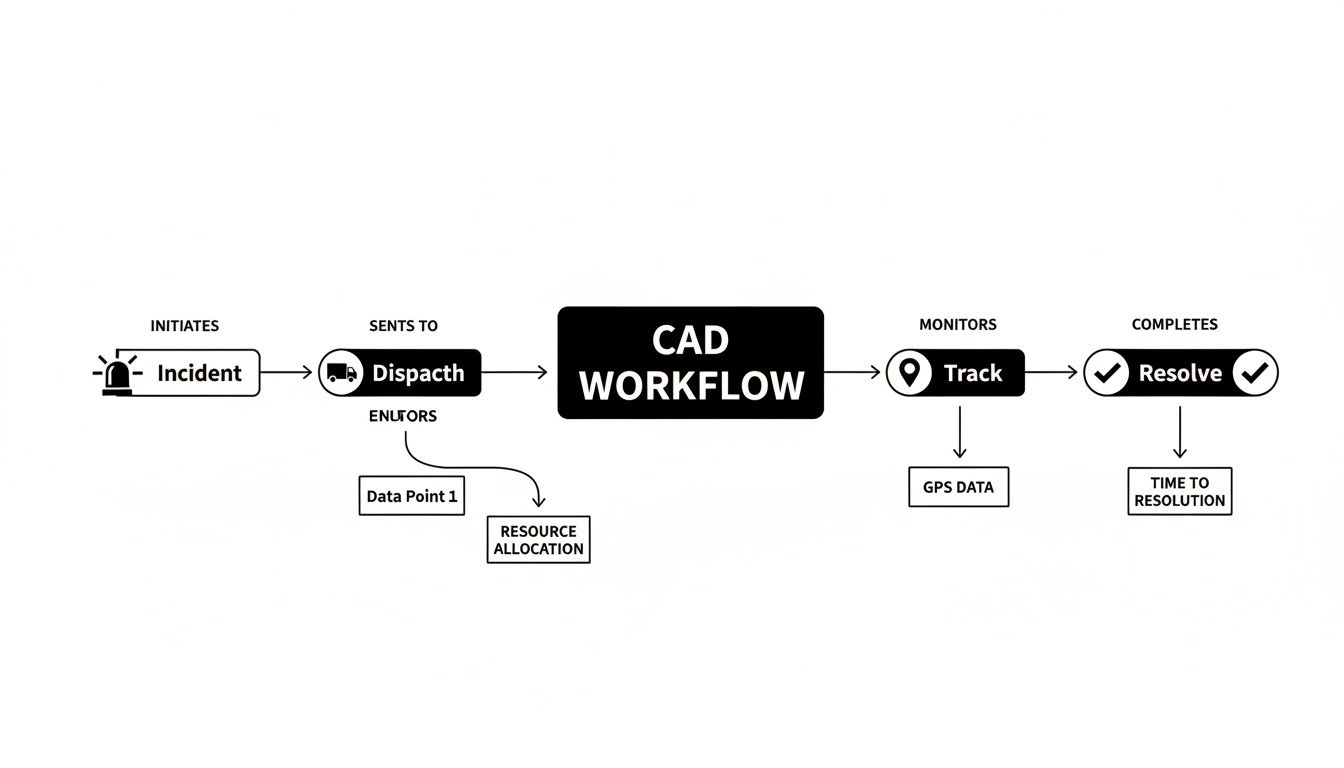
This workflow isn't just some abstract diagram; it's a direct map to operational savings. By automating these key stages, a CAD system flips the script from reactive chaos to proactive control, which has a real impact on your bottom line.
The Call-Taking and Dispatch Engine
Everything kicks off with the call-taking module. This is the system's digital front door, where dispatchers log all the critical details—location, the nature of the call, contact info—into a structured format. Right away, this gets rid of messy paper notes and the risk of someone losing vital information.
From there, the dispatch engine takes over. This is the brain of the whole operation. It uses smart algorithms to make assignment decisions in seconds, looking at multiple factors to suggest the best unit for the job. No more guesswork.
The core job of the dispatch engine is to eliminate the single most expensive question in field operations: "Who is closest and available?" Answering this automatically, thousands of times a year, generates significant savings in fuel and labor.
Mapping, AVL, and Mobile Terminals
The dispatch engine couldn't do its job without real-time data from Mapping & Automated Vehicle Location (AVL). This component puts every unit on a live digital map, giving dispatchers total situational awareness. With just a glance, they can see who's free, who's en route, and who's already on-site.
This is where the true cost savings start to pile up.
- Here's a practical example: A delivery company using AVL spots a truck just two streets away from a last-minute pickup request. Dispatching that truck instead of one from across town saves 10 miles of driving. That's less fuel, less vehicle wear, and less driver overtime. Multiply that across an entire fleet, and those small wins become huge.
Folks in the field connect to the system using Mobile Data Terminals (MDTs)—anything from rugged laptops to tablets or even smartphones. These devices are their lifeline, pushing all the incident details directly to them and letting them update their status with a single tap. This cuts down on the distracting, error-prone back-and-forth on the radio.
Reporting and Seamless Integrations
Finally, the reporting engine is humming along in the background, logging every single action, timestamp, and communication. This automated record-keeping is an absolute goldmine for spotting where things are going wrong. You can easily pull reports to see which routes are killing your efficiency or which types of jobs are eating up the most time, giving you the hard data you need to make smarter business decisions.
Beyond its core parts, a modern CAD system also saves money through seamless integrations. By linking up with other software like your billing or records management system (RMS), it gets rid of redundant data entry. When a job is closed out in the CAD, an invoice can be automatically created. This prevents revenue from slipping through the cracks and saves hours of administrative headaches every week.
You can check out a whole range of these powerful capabilities to see how an integrated platform could work for you by viewing the full list of Resgrid CAD features.
How a CAD System Directly Impacts Your Bottom Line
Let's move beyond theory and talk about what really matters: the tangible financial gains. A computer aided dispatching system isn't just some tech upgrade; it’s a powerful tool for boosting your bottom line through real, measurable savings and increased revenue. It directly attacks all those small, hidden costs that quietly drain your budget every single day.
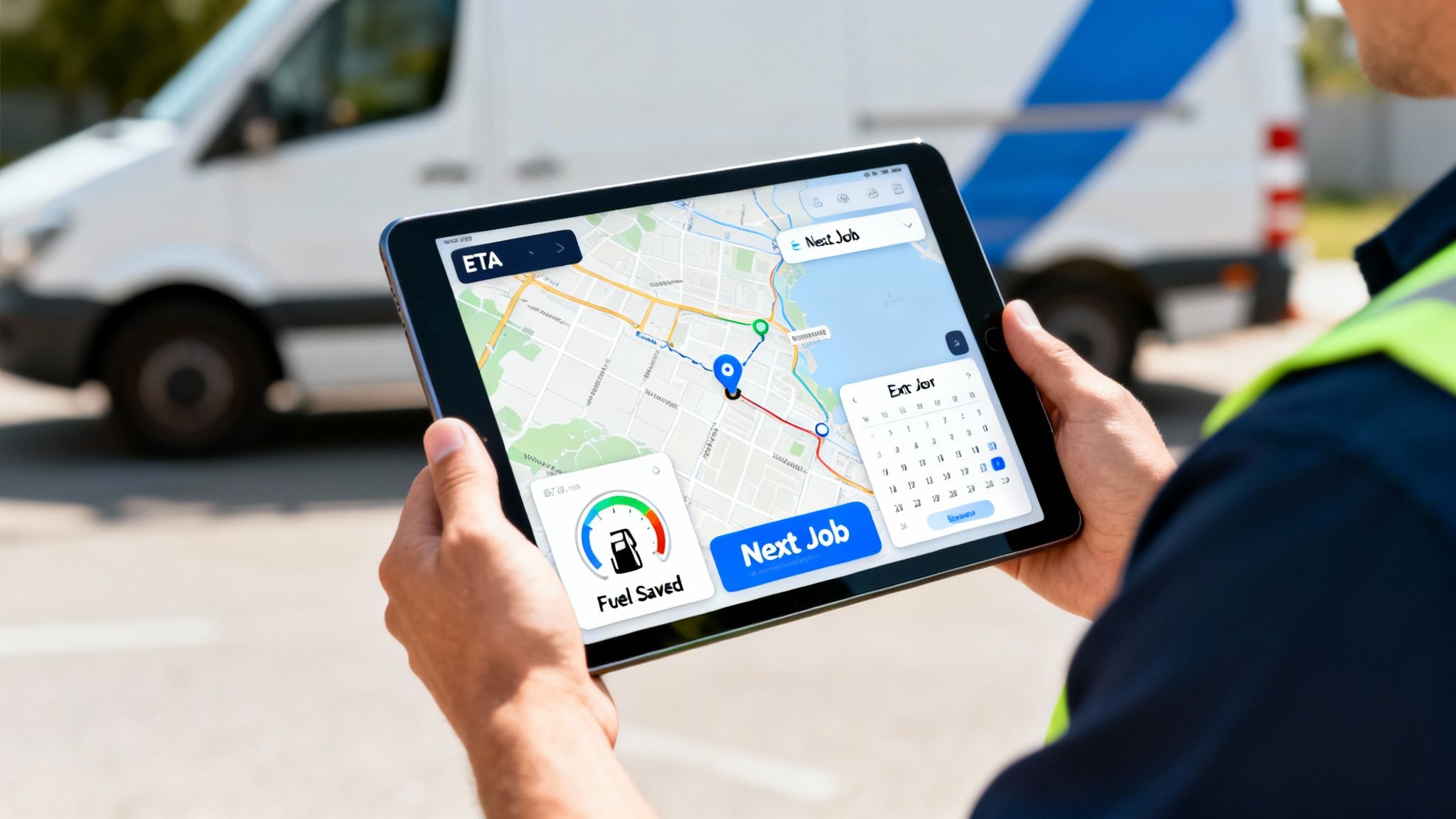
This impact is felt across industries, and it's a huge reason for the system's widespread adoption. The North American market is especially strong, holding a commanding 41.1% to 44.1% global revenue share. This growth is pushed by advanced infrastructure and strict public safety mandates, with the U.S. market alone estimated at USD 709.7 million. These numbers point to a clear trend toward smarter, data-driven operations.
Squeezing More Value from Every Shift
Instead of just promising vague benefits like "faster response times," let's break down what that actually means in dollars and cents.
Imagine a field service company that handles high-value HVAC repairs. Before using a CAD, their technicians' routes were a mess, often crisscrossing the city based on a dispatcher's best guess. After putting a CAD system in place, the dispatcher can see every technician's real-time location and status on a map. When an urgent commercial repair call comes in, the system instantly flags a technician who is just finishing a job two miles away.
This kind of intelligent assignment allows the company to squeeze one extra high-value job into each technician's day. If that one extra job brings in $400, and you have five technicians on the road, that's an additional $2,000 in daily revenue—all from cutting out wasted drive time.
Slashing Fuel and Maintenance Costs
Intelligent resource allocation does more than just clean up your routes; it directly attacks your biggest operational expenses. Fuel and vehicle maintenance can eat up a massive chunk of any mobile operation's budget. A computer aided dispatching system gives you the tools to dramatically cut these costs.
A CAD system acts as your fleet's financial watchdog. By consistently choosing the most efficient route and the closest unit, it can help cut annual fuel and maintenance costs by a proven 15-20%. For a fleet of 10 vehicles, this can easily add up to tens of thousands of dollars in annual savings.
Think about a private security firm. Their old patrol routes were static and didn't account for real-time traffic or where incidents were happening. With a CAD system's AVL (Automated Vehicle Location) data, they can create dynamic patrol patterns that reduce unnecessary mileage. The system helps them cover their patrol zones more effectively while driving fewer miles, directly cutting fuel bills and extending the life of their vehicles.
Boosting Safety and Reducing Liability
Better team safety is another benefit that translates directly into financial savings. A modern computer aided dispatching system provides a critical safety net for your people in the field. Dispatchers have constant visibility of every unit's location, and features like a "panic button" on mobile apps can alert the entire team to an emergency instantly.
- Practical Example: A lone utility worker is inspecting equipment in a remote area and gets injured. They hit the emergency alert on their mobile CAD app. Dispatch immediately sees their exact GPS coordinates and can send help directly to them, bypassing a frantic, time-wasting search.
This improved safety posture has a clear financial upside. It helps reduce on-the-job injuries, which in turn can lower workers' compensation claims and lead to more favorable insurance premiums. Proving you have a robust system in place to monitor and protect your team is a powerful way to manage risk and control liability costs. The clear audit trail of every communication and location ping also provides invaluable documentation if an incident ever occurs. With predictable costs being a key advantage, you can explore the Resgrid pricing structure to see how affordable this level of safety can be.
Choosing the Right CAD System for Your Needs
Picking a computer-aided dispatching system is one of those big decisions that will impact your operations every single day for years to come. It’s not just about flashy features; it's about finding a solution that actually fits your budget, your team, and your future without trapping you in a costly, inflexible contract. This is a practical roadmap to help you navigate the process, ask the right questions, and dodge some common—and expensive—mistakes.
Right out of the gate, you'll face a major decision: where will your system live? The choice between an on-premise setup and a cloud-based model has huge implications for both your upfront investment and your long-term operational costs.
On-Premise vs. Cloud-Based Deployment
Getting a handle on the key differences between these deployment models is the first step toward making a smart financial choice. Each path comes with its own set of pros and cons that will directly hit your bottom line.
A side-by-side comparison is a great way to break it down, focusing on the factors that truly matter: cost, maintenance, and the ability to grow.
CAD Deployment Models: On-Premise vs. Cloud (SaaS)
Here's a comparative analysis to help you decide on the right deployment model based on your organization's cost, scalability, and maintenance capabilities.
| Factor | On-Premise CAD | Cloud-Based (SaaS) CAD | Which Is Best for You? |
|---|---|---|---|
| Initial Cost | Very high; requires buying servers, hardware, and software licenses up front. | Low to none; you operate on a predictable monthly or annual subscription fee. | SaaS is better for organizations wanting to avoid a large capital expense. |
| Maintenance | Your IT team is on the hook for all updates, security patches, and hardware upkeep. | The provider handles all maintenance, security, and updates automatically. | SaaS saves significant money on IT labor and hardware replacement costs. |
| Scalability | Tough and expensive. Adding more users or capacity means buying new hardware. | Easy and instant. You can scale your plan up or down as your needs change. | SaaS offers the flexibility to grow without financial penalties. |
| Accessibility | Limited to your physical network, making remote access complex and less secure. | Accessible from anywhere with an internet connection, perfect for mobile workforces. | SaaS is superior for teams needing access in the field or from multiple locations. |
As you can see, the industry is moving decisively toward cloud-based solutions. The massive upfront cost and the constant maintenance headache of on-premise systems are just becoming too hard for most organizations to justify.
Key Questions to Ask Vendors
Once you start talking to vendors, it’s easy to get buried in endless feature lists. To cut through the sales pitches and find a real partner, you need to focus your questions on usability, support, and all those sneaky hidden costs. This is where you can save yourself from future headaches and surprise bills.
Before you even think about signing a contract, make sure you ask:
- What does your support actually look like? Get specifics on response times, support hours, and whether you’ll be talking to a real person or a chatbot. Bad support can leave your team completely stranded during a critical event.
- Can we run a pilot program? A vendor who believes in their product will want you to try it. A pilot lets you test the system in your own real-world, low-risk environment before committing to a full rollout.
- Are there any hidden fees? Be blunt. Ask about implementation costs, mandatory training fees, data migration charges, and any fees for API access. A transparent vendor will have clear, upfront pricing.
- How intuitive is the user interface? A system that's a pain to use will lead to slow adoption and costly mistakes. A clean, modern interface cuts down on training time and empowers your team to use it effectively.
Money-Saving Tip: Always, always involve your dispatchers in the demo process. They are the ones who will use this system all day, every day. Their buy-in is absolutely essential for a successful implementation. If they find it clunky or confusing, adoption will stall, and you'll have wasted your investment.
A Practical Guide to a Smooth Implementation
Rolling out a new computer-aided dispatching system successfully is about more than just technology—it's about people and process. Following a structured plan is the best way to ensure a smooth transition and see a faster return on your investment.
- Assess Your True Needs: Don't pay for a bunch of features you'll never touch. Start by mapping out your current dispatch workflow and identifying the biggest pain points. This gives you a clear shopping list of "must-haves" versus "nice-to-haves."
- Start with a Pilot Program: Like we said, a pilot is non-negotiable. Pick a small, representative group of users to test the system for a few weeks. This is your chance to catch any issues with workflow, integrations, or usability before they impact your entire operation.
- Prioritize User-Friendly Training: Your training plan needs to focus on the real-world scenarios your team will actually face. Forget long, boring manuals. Use hands-on exercises that show dispatchers and field units exactly how the new system makes their jobs easier. This builds confidence and gets everyone on board much faster.
Using Resgrid for a Cost-Effective CAD Solution
When you connect all the dots, a modern platform like Resgrid delivers a powerful, affordable computer aided dispatching system. How? By directly tackling the massive costs and rigid setups of old-school legacy software. You get all the core benefits—real-time dispatching, GPS tracking, and seamless communications—but wrapped in a framework designed to save you money right from the start.
The real value for most organizations is the flexible, self-service model. This approach completely does away with the huge upfront price tags, mandatory implementation fees, and multi-year contracts that are so common with traditional vendors. It's a game-changer that makes enterprise-level dispatching accessible to everyone, not just big agencies with deep pockets.

Custom Solutions Without the Enterprise Price Tag
Resgrid’s structure lets any organization roll out a solid CAD system that’s built for its exact needs and budget. This kind of flexibility has been out of reach for groups that were historically priced out of advanced dispatching tech.
Think about these real-world, money-saving scenarios:
- A volunteer fire department can use Resgrid to manage calls, track who's available, and coordinate responses without needing a six-figure budget. They only pay for what they use, which means precious funds can go toward equipment and training instead of software licenses.
- A growing logistics business can kick things off with a basic plan for a small fleet of delivery vehicles. As the business expands, they can scale up their service without getting hit with financial penalties or being forced into a costly system migration.
That scalability is where the savings really add up. You can start small and grow at your own pace, making sure your computer aided dispatching system evolves with you, not ahead of your budget.
The core idea is simple: You shouldn't have to pay for a bunch of features you don't use. Resgrid's model puts organizations back in control, letting them build the exact system they need while avoiding the expensive, bloated software packages pushed by legacy providers.
Cutting Hidden Costs and Empowering Users
Beyond dodging that huge initial investment, the Resgrid model also slashes the hidden operational costs that quietly drain resources over time. The platform is designed to be intuitive, which dramatically cuts down on the time and money spent on staff training.
And because it's open and accessible, you're not locked into a proprietary ecosystem. Resgrid is built to play nice with other tools, giving you the freedom to create a truly connected operational hub. Just take a look at the various Resgrid mobile apps and you'll see how field personnel can connect to the system using the devices they already have, cutting hardware costs even further.
Ultimately, Resgrid provides a clear path for organizations to adopt a sophisticated computer aided dispatching system without the traditional financial hurdles. It shifts the power back to the user, offering a solution that’s not just effective but also economically sustainable for the long haul.
Frequently Asked Questions
Jumping into the world of computer aided dispatching systems can definitely bring up a few questions. I've put together some straight answers to the most common things people ask, focusing on the real-world cost savings and efficiency gains to help you figure out what's right for your team.
How Much Does a Computer Aided Dispatching System Typically Cost?
Honestly, the cost can be all over the map. Traditional, on-premise systems can easily run into six-figure investments just for the software licenses, server hardware, and initial setup. That's before you even factor in the hefty ongoing maintenance fees. This old-school model often locks smaller organizations out of having advanced dispatch capabilities.
On the other hand, modern cloud-based (SaaS) systems run on a predictable subscription model. This completely gets rid of that massive upfront cash burn.
A huge money-saving tip is to look for a self-service model. Solutions like Resgrid offer really powerful dispatching tools with no contracts or mandatory implementation fees. This makes it a fantastic option for organizations that need top-tier features but don't have a giant enterprise budget.
Can a CAD System Integrate with My Existing Tools?
Absolutely, and it should. Modern CAD systems are designed to plug right into the tools your team already relies on. The ability to connect with your existing Records Management Systems (RMS), mapping software (GIS), and communication platforms is critical for a smooth, efficient workflow.
This kind of connectivity is what kills double data entry, which is a massive source of expensive human errors and wasted admin hours. When you're looking at different options, always ask the vendor about their API (Application Programming Interface) access. A flexible platform lets you build a single, unified hub from the tools you already know and trust.
How Difficult Is It to Train Staff on a New CAD System?
The training headache really depends on the system's design. I've seen older, legacy systems that are so clunky and unintuitive that they require long, painful training sessions that pull your team away from their actual jobs.
Modern platforms, thankfully, put a huge emphasis on clean, user-friendly interfaces that just feel familiar from the moment you log in. This design philosophy dramatically shortens the learning curve and slashes the associated training costs.
My best advice for a successful rollout? Get your end-users—your dispatchers and field personnel—involved in picking the system. A good CAD solution should feel like a powerful tool from day one, not a source of frustration. Their buy-in is the single most important part of a smooth transition.
What Is the Single Biggest Money-Saving Benefit of a CAD System?
While you'll see a lot of financial wins, the biggest one is almost always better resource optimization. A computer aided dispatching system makes sure the closest, most appropriate unit gets sent to every single call, every single time. It sounds simple, but it's a game-changer.
This one automated decision cuts down three major expenses in a big way:
- Fuel Consumption: Sending the nearest unit means less time on the road and fewer miles driven per call.
- Vehicle Mileage: Less driving directly translates to less wear and tear, which extends the life of your fleet and brings down maintenance costs.
- Overtime Pay: When routes are more efficient, jobs get done faster. That means less need for expensive overtime.
Over the course of a year, these operational savings can easily pile up to tens of thousands of dollars. Plus, by automating all those manual tasks, your dispatchers become more efficient, allowing them to handle more calls with the same number of people. That directly helps you put off future hiring costs and really boosts your bottom line.
Ready to see how a flexible, cost-effective dispatch solution can really change your operations? Resgrid offers a powerful, self-service computer aided dispatching system with no contracts or hidden fees. Get started today and take control of your dispatching.