

Critical Event Management Platform: Protect Assets and Ensure Continuity
When things go sideways, a critical event management platform is your digital command center. It’s the one place that ties together your people, your tech, and your response plans, turning a chaotic mess into a series of calm, coordinated actions. It’s about more than just managing a crisis; it’s about protecting your people and your assets, plain and simple.
What Is a Critical Event Management Platform
Let's imagine a major storm is barreling down on your city, and it’s headed straight for your main warehouse and the dozens of people working there. Without a central system, your response is a frantic, disjointed scramble. The logistics manager is burning up the phone lines trying to reach drivers. The facility director is running around trying to secure the building. Meanwhile, HR is blasting out mass emails that are probably getting buried in everyone's inbox. It's pure chaos, and that chaos leads to slow reactions, damaged property, and—worst of all—serious safety risks.
Now, let's replay that scenario, but this time with a critical event management platform in the mix. The system is constantly scanning thousands of data sources, so it picks up on the storm threat automatically. It instantly identifies the warehouse and personnel in the storm's path and kicks off a pre-built response plan.
From Chaos to Coordinated Response
Instead of a flurry of panicked phone calls, the platform gets the ball rolling all on its own. It’s this kind of centralized approach that shifts your team from being reactive to proactive, which is really the whole point of a CEM platform. It gives everyone a single source of truth so they can see the big picture, talk to each other instantly, and make smart decisions based on what’s happening right now.
This kind of operational clarity isn't just about feeling in control; it saves real money. A coordinated response means you stop making expensive mistakes and put your resources where they’ll do the most good.
A critical event management platform isn't just a glorified pager. It’s a full-blown operational framework that walks you through an incident's entire life cycle—from the first blip on the radar to the final after-action report.
The Financial Impact of Proactive Management
Think about a supply chain problem. Let’s say a fire breaks out at one of your key supplier's factories, and production grinds to a halt. A solid critical event management platform will get that information to your team in minutes, not hours or days later when the damage is already done.
- Practical Example: The platform flags all shipments coming from that supplier and automatically pings the logistics team. At the same time, it can reach out to your backup suppliers and shoot updated ETAs to your key customers, saving you from a lot of reputational damage and potential contract penalties.
- Actionable Insight to Save Money: By getting out in front of the problem, the company doesn't have to pay for last-minute air freight just to hit a deadline. Rerouting shipments and firing up backup plans ahead of time can save you tens of thousands of dollars in expediting fees and customer service headaches. The platform turns a potential financial gut punch into a manageable operational pivot.
This is the big shift: moving from disjointed, manual reactions to a unified, automated response. That’s what a modern critical event management platform delivers. It’s a system designed not just to help you weather the storm, but to keep your operations resilient and protect your bottom line. Platforms like Resgrid are built to provide this kind of unified command structure, making sure your team is always ready to jump into action.
What a CEM Platform Really Does
When something goes wrong, a critical event management (CEM) platform is much more than just a panic button. Think of it as the central nervous system for your entire operation, an intricate engine designed to keep things running when an incident strikes. It's built on a foundation of core capabilities that work together to turn messy, chaotic data into clear, decisive action.
The growth in this space has been explosive for a reason. The CEM market, valued at $23.45 billion in 2023, is on track to nearly double to $45.18 billion by 2030. This isn't just hype; it's a direct response to a world with more disruptions. We've seen a 20% rise in natural disasters over the last decade and a staggering 30% year-over-year jump in cyberattacks. For first responders, the impact is tangible—these platforms have been shown to slash response times by up to 40%. You can explore the full research on the CEM Platforms market to dig deeper into the numbers.
This diagram nails it—the CEM platform is your command center, unifying your people, your technology, and your plans.
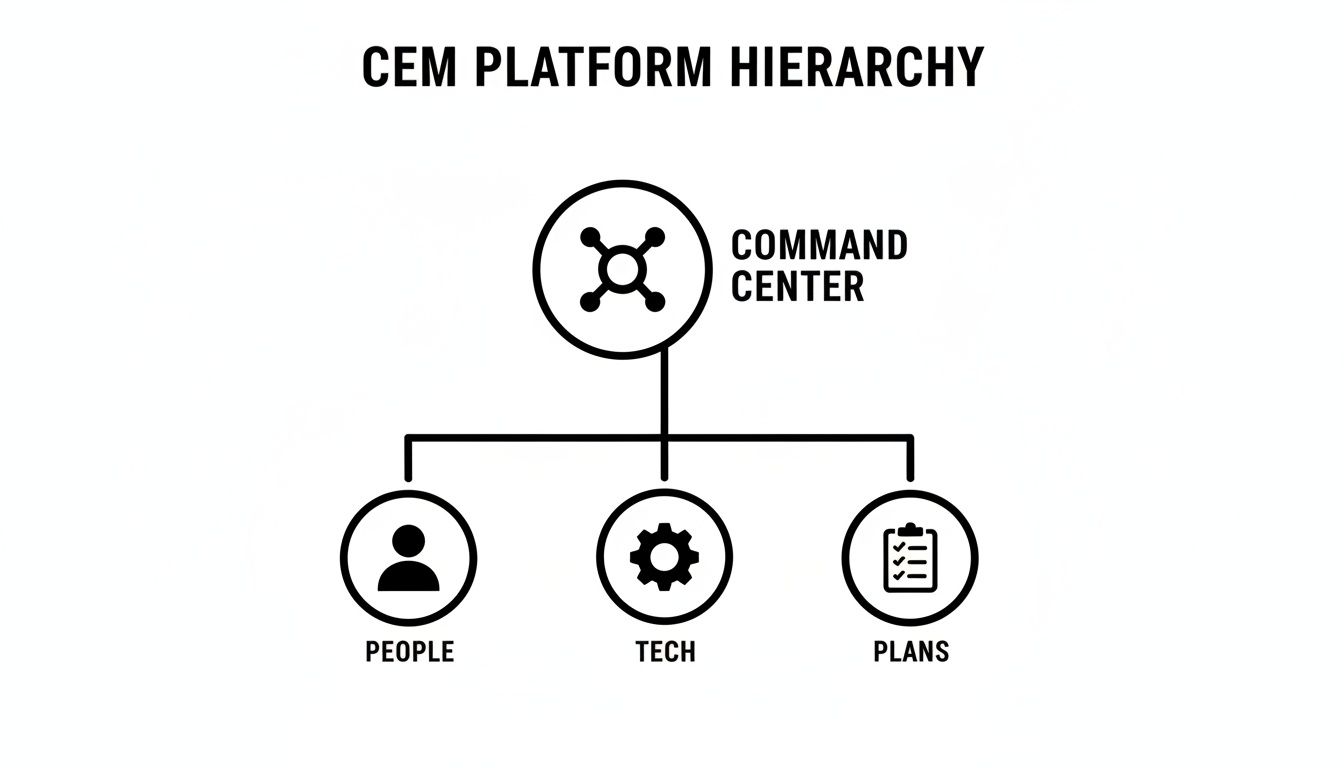
Its core job is to orchestrate the entire response, making sure every moving part is connected and informed.
The Power of Core Capabilities
A good CEM platform isn't just a collection of features; it's a strategic toolkit where each tool provides a distinct advantage, often translating directly into cost savings.
Here’s a breakdown of how the essential capabilities of a CEM platform can directly impact your bottom line.
Essential CEM Capabilities and Their Cost-Saving Impact
| Core Capability | What It Does | How It Saves Money |
|---|---|---|
| Real-Time Threat Intelligence | Scans thousands of data sources to detect threats before they escalate. | Prevents costly inventory loss from events like floods or fires and avoids supply chain disruptions by providing early warnings. |
| Automated Communication | Sends targeted alerts across multiple channels (SMS, voice, app) instantly. | Eliminates human error and delays from manual call trees, reducing the financial impact of a slow response by ensuring accountability. |
| Integrated Mapping | Provides a live map showing threats, assets, and personnel locations. | Optimizes resource dispatch for field services or security patrols, cutting fuel and overtime costs while ensuring service level agreements (SLAs) are met. |
Each of these capabilities works together, turning what could be a catastrophic financial hit into a managed, controlled event.
Automated Communication Workflows
Once you spot a threat, the next challenge is getting the right information to the right people, right now. Relying on manual call trees or email chains in a crisis is a recipe for expensive delays and mistakes.
This is where automated communication workflows are a game-changer. A solid CEM platform uses pre-built templates to blast out alerts across every channel that matters—SMS, voice calls, push notifications, and email. This ensures the message actually lands.
A critical message that goes unread is useless. Multi-channel communication isn't just a feature; it's a guarantee that your alerts will cut through the noise and reach your team, regardless of what device they are using.
Automation brings consistency and speed when stress is high and every second counts. You just can't afford to waste time manually dialing numbers or typing out messages. You can check out the various communication and workflow features Resgrid offers to see how this works in the real world.
Integrated Mapping and Resource Tracking
You can't manage what you can't see. A true CEM platform gives you a common operational picture through integrated mapping. It overlays real-time threat data on top of the locations of your people, vehicles, and facilities.
This visual context is a massive leap forward for situational awareness.
- Practical Example: A city-wide power outage hits, and a security company needs to dispatch patrols to check on dozens of client properties. Instead of guessing, the dispatcher pulls up a live map on the CEM platform. It shows the outage area, the real-time GPS location of every patrol car, and the status of each client site.
- Actionable Insight to Save Money: The dispatcher instantly sees which vehicle is closest to a high-priority alarm and sends them directly. No wasted fuel, no inefficient routing. By optimizing dispatch, the company covers more ground with the same staff, slashing overtime costs and making sure every client is checked on time, avoiding penalties for missed SLAs.
These three pillars—threat intelligence, automated communication, and integrated mapping—are what make a critical event management platform so powerful. They work in concert to cut through the chaos, eliminate costly errors, and protect what matters most.
Seeing CEM Platforms in the Real World
Talking about capabilities in the abstract is one thing, but you see the true value of a critical event management platform when chaos hits the fan. These systems are built for high-stakes situations where every second counts and every decision carries serious weight. Let's walk through a few real-world examples to see exactly how they work to protect people, property, and the bottom line.
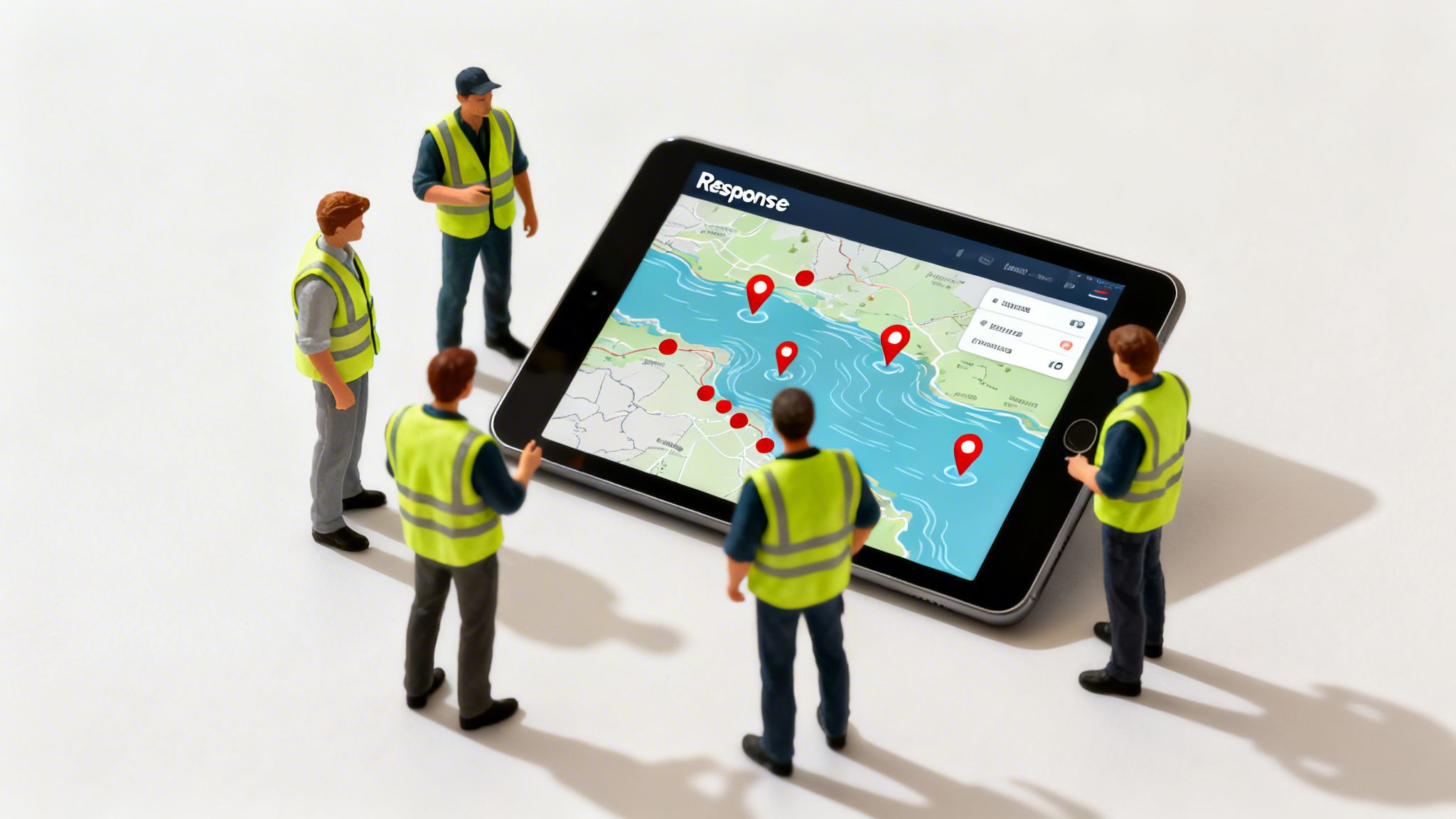
There's a reason the market for these systems is growing so fast—organizations are seeing clear, life-saving, and cost-saving results. The market for mass notification and critical event systems is projected to hit $21.09 billion by 2033. This growth is fueled by a desperate need to cut communication delays by 50-70% during a crisis.
Think about Hurricane Ian back in 2022. Effective notification systems were credited with saving countless lives because they managed to alert over 2 million residents in just minutes. It’s a powerful testament to what this technology can do.
First Responders and a Hazardous Materials Incident
Picture this: a tanker truck overturns on a major highway, leaking a volatile chemical dangerously close to a residential area. For a fire department, this is a nightmare scenario—a complex, multi-agency incident that demands flawless coordination. Without a CEM platform, the response is a mess of fragmented radio traffic and manual phone calls, which almost always leads to confusion.
With a critical event management platform, the entire playbook changes:
- Initial Dispatch: The second the 911 call comes in, the dispatcher creates an incident in the system. Instantly, the hazardous materials team, the closest engine companies, and police units are all alerted.
- Automated Actions: The platform doesn't just send alerts. It automatically establishes a geo-fenced safety perimeter on a live map and pulls in real-time weather data showing wind direction. This helps commanders predict where the chemical plume is heading.
- Unified Communication: Every responding unit sees the same map and incident details on their mobile device. They can communicate through a dedicated incident channel with secure text and voice, completely bypassing congested radio frequencies.
- Resource Management: The incident commander has a real-time view of who is on-scene and can request more resources—like a foam truck or medical support—right through the system.
Actionable Insight for Saving Money: This kind of coordinated approach prevents incredibly expensive mistakes. By accurately predicting the plume's path, evacuations are targeted and efficient, which avoids the unnecessary cost of shutting down a wider area. On top of that, having a clear digital record of every action makes post-incident reporting and insurance claims a breeze, saving hundreds of administrative hours that would otherwise be wasted sifting through radio logs and handwritten notes.
Corporate Safety During a Natural Disaster
Now, let's switch gears to a manufacturing company with a huge facility in a flood-prone area. A severe weather alert pops up, warning of imminent flash flooding. The top priority is getting every employee to safety, but they also have to protect millions of dollars in equipment and inventory.
A CEM platform turns this high-stress event into a managed process:
- Threat Intelligence: The platform’s built-in weather monitoring service automatically flags the flood warning and pinpoints the at-risk facility.
- Targeted Alerts: A pre-built workflow kicks in, instantly sending evacuation notices to all personnel geolocated at the facility. These alerts go out via SMS, push notifications, and even automated voice calls.
- Two-Way Communication: Employees are required to acknowledge the message to confirm they're safe. This feeds into a real-time dashboard showing managers who has responded and who hasn't, so they can focus on finding anyone who is unaccounted for.
- Facility Shutdown: At the same time, the on-site emergency response team gets an alert with a digital checklist to power down critical machinery and secure the building, preventing catastrophic equipment damage.
A platform's ability to automate accountability checks is invaluable. Instead of guessing who is safe, you have a definitive, real-time roster, allowing you to direct emergency services with precision if needed.
Actionable Insight for Saving Money: The financial win here is huge. First, preventing damage to a single piece of heavy machinery through a timely shutdown can save hundreds of thousands of dollars in replacement and repair costs. Second, by getting the facility back online faster after the flood, you minimize operational downtime, which can save millions in lost production revenue and prevent contract penalties for delayed orders.
Navigating a Critical Supply Chain Disruption
Finally, imagine you're a global logistics company that depends on a specific port for a major shipping route. A sudden labor strike shuts down all port operations. This one event could delay hundreds of shipments, creating a domino effect of failures and financial penalties.
A CEM platform gives you the visibility to pivot fast:
- Event Detection: The system picks up on the strike from global news and risk intelligence feeds, immediately alerting the supply chain management team.
- Impact Analysis: The platform instantly identifies every cargo container currently at that port or on its way there, creating a dashboard of all affected shipments and customers.
- Coordinated Rerouting: Using this clear picture, the logistics team collaborates on a new plan, rerouting ships to a nearby port and lining up alternative ground transportation.
- Proactive Communication: Automated updates are sent to all affected customers with new ETAs and a clear explanation. This proactive communication heads off a flood of angry support calls and helps maintain customer trust.
Actionable Insight for Saving Money: The biggest cost-saver here is avoiding breach-of-contract penalties and insane expedited shipping fees. By rerouting vessels and trucks days earlier than you could with manual methods, the company avoids paying for last-minute air freight just to meet deadlines. This swift, informed action can save tens of thousands of dollars per day and prevent long-term reputational damage. Platforms that offer versatile tools, like the suite of Resgrid apps for logistics and personnel management, are absolutely essential for this kind of dynamic response.
How to Choose the Right CEM Platform for Your Team
Picking a critical event management platform is a big deal, and it's a lot more than just buying another piece of software. You're investing in your organization's ability to keep people safe and protect what matters. To get it right, you have to look past the slick sales pitches and really dig into what your team actually needs on the ground.
The right platform should feel like an extension of your crew, not some clunky tool that just adds more work to an already stressful situation. Key things to look at are how it can grow with you, how easy it is to use, and how it plays with the systems you're already using every single day.
Evaluating Core Functionality and Scalability
Before you sign on the dotted line, you need a clear picture of how the platform will scale. A system that works great for a small team today could completely buckle when a major incident hits or as your organization expands. Can it handle a sudden spike in users during a crisis without grinding to a halt?
Ask vendors the tough questions about their infrastructure. Is it a cloud-based system that gives you flexibility, or is it an on-premise setup that will require a ton of IT babysitting? The trend here is pretty clear: 62.9% of users now prefer cloud systems for their 24/7 accessibility, which has been shown to cut event planning and response times by 30%. You can dig deeper into how this technology is reshaping event and incident management and pushing the whole market forward.
A truly scalable platform shouldn't force you into a complete overhaul just because your operations are growing.
Uncovering the True Total Cost of Ownership
The price on the proposal is almost never the final price. A lot of providers love to hide significant costs in the fine print, which can lead to some nasty, budget-wrecking surprises down the road. This is where you have to be careful and figure out the total cost of ownership (TCO).
The most expensive platform isn't always the best, and the cheapest isn't always the most cost-effective. True value lies in a transparent pricing model that aligns with your operational needs and doesn't penalize you for using the system.
Be on the lookout for hidden fees that can make your costs balloon. Many enterprise contracts sneak in mandatory, multi-day training sessions that can run thousands of dollars per person. Others use a per-user licensing model that gets incredibly expensive as your team gets bigger.
To keep your budget safe, ask these direct questions before you commit:
- Onboarding and Training: Are there mandatory, paid training courses we have to take just to use the platform?
- User Licenses: Do you charge per user? What happens if we need to bring on temporary help during a large-scale emergency?
- Support Fees: Is tech support included, or is that an extra annual fee? What are the different support tiers and what do they cost?
- Update Charges: Will we get charged for future software updates and new features, or are those included in our subscription?
Platforms like Resgrid are built on a self-service model, which helps you sidestep these hidden costs completely. This approach lets your team get up and running without needing expensive consultants and makes sure you only pay for what you actually use.
To help you compare apples to apples, we've put together a quick checklist.
CEM Platform Evaluation Checklist
Use this table to weigh the true costs and benefits of different solutions. It’s not just about the initial price, but about the long-term value and operational savings.
| Evaluation Criterion | What to Look For | Why It Matters for Cost Savings |
|---|---|---|
| Pricing Model | Per-user vs. entity-based or bundled pricing. Check for hidden fees. | Per-user models get expensive fast. Transparent pricing prevents budget surprises. |
| Onboarding & Training | Mandatory paid training vs. self-service options and free documentation. | Expensive, required training can add thousands to the initial cost. |
| Support Tiers | Included standard support vs. premium paid packages. Check response time guarantees. | Paying extra for basic support inflates the TCO. Ensure the included plan meets your needs. |
| Scalability | Cloud-based SaaS vs. on-premise hardware. Elastic infrastructure. | Cloud solutions avoid costly server maintenance and scale easily without hardware upgrades. |
| Integration Fees | Out-of-the-box integrations vs. custom development costs for APIs. | Platforms with pre-built integrations save you significant developer costs. |
| Update & Maintenance | Included updates vs. charges for new versions or feature modules. | "À la carte" feature pricing can make a cheap platform very expensive over time. |
Thinking through these points will give you a much clearer picture of what you're actually signing up for and help you avoid a system that costs more than it's worth.
Prioritizing Integration and Security
A CEM platform can't operate in a silo. Its real strength comes from its ability to connect with the tech you already have. Does it integrate with your HR systems to keep contact info up to date? Can it pull in feeds from your security cameras or access control systems? When everything is connected, you get a single, clear view of what’s happening.
And finally, never, ever compromise on security. This platform will be handling sensitive operational data and personal information, so it has to be built on a rock-solid, secure foundation. For a deeper dive on what a secure system looks like, you can explore the essential security measures for a critical event management platform. Make sure any provider you consider meets industry-standard compliance certifications and has a proven history of protecting their clients' data.
Implementing Your Platform for Maximum ROI
A powerful tool is worthless if your team doesn't know how to use it—or worse, doesn't want to. Just buying a critical event management platform and handing over the logins is a recipe for failure. The real value comes from a thoughtful, strategic implementation that weaves the software into the very fabric of your daily operations. The goal is to make it a natural extension of your team, not just another piece of software.
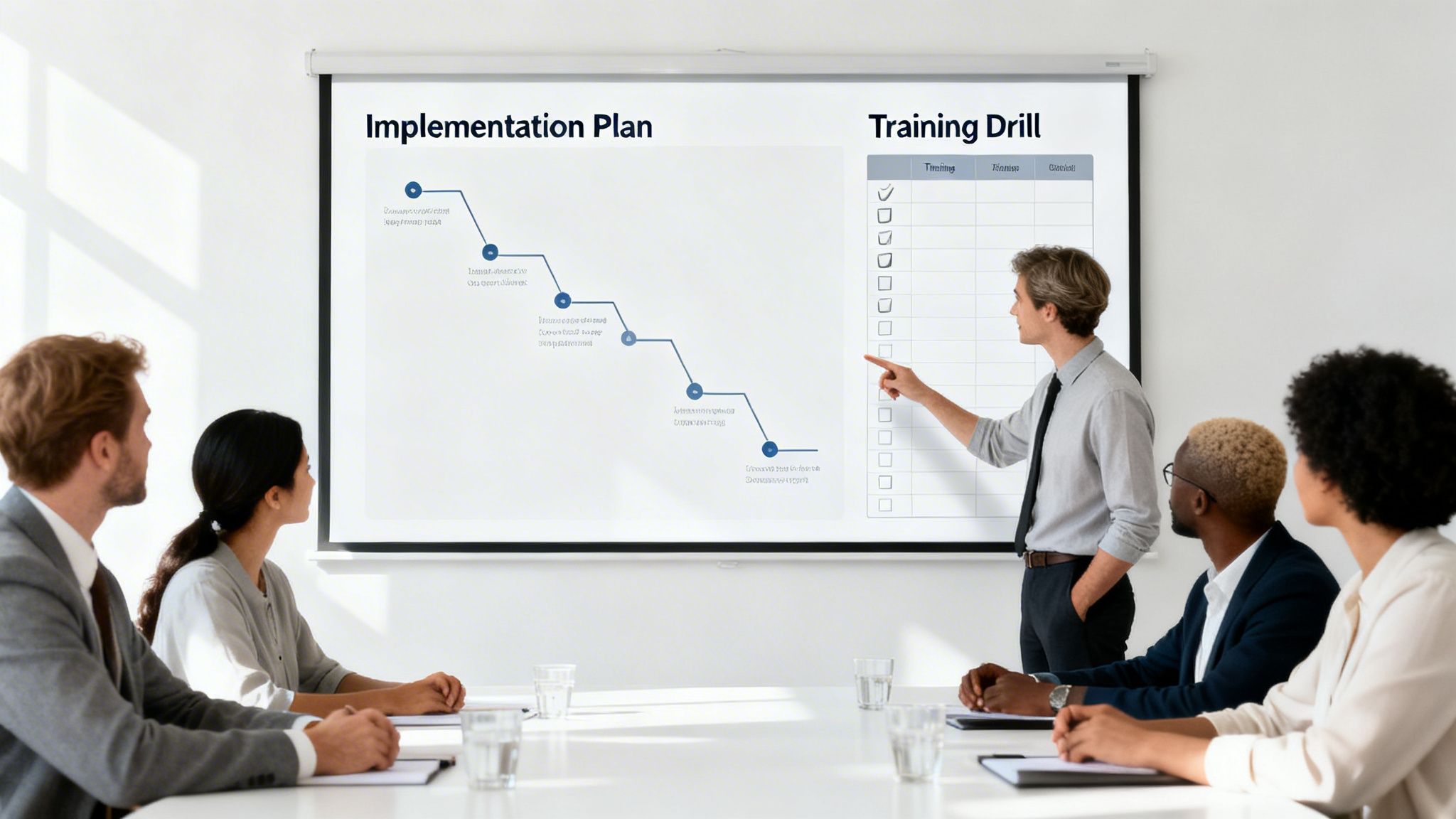
This process starts way before the first training session. It begins with getting buy-in from key people across your organization. When leadership champions the platform and clearly explains why it matters, it sends a powerful message: this is a priority, not just another corporate mandate to be ignored.
Define Clear Response Protocols
Before you can automate your response, you have to know what that response is. A successful rollout depends on translating your existing emergency plans and standard operating procedures (SOPs) into digital workflows inside the platform. It's a foundational step that, frankly, too many organizations gloss over.
Start by mapping out your most common—and your most severe—potential incidents. For each scenario, define the exact steps your team needs to take, who gets notified, and what resources need to be mobilized.
- Practical Example: For a manufacturing plant, a "chemical spill" protocol could automatically alert the on-site hazmat team, notify facility management to kick on high-power ventilation, and send a safety stand-down message to all employees in the affected area. All in seconds.
- Actionable Insight to Save Money: By pre-building these workflows, you eliminate the hesitation and human error that cost a fortune during a real event. A clear, automated protocol ensures the right actions happen in the right order, preventing a minor issue from snowballing into a major operational shutdown that can cost thousands of dollars per minute in lost productivity.
Get Stakeholder Buy-In and Designate Champions
A top-down order is rarely enough to get people on board. You need to identify influential team members at every level and turn them into platform champions. These are the people who will become your internal experts, providing peer-to-peer support and showing everyone else how the platform makes their jobs easier and safer.
True adoption happens when your team stops seeing the platform as a corporate requirement and starts seeing it as a tool that genuinely helps them. Champions are the key to building that grassroots support.
Get these champions involved in the setup and customization process. When they have a hand in building the system, they become invested in its success and are far better equipped to train their colleagues. This collaborative approach slashes resistance and dramatically speeds up the learning curve for the entire organization.
Run Realistic and Consistent Training Drills
This is the most critical step: practice. You can't wait for a real crisis to find out if your team knows what to do. Running regular, realistic training drills is absolutely non-negotiable for building muscle memory and finding the holes in your response plans before they matter.
These drills shouldn't just be simple click-through exercises. Simulate real-world events that force your team to use the platform to communicate, track resources, and execute their assigned tasks under pressure. Afterward, run a detailed debrief to figure out what went well and what needs to be fixed. Just as with the platform itself, knowing how to measure training ROI is key to proving its long-term value.
Actionable Insight to Save Money: Consistent training has a direct impact on your bottom line. A well-drilled team responds faster and more efficiently, which minimizes asset damage, reduces liability exposure, and shortens operational downtime during a real incident. The cost of running drills is a tiny fraction of the cost of a botched response, which could lead to significant fines or lawsuits.
Got Questions About CEM Platforms? We've Got Answers.
When you're digging into the world of critical event management, it's natural for a few questions to pop up. Let's tackle some of the most common ones to give you a clearer picture and help you figure out what's right for your team.
How Is a CEM Platform Different From a Mass Notification System?
It’s a common question, and the answer is pretty simple. Think of a mass notification system as a digital megaphone. It’s a one-way street, built to blast out an alert to a lot of people at once. That's its only job.
A critical event management platform, on the other hand, is the whole command center. It includes mass notification, but that's just the starting point. It adds two-way communication, live threat monitoring, automated response plans, and detailed reports after the fact. It’s not just about shouting a warning; it’s about managing an entire incident from the first signal to the final all-clear.
How Exactly Does a CEM Platform Save Our Organization Money?
This is where the rubber meets the road. A solid CEM platform delivers a strong return by tackling the things that really cost you money: downtime and damage. By enabling a faster, more coordinated response, you can minimize operational shutdowns and prevent assets from being lost or destroyed.
It also chips away at labor costs by automating tasks that people used to do by hand, like manual call-downs or filling out incident reports. The real value is in maintaining business continuity when things go sideways.
Practical Example: Imagine a key piece of equipment fails in your factory, or a supply convoy hits a sudden roadblock. Being able to resolve that failure quickly or reroute that convoy in minutes can save you hundreds of thousands in lost revenue and protect your hard-earned reputation. The platform pays for itself by turning potential disasters into minor hiccups.
Are These Platforms a Headache to Set Up?
They can be, but they don't have to be. Some of the old-school, traditional enterprise software can require a small army of consultants and a lengthy, expensive implementation process. It’s a huge undertaking.
But modern platforms are built differently. Many are designed for an intuitive, self-service setup that you can handle yourself. Look for systems with straightforward documentation and a user-friendly design. This approach dramatically cuts your initial costs and gets your team up and running in a fraction of the time, so you start seeing value right away without blowing the budget.
Ready to see how a flexible and powerful critical event management platform can protect your operations without the hefty price tag? See what Resgrid can do for your team and get started today at https://resgrid.com.