
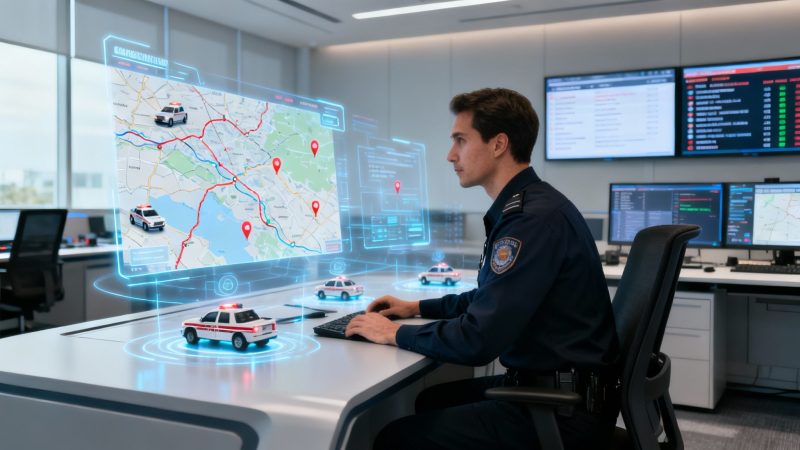
Boost Your Dispatch Operations with dispatch cad system
A dispatch CAD system is the digital brain behind any response operation. It's what turns the chaos of incoming emergency calls and service requests into a clear, actionable plan. Think of it as the system that replaces scribbled notes and radio guesswork with a central command hub that instantly organizes details, finds the closest units, and maps out the quickest routes. It’s the difference between a dispatcher hoping an ambulance is nearby and knowing its exact location down to the meter.
What a Dispatch CAD System Really Does
At its heart, a dispatch Computer-Aided Dispatch (CAD) system is a massive force multiplier for any team that responds to incidents—from first responders to field service crews. It acts as the central nervous system, taking in information and coordinating action in real time.
Instead of a dispatcher juggling frantic phone calls, poring over paper maps, and trying to keep track of disjointed radio chatter, a CAD system gives them a single, unified view of the entire operation. This single screen allows for smarter, faster decisions that save precious time, cut down on fuel costs, and ultimately lead to better outcomes.
The growing investment in this tech tells the whole story. The global Computer-Aided Dispatch market was pegged at USD 1.5 billion in 2023 and is on track to hit around USD 3.1 billion by 2032. That kind of growth is all driven by the relentless need for more efficient and intelligent dispatching. You can dig deeper into these CAD market trends over at Archive Market Research.
From Manual Chaos to Automated Clarity
To really get the impact of a dispatch CAD system, let's walk through a real-world scenario. Picture a local delivery company running without one. The dispatcher takes a customer's call, jots down the address, and then starts radioing different drivers to see who's free and who's closest. This manual back-and-forth is slow, ripe for human error, and almost always leads to inefficient routes that burn up time and fuel.
Now, let's give that same company a modern CAD system. The second a service request comes in, the system automatically kicks into gear:
- Logs the Incident: Every critical detail is recorded, creating a permanent, time-stamped log of what happened and when.
- Identifies the Best Unit: Using live GPS data, it instantly pinpoints the closest and most suitable vehicle for that specific job. No guesswork needed.
- Optimizes the Route: It calculates the most efficient route—factoring in real-time traffic—and pushes it directly to the driver's mobile device.
This is the big shift: moving from a reactive, manual process to a proactive, automated one. It cleans up workflows, takes a huge load off the dispatcher, and builds a solid, data-driven foundation for every single decision.
The table below really breaks down this operational shift and shows where the direct cost savings come from.
Operational Impact Before and After a Dispatch CAD System
Here's a side-by-side look at how tasks are handled with and without a CAD system. The difference in efficiency and cost is stark.
| Operational Task | Manual Process (Without CAD) | Automated Process (With CAD) | Direct Cost-Saving Benefit |
|---|---|---|---|
| Call Taking & Logging | Dispatcher manually writes notes on paper or a basic spreadsheet. Prone to errors. | Call details are entered into structured forms; time-stamped automatically. | Reduces administrative errors and time spent on data entry. |
| Unit Assignment | Dispatcher radios multiple units to check status and location. Relies on memory. | System uses GPS to recommend the closest, most appropriate unit instantly. | Minimizes fuel waste from sending distant units and reduces response time. |
| Routing & Navigation | Driver uses a paper map or consumer GPS, with no real-time traffic data. | Optimal route is calculated and sent to the unit's mobile device with live traffic. | Lowers fuel consumption and reduces vehicle wear-and-tear. |
| Status Updates | Units must radio in every status change (en route, on-scene, clear), creating radio traffic. | Units update status with a single tap on a mobile device; status is visible to all. | Frees up radio channels for critical communications and reduces dispatcher workload. |
| Incident Reporting | Reports are handwritten or typed up later, often from memory. | CAD system auto-generates detailed reports with precise timelines and logs. | Saves countless hours of administrative work and improves data accuracy for analysis. |
As you can see, a CAD system isn't just a piece of software; it's a fundamental change in how an organization operates, turning guesswork into precision and wasted minutes into productive action.
The Core Components of a Modern CAD System
Think of a modern dispatch CAD system less as a single piece of software and more as the central nervous system for your entire operation. It's a powerful ecosystem of interconnected tools, and once you understand how they all talk to each other, you'll see how it turns the chaos of an emergency into coordinated, intelligent action. Each part has a job to do, but their real strength is in how seamlessly they work together.
This flowchart really nails it: a CAD system is the brain that brings order to the storm, giving dispatchers the clarity they need to make decisive moves instead of just reacting to the noise.
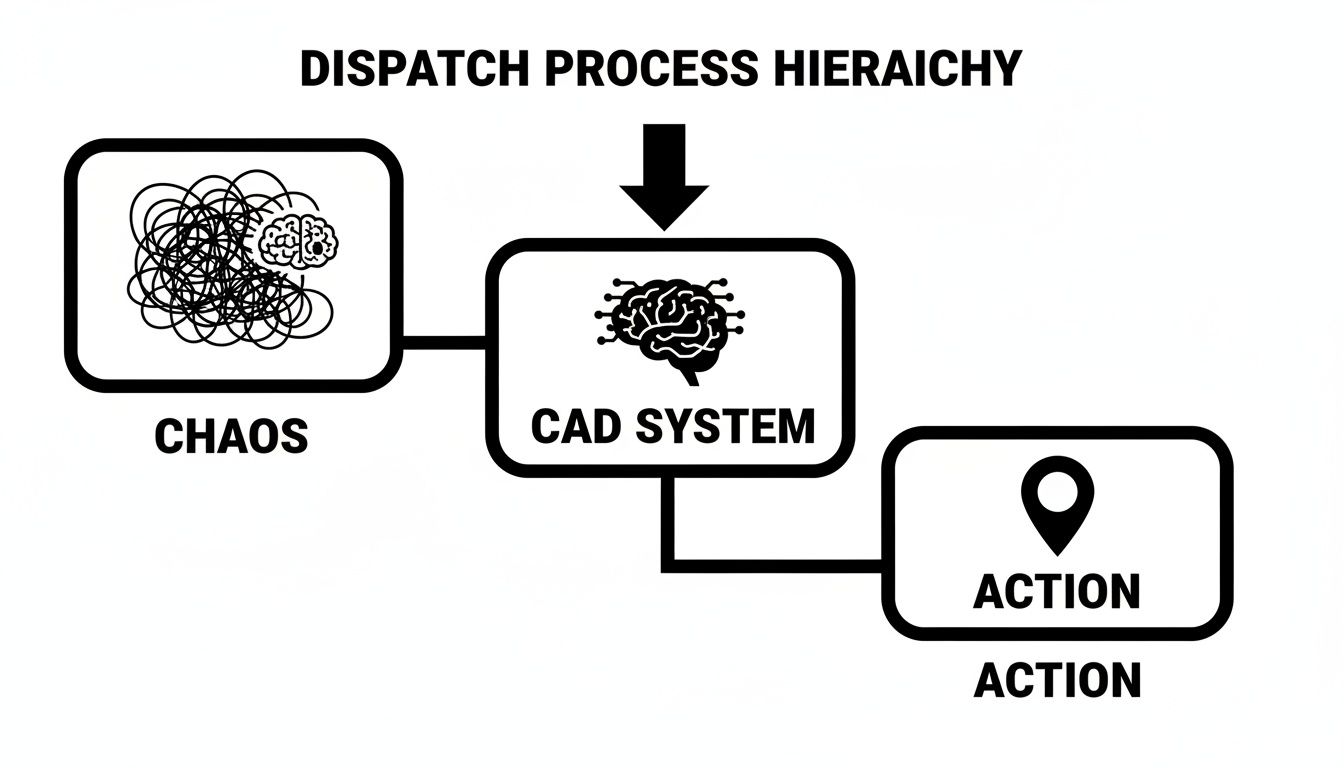
So, how does it actually do that? Let's pull back the curtain and look at the key pieces that make it all happen.
The Dispatch Console and User Interface
The dispatch console is the command center. It's where your dispatchers live and breathe, and a well-designed user interface (UI) isn't just about looking good—it's about cutting down the mental load when the pressure is on. The goal is to get all the critical information onto one screen in a way that makes sense instantly.
For example, instead of a dispatcher jumping between three different apps, a modern console shows an incoming call's location on a map while simultaneously displaying the three nearest available units and what they're doing ("Available," "En Route," etc.). That single, integrated view gets rid of wasted clicks and mental gymnastics, which translates directly into faster dispatch times.
Real-Time Mapping and GIS Integration
At the heart of any dispatch CAD is its mapping engine, which is supercharged by Geographic Information System (GIS) data. This is way more than just a digital street map. It’s a dynamic, layered view of your entire operational area that provides critical context you can't get from a static image.
With GIS integration, dispatchers can see things like:
- Asset Locations: The exact spots of fire hydrants, utility shut-offs, or known hazardous material sites.
- Property Information: Building layouts or pre-incident plans for high-risk locations you've already identified.
- Geofences: Virtual boundaries that can trigger alerts when a unit enters or leaves a specific zone.
Practical Example: A dispatcher sending a fire crew to a commercial building can instantly see where the hydrants are and the best access points, feeding the crew vital intel before they even arrive. That level of situational awareness is just impossible with basic mapping tools.
Automatic Vehicle Location (AVL) and Unit Tracking
Automatic Vehicle Location (AVL) is the tech that puts the real-time GPS dots on the map for every unit in the field. This component is the lifeblood of intelligent dispatching, feeding a constant stream of location data back into the CAD system. It’s what allows the system to stop guessing and start making data-driven recommendations.
Practical Example: A multi-car pileup is reported on a major highway. Without AVL, a dispatcher might send the unit that's closest as the crow flies, not realizing it's stuck in gridlock on the other side. With AVL, the CAD system analyzes real-time position and traffic data to recommend a slightly more distant unit that has a clear, faster path to the scene. It saves critical minutes.
Actionable Insight to Save Money: By ensuring the most efficient unit is always sent, you cut down on fuel and vehicle mileage across the whole fleet. A towing company using AVL can save thousands annually by dispatching the nearest available truck with a clear route, reducing fuel burn and enabling them to handle more calls per shift without adding vehicles.
Incident Logging and Records Management
Every single action taken within a dispatch CAD system is logged. Meticulously. From the first ring of the phone to the moment the last unit clears the scene, a complete, time-stamped digital record is created. We're talking every keystroke, every status update, every message sent.
This isn't just for dusty archives. This automated log becomes the undeniable source of truth for post-incident reviews, liability protection, and performance analysis. If a response time ever gets questioned, a supervisor can pull the CAD report and see the exact second the call was received, dispatched, and when the unit arrived. That kind of granular data is priceless for training, improving operations, and maintaining accountability.
Features That Directly Reduce Operational Costs
Sure, a dispatch CAD system makes your response times faster, but that's only half the story. It's also one of the smartest financial decisions you can make. When you start digging in, you'll see how specific features translate directly into real, measurable cost savings. Think of it less as an operational expense and more as a direct investment in a leaner, more efficient organization.
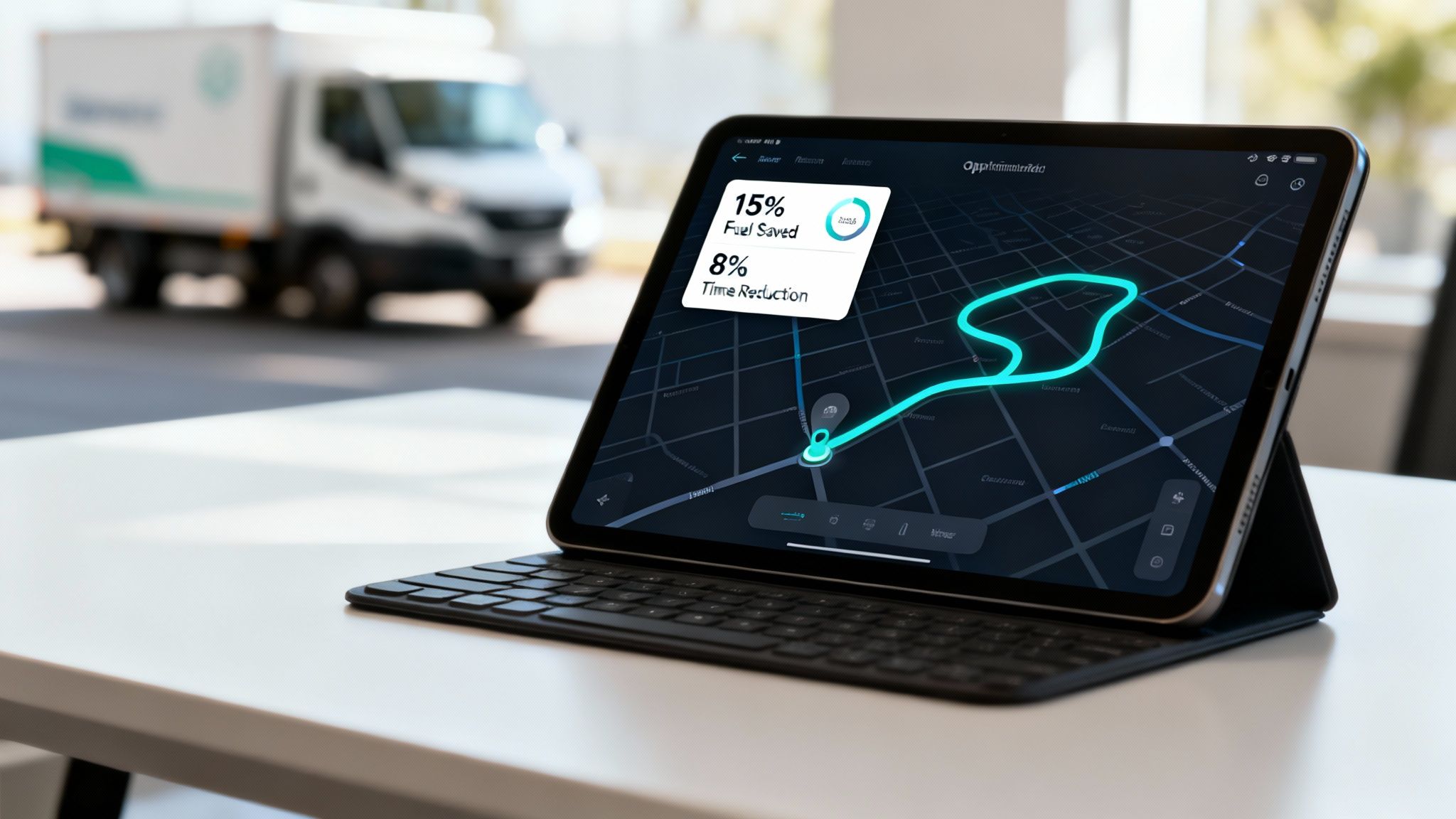
The name of the game is efficiency, and that efficiency has a ripple effect right across the budget. Every minute you shave off a response is a win, especially in high-stakes situations like cardiac arrest where seconds literally save lives. An integrated CAD platform can slash dispatch times by several minutes, a critical factor that shows how better tech leads to better outcomes.
Smart Unit Recommendations Reduce Wear and Tear
There's a common trap many dispatch centers fall into: thinking the closest unit is always the best one to send. It's an easy mistake, but a costly one. Modern CAD systems are smarter than that. They use sophisticated logic that looks beyond just mileage to save you a fortune on vehicle maintenance.
Practical Example: A non-emergency transport call comes in. The closest vehicle happens to be your top-of-the-line advanced life support (ALS) ambulance. Sending that highly specialized, expensive rig for a routine job racks up unnecessary mileage and puts wear and tear on critical, life-saving equipment. A smart dispatch CAD system sees this and instead flags a nearby basic life support (BLS) unit that’s perfectly suited for the task, keeping your high-value asset parked and ready for a real emergency.
Actionable Insight to Save Money: By sending the right unit instead of just the nearest unit, organizations can significantly extend the service life of specialized vehicles and equipment, delaying costly replacements and reducing maintenance budgets. This single feature prevents the misuse of high-cost assets on low-priority calls.
Route Optimization Slashes Fleet Fuel Costs
For any organization running a fleet, fuel is a massive, unpredictable line item on the budget. This is where Automatic Vehicle Location (AVL) tracking paired with intelligent routing becomes your best friend. It’s a direct and powerful way to save money, often cutting fleet fuel consumption by 15-20% a year.
So, how does it actually work?
- It kills inefficient routes. The system crunches real-time traffic data to find the quickest, most fuel-efficient path, steering drivers clear of gridlock and pointless detours.
- It cuts down on idle time. Dispatchers can see which vehicles are just sitting there burning fuel for no reason. A little coaching based on that data goes a long way.
- It helps correct bad driving habits. Some systems can even flag things like hard braking and quick acceleration—habits that guzzle fuel. This info is gold for driver training.
Practical Example: A municipal public works department. Ensuring its fleet takes the most direct routes to job sites every single day, avoiding morning rush hour on a key bridge, could save them thousands of dollars a month. This is one of the fastest and most tangible returns you'll see from a CAD system.
Automated Reporting Frees Up Personnel
Admin work is the hidden cost that quietly eats up hundreds of staff hours every year. Manually compiling reports is a slog—it’s tedious, full of potential errors, and pulls your skilled people away from the work that really matters. A modern dispatch CAD system puts all of that on autopilot.
Every action—every dispatch, every status update, every arrival—is digitally time-stamped and logged. This means the system can spit out detailed incident, performance, or compliance reports with just a couple of clicks. The financial upside is crystal clear: your people are freed up for more important, value-adding work.
Practical Example: A security company needs to give clients detailed activity reports at the end of each month. Automating that process could easily save an admin employee 10-15 hours a week. That’s time they can now spend on client relations or operational improvements, all without growing your payroll. The comprehensive https://resgrid.com/features of modern CAD solutions, like those from Resgrid, are built to crush these administrative burdens. Moving from manual data entry to automated reporting isn't just a convenience; it's a core driver of efficiency and real cost reduction.
Choosing Between On-Premise and Cloud CAD Systems
Deciding where your dispatch CAD system will live is one of the most critical financial choices you'll make. This isn't just a technical detail—it's a strategic decision that dramatically impacts your budget, your IT workload, and how you'll scale in the future. The choice really boils down to two core models: running the system on your own servers (on-premise) or accessing it from a provider over the internet (cloud-based).
An on-premise system is a lot like buying a house. You're hit with a massive upfront cost for the property (your servers, networking gear, and software licenses), and from then on, you're responsible for all the maintenance. Fixing the roof, mowing the lawn, paying for surprise repairs—it's all on you. It gives you total control, but that initial financial hit and the ongoing upkeep costs are a heavy lift.
In contrast, a cloud-based system is like renting an apartment. You pay a predictable monthly fee, and the landlord (the provider) handles all the maintenance, security, and infrastructure. There are no surprise server failures to pay for, making it a much more accessible and financially stable option, especially for agencies with tight budgets.
The Financial Realities of On-Premise Systems
Opting for an on-premise dispatch CAD system means you are signing up for major capital expenditures right from the get-go. You have to purchase powerful servers, networking equipment, and find a secure physical spot to house it all. This initial investment can easily run into the tens or even hundreds of thousands of dollars before a single call is dispatched.
Beyond the hardware, you're also on the hook for ongoing operational costs that often get overlooked:
- IT Staffing: You need dedicated IT personnel with the know-how to manage, update, and troubleshoot the system. This can mean hiring new staff or piling a ton of extra work on your existing team.
- Maintenance and Upgrades: When a server dies or software needs a major patch, that cost comes directly out of your budget. Trying to plan for these unpredictable expenses is a constant headache.
- Security and Compliance: You bear the full responsibility for securing the system against cyberattacks and ensuring it meets standards like CJIS or HIPAA. This requires continuous investment in security tools and training.
The Cost-Saving Power of Cloud-Based CAD
Cloud-based CAD, usually delivered as a Software-as-a-Service (SaaS) model, flips the entire financial script. Instead of that huge upfront cost, you pay a predictable subscription fee. This simple change makes advanced dispatch technology accessible without needing a massive capital budget to get started.
The savings really come from eliminating the need to own and manage all the underlying infrastructure. The provider handles all the hardware, security, and updates. It's a huge trend in the industry—the software component now makes up about 62% of global CAD market spending. Agencies are moving to the cloud in droves to get that scalability and slash their IT overhead, which is why the computer-aided dispatch market report shows SaaS solutions growing much faster than legacy systems.
Actionable Insight to Save Money: By choosing a cloud-based CAD, a small security firm can avoid an estimated $50,000+ in initial server and licensing costs. That capital can be reinvested into hiring more officers or purchasing new vehicles, directly funding growth instead of being tied up in IT infrastructure.
The table below breaks down the 5-year Total Cost of Ownership (TCO), giving you a clearer picture of the long-term financial differences.
5-Year Total Cost of Ownership On-Premise vs Cloud CAD
| Cost Factor | On-Premise CAD (Estimated Cost) | Cloud-Based CAD (Estimated Cost) |
|---|---|---|
| Initial Hardware & Software | $50,000 – $150,000+ | $0 |
| Annual Subscription Fees | $0 | $10,000 – $30,000 |
| IT Staffing & Labor (Annual) | $25,000 – $60,000 | $0 (Included in subscription) |
| Annual Maintenance & Upgrades | $5,000 – $15,000 | $0 (Included in subscription) |
| Security & Compliance (Annual) | $5,000 – $10,000 | $0 (Included in subscription) |
| 5-Year Estimated Total Cost | $230,000 – $575,000+ | $50,000 – $150,000 |
As you can see, the predictable subscription model of a cloud CAD not only avoids the massive upfront sticker shock but also leads to significant savings over time by bundling in costs that are often hidden with on-premise solutions.
Plus, cloud providers invest heavily in security measures that are often way beyond what a smaller organization could afford on its own. When you're vetting a provider, it's critical to understand their security posture. For a good baseline, you can learn more about the robust security protocols a top-tier cloud CAD provider should offer to protect your critical data.
This shift to a subscription model takes the financial guesswork out of the equation. You can budget with confidence and avoid those nasty surprises from unexpected hardware failures or expensive upgrade cycles.
Implementing Your New CAD System Successfully
Let's be honest: deploying a new dispatch CAD system is a huge deal. It's more than just a software upgrade; it’s a fundamental shift in how your entire operation runs. Getting it right depends on a smart, people-focused plan that sees challenges coming and gets buy-in from the ground up. If you just flip the switch and hope for the best, you’re setting yourself up for resistance, confusion, and costly delays.
Think of the whole process as a collaboration, not a top-down mandate. The secret sauce is involving your end-users—the dispatchers and field crews—from day one. They are the ones who live and breathe the daily workflows and know the real operational pain points better than anyone. When you bring them into the configuration process, you ensure the system is built to solve their actual problems, not just what a vendor thinks they need.

This early involvement is a game-changer. It turns potential skeptics into your biggest champions. When your people feel like their expertise matters and they've had a hand in shaping the tool they’ll use every single day, adoption rates skyrocket.
Creating a Phased Rollout Plan
Going for a "big bang" implementation, where you switch everything over at once, is incredibly risky and can throw live operations into chaos. A phased approach is a much safer, more effective strategy. It lets you introduce the new dispatch CAD in manageable stages, keeping service disruptions to a minimum and giving your team time to adapt without feeling overwhelmed.
A practical phased rollout might look something like this:
- Pilot Group Launch: Kick things off with a small, tech-savvy group of users. Let them put the system through its paces in a controlled environment, where they can find bugs and give real-world feedback on the workflow. This helps you iron out the kinks before everyone else gets on board.
- Parallel Operations: For a short period, run the old and new systems at the same time. This creates a critical safety net. If the new system hits an unexpected snag, you can immediately fall back to the old one without missing a beat.
- Staggered Department Rollout: Introduce the system one department or one shift at a time. This allows your training resources to focus on smaller groups, giving them more personalized support and addressing the specific needs of each team.
This methodical approach builds confidence and momentum, making sure each group of users is proficient before you move on to the next.
Empowering Users with Comprehensive Training
Here’s the hard truth: inadequate training is the #1 reason CAD implementations fail. You can have the most powerful system in the world, but if your team doesn't know how to use it, that massive investment is wasted. A solid training program isn't just a nice-to-have; it's a direct investment in the success of your dispatch CAD system.
Actionable Insight to Save Money: Don't do a single, marathon training session. Break it up into smaller, role-specific modules. A dispatcher needs a different skill set than a field supervisor. This targeted approach saves money—you’re not paying people to sit through irrelevant training—and makes the whole process faster and more effective.
A great training program should always include:
- Hands-On Practice: People need to get their hands dirty. Give them a training environment or "sandbox" version of the CAD to run through realistic scenarios.
- Ongoing Support: Designate a few "super-users" or subject matter experts who can provide peer support long after the official training ends.
- Accessible Resources: Create quick-reference guides, cheat sheets, and short video tutorials that your team can access whenever they need a refresher.
Many modern systems offer a whole suite of integrated tools that can make these processes easier. You can find a range of solutions and dispatch and logistics mobile apps that complement your core CAD and support your team's transition. By involving your people early, rolling out in phases, and committing to thorough training, you'll ensure your new dispatch CAD system delivers on its promise from day one.
How to Measure the ROI of Your CAD System
So, you're looking at a new dispatch CAD system, but you need to justify the cost. Getting buy-in from stakeholders means you have to speak their language, and that language is almost always Return on Investment (ROI). This isn't about telling a good story; it's about proving the system's value with hard data.
You need to build a clear, data-backed case showing the system is an operational necessity that pays for itself. The trick is to focus on Key Performance Indicators (KPIs) that connect directly to the bottom line—the real numbers that show how this technology saves money, makes you more efficient, and cuts down on risk. Vague promises won't get you very far.
Identifying Your Core Financial Metrics
The best place to start is with the numbers you can easily count. Tracking a few key data points will give you a clear before-and-after picture, making for a powerful financial argument.
Here are some of the most impactful KPIs you should be monitoring:
- Fleet Fuel Expenses: Keep a close eye on your organization's total monthly fuel bill. A good CAD with smart routing should cut down on wasted mileage, and you'll see that drop in your fuel consumption.
- Vehicle Maintenance Costs: Track what you're spending on repairs and upkeep. When the system recommends the closest, most appropriate unit, you reduce unnecessary wear and tear on your vehicles, making them last longer and cost less to maintain.
- Administrative Overtime Hours: Figure out how many hours your team spends on manual data entry and pulling reports. A CAD's automated reporting features can slash this time, freeing up your people for more important work and cutting your overtime budget.
Actionable Insight to Save Money: Set up a simple spreadsheet to track these three metrics. Pull the data for the three months before you implemented the CAD and compare it to the three months after. This simple comparison can reveal some immediate and surprising savings, like a 15% reduction in fuel costs or a 50% drop in reporting overtime.
Quantifying the Qualitative Benefits
Of course, not every benefit fits neatly on a balance sheet. How do you put a dollar value on things like improved responder safety or better situational awareness? You have to connect these qualitative wins to potential cost avoidance.
Think of it in terms of risk reduction.
Practical Example: Better situational awareness from real-time mapping and data can help prevent accidents. A single vehicle accident you avoid could save you tens of thousands of dollars in repairs, insurance headaches, and potential legal fees. Likewise, getting faster and more accurate information to your teams reduces the chance of a mistake that could lead to liability issues.
By showing how the CAD system creates a clear, time-stamped log of every action, you're building a rock-solid case for how it protects the organization from financial risk. When you pair these risk-reduction arguments with your hard financial data, you've got a comprehensive business case that proves the undeniable ROI of your system.
Got Questions About Dispatch CAD? We've Got Answers.
Jumping into the world of dispatch tech can feel like learning a new language. If you're trying to figure out what's what, you're not alone. Here are some straightforward answers to the questions we hear most often from teams looking to get their operations up to speed.
So, What's a Dispatch CAD System Going to Cost Me?
That's the big question, isn't it? The price tag can swing wildly depending on what you choose. A classic on-premise system is a huge upfront investment. You're buying hardware, you're buying software licenses, and the costs often start piling up into the tens of thousands of dollars before you've even gone live.
On the flip side, a cloud-based (SaaS) dispatch CAD system completely changes the game. Instead of that massive initial hit, you're looking at a predictable monthly or annual subscription. This approach makes top-tier technology a realistic option for just about anyone, without needing to raid the capital budget.
Actionable Insight to Save Money: For a smaller agency, going with a cloud-based CAD can easily save over $50,000 in upfront costs. That's money you can put back into hiring more people or upgrading your vehicles instead of sinking it all into an IT closet.
Can We Make This Thing Talk to Our Existing RMS?
Absolutely. Any modern dispatch CAD worth its salt is built for interoperability. Most come with APIs (Application Programming Interfaces) that are specifically designed to plug into other critical software, like your Records Management System (RMS) or radio gear.
A good integration is a game-changer. It means incident data from your CAD flows automatically into your RMS, no questions asked. Think about it: no more double-data entry, which saves a ton of administrative time and cuts down on those little errors that can cause big headaches later. Just make sure you confirm with any vendor that they can play nice with your specific systems.
How Long Until We're Up and Running?
The timeline really hinges on the type of system you choose and how complex your setup is. A complicated on-premise installation can take months, sometimes even a year, once you factor in setting up hardware, moving all your old data, and getting everything customized.
With a straightforward cloud-based system, you could be live in just a few weeks. The whole process is way faster because there's no physical hardware to install. All the configuration happens in the software, which slashes the deployment time and the labor costs that go with it.
Ready to see how a flexible, cloud-based dispatch solution can transform your operations without breaking the budget? Explore the powerful, contract-free tools offered by Resgrid and discover a smarter way to manage your response. Learn more at https://resgrid.com.