
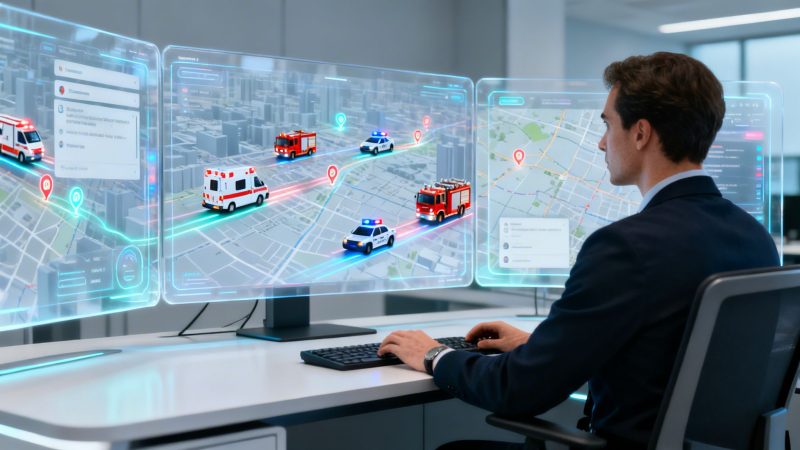
Emergency Dispatch Software: Save Lives and Optimize Your Budget in 2026
When a call for help comes in, the clock starts ticking. In that moment, chaos needs to become a coordinated, life-saving response. That's where emergency dispatch software steps in—it’s the digital nerve center for police, fire, and EMS, ensuring the right people with the right gear get to the right place, fast.
Think of it less like a simple phone and map, and more like an air traffic control system for a city's first responders.
The Digital Heart of Emergency Response
Picture a serious multi-car pileup on a major highway. A 911 call is made, and this is where modern dispatch software proves its worth. It’s built to manage every single piece of that incident with a level of speed and precision that’s just not possible with a pen and paper.
The engine driving this whole operation is what's known in the industry as Computer-Aided Dispatch, or CAD. A CAD system is what turns a panicked, fragmented call into a structured, manageable event from start to finish.
From Alert to All-Clear: The Dispatch Lifecycle
From the second an alert comes in to the moment an incident is closed out, the software guides every step. This isn't just about convenience; it's about removing guesswork and human error when the pressure is on.
- Alert: The 911 call is logged instantly. The system uses integrated mapping to pinpoint the caller’s location—sometimes down to the exact floor of a building.
- Dispatch: The system automatically identifies the closest and best-equipped units. It knows which ambulance has a paramedic, which fire truck is carrying the Jaws of Life, and which patrol car is just two blocks away from the scene.
- Resolution: Critical details are pushed directly to responders' phones or vehicle terminals. The software then tracks their status in real time, logs all communications, and documents every action until the scene is cleared and the incident is officially closed.
This process is about creating a seamless flow from chaos to control, making sure no time is wasted.

To make this clearer, let's break down the core jobs of any solid dispatch platform.
Core Functions of Emergency Dispatch Software at a Glance
This table shows the main functions you'll find in dispatch software and, more importantly, what they actually mean for your team on the ground.
| Core Function | What It Does | Practical Outcome |
|---|---|---|
| Call-Taking & Dispatch | Logs incoming alerts, identifies location, and suggests the best units to send. | Reduces response times by getting the right help moving faster. |
| Real-Time Tracking | Provides a live map view of all personnel and vehicle locations and statuses. | Gives dispatchers complete situational awareness to make smarter decisions. |
| Integrated Messaging | Allows secure, instant communication between dispatch and field units. | Ensures everyone has the same critical information without relying on radio chatter. |
| Incident Management | Creates a single, unified record for each event, tracking all actions and logs. | Simplifies post-incident reporting and analysis for training and legal needs. |
| Reporting & Analytics | Gathers data on response times, unit availability, and incident types. | Helps leadership identify trends, justify budgets, and improve operations. |
Ultimately, each of these features works together to make the entire response effort safer, faster, and more efficient for everyone involved.
The Real-World Impact of Smarter Dispatching
This isn't just about shaving a few seconds off a response time—it's about fundamentally changing how agencies operate, saving not just lives but also valuable resources. The global computer-aided dispatch (CAD) market, the technology behind this software, was valued at USD 2.26 billion in 2024 and is on track to hit USD 4.31 billion by 2030. That's because agencies of all sizes are seeing the real-world benefits. You can get more insights on the CAD market's growth and impact from industry analysts.
The biggest and most immediate win with modern dispatch software is how it handles your resources. When you can guarantee the closest, most appropriate unit is always sent, the savings become real, fast.
For example, think about a city's police department. By automatically dispatching the nearest patrol car instead of one from clear across town, the department starts saving thousands of dollars a year on fuel alone. Add in the reduced wear and tear on vehicles, and you've got a tangible return on investment. That's money that can go right back into other critical community services.
The Core Capabilities of Modern Dispatch Platforms

At its heart, dispatch software is supposed to get help where it needs to go. Simple enough, right? But modern platforms have grown far beyond just sending a unit to an address. They’ve become the central nervous system for an entire operation, weaving together different functions to make your response smarter, safer, and a whole lot more efficient.
Thinking of it as just a call-taking and GPS-pinging tool is selling it short. A good system creates a single, complete picture of an incident, making sure everyone from the dispatcher to the boots on the ground has what they need to make the right call, right now.
Automated and Manual Dispatching
First and foremost, you need to create and assign calls. Modern emergency dispatch software gives you the flexibility to do this manually or let the system handle it automatically. That mix is what helps you manage the chaos.
Actionable Insight: Configure your software to automatically dispatch routine, low-priority calls like non-emergency checks or scheduled inspections. This frees up your dispatchers to focus their full attention on high-stakes incidents, reducing human error when it matters most. A practical example is a public works department using automated dispatch for daily maintenance tasks, saving hundreds of dispatcher hours over a year that can be reallocated to emergency management. You can get a better feel for how this works by checking out the features of an integrated dispatching solution.
Integrated Messaging and Paging
Let's be real: clear communication can be the difference between a good outcome and a bad one. Radios are the backbone, but we all know they have their limits—dead spots, channels clogged with traffic, you name it.
Actionable Insight: Use integrated text and push notifications for non-urgent updates to keep primary radio channels clear for critical "Mayday" traffic. For instance, during a large wildland fire, the Incident Commander can push a text with a new staging location to all units instantly. This prevents clogging the main channel and ensures vital transmissions get through, a simple practice that enhances responder safety at no extra cost. This can include specialized tools for sending emergency notifications to ensure everyone is alerted.
Real-Time Personnel and Asset Tracking
You can't manage what you can't see. Knowing exactly where your people and your trucks are is non-negotiable for safety and efficiency. Dispatch software puts everyone on a single live map, showing you the real-time location and status of every responder and every piece of equipment.
The ability to see your entire team on one screen transforms how you manage an incident. It’s the difference between guessing who is closest and knowing for sure.
Practical Example: A private security company patrolling a large campus can use real-time tracking to ensure guards are covering their assigned zones without overlap. This efficiency allows them to patrol the same area with fewer guards on shift, directly reducing payroll expenses while maintaining the same level of security coverage.
Reporting and Analytics for Smarter Decisions
This is where things get really powerful. Over time, every call, every status update, and every timestamp creates a mountain of data. The best feature of a modern system is its ability to turn that data into real-world insights you can actually use.
Actionable Insight: Use the analytics dashboard to run quarterly reports on vehicle mileage and fuel consumption. If you see a spike for a particular unit, you can investigate. Maybe it needs maintenance, or perhaps its primary response zone needs to be adjusted. A fire chief in a small town did this and discovered a single engine was traveling 20% more miles than others. By redrawing its first-due area based on the data, they cut its fuel costs by $2,000 annually.
This data-driven approach lets you shift from just reacting to problems to actively improving your department's performance. You can use response time data to build an undeniable, evidence-based case for a new station or more personnel in an underserved part of town.
Personnel and Schedule Management
Finally, you can’t respond to emergencies if you don't have the right people on duty. Many dispatch platforms now include tools to manage your rosters, track qualifications, and handle the nightmare of complex shift schedules.
Actionable Insight: Leverage the scheduling module to set up automated alerts for expiring certifications (like EMT or CPR). This avoids the costly mistake of having an under-qualified crew on shift, which could lead to legal liabilities or fines. For a volunteer department, the chief can instantly see who's available and qualified, ensuring they always meet minimum staffing for a call without hours of phone calls, saving valuable administrative time.
Thinking about getting a modern emergency dispatch system isn't just about a tech upgrade. It’s a fundamental shift in how your department operates. The payoff isn't just theoretical; you’ll see real, tangible returns on your balance sheet and, more importantly, on the front lines. It goes way beyond convenience, directly touching your budget, the safety of your people, and the trust your community has in you.
The financial argument is usually the easiest to make. When you dispatch smarter, you immediately start cutting costs by using your resources more effectively. The system makes sure the closest, most appropriate unit gets the call every single time. Right away, you'll see a drop in fuel consumption and less wear and tear on your vehicles.
Direct Financial Savings from Optimized Dispatching
Let's talk about the direct, measurable savings. When you cut out wasted mileage, you're not just saving on gas. You're also extending the life of your fleet, pushing back expensive replacements and reducing maintenance bills. It’s a financial benefit that starts on day one and just keeps compounding.
- Reduced Fuel Usage: Automatically sending the nearest unit instead of one from across town can shave thousands off a department's annual fuel budget. It’s simple math.
- Lower Vehicle Maintenance: Fewer miles on the road means less frequent oil changes, new tires, and general repairs. It keeps your vehicles in service and out of the shop.
- Minimized Overtime: A major budget killer for many agencies is unplanned overtime. The scheduling and personnel management tools baked into the software help you get staffing right, preventing those costly, unnecessary shifts.
Practical Example: A regional EMS provider implemented a dispatch platform that optimized ambulance positioning during peak hours based on historical call data. By pre-positioning units in "hot spots," they reduced their average response mileage by 15%, saving over $50,000 in fuel and vehicle maintenance costs in the first year alone.
Boosting Operational Performance and Safety
Budget savings are great, but where a modern dispatch system really earns its keep is in the operational improvements. It all comes down to speed, awareness, and safety—the absolute core of any emergency response. The goal is to make every single second count while keeping both your people and the public safe.
The real power of this software is in how it transforms chaotic, high-stress situations into structured, manageable events. It gives your team the information and tools they need to make better decisions under pressure.
It’s been proven time and again that emergency dispatch software dramatically cuts response times. The U.S. city average for Priority 1 calls is a lengthy 9.8 minutes, but top-tier agencies using advanced CAD are gunning for under 5 minutes. Smart integrations can shrink those times even more. For example, some EMS agencies have seen patient offload delays at the hospital drop by 18% in just six months by linking their dispatch software to hospital bed availability dashboards. You can learn more about how advanced CAD systems are saving lives through these kinds of efficiencies.
A Mini Case Study in Action
Take a volunteer fire department that was struggling with inconsistent turnout times. It’s a common problem. After they brought in a modern platform like Resgrid, which pings firefighters’ phones directly with alerts and map-based directions, they saw a 30% improvement in their average turnout time.
That one operational gain caused a massive ripple effect. A faster, more reliable response directly helped the community achieve an improved ISO rating. What happened next? Homeowners in the fire district actually saw their insurance premiums go down—a real, tangible benefit for the entire community that all started with smarter dispatching.
Finally, think about all the administrative hours you get back. Instead of someone manually slogging through incident logs to compile reports, the software does it automatically. This frees up your command staff to stop pushing paper and get back to focusing on what really matters: training, planning, and strategy.
Solving the Integration and Interoperability Challenge
One of the biggest headaches for any agency is dealing with "data silos." This is what happens when your critical software—dispatch, records, personnel management—can't talk to each other. They become little islands of information, and in an emergency, that's a recipe for disaster. Getting these systems to communicate is what we call interoperability, and it’s something any modern emergency dispatch software has to get right.
True interoperability isn't just a buzzword. It's your fire department's dispatch system seamlessly sharing info with the neighboring police department's system during a major incident. It’s about making sure information flows where it's needed instead of getting trapped in a single program. Without it, you’re always working with an incomplete picture.
Weaving Your Tools into a Single System
To really make this work, a dispatch platform has to integrate with the other tools you rely on every day. The whole point is to pull all that crucial data into one place, giving your dispatchers and responders the full context they need to make the right calls.
This is where a platform's ability to connect with other systems is non-negotiable. Some of the most common integrations we see are:
- GIS Mapping Services: This lets you layer vital data like property lines, hydrant locations, or building pre-plans right onto the dispatch map.
- 911 Phone Systems: Automatically pulling a caller's location and phone number into a new call record saves precious seconds and kills the risk of typos during manual entry.
- Records Management Systems (RMS): When incident data flows directly from your dispatch software into the agency's RMS, you save countless hours that would have been spent on manual reports and data entry.
It's a massive problem in the industry. Research shows that interoperability issues impact a staggering 90% of emergency call centers. Their CAD systems might pull in 911 data, but they rarely share it across jurisdictional lines, which makes multi-agency disaster response incredibly difficult. It's no surprise that the CAD software market is expected to hit a 45.6% U.S. market share by 2034, driven almost entirely by the need for better-connected systems. If you want to dive deeper, you can read about the current state of CAD interoperability and see just how big the challenge is.
Why Open Integration Saves You Money
Here’s some practical advice that will save your department a lot of money down the road: prioritize platforms built on an open architecture. Look for systems that have an open Application Programming Interface (API) or a solid library of existing integrations. This is your best defense against "vendor lock-in," where you’re stuck with a single provider because moving your data is just too painful or expensive.
When you choose a system with an open API from day one, you avoid paying for expensive, custom-built connectors later. That decision alone can save you tens of thousands of dollars and gives you the freedom to pick the best tools for the job, not just the ones that happen to play nicely together.
This is one area where cloud-based platforms really shine. They often make integration much simpler and more affordable than their old-school, on-premise counterparts. Linking a cloud dispatch system to another cloud tool can often be done in minutes, not months, which means big savings on IT consultants and developer time. It also opens the door for your teams to use a variety of integrated mobile applications for first responders, connecting everyone in the field in real-time.
At the end of the day, you're not just buying another piece of software. You're putting a central hub in place that ties all your other systems together, creating a truly connected command and control network for your entire operation.
How to Choose the Right Emergency Dispatch Software

Picking your emergency dispatch software is a huge deal. Get it right, and the platform becomes a seamless extension of your team. Get it wrong, and you’re stuck with years of budget headaches, operational friction, and a system everyone dreads using.
This isn’t just about buying software; it's about making a long-term commitment. Let's walk through how to choose a platform that actually saves you money and makes your job easier, not harder.
Define Your Absolute Core Needs
Before you even look at a single demo, grab a pen and paper (or open a doc) and list out your non-negotiables. What problems are you actually trying to solve today?
The biggest mistake we see is departments getting wowed by a slick sales pitch and paying for a bloated system with features they’ll never touch. Be honest with yourself.
A small volunteer fire department, for example, absolutely needs reliable mobile alerting, a way to see who’s available, and basic incident mapping. They probably don’t need complex predictive analytics or multi-agency data sharing—features that can tack on thousands to the cost. Focus on your real-world, day-to-day operations first.
Prioritize Scalability and Ease of Use
Your agency is going to change, and your software needs to be able to keep up. The system you pick today has to grow with you tomorrow. Ask vendors how their platform handles adding more people, expanding your response area, or bringing on new types of units. A scalable system means you won't have to do this all over again in a few years.
Just as important is how easy it is to use. Complicated software is more than just an annoyance; it's a hidden cost. Every hour your team spends in training is an hour they aren't available for duty. With dispatcher turnover being what it is, a system that takes weeks to learn is a financial drain.
The best software just makes sense. If a new dispatcher can't figure out the core functions within a single shift, the design is too complicated. Simplicity means fewer errors during a high-stress call and way lower training costs over time.
When you're evaluating options, it's worth checking out reviews for the top call center software solutions. While they're not identical, many of the core user interface and reliability principles overlap and can give you a good sense of what to look for.
Understand the Total Cost of Ownership
The price on the proposal is just the starting line. The Total Cost of Ownership (TCO) is where the real story is, factoring in every single expense tied to the software. This is where you’ll find the biggest opportunities to save money. Go through every contract with a fine-toothed comb, looking for hidden fees and long-term lock-ins that can hamstring your agency.
For a long time, traditional CAD vendors have pushed a model that demands huge upfront payments and locks you into rigid, multi-year contracts. Modern platforms have flipped that completely, offering a much more flexible and affordable path. You can see a breakdown of how different these models really are by exploring our own dispatch platform comparison.
Here’s a table that spells out the cost differences between the old way and the new, more flexible approach.
Cost Comparison Traditional CAD vs Modern Self-Service Platform
| Cost Factor | Traditional CAD Vendor | Self-Service Platform (e.g., Resgrid) |
|---|---|---|
| Implementation Fees | High, often thousands of dollars for setup and professional services. | $0. Self-service setup means you can get started on your own. |
| Mandatory Contracts | Usually requires a multi-year contract with steep penalties for early termination. | No contracts. Pay as you go, with the freedom to cancel anytime. |
| Training Costs | Requires expensive, on-site training sessions for all users. | Minimal. Intuitive design and online documentation reduce training needs. |
| Support Fees | Often charges extra for premium support tiers. | Included with the subscription, providing ongoing assistance. |
Choosing a modern, self-service model like Resgrid can literally save an organization tens of thousands of dollars in upfront costs alone. That’s budget you can put back into new equipment, better training, or personnel. This financial freedom is one of the strongest reasons to move on from the legacy software providers.
A Few Things We Get Asked All The Time
When you're looking at dispatch technology, a lot of questions come up. Whether you’re trying to move on from an old system or just trying to get a handle on the lingo, you need straight answers. We hear these questions from agencies all the time, so let's clear a few things up.
What's the Difference Between CAD and Dispatch Software?
This one trips a lot of people up, but the answer is simpler than you might think. We like to use a car analogy.
Think of it this way: the engine is what makes a car go, but the car itself is so much more—it’s the steering wheel, the seats, the chassis, the whole package that makes it a useful vehicle.
- Computer-Aided Dispatch (CAD) is the engine. It’s the core piece of tech that takes calls, suggests which units to send, and logs all the incident data.
- Emergency dispatch software is the entire car. It's the complete platform that has a CAD engine but also bolts on all the other tools you actually need—things like integrated messaging, crew scheduling, live mapping, and reporting that actually makes sense.
You really can't have one without the other in a modern setup. A CAD by itself is just raw data. The software platform is what pulls everything together into a system your whole team can use without pulling their hair out.
How Long Does This Take to Set Up?
This question used to have a very different—and much more expensive—answer. Not that long ago, getting a new system meant months of disruption. It was a drawn-out, painful process with vendors flying out for on-site installs that cost a fortune.
The old way of doing things, with legacy on-premise systems, is dead. Modern, cloud-based software has completely changed the game. What used to take half a year can now be done in an afternoon.
The difference is night and day:
- Legacy Systems: Implementations often took 3 to 6 months. This meant installing new hardware, running through complicated configurations, and pulling people off the line for weeks of mandatory training.
- Modern Cloud Platforms: With a self-service platform like Resgrid, you can be up and running in a couple of hours. There’s no hardware to install. You just create an account, upload your personnel list, and you can start taking calls the same day.
This isn't just about speed; it's about money. You're not paying for a consultant's plane ticket or losing operational time for training. The whole point of a modern system is that it's intuitive, so your team can get comfortable fast and you can see a return on your investment almost immediately.
Can We Use This if We're Not a 911 Center?
Absolutely. While the roots of this technology are in public safety, the core job is coordinating people and resources to respond to events. That’s something countless organizations do every single day. If you manage a team in the field, this kind of software can be a game-changer.
The flexibility of today's dispatch platforms makes them a great fit for a ton of businesses outside the traditional fire, police, and EMS world.
A Few Real-World Examples:
- Private Security: A security company can use it to send guards to alarm calls, watch patrol vehicles on a live map, and generate incident reports for their clients. It creates a clean, professional audit trail of every action taken.
- Logistics and Field Services: Think of a delivery company or a team of HVAC techs. They can use it to assign jobs based on who's closest, chat with drivers in real-time, and see the status of every job from one screen.
- Event Management: For big events like marathons or music festivals, organizers can coordinate staff, manage medical tents, and respond to issues in seconds to keep attendees safe.
The best part is these organizations don't have to shell out for a system designed only for a massive 911 dispatch center. A flexible, scalable emergency dispatch software platform gives them all the tools they need, often at a fraction of what those single-purpose, legacy solutions cost.
Ready to see how a modern, flexible dispatch platform can transform your operations without the high costs and long-term contracts? With Resgrid, LLC, you can get started today and build a system that meets your exact needs. Learn more and sign up for free at resgrid.com.