
A Guide to Modern EMS Charting Software
When you hear "EMS charting software," what probably comes to mind is the digital system paramedics and EMTs use to log patient care on the scene. You're not wrong, but that's just scratching the surface. It's the modern replacement for old-school paper forms, creating what's called an electronic Patient Care Report (ePCR) that seriously improves accuracy, gets data to hospitals faster, and keeps everything compliant.
The Digital Transformation of EMS Charting

Making the jump from paper charts to a digital system isn't just a minor upgrade; it’s a complete shift in how emergency services work. Think of it like swapping a paper road atlas for a live GPS. The atlas gets you there, sure, but the GPS gives you real-time traffic, finds the best route, and shares your ETA instantly. That’s the kind of leap we're talking about.
Modern EMS charting software does a lot more than just record what happened on a call. It acts as a mobile command center, connecting the crew in the field to the entire healthcare network—from dispatch to the emergency department.
This evolution is a huge piece of the bigger picture of Digital Transformation in Healthcare, and it has a direct, measurable impact on how well we do our jobs and the outcomes for our patients.
From Clipboards to Connected Care
Not long ago, a paramedic would be scribbling notes on a paper form, probably in the back of a bouncing ambulance. That single piece of paper had to be physically handed off at the hospital, decoded by the receiving nurses, and then manually keyed in later for billing and QA. The whole process was slow, clunky, and riddled with potential for mistakes.
Modern ePCR software blows that whole workflow up. It captures critical patient information and sends it ahead securely and instantly, changing the game in a few key ways:
- Better Patient Outcomes: Getting patient data to the ER before the ambulance arrives gives hospital staff a critical head start. For time-sensitive events like strokes or heart attacks, those extra minutes can change everything.
- Smarter Operations: Data from dispatch and medical monitors can be pulled in automatically, which means crews spend less time on paperwork and more time ready for the next call.
- Rock-Solid Compliance: Digital systems are built to make sure every required field for state and national standards (like NEMSIS) gets filled out correctly, saving a ton of headaches and avoiding costly resubmissions.
Actionable Insight: The core financial benefit of digital charting is simple: cleaner data leads to faster payments. For example, if your average reimbursement is $400 per transport, and a 10% billing denial rate due to poor handwriting costs you $40 per trip, eliminating those errors across 1,000 transports a year could save your agency $40,000. This turns a compliance tool into a direct source of cost savings.
Let's break down the difference in a little more detail.
Paper vs. Digital: A Quick Comparison
It's one thing to talk about the shift, but seeing the differences side-by-side makes it crystal clear why the industry has moved so decisively toward digital solutions.
| Aspect | Traditional Paper Charting | Modern EMS Charting Software |
|---|---|---|
| Data Entry | Manual, handwritten, often illegible | Templated, dropdowns, automated data capture |
| Accuracy | Prone to human error, omissions, and inconsistencies | Built-in validation, mandatory fields, reduced errors |
| Data Sharing | Physical handoff at the hospital | Instant, secure transmission to ER and other systems |
| Compliance | Manual checks, easy to miss required data points | Automated NEMSIS/state validation ensures completeness |
| Reporting/QA | Manual data entry, time-consuming audits | Real-time dashboards, automated reporting, quick analysis |
| Billing Cycle | Slow, often delayed by incomplete or inaccurate reports | Faster submission, fewer rejections, quicker reimbursement |
The takeaway is pretty obvious. While paper served its purpose for decades, it simply can't keep up with the demands of modern emergency medicine.
Why Digital Solutions Are No Longer Optional
The push for these systems isn't just about chasing new tech; it's a response to real-world trends. The global Emergency Medical Software market is expected to hit around USD 2.5 billion by 2025. This growth is fueled by an aging population and an increase in chronic illnesses that demand rapid, data-driven medical responses.
At the end of the day, adopting EMS charting software is about building a smarter, more connected emergency response system. It’s about creating a world where critical data flows seamlessly from the 911 call all the way to the final hospital report, helping us do our jobs better and save more lives.
What’s Really Inside ePCR Software?
At its core, EMS charting software is all about one thing: creating a solid, accurate electronic Patient Care Report (ePCR). You can think of it as the evolution of the old paper run sheet, but a modern platform does so much more than just let you type in notes. It introduces features that genuinely save time, make your reports more accurate, and protect your agency's finances.
The most powerful features are often the simplest ones. Take customizable templates, for instance. They let your agency build forms that perfectly match your specific protocols. Instead of scribbling everything out, crews use dropdowns, checkboxes, and pre-filled fields to document a call with incredible speed and consistency. This kind of structured data entry is your first line of defense against sloppy or incomplete reports.
The Power of Smart Templates and Automated Data
Picture this: a paramedic is charting a cardiac arrest. With a good template, they can log every critical intervention with a single tap. Instead of handwriting "Epinephrine 1mg administered via IV at 14:32," they just select "Epinephrine" from a list, enter the dose, and the software automatically timestamps the entry. It’s that simple.
This approach pays off in two huge ways that directly impact your bottom line:
- Drastically Reduced Documentation Time: Automation shaves minutes off the paperwork for every single call. That time adds up fast, freeing up your crews to restock, debrief, and get ready for the next dispatch.
- Fewer Costly Errors: Illegible handwriting and guesstimated times are notorious for causing billing rejections. Automated timestamps and clean, typed entries make the report pristine, which means you get reimbursed faster by insurance payers.
Actionable Insight: Pull your last six months of billing denial codes. If you see a high volume of rejections for "incomplete documentation" or "illegibility," smart templates are the direct fix. By cleaning up the data at the source—for example, by making a pain scale assessment a mandatory dropdown—you stop a costly, time-sucking correction process on the back end and get paid faster.
Staying Connected When You’re Not
Emergencies don’t stick to areas with five bars of cell service. A call for a hiker in a remote state park or a crash in a rural valley often means you’re working completely offline. This is where one of the most vital features of modern ePCR software comes into play: mobile offline capability.
This feature lets crews complete an entire patient chart on their device, no internet connection required. The software just saves all the data securely right on the device.
Here’s a real-world example of how this is a lifesaver:
A crew responds to a multi-vehicle accident in a cellular dead zone. They can document vitals, treatments, and demographic info for three separate patients right in their ePCR app. Later, once they’re back at the station or drive into an area with service, the app automatically syncs all three finished reports to the cloud. No need to scribble notes on a glove to type up later—a process that just invites mistakes and wastes precious time.
The Financial Takeaway
Let's be clear: the core features of ePCR software aren't just for convenience; they are powerful financial tools. By making sure every report is complete, accurate, and legible, you directly attack the main reasons for billing rejections. Fewer rejections mean a healthier revenue cycle and less time your administrative staff spends chasing down payments. When you look at the features available in platforms like Resgrid, you’ll see how these foundational tools all work together to build a more efficient and financially sound operation. At the end of the day, good software doesn't just record what happened—it makes sure you get paid for it correctly the first time.
Unlocking Advanced System Integrations
The best EMS charting software isn't just another program you have to open; it acts more like the central hub for your entire emergency response operation. While the core patient care reporting features are non-negotiable, the real game-changer is how your charting platform talks to your other critical systems. Getting this right creates a domino effect of efficiency that saves time, cuts down on errors, and ultimately lets your crews focus on what matters: the patient.
Think of these integrations as digital bridges. They let critical information flow automatically from one stage of an incident to the next. Instead of your dispatch, field crews, and receiving hospitals all working in their own little bubbles, they’re all pulling from the same, constantly updated source of truth. This single change gets rid of redundant data entry and kills the kind of verbal handoffs that can lead to dangerous miscommunications.
How CAD Integration Saves Critical Minutes
One of the most powerful connections you can make is with your Computer-Aided Dispatch (CAD) system. When a 911 call drops, the dispatcher is gathering key information—caller name, address, nature of the emergency, call times. Without an integration, the responding crew has to punch all of that information into their ePCR from scratch.
When the systems are connected, the moment a unit is dispatched, your CAD system automatically shoves that data directly into a new ePCR. This can pre-populate over 50% of the report before your crew even arrives on scene.
This delivers two huge benefits right out of the gate:
- Reduced Admin Burden: Crews spend way less time on tedious data entry. This lets them focus entirely on the patient when they arrive and helps them wrap up their reports faster after the call.
- Increased Accuracy: Automated data transfer gets rid of the typos that happen when manually entering addresses or call times—common mistakes that can get a claim denied by billing.
The concept map below shows just how intertwined these components are, from the initial data capture all the way through to billing.
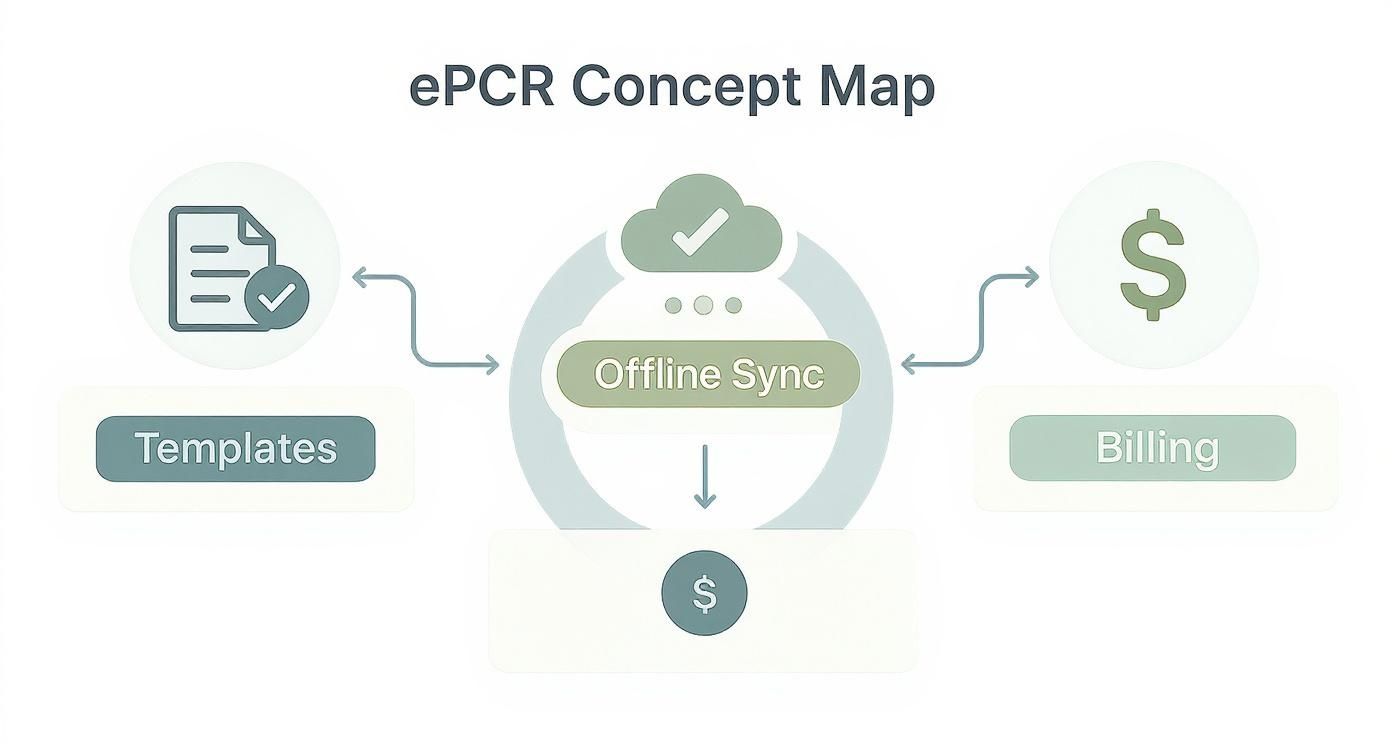
As you can see, it’s a seamless flow from field data to final billing, a process that is miles more efficient when your systems are actually talking to each other.
Bridging the Gap to Hospital EHRs
The data flow doesn't just stop when the ambulance doors open at the hospital. Another key piece of the puzzle is integrating with a hospital's Electronic Health Record (EHR) system. The old way of doing things involved a paramedic giving a verbal report and maybe a printed hand-off to the receiving nurse, who then had to re-enter all of that information into the hospital's system.
Practical Example: A paramedic crew treats a stroke patient and uses their ePCR to transmit key data—like the time of symptom onset and the patient's NIH Stroke Scale score—directly to the receiving hospital's EHR before they arrive. The hospital's stroke team is activated early, saving critical minutes of brain tissue. This seamless data sharing completely eliminates manual re-entry and slashes the risk of clinical errors caused by transcription mistakes.
This creates a much fuller picture of the patient's entire journey, from the 911 call to their final disposition. For the EMS agency, it also strengthens your partnerships with local hospitals and cements your role as a vital part of the bigger healthcare picture.
The Financial Impact of a Connected System
At the end of the day, these integrations are about slashing administrative overhead and beefing up your bottom line. Every minute your crew saves on documentation is a minute of labor cost you can put toward something more valuable. Every error you avoid is a potential billing rejection you don't have to fight.
This drive for efficiency is a huge reason why the U.S. Emergency Medical Services billing software market, valued at USD 493.20 million in 2024, is expected to more than double by 2033. This growth is all about the demand for systems that play nice with EHR and dispatch platforms.
The takeaway is simple: choosing an EMS charting software with solid integration capabilities provides a serious return on investment. It improves your agency’s operational awareness, cuts down on administrative waste, and ensures every single incident is documented accurately from dispatch to final billing. You can even explore how different mobile apps for first responders work together to create a more connected and efficient operational environment.
Navigating HIPAA and NEMSIS Compliance
When you're in emergency services, compliance isn't just a box to check off a list. It's the foundation of everything we do—protecting our patients, our crews, and our agencies. The right EMS charting software should make navigating the tricky waters of HIPAA and NEMSIS feel less like a chore and more like a natural part of your workflow. This isn't just about dodging fines; it’s about building trust and running a tight ship.
When people hear HIPAA, most immediately think of data encryption. And while that's a big piece of the puzzle, real compliance goes so much deeper. It’s a whole framework of security protocols covering every single interaction with Protected Health Information (PHI). Think of it less like a single padlock on a door and more like a full-blown security system for the entire building.

Making HIPAA Compliance Effortless
Modern ePCR software is built from the ground up with HIPAA in mind, packing in features that manage PHI securely from the moment you make patient contact to when the report is archived. These are the kinds of safeguards that are next to impossible to replicate with old-school paper systems.
- Secure Access Controls: Good software ensures that only the right people can see or touch a patient's chart. For example, a paramedic might only access their own reports, a QA supervisor can review everything, and a billing specialist sees only the financial data they need. It's all about role-based access.
- Detailed Audit Trails: Every single action within a chart—every time someone opens it, makes an edit, or sends it somewhere—is logged with a timestamp and user ID. This gives you a rock-solid, unbroken chain of custody for your data, making accountability crystal clear.
- Secure Data Transmission: When that ePCR gets sent to a hospital or billing service, the software wraps it in secure, encrypted protocols. This keeps the data safe while it's in transit, preventing anyone from snooping.
To really get into the weeds, looking at HIPAA vs SOC 2 compliance can show you just how detailed these frameworks get. At the end of the day, a solid platform doesn't just hold your data; it actively defends it. You can see for yourself the specific security measures a platform like Resgrid employs to keep data locked down.
The Critical Role of NEMSIS Validation
While HIPAA handles the privacy side of things, the National EMS Information System (NEMSIS) is all about data quality and standardization. NEMSIS is the national yardstick for collecting EMS data. Staying compliant, especially with the latest version (NEMSIS v3), is absolutely essential for state reporting and for getting a shot at grant funding.
Actionable Insight: The most practical, money-saving benefit of NEMSIS-compliant software is its real-time data validation. As a crew member types in information, the software checks each field against NEMSIS rules. If they try to close a chart without documenting the patient's final disposition, the system will flag it instantly and prevent submission. This immediate feedback stops the nightmare of having a batch of reports kicked back by the state, saving countless administrative hours and ensuring your agency's data is always clean and fund-ready.
This immediate feedback is a game-changer and a huge cost-saver. It stops the all-too-familiar nightmare of having a whole batch of reports kicked back by the state because of simple errors. Without this, you're stuck in a time-sucking cycle of manually digging for mistakes, fixing them, and resubmitting everything. By making sure reports are 100% compliant before they're even finished, the software saves countless hours of administrative headaches and keeps your agency in good standing. That feature alone often pays for the software.
How to Calculate Your Return on Investment
Bringing on new EMS charting software can feel like a big line item on the budget. I get it. But thinking of it purely as an expense is a major misstep. The right platform is actually a tool that drives revenue and efficiency, and proving that value is a lot more straightforward than you might think.
Calculating your return on investment (ROI) means looking past the initial price tag and zeroing in on the real, measurable improvements to your daily operations.
The whole game is about tracking specific Key Performance Indicators (KPIs) before you flip the switch and after the new system is live. These numbers give you the hard proof you need to show leadership that this software isn't just another shiny object—it's actively putting money and time back into the agency's pocket. This data-first approach changes the conversation entirely, from "How much does this cost?" to "Look at what this is saving us."
Tracking Tangible Financial Returns
The clearest path to proving ROI is by measuring the stuff that has a dollar sign attached. These are the hard numbers that directly hit your budget and billing cycle. The first step is to get a solid baseline of your current operations before you make any changes.
Here are a few of the most critical KPIs to get a handle on:
- Billing Denial Rate: What's your current percentage of claims kicked back by payers because of sloppy, incomplete, or illegible paperwork? A good ePCR system with validation checks built right in will hammer this number down.
- Call-to-Bill Turnaround Time: How many days does it take from the moment a crew clears a scene to the moment a claim gets submitted? Cleaner, faster charting means you get paid faster. It's that simple.
- Time Spent on QA/QI: Actually measure the hours your people spend chasing down crews for corrections, reviewing reports, and resubmitting data. Software that enforces compliance from the get-go drastically shrinks that time suck.
Actionable Insight: Here’s a quick, real-world example of how to calculate labor savings. Let's say your new software shaves just 10 minutes off the average charting and review time per call. For an agency running 5,000 calls a year, that adds up to 50,000 minutes. That's over 830 hours of administrative labor you just got back. Multiply that by your QA supervisor's average hourly wage (e.g., $30/hour), and you're looking at a $25,000 annual saving—a tangible number to justify the software's cost.
To help you get started, here's a table of common KPIs that demonstrate clear financial and operational returns. Track these before and after implementation to build your case.
| KPI | What to Measure | How It Saves Money |
|---|---|---|
| Billing Denial Rate | Percentage of claims rejected by payers. | Fewer rejections mean faster reimbursement and less time spent on rework. |
| Time-to-Bill | The number of days from call completion to claim submission. | A shorter billing cycle improves cash flow. |
| QA/QI Review Time | Average hours spent per week reviewing and correcting reports. | Less manual review time frees up supervisors for higher-value tasks. |
| Overtime Hours | Overtime attributed to completing paperwork at end-of-shift. | Efficient mobile charting reduces end-of-shift administrative burden. |
| Supply Costs | Money spent on paper, printing, and report storage. | Going digital eliminates the recurring costs of physical materials. |
| Staff Turnover Rate | Percentage of crew members who leave the agency annually. | Better tools reduce frustration and burnout, lowering recruitment costs. |
Tracking these metrics gives you the concrete data you need to justify the investment and show real, quantifiable progress over time.
Measuring Operational Efficiency and Soft ROI
Not every win has an immediate price tag, but that doesn't mean it's not incredibly valuable. These "soft" ROI factors build a stronger, more effective agency in the long run and often lead to indirect savings that are just as critical.
Think about the ripple effects in areas like:
- Crew Morale and Retention: When your crews aren't fighting with clunky paperwork, they're happier and less burned out. Better morale leads to lower staff turnover, which saves you a fortune in recruiting and training new people.
- Enhanced Legal Protection: In a courtroom, a detailed, accurate, and timestamped ePCR is your best friend. The crystal-clear documentation from quality software is priceless when you need to defend your crew's actions.
- Improved Resource Allocation: Modern systems offer deep analytics into your operations. In North America, where the EMS software market makes up about 40% of a global market worth an estimated USD 1.25 billion, this kind of data is a huge driver. These insights help agencies optimize unit placement and slash response times, which ultimately leads to better patient outcomes. You can find more insights about these market trends and how they impact services.
When you combine the hard financial wins with these powerful operational improvements, you build an undeniable case. The right EMS charting software doesn't just record what happened—it actively makes your entire operation financially healthier and more prepared for whatever comes next.
Your Essential Buyer's Checklist
Picking the right EMS charting software is a huge decision. It’s not just another line item in the budget; it’s a choice that will ripple through every part of your operation for years to come. To get it right and avoid a costly mess, you have to look past the slick sales pitch and start asking the hard questions.
Think of this process less like buying software and more like hiring a critical new member of your team. You need to be dead sure they’ll fit your workflow, actually understand what you need, and won’t end up creating more problems than they solve.
Key Questions for Every Vendor Demo
You need to walk into every sales call and demo armed with these questions. How a vendor answers—or avoids answering—will tell you everything you need to know about their product and whether they’re truly invested in your agency’s success.
-
Is your software NEMSIS v3.5 certified in our state? This should be a straight yes or no. V3.5 is the current national standard. If you get a "no" or some vague answer about being "v3.4 compliant," that’s a massive red flag. It means the platform is already behind the times and isn’t built for the future.
-
What does your implementation and training process really include? Dig into the details here. Is training just a library of videos they dump on you, or is it live, hands-on instruction? A vendor who offers on-site or dedicated virtual training for both your admins and field crews is putting their money where their mouth is. That kind of investment saves you a world of hurt from a frustrating, error-filled rollout.
-
What's the total cost of ownership, beyond the initial price tag? The sticker price is just the starting point. You need a crystal-clear breakdown of every single potential cost:
- Fees to migrate data from your old system.
- Charges for ongoing tech support (Is it 24/7? Is it included?).
- Fees for future software updates or new modules.
- Costs per user, per device, or per report.
Getting this transparency upfront is the only way to prevent surprise bills and budget accurately for the long haul.
Actionable Insight: A classic pitfall is getting roped into a contract with a low-ball initial price, only to discover that essentials like CAD integration or decent reporting are expensive add-ons. To avoid this, always ask, "What is not included in this quote?" and "Can you provide a sample invoice from a client of similar size?" This is the fastest way to uncover hidden costs and protect your budget.
Common Pitfalls to Avoid
Even with the right questions, it’s easy to get sidetracked. A common mistake is focusing entirely on a long list of features while completely ignoring usability. It doesn't matter how many bells and whistles a platform has; if the interface is clunky and slow, your crews will find every excuse not to use it properly. That leads straight to poor data quality and a failed implementation.
Overlooking a vendor's support structure is another major error. When your system goes down on a Saturday night during a major incident, you need to know you can reach a real person who can actually help. A cheap platform with lousy support will cost you far more in operational downtime and crew frustration than a system that’s slightly more expensive but backed by a solid team. You’re looking for a partner, not just a purchase.
Answering Your Questions
When you're looking at switching up your EMS charting software, you're bound to have some questions. It's a big decision. Let's tackle some of the most common ones we hear from agency leaders to clear things up before you make a move.
How Much Does This Software Typically Cost?
This one's a bit of a minefield because pricing models are all over the place. It can get confusing fast. Some vendors will charge you per user, others bill you for every single electronic Patient Care Report (ePCR) you create. Then you have the flat annual fee for the whole agency.
Here’s the key: don't just look at the sticker price. A smart move is to ask for a full breakdown of the total cost of ownership. That means getting numbers for implementation, data migration from your old system, all the crew training, and any ongoing tech support fees. Sometimes, the cheapest option upfront ends up nickel-and-diming you to death, making a slightly more expensive all-in plan a much better deal in the long run.
What Is The Difference Between NEMSIS 3.4 and 3.5?
Think of NEMSIS 3.5 as the newest, most detailed version of the national EMS data standard. It’s been updated with more specific data fields for critical calls like strokes or behavioral health emergencies, which gives everyone much richer data for research and improving patient care.
A lot of states are still fine with reports filed under the older v3.4 standard, but the writing is on the wall—everyone is moving toward v3.5.
Actionable Insight: The best way to future-proof your agency is to pick a software that's already NEMSIS v3.5 certified. Going with a v3.5-compliant platform today means you won't get stuck with a forced, expensive, and chaotic system change when your state finally mandates the upgrade. It'll save you a world of headaches and money down the road, as a mid-contract platform switch can cost thousands in new training and data migration fees.
How Long Does Implementation Take?
The timeline for getting new ePCR software up and running can be anywhere from a few weeks to several months. It really depends on the size of your agency, how complex it is to pull all your existing data over, and how the vendor handles their onboarding process.
Any vendor worth their salt will give you a transparent, detailed project plan. This plan should lay out clear milestones for every phase—from the initial setup and training sessions for your admins and crews, all the way to the final "go-live" date. Having that structured roadmap is crucial for a smooth transition that doesn't throw your daily operations into chaos.
Ready to see how a modern, all-in-one system can transform your operations without the hidden fees? Resgrid offers a comprehensive platform for dispatch, charting, and personnel management that’s designed to be powerful, not pricey. Explore our features and get started today.