
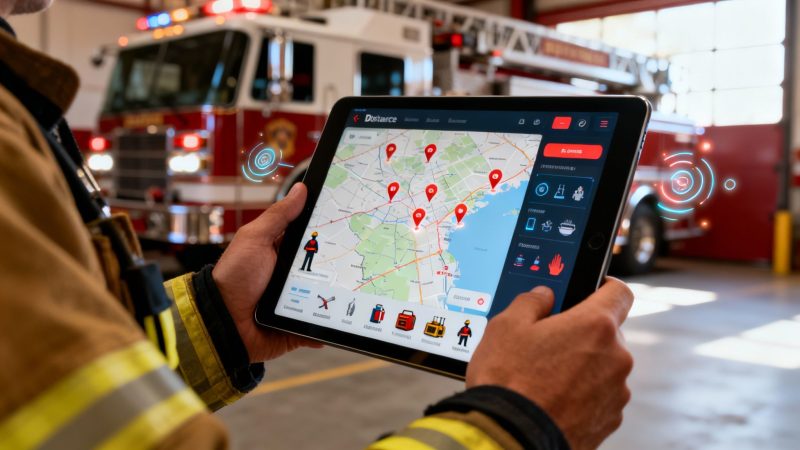
Fire Department Apps: Streamlining Operations for Efficiency, Response, and Savings
Fire department apps are digital tools that bring dispatch, communication, personnel tracking, and reporting together in one place. Essentially, they turn a smartphone or tablet into a central command center, cutting through the noise of radio chatter and stacks of paperwork with real-time, organized information. For example, instead of relying on a dispatcher to relay information piecemeal, an app can push a complete incident file—including maps, pre-plans, and contact info—to every responding unit simultaneously, saving critical seconds before the truck even leaves the station.
How Modern Apps Are Transforming Fire Departments
Imagine ditching all that paperwork and the frantic back-and-forth on the radio for a single, intuitive tool. That’s what modern fire department apps deliver. These platforms aren't just another piece of software; they're a digital multi-tool for every firefighter, chief, and volunteer in the department, designed to streamline operations and cut unnecessary costs.
Think about a traditional response for a second. It’s built on fragmented information—voices crackling over the radio, maybe a paper map, and a whole lot of memory. This creates gaps where mistakes and confusion can creep in. Fire department apps solve this by creating a single source of truth that everyone can see instantly.
The Shift from Chaos to Coordination
The real goal here is to cut down on confusion and boost coordination when the pressure is on. When a call comes in, an app can instantly push every critical detail to the entire responding team. We're talking call location, incident type, hydrant maps, and even building pre-plans, all right there in their hand.
This immediate access to information pays off from day one:
- Faster Response Times: Crews see the best route and critical site data before the truck even rolls, shaving precious minutes off their arrival time. For instance, an app can route an engine around a known traffic jam, a detour that a simple GPS might miss.
- Enhanced Firefighter Safety: Real-time personnel tracking lets the incident commander know exactly who is on-scene, what they're doing, and their status. This eliminates the guesswork of a manual PAR check during a chaotic scene.
- Smarter Resource Management: Chiefs can see apparatus status and availability at a glance. Actionable Insight: This prevents sending a truck that's out-of-service for maintenance to a call, avoiding a dangerous delay and ensuring the closest, most appropriate unit is dispatched every time, which also saves fuel and reduces wear and tear.
A fire department app is a direct investment in your crew’s efficiency and your community’s safety. It turns every firefighter’s phone into a powerful tool for situational awareness, reducing friction and improving outcomes on every call.
To really see the difference, let’s look at how daily tasks change when you move from traditional methods to an app-based system.
From Chaos to Coordination A Quick Comparison
This table illustrates the practical shift from traditional methods to app-based solutions, highlighting key improvements in efficiency and safety.
| Core Function | Traditional Method (Pain Point) | App-Based Solution (Benefit) |
|---|---|---|
| Dispatch | Radio dispatch, pagers, or phone trees. Information can be missed or misheard in the chaos. | Instant push notifications with full call details, maps, and notes sent to all personnel. |
| Personnel Tracking | Manual PAR checks via radio. It's slow, prone to error, and hard to manage on a chaotic scene. | Real-time GPS tracking and status updates (i.e., En Route, On Scene). IC knows everyone's location. |
| Communication | Radio-only communication. Channels can get clogged, and there's no way to share visual info. | Secure messaging, photo/video sharing, and document access. Everyone sees the same information. |
| Equipment Checks | Paper checklists and logbooks. It's tedious, hard to track trends, and easy to lose records. | Digital checklists on a phone or tablet. Automated reminders and instant maintenance reporting. |
| Incident Reporting | Hand-written reports filled out back at the station. Time-consuming and difficult to search later. | Automated data logging and streamlined report creation directly from the app, often on-scene. |
As you can see, it's not just about going digital; it's about fundamentally improving how a department operates under pressure.
A Growing Need for Digital Tools
Making this switch isn't a luxury anymore—it's becoming a flat-out necessity. The global fire department software market was valued at around USD 1.12 billion in 2024 and is expected to hit nearly USD 3.48 billion by 2035. That kind of growth is driven by a clear and urgent demand for solutions that make the job safer and more efficient. You can dig into more insights about the fire software market on Spherical Insights.
For department leaders, the return on this investment is obvious. Practical Example: Using an app to log daily maintenance for a pumper truck means you can get automated service alerts for scheduled fluid changes or brake inspections. This proactive work prevents a critical failure during an emergency, which not only saves thousands in unexpected repair costs but ensures that truck is always ready to roll. That protects your firefighters and the community they serve.
Unpacking the Essential App Features for Your Crew
To really get why fire department apps are such a big deal, you have to look past the general idea and dig into the specific tools that make them tick. These platforms aren't just digital logbooks. They're packed with features designed to improve safety, speed up response, and even save a surprising amount of money.
Let’s break down the core components that turn a smartphone into one of the most important tools on the truck.
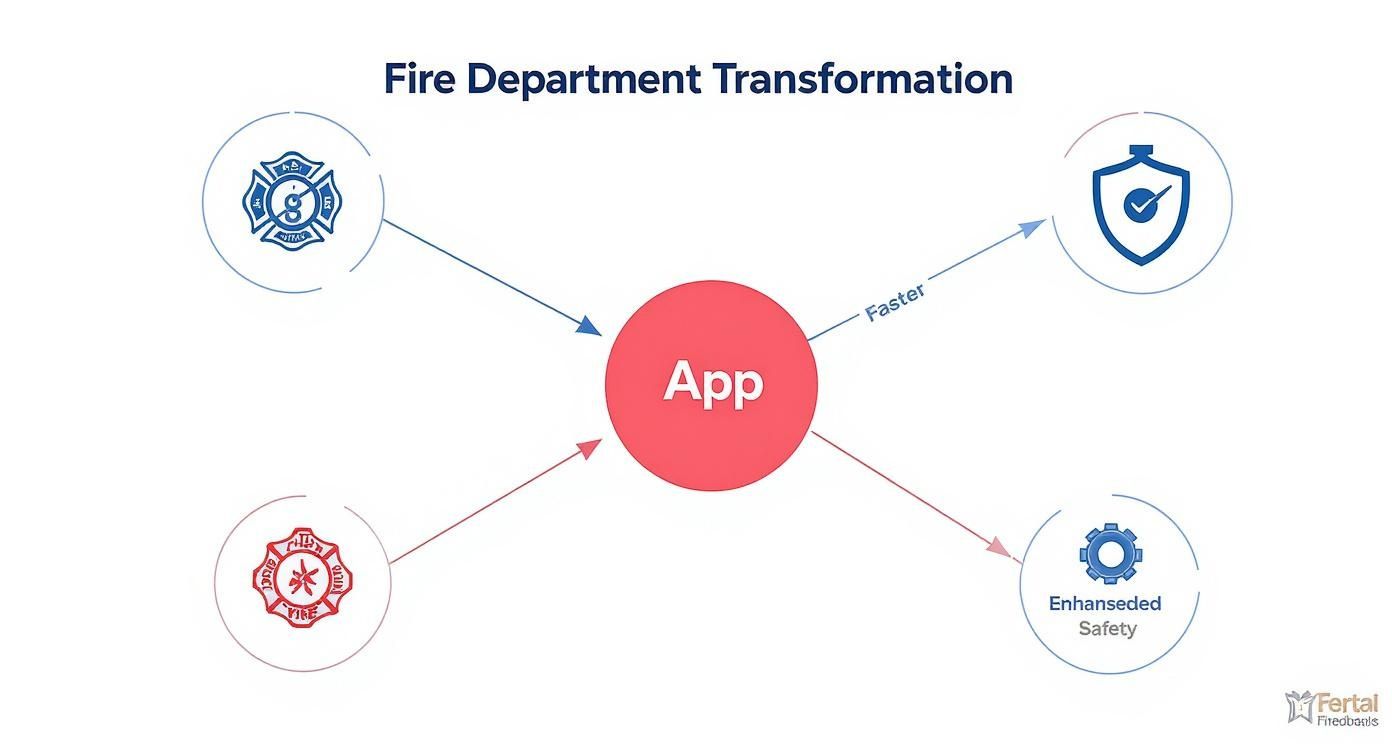
As you can see, all these benefits—better coordination, faster response, improved safety—all flow from having a single, unified platform in everyone's hands.
Real-Time Incident Management
At its heart, a good fire department app is a real-time incident command system that fits in your pocket. When a call comes in, the app doesn't just send a simple text alert. It pushes a whole package of actionable intelligence to every responding unit at the same time.
This is the kind of information that makes a difference:
- GPS Navigation: Optimized routing that actually accounts for traffic and road closures.
- Hydrant Locations: Maps that instantly show you the nearest water sources.
- Building Pre-Plans: Access to floor plans, locations of hazardous materials, and utility shut-offs.
- Call Notes: Live updates from dispatch as new information comes in.
Practical Example: Imagine rolling up to a commercial structure fire and already knowing where the gas main is, which doors are reinforced, and that there are solar panels on the roof. This isn't just a "nice-to-have"; it's a critical safety advantage that shaves precious minutes off the initial scene size-up. It helps build a safer, more effective plan of attack before you even step off the engine.
Personnel and Apparatus Tracking
Accountability on a fireground is everything. The old way of doing things—manual personnel accountability reports (PARs) over the radio—is slow and can get chaotic during a big incident. A modern app automates this entire headache.
An incident commander gets a live, at-a-glance view of every single person on the scene. They can see who is en route, who's actively working, and who is ready for the next assignment. That’s what real accountability looks like.
This lets a commander see a firefighter’s icon moving on a digital map, confirming their location without clogging up the radio. The same idea applies to your trucks. A chief can see which engine is closest to a new incident or which ladder is out for maintenance, leading to much smarter and faster resource decisions.
Secure and Silent Team Communication
The radio will always be a primary tool, but it has its limits. It’s a one-to-many broadcast, meaning sensitive info can be overheard and channels can get overloaded fast. Fire department apps add a secure, secondary layer for communication.
This opens up a ton of possibilities:
- Secure Messaging: Sending private messages between units or directly to individuals.
- Photo and Video Sharing: An engine company can snap a picture of the fire's C-side and send it back to command, providing visual intel that you could never get over the radio.
- Document Access: Sharing standard operating procedures (SOPs) or technical rescue guides right through the app.
Practical Example: A chief can send a tactical update to one specific crew without interrupting critical radio traffic for the whole operation. This could be a message about a change in wind direction affecting smoke conditions, allowing that crew to reposition without creating unnecessary radio chatter.
Equipment and Fleet Management
Finally, one of the most direct ways these apps save money is by making equipment management easier. Paper checklists for trucks and SCBAs are a pain, and they make it tough to track long-term maintenance needs.
With a fire department app, those daily, weekly, and monthly checks are all digital. A firefighter fills out the checklist on a tablet, and the data is logged instantly. If they note low tire pressure or a sticky valve, an alert can automatically be sent to the fleet maintenance officer.
Actionable Insight: This proactive approach stops small problems from turning into big, expensive failures. Think about it: an automated alert to replace an SCBA battery costs almost nothing. Forgetting to do it could lead to a critical failure during a fire, endangering a life and costing the department a fortune. This feature alone provides a clear, measurable return on your investment by extending the life of your expensive equipment.
Saving Time and Money in Real-World Scenarios
It’s one thing to talk about features on a spec sheet, but the real test of any tool is how it performs on the ground, in the middle of a high-stress call. Fire department apps aren't just about keeping things organized; they're active assets that directly impact outcomes. They save precious time, keep our people safer, and deliver a clear return on investment.
Let's walk through a couple of real-world scenarios to see exactly how this plays out.

The Multi-Alarm Structure Fire
Picture this: a working fire at a large commercial building. The tones drop. Traditionally, the first-arriving officer has to rely on hurried radio reports and what they can see in the first 30 seconds to build a strategy. With a modern app, that process starts the moment they get the call.
While still en route, the entire crew is already looking at the building’s pre-plan on their tablets. In seconds, they know:
- The exact location of the nearest hydrant, saving minutes of searching down the block.
- The building layout, including critical intel like FDC connections and utility shut-offs.
- A crucial note about hazardous materials stored in a back room.
This isn't just a small convenience; it’s a game-changer. The first engine arrives on the scene with a solid plan already forming. The incident commander can position apparatus and assign tasks based on hard data, not just a frantic size-up. That advantage helps crews get water on the fire faster and reduces risk for everyone involved.
The Mutual Aid Response
Now, let's say that fire goes to a second alarm. You’re calling in mutual aid from the next town over. This is where communications can turn into chaos—different radio channels, unfamiliar faces, and a whole lot of confusion.
A shared digital platform cuts right through that noise. When the mutual aid company gets the call, they are instantly added to the incident within the app. Right away, they see the same command structure, personnel roster, and operational map as the host department.
With a shared digital view, a mutual aid captain can see exactly where other crews are operating without having to ask over the radio. This shared situational awareness prevents dangerous freelancing and ensures all teams work together seamlessly.
You simply can't achieve that level of coordination with radio alone. It eliminates redundant efforts, improves on-scene safety, and makes the whole multi-agency response far more effective.
The Hidden Financial Benefits
Beyond the incident scene, these apps deliver tangible financial savings that will get any budget-conscious chief's attention. With U.S. fire incidents rising by 11.2% to over 1.5 million cases in 2022, the administrative burden is only getting heavier. For more context, you can see how this trend is shaping the future of the fire software market on OpenPR.
Automated reporting completely changes the game here. Actionable Insight: After a major event, pulling together detailed reports for FEMA reimbursements or insurance claims can take days of painstaking manual work. A good app logs every critical detail automatically:
- Personnel Hours: It tracks the exact time each firefighter signed on and off the scene.
- Apparatus Usage: The system records engine hours, mileage, and even how much water was pumped.
- Incident Timeline: Every key event is timestamped, creating a perfect, indisputable record.
This data gets compiled into a clean report with just a few clicks. It ensures your department gets every single dollar it's entitled to, without the administrative headache and lost revenue from incomplete or inaccurate manual reports.
On top of that, think about the daily operational costs. Optimized dispatch and GPS routing cut down on fuel consumption and vehicle wear and tear across the entire fleet. By always sending the closest, most appropriate unit via the fastest route, departments see a noticeable drop in their annual fuel and maintenance budgets. These small savings add up quickly, providing a clear financial justification for the software's cost. To get a feel for how these savings can offset the investment, you can explore different plans and pricing for fire department software that fit a variety of department sizes.
How to Choose the Right App for Your Department
Picking the right fire department app feels like a big decision, and it is. But it doesn't have to be a painful one. The best way to think about it is like spec'ing out a new ladder truck. You wouldn’t just look at the sticker price, right? You'd be crawling all over it, checking the ladder's reach, its stability, what kind of maintenance it needs, and how it actually fits into your crew's way of doing things.
That's the exact same logic you should apply here. The goal isn't just to buy software; it's to find a platform that meshes with your department's operational tempo. It doesn't matter if you're a small volunteer squad covering a huge rural area or a major municipal agency juggling dozens of calls a day—the right tool should feel like an extension of your team, not another piece of gear to fight with.
Taking a moment to understand the basics of what goes into building these tools can give you a huge leg up. Getting familiar with the comprehensive mobile app development process provides some great context on why some apps are rock-solid and others… well, not so much.
Define Your Core Needs First
Before you even think about watching a demo or talking to a sales rep, get your people in a room. I’m talking everyone—from the chief down to the newest probie—and hash out a "must-have" list. What are the biggest headaches you're dealing with right now? Is it the complete chaos of communicating on a mutual aid call? The mountain of paper from daily truck checks? Or that gut-wrenching feeling of not knowing exactly who is on scene and where?
Get specific. Don't just say "better communication." Your list should look more like this:
- Offline Functionality: The app absolutely has to work in the parts of our district with spotty or nonexistent cell service. We need maps and pre-plans cached on the device, no excuses.
- CAD Integration: It must plug directly into our current Computer-Aided Dispatch system. Money-Saving Tip: Double data entry is a waste of paid hours. Direct CAD integration saves time on every single call, and that time adds up to real money.
- Ease of Use: The interface needs to be dead simple. A volunteer who only logs in a few times a month should be able to pick it up and go without a two-hour training session.
This first step is non-negotiable. It creates a scorecard that lets you measure every vendor against your needs, not their marketing pitch. It stops you from getting distracted by flashy features that don't actually solve your real-world problems.
Understanding the True Cost of Ownership
One of the easiest traps to fall into when buying software is getting fixated on the initial price tag. The Total Cost of Ownership (TCO) is what really matters, as it gives you a clear-eyed view of the long-term financial picture. You have to look beyond the quote and dig into how these companies structure their pricing.
You'll generally run into a few common models:
- Per-User Subscriptions: You pay a monthly or yearly fee for each firefighter on the platform. For smaller or growing departments, this is often the most sensible route because the cost scales with you.
- One-Time Licenses: This involves a big payment upfront for the software, often with a required annual fee for maintenance, updates, and support.
- Tiered Packages: You'll see different price points that unlock different sets of features. The more you pay, the more you get.
To really nail down the TCO, you have to ask about the "gotchas"—the hidden fees. Are you going to get hit with extra charges for data storage? Is CAD integration an add-on cost? What about premium customer support? A vendor who's worth your time will be upfront about the all-in cost.
Doing this homework now saves you from ugly budget surprises later. An app that can automate your reports for FEMA reimbursements might pay for itself several times over, but you can only make that calculation if you know the full cost from day one.
Evaluate Scalability and Security
Your department isn't static. It's going to grow and change. The right app needs to be able to grow with you. Ask vendors how their system handles expansion. What's the process for adding a new station, a new truck, or 20 new members? A scalable platform means you won't be right back here, going through this whole process again in just a couple of years.
And just as critical is security. You're dealing with incredibly sensitive information—from patient data on medical calls to tactical plans for high-risk buildings. You have to be confident that any provider you choose takes security seriously. It is absolutely essential to understand their policies on data security and compliance to protect not only your department but the entire community you serve. This means asking hard questions about data encryption, secure cloud hosting, and how they handle compliance with regulations like HIPAA for protected health information.
Vendor Evaluation Checklist
Use this checklist to systematically compare software vendors and ensure you select a solution that meets your department's specific needs and budget.
| Evaluation Criteria | Questions to Ask the Vendor | Why It Matters (Cost/Safety Impact) |
|---|---|---|
| Core Functionality | Does the app meet all our "must-have" needs? Is the user interface intuitive for both tech-savvy and non-tech-savvy users? | Safety: A complex UI can cause delays and errors on scene. Cost: Paying for features you don't use is a waste of budget. |
| CAD Integration | Is our specific CAD system supported? Is there an extra fee for integration? How long does implementation take? | Cost: Manual entry wastes personnel hours. Seamless integration boosts efficiency and data accuracy, which can impact reporting and funding. |
| Reliability/Offline Mode | What is your uptime guarantee? How does the app perform in low-connectivity areas? Can we cache data locally? | Safety: An app that fails in a dead zone is useless. Reliable communication and access to pre-plans is a critical life-safety function. |
| Total Cost of Ownership | Can you provide a complete pricing breakdown, including all potential fees (setup, training, data storage, support)? | Cost: Hidden fees can quickly blow your budget. A clear TCO allows for accurate financial planning and prevents surprise expenses. |
| Security & Compliance | How is our data encrypted (in transit and at rest)? Are you compliant with relevant standards (HIPAA, CJIS)? Where is the data hosted? | Safety/Cost: A data breach can be catastrophic for community trust and result in massive legal and financial penalties. |
| Support & Training | What does your standard support package include? What are your support hours? What training resources do you provide? | Cost: Poor support leads to frustration and low adoption, wasting the initial investment. Good training ensures everyone uses the tool effectively. |
| Scalability | How does the platform scale as we add users, apparatus, or stations? Are there pricing tiers for growth? | Cost: Outgrowing a system and needing a replacement is expensive and disruptive. A scalable solution protects your investment for the long term. |
Choosing the right partner is just as important as choosing the right features. A vendor should feel like an extension of your team, invested in your success and ready to support you when things go sideways at 3 AM.
Implementing Your New System for Success
Buying a new fire department app is the easy part. The real work—and the real payoff—comes from getting your people to actually use it. The difference between a tool that gathers digital dust and one that becomes mission-critical is all in how you roll it out. It’s not about flipping a switch; it's about guiding your team through a smart, supportive transition.
One of the most effective strategies we've seen is the phased rollout. Instead of dropping the app on the entire department at once, start small. Pick a dedicated group of champions—maybe a single station or a handful of your most tech-savvy officers and firefighters.
This core team gets to kick the tires in real-world situations. They'll find the little quirks, figure out the best ways to use the features, and become the experts who can later teach everyone else. This approach builds momentum and lets you work out the kinks on a small scale, making the department-wide launch a whole lot smoother.
Fostering Adoption and Overcoming Resistance
Let's be honest: change can be a tough sell in a profession built on tradition. The key to getting buy-in is to hammer home the answer to the one question on every firefighter’s mind: "What's in it for me?"
You have to frame the training around practical, personal benefits, not abstract department goals. Forget saying, “This improves our data collection.” Instead, show them how it means they don't have to fill out a mountain of paperwork back at the station after a tough call.
Here are a few practical examples to use in training:
- Highlight Time Savings: Show them how a digital truck check takes five minutes on a tablet instead of fifteen minutes with a paper log, getting them back to training or dinner that much faster.
- Emphasize Safety: Demonstrate how pulling up a building's pre-plan on a tablet gives them critical intel about a hazardous materials storage room that could literally save their life.
- Simplify Communication: Position the messaging feature as a way to get quick, quiet updates, like a change in staging location, without tying up the radio for routine traffic.
When the new system is seen as a tool that genuinely makes their job easier and safer, it stops being a mandate from the top and starts being their tool.
Securing Your Most Sensitive Data
In our line of work, data security isn't just an IT problem—it's a matter of public trust. When you adopt a fire department app, you're handing it everything from patient medical data to tactical plans for critical infrastructure. Protecting that information has to be priority number one.
The market for this technology is growing fast for a reason. By 2028, fire department software is projected to hit around USD 1.5 billion globally, mostly because departments are moving to cloud platforms for real-time data. You can read the full research on the fire software market's growth to see where things are headed.
A data breach isn't just an inconvenience; it can have devastating consequences. Your chosen platform must have rock-solid security baked into its DNA, giving your leadership and your community peace of mind.
Look for vendors who take this seriously and can prove it with features like:
- HIPAA Compliance: This is an absolute must-have if you run medical calls. It’s the federal standard for protecting patient health information (PHI), and it’s non-negotiable.
- Secure Cloud Hosting: Your data should live in reputable, secure data centers with redundant backups and serious physical security.
- End-to-End Encryption: Every piece of data, whether it’s in transit from a phone or sitting on a server, has to be encrypted to lock out anyone who shouldn't see it.
And for those departments developing apps for wider release, getting noticed requires understanding App Store Optimization (ASO) to ensure your tool gets into the right hands. A smart implementation plan, backed by airtight security, is what builds the trust needed for everyone to get on board and stay there.
The Future of Fire Service Technology
So far, we've talked about the tools that make a high-performing department tick right now. But the evolution of fire service technology isn't slowing down—it's speeding up. The next wave of fire department apps will go beyond just reacting to calls. They'll start to anticipate events before they happen, creating a safer world for both our crews and the public. This isn't some far-off sci-fi fantasy; it's the very near future of emergency response.

This next generation of tech will feed new sources of information directly into the platforms your crews are already using, giving them a level of situational awareness we could only dream of a decade ago.
Smarter Responses Through Predictive Insights
We are right on the edge of truly intelligent firefighting tools. Imagine an app that doesn't just show you a map of your first due, but actually analyzes it. These future systems will pull together several key technologies:
- Artificial Intelligence (AI): AI algorithms will crunch historical incident data, look at weather patterns, and factor in community events to predict high-risk fire zones. This allows departments to pre-position assets during critical times like holidays or major heatwaves.
- Drone Integration: Drones will push live aerial video straight to an incident commander's tablet, offering a bird's-eye view of a structure fire or a complex hazmat scene. That kind of visual intelligence is invaluable for making the right tactical calls.
- Internet of Things (IoT): Think about smart buildings automatically transmitting critical data—like which smoke detectors are active, the sprinkler system's status, or even the exact location of elevators—to responding units before they even arrive on scene.
The goal is to give first responders answers to questions they haven't even had a chance to ask. This shift from reactive to predictive operations will fundamentally improve firefighter safety and operational outcomes.
Putting a modern app platform in place today isn't just about solving your current headaches. It’s about laying the foundation for these future advancements. By building your department's digital backbone now, you're making sure you’re ready to adopt the tools that will define the next decade of firefighting. The right fire department app is an investment in building a smarter, safer, and more resilient fire service for tomorrow.
Frequently Asked Questions
Let's tackle some of the most common questions fire chiefs, IT managers, and firefighters have when thinking about bringing new tech into the department. These are the real-world, practical concerns we hear all the time.
How Much Do Fire Department Apps Cost?
There's no single price tag, but most apps use a per-user subscription or an annual license model. Actionable Insight: The real savings come from what you don't have to buy anymore. A scalable, cloud-based solution means you can ditch expensive on-premise servers and avoid the nightmare of custom software development, which can easily run into six figures.
Think about it this way: a volunteer department might pay a small fee for each user, which keeps costs incredibly low and predictable as they grow. There’s no huge upfront investment. Plus, once you replace old paper-based systems for truck checks or incident reports, you get a ton of administrative hours back. That's time your people can spend on training or equipment maintenance, which is a direct financial win.
Choosing a flexible, cloud-based platform means you only pay for what you need. It’s a smarter way to manage your budget while gaining access to powerful tools that would otherwise be financially out of reach for many departments.
How Difficult Is Training on a New System?
The learning curve is a huge—and valid—concern, especially for departments with a mix of tech-savvy rookies and veteran firefighters who are less comfortable with new gadgets. The trick is to find an app that feels intuitive, more like something you’d download on your personal smartphone than a clunky piece of enterprise software.
A smooth rollout really hinges on the support you get from the vendor. You'll want a company that provides solid training materials like video tutorials and has real people available for support. That way, a 30-year veteran can feel just as confident using the app as a brand-new probie. Practical Example: We've seen departments have great success with a phased rollout. Start with a single station, let them become the in-house experts, and then have them help train the rest of the crew. It makes the whole process feel more collaborative and less like a mandate from the top.
Will These Apps Work in Rural Areas?
Absolutely. In fact, many modern fire department apps are built with rural and remote operations in mind. The single most important feature to look for here is offline capability. This just means the app saves—or "caches"—all the critical data right on the phone or tablet.
Practical Example: You're responding to a wildfire in a remote area with zero cell signal. An app with offline functionality ensures your crew still has access to pre-plans for nearby structures, hydrant maps, and call notes that were downloaded when they last had a connection. Once you're back in an area with service, the app syncs everything up automatically. This kind of design means your team is never flying blind, no matter where the call takes them.
Ready to see how a unified platform can streamline your operations and save your department money? Resgrid offers a comprehensive, open-source solution for dispatching, messaging, and real-time tracking with no contracts or hidden fees. Explore how Resgrid can meet your department's needs by visiting https://resgrid.com.