
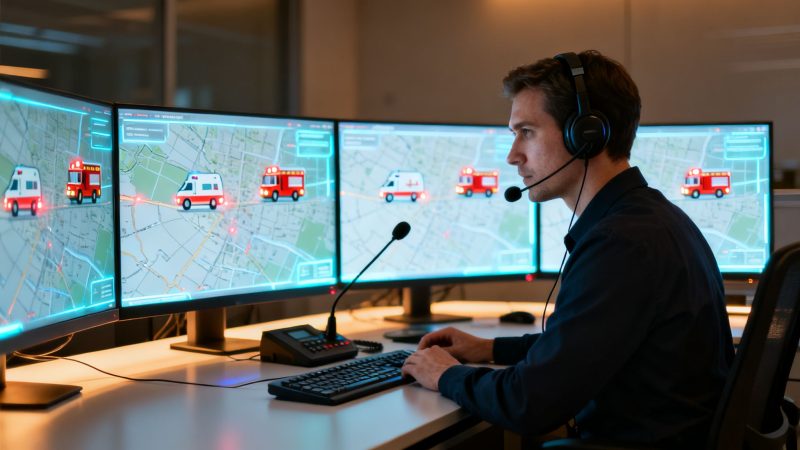
The Ultimate Guide to Fire Department Dispatch
Fire department dispatch is the communication hub at the absolute center of any emergency response. It’s the critical link that receives a 911 call and gets the right fire and medical resources rolling to the scene, often before first responders even start their engines.
The Nerve Center of Emergency Response
Picture an emergency as an orchestra warming up. Without a conductor, you just get a chaotic blast of noise. A fire department dispatch center is that conductor, turning a frantic 911 call into a coordinated, life-saving symphony of action. These highly trained professionals are the real 'first first responders,' kicking off every crucial step from the second a call gets answered.
Think of a dispatcher like an air traffic controller, but for emergencies on the ground. While a pilot can see the sky ahead, first responders often arrive on scene with very limited information. The dispatcher’s job is to gather critical details under extreme pressure, make sense of them, and paint a clear picture for the incoming crews. This isn't just about answering phones; it’s about making split-second decisions that set the entire response in motion.
The First Step in Saving Lives and Resources
Every single action a dispatcher takes has a direct impact on response times and how effectively an incident is managed. A calm, methodical approach can be the difference between a controlled situation and a full-blown catastrophe.
- Information Gathering: They ask very specific questions to figure out the nature and severity of the emergency—Is it a fire? A medical call? A hazmat situation?
- Resource Allocation: Based on what they learn, they dispatch the correct number and type of units. That initial decision is a massive first step in managing department resources the right way.
- Real-Time Guidance: They feed vital information to responding units, like potential hazards, how many people are involved, and the safest way to approach the scene.
An efficient dispatch process is the bedrock of fiscal responsibility in emergency services. Getting the right resources to the right place the first time prevents costly over-deployment and reduces wear and tear on expensive apparatus.
Practical Example & Actionable Insight: When a dispatcher can accurately identify a call as a faulty fire alarm from a commercial building instead of a confirmed structure fire, they prevent a multi-vehicle response. That simple, informed decision saves thousands of dollars in fuel, engine hours, and personnel time. Just as important, it keeps those valuable assets available for a genuine emergency that might happen at the same time somewhere else. That initial assessment, made in just a few seconds, is the first and most impactful money-saving action in any emergency response.
From 911 Call to On-Scene Command
That frantic 911 call? It’s just the first domino to fall in a rapid-fire sequence of events managed by the dispatch team. Every step is a crucial handoff where a single piece of information can change the entire response. Speed and accuracy aren't just goals; they're everything.
Let's walk through this process with a practical example: a multi-vehicle pile-up on a major highway.
It all kicks off with the initial call. A commuter sees the crash and dials 911. That call hits a telecommunicator who has seconds to pull out the most critical details: Where are you? How many cars? Is there fire? Is anyone trapped?
That raw intel immediately goes to a dispatcher for verification and prioritization. They’re already pulling up maps, cross-referencing other incoming calls to confirm the location. Based on the notes from the telecommunicator—phrases like "multiple vehicles," "entrapment possible," "smoke showing"—this incident gets flagged as a top priority. No question about it.
Assigning the Right Assets
With the incident confirmed, the dispatcher pivots to unit assignment. Using their Computer-Aided Dispatch (CAD) system, they’re not just sending the closest truck; they're strategically deploying the right resources for the job.
For our highway wreck, that means a calculated, multi-unit response:
- An Engine Company to handle any potential fire.
- A Rescue or Squad Company with the specialized extrication tools needed to cut people out of mangled vehicles.
- An Ambulance/EMS Unit for immediate patient care and transport.
- A Battalion Chief to take the reins as the on-scene Incident Commander.
Dispatching this full assignment from the jump saves precious minutes. You’re not waiting for the first engine to arrive and then call for the specialized rescue team they desperately need. The tools are already on the way.
Maintaining the Lifeline
Once those units are rolling, the job shifts to real-time communication. The dispatcher becomes the central hub, feeding updates to the responding crews. Maybe another 911 caller reports a fuel spill, or a police unit arrives first and confirms people are trapped. That constant flow of information prepares the crews for exactly what they're driving into.
On scene, that lifeline is the two-way radio. Firefighters rely on having that equipment ready and accessible, which is why something as simple as good radio holsters can make a huge difference when they're climbing over wreckage or pulling hose lines.
This entire flow—from the initial data to the final action—is a chain reaction.
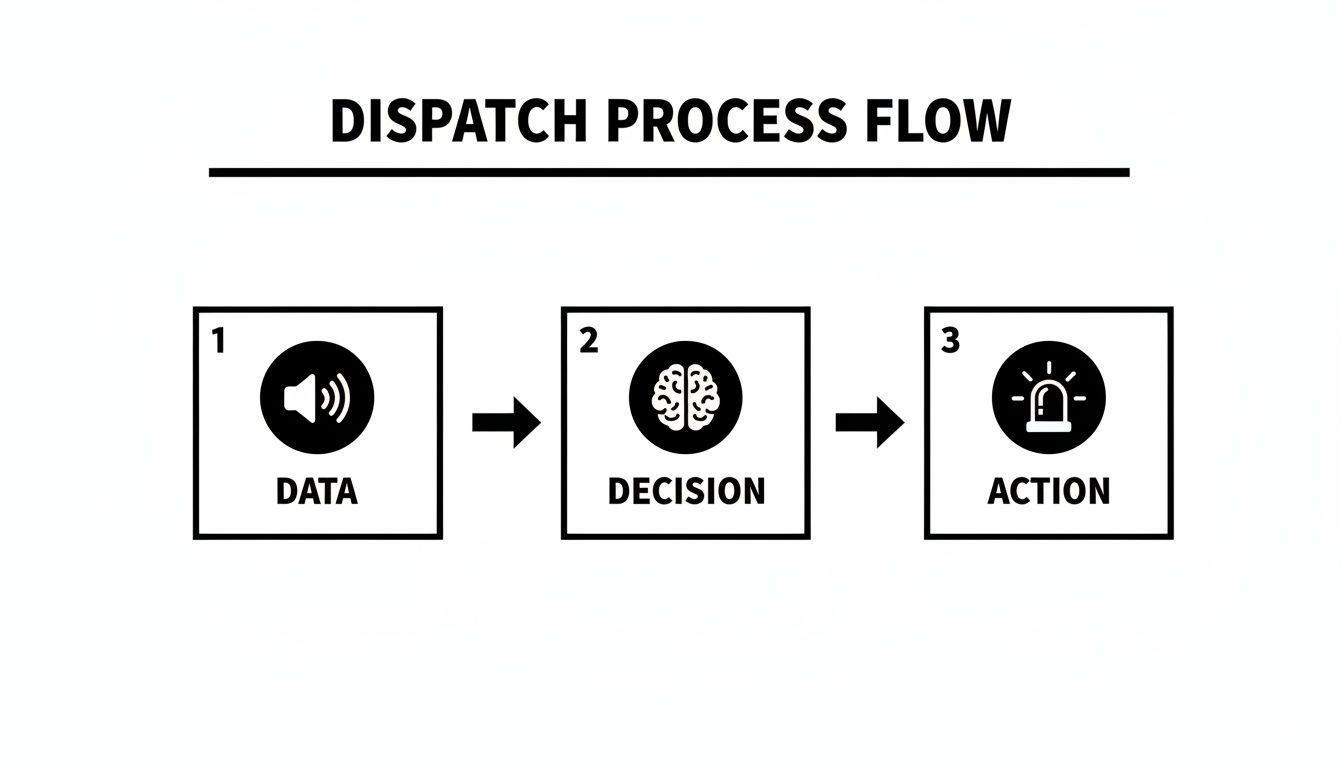
As you can see, the dispatcher takes the incoming information (Data), processes it (Decision), and mobilizes the right units (Action).
The final piece is incident resolution and documentation. Once the Incident Commander calls the scene "under control," the dispatcher's work isn't done. They meticulously log every action, unit time, and outcome. This data is pure gold for after-action reports, future training scenarios, and analyzing departmental performance.
To bring this all together, let's break down who does what in this critical workflow.
Dispatch Workflow Roles and Responsibilities
This table outlines the key players in the dispatch process, showing how each role contributes to a successful outcome and where a platform like Resgrid can drive efficiency and cut costs.
| Role | Primary Responsibility | Key Actions | Cost-Saving Impact with Resgrid |
|---|---|---|---|
| Telecommunicator | Initial call intake and information gathering. | Answers 911 calls, obtains location and incident details, provides pre-arrival instructions. | Faster data entry reduces call handling time, freeing up personnel. |
| Dispatcher | Incident prioritization and resource assignment. | Verifies incident, selects appropriate units via CAD, manages radio traffic, relays updates. | Automated recommendations ensure the right units are sent, reducing fuel and wear on apparatus. |
| Incident Commander | On-scene management and strategic command. | Assesses the scene, develops an incident action plan, requests/releases resources, ensures safety. | Real-time visibility into personnel and unit status prevents over-resourcing and improves accountability. |
These roles are completely codependent. When they work in sync, the response is seamless. But when they don't, things fall apart fast.
The greatest point of failure in this chain is the information silo. When a telecommunicator, dispatcher, and incident commander are using separate systems, critical details get lost in translation, leading to delayed or incorrect responses.
Actionable Insight: This is where a unified platform saves not just time, but money. By getting everyone—from the dispatch console to the boots on the ground—looking at the same real-time data, you eliminate costly mistakes. You don't waste fuel sending the wrong truck or put crews at risk because of incomplete hazard information. A single source of truth makes sure you use the right resources, the right way, the first time. To see how modern tools pull this off, you can check out the different applications Resgrid offers at https://resgrid.com/apps. That seamless flow of information is what turns a chaotic emergency into a controlled, successful response.
Prioritizing Calls When Every Second Counts
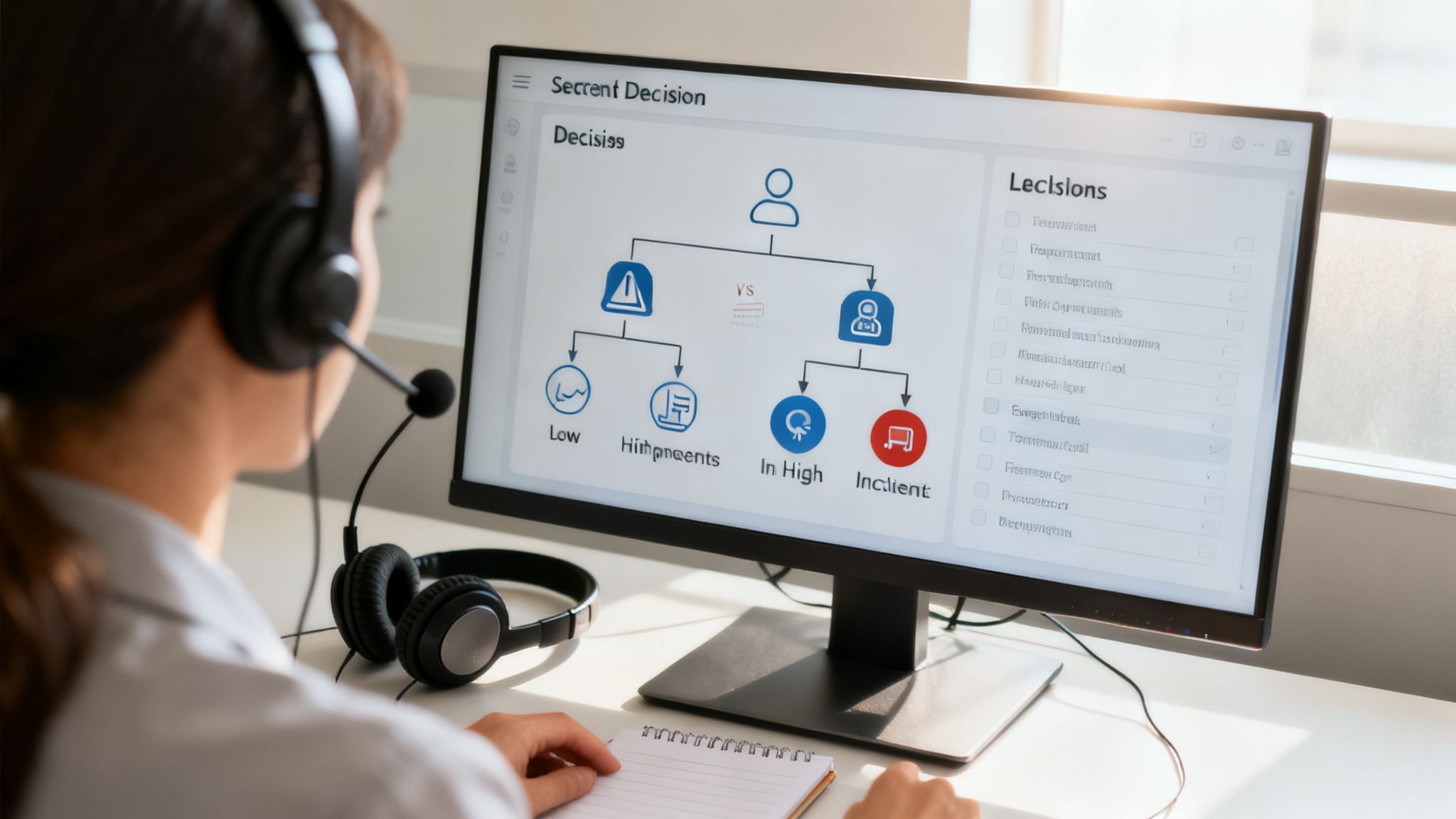
Let's be clear: not all 911 calls are created equal. A cat stuck in a tree just isn’t the same as a house engulfed in flames. A huge part of fire department dispatch is making that split-second decision on the threat level of every single call. This isn't guesswork; dispatchers rely on structured, logical protocols to classify incidents and get the right help moving, fast.
The best way to think about it is like an emergency room triage. The guy with a sprained ankle isn't getting seen before the person having a heart attack. Dispatchers apply that exact same logic through a tiered response system, sorting calls into priority levels based on the immediate risk to life and property. It’s a methodical approach that guarantees the most dangerous situations get the biggest and fastest response.
This entire process is driven by standardized questioning. Dispatchers are trained to follow a specific script, a series of questions that quickly paint a clear picture of what's happening. The answers are like puzzle pieces that help them tell the difference between a minor nuisance and an absolute catastrophe.
From Minor Incident to Major Emergency
To see how this works in the real world, let's break down a practical example of two calls that might sound similar at first but trigger completely different responses—and have a massive impact on department resources and costs.
Scenario 1: The Dumpster Fire
A caller reports smoke coming from behind a shopping center. Following protocol, the dispatcher asks a few key questions and confirms:
- The smoke is coming from a self-contained metal dumpster.
- It's sitting by itself in a parking lot, a safe distance from any buildings.
- No people or vehicles are anywhere near it.
Based on these facts, the protocol points to a low-priority, single-unit response. One engine company is sent out to knock down a small, contained fire. The cost is minimal, and every other unit in the district stays available.
Scenario 2: The Structure Fire with Entrapment
Another caller reports smoke, but this time it's from a house. The dispatcher's questions uncover a much more serious situation:
- Smoke is pouring from the second-story windows.
- Flames are visible inside the home.
- A frantic caller says their elderly parent is still inside.
That one word—entrapment—changes everything. It triggers an all-hands-on-deck, maximum-level response. Multiple engines, a ladder truck, a rescue squad, EMS units, and a battalion chief are all dispatched at once. The strategy is simple: throw overwhelming force at the problem immediately.
Precision dispatching is a powerful cost-control tool. By accurately classifying an incident's priority, departments avoid the massive expense of over-deployment, saving fuel, reducing vehicle wear, and keeping vital resources available for true emergencies.
Actionable Insight: Think about a common call: an automatic fire alarm from a commercial building. Without digging deeper, a department might roll a full structure fire response, easily costing thousands in operational expenses for what turns out to be burnt toast. A skilled dispatcher, however, will get on the phone with the building's alarm company or a keyholder to get more intel. If they can confirm it's a false alarm or just a faulty sensor, they can downgrade the response to a single non-emergency unit or even cancel it altogether. That one simple action, when repeated dozens of times a month, adds up to serious savings for the fire department's bottom line.
Taming the Beast: Overcoming Common Fire Dispatch Challenges
A fire dispatch center is one of the most intense workplaces on the planet. It’s not just the stress of handling life-or-death calls one by one; it’s the systemic challenges that can grind an entire operation to a halt, slow down response times, and put both the public and responders in danger. Getting a handle on these hurdles is non-negotiable for any modern emergency service.
The big ones are pretty universal: getting slammed with calls during a major incident, trying to get other agencies on the same page, and dealing with the immense mental toll on your people. When a hurricane or wildfire rips through a region, a dispatch center can go from managing a few dozen calls an hour to hundreds. That kind of surge will break any manual process and lead to critical mistakes.
It’s the same story with large-scale incidents, like a massive highway pile-up or a multi-alarm structure fire. These events demand seamless teamwork between fire, police, and EMS. Without a solid, unified communication platform, these agencies end up stuck in their own information silos, which is incredibly dangerous. You get duplicated efforts, conflicting orders, and delays that can turn tragic.
Keeping Your Head Above Water During High Call Volume
When a major event kicks off, the sheer number of incoming calls can paralyze a dispatch center. To give you an idea of what that looks like, the Los Angeles County Fire Department's 9-1-1 Communications Center handled 151,027 inbound calls in just the fourth quarter of 2025. On their busiest day, they fielded a staggering 2,350 calls. These dispatch statistics show just how quickly systems can get pushed past their breaking point.
When every single dispatcher is glued to the phone answering calls, there’s nobody left to work the radio and actually coordinate the response. This is where good automation becomes a lifesaver—and a huge cost-saver.
The biggest financial drain during a surge isn't the incident itself—it's the operational chaos from being manually overloaded. Automating the routine stuff frees up dispatchers to focus on the high-stakes decisions that really matter, saving critical time and money.
Actionable Insight: Instead of having dispatchers manually call or page off-duty or volunteer personnel one by one, a modern system can handle that entire process automatically. This immediately lightens the load, cuts down on human error, and gets more boots on the ground in a fraction of the time.
This is a perfect example of how a platform like Resgrid can manage personnel and automate callouts, taking the pressure off dispatch.
This kind of interface gives you a clear, real-time view of who’s available and lets you blast out group messages instantly, all without a dispatcher having to touch a thing.
Breaking Down the Communication Silos
Getting different agencies to talk to each other effectively is another massive hurdle. When fire, police, and EMS aren't communicating, everyone's at risk. Responders might show up on a scene totally blind to critical intel that another agency already has, like the location of a weapon or the presence of hazardous materials.
A unified communication system closes those dangerous gaps. When you give all the agencies a single platform to share real-time updates, maps, and messages, you create a common operating picture where everyone sees the same information.
- Practical Example: Imagine a large public event. A police officer on one side of the venue spots a potential fire hazard. Instead of trying to relay that up their chain of command and hoping it eventually gets passed over to the fire department, they can just post an alert to a shared channel.
- Actionable Insight: The fire incident commander sees that alert instantly and can pre-position an engine company nearby just in case. This simple, proactive move prevents a delayed response if something goes wrong. It costs nothing but a few seconds of communication, but it could save lives and prevent millions in property damage. By integrating your communications, you stop small problems from turning into expensive disasters.
The Technology Powering Modern Dispatch
Walk into a modern fire dispatch center today, and you might think you’ve stumbled into mission control. Gone are the days of paper maps spread across a desk and radios crackling with static. Today's dispatch is a high-tech operation, powered by a suite of tools that work together to turn a flood of chaotic information into clear, actionable intelligence. It's all about making sure the right people get to the right place as fast as humanly—and technologically—possible.
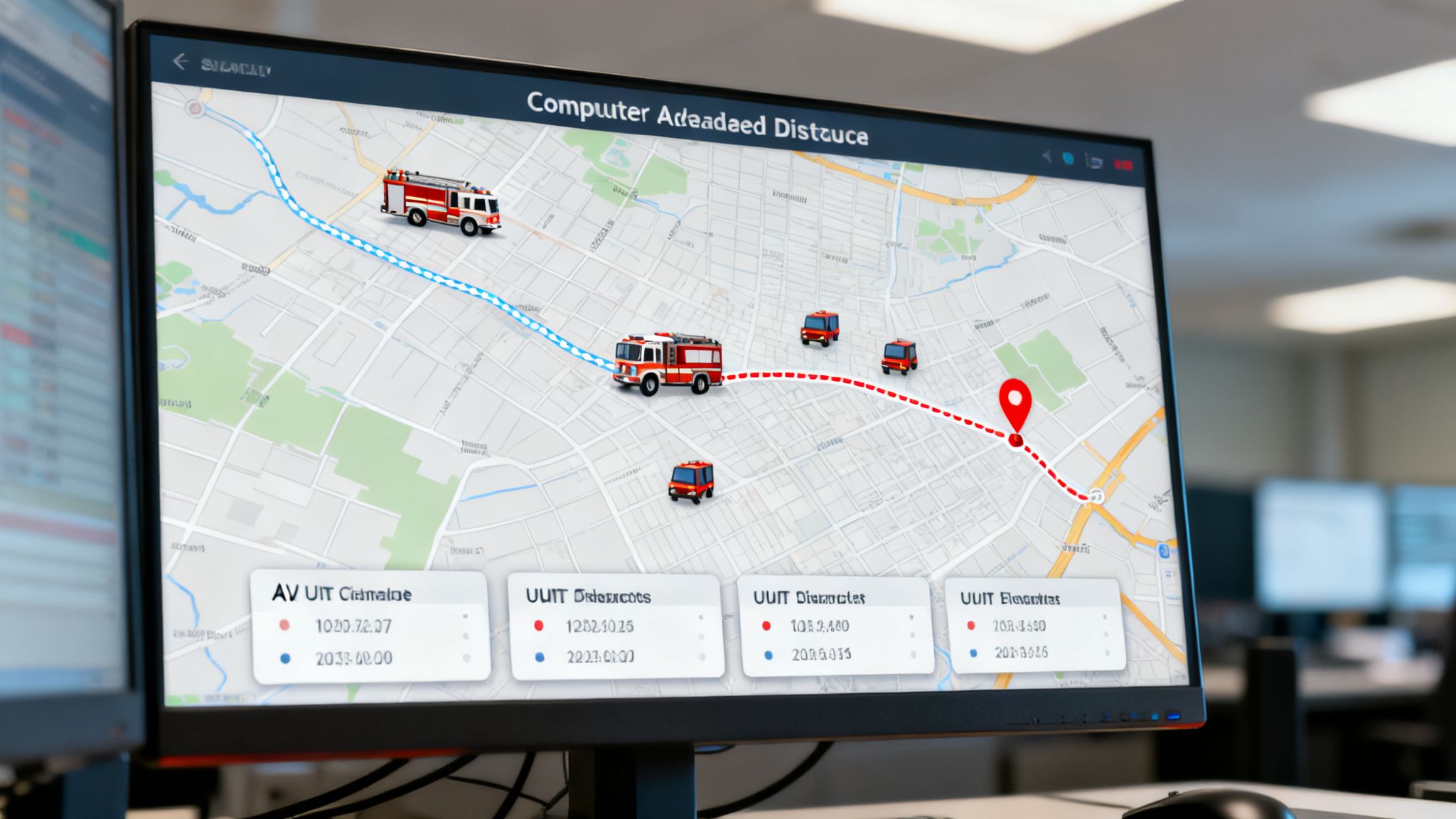
The nerve center of this entire system is the Computer-Aided Dispatch (CAD). Think of it as the brain of the operation. Every single piece of information about an incident—from the initial 911 call details to every status update from units in the field—gets logged, processed, and organized right here.
When a call comes in, the CAD system instantly analyzes the location and cross-references it with available resources, often suggesting the best units for the job. But it's not just about picking the closest truck. The system is smart. It knows which engine has paramedics, which ladder truck is equipped for a high-angle rescue, and which units are already tied up on another call. This intelligence ensures the right assets are rolling from the get-go.
Real-Time Visibility with Automatic Vehicle Location
If CAD is the brain, then Automatic Vehicle Location (AVL) provides the eyes. Working in lockstep with the CAD, AVL uses GPS to show the real-time location, status, and even speed of every vehicle in the fleet on a digital map. For a dispatcher, this live view is an absolute game-changer. It provides total situational awareness.
Let's walk through a practical example of how this saves lives:
- Engine 5 gets dispatched to a car fire downtown. A fairly routine call.
- While they're on their way, a new 911 call lights up the board: a structure fire with people trapped, just two blocks from Engine 5's current location.
- A quick glance at the AVL map confirms it—Engine 5 is now the closest unit to the more critical, life-threatening emergency.
- The dispatcher can instantly reroute Engine 5 to the structure fire and assign a different unit to handle the original car fire. This shaves precious minutes off the response time when it matters most.
Without AVL, the dispatcher would be flying blind, forced to stick with the original plan and wait for another unit to become available. That delay could be catastrophic. This kind of agility not only improves outcomes but also optimizes fuel and reduces wear and tear on expensive apparatus.
The Power of Integrated Platforms
The real magic happens when all these tools are integrated. When CAD, AVL, and communication systems are all talking to each other, the entire fire department dispatch operation becomes a seamless, well-oiled machine. This is the philosophy behind many of Resgrid’s key capabilities. You can learn more about our integrated features and see how they create a unified command center for first responders.
The most significant cost-saving measure a department can take is to break down technology silos. Proprietary, single-function systems are not only expensive to purchase but also to maintain. An integrated platform provides superior functionality at a fraction of the cost.
Actionable Insight: For volunteer and smaller municipal departments, the price tag on traditional, proprietary CAD and AVL systems can be a massive barrier, often running into the hundreds of thousands of dollars for licenses and ongoing support. This is where integrated platforms like Resgrid come in. They deliver the same advanced capabilities—dispatching, personnel tracking, real-time mapping, and messaging—without the crippling expense. It’s about making top-tier technology accessible to every department, regardless of their budget, helping them protect their community more effectively while being good stewards of taxpayer money.
Optimizing Your Dispatch with Resgrid
Let's be honest, upgrading your fire department dispatch is about more than just slick new software. It's about fundamentally rewiring how your team communicates and rolls out the door. When you bring in a system like Resgrid, you’re not just buying a tool; you're adopting a blueprint to tackle those nagging, everyday problems and turn operational headaches into strengths. This is how you build a faster, smarter, and more cost-effective response from the ground up.
The first step is always the hardest: taking a good, hard look at where things are breaking down. Where does information get stuck? Is it the agonizing wait to see who's actually coming for a volunteer call-out? Or is it the IC on scene trying to get a simple, accurate headcount? Pinpointing these friction points is the only way to find a real solution.
Step 1: Identify Communication Bottlenecks
Take a moment and map out your current mobilization process. For a lot of departments, especially volunteer outfits, it’s a chaotic scramble of group texts, frantic phone calls, and maybe an old-school paging system. That kind of patchwork approach isn't just messy; it's slow, unreliable, and surprisingly expensive.
If you see a significant lag between the initial dispatch alert and having enough boots headed to the station, you've found your bottleneck. Those minutes spent manually paging crews and waiting for replies to trickle in are minutes you can't get back on a scene. That's your first target for improvement.
Actionable Insight: Think about it—a department paying just $250 per month for an outside paging or mass texting service is burning $3,000 every year. That's cash spent on a service that does nothing more than send a one-way message with zero real-time feedback. By bringing this process in-house with an integrated system, you can chop that expense right off the budget. Resgrid’s automated callouts handle this instantly via push, text, and email, all while tracking who’s responding in real-time. No separate subscription, no extra fees.
Step 2: Configure Total Visibility
Once you've plugged the leak in your initial call-outs, the next mission is getting total situational awareness. You can't manage what you can't see. This means getting real-time tracking set up for both your people and your apparatus.
It starts with building out profiles for every single member, noting their specific qualifications—firefighter, EMT, officer, you name it. Do the same for every rig, logging its capabilities. The magic happens when a call drops; the system instantly cross-references this data to show you exactly who is responding and what equipment is rolling.
- Practical Example: A mutual aid request comes in for a structure fire. Instead of just sending a truck and hoping for the best, your dispatcher sees that a qualified crew chief and pump operator are responding. You're not just sending a piece of metal; you're sending a fully effective crew from the moment they arrive.
This kind of visibility stops you from sending understaffed trucks or improperly skilled teams to an emergency. Those are mistakes that cost time, waste fuel, and crank up the risk on scene.
Step 3: Automate Your Response Plans
Now it’s time to put that visibility to work by automating your dispatch logic. Inside the system, you can define your specific call types—"Structure Fire," "Vehicle Accident," "Medical Assist"—and build out the perfect response plan for each one ahead of time.
So, when a dispatcher selects "Structure Fire," the system already knows the standard assignment is three engines, a ladder, a battalion chief, and an EMS unit. It automatically triggers the right callouts to the right groups and stations. No guesswork, no frantic double-checking during a high-stress call.
- Actionable Insight: Automation is your best defense against human error when the pressure is on. Dispatching the wrong truck or not sending enough people means a second, delayed dispatch. That's more fuel burned and critical time lost. A properly set-up plan ensures the right resources go out the door the first time, every time.
Step 4: Use Real-Time Data and Reporting
Finally, you need to close the loop. Use the data your system is now generating to get better on every single call. During an incident, real-time messaging channels keep dispatch, command, and the crews in the field all on the same page.
But the real learning happens after the call is over. Dive into the reports. Look at turnout times, on-scene personnel counts, and unit response times broken down by incident type. This isn't just a bunch of numbers; it's a clear, actionable report card on your department's performance. It shows you exactly where you need more training or a tweak to your procedures, turning every response into a chance to refine your fire department dispatch for the next one.
Frequently Asked Questions About Fire Dispatch
If you're new to the fire service or a community leader just trying to get a handle on how things work, the world of dispatch can seem pretty complex. It's the nerve center of every single response, but it often brings up a lot of questions. Let's tackle some of the most common ones.
How Long Does It Take to Become a Certified Dispatcher?
Getting a dispatcher certified and ready to handle calls solo is a serious commitment. It's not something that happens in a couple of weeks. You're looking at a process that can take anywhere from six months to over a year.
It starts with intensive classroom training, followed by certification exams from organizations like APCO or IAED. After that, there's a long period of on-the-job training where a new dispatcher is plugged in with a seasoned pro, learning the ropes live before they're ever cut loose on their own.
What Is the Difference Between a Telecommunicator and a Dispatcher?
People use these terms interchangeably all the time, but in many dispatch centers, they are two distinct roles.
A telecommunicator is usually the person who picks up the 911 call. They're the first point of contact, trained to get critical information from someone who is likely having the worst day of their life. The dispatcher takes that initial info, decides how to prioritize the incident, and then gets on the radio to assign units and manage the response.
In smaller departments, it's pretty common for one person to wear both hats.
This is where modern dispatch tech really shines. A good system lets the information a telecommunicator types in instantly pop up on the dispatcher's screen. No re-typing, no shouting across the room. It shaves precious seconds off response times and just makes the whole operation smoother.
How Do Volunteer Fire Departments Handle Dispatch?
Volunteer departments have a few different ways of getting the call out. Many are dispatched by a central county or regional 911 center, just like their career counterparts. This is a solid, reliable setup.
Others have to get a little more creative, relying on automated systems that blast out alerts through pagers, text messages, or smartphone apps.
This is a huge area where departments can save money. Instead of paying a separate company just for paging or mass-texting, they can switch to a platform that rolls everything into one.
- Actionable Insight & Practical Example: I've seen departments paying $200 a month for a basic third-party paging service. That's $2,400 a year that could be going toward new gear or training. A system like Resgrid includes that alerting functionality right out of the box, eliminating a redundant, costly subscription and saving the department thousands.
If you have more specific questions or run into an issue, you can always dig through our extensive support documentation for answers.
Can Dispatch Systems Integrate with Other Software?
Absolutely. In fact, if a system can't integrate, it's a major red flag.
Modern dispatch software is built to connect with the other critical tools a department uses, like Records Management Systems (RMS), billing software, and Geographic Information Systems (GIS). This is key. It breaks down data silos and ensures everyone—from the chief to the finance clerk—is working off the same playbook.
Ready to modernize your dispatch operations and improve response times? Resgrid offers a complete, cost-effective solution for departments of all sizes. Learn more and get started at https://resgrid.com.