

Fire Department Scheduling: Optimize Staffing, Cut Overtime, Boost Morale
When it comes to running a fire department, your scheduling system is the engine that drives everything. It's the core of your operational readiness, and it has a direct line to response times, crew fatigue, and—crucially—your budget. It’s a tough balancing act. You need to guarantee 24/7 emergency coverage while looking after your firefighters' well-being and keeping a close eye on the bottom line. This guide will walk you through building a system that actually works, one that can cut overtime and boost morale.
Building a Resilient Scheduling Foundation

Putting together a solid schedule is way more than just plugging names into slots. You're building the foundation that your entire operation stands on. If that foundation is shaky, it can lead to some serious financial strain and put your crews at risk. The consequences of bad planning aren't just hypotheticals—they show up in your budget reports and on the fire ground.
Think about it. Departments still clinging to paper schedules or clunky spreadsheets know the pain. A last-minute sick call kicks off a frantic scramble of phone calls, trying to find someone to fill the spot. This often leads to the same people getting all the overtime, which breeds resentment and racks up costs. A resilient system is built to handle these curveballs.
The True Cost of Inefficient Scheduling
The financial hit goes far beyond just overtime pay. A clunky scheduling process creates a lot of hidden costs that slowly bleed your department's resources dry. We see it all the time. These costs usually show up in a few key areas:
- Increased Sick Leave: Burnout in the fire service is a very real, very expensive problem. When schedules don't give firefighters enough time to recover, fatigue sets in. That leads directly to more sick calls and a greater need for costly backfills. For example, if a single unplanned sick day requires backfilling with a firefighter on overtime, that could cost the department an extra $300-$500 for just one shift.
- Compliance Penalties: Let's be honest, union agreements and FLSA regulations are complicated. They dictate everything from shift lengths to how overtime gets calculated. A manual system is just asking for errors, which can lead to grievances, legal fees, and hefty penalties. A single miscalculated overtime payment that violates a union contract could trigger a grievance costing thousands in back pay and administrative time.
- Qualification Gaps: Ever had a shift where you were short a paramedic? Without a good way to track certifications, it's easy to end up with gaps in essential skills on a truck. This isn't just a safety issue; it can also violate standards set by bodies like the National Fire Protection Association (NFPA).
The best fire department scheduling strategies are proactive, not reactive. They anticipate staffing needs before they become critical, automate compliance checks, and give everyone a clear line of communication. That’s how you stop budget overruns before they even start.
Key Pillars of a Strong System
If you want to build a schedule that saves money and supports your crew, you need to focus on two things: transparency and fairness. When firefighters can pull out their phones to check the schedule, request time off, or swap a shift, it gives them a sense of control. That autonomy is huge for morale and personal accountability.
Getting this right is a fundamental first step. To really build out a system that can handle the complexities of a modern department, you have to master how to schedule employees effectively.
By prioritizing these foundational pieces, you can design a schedule that not only keeps you ready for anything but also creates a sustainable and cost-effective environment for the long haul.
Choosing a Cost-Effective Shift Model
Picking the right shift model is one of the biggest calls a fire chief will make. It's a decision that echoes through everything, from your department's budget all the way down to firefighter morale. This isn't just about plugging names into a calendar; it's a strategic move that directly dictates overtime, training opportunities, and the well-being of your entire crew.
Get it wrong, and you're looking at chronic fatigue and labor costs that spiral out of control. But get it right, and you’ve got a powerful tool for keeping your people happy and your finances in the black.
The real goal is to strike that delicate balance between constant operational readiness and the very real human factors at play. For example, think about a schedule that cuts down on commute time for firefighters who live a good distance from the station. That's a huge money-saver for them personally, which boosts morale without costing the department a dime. That kind of smart planning is what prevents burnout and stops those expensive, last-minute sick calls that kill your overtime budget.
The Classic 24/48 Kelly Schedule
The 24-on, 48-off model—what most of us know as the "Kelly" schedule—is probably the most traditional pattern in the fire service. You can't beat its simplicity. With three platoons rotating, the schedule is a breeze to manage and gives you consistent staffing day in and day out.
But there’s a reason so many departments are moving away from the 24/48. That single day off between 24-hour shifts often just isn't enough to fully recover, physically or mentally, especially if you're running a lot of calls. This can lead to a slow burn of cumulative fatigue, more stress, and guys calling in sick more often. Over time, that nickel-and-dimes you with overtime costs to backfill all those empty seats.
The Rise of the 48/96 Model
Lately, the 48-on, 96-off schedule has really taken off, and for good reason. It gives firefighters a solid four-day break after their two-day tour. That’s a real chance to rest, recover, and actually have a personal life. This improved work-life balance has been a game-changer for morale and cutting down on burnout.
From a purely financial standpoint, the 48/96 makes a pretty strong argument for saving money:
- Reduced Commute Costs: Your crew effectively slashes their weekly commute in half. That’s real savings in their pockets from gas and vehicle maintenance, which directly improves their financial well-being.
- Fewer Sick Days: It’s simple: well-rested firefighters are healthier firefighters. Departments that make the switch almost always see a noticeable drop in sick leave, which means fewer shifts you have to cover with costly overtime. For a mid-sized department, a 10% reduction in sick leave could translate into savings of over $50,000 annually in avoided overtime costs.
- Enhanced Training: The longer tour gives you bigger, uninterrupted blocks of time for training. You can get some really comprehensive drills done without being chopped up by a shift change.
While the 48/96 schedule has some clear upsides, it's not a silver bullet. It absolutely requires you to have strong fatigue management policies in place. You have to ensure your crews get adequate downtime and rest during their 48-hour tour to keep everyone safe and performing at their best.
Other Effective Shift Variations
Beyond these two big ones, you’ll find other schedules out there, like the California Swing Shift. It's a more complex pattern, often something like 24 on, 24 off, 24 on, 24 off, 24 on, followed by four days off. The big draw is that it gives firefighters a weekend off every three weeks, but the constant back-and-forth can be tough for some people to adjust to.
Firefighter work schedules have come a long way as we've learned more about balancing 24/7 readiness with firefighter health. The 24/48 used to be the default, but with rising call volumes and a better understanding of what sleep disruption does to the body, over 300 fire departments in the US have now adopted extended models like the 48/96. The whole point is to cut down on that built-up fatigue and stress. Read the full research about these scheduling trends.
Choosing the right model means taking a hard look at your department’s specific situation. Dig into your call volume, figure out the average commute for your crew, and analyze your current overtime budget. That data will help you make a decision that makes sense on paper and for your people. The best solution often comes from talking it through with everyone and modeling a few different scenarios—a process that's a whole lot easier when you have the right tools.
To see how a modern system can help you model and manage these complexities, check out our flexible pricing for fire department scheduling tools that adapt to your department's unique needs.
Calculating Staffing to Prevent Unplanned Overtime
Moving from a theoretical shift model to a practical, budget-friendly staffing plan is where a lot of departments get tripped up. It’s one thing to pick a schedule like the 48/96; it's another beast entirely to figure out how many firefighters you actually need on the roster to make it work without leaning on unplanned overtime.
Honestly, getting this calculation right is the single most effective thing you can do to protect your budget.
The whole process starts by nailing down your absolute minimum staffing level. This is the non-negotiable number of personnel you need on duty at all times to meet operational demands and keep everyone safe. This isn't just an internal number you pull out of a hat; it’s often guided by standards like NFPA 1710, which gives solid recommendations for crew sizes on apparatus.
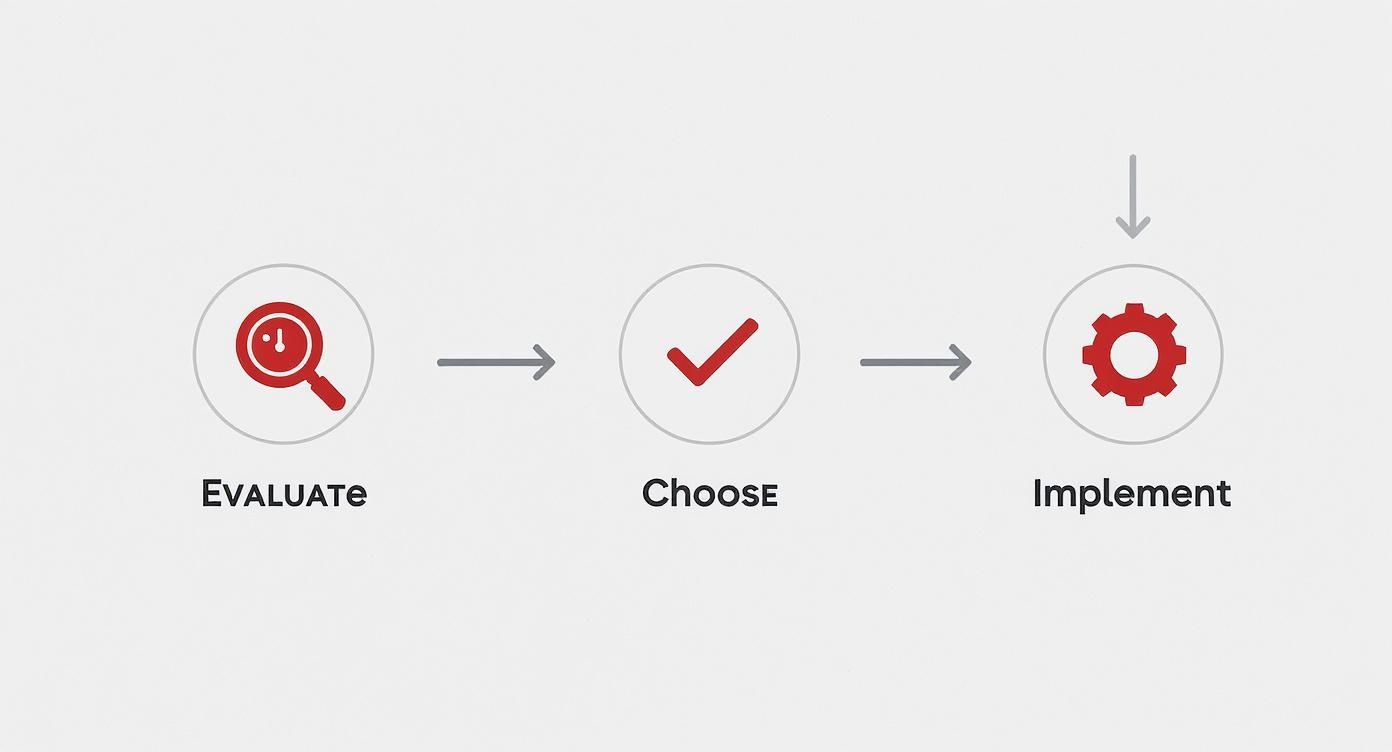
Following widely recognized standards like NFPA 1710 is just smart practice. It's crucial for operational safety and helps mitigate legal liability, making it a foundational piece of any staffing calculation you do.
The Power of the Relief Factor
Once you have your minimum on-duty number, you can't just multiply it by the number of shifts. That’s a classic mistake, and it completely ignores the reality of running a fire department. People take vacations, they get sick, and they need time off for training.
This is where the relief factor (sometimes called a 'k-factor') becomes your most important financial tool.
The relief factor is a multiplier that tells you how many total firefighters you need on your roster to cover a single 24/7 position. It accounts for all the time off—vacation, sick, holiday, military, training—that pulls a firefighter off the line.
A department that needs 12 firefighters on duty 24/7 doesn't just need 36 people for a three-platoon schedule. Once you account for all types of leave, the real number required to avoid overtime might be closer to 42-48 total personnel. Ignoring the relief factor is a direct path to blowing your budget.
Think of it this way: a firefighter on a 56-hour workweek might be scheduled for 2,912 hours a year. But if they also have around 700 hours of benefit leave (vacation, sick, training, etc.), someone has to cover those 700 hours. The relief factor turns this reality into a simple, actionable number for accurate hiring.
Calculating Your Department’s K-Factor
Figuring out your specific relief factor is a straightforward but absolutely essential calculation. It stops the constant, reactive spending that happens when you're understaffed.
Here’s the basic breakdown:
- Calculate Total Hours in a Year: There are 8,760 hours in a standard year (365 days x 24 hours).
- Determine Productive Hours Per Firefighter: This is the number of hours a firefighter is scheduled to work, minus all their allotted leave hours.
- Divide to Find the Factor: Just divide the total hours in a year (8,760) by the net productive hours of a single firefighter.
Actionable Insight: A department on a 24/48 schedule, with a minimum on-duty staff of 10, might calculate they need 35 total firefighters. If they only have 32, they are guaranteeing a constant need for overtime to cover planned and unplanned leave. Hiring just three more firefighters could eliminate thousands in premium overtime pay each month, saving money in the long run.
For a department on a 24/48 schedule, a typical relief factor lands somewhere between 3.5 and 4.0. This means for every single post that needs 24/7 coverage, you really need between 3.5 and 4.0 firefighters on staff.
When you staff to this calculated number, you're building leave coverage right into your schedule. That dramatically reduces the need for those last-minute, budget-killing overtime hires. This proactive approach is the key to keeping overtime from becoming an uncontrolled expense.
Navigating Overtime Rules and Union Agreements
Getting overtime and union rules wrong isn't just a paperwork headache—it's a massive financial risk. A single payroll error or grievance can spiral into thousands of dollars in back pay, legal fees, and penalties. This is exactly why your approach to scheduling needs to be bulletproof.
It all starts with the Fair Labor Standards Act (FLSA), the federal law that sets the rules for overtime pay. But fire departments get a special carve-out known as the 207(k) exemption. This gives us a more flexible way to calculate overtime that actually makes sense for the long, unique shifts our crews work.
Instead of the typical 40-hour workweek, 207(k) lets departments set a "work period" anywhere from 7 to 28 consecutive days. Overtime pay is only triggered when a firefighter's hours go over the maximum for that specific period. In a 28-day cycle, for example, overtime kicks in after 212 hours—a big difference from the 160 hours in a standard four-week month.
The Critical Role of Union Agreements
While the FLSA sets the federal floor, your department’s Collective Bargaining Agreement (CBA) is where the real complexity comes in. These agreements are incredibly specific, spelling out everything from how mandatory overtime gets assigned to the exact process for shift swaps.
If you ignore these details, you're practically inviting union grievances, which suck up admin time and can get expensive fast. Your scheduling process has to have these rules built right in.
For instance, a lot of CBAs require mandatory overtime to be offered based on a rotating seniority list. Trying to track that manually is a nightmare and a recipe for mistakes. Skip a firefighter by accident, and you could be looking at a grievance that results in paying them for hours they never even worked. That’s a completely avoidable cost.
Building Fair and Transparent Overtime Systems
When you create a system for assigning overtime that everyone sees as fair and transparent, you boost morale and cut down on compliance issues. It really comes down to building trust in the process.
Here are a few ways to get your overtime management dialed in:
- Automate Seniority Lists: Use a scheduling system that automatically tracks and rotates overtime offers according to your CBA rules. This stops accidental skips and gives you a crystal-clear audit trail if a decision is ever questioned.
- Implement Automated Callbacks: Ditch the manual phone trees. An automated system can blast out texts or notifications to qualified staff about open shifts. It can instantly check certifications and make sure offers go out in the right order, filling critical spots in minutes, not hours.
- Establish Clear Callback Policies: Make sure your callback rules are clearly defined and communicated. This means everyone understands the requirements for response times and how people are selected. No ambiguity, no arguments.
By automating the enforcement of your CBA and FLSA rules, you stop treating scheduling as a risk and turn it into a streamlined, compliant operation. It’s about being proactive to prevent costly mistakes before they even have a chance to happen.
Managing Shift Swaps and Leave Requests
Shift swaps and leave requests are another minefield for manual processes. A poorly tracked swap can easily push a firefighter into unplanned overtime under FLSA rules. Denying a leave request without a clear, policy-based reason can also trigger a grievance.
Here’s a practical, money-saving example:
Firefighter Smith agrees to swap a shift with Firefighter Jones. A supervisor signs off on a paper form, and it's done. The problem is, that swap pushes Smith over the 212-hour FLSA threshold for the 28-day period. Nobody catches it until payroll, and now you have an unexpected overtime bill you didn't budget for.
Modern scheduling software catches this before the swap is ever approved. It flags the potential overtime conflict, preventing the cost overrun. That one simple, automated check can save you hundreds of dollars on a single shift change.
Using Technology for Smarter Scheduling
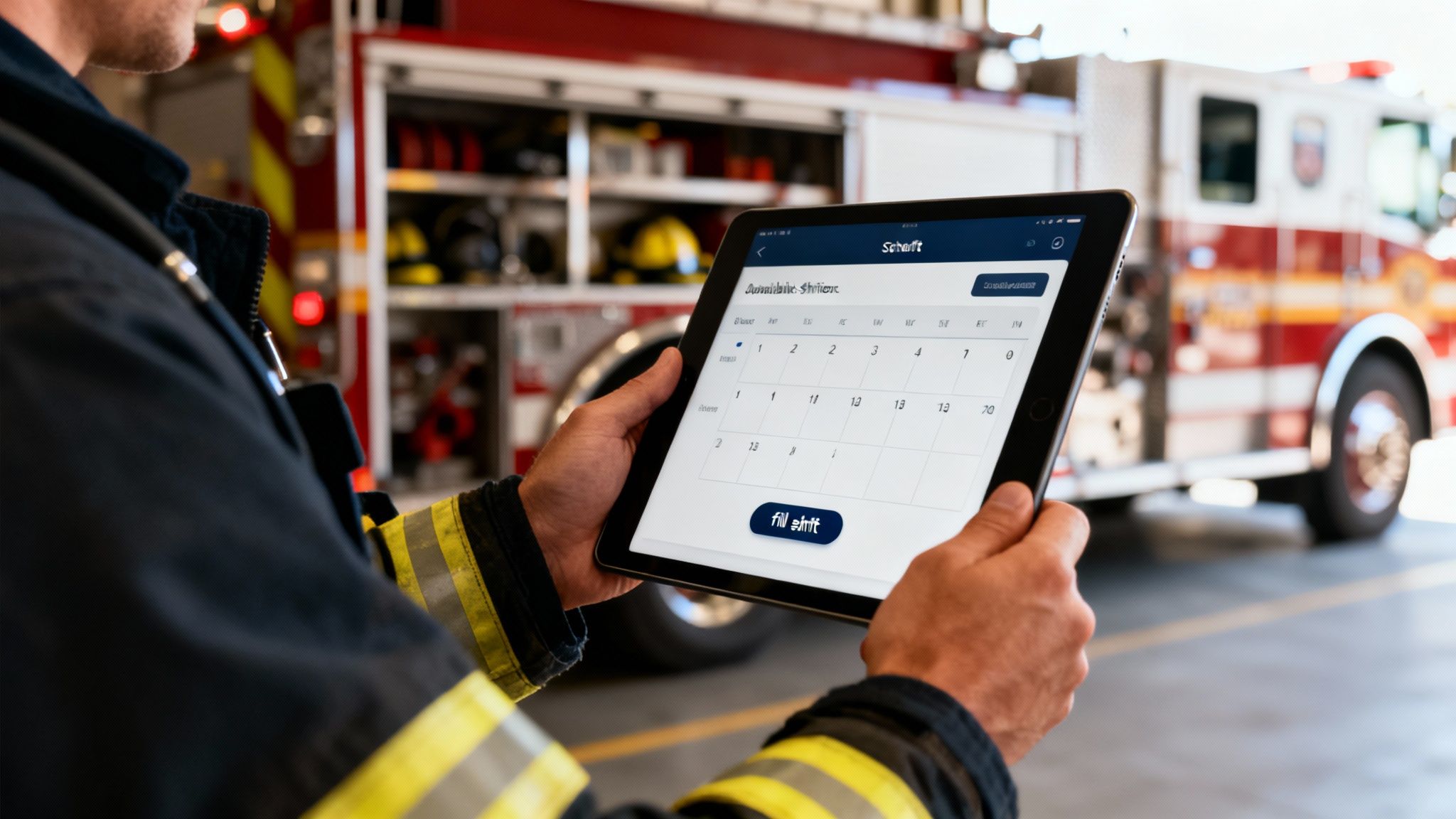
Let's be honest. Sticking with spreadsheets or a paper roster to manage your department’s schedule is a direct path to budget overruns and administrative burnout. Modern fire department scheduling software isn't just a fancy digital calendar; it's a powerful financial tool built to kill off the costly, error-prone tasks that drain your resources and time.
Think about it. A last-minute sick call comes in on a Saturday night. The old way means a supervisor gets stuck making a frantic chain of phone calls, just hoping to find someone qualified and willing to take the shift. It's slow, wildly inefficient, and often leads to the same few people getting all the overtime.
Now, imagine this instead: the sick call gets logged, and the system instantly texts every qualified person who is available and next up on the overtime list. Within minutes, the spot is filled, compliance is baked in, and your supervisor is back to managing the crew, not a phone tree. That's a real, tangible saving of both time and money.
Automating Fairness and Filling Gaps
One of the biggest money-savers you'll find in modern scheduling platforms is the ability to automate how you fill open shifts. You can set the system to follow your department's specific rules to the letter, whether they're based on seniority, overtime equalization, or other CBA requirements.
This automation is huge for preventing costly grievances because the process is always fair and transparent. Even better, it gives you real-time alerts on your coverage. The system can flag a potential staffing gap days or even weeks out, giving you plenty of time to fill it without resorting to expensive, last-minute mandatory overtime.
For departments ready to get serious about these tools, exploring the best staff scheduling software is the first step toward modernizing operations and locking in these efficiencies.
The real power of scheduling technology is its ability to turn complex rules into simple, automated actions. By building your union contract and FLSA rules directly into the system, you prevent violations before they happen, saving thousands in potential back-pay and legal fees.
This move toward smarter tech isn't just a trend; it's a necessity. With operational demands on the rise, departments have had to find better solutions. FEMA, for instance, reported an 11% surge in US fire incidents between 2021 and 2022. That increased workload has pushed departments everywhere to find smarter staffing solutions, contributing to a fire department software market valued at a whopping $2.61 billion in 2024.
The Hidden Costs of Manual Rostering
When we stick with manual methods, we often overlook the "soft" costs that add up. The time spent on phone calls, correcting errors, and dealing with payroll discrepancies isn't free. It’s administrative overhead that pulls skilled officers away from more critical duties.
This table breaks down where the money really goes.
| Scheduling Task | Manual Method (Annual Cost/Time) | Automated Software (Annual Savings/Benefit) |
|---|---|---|
| Filling Open Shifts | 8-10 hours/week in phone calls & texts | 95% reduction in time; automated notifications fill shifts in minutes. |
| Overtime Calculation | 5-7 hours/month in manual calculations & corrections | 100% automated and error-free; direct payroll integration. |
| Leave Request Management | 3-5 hours/week tracking requests & approvals | Instant submission & approval; automated balance tracking. |
| Fairness & Grievances | Potential for thousands in legal/settlement costs | Enforces CBA rules automatically, ensuring fairness & transparency. |
| Compliance & Certs | Manual checks, risk of non-compliance | Real-time alerts for expired certifications; prevents unqualified assignments. |
It becomes pretty clear that "free" tools like spreadsheets come with a significant hidden price tag. The savings from automation aren't just about cutting a check; they're about reclaiming hundreds of hours of valuable time each year.
Seamless Integration for Maximum Savings
The financial benefits really start to multiply when your scheduling software can talk to your other critical systems. This kind of integration creates a smooth flow of data that gets rid of redundant work and gives you much deeper operational insight.
- Payroll Integration: By linking scheduling directly to payroll, you can finally kill manual data entry. Hours worked, overtime, and leave get calculated and sent over automatically. This drastically cuts down on human error and saves countless hours in the office.
- CAD System Integration: Connecting your schedule to your Computer-Aided Dispatch (CAD) system gives you the full picture of your daily operations. You can analyze staffing levels against actual call volume, helping you make data-driven decisions about where to put your resources.
- Records Management Systems (RMS): When integrated, your scheduling software can automatically check that personnel have the right certifications for their assigned roles. This prevents compliance gaps and ensures every crew that rolls out the door is properly qualified for the job.
This level of connectivity moves you beyond just making a roster and into true workforce management. You can see a complete list of these time-saving features for first responder management that help create a unified operational picture.
Data-Driven Decisions and Budgeting
Maybe the biggest long-term financial win from dedicated software is the data it gives you. Manual systems offer you zero useful analytics. A modern platform, on the other hand, tracks everything.
You can instantly pull reports on things like:
- Overtime usage by shift, station, or even by individual
- Sick leave trends and patterns
- Time-off request frequency
- Vacancy fill rates
Actionable Insight: Imagine your software shows that Station 3 accounts for 40% of all department overtime. With this data, you can investigate if it's due to higher call volumes or insufficient staffing. Instead of guessing, you can make a data-backed case to city council for an additional firefighter at that station, proving how the investment will reduce the overall overtime budget.
This kind of information is gold for budget forecasting and strategic planning. This proactive, data-backed approach is how you turn your department’s schedule from a constant headache into a strategic advantage.
Your Top Fire Department Scheduling Questions, Answered
When it comes to scheduling, fire chiefs and administrators are always asking the same handful of questions. It's a complex puzzle, and getting straight answers is the only way to make smart decisions that keep your crews effective, your budget in line, and morale high. Let's tackle some of the most common things we hear from departments trying to get their staffing right.
The idea here is to get past the generic advice and give you some practical takeaways you can actually use. Whether you’re looking at a whole new shift model or just trying to justify a software purchase, having the right information makes all the difference.
What’s the Best Fire Department Schedule?
Truthfully, there’s no magic bullet schedule that works for every single department. The "best" one for you comes down to your specific reality—your call volume, your budget constraints, and even how far your people have to drive to get to the station. The classic 24/48 is pretty straightforward to manage, but it can be a real killer for fatigue, especially in a busy house.
On the flip side, a lot of departments are seeing great results with the 48/96 model. It gives firefighters a serious chunk of recovery time between tours, which can cut down on sick leave and really improve work-life balance. The catch? You have to be serious about managing fatigue during that 48-hour shift to keep everyone safe and sharp.
The Money-Saving Insight: The best way to find your most cost-effective schedule is to model a few different options and get direct feedback from your firefighters. Run the numbers on how each model hits your overtime spending, sick leave use, and even training time. For example, a switch to 48/96 might initially seem complex, but if it reduces sick-leave-related overtime by 15%, it could save a department tens of thousands of dollars annually, easily justifying the change.
How Do You Calculate the Number of Firefighters Needed for 24/7 Coverage?
To figure out your total staffing number, you need to get familiar with a critical number: the relief factor, sometimes called a 'k-factor'. It's not enough to just know your minimum on-duty number; you have to account for all the time your people are off for scheduled leave.
Here’s how it works in the real world. First, you lock down your minimum number of firefighters on-duty for a single post. Then, you have to add in all the benefit leave—vacation, sick time, holidays, training days, you name it. A common relief factor ends up being between 3.5 and 4.0. That means you need that many firefighters on your roster just to cover one 24/7 position without getting hammered by unplanned overtime. Trying to do this by hand is what leads to the chronic understaffing that blows up budgets. For more details on system capabilities, you can find helpful resources in the Resgrid support documentation that cover various setup scenarios.
How Does Scheduling Software Actually Save a Department Money?
Good scheduling software isn't just an expense; it's an investment that pays for itself in three key ways.
First, and most importantly, it actively cuts down on unplanned overtime. The software gives you a live, real-time view of your coverage and can automatically fill open shifts based on rules you set.
- Here's a practical example: A firefighter calls in sick last minute. Instead of a captain spending an hour making frantic phone calls, the system instantly notifies qualified and available people in the right order, following your union rules. This almost always means you can offer the shift to part-time or straight-time staff first, saving hundreds in premium OT pay right there.
Second, it eliminates a ton of administrative waste. Think about all the time spent tracking leave balances, approving shift swaps, and wrestling with complex payroll calculations. Automating that frees up your command staff to do more important things.
Finally, it helps you stay compliant with FLSA regulations and union contracts. You build your rules right into the system, which helps you dodge costly grievances, payroll screw-ups, and the legal headaches that come from simple human error.
Ready to turn your scheduling from a constant headache into a strategic tool? Resgrid gives you a powerful, intuitive platform that automates the tough stuff, keeps you compliant, and delivers the data you need to slash overtime and boost morale. See how our system can work for your department by visiting https://resgrid.com today.