
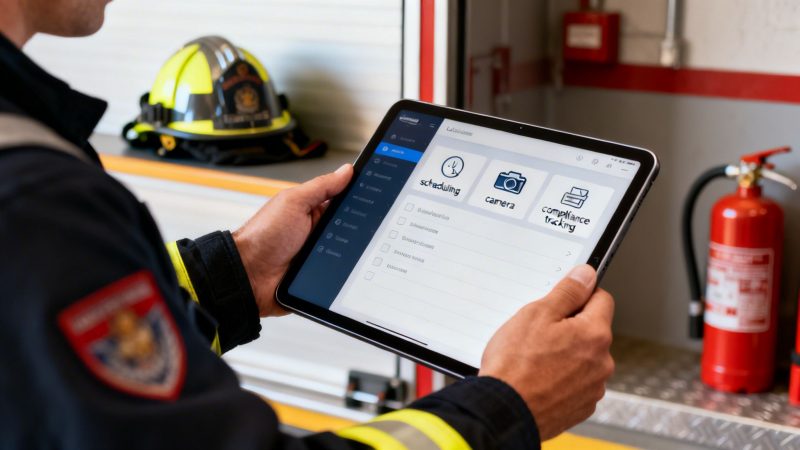
Fire Inspection Software: Cut Costs with fire inspection software
At its core, fire inspection software is a modern answer to an old problem: how to manage safety compliance without drowning in paperwork. It’s a digital system that swaps out the tired, old clipboard for a tablet, letting inspectors handle everything from scheduling and on-site data capture to instant report generation. This isn't just about going paperless; it's about shifting from a reactive, chore-based approach to a proactive, data-driven strategy for fire safety.
Leaving the Clipboard Behind for Good

Think about trying to navigate a sprawling city with a tattered paper map instead of a live GPS. That’s exactly what it feels like to run fire inspections with clipboards and filing cabinets in this day and age. It's inefficient, wide open to human error, and just plain risky. Critical safety details get buried in sloppy handwriting, misplaced forms, and overflowing drawers, creating a chaotic paper trail that makes proving compliance a nightmare.
This old way of doing things isn't just a headache; it's a budget killer. Administrative staff burn countless hours just trying to decipher and manually enter data, hunt down missing reports, and keep the paperwork organized. That administrative overhead translates directly into higher operational costs and, worse, pulls your skilled inspectors off the street and away from their real job: keeping the public safe.
The Immediate Cost Savings of Going Digital
Making the switch to fire inspection software starts paying for itself almost immediately by targeting those hidden costs. The biggest and fastest win is the massive reduction in administrative hours. Instead of spending hours back at the station transcribing notes, inspectors can finalize reports on a tablet right in the field, with all the data syncing automatically to a central, secure system.
Let's put some real numbers on that. An inspector who saves just two hours a week on paperwork claws back over 100 hours every single year. For a department with ten inspectors, that’s more than 1,000 hours of recovered time. Actionable insight: If your inspector's hourly wage is $30, that's $30,000 in labor costs saved annually, which can be reinvested into revenue-generating inspections or community safety programs without increasing your budget.
By getting rid of manual data entry and report building, fire inspection software hands your team back their most valuable asset: time. This recovered time is a direct cost saving, empowering departments to accomplish more with the people they already have and boosting overall efficiency.
Preventing Costly Errors and Fines
Human error is another expensive side effect of paper-based systems. One misread note, one missed follow-up—that’s all it takes to overlook a violation. And that can lead to steep non-compliance fines from regulatory bodies, not to mention the potential for tragedy. Modern software puts a stop to this with automated alerts and standardized checklists that enforce consistency.
These digital systems are designed so nothing falls through the cracks. They can:
- Automate scheduling for all recurring inspections, making sure you never miss a deadline.
- Flag violations instantly, right in the field, with direct links to the specific fire codes.
- Generate correction notices on-site, giving property owners clear, immediate, and actionable steps to take.
Practical example: Imagine a high-risk occupancy like a hospital is due for its annual inspection. With a paper system, a scheduling oversight could lead to a missed inspection and a fine potentially exceeding $10,000. The software's automated reminders make this simple mistake impossible, instantly justifying the cost of the service. This proactive approach helps departments sidestep fines that can easily climb into the thousands of dollars. Tragedies like the Grenfell Tower fire, which exposed deadly gaps in manual protocols, have fueled the growth of this market. The global fire prevention inspection software market was valued at USD 16.85 billion in 2023 and is projected to hit USD 34.82 billion by 2032. By moving to a digital system, you build a more robust and resilient safety program for your community. You might also be interested in learning how workflows can improve your operational processes.
The Core Features That Drive Real Savings

We can talk all day about the high-level benefits of fire inspection software, but where the rubber really meets the road is in the specific features you'll use every single day. These are the tools that actually power the efficiency gains, cut your costs, and help you build a safer community.
Let's get past the buzzwords and look at the core functions that will completely change how your department operates, delivering a return you can see and measure. These aren't just isolated tools; they all work together, connecting every part of the inspection process into one seamless system.
Customizable Inspection Templates
Let's be honest: generic paper checklists are a huge liability. They just don't work. Every building is different—a high-rise hotel has completely different needs under NFPA and ICC codes than a small chemical storage facility.
With customizable digital templates, you can finally ditch the one-size-fits-all approach. Practical example: A fire marshal can build a specific checklist for a new restaurant in just a few minutes, pulling in the relevant NFPA 96 standards for commercial kitchens. This ensures every point, from the hood suppression system to the grease trap, is covered. It takes the guesswork out of the equation and guarantees a thorough, consistent inspection every time, reducing the risk of a missed violation and a potential fire.
Mobile Data Capture
The days of scribbling notes you can’t read later and fumbling with a separate camera are officially over. Modern inspection software turns your tablet or smartphone into a complete evidence-gathering machine.
Practical example: An inspector finds a fire exit blocked by a pile of inventory. With a tablet, they can:
- Snap a time-stamped photo of the violation and embed it directly into the report.
- Add a quick note referencing the specific fire code being violated.
- Grab a digital signature from the on-site manager acknowledging the problem.
This whole process takes less than 60 seconds. The report is immediately more credible, cutting down on disputes and giving the property owner a crystal-clear record of what needs to be fixed. Actionable insight: This clear, instant documentation drastically reduces time spent in follow-up calls or legal disputes, which can save hours of administrative and legal costs per incident.
Automated Scheduling
A missed inspection isn't just an administrative slip-up; it's a massive financial and legal risk. Forgetting a single annual inspection on a high-risk building can lead to six-figure fines or, far worse, a tragedy that could have been prevented.
Automated scheduling takes human error out of this critical task. The software acts like a tireless admin, keeping track of every property and its required inspection frequency. It sends out automatic reminders to your inspectors and can even notify building owners about their upcoming visit. Actionable insight: This prevents lost revenue from forgotten inspections and frees up administrative staff from manually tracking hundreds of deadlines, allowing them to focus on more productive tasks.
Imagine a fire chief who can see, at a glance, that 100% of the district's high-risk occupancies are scheduled for inspection on time. That's not just efficiency; it's peace of mind and a powerful demonstration of due diligence.
Centralized Analytics and Reporting
This software does more than just replace paper; it turns your inspection data into a powerful strategic asset. Beyond improving the ease of maintenance and monitoring for fire systems, the dashboard becomes your command center for spotting trends and making data-driven decisions.
Practical example: A fire chief can instantly pull a report showing the three most common violations across the city—things like expired fire extinguishers or faulty emergency lighting. With that information, they can launch a targeted public safety campaign to educate local businesses. Actionable insight: This proactive approach reduces the number of future violations, saving inspectors' time on repeat visits and freeing them up for new inspections. Reducing common, simple violations by just 10% across a district can save hundreds of hours a year.
To see what else is possible, you can dig into the full list of features available in a modern platform.
Calculating the ROI of Your Software Investment
Any time you talk about new tech, it all boils down to one question: Will it pay for itself? When it comes to fire inspection software, the answer is a hard yes. The return on that investment (ROI) is a lot easier to figure out than you might think, too. This isn't just about making life more convenient; it’s about real, measurable dollars saved through less wasted time, avoided fines, and getting ahead of risks before they become disasters.
The best way to calculate your potential ROI is to look at where your budget is bleeding money right now. For most departments, the biggest and most immediate return comes from getting your team’s time back. Paperwork is a notorious time-suck, pulling skilled inspectors off the street and chaining them to a desk for hours of admin work.
Turning Wasted Hours into Tangible Value
Just think about your team’s typical week. If your inspectors spend a combined 10 hours a week on manual data entry, writing up reports, and filing everything, that’s over 400 hours a year gone. Good software can slash that administrative time by as much as 80%.
That puts over 320 hours back on the clock annually. This isn't just some abstract number; it’s a direct financial gain. You can reinvest those hours into work that actually matters:
- More Billable Inspections: Actionable insight: If an average inspection bills for $150, those 320 recovered hours could translate into over $48,000 in new revenue.
- Proactive Safety Training: Use that time to launch community or business education programs, which helps cut down on future violations and makes everyone safer.
- Reduced Overtime Costs: When inspectors don't have to stay late to finish paperwork, you're directly cutting payroll expenses.
A simple calculation of hours saved multiplied by your team's hourly wages gives you a clear starting point for your ROI. For many departments, that number alone is enough to justify the entire investment within the first year.
The High Cost of Non-Compliance
Beyond just saving time, fire inspection software is your financial shield against regulatory fines. A single missed inspection or an overlooked violation can trigger penalties that cost way more than the software itself. For example, some NFPA fines can average $10,000 per violation.
Having a centralized compliance dashboard gives you a live look at your entire district. It flags properties with looming deadlines or unresolved issues, helping you spot problems before they turn into expensive liabilities. This shift to digital tools is a big reason why the North American fire prevention inspection software market shot past USD 1.2 billion in 2023. Departments are scrambling to manage strict NFPA and OSHA mandates across millions of buildings. You can discover more insights about the fire prevention software market to see just how big this trend is.
From Reactive Repairs to Predictive Savings
Finally, the software delivers a huge ROI by helping you prevent catastrophic failures before they happen. It shifts your whole approach from reactive to predictive. Instead of waiting for a call that something broke, your inspection data can start to highlight assets that are slowly wearing out.
Practical example: The software flags a sprinkler valve in a commercial building that has been consistently problematic across several inspections. Actionable insight: The cost to proactively replace that valve might be $300. But if you ignore it and it leads to a full system failure and flood, you could be looking at over $75,000 in water damage, lost business, and emergency repair costs. The software turns a small, manageable expense into a massive cost avoidance. Over time, you can even use this data to help lower your organization's insurance premiums.
Seeing the Software in Action With Real Workflows

All the features and specs are great, but what does fire inspection software actually look like on the ground? It's one thing to talk about benefits, but it's another to see how those benefits cash out in real-world savings during your daily grind.
Let's walk through a couple of scenarios we see all the time. These aren't made-up situations; they’re the everyday problems that inspectors and facilities managers face. You'll see exactly how the right software stops costly mistakes in their tracks, provides undeniable proof of due diligence, and brings order to an otherwise chaotic process.
Scenario 1: The Municipal Inspector and the New Restaurant
Picture a municipal inspector—we'll call her Sarah—who has to do a pre-opening inspection for a new restaurant. The old way involved a heavy binder stuffed with paper forms, a separate digital camera, and a notepad. It was a mess. Now, she just grabs her tablet.
Before she even steps out of her truck, she’s already pulled up a pre-built digital checklist for commercial kitchens, all based on NFPA 96 standards. As she moves through the kitchen, it's just a simple tap on the screen for every compliant item. Then she gets to the kitchen's exhaust system and sees a greasy, uncleaned hood vent—a classic fire hazard.
This is where the game changes. Instead of just scribbling a note she'll have to decipher later, Sarah:
- Pulls up the camera right inside the fire inspection software.
- Snaps a clear, time-stamped photo of the vent.
- Attaches that photo directly to the specific violation on her digital report.
She hasn't even walked back to her vehicle yet, but she's already generated a clean PDF report, complete with the photographic evidence. She emails the correction notice straight to the restaurant owner from the app. No ambiguity, just a clear, visual record of what needs to be fixed.
The Money-Saving Insight: This instantly closes the loop. Sarah saves at least an hour she would have spent back at the office typing up reports and attaching photos. The owner gets an indisputable notice on the spot, so they can get it fixed now. This simple workflow can prevent a delayed opening, which might have cost the owner thousands in lost revenue, all while ensuring a major fire risk is handled before a single customer walks in the door.
Scenario 2: The Facilities Director and the Hospital System
Now let's look at David, a facilities director managing a big hospital system. His team is on the hook for over 1,500 fire extinguishers spread across three buildings. A Joint Commission audit is looming, and hitting 100% compliance isn't just a goal; it's a necessity. A failed audit means massive fines and a hit to the hospital's reputation.
Trying to track that many assets with a spreadsheet was a disaster waiting to happen. It was error-prone and a logistical nightmare. Today, David’s command center is the software’s central dashboard. Every single fire extinguisher has a QR code, which his techs simply scan during their monthly checks.
From his desk, David sees a live map of every asset. The dashboard instantly shows that 98% of extinguishers are good to go, but more importantly, it flags the 30 units that are overdue. With a few clicks, he assigns a work order to a technician, whose mobile device shows the exact locations of every non-compliant unit. Once the tech services them and scans the QR codes, the dashboard turns green. Done.
The Money-Saving Insight: This completely eliminates the last-minute panic before an audit. The software helps the hospital sidestep potential fines of $10,000 or more per violation. By ensuring 100% readiness, it prevents the huge financial and reputational damage of a failed audit, making the software's cost negligible in comparison.
How Software Integration Creates a Safer Community
Thinking of fire inspection software as just a digital clipboard for logging violations is missing the big picture. Sure, standalone software saves some time and money, but its real power is only unleashed when you connect it to your other systems.
When your software starts talking to each other, you blur the lines between proactive prevention and emergency response. They become one single, intelligent operation. This is how data stops being a static record and turns into live intelligence that keeps both your crews and your community safer. Information can flow instantly from an inspector’s tablet in the field right to a dispatch console, or even pop up on the dashboard of a responding engine.
Connecting Prevention with Emergency Response
Let’s walk through a real-world scenario. Imagine one of your inspectors fails a building’s sprinkler system during a routine check. In a disconnected setup, that critical piece of information just sits in a report on a server somewhere. It’s documented, but it isn’t live. It's a risk just waiting to be rediscovered the hard way.
With an integrated system like Resgrid, that all changes in a heartbeat.
- The moment the inspector logs the failed sprinkler system in their fire inspection software, the system automatically creates a flag for that address.
- This flag gets pushed immediately to the Computer-Aided Dispatch (CAD) system.
- If a fire gets called in for that same building the next day, the dispatch alert automatically screams a warning: “KNOWN HAZARD—SPRINKLER SYSTEM NON-FUNCTIONAL.”
That pre-arrival alert is a massive tactical advantage. Instead of crews showing up and discovering a failed system when they're already on scene, they know the risk before they even leave the station. Actionable insight: This pre-arrival knowledge allows for faster, more effective strategies, which can reduce property damage by containing a fire more quickly, saving thousands in potential losses and, most importantly, improving firefighter safety.
By bridging that gap between a routine inspection and an active response, software integration puts the most recent safety data in the hands of the people who need it most, at the exact moment they need it. It’s a simple connection that can be the difference between a controlled fire and a tragic outcome.
Visualizing Risk with GIS Integration
Integration doesn't stop at dispatch. When you connect your inspection software to your Geographic Information Systems (GIS), you turn raw data into a powerful visual tool for strategic planning. It allows you to see your community's fire risk in a completely new light. Instead of just a list of addresses, you get a living map that highlights where your biggest dangers are lurking.
For example, you could create map layers that show hotspots based on the density of unresolved violations, the location of hazardous materials, or clusters of older buildings. A fire chief can pull up this map to justify a budget request for more inspectors in a problem area or to plan targeted community outreach where it'll do the most good. This approach aligns perfectly with promoting Safety And Compliance Best Practices across the board, giving facility managers a clear, data-driven path to a safer environment.
The Growing Market for Connected Safety
This push for smarter, integrated systems is driving some serious growth in the industry. The whole fire department software market was valued at USD 860.5 million back in 2022, and it’s on track to blow past $2 billion by 2030.
Why the boom? Because modern solutions that include things like risk analysis modules—which are growing at a 12.7% CAGR—are proving their worth in getting ahead of hazards before they become disasters. If you want to dig into the numbers, you can read the full research about fire software market growth yourself.
At the end of the day, integrating your fire inspection software creates a community-wide safety net where critical information flows freely. By hooking into dispatch systems, GIS maps, and building management platforms, you create a system that’s smarter, faster, and way more effective at protecting lives and property. To get a feel for how these connections work, you can check out the various apps and integrations available with platforms like Resgrid.
So, You're Ready to Adopt New Software? Here's How to Do It Right
Making the switch to fire inspection software feels like a massive undertaking. I get it. But if you break it down into a clear, step-by-step process, you can cut through the noise and avoid the headaches. This isn't just a checklist; it's a practical roadmap to get you from planning to a successful rollout, making sure you pick a tool that actually helps your team from day one.
Step 1: Pinpoint Your Biggest Pains
Before you even glance at a software demo, take a hard look at your current workflow. Where are you bleeding time and resources? You need to put numbers to these problems to build a real business case for the investment.
Practical example: Track how many hours your inspectors are burning on paperwork each week. If you have five inspectors and each one loses four hours to manual data entry and report writing, that’s 20 hours a week. Actionable insight: That’s over 1,000 hours a year that could have been spent on billable inspections or community risk reduction. A simple calculation like that turns a vague frustration into a concrete dollar amount you can save with automation.
Step 2: Define Your Must-Have Features
With your pain points identified, make a list of your non-negotiables. This isn't about finding the software with a million features; it's about finding the one with the right features that solve your specific problems.
Your "must-have" list should be grounded in reality. Think about what your team actually needs in the field:
- Offline Mobile Access: This is critical for inspectors working in basements, new construction sites, or rural areas where a cell signal is a luxury.
- Customizable Report Templates: You need the ability to build checklists that perfectly match your local codes and the unique types of buildings in your jurisdiction.
- Photo and Signature Capture: The goal is to create indisputable, evidence-backed reports right there on-site. No more going back to the office to upload photos.
Step 3: Compare Vendors Like a Pro
Once you know what you need, it's time to look at vendors. Get past the flashy marketing and focus on what really matters for a long-term partnership.
A huge factor here is integration. Does the software play well with the other tools you already rely on? For example, a seamless connection with a dispatch and management platform like Resgrid is a game-changer. It allows inspection data to directly inform emergency response, creating a single, connected public safety network.
This is what that ideal process should look like—data moving smoothly from the field inspection to your unified systems and, ultimately, to the crews responding to an emergency.

As you can see, successful adoption isn’t just about the inspection itself. It's about how that data gets unified and put to work across your entire safety ecosystem.
Step 4: Run a Small-Scale Pilot
Whatever you do, don't commit to a full-scale, department-wide deployment from the get-go. The smartest way to prove the software's value—and work out the inevitable kinks—is to run a pilot program first.
Practical example: Pick one motivated team or a specific group of buildings for the test. This small trial will give you some quick wins and, more importantly, hard data on your efficiency gains. Actionable insight: When you can show leadership that the pilot team completed 30% more inspections in a month with the same headcount, you've got the hard proof you need to get buy-in from the rest of the department for a smooth, full rollout.
Answering Your Top Questions About Fire Inspection Software
Alright, let's get down to brass tacks. Whenever you're thinking about bringing in a new piece of tech, you're going to have questions. Moving your inspections from paper to a digital system is a big shift, and you should have every single one of your concerns ironed out before you pull the trigger.
This is where we tackle the tough, practical questions we hear all the time from departments and businesses. Think of it as the final walkthrough before you commit—covering cost, offline access, code changes, and flexibility.
How Much Does Fire Inspection Software Actually Cost?
This is always the first question, and the honest answer is: it varies. Pricing is usually tied to how many inspectors you have or how many inspections you do in a year. You’ll see plans that start around $50 per user each month or annual licenses that cover your whole department.
But the price tag itself isn't the whole story. The real conversation is about the return on your investment (ROI). Actionable insight: If your software costs $5,000 for the year but it helps you catch and fix an issue that would have resulted in a single $10,000 fine, it’s already paid for itself twice over. That's before you even count the thousands you'll save on printing or the countless admin hours you get back. The value is clear once you see it in action.
Will My Team Be Able to Use This in Basements with No Internet?
Absolutely. This is a non-negotiable feature and frankly, it’s what separates a useful tool from a useless one. Any good fire inspection software is built for the reality of your job, and that means it has to work flawlessly when there's zero connectivity.
Practical example:
- Sync Before You Go: An inspector syncs their tablet back at the station where there’s Wi-Fi. This pulls down all their assignments, building histories, and the right checklists for the day.
- Work Unplugged: They can head out and do everything they need to—run through checklists, snap photos of violations, even get a signature from the property manager—with no signal. The app doesn't care if it's online or not.
- Automatic Upload: The second their device hits a Wi-Fi or cellular network again, everything they captured syncs automatically to the main system. No more driving back to the office just to type up reports.
The ability to work completely offline means a spotty connection never grinds an inspection to a halt. It guarantees your team can stay productive, whether they're in a concrete sub-basement or a building out in the middle of nowhere.
How Does This Software Keep Us Up-to-Date with Changing NFPA Codes?
This is one of the biggest reasons departments make the switch. Good software takes the nightmare of code management off your plate. You’re not just getting a blank digital form; you’re getting a massive, professionally maintained library of checklists built on the latest NFPA, ICC, and OSHA standards.
When the code bodies push an update, the software vendor updates the templates for you. Actionable insight: This saves your fire marshal or senior staff dozens of hours they would otherwise spend researching code changes and manually updating paper forms. It also significantly reduces the legal risk of using an outdated checklist, which could be a costly liability.
Can This Software Handle Different Types of Inspections?
Yes, and that’s the beauty of it. You aren’t locked into one type of report. Because you can build your own custom checklists from scratch, you can use the same system for just about any safety or compliance task you can think of.
- For Fire Departments: We see it used for way more than just building inspections. Think daily apparatus checks, hydrant flow tests, or even safety permit walkthroughs for community festivals.
- For Industrial Facilities: Businesses adapt it for all sorts of things, like specialized equipment audits, monthly checks on personal protective equipment (PPE), or verifying hazmat storage is up to code.
Practical example: A fire department can create a simple digital form for their daily truck check. If a firefighter finds low pressure in a breathing apparatus, they can flag it, take a photo, and the system automatically creates a maintenance ticket. This prevents an out-of-service truck and ensures crew safety without any extra paperwork.
Ready to see how a modern, integrated platform can transform your operations? Resgrid offers a complete solution for dispatch, management, and reporting that works seamlessly with your inspection workflows. Discover how Resgrid can unify your team and enhance safety today.