
A Modern Guide to Fire Station Alert System Solutions
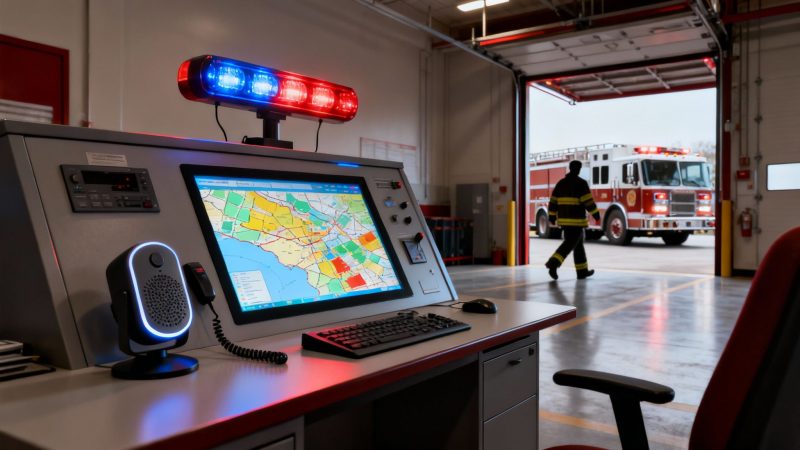
A fire station alert system is the critical link between a 911 call and crews arriving on scene. Think of it as the central nervous system for a fire department. It gets the signal from dispatch and instantly kicks off a chain of automated actions—from sounding alarms to opening bay doors—designed to get firefighters moving in seconds.
This isn't just about making noise. The entire point is to get the right information to the right people as fast as humanly (and technologically) possible.
What a Fire Station Alert System Does
A fire station alert system (FSAS) is so much more than a loud bell. It's an integrated network built to shave precious seconds off response times, which can be the difference between a small incident and a full-blown catastrophe.
The system’s main job is to translate complex dispatch information into clear, immediate, and actionable alerts for responders. Here's how it breaks down:
- Receiving Dispatch Data: It plugs directly into Computer-Aided Dispatch (CAD) systems to pull incident details like the location, emergency type, and which units need to roll.
- Triggering Station Alarms: It activates audible and visual alarms, often using ramp-up tones and color-coded lights to convey urgency without the jarring shock of a sudden blast.
- Automating Station Functions: This is a huge one. Modern systems automatically control lights, open the bay doors, and can even shut off gas stoves in the kitchen to streamline the entire turnout process.
- Providing Critical Information: It pushes details to mobile devices and big screens in the station, making sure every responder knows their role before the wheels are even rolling.
From Telegraphs to Digital Alerts
The idea of a centralized alert system isn't new. Back in the mid-19th century, the introduction of telegraph-based fire alarms completely changed firefighting from a guessing game into a coordinated operation. Before this, fires in big cities like Boston would often wipe out entire blocks because of response delays of 30-60 minutes.
After 1852, dispatch times plummeted by 50-70%. That simple change allowed crews to get to fires much earlier, and it correlated with a massive 75% drop in per-capita fire losses by 1900.
To understand just how far we've come, the following table shows the evolution of alerting technology and its real-world impact.
Evolution of Alerting Technology and Its Impact
| Era | Primary Technology | Average Response Impact | Key Weakness |
|---|---|---|---|
| Pre-1850s | Bells, Watchtowers, Word of Mouth | Highly variable, often 30+ minutes | Unreliable, limited range, no specific details |
| 1850s-1950s | Telegraph Fire Alarm Boxes | Reduced dispatch time by 50-70% | Prone to false alarms, required public access |
| 1960s-1980s | Radio Paging & Tone Systems | Enabled alerting of volunteer/off-site staff | Audio-only, potential for missed alerts |
| 1990s-Present | Digital CAD & Automated FSAS | Shaves an additional 15-60 seconds off station turnout | High initial cost, requires complex integration |
This shift from manual to automated systems represents the single biggest leap in improving response metrics since the invention of the fire engine itself.
This flowchart shows how a modern alert flows from the initial 911 call straight through to the fire trucks leaving the station.
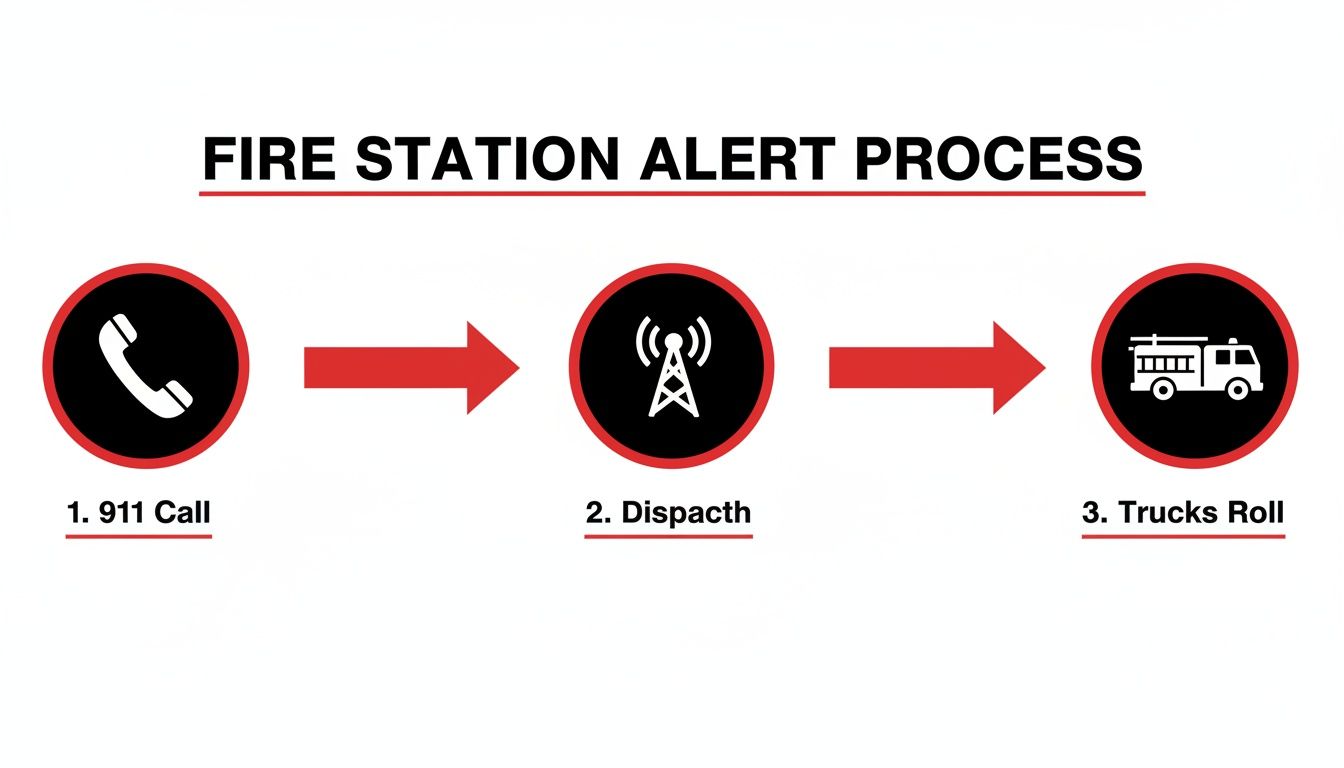
As you can see, it's a direct sequence where technology acts as a force multiplier at every step, cutting out any potential delay.
Actionable Insight: The core principle of a modern fire station alert system is automation. By automating things like lighting and door controls, departments can save a critical 15-30 seconds on every single turnout. Over a year, that time adds up and directly improves outcomes without needing more people. A practical example is programming the system to turn on lights in a path from the bunk room to the apparatus bay while opening the bay doors simultaneously. This simple automation prevents a firefighter from having to run to a separate control panel, saving time and reducing the risk of an accident in a dark station.
To really get a feel for how these systems work, it helps to understand the basics of industrial controls automation, which is the technological backbone for these solutions. At its heart, an FSAS is a specialized automation platform built specifically for the unique, high-stakes world of emergency response.
The Core Components of Modern Alerting Systems
Forget the old image of a single, jarring bell. A modern fire station alert system is more like a symphony orchestra, where every piece works in concert to kick off a rapid, coordinated response. These components talk to each other to receive, interpret, and blast out an alert, making sure firefighters get the right information and get moving—now.
It all starts with dispatch and CAD integration. Think of this as the system's ears. It plugs directly into the Computer-Aided Dispatch (CAD) system at the 9-1-1 center, constantly listening for incoming incident data. This direct link cuts out the human middleman, which means no delays and no chance for error. The second an incident is created, the station knows.
Once that data hits the station, a whole chain of automated actions kicks off to create a layered notification environment. This isn't just about making noise; it's about communicating with total clarity when the pressure is on.
The Brain Processing Incident Data
The central controller is the brains of the whole operation. It grabs the raw data from CAD—what the incident is, where it is, and who's supposed to go—and decides what happens next. This is where the smarts of a modern fire station alert system really come into play. It orchestrates a sequence of events designed for one thing: speed.
For instance, a medical call might just trigger a quiet, localized alert in the ambulance bay. But a structure fire? That's going to set off a full-station response with urgent tones and bright lights. This kind of intelligent routing is a total game-changer.
Actionable Money-Saving Insight: look for a system with zoned alerting. In a station with multiple units, this feature makes sure only the crew that's actually responding gets woken up. A practical example is a station with a fire engine and an ambulance. For a midnight medical call, only the lights and audio in the ambulance bay and paramedic quarters activate. The engine company sleeps undisturbed. This seriously cuts down on unnecessary sleep interruptions for everyone else, which studies have linked to better long-term health, fewer sick days, and lower costs from burnout-related turnover.
Station Automation: The Reflexes of Response
If CAD integration is the ears and the controller is the brain, then station automation components are the reflexes. These are the physical actions that happen on their own to clear the way for responders, shaving precious seconds off turnout times.
- Smart Lighting Systems: Instead of being jolted awake by a blinding glare, modern systems use graduated lighting. Lights in the bunk rooms slowly ramp up from a dim red to full brightness, giving firefighters' eyes a chance to adjust safely and preserving their night vision.
- Automated Bay Doors and Traffic Control: The system automatically swings open the right bay doors for the engine that's rolling out. It can even talk to nearby traffic signals, turning them red to clear the intersection before the truck's wheels even hit the apron.
- Gas Line and Appliance Shutoffs: As an added safety measure, the system can automatically kill the gas to the kitchen stove and other appliances. This prevents an unattended pot on the stove from turning into another emergency while the crew is out on a call.
This isn't just about convenience; it's about raw efficiency. Every single automated task removes a manual step, which directly leads to faster, safer departures.
Layered Notifications for Clear Communication
A modern system doesn't just rely on one way to get the message out. It uses multiple layers, ensuring that no matter where a firefighter is or what they're doing, the alert gets through. This kind of redundancy is what makes a system truly foolproof.
- Audible Ramp-Up Tones: Gone are the days of heart-attack-inducing bells. Today's systems use progressive, cardiac-friendly tones that start soft and gently get louder. This lowers the physical shock and stress on responders, especially when they're being ripped from a deep sleep.
- Visual Color-Coded Lighting: LED lights throughout the station can instantly signal the type of emergency. Maybe red means fire, blue is for a medical call, and white signals a rescue. This visual cue provides instant context before anyone even says a word.
- Mobile App Notifications: This is a huge layer of redundancy and a major cost-saver. For volunteers or off-duty career staff, instant mobile alerts push all the necessary incident details right to their phones. This completely gets rid of the need to buy and maintain expensive, old-school pagers for every single member. A practical example is a volunteer firefighter receiving an alert on their smartphone with a map to the incident, eliminating the need to listen to a scratchy radio transmission for the address while trying to drive.
Platforms like Resgrid are built to pull all these layers together. You can see how a comprehensive system can handle everything from dispatch integration to mobile alerts by checking out their full range of features. By blending station-based hardware with flexible mobile tech, departments can build a powerful, multi-layered alerting network that's both incredibly effective and surprisingly affordable.
Getting the Most Bang for Your Buck When Implementing an Alert System
Rolling out a new fire station alert system doesn't have to break the bank. With a smart, phased approach, any department—big or small—can upgrade its tech, see results right away, and get a serious return on the investment. It all starts with a clear plan that tackles your biggest headaches first.
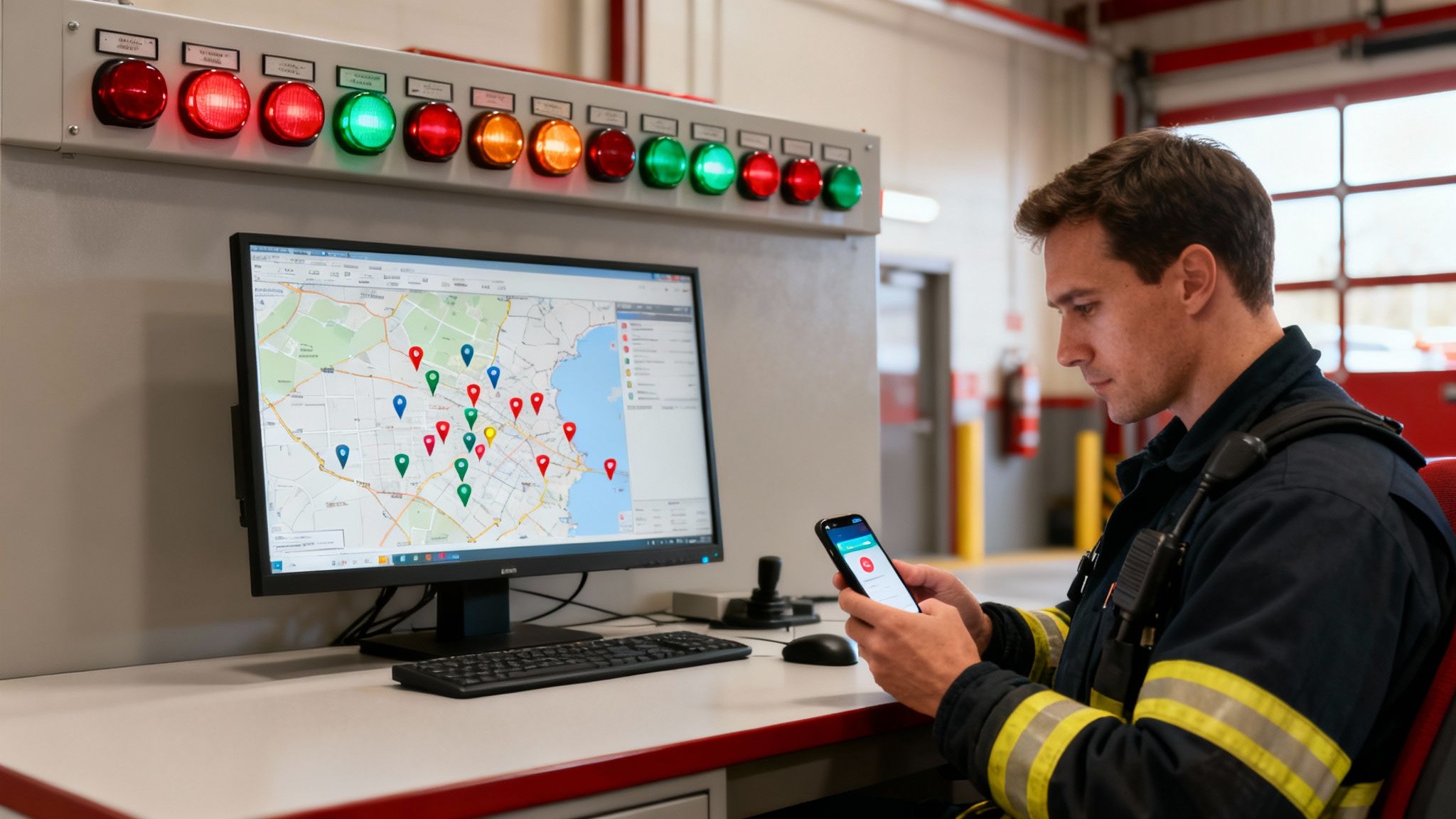
The first step is a brutally honest look at what you really need. Where are the weak spots? Are turnout times dragging? Are you struggling to get volunteers and career staff on the same page? Nailing down these pain points helps you prioritize what matters and stops you from paying for bells and whistles you won't use.
Start with a Phased Rollout
A phased approach is your best friend for managing costs. Instead of trying to swallow a massive, one-time overhaul, you introduce new pieces of the system little by little. This lets you spread out the cost over a few budget cycles while still getting immediate benefits from each new feature you add.
This strategy is a game-changer for volunteer or combination departments working with tight budgets. You can start with the most critical, low-cost upgrades, prove they work, and build your case for the next phase.
Actionable Money-Saving Insight: Start with mobile alerting. It's a quick, measurable win. Platforms like Resgrid have powerful mobile app notifications that you can deploy instantly, often with free or low-cost plans. This single step can immediately boost turnout for off-duty personnel and volunteers without touching expensive pagers. This saves thousands of dollars in initial hardware costs and eliminates ongoing maintenance and replacement fees for physical pagers.
A Real-World Example of a Phased Rollout
Let's walk through a common scenario. Imagine a volunteer department where members are missing pager alerts, causing response times to creep up. A traditional, all-in-one system could be a five-figure hit right out of the gate.
Instead, they can get strategic:
- Phase 1 (Day One): They get everyone on Resgrid's mobile alerts. The cost is minimal, and overnight, every member has a reliable, redundant way to get dispatch info on their own phone. Response consistency gets an immediate boost.
- Phase 2 (Next Budget Cycle): They've already proven the value of the new alerts, so they get approval to add basic in-station automation. They install smart speakers and LED light bars that flash when a call comes in, making sure anyone at the station gets a clear signal.
- Phase 3 (Future Upgrade): Further down the road, they can invest in full station automation, tying in bay doors and traffic control systems. By then, the first two low-cost phases have already paid for themselves many times over in better efficiency.
This turns a scary capital expense into a manageable operational cost. It's the same principle that's been driving alerting tech for decades. By the late 1980s, addressable systems started monitoring devices individually, which cut maintenance costs by 40%. In the 2000s, voice evacuation systems in high-rises boosted evacuation efficiency by 30% by giving clear, specific instructions. Today's tech continues that trend of targeted, cost-effective improvements, helping departments meet goals like the NFPA's reported 4 minute and 20 second average U.S. response time in 2020. You can read more about the evolution of emergency alarm systems.
Pick a Flexible Platform
The foundation of a good phased rollout is a flexible, software-based platform. Proprietary, hardware-locked systems often demand huge upfront payments and trap you with a single vendor for every part and service call.
An open platform like Resgrid, on the other hand, gets rid of expensive licensing fees and lets you use affordable, off-the-shelf hardware. This massively lowers the barrier to entry and gives you the freedom to scale your fire station alert system at your own speed. You only pay for what you need, when you need it—and that financial flexibility is the key to maximizing your return over the long haul.
Ensuring Reliability with Redundancy and Testing
An alert system that fails during an emergency is worse than having no system at all. It creates a false sense of security that can lead to catastrophic delays. When lives are on the line, you need a "belt and suspenders" strategy—an approach built on layers of redundancy and constant, rigorous testing.
Simply put, there can be no single point of failure.
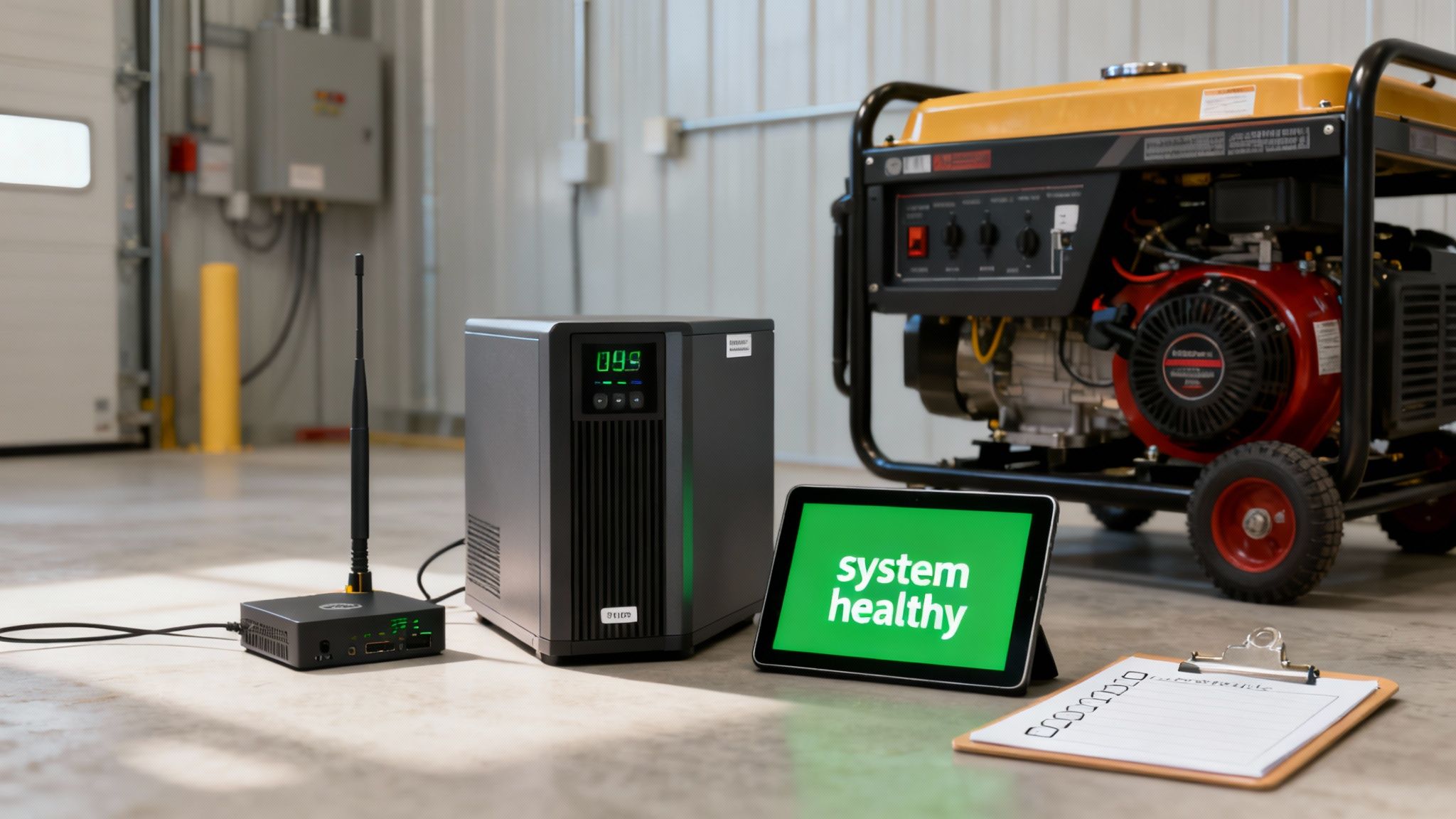
Think of it like this: if your primary internet connection gets cut, a cellular backup needs to take over instantly, without a single alert getting dropped. If the station loses power in a storm, a combination of an Uninterruptible Power Supply (UPS) and a generator has to keep everything humming. Without these layers, your fancy high-tech system is just one power surge away from being a very expensive paperweight.
Building Layers of Redundancy
Real reliability isn't about having one perfect component; it's about creating backup plans for your backup plans. A truly resilient fire station alerting system has multiple, overlapping layers to make sure the message always gets through, no matter what happens.
-
Network Redundancy: This is the most common weak link. Your system absolutely must operate on both a hardwired internet connection and a cellular (LTE/5G) backup. If the main line goes down, it has to switch to the secondary connection automatically, without anyone needing to flip a switch.
-
Power Redundancy: You can't count on the grid. A UPS should power all the core alerting components, giving your generator enough time to kick on. This ensures your system stays fully operational even during a complete blackout.
-
Hardware Redundancy: Relying on a single server or controller sitting in a closet is a huge risk. This is where a cloud-based platform like Resgrid shines, providing inherent hardware redundancy because the system isn't tied to one physical machine in your station. You can learn more about how a secure cloud infrastructure supports this kind of reliability by reading about the security measures in place.
-
Notification Redundancy: Never, ever rely on just one way to alert your crew. A solid system pushes alerts through multiple channels at the same time: in-station speakers, visual light bars, mobile app push notifications, and even text messages. If a firefighter doesn't hear the station tone, their phone will still be buzzing in their pocket.
The Critical Role of Regular Testing
A backup system you haven’t tested is just a theory. And in this line of work, theories don't save lives. Regular, scheduled testing is the only way to turn that theory into a guarantee. This doesn't have to be a massive undertaking, but it must be consistent.
Actionable Money-Saving Insight: Automated health checks are a game-changer for your budget. Systems that proactively monitor their own connections and components can flag a potential issue—like a failing cellular modem—long before it causes an actual outage. A practical example is receiving an automated email that your cellular backup signal is weak. This allows you to reposition an antenna during a routine truck check, a zero-cost fix that prevents a complete connection failure during a storm and avoids a costly emergency repair call and the massive liability of a missed alert.
This proactive mindset is part of the long evolution of dispatch technology. Think about the jump we made between the 1950s and 2010s: computer-aided dispatch (CAD) changed everything, weaving together radio, visual, and audible alerts. According to NFPA data, that integration helped slash average U.S. fire response times from 10-15 minutes down to under 5 minutes by 2010. Today’s automated health checks are the next step in that legacy, using technology to stop failures before they start.
To keep your system battle-ready, you need a simple but effective testing checklist.
Actionable System Testing Checklist
- Weekly Automated Test: Schedule an automated test dispatch to run at the same time every week. This is a quick way to confirm the entire signal path, from dispatch to every station alert, is working perfectly.
- Monthly Power Failure Drill: During a crew meeting once a month, kill the main breaker to the station. Watch to make sure the UPS kicks in instantly and the generator starts up, keeping the alert system fully online without a hiccup.
- Quarterly Network Failover Test: Physically unplug your primary internet connection. The system should immediately and automatically switch over to its cellular backup. Send a test alert to confirm it works seamlessly.
- Annual Full System Review: Once a year, get hands-on. Review the system logs and check all the physical components—wiring, speakers, power supplies—for any signs of wear and tear.
Smart Procurement and Cost-Saving Strategies
Choosing a new fire station alert system is a massive financial commitment. It’s easy to get fixated on the initial price tag, but the real story is in the Total Cost of Ownership (TCO). A system that looks like a bargain on day one can quickly turn into a money pit thanks to hidden fees, mandatory service contracts, and wildly expensive proprietary parts.
This is exactly why you have to compare traditional, hardware-locked systems against modern, software-based solutions. The old way of doing things often locks you into a single company for every component, repair, and upgrade, creating a dependency that only gets more expensive as time goes on.
Avoiding Vendor Lock-In And Hidden Fees
Vendor lock-in is probably the single biggest budget-killer in the long run. When your entire system is built on proprietary hardware, you completely lose your power to shop around for a better deal. A simple component failure forces you back to the original vendor, who can charge whatever they want because you have no other choice.
On the flip side, a modern, software-first platform like Resgrid is designed to work with affordable, off-the-shelf hardware you can buy anywhere. If a speaker blows or a display goes dark, you can just replace it with a compatible device from any electronics supplier for a tiny fraction of the cost. This open approach gives you financial breathing room and protects your budget from those nasty surprise invoices. To make the most of this investment, it's worth exploring some proven procurement cost reduction strategies that can deliver big savings without cutting corners.
Cost Comparison: Traditional vs. Modern Alerting Platforms
To really see the difference, let’s break down the typical five-year costs. The table below shows how a small upfront investment in a modern platform can save you a fortune over time.
| Cost Factor | Traditional Proprietary System | Modern Platform (e.g., Resgrid) |
|---|---|---|
| Initial Purchase | High ($30,000 – $100,000+) | Low ($0 – $5,000) for software/core setup |
| Hardware | Expensive, proprietary components | Affordable, off-the-shelf devices |
| Licensing Fees | Annual per-user or per-station fees | Often none or low monthly subscription |
| Maintenance | Mandatory, high-cost service contracts | Self-service or optional support plans |
| Upgrades | Costly hardware replacement cycles | Included software updates, no new hardware |
| 5-Year TCO | Very High | Significantly Lower |
The numbers speak for themselves. The flexibility of a software-based approach not only lowers the barrier to entry but also keeps your ongoing operational costs predictable and under control.
Actionable Money-Saving Strategies
Making smart moves during the buying process can slash the total cost of your fire station alert system. Here are three practical tips that will deliver both immediate and long-term financial wins.
-
Do a Real Needs Analysis: Before you even think about buying, map out exactly what your department needs. Don't pay for fancy features designed for a massive metro department if you're a small volunteer outfit. A focused analysis ensures every dollar is spent on technology that solves your problems, not someone else's.
-
Prioritize Off-the-Shelf Hardware: Make it a rule to choose systems that don't chain you to proprietary equipment. Using standard PCs, tablets, speakers, and smart devices means replacement parts are cheap and easy to find, which drastically lowers your maintenance budget over the life of the system. For example, if a display monitor fails, you can buy a replacement at a local electronics store for $150 instead of paying a vendor $1,500 for a "specialized" screen.
-
Use Open-Source and Subscription Models: An open-source platform gets rid of licensing fees completely. Better yet, a subscription model like Resgrid's turns a huge one-time capital expense into a predictable and manageable operating expense. You can see how this transparent approach works by checking out our clear and straightforward pricing plans. This lets you scale your system as your budget allows, without getting stuck in a restrictive long-term contract.
Fire station alerting has come a long way, but the evolution is far from over. We're on the cusp of some major changes, with new tech poised to connect responders, stations, and incident scenes in ways that felt like science fiction just a decade ago. The next big leap forward is all about data, artificial intelligence (AI), and the Internet of Things (IoT).
Imagine an alert system that does more than just tell you there's a call. Soon, IoT devices like smart traffic sensors will feed real-time congestion data right into the system. It could then instantly calculate and show crews the fastest possible route to the scene, navigating around traffic jams and shaving critical minutes off response times.
The Rise of Predictive and Automated Response
AI is going to start playing a huge part in predicting where incidents are likely to happen. By chewing through historical data, weather patterns, and even public events calendars, AI can flag potential hotspots. This lets departments pre-position resources for a quicker deployment, shifting the entire model from being reactive to proactive.
Actionable Money-Saving Insight: A key money-saving application of this technology is optimized resource allocation. For example, if AI predicts a high risk of brush fires in a specific area due to dry, windy conditions, a department can stage a brush truck nearby for a few hours. This costs far less in fuel and apparatus wear-and-tear than a full-speed, lights-and-sirens response from the main station, while dramatically improving response times and potential outcomes.
On top of that, AI will begin to automate certain dispatch decisions. For a routine medical call, an AI-driven system could automatically assign the closest available unit without a human touching it. This frees up dispatchers to focus their attention on managing the more complex, large-scale incidents.
Creating the Fully Connected First Responder
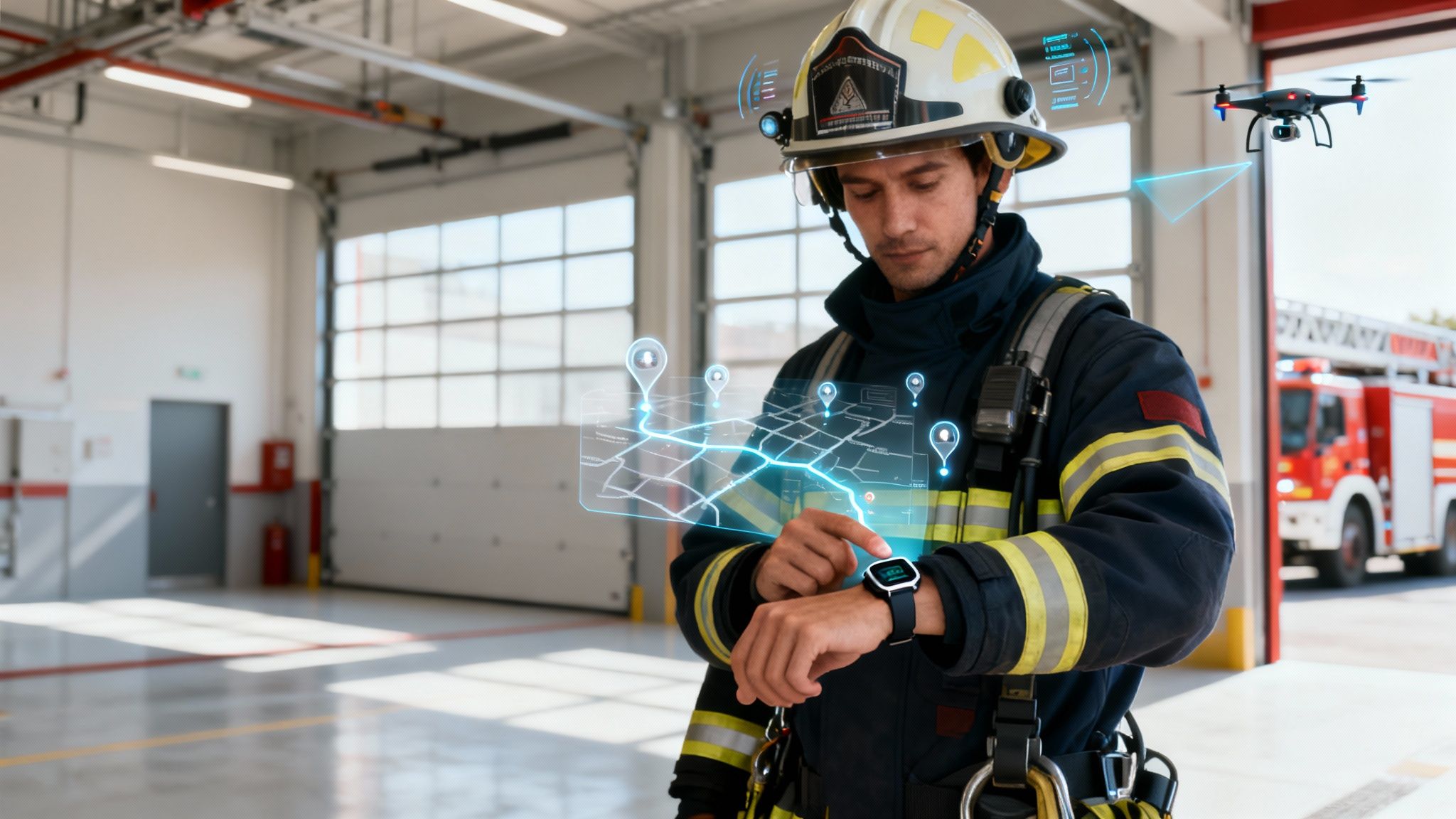
Maybe the biggest change on the horizon is the idea of the fully connected first responder. This is all about integrating personal biometric data from wearables directly into the command and control structure.
- Real-Time Health Monitoring: A firefighter's smartwatch could transmit vitals like heart rate and core body temperature back to the incident commander in real-time. If someone shows signs of heat exhaustion or extreme stress, command gets an immediate, automatic alert.
- Enhanced Situational Awareness: This kind of data gives commanders a view of their crew's physical state that we've just never had before. It allows them to rotate teams before exhaustion leads to an injury, which not only makes the scene safer but also helps reduce long-term healthcare costs and disability claims. A practical example is a commander seeing a firefighter's heart rate spike dangerously high and ordering them to rehab before a medical emergency occurs.
This continuous feedback loop turns every firefighter into a live data point, dramatically improving on-scene safety and operational efficiency. These advancements build on a long history of progress. Modern systems have already contributed to a 50% reduction in U.S. fire fatalities over the past five decades. Property losses per fire have also dropped from an adjusted $50,000 in the 1970s to just $15,000 by 2020, and a lot of that is thanks to faster, more precise alerting. You can read more about the history of fire alarm systems to see how far we've come.
As these next-generation tools start to hit the market, flexible and open platforms like Resgrid are perfectly positioned to integrate them. The future of fire station alerting isn't just about getting crews out the door faster; it’s about building a smarter, safer, and more predictive emergency response network.
Common Questions About Alerting Systems
Departments looking into a new fire station alert system almost always run into the same hurdles and have the same questions. Getting those answers can demystify the whole process, showing you a clear path to upgrade your critical tech without blowing the budget or overwhelming your team. Let's tackle some of the most frequent ones with some direct, practical advice.
How Can Small Volunteer Departments Afford a Modern System
This is hands-down the most common concern, but the old assumption that a modern alerting system requires a massive capital investment is just that—old. The trick is to pick a scalable, software-based platform that grows with you. That's the real money-saver.
Practical Example: A rural volunteer department on a shoestring budget can get started with a system like Resgrid by deploying its free mobile alerting features right away. In a single afternoon, they can get reliable, redundant notifications pushed to every member's smartphone, instantly improving turnout consistency with zero upfront cost. Later on, as grants come in or the next budget cycle frees up funds, they can add in-station components like smart speakers or visual displays, phasing in the cost over time. This approach allows them to prove the system's value to their funding body, making it easier to secure funds for future upgrades.
This approach flips the script. Instead of a five or six-figure check you have to write upfront, it turns a huge capital expense into a manageable, predictable operational cost. It really levels the playing field, giving smaller departments access to the same powerful tools that bigger, career-based organizations use.
What Is the Most Critical Factor for System Reliability
Look, every component matters, but the single most critical factor is multi-layered redundancy. A system without backups for its core functions is a failure just waiting to happen. There can be absolutely no single point of failure when alerts are a matter of life and death.
This means having backups for your backups.
- Network: Your primary internet goes down? A cellular backup has to kick in instantly.
- Power: A UPS and generator combo isn't a luxury; it's non-negotiable for keeping the system online during a blackout.
- Notifications: Alerts have to be pushed through multiple channels at the same time—in-station audio, visual displays, and mobile apps. If one method fails, the others still get the message through.
A layered approach like this ensures that no single event, whether it's a cut fiber line or a local power outage, can silence your alerts.
How Long Does Implementation Actually Take
The timeline for setting up a fire station alert system can vary a lot depending on how complex you want to get, but a phased approach makes it totally manageable. You don't have to boil the ocean all at once.
A realistic timeline usually looks something like this:
- Basic Mobile System (Hours): You can get a mobile-first platform rolled out in a single afternoon. Seriously. Every member can be receiving push notifications on their personal devices by the end of the day.
- Simple In-Station Alerts (Days): Tying in basic station hardware like smart speakers and LED light bars is a weekend project, typically.
- Full Station Automation (Weeks): Now, a comprehensive setup that integrates with bay doors, traffic signals, and other station controls is a more involved project. This phase usually takes several weeks of planning and hands-on installation.
The smartest way to do it is with a phased rollout. Start with the quick wins that have a high impact, and then build from there.
Ready to see how a flexible, scalable, and affordable alerting platform can transform your department’s response? The Resgrid system provides a comprehensive, open-source solution that integrates dispatching, messaging, and personnel tracking. Get started with our powerful free tier today at https://resgrid.com.