
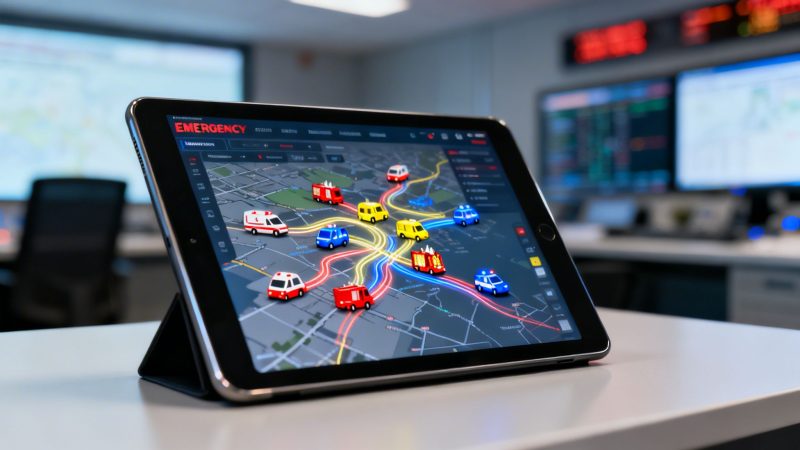
Enhance Operations with first responder application: A Powerful Tool
Let’s start with the basics. What exactly is a first responder application? Think of it as a digital command center that runs on a phone, tablet, or desktop. It’s built to replace the tangled mess of radio chatter, phone calls, and spreadsheets with one clean, organized system for dispatch, communication, resource tracking, and reporting.
From Chaos to Clarity: How a First Responder Application Works
If you’ve ever tried to coordinate an emergency with a mix of frantic radio calls, scattered text messages, and maybe even an old paper map, you know how chaotic it can get. It's slow, confusing, and dangerously easy for wires to get crossed. A modern first responder application is designed to cut right through that noise. It gives everyone a single, reliable source of information, making sure every person and piece of equipment is exactly where it needs to be.
The best way to picture it is as an air traffic control system, but for emergency services. You’re not guiding planes; you’re guiding fire trucks, ambulances, and police units. The app provides a clear, real-time view of the entire operation, helping you make smarter, faster decisions when every second really does count.
Solving Crippling Inefficiencies
At its core, this kind of software solves the crippling inefficiency of old-school methods. This isn't just about convenience—it's about a massive drain on time and money. The numbers don't lie. One recent study found that the average first responder spends a staggering 49% of their shift buried in administrative work.
The 2026 U.S. Public Safety Trends Report by Mark43 dug even deeper, revealing that 65% of responders have had to physically drive back to the office just to file a report. On top of that, a whopping 91% said they know their data reporting could be drastically better with the right technology.
This is where a first responder application delivers immediate, practical value. By automating tasks that used to take hours, it frees up your team to focus on what they signed up to do.
Actionable Insight: A small volunteer fire department with 30 members can easily save hundreds of hours a year by using an app to automate call-out notifications and reporting. If each automated report saves just 30 minutes of manual data entry, and you have 200 calls a year, that's 100 hours saved. At an average volunteer reimbursement or equivalent labor rate, that translates directly into thousands of dollars in recouped time that can be spent on training or equipment maintenance instead of paperwork.
This isn't just a small upgrade; it's a fundamental shift in how emergency operations are managed. You move from a fragmented, high-cost model to a streamlined and efficient one.
Old vs. New: A Shift in Emergency Operations
The table below really highlights the difference between relying on outdated tools and adopting a modern, integrated platform. The contrast is stark, showing how much time and money gets wasted on tasks that software can handle in seconds.
| Operational Task | Traditional Method (High Cost & Inefficient) | Modern Application Method (Cost-Effective & Efficient) |
|---|---|---|
| Dispatch & Comms | Disjointed radio calls, text chains, and phone calls. High risk of miscommunication. | Centralized dispatch with real-time messaging. All communication is logged and secure. |
| Unit Tracking | Relies on radio check-ins and guesswork. No live view of asset locations. | Live GPS tracking of all personnel and vehicles on a single map. |
| Reporting | Manual, paper-based forms filled out post-incident. Data is siloed and hard to analyze. | Automated, digital reports generated from incident data. Instantly accessible for analysis. |
| Scheduling | Manual process using spreadsheets or whiteboards, leading to frequent errors and overtime costs. | Automated scheduling tools that manage availability, shifts, and prevent expensive coverage gaps. |
By moving key tasks into an application, you not only improve response times and accuracy but also unlock significant cost savings. That's money that can go back into equipment, training, and supporting your personnel.
The Core Features Your Agency Cannot Afford to Miss
When you're looking at first responder applications, it's easy to get lost in a sea of options. But after years in this space, we've seen that a handful of core features are truly non-negotiable for any modern agency. These aren't just fancy add-ons; they're the engine of your daily operations. Without them, you're losing time, money, and compromising on safety.
The image below gives you a good idea of how these pieces should fit together. It’s not about having a bunch of separate tools, but one interconnected system where information flows exactly where it needs to go, instantly.

Think of it as a single source of truth for your entire operation, from the initial call to the final report.
Centralized Dispatch and CAD
A modern dispatch and Computer-Aided Dispatch (CAD) system is so much more than a dot on a map. It’s the brain of the operation, processing calls, assigning the right units, and arming your people with critical details before they even roll out the door. The real magic happens when it all works together seamlessly.
For example, a call for a multi-vehicle accident comes in. Instead of just getting an address, the dispatcher's CAD automatically identifies the closest units, flags their certifications (like paramedics), and even plots a route that avoids current traffic jams. Your responders get all of this on their phones, along with pre-plans for that specific location, all in a matter of seconds.
Actionable Insight: By automatically dispatching the closest, most appropriate unit, an agency covering a large rural territory can immediately cut down on fuel costs and vehicle wear. Shaving just five miles off a single response might seem small, but over hundreds of calls a year, that optimization adds up to thousands of dollars in fuel savings and reduced maintenance bills for your apparatus.
Secure Real-Time Messaging
Trying to manage an incident over commercial chat apps or a single, cluttered radio channel is a disaster waiting to happen. You're risking serious miscommunication and opening your agency up to liability. A true first responder application must have built-in, encrypted messaging to keep communications secure, logged, and organized.
This isn't just about security—it’s about clarity. Creating dedicated channels for specific incidents or teams cuts out the cross-talk and ensures vital updates don't get buried in the noise.
For instance, during a major structure fire, an incident commander can create a dedicated channel for the "Ventilation Group." They can share building diagrams from pre-plans, get quick status updates ("Roof is clear"), and coordinate their actions without tying up the main radio frequency. This means the firefighters on the roof get crystal-clear orders, which is a massive safety win and reduces operational confusion.
Personnel and Unit Tracking
Knowing exactly where your people and your equipment are in real-time isn't a luxury; it's fundamental to safety and accountability. A solid first responder application gives you a live map view of every person and every asset. It replaces guesswork with absolute certainty.
This kind of visibility is priceless when you're coordinating a chaotic scene. If a team gets into trouble, you know exactly where they are and can send help immediately. It’s a layer of protection that manual radio check-ins can never provide.
Picture a hazmat team entering a chemical spill. Command can track their precise location inside the building on a live map. At the same time, they're watching a specialized decon truck make its way to the scene, ensuring it arrives at the right spot just as the entry team is ready to come out. That’s how you minimize exposure time and ensure resources arrive exactly when needed.
Automated Scheduling and Availability
Anyone who's managed a schedule with a spreadsheet knows the pain. It’s a breeding ground for errors, uncovered shifts, and frantic, last-minute phone calls that usually end in expensive, unplanned overtime. An automated scheduling tool puts an end to that nightmare by managing availability, complex rotations, and qualifications in one spot.
- Prevent Burnout: It helps you distribute shifts fairly instead of burning out the same few people.
- Cut Overtime: The system can automatically find available, qualified staff to fill a shift without hitting that overtime pay trigger.
- Empower Your People: Team members can update their own availability and even sign up for open shifts right from their phones.
A volunteer fire department can use this to fill a shift that opens up unexpectedly. The system pings all qualified members at once, and the first to accept gets the slot. The chief doesn't have to spend two hours on the phone, and the shift is covered without any drama or unnecessary overtime pay.
Integrated Reporting and Analytics
Let's be honest, paperwork is the bane of every first responder's existence. An integrated reporting module takes this soul-crushing chore and turns it into a simple, powerful tool. When the app captures incident data automatically as it happens, generating reports becomes a matter of a few clicks.
This frees up your people to focus on what matters: training and being ready for the next call. On top of that, all that data becomes a goldmine for justifying budgets, applying for grants, and spotting operational trends. You can finally show, with hard data, which areas have the highest call volume or what types of incidents are most common.
To see how all these pieces come together in a real-world system, you can check out the full suite of features offered by a platform like Resgrid.
Protecting Your Data and Ensuring Compliance
When you're running an emergency operation, your data isn't just information—it's your lifeline. A data breach in the middle of a critical incident is like your radio system going down during a five-alarm fire. It creates chaos, cripples coordination, and puts lives on the line. This is exactly why generic, off-the-shelf IT security is dangerously out of its depth for any first responder application.

The kind of information you handle, from patient medical records to criminal justice data, is incredibly sensitive and heavily regulated. Standard security designed for corporate email or online shopping just doesn't have the muscle to protect it. Using the wrong tool leaves your agency wide open to some serious legal and operational fallout.
Understanding Key Compliance Standards
Two of the biggest standards you'll run into are HIPAA and CJIS. They can sound intimidating, but their goal is simple: keep sensitive information locked down and away from unauthorized eyes.
- HIPAA (Health Insurance Portability and Accountability Act): This is the federal law covering Protected Health Information (PHI). If your first responder app touches any patient data—allergy notes, injury details, you name it—it absolutely has to be HIPAA compliant.
- CJIS (Criminal Justice Information Services): These are strict security rules for handling data from the FBI and other law enforcement agencies. Any system that stores or even just accesses this information has to meet the CJIS security policy.
Failing to comply isn't a small mistake. It can lead to massive fines, getting cut off from critical databases, and a total loss of trust with the community you serve.
The Cost of Non-Compliance vs. Built-In Security
Think of compliance as an insurance policy. You can pay a predictable premium upfront for a secure system, or you can risk a catastrophic event later that could wreck your budget. Investing in a first responder application with compliance built right in is the only smart move.
Actionable Insight: Choosing a platform with pre-built, compliant security saves immense future costs. A small agency avoids spending $5,000-$15,000 on a third-party security audit to validate a non-compliant system. More importantly, it prevents potentially disastrous breach recovery expenses and hefty non-compliance fines that can easily exceed an entire year’s operating budget.
When a platform like Resgrid is designed with these standards in its DNA, it does the heavy lifting for you. We’ve been working to get our own certifications in place, like SOC2 and HIPAA, because we know how critical this is. Security protocols are woven into the software, not just bolted on as an afterthought. You can see our commitment firsthand by reviewing our comprehensive security information at https://resgrid.com/security.
The SaaS Advantage for Continuous Security
How your application is deployed also has huge security and financial implications. With traditional, on-premise software, the entire burden of security updates and patching falls on your agency. This means you’re either hiring dedicated IT staff or paying expensive consultants to manually apply updates, which can cost thousands annually and leave you vulnerable between patch cycles.
A modern Software-as-a-Service (SaaS) model completely flips that script.
- Automatic Updates: The provider handles all security patches and software updates automatically, in the background.
- No Manual Work: Your team doesn't have to manage servers or worry about applying a complex security fix on a weekend.
- Constant Improvement: You benefit from continuous security enhancements without any extra cost or effort from your side.
Given the stakes, a solid data protection strategy has to be a top priority. It's not just about preventing breaches, but also having a clear plan for when things go wrong, a process detailed in guides like Mastering SOC 2 Incident Response Plan Requirements. By choosing a secure, compliant SaaS platform, you save money and, more importantly, ensure your data is always protected by the latest defenses.
How to Deploy a First Responder Application Without Breaking Your Budget
When you hear "new software," it's easy to imagine a nightmare of huge upfront costs, complicated installs, and consultant bills that never seem to end. But getting a modern first responder application up and running doesn't have to wipe out your agency's budget. The trick is to sidestep the old, expensive way of doing things and take a smarter approach.
It all starts with a realistic look at how you work now. Where are the biggest time-wasters? Are you losing hours wrestling with spreadsheets to build schedules? Is your team buried in paperwork after every single incident? Pinpointing these headaches shows you exactly where an application can make the biggest difference, right away.
Choosing Your Deployment Model: Cloud vs. On-Premise
One of the first, and most important, calls you'll have to make is between a cloud-based service (often called Software-as-a-Service or SaaS) and a traditional on-premise installation. This one decision dramatically impacts your budget, your IT workload, and what you'll spend on maintenance down the road. The difference is night and day.
On-Premise Deployment: This is the old-school way. You buy a software license outright and install it on servers you own and operate. It gives you complete control, but that control comes with a serious price tag. You're on the hook for buying and maintaining server hardware, managing all the software updates, and plugging security holes. That almost always means you need dedicated IT staff or expensive contractors.
Cloud (SaaS) Deployment: With a SaaS model, you’re essentially renting the software. You pay a monthly or yearly fee to access it over the internet, and the provider takes care of all the messy backend stuff—the servers, the security, the updates. This completely eliminates the need for a big capital expense on hardware and lifts a massive weight off your IT team. For most agencies, especially those trying to make every dollar count, SaaS is the only way to go.
Actionable Insight: A modern SaaS first responder application eliminates tens of thousands of dollars in hidden costs. You completely avoid the $5,000-$10,000 upfront cost for a new server, the annual electricity and maintenance fees, and the $60,000+ salary for a specialized IT staff member needed to manage an on-premise system. That money can fund an entire new set of turnout gear or other critical equipment.
The Self-Service Advantage That Saves Thousands
The old way of deploying software usually kicks off with a long, expensive implementation project run by the vendor’s own consultants. They'll charge you steep hourly rates to configure the system, move your data over, and train your people. For a lot of departments, these service fees can end up costing more than the software itself.
A self-service platform like Resgrid flips that entire model on its head. It’s built from the ground up to be set up and managed by your own people, even if they aren't tech wizards. You get full control to configure your departments, add personnel, and build out schedules on your own time, through a straightforward interface.
This do-it-yourself approach adds up to huge cost savings. Instead of paying a consultant $200 per hour to do basic setup tasks, your own team can get it done when they have time. Not only does this save a ton of money, but it also gives your people a much deeper understanding of the system they’ll be using every day.
Take a volunteer fire department, for example. They can get started on a platform like Resgrid for free or for a very small monthly fee. The fire chief or an admin can handle the entire setup in an afternoon—importing a list of personnel from a spreadsheet, creating a couple of standard shifts, and sending out invites to download the mobile app. No consultant fees, no mandatory training days, and no locked-in contracts.
This self-service model is what makes a powerful first responder application truly accessible to organizations of any size and any budget. To see just how affordable this can be, you can check out the options on our Resgrid pricing page. By picking the right deployment model and a platform built for self-service, you can bring world-class technology to your agency without breaking the bank.
The Future of Incident Management with AI and Automation
Talk about Artificial Intelligence and automation can feel like something out of a movie, but the truth is, these tools are already becoming a real, practical part of incident management. For a modern first responder application, this isn't about some far-off, futuristic dream. It's about using smart tools, right now, to make your operations faster, safer, and more effective.

This isn't about replacing people. Think of it as giving your command staff a crystal ball. By crunching historical call data, weather patterns, and even public event schedules, a system can start to flag high-risk zones for certain types of incidents. This allows you to preemptively stage an ambulance or engine company nearby, shaving critical minutes off a response when that call finally drops.
Practical AI Isn’t Science Fiction, It’s Good Budgeting
This predictive capability has a direct, real-world impact on your budget. Staging resources intelligently means less fuel burned racing across your district and reduced wear and tear on expensive apparatus. It's one of the clearest ways a smart first responder application pays for itself through simple operational efficiency.
The nuts and bolts of how this works are getting more accessible every day. To get a better sense of what's possible, you can see how AI automation is being applied in different fields. These concepts are quickly moving from theory to practice, especially in public safety where every second counts.
The adoption of these tools is picking up speed. While only 12-15% of first responders report using AI daily right now, a solid 46% expect it to be part of their toolkit within the next five years. More importantly, a huge 77% of responders actually support its adoption, and 84% believe it will save precious time, according to the latest Verizon survey on emerging tech.
Drones and Automation in the Real World
Let's walk through what this looks like during a real incident. Picture a wildfire breaking out in a remote, hilly area that's tough for ground crews to get to.
- Initial Dispatch: A 911 call comes in, and the incident is created in the first responder application. The initial engine and brush trucks are dispatched like normal.
- Automated Drone Launch: At the same time, the application sees the incident type ("Wildfire") and location (a pre-defined high-risk zone) and automatically triggers a drone launch from a nearby station.
- Real-Time Intel: That drone is on-scene in minutes, streaming live thermal and visual video right back into the application. The Incident Commander, sitting in their vehicle, can see the fire's exact perimeter, identify hot spots, and spot threatened homes—all in real-time.
- A Coordinated Attack: Using this live aerial view, the IC directs incoming ground units through the app's mapping and messaging features, sending them to the safest and most effective positions to start knocking down the fire.
This all happens through one single interface. No one is juggling multiple screens or trying to relay complex coordinates over a crackling radio channel. The application becomes the central hub, tying together the IC, ground crews, and aerial assets without missing a beat.
How to Future-Proof Your Agency Without Breaking the Bank
The main takeaway here isn't to try and guess what the next big thing will be. It’s to be ready for it. The biggest financial mistake an agency can make is locking itself into a rigid, closed-off system that can't grow. When a new technology like advanced drone integration or predictive AI becomes affordable and proven, the last thing you want is to be forced into a complete, and very expensive, system replacement.
This is where choosing an extensible platform like Resgrid saves you from a massive headache and a huge bill down the road. By investing in a system designed from the ground up for integration, you're ensuring your agency can plug in these new tools as they become available. It’s a practical approach that protects your initial investment and saves you from having to start from scratch every few years.
Your Essential Checklist for Choosing the Right Application
Picking a new first responder application is a big deal. This is a decision that will impact your team’s day-to-day operations, their safety, and your budget for years to come. It's easy to get lost in sales pitches, so I've put together a practical checklist to help you cut through the noise.
Think of this as your pre-flight check before you commit. Going through these questions will help you find a platform that actually helps your crew without becoming a financial headache.
Evaluating Core Functionality and Usability
The absolute best application is the one your team will actually want to use. If it’s clunky or missing key features, you'll get poor adoption and a lot of wasted money. You have to start by looking at what your people need in the field, day in and day out.
- Does it cover the essentials? Make sure the platform has what you need built-in: dispatch/CAD, secure messaging, live tracking for people and units, scheduling, and reporting. If a system is missing one of these pillars, you'll find yourself trying to glue things together with costly workarounds.
- Is it actually usable on a phone? Your team works in the field, not at a desk. The mobile app has to be fast and dead simple. Can a paramedic update their status to "Transporting" with one tap while wearing gloves? That’s the level of simplicity you need.
- Can you try it before you buy it? A vendor who is confident in their product will let you take it for a real spin with a free trial. Set up a mock incident (e.g., a simulated traffic accident) and have a few team members respond using the app. It's the only way to see how it really performs under pressure.
Assessing Cost, Contracts, and Total Ownership
The sticker price is just the beginning of the story. Real cost-effectiveness comes from transparent pricing and dodging the hidden fees that are notorious in traditional software contracts. You're looking for a powerful tool, not a financial anchor.
Actionable Insight: The single biggest way to save money is to avoid long-term contracts and expensive, mandatory setup fees. A self-service platform like Resgrid that offers flexible monthly pricing puts you in control. If your budget gets cut mid-year, you can scale down your plan instead of being locked into a large annual payment. This flexibility can save your agency thousands of dollars a year and prevents vendor lock-in.
- Are there long-term contracts? Look for flexible, month-to-month options. This gives you the freedom to scale up or down and forces the vendor to keep earning your business, month after month.
- Can you manage it yourself? A truly cost-effective first responder application shouldn't force you to hire pricey consultants for basic setup or simple changes. Ask them straight up: "Can our own admin staff add a new unit or change a schedule rotation without needing to call your support line and pay a fee?"
- Is the pricing clear and all-inclusive? Dig into the pricing model and look for those hidden costs. Will you get a surprise bill for data storage, support tickets, or software updates? A platform like Resgrid rolls continuous improvements into the price, so you're not paying extra every time we make the system better.
Frequently Asked Questions
When you're looking at first responder apps, a few big questions always come up. Let's get right into them with some straight talk—the kind of answers we'd give you over a cup of coffee.
How Much Does a First Responder Application Cost?
This is usually question number one, and honestly, the answer is all over the map. The old way of doing things—with traditional, on-premise systems—could mean shelling out tens of thousands of dollars just for the software and hardware. Then you'd get hit with thousands more for mandatory consultants to get it all working.
But modern SaaS platforms have completely changed the game. A small volunteer fire department, for example, can get rolling with a powerful first responder application like Resgrid for free, or for a monthly cost that's often less than a hundred bucks. The trick is to find a provider who is upfront about pricing and lets you scale without trapping you in a long-term contract.
Actionable Insight: Always ask about the total cost of ownership. A platform might look cheap upfront but doesn't have self-service options, meaning you're paying $150/hour for support every time you need to add a user or change a form. A good self-service model cuts out these hidden support fees, saving you a ton of money over the long haul.
How Long Does It Take to Get Started?
This is another area where the old way and the new way are worlds apart. A traditional software project can easily drag on for months. You're stuck waiting on consultant schedules, hardware deliveries, and complicated data transfers. It's a real headache.
With a self-service SaaS application, you can be up and running in an afternoon. Seriously. The platform is already live, so all you have to do is sign up and start setting things up your way.
Think about it: an EMS supervisor can create an account, upload their personnel roster from a spreadsheet, create a few standard shifts, and get the entire team invited to download the app—all before their own shift is over. That kind of speed means you start seeing the benefits almost right away.
Do We Need an IT Department to Manage It?
Absolutely not. You shouldn't have to. Any decent first responder application should be built for the people actually using it, not for a team of IT specialists.
The whole point is to empower your own command staff or admins to manage everything—from personnel lists to incident types—through a simple web portal. That ability to manage it yourself is one of the biggest money-savers, because it completely eliminates the need for a dedicated IT person or pricey outside help.
Ready to see how an affordable, powerful, and easy-to-use platform can really change how your team operates? Get started with Resgrid today and take control of your dispatch, scheduling, and communication. Learn more at https://resgrid.com.