
Protect Communities with free text messaging alerts
Yes, setting up free text messaging alerts is absolutely possible, and for many emergency response teams, it's a game-changer. The secret lies in leveraging technology that's already out there, like email-to-SMS gateways, to get around the costs of dedicated SMS services. I'm going to walk you through exactly how to build a reliable, no-cost alert system for your team.
Why SMS Is Still a Lifeline for Emergency Response
In a world full of slick communication apps, the simple text message can feel a bit old-school. But for emergency and dispatch teams, that simplicity is its biggest advantage. When a crisis hits, you can't afford to wonder if a team member has the right app installed, a decent data connection, or even a smartphone.
SMS just works. It cuts through all that noise.
Its real power is in its universal reach. A text message works on any mobile phone, period. It doesn't need Wi-Fi or a data plan. This guarantees that every single person on your team gets the critical alert, no matter what kind of phone they have or where they are. This is especially true in rural areas with spotty internet or during major incidents where data networks get swamped. When all else fails, SMS often gets through.
The Unmatched Speed of SMS
The near-instant delivery of a text message is what makes it a non-negotiable tool for urgent communication. As an emergency coordinator, you have to know your message was not just sent, but seen. The data on this is crystal clear, and nothing else even comes close to SMS.
Businesses consistently see SMS open rates in the 90–98% range. What's even more impressive is that most of those messages are read within three to five minutes of being delivered. That near-real-time engagement is exactly why so many organizations rely on text alerts for time-sensitive notifications.
That speed translates directly into faster response times on the ground.
Think about a volunteer fire department trying to rally its members for a fast-moving wildfire. An SMS alert ensures the message is seen almost instantly, shaving precious minutes off their deployment. For a search and rescue team, that speed can be the difference between a successful mission and a tragic outcome.
This guide is all about harnessing that power without breaking the bank. We’ll get into the practical, money-saving methods you can use to build your own robust system for free text messaging alerts, giving your team the reliable communication it needs when it matters most. If you want to dig deeper, you can explore more text marketing statistics to see the full impact of this channel.
Choosing the Right Free Alert Method for Your Team
When you're looking for a free text messaging alerts system, you'll quickly realize that "free" doesn't always mean the same thing. The real trick to keeping costs down is matching the right tool to your team's actual needs, which means getting honest about the trade-offs between cost, reliability, and functionality.
For most teams just starting out, the easiest entry point is the Email-to-SMS gateway. It’s a clever little workaround that lets you fire off a text message from any standard email client. You just compose an email like you normally would and send it to a special address that combines the person's phone number with their mobile carrier’s domain.
So, if you needed to text someone on Verizon, you’d just send an email to 1234567890@vtext.com. This method costs absolutely nothing and doesn't require any new software, making it a fantastic money-saver for small teams or departments with budgets stretched thin.
Weighing Your Free Options
As useful as Email-to-SMS is, it’s not without its quirks. You won't get delivery confirmations, which can be a problem in critical situations. Messages can also get delayed or even blocked by aggressive carrier spam filters. You have to be okay with giving up some certainty for that zero-dollar price tag.
Another solid strategy is to check out the free tiers that many professional dispatch and messaging services offer. A lot of companies provide a basic plan at no cost that could be a perfect fit. These free plans often come with features you won't get from a simple gateway, like an organized interface and much better reliability. If you want to see what's possible, platforms often provide detailed breakdowns of their features that you can look through.
Beyond dedicated dispatch platforms, you can also explore various free messaging applications that can be repurposed for cost-effective team alerts.
This decision tree helps visualize when a simple SMS-based alert is the best tool for the job.
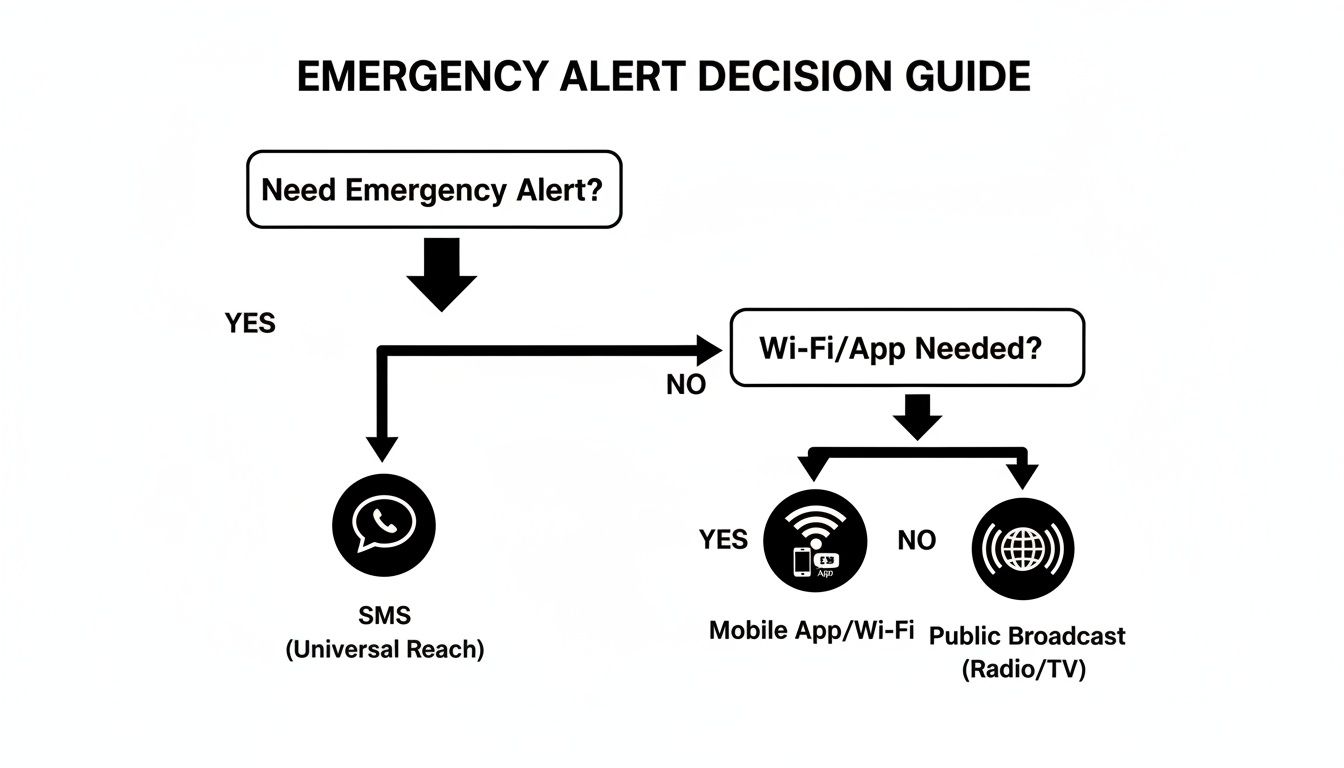
The key takeaway here is that for emergency alerts where you absolutely need universal reach—without depending on Wi-Fi or people having an app installed—SMS is still king.
Comparison of Free vs. Low-Cost SMS Alert Methods
To really make a smart decision, it helps to see the options laid out side-by-side. The best choice almost always comes down to balancing your team's tolerance for risk against the realities of your budget.
This table breaks down the main contenders.
| Method | Typical Cost | Reliability & Speed | Key Limitation | Best For |
|---|---|---|---|---|
| Email-to-SMS Gateway | $0 | Variable; can have delays | No delivery confirmation | Small teams, non-critical alerts, or budget-focused groups. |
| Service Free Tiers | $0 (with limits) | Generally reliable | Limited users or messages | Growing teams needing more structure than gateways offer. |
| App-Based Messaging | $0 | High; relies on data/Wi-Fi | Requires all users to have the app and a data connection. | Internal team coordination where internet access is guaranteed. |
At the end of the day, picking the right method means getting the reliability you need without breaking the bank. For a lot of teams, that simple Email-to-SMS gateway is the perfect, cost-free way to get started with free text messaging alerts.
Setting Up Your System with Email-to-SMS Gateways
Alright, let's get into the nuts and bolts of setting up your own system for free text messaging alerts. We'll be using a tool you probably already have: your email client. The email-to-SMS gateway is the most direct route to sidestepping those monthly service fees, turning your standard email into a surprisingly powerful dispatch tool.
It’s a clever, cost-free method that works by sending a regular email to a special address provided by the mobile carrier. The carrier's system takes that email, converts it into an SMS message, and pushes it right to the recipient's phone. Think of it as a simple translation service that costs you nothing.
Building Your Team Contact List
The foundation of this entire setup is a well-organized contact list. Your first task is to collect the 10-digit phone number and mobile carrier for every single person on your team. This part is critical because each carrier uses a unique gateway address.
Here are the gateway formats for the big players:
- AT&T:
phonenumber@txt.att.net - T-Mobile:
phonenumber@tmomail.net - Verizon:
phonenumber@vtext.com
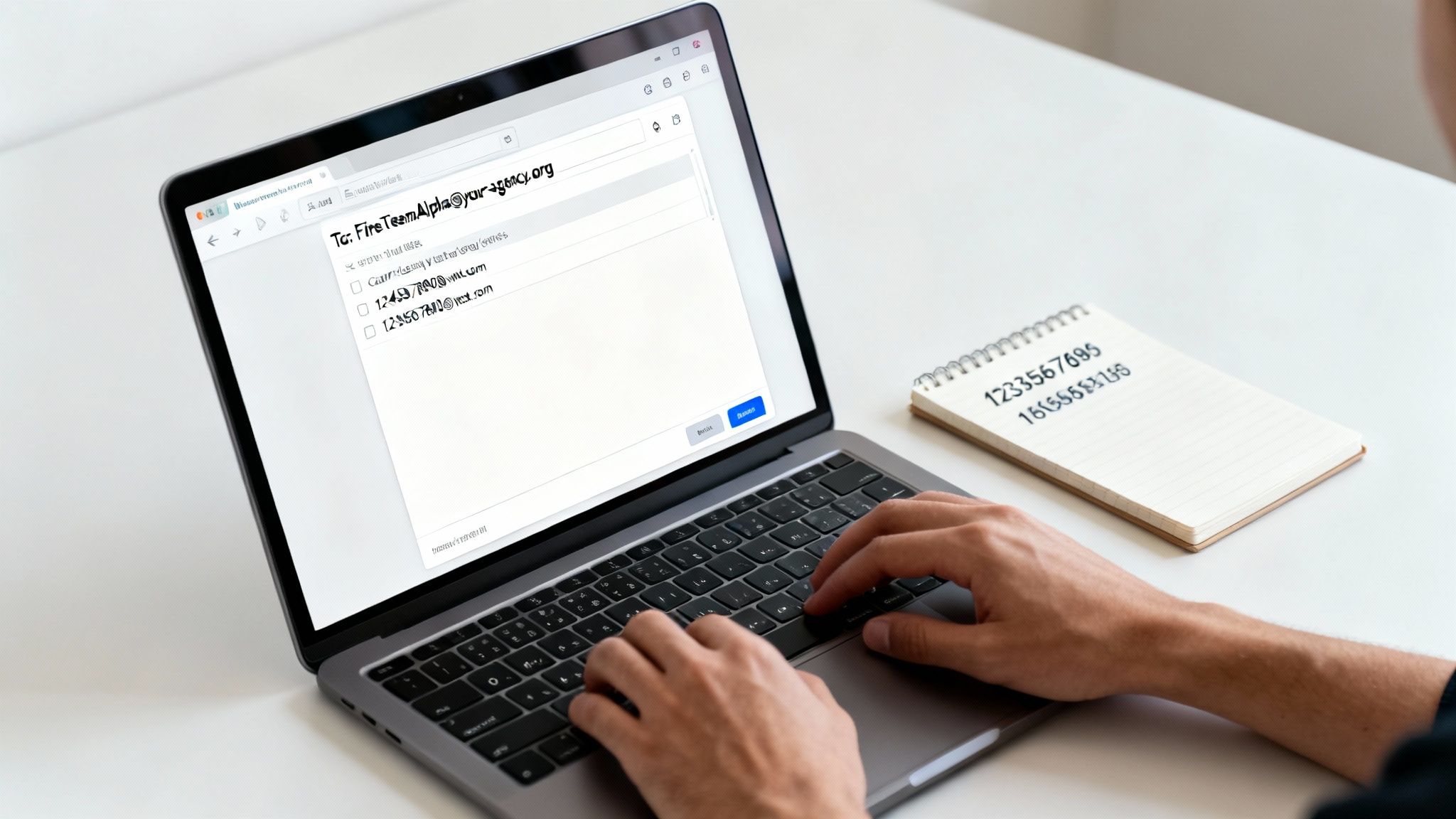
So, if you need to text a team member at (555) 123-4567 who uses Verizon, you'd send an email to 5551234567@vtext.com. Just the numbers—no dashes, no parentheses.
I won't lie, this is the most tedious part of the process. But getting it right is what makes the whole system click. I recommend creating a simple spreadsheet to track each person’s name, number, and their specific carrier gateway address.
Configuring Your Email for Group Alerts
Once your list is squared away, you can use your everyday email client—Gmail, Outlook, whatever you have—to create dispatch groups. This is where you really start saving time and money. Instead of paying for a platform to manage your groups, you can do it for free with contact groups or distribution lists.
Let's walk through a real-world example. Say you need to create a group for a specific unit.
Practical Example: Fire Team Alpha
Just create a contact group in your email client and name it "FireTeamAlpha." From there, add the Email-to-SMS addresses for every member of that team. Now, when you need to send an alert, you just compose a new email, pop "FireTeamAlpha" in the "To" field, and hit send.
Your email client does the rest, firing off the message to every gateway address in that group. In seconds, every team member gets a text on their phone. You've just built a group alert system for $0.
Money-Saving Insight: By using email distribution lists, you completely eliminate the need for a paid SMS platform subscription. A service that might charge $30 to $50 per month for group messaging can be replicated for free with the tools you already use every day.
Troubleshooting Common Gateway Frustrations
While this free method is incredibly useful, it isn't perfect. You’ll likely run into two main frustrations: messages getting cut short and carrier filtering. Mobile carriers often cap SMS messages sent through gateways at 160 characters, which means longer emails will be truncated.
Spam filtering is the other potential headache. Carriers can be aggressive and might block emails from unknown or untrusted senders. To make sure your alerts get through, it's essential to follow practical steps to prevent emails from going to spam and ensure your messages always reach their destination gateway.
To keep your system running smoothly, stick to these tips:
- Keep Alerts Short: Write your alerts to be under the 160-character limit. I always recommend using a prefix like "ALERT:" to make it stand out.
- Use a Dedicated Email: Send alerts from a consistent, professional email address that your team will recognize instantly.
- Test Regularly: Fire off a test message to your groups every week. This confirms the gateways are working and helps you catch any changed phone numbers before an actual emergency.
By taking these small but important steps, you can build a surprisingly robust system for free text messaging alerts that is both reliable and easy on the budget.
Navigating Team Consent and Carrier Compliance
So, you've got a system for free text messaging alerts ready to go. That's a huge win. But even when you're just messaging your own internal team, you absolutely can't skip the consent and compliance piece. This isn't just about ticking boxes on a form; it's about building a system that mobile carriers trust so your critical alerts actually get delivered without being flagged as spam.
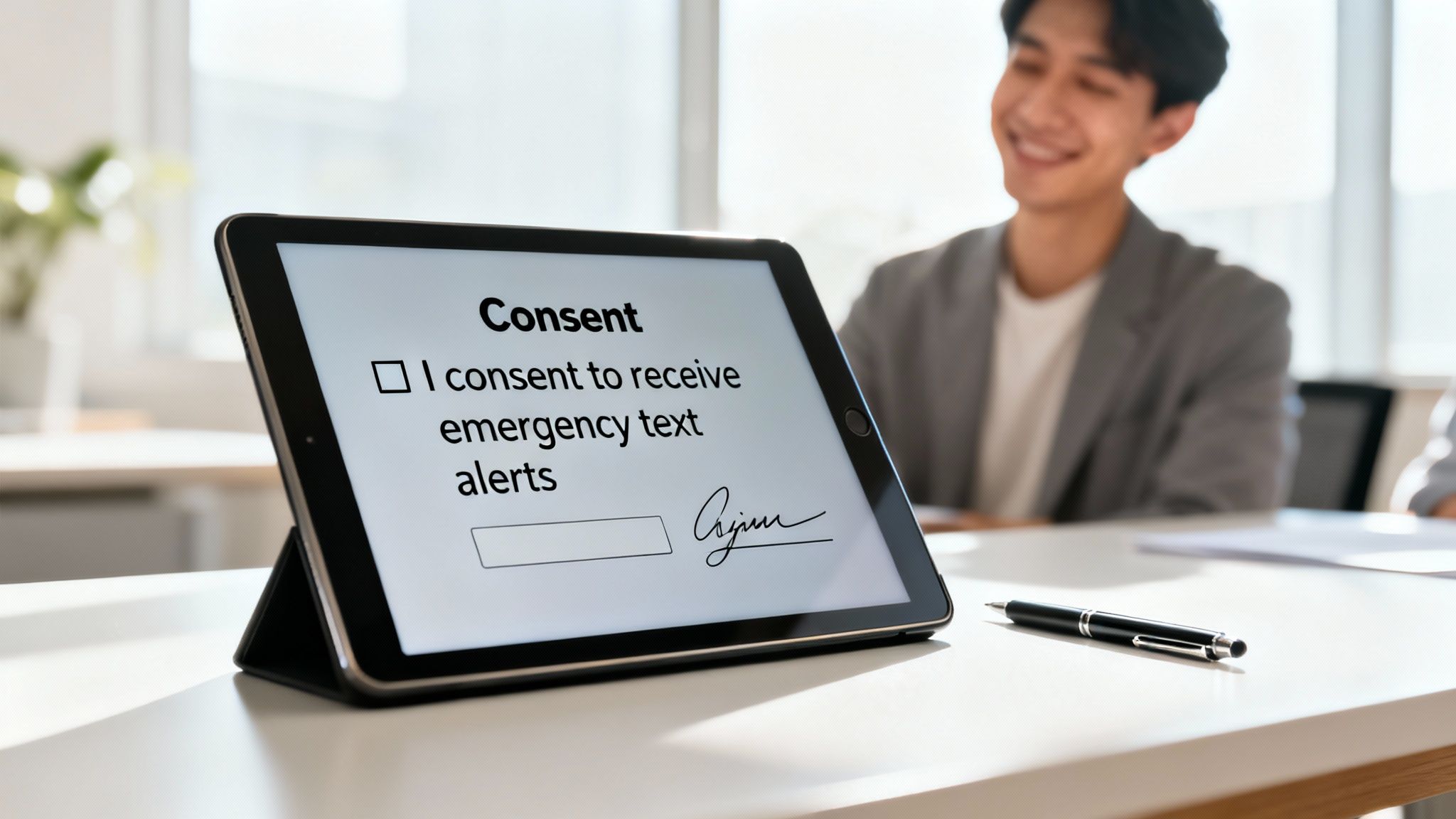
The first—and most important—step is getting clear, documented consent from every single team member to receive these alerts on their personal devices. This is non-negotiable. It protects both the organization and your people.
Building a Simple Consent Process
You don’t need to hire a lawyer or draft up a complicated document. A simple digital form is the perfect, no-cost way to handle this. Free tools like Google Forms or Microsoft Forms are more than up to the task.
Just make sure your form clearly spells out a few key things:
- Purpose: State upfront that you'll be sending emergency alerts via SMS. No ambiguity.
- Frequency: Give them a realistic idea of how often they might get a message.
- Opt-Out Instructions: Be crystal clear about how they can stop the alerts (e.g., "Reply STOP to any message").
- Confirmation: Add a simple checkbox that says something like, "I agree to receive emergency text alerts on the phone number provided."
That's it. This simple process creates a digital paper trail, which is crucial for running a professional and compliant system. How you manage this consent data is important, and you can see how it ties into a broader data strategy in a sample privacy policy.
A Quick Money-Saving Tip: A clear and easy opt-out process actually improves your delivery rates. When team members who no longer want alerts can easily remove themselves, they’re far less likely to report your messages as spam. This keeps your sender reputation clean with carriers, ensuring future alerts don’t get blocked—and saving you the major headache and potential cost of a suspended system.
Why This Matters, Even for Internal Teams
It's easy to fall into the trap of thinking that regulations like the Telephone Consumer Protection Act (TCPA) only apply to marketing texts. But from a carrier's perspective, they apply similar spam-filtering logic to all high-volume traffic.
While the legal specifics for free text messaging alerts can vary around the world, the two constants are explicit consent and a clear way to opt out. Sticking to these best practices prevents your critical alerts from being automatically blocked by carrier algorithms. If you want to dive deeper, you can find more on the nuances of text message compliance and how it differs from place to place.
Ultimately, by treating your internal team with the same respect you'd give the public, you're building a more reliable and sustainable alerting system from the ground up.
Crafting and Testing Alerts That Get Results
Look, having a powerful system for free text messaging alerts is only half the battle. If your messages are confusing, get filtered by a carrier, or just plain don't show up, the whole setup is useless when it really counts.
Crafting effective alerts comes down to two things: clarity and speed. Your team has to know what's going on in seconds, even when the adrenaline is pumping.

The best alerts I've seen are always short, direct, and impossible to misinterpret. The goal is to get critical info out now, not to send a detailed after-action report.
Writing Messages That Cut Through the Noise
In a crisis, people's ability to process complex information plummets. Complicated sentences and agency jargon just slow things down and can lead to dangerous mistakes. I always recommend a simple, almost formulaic approach for every alert you send.
Here are a few tips that have proven their worth time and time again:
- Lead with a Clear Prefix: Always start your message with a keyword like "ALERT:" or "URGENT:". It instantly flags the message as important and separates it from the noise of everyday texts.
- State the Incident and Location: Be specific. "Fire reported" is vague. "ALERT: Structure fire at 123 Main St." is actionable.
- Provide a Clear Action: Tell people exactly what you need them to do. "Respond to Station 2" or "Evacuate Building A immediately." No ambiguity.
- Kill the Abbreviations and Jargon: Just spell it out. Not everyone, especially newer folks or mutual aid partners, will know your internal acronyms.
Money-Saving Insight: A well-crafted message can prevent some surprisingly costly errors. When a directive is understood in three seconds, you eliminate the need for follow-up calls or texts. That saves precious time and prevents the kind of confusion that leads to wasted resources or, worse, safety failures.
The Non-Negotiable Need for Regular Testing
An untested alert system is a system you can't trust. Period.
Regular drills are the only way you're going to find the small problems that cause catastrophic failures during a real emergency. Things like outdated contact numbers, weird carrier filtering issues, or even team members who just don't recognize the alert can undermine everything.
Setting up a routine testing protocol is straightforward and costs nothing but a little time.
Sample Monthly Testing Protocol:
- Schedule It: Put it on the calendar and announce it. Something like the first Monday of every month at 10:00 AM.
- Send a Clear Test Alert: The message itself needs to be unambiguous. For example: "TEST: This is a monthly drill of the emergency alert system. No action required. Please reply YES to confirm receipt."
- Track the Responses: A simple spreadsheet is all you need. Log who replied and who didn't. This will instantly highlight any delivery problems.
- Follow Up Immediately: Call or message anyone who didn't respond. Verify their number and carrier info. Find out what went wrong.
This kind of proactive approach is what turns your system for free text messaging alerts from a hopeful idea into a dependable, life-saving tool. By finding and squashing issues before a crisis hits, you ensure your messages get through when it truly matters.
Knowing When to Upgrade from a Free System
Starting with a free text messaging system, like an Email-to-SMS gateway, is a brilliant move for many teams just getting started. It saves money and gets the job done—for a while. But as your team grows and your operational tempo picks up, the cracks in that free solution can start to show, and those cracks can become serious risks.
The biggest trigger is almost always accountability. A free gateway essentially lobs your message over a wall and hopes it lands. You have no real way of knowing if it was delivered, let alone read. When you get to the point where you absolutely must have confirmation that your team received the alert, it’s time to upgrade.
Key Signs You've Outgrown a Free System
Another clear signal is when your roster gets too big for manual list management. Keeping a spreadsheet of phone numbers and carrier gateways updated is one thing with ten people. It's a whole other beast with fifty. One typo, one person who switches carriers without telling you, and a critical team member is left completely in the dark.
It might be time to move on if you find yourself saying yes to any of these:
- You need people to talk back. Free systems are a one-way street. If you need your crew to reply "Responding" or "Unavailable," you've hit the limit of what a free gateway can do.
- "Did they get it?" is no longer a rhetorical question. For high-stakes incidents, knowing an alert was successfully delivered to a device isn't a luxury; it's a necessity.
- Your contact list is becoming a liability. As your team expands, the risk of human error in managing a manual list grows exponentially. It's not a matter of if a mistake will happen, but when.
- You're ready for the advanced stuff. Paid platforms open up a world of possibilities that free tools just can't touch—think scheduling, automated escalation policies, and detailed analytics.
The Real-World ROI of a Paid Service
Investing in a proper alerting service isn't just another line item on the budget; it's an investment in reliability and peace of mind. The commercial SMS market is massive—some estimates project it to be worth nearly $92 billion by 2025—and that growth is driven by one thing: it works. All that competition fuels innovation, leading to powerful, affordable platforms built for teams like yours. You can learn more about the growth of SMS alert systems and see why so many organizations are dedicating funds to it.
A small monthly fee can prevent the massive hidden costs of a failed response—wasted time, delayed aid, and compromised safety. The real ROI is knowing, without a doubt, that your message got through.
When the operational risk of a missed alert becomes too high, making a smart upgrade is the only responsible choice. It’s often more affordable than you think. You can take a look at the various Resgrid pricing options and find a plan that secures your team’s communications without breaking the bank.
Resgrid provides a robust dispatch and communication platform built from the ground up for first responders. When you're ready to move past the limitations and risks of free alerts, see how our system can give you the guaranteed delivery, two-way messaging, and advanced management features your team deserves. Learn more at https://resgrid.com.