
ICS Command Boards: A Practical Guide for Incident Response
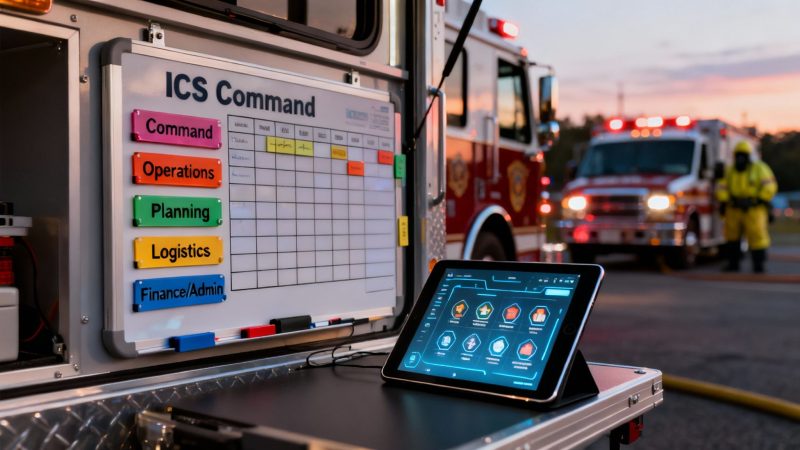
An ICS command board is the central nervous system for any emergency response. Think of it as the single, visual source of truth that turns a chaotic scene into a coordinated, effective operation. It’s the tool used to track resources, see assignments at a glance, and ensure every responder works toward the same goals. Having that clear, shared picture prevents confusion and lets incident commanders make faster, better decisions.
Why a Command Board Is Your Most Critical Tool
Imagine an emergency scene as an orchestra without a conductor. You've got firefighters, medics, and police officers—all highly skilled pros—but without a shared sheet of music, their efforts become a messy, inefficient, and frankly dangerous performance. The Incident Command System (ICS) command board is that conductor's score. It turns noise into a symphony of coordinated action, and that’s why it’s absolutely non-negotiable for serious incident management.
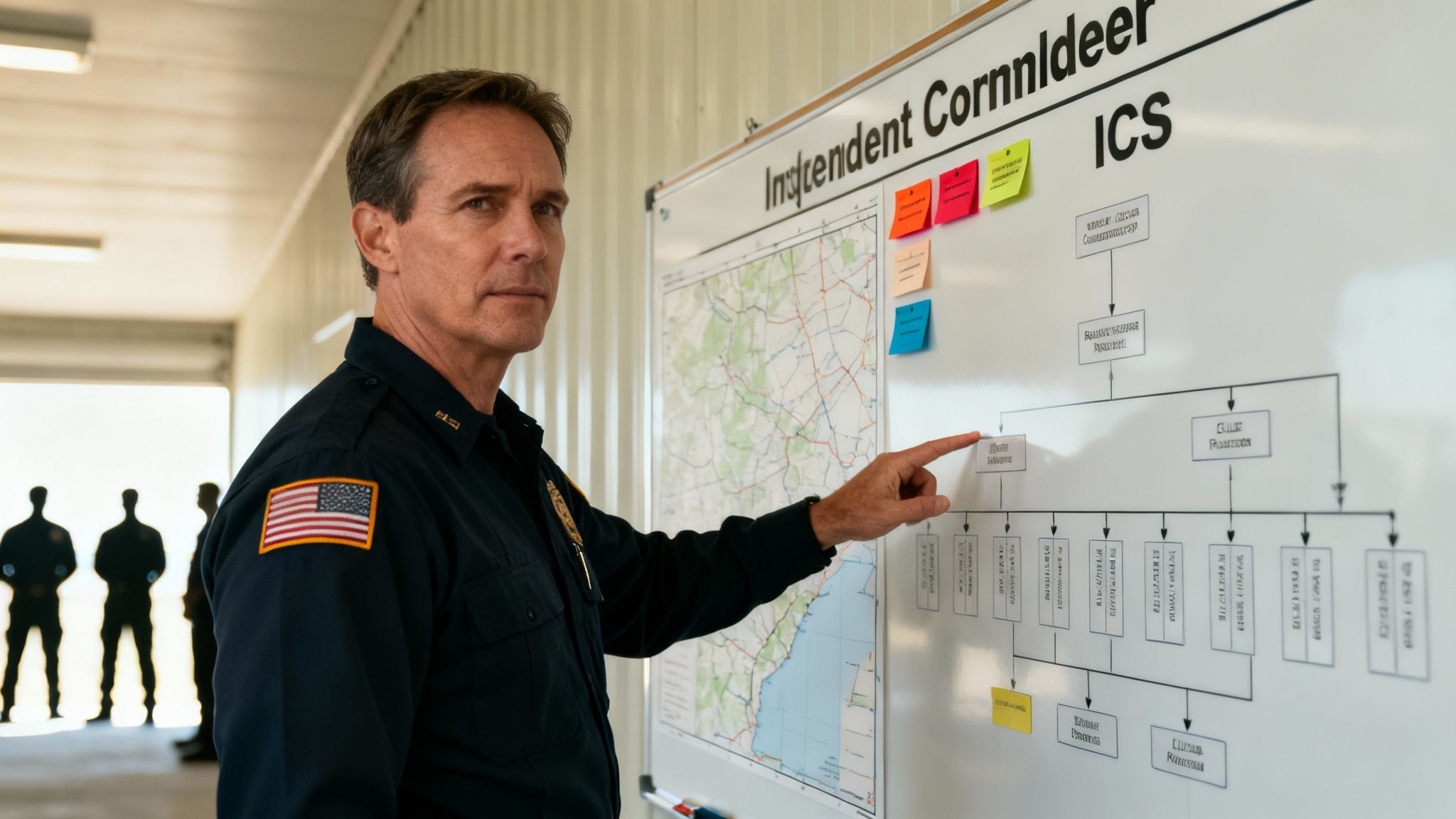
The command board is the operational "brain" of the entire incident. It visualizes every move, tracks every resource, and keeps the whole team locked in on the mission. This isn't about adding bureaucracy; it's about making smarter, faster decisions when every second counts.
Preventing Costly and Dangerous Mistakes
A well-maintained command board is your first line of defense against the most common—and expensive—errors that plague an incident response. Without this central hub of information, teams operate in silos, which almost always leads to predictable and damaging outcomes.
- Duplicated Efforts: Two engine companies get sent to the exact same spot to do the same task because nobody had a clear view of who was already assigned.
- Lost Personnel Accountability: A team might start "freelancing" or go off-task because their role isn't clearly defined on the board, creating huge safety risks and wasting precious time.
- Communication Breakdowns: Radio channels get jammed with people asking the same questions over and over—"who is where?" and "what are they doing?"—which delays truly critical messages.
Each one of these issues doesn't just put people at risk; it has a direct financial impact. We're talking wasted fuel, unnecessary overtime, and incidents that drag on far longer than they should, all of which drive up costs. A command board prevents this by giving everyone immediate, at-a-glance clarity.
A well-organized command board is more than just a tracking tool; it’s a financial safeguard. By preventing the deployment of a single unneeded piece of heavy equipment or an extra team, the board can pay for itself many times over in just one incident.
An Actionable Example of Saving Money
Let's walk through a real-world scenario. Picture a large structure fire. The Incident Commander is considering a request for mutual aid for a specialized ladder truck from a neighboring jurisdiction. It’s a move that could cost thousands in deployment fees and would take a critical asset away from another community.
But before making the call, the IC takes a quick glance at the ICS command board. It clearly shows that a local unit with the exact same capabilities is already en route and just a few minutes out. That simple visual check prevented a costly and unnecessary request. That’s the power of a command board in action—it turns operational oversight into direct, tangible savings. This level of control is fundamental to both operational safety and fiscal responsibility.
Core Functions and Financial Impact of ICS Command Boards
To really drive home the value, let's break down how a command board's core functions directly translate into savings and efficiency gains. It’s not just about organization; it’s about making every dollar and every minute count.
| Core Function | Description | Primary Benefit (Cost & Efficiency) |
|---|---|---|
| Resource Tracking | Provides a live inventory of all personnel, apparatus, and equipment assigned to the incident. | Prevents ordering unneeded mutual aid or duplicate resources, saving thousands in deployment costs. |
| Personnel Accountability | Visually displays every responder's location and assignment, ensuring everyone is accounted for. | Reduces the risk of "freelancing," which improves safety and prevents wasted time and fuel on unassigned tasks. |
| Unified Command Picture | Creates a single, shared view of the incident map, objectives, and organizational structure for all leaders. | Eliminates confusion and communication bottlenecks, leading to shorter incident durations and reduced overtime costs. |
| Task Management | Clearly outlines tactical assignments and tracks their completion status in real-time. | Ensures tasks are not duplicated or missed, optimizing the use of on-scene personnel and speeding up mitigation efforts. |
| Strategic Planning | Facilitates planning for the next operational period by showing available vs. deployed resources. | Enables more efficient resource allocation, preventing overstaffing and minimizing operational expenses. |
As you can see, the command board isn't just an administrative tool. It's an active financial management asset that directly impacts the bottom line of every single incident.
The Anatomy of an Effective Command Board
Let's be clear: a real command board is so much more than a whiteboard with names scribbled on it. Think of it as the cockpit display for an Incident Commander, the single place where every critical piece of information is organized for instant clarity. This visual command center is what lets leaders make smarter, faster decisions when the pressure is on.
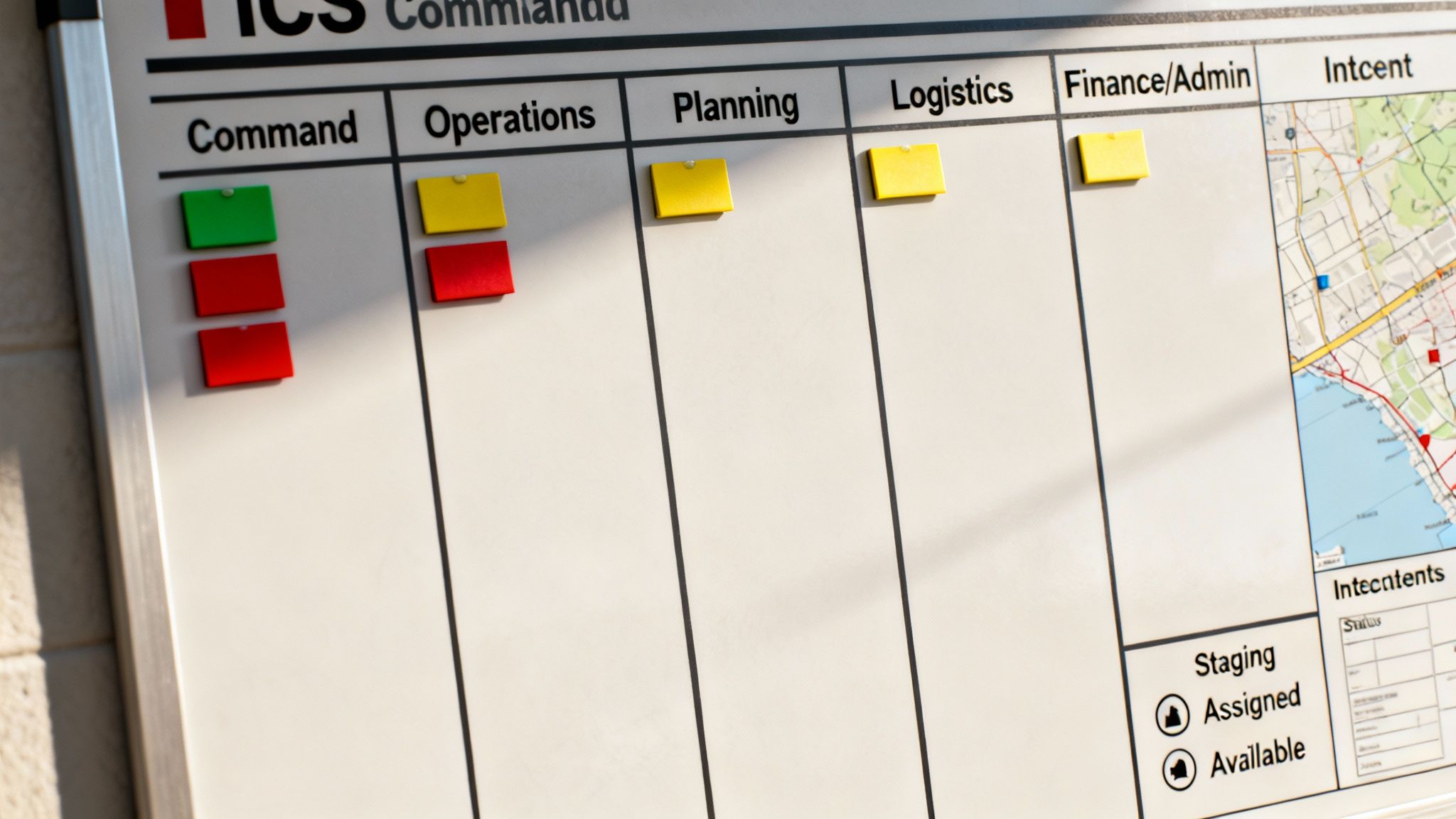
The layout of a good command board isn't random; it directly mirrors the five major functions of the Incident Command System. This is a deliberate design to give you an at-a-glance summary of the entire response, ensuring no critical function gets forgotten and everyone knows the command structure.
Visualizing the Five Core ICS Functions
The genius of a well-designed board is how it takes the abstract ICS framework and makes it tangible. Each section has a specific job, and together they create a complete operational picture that cuts through confusion and saves precious time.
- Command: This always sits at the top. It clearly identifies the Incident Commander (IC) and their immediate Command Staff—Safety Officer, Public Information Officer, and Liaison Officer. There should be zero doubt about who's in charge.
- Operations: These are the "doers." This section is usually the biggest and busiest, tracking all the tactical resources actively working the problem, like engine companies at a structure fire or search teams on a rescue mission.
- Planning: These are the "thinkers." This area is all about the big picture—tracking the incident's status, showing maps, and monitoring progress toward our objectives. It’s where the strategy for the next operational period gets hammered out.
- Logistics: The "getters." This section is all about managing support needs. If you need more equipment, supplies, staging areas, or personnel relief, Logistics handles it.
- Finance/Admin: And finally, the "payers." This part of the board tracks costs, personnel time, and any procurement to make sure the incident response stays on budget.
This structured approach is the foundation for the tech that powers modern emergency response. The global Command and Control Systems market, valued somewhere between USD 36.80 to USD 39.70 billion in 2024, is built on these exact principles. Projections show this market could soar to over USD 77 billion by 2034, all driven by the need for clear, data-driven command tools. You can discover more insights about this growing market and see how it's shaping the future of response.
Actionable Elements That Drive Decisions
Beyond the five core functions, a few other key elements turn a command board from a simple tracker into a powerful decision-making tool. These components give commanders the context they need to allocate resources with precision, which directly saves money by cutting down on waste.
A simple, clear command structure chart is a must-have. It shows who reports to whom, eliminating confusion—especially in multi-agency incidents—and ensures every supervisor has a manageable span of control.
The real power of an ICS command board lies in its ability to show not just what resources you have, but their exact status. Knowing a unit is 'Available' in Staging versus 'Assigned' to a task is the difference between an efficient operation and a costly, disorganized one.
Dedicated sections for resource status are non-negotiable. Using simple labels, these areas track every unit's current state:
- Staging: Resources on-scene and ready for immediate assignment.
- Assigned: Resources currently working a tactical job.
- Available: Resources that have finished their task and are ready for a new one.
A Practical Example of Cost Savings
Picture a wildland fire where the Operations Chief needs another hand crew. A quick look at the ICS command board shows two crews sitting in the "Available" column after wrapping up their last assignment. Instead of ordering a new mutual aid crew—which costs both time and money—the commander can reassign an existing resource in seconds.
That instant visual confirmation prevents unnecessary resource orders, reduces on-scene time, and makes sure every asset is used to its full potential. That's how a simple, well-organized board translates directly into a more efficient and less costly incident response.
Choosing Between Physical and Digital Command Boards
The classic image of an Incident Commander is burned into our collective memory: someone standing before a massive whiteboard, markers in hand, orchestrating a complex response. For decades, these physical command boards were the only game in town. But today, leaders have a critical choice to make between these old-school tools and modern digital solutions.
This decision isn't just about preferring a whiteboard over a tablet. It's a strategic choice that impacts communication, data accuracy, efficiency, and—let's be honest—your budget. Both physical and digital ics command boards have their place, and figuring out the right fit depends on your agency’s size, the types of incidents you run, and the hard realities of your finances.
The Case for Physical Boards
There's a good reason why whiteboards and magnetic panels are still bolted to the walls of command vehicles everywhere. Their biggest strengths are incredible simplicity and rock-solid reliability, especially when everything else goes sideways.
- Immunity to Failure: A physical board doesn't care if the power is out, the internet is down, or your software needs an update in the middle of a crisis. When a storm knocks out the grid, that board still works. Period.
- Tactile Engagement: Physically writing an assignment or moving a magnet with a unit’s name on it helps solidify information for the command staff and creates a tangible focal point for in-person briefings.
- Low Initial Cost: A whiteboard, a pack of markers, and a set of magnets are cheap. For a small volunteer department where every dollar gets scrutinized, this tiny startup cost delivers immediate value without putting a dent in the budget.
Of course, the limitations of a physical board become obvious the second an incident starts to grow. Sharing information means someone must stop what they're doing and manually copy it. Remote access is a non-starter, and building a post-incident report from a blurry photo of a crowded board is a special kind of administrative headache.
The Rise of Digital Command Boards
Digital command boards, running on tablets, laptops, or even phones, were purpose-built to solve the exact problems that physical boards create. They deliver a live, shared operational picture that connects everyone from the command post to the boots on the ground, creating a genuine common operating picture.
The biggest financial win with a digital board isn't the upfront cost. It's the massive return you get from efficiency gains. Automated logging alone can save dozens of administrative hours, which directly cuts down on overtime and frees up personnel for the work that actually matters.
A digital system transforms static information into a dynamic, real-time asset. Actions get time-stamped automatically, resources can be tracked with GPS, and every single decision is logged. This creates a perfect, defensible record for after-action reviews and any potential legal documentation down the road.
The long-term savings are where digital tools really pull ahead. Automated reporting completely eliminates hours of manual transcription. Real-time data lets commanders allocate resources with precision, preventing costly mistakes like sending redundant units or calling for mutual aid you don't actually need. Take a look at the range of incident management applications from Resgrid to see how integrated features like personnel tracking and automated logging create a smarter, more cost-effective response.
Comparing Physical vs Digital Command Boards
When you're weighing physical against digital ics command boards, you have to look past the sticker price. A real cost-benefit analysis factors in long-term operational costs, efficiency gains, and risk reduction. The initial investment is just one small piece of a much larger puzzle.
Here’s a breakdown of how they stack up:
| Feature | Physical Board | Digital Board | Cost-Saving Insight |
|---|---|---|---|
| Upfront Cost | Low | Moderate to High | Physical boards are cheaper to start, but digital ROI comes from long-term operational savings. |
| Remote Access | None | Real-time, multi-user access from anywhere. | Digital access allows chiefs and EOCs to monitor remotely, improving situational awareness without adding to scene congestion. |
| Data Logging | Manual, labor-intensive, and prone to error. | Automatic, accurate, and time-stamped. | Automated logging drastically cuts post-incident administrative time, directly reducing labor costs. |
| Reporting | Time-consuming manual transcription of notes/photos. | Instant, automated report generation. | Saves dozens of personnel hours that would be spent on paperwork, freeing up staff for other duties. |
| GIS Integration | Requires separate paper or digital maps. | Built-in, often with live unit tracking on maps. | Live tracking prevents units from getting lost and enables dispatching the closest unit, saving fuel and time. |
For a small volunteer fire department handling mostly local incidents, a well-organized physical board might be the smartest, most cost-effective tool. But for a multi-agency urban team managing a complex event, a digital system's ability to provide a shared, accurate, and automatically documented picture offers strategic and financial advantages that are just too powerful to ignore.
Proven Layouts and Templates for Your Command Board
When you roll up on a chaotic scene, the last thing you want to be doing is figuring out how to draw your command board. Having a set of proven, field-tested layouts ready to go is a complete game-changer. It lets you establish control right away, ensuring every action is organized from the first minute. That translates directly into a more efficient and less costly operation.
Think of these templates as muscle memory for your command structure. Instead of reinventing the wheel while the pressure is on, you can deploy a layout designed for the type of incident you’re facing. This makes sure critical information like maps, command structure, resource tracking, and strategic goals are all laid out for maximum clarity.
Template for a Structure Fire
For a typical structure fire, the board has to be all about tactical assignments and accountability. The layout is built for speed and clarity, focusing on who is doing what and where they are doing it.
- Top Center: Incident Commander and Command Staff (Safety, PIO).
- Top Left: A quick sketch of the building. Mark the fire location, any exposures, and your entry and exit points.
- Main Body (Operations): This is the biggest section. Organize it by Divisions (e.g., Interior, Roof, Exposure B) and track every engine and truck company assigned to those tactical areas.
- Right Side: A dedicated column for resource status. Clearly mark units as Staging, Assigned, or Available.
Money-Saving Insight: A clean structure fire layout prevents "freelancing" and keeps crews from being hoarded. When an IC can glance at the board and see a crew in the "Available" column, they can be reassigned instantly instead of calling for mutual aid, which can save thousands in unnecessary deployment costs.
Template for a Hazmat Spill
A hazardous materials incident completely shifts the focus from aggressive tactics to methodical containment and safety. The board layout has to reflect that, emphasizing control zones, technical specialists, and the decontamination process.
- Top Center: Unified Command (Fire, Police, Hazmat Team Leader). This is non-negotiable for multi-agency coordination.
- Main Body: A large, clear map showing the Hot, Warm, and Cold zones. This visual is the single most important part of the board.
- Sections Below Map:
- Entry Team: List personnel currently in the Hot Zone and, crucially, their air supply time.
- Decon: Track the decontamination corridor and the personnel running it.
- Science Group: List your technical specialists and their findings.
The name of the game here is safety and meticulous tracking. Every single person who enters the Hot Zone represents a significant risk and cost; the board is your tool to make sure they're monitored perfectly.
Template for a Large Public Event
Managing a planned event like a festival or a marathon means your command board needs to be focused on logistics, medical services, and communication across a huge area.
- Top Center: Incident Commander and key agency reps (Event Organizer, EMS, Law Enforcement).
- Main Body: A large-scale map of the event venue, with key locations like aid stations, command posts, and access routes clearly marked.
- Surrounding Sections:
- Medical Group: Track ambulance staging, first aid tents, and patient counts.
- Security/Police: Show deployment of personnel at key checkpoints and sectors.
- Logistics: Manage resources like water, communications gear, and transportation.
This layout helps you stay ahead of resource shortages and ensures a rapid response to any medical emergencies in a large crowd. By visually tracking EMS assets, a commander can dispatch the closest unit, saving precious time and improving patient outcomes while using their people efficiently. Using these pre-made templates saves your team from having to design a board under stress, guaranteeing a proven, efficient layout right from the start.
A Step-by-Step Guide to Running Your Command Board
Knowing what all the pieces of an ICS command board are is one thing. Actually putting one to use effectively when the pressure is on is something else entirely. Think of this as your playbook for running the board during a real-world incident—a step-by-step guide from the moment the first unit rolls up to a smooth transfer of command.
Following these steps makes sure your board becomes a tool for clarity, not just another source of confusion in the chaos. The whole process kicks off the second that first unit establishes command. That initial report sets the tempo for the entire operation, and the board needs to capture it right away. This isn't just about accountability; it’s about building an accurate picture of the scene from the ground up.
Initial Setup and Command Post Establishment
The first-arriving unit or officer has the immediate job of establishing Command. This means doing a quick but critical size-up of the situation and declaring a fixed spot for the Command Post (CP). That location becomes the anchor point for the entire operation.
Once the CP is set, the command board comes out. The initial setup should be fast, simple, and focused on the absolute essentials:
- Identify the Incident Commander (IC): Get the name and rank of the person in command written clearly at the very top. There can be zero question about who is in charge.
- Note the Incident Name and Start Time: Give the incident an operational name and log the exact time command was established. This is vital for documentation and after-action reviews.
- Draw a Quick Incident Map: Sketch a basic layout of the scene. If it's a building fire, draw the structure and mark key features. For a traffic collision, diagram the vehicles and the road itself.
This initial framework takes less than 60 seconds, but it provides the foundational structure for the entire response. It immediately starts to organize the chaos into something manageable.
The Power of Delegating the Board
One of the smartest and most money-saving things an Incident Commander can do is delegate the management of the command board. The IC's job is high-level strategy and decision-making, not scribbling on a whiteboard. Assigning a dedicated scribe or someone from the Planning section to manage the board is a true force multiplier.
Money-Saving Insight: Handing off board management to a scribe frees the Incident Commander from administrative tasks. This lets the IC focus entirely on strategy, leading to faster, more effective decisions that shorten the incident's duration and cut overall costs.
This simple move has a powerful financial impact. An IC who isn't buried in the weeds of tracking every single unit can make smarter choices about mutual aid, prevent resource hoarding, and spot efficiencies that a distracted commander might miss. The cost of one person's time to run the board is easily paid back by preventing the unnecessary dispatch of even a single expensive apparatus.
Tracking Resources and Managing Assignments
As more units arrive, the board becomes the central hub for managing them all. The scribe's main job is to track every single resource from the moment it arrives until it's released.
- Check-In: All incoming resources have to report to a designated check-in spot. Their unit ID immediately goes into the "Staging" or "Available" section of the board.
- Assignment: When the IC or Operations Chief gives a unit a job, the scribe moves their tag from "Staging" to the "Assigned" section, noting their specific task and location.
- Completion: Once a unit finishes its task, it reports back to its supervisor. The scribe then moves the unit's tag back to the "Available" column, making it ready for a new assignment.
This disciplined, cyclical process is the engine of an efficient response. It ensures you always have an accurate picture of what assets are available, preventing commanders from mistakenly thinking they're out of resources when capable units are just waiting for their next task. For complex incidents or questions about specific roles, you can often find detailed explanations in official support documentation, like the kind available for users seeking guidance on the Resgrid support platform.
The flowchart below shows how different incident types—like a structure fire, a hazmat spill, or a public event—call for unique command board layouts and resource flows.
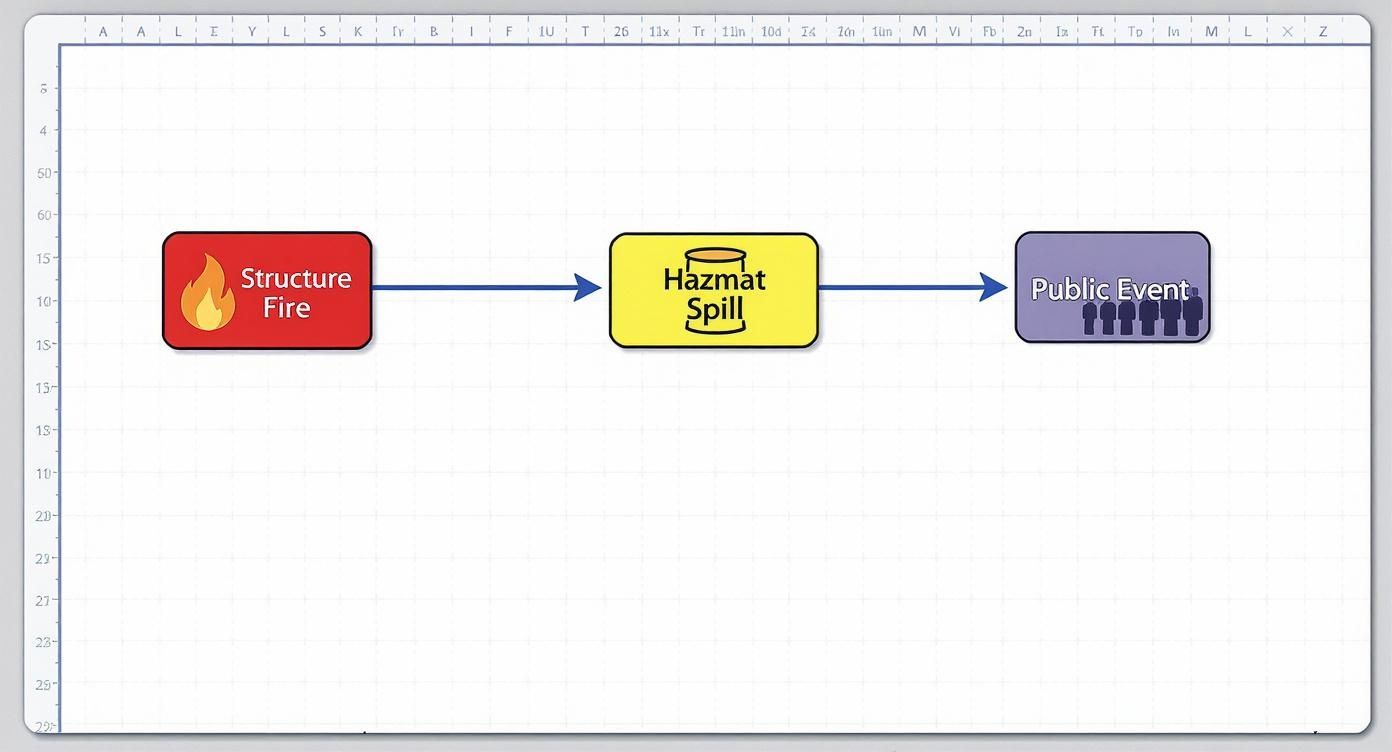
This visual makes it clear: while the core principles of command stay the same, the board's focus has to adapt to the specific tactical needs of the incident.
Integrating Your Board with Digital Dispatch Tools
A digital command board is a solid tool on its own, but its real power is unlocked when you plug it into the other systems your team already uses every day. When your board starts talking to your digital dispatch tools, you create a seamless flow of information that cuts out manual data entry, slashes errors, and gives commanders a true common operating picture. This is where agencies see the biggest jump in efficiency and real cost savings.
The most game-changing connection you can make is with your Computer-Aided Dispatch (CAD) system. Instead of someone frantically typing in every unit responding to a call, a CAD integration automatically pushes that info to your digital ics command boards the second units are dispatched. This saves precious time when it matters most and ensures 100% accuracy—no more worrying about a unit being missed or entered incorrectly.
Creating a Seamless Information Pipeline
This automatic data flow does more than just save a few keystrokes; it fundamentally changes how an Incident Commander runs the show.
- Less Radio Chatter: When every commander and unit can see their assignments right on a screen, the need to verbally confirm dispatch info over the radio plummets. This frees up the channel for tactical communications that are actually critical.
- No More Misallocated Resources: A live, integrated view stops you from accidentally assigning a unit that hasn't arrived or is still en route. This prevents a ton of confusion and costly delays on the ground.
- Automatic Timestamps: These integrations automatically log dispatch, arrival, and assignment times. This creates a perfect, defensible record for post-incident analysis without anyone having to jot down notes.
You can see how this all comes together in an integrated dashboard. Dispatch information, unit status, and personnel details are all in one spot.
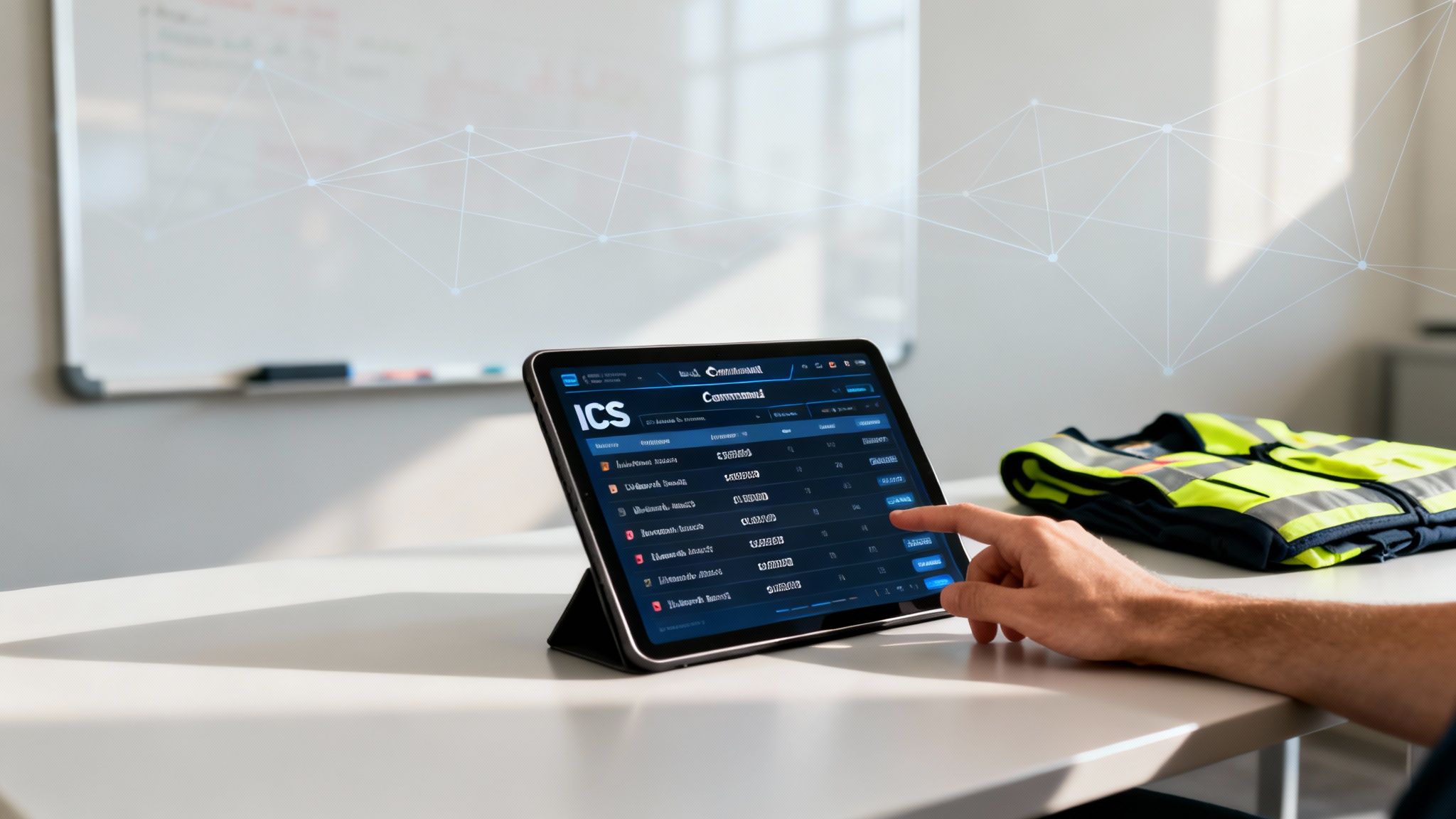
This unified view gives a commander the full operational picture, from high-level incident objectives all the way down to individual responder availability—all fed from different systems in real-time.
Money-Saving Insight: The data you get from an integrated system is a goldmine for finding future cost savings. By analyzing response times and resource usage across dozens of incidents, you can fine-tune deployment strategies, justify staffing changes, and spot inefficiencies that would have otherwise gone completely unnoticed.
Integrating Personnel and Resource Management
Beyond CAD, linking your command board to personnel management tools like Resgrid gives you even deeper operational clarity. Picture this: your digital board’s Logistics section is automatically populated with real-time personnel availability, certifications, and contact info. No more manual check-in sheets or frantic phone calls trying to figure out who is actually on duty.
To see how these connections work in the real world, you can learn more about the full feature set of Resgrid and what it can plug into.
The whole foundation for these tools is part of a massive market. The global Industrial Control Systems (ICS) market—which is the backbone for command and control functions across critical infrastructure—was valued at USD 204.03 billion in 2025. It’s expected to balloon to USD 305.17 billion by 2030, all driven by this push for smarter, more efficient operations. By connecting your tools, you’re building a faster, smarter, and more cost-effective response.
Common Questions About ICS Command Boards
When teams start putting ICS command boards into practice, a lot of the same questions pop up. It’s one thing to talk about them in a classroom, but another thing entirely to use one when the pressure is on. You start running into real-world problems like scaling up for a big incident, training folks without breaking the bank, and getting the old guard on board.
Let's tackle these head-on. Answering these common questions is the key to building confidence in your system, whether you're working off a simple whiteboard or a sophisticated digital platform.
How Can We Scale a Command Board for a Large Incident?
For a big, messy, multi-agency incident, you don’t want one giant, overloaded command board. That’s a recipe for chaos. The secret is to think in modules, not just bigger.
The main Incident Command Post (ICP) board should stick to the 30,000-foot view—overall strategy, branch-level resources, and major objectives. That’s it. Each Branch Director then runs their own, smaller command board to manage the tactical nuts and bolts within their divisions. This is where digital systems really shine, because they let the main ICP "drill down" into what a specific branch is doing without cluttering up the master display. This keeps everyone focused and prevents command from getting overwhelmed.
What Is the Most Cost-Effective Way to Train Our Team?
Forget the big, expensive, once-a-year drill. The key to cost-effective training is repetition, not complexity.
The best approach is to run quick, 30-minute tabletop scenarios at the start of a shift using just the command board. It builds "muscle memory" and makes the board a natural part of the workflow, all without the massive cost and logistics of a full-scale exercise.
Money-Saving Insight: Frequent, low-stakes practice is far cheaper and more effective than a single large drill. It turns the command board into a familiar tool, slashing the learning curve when a real emergency hits and every mistake costs money.
Put together a reusable training kit with some laminated magnets for your physical boards, or just use a "sandbox" or training mode in your digital system. The goal is to make the tool feel so normal that nobody has to think twice about using it when it really counts.
How Do We Get Buy-In From Resistant Team Members?
You win over the skeptics by showing them, not telling them. Start using the ICS command board on smaller, routine incidents where the benefits are easy to see. When you frame it as a tool that makes their job easier and safer—not just more paperwork—you’ll start to see a shift.
The real magic happens when you can point to a specific moment where the board prevented a screw-up, like stopping two units from getting dispatched to the exact same task. That’s how you build trust. Find a few enthusiastic champions on the team and have them mentor the others. Once the crew sees the board as something that directly helps them, adoption will take care of itself.
Can a Small Department Use an Effective Board on a Budget?
Absolutely. An effective command board is about the process, not the price tag. For most incidents, a well-organized magnetic whiteboard is just as effective as a pricey software suite.
To stretch a small budget, get some pre-printed magnetic tags for your common resources, apparatus, and roles. It saves a ton of time on scene. But honestly, the biggest cost-saving comes from the discipline of using the board, not the board itself. A $100 whiteboard that prevents one unnecessary engine call-out or shaves 15 minutes off your on-scene time has already paid for itself many times over. The tool’s value isn't its cost; it's the clarity and efficiency it brings to the chaos.
Ready to bring clarity and efficiency to your operations? Resgrid provides a comprehensive, unified platform for dispatching, messaging, and tracking that integrates seamlessly with your command process. Manage your incidents with confidence and precision. Learn more at https://resgrid.com.