
A Practical Guide to Incident Action Plan Software
Let’s be honest. When a major incident kicks off, the first few minutes are pure, unfiltered chaos. Think about a multi-car pileup on the freeway or a brush fire starting to crown. The traditional command post is a whirlwind of frantic radio calls, notes scribbled on the hood of a truck, and paper forms getting passed around like hot potatoes. It’s organized chaos at best.
While a formal Incident Action Plan (IAP) is supposed to be the playbook, building one with these old-school manual methods creates dangerous delays and opens the door for a ton of errors. This is exactly the problem that incident action plan software was built to solve.
From Chaos to Command with IAP Software
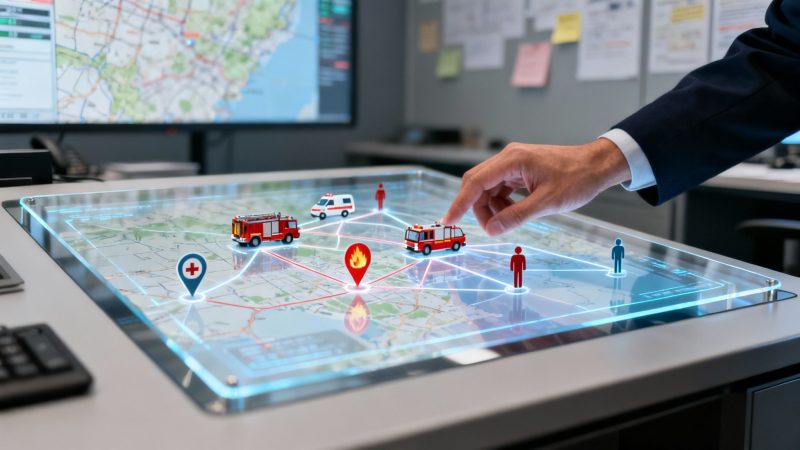
Instead of a physical command post built on guesswork and delayed information, think of IAP software as a digital command center you can access from anywhere—a tablet, a laptop, even your phone. It cuts through the noise and turns scattered information into a single, unified operational picture that everyone can see in real-time.
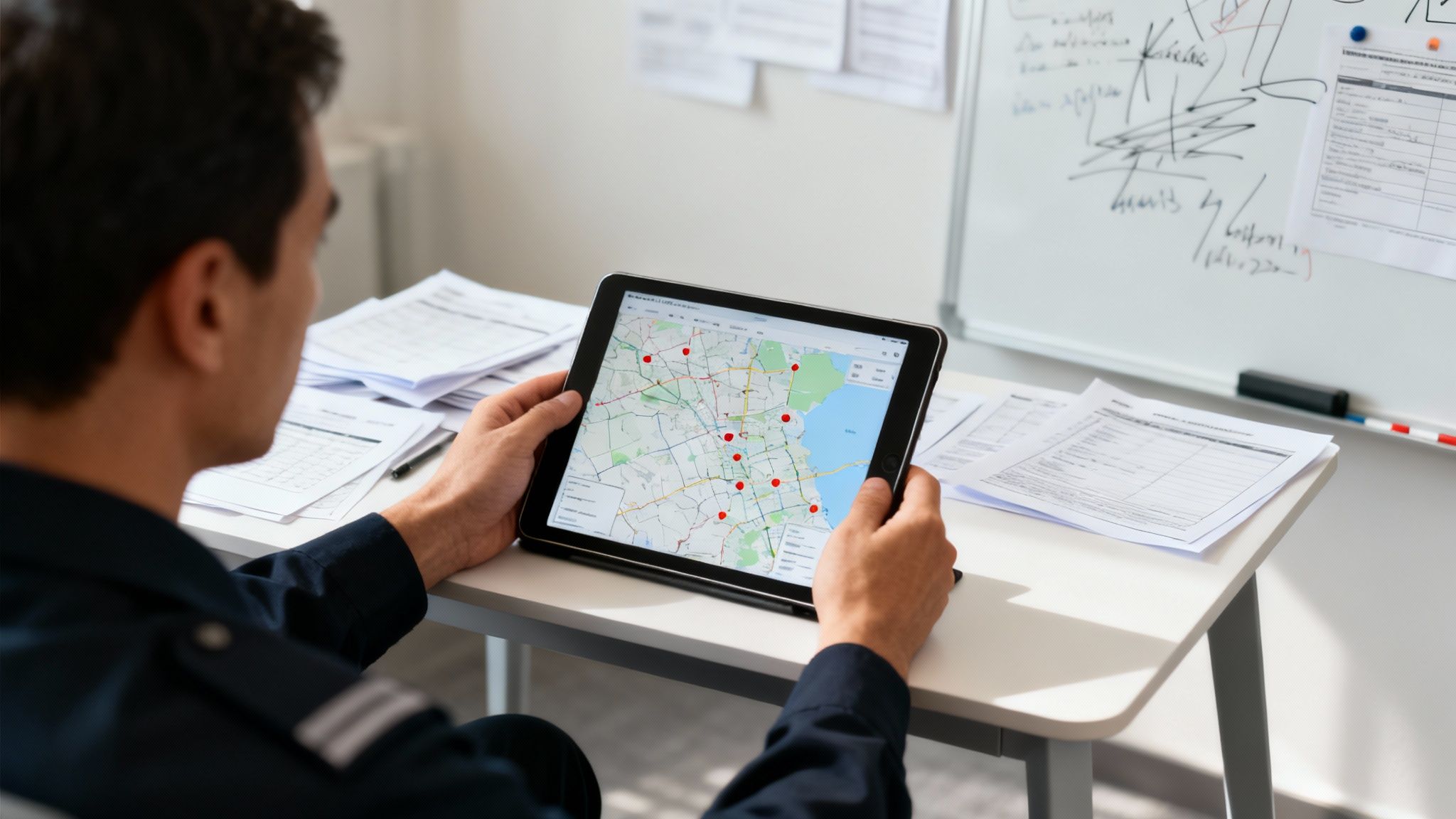
No more guessing which unit is closest or relying on radio reports that are already five minutes old. An incident commander can look at a live map, see every single resource, assign tasks with a couple of clicks, and push updated objectives out to every responder on scene instantly. It’s about moving from reacting to commanding.
The True Cost of Inefficiency
Running a scene with paper and whiteboards isn't just slow—it's incredibly expensive. Every minute you waste trying to track down a unit or clarify an objective burns through your budget and puts people and property at greater risk.
For example, dispatching a hazmat team from a station 20 miles away because you didn't know an equally qualified crew was available just five miles out is a classic costly mistake. That one misstep could easily cost hundreds, if not thousands, of dollars in wasted fuel, personnel hours, and increased risk. With an average operating cost for a fire engine around $150-$200 per hour, that single poor dispatch decision costs real money.
An Incident Action Plan provides a structured response, ensuring all teams are aligned in their efforts. Centralizing this plan in software eliminates critical delays and reduces the administrative burden on command staff.
Streamlining Operations for Financial Savings
This is where a platform like Resgrid really shines. It centralizes the entire IAP process, delivering immediate and very real cost benefits. By automating documentation and giving command a crystal-clear view of the battlefield, it empowers them to make faster, smarter decisions.
The savings start piling up right away in a few key areas:
- Optimized Resource Deployment: Actionable insight: Before each shift, use the software to verify the qualifications of on-duty personnel. This ensures that when a call for a specific skill (like a certified paramedic) comes in, the system recommends the closest qualified unit, not just the closest engine. This simple check dramatically cuts down on unnecessary travel and fuel costs.
- Reduced Personnel Overtime: When you resolve incidents faster, crews spend less time on scene. That directly slashes overtime pay, which is a massive line item in any agency's budget.
- Minimized Administrative Waste: Think about the hours spent filling out ICS forms and writing after-action reports. Automating that frees up your command staff to actually command, not push paper.
At the end of the day, incident action plan software ensures every move is coordinated and efficient from the second the call drops. It’s how you turn a chaotic response into a truly commanded operation.
Core Features That Save Time and Money
When we talk about a solid incident action plan, we're not just talking about turning paper forms into digital ones. The real power comes from dynamic, interconnected tools that give incident commanders an edge. These core features aren't just bells and whistles; they're designed to deliver real results, sharpen decision-making, save precious time, and directly cut costs by making operations smoother.
Instead of a static document you print and hand out, a modern IAP becomes a living command interface. It’s constantly pulling in real-time data and opening up communication channels that cut through the chaos of a scene. This ensures every decision is grounded in what's happening right now.
Real-Time Personnel and Apparatus Tracking
Being able to see every person and every piece of equipment on a live map is one of the biggest game-changers. This isn't just about knowing where your units are. It's about making smarter, faster, and cheaper deployment decisions on the fly.
Practical example: A call comes in for a civilian injury several blocks away from a large structure fire. Without live tracking, a commander might dispatch the nearest ambulance from a station, which could be ten minutes out.
With a real-time map, the commander instantly sees an engine company with certified paramedics already staged just one block from the new incident. They can be re-tasked immediately, getting on scene eight minutes faster. This improves patient outcomes and saves the cost of dispatching a separate ambulance, easily saving $300-$500 on that single decision.
This kind of visibility creates real savings by:
- Preventing Misallocation: You stop sending expensive, specialized trucks on long runs when a closer, capable unit is right there. That saves fuel, reduces wear and tear, and keeps your key resources ready for bigger problems.
- Reducing On-Scene Time: Getting the right help to the right place faster means incidents get stabilized more quickly. This directly cuts down on total personnel-hours and overtime for every single call.
Integrated Secure Messaging and Communication
Radio traffic during a big incident gets jammed up fast. It's a recipe for missed messages and confusion. Good IAP software brings secure, instant messaging right into the platform, creating some order out of the noise.
This means a commander can create dedicated chat groups for specific teams—like "Structure Division" or "Medical Group"—to send targeted updates without tying up the main radio channel. It's critical that the system also has solid emergency notification features to make sure important messages are actually seen and acknowledged.
Actionable insight: Create pre-defined messaging groups for common incident types (e.g., "Wildland Task Force," "Hazmat Entry Team"). When an incident occurs, you can activate the appropriate group instantly, saving precious minutes and ensuring the right people get the right information without delay.
Dynamic ICS Form Generation
Anyone who has run a command post knows that filling out Incident Command System (ICS) forms by hand is a massive time sink. Software can automate this entire headache, turning a boring administrative chore into something that happens almost without you thinking about it.
As units check in, objectives are created, and crews get assignments within the software, the platform is busy populating the required ICS forms in the background. This includes:
- ICS 201 (Incident Briefing): Automatically captures the initial map, a summary of the situation, and the command structure.
- ICS 204 (Assignment List): Builds assignment lists on the fly as crews are tasked, detailing exactly what they need to do.
- ICS 205 (Incident Radio Communications Plan): Generates a clear comms plan based on the groups you've already set up in the system.
Actionable insight: By automating form generation, you can eliminate the need for a dedicated scribe or planning section chief on smaller incidents. This frees up a highly-paid officer to manage tactical operations instead of paperwork, saving hundreds of dollars in personnel costs for every major call. A job that used to take 30-45 minutes of manual work gets done in seconds.
To give you a better idea of how these different features work together in a real-world system, check out this breakdown of what to look for.
Essential IAP Software Features and Their Impact
This table highlights the key features you should look for and connects them to the practical, on-the-ground benefits and cost savings they provide.
| Feature | Primary Function | Cost-Saving Benefit |
|---|---|---|
| Live GIS Mapping | Displays real-time locations of all personnel, apparatus, and incident markers on an interactive map. | Reduces fuel and maintenance costs by dispatching the closest appropriate unit, not just the next one in line. |
| Personnel Status Tracking | Allows individuals to update their status (e.g., On Scene, Available, Staged) directly from their devices. | Minimizes radio traffic for status checks and reduces the time command staff spend on manual accountability tracking. |
| Secure Group Messaging | Provides dedicated, text-based communication channels for different teams or tactical groups. | Prevents critical information from being missed on a crowded radio channel, reducing errors and improving safety. |
| Automated ICS Forms | Auto-populates standard ICS forms (201, 204, 205, etc.) using data entered during the incident. | Frees up 30-45 minutes of a commander's time per incident, allowing focus on tactical decisions instead of paperwork. |
| Checklists & Tasking | Allows commanders to create and assign dynamic checklists and tasks to specific units or individuals. | Ensures procedural consistency and reduces the chance of missed steps, which can prevent costly mistakes or accidents. |
| Resource Management | Tracks the inventory and assignment of all available resources, from specialized equipment to personnel. | Avoids unnecessary rental or purchase of equipment by providing a clear view of what assets are available and where. |
Ultimately, these aren't just isolated tools. They are designed to work together to create a single, clear picture of the incident. When you can see everything, communicate clearly, and automate the busywork, your team operates more effectively and safely.
You can dig deeper into how these interconnected pieces form a complete command and control solution by checking out the full feature set of platforms like Resgrid.
Transforming Your Incident Response Workflow
To really see what IAP software brings to the table, let's walk through a scenario every first responder knows all too well: a hazardous materials spill from a tanker truck on a busy highway. We’ll look at it two ways—first, the old-school approach, and then how it plays out with a modern IAP platform. The difference is night and day at every step, from the first call to the final report.
The push for tools like this is getting stronger every year. The global incident and emergency management market was pegged at USD 131.92 billion in 2024 and is on track to hit USD 218.04 billion by 2033. That's not just a random number; it shows how much pressure agencies are under to get a handle on increasingly complex situations. You can dig into more of what's driving this growth over at Grand View Research.
Mobilization: The Old Way vs. The New Way
Without IAP software, mobilization is a chaotic blast over the radio. A dispatcher rattles off the call details, and units just start calling in that they're en route. The Incident Commander (IC), still driving to the scene, is trying to piece together a mental picture from fragmented updates, scribbling notes on a pad balanced on the truck's dashboard. Who's actually coming? What are their qualifications? It’s a complete guessing game until boots are on the ground.
With IAP software, the whole process is instant and visual. The second dispatch logs the call, it pops up on a map for everyone. Responders tap a button on their phone to mark themselves as "Responding," and their icon, status, and ETA immediately show up on the IC's screen. The commander gets a complete, real-time picture of incoming resources before even arriving, which means they can start pre-planning and shave off critical minutes.
This is all about streamlining the core functions of any response: tracking, communicating, and automating what you can.
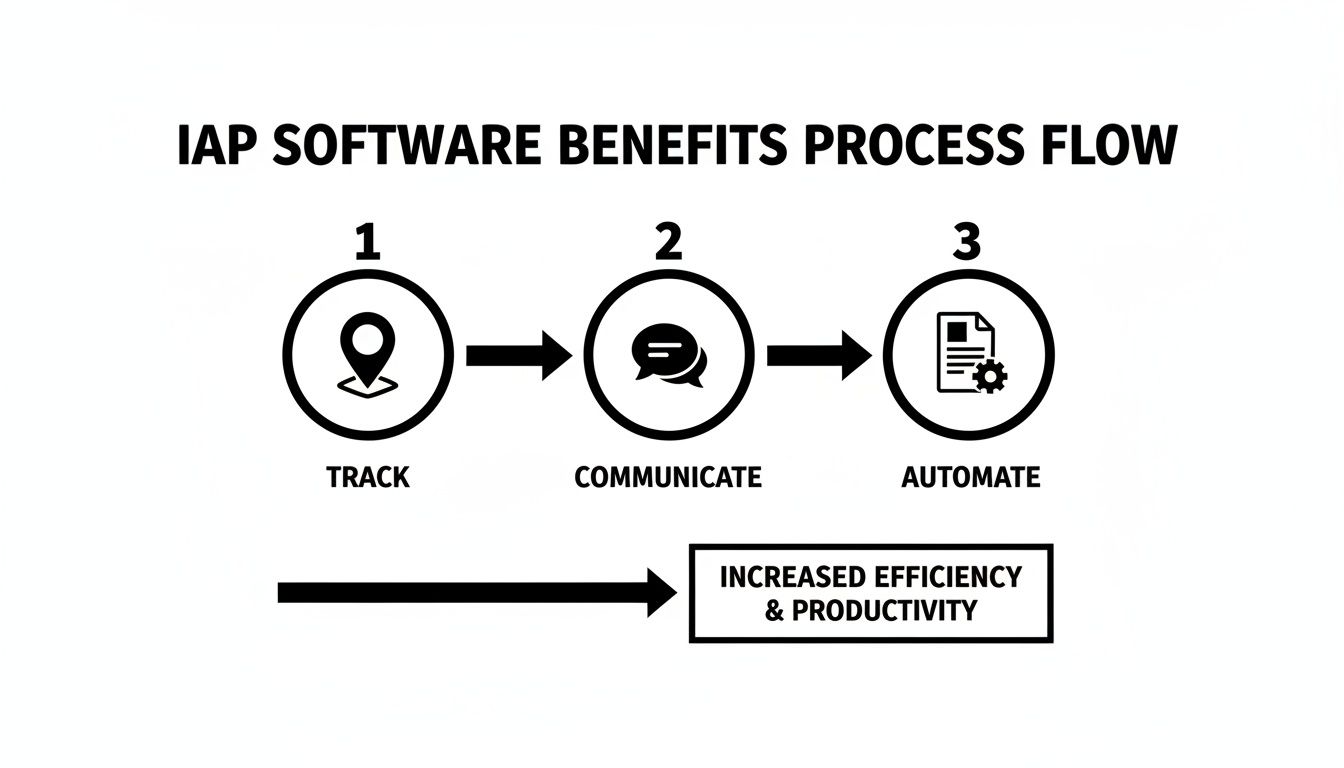
By weaving these three elements together, the software creates a constant feedback loop that makes the entire operation run smoother and more efficiently.
On-Scene Accountability and Check-In
In a traditional response, the check-in point quickly becomes a bottleneck. Responders are stuck in a line at the command post, waiting for someone to write their name on a whiteboard. It’s slow, it’s messy, and it’s a huge distraction for command staff who should be focused on the incident, not taking attendance.
The digital approach gets rid of that bottleneck completely. A firefighter arrives, pulls out their phone, and taps "On Scene." That's it. Their status, qualifications, and a timestamp of their arrival are instantly logged. Command sees the update on their dashboard, giving them perfect accountability without a single manual entry. That simple tap can save hundreds of man-hours on a large-scale incident.
Objective Setting and Operational Planning
Doing this manually means the IC huddles up with division supervisors around a whiteboard. They sketch out zones, give verbal orders, and just hope the message gets passed down the chain of command without anything getting lost in translation. That operational plan is basically outdated the minute it’s created.
With incident action plan software, the IC draws containment zones directly onto a live map and assigns tasks digitally.
- Practical Example: For the hazmat spill, the IC creates a "Hot Zone" perimeter on the map. They assign Hazmat 1 the task "Identify Substance and Control Spill" with a checklist that includes "Don Level A suit" and "Deploy absorption booms."
- Simultaneously, Engine 1 is assigned "Establish Water Supply at Hydrant X" and Truck 2 gets "Manage Traffic Control Northbound at Exit 45."
Every unit gets its assignment instantly on their device, complete with location pins and specific instructions. The plan isn't a static piece of paper; it's a living document that gets updated in real-time as the situation changes.
Demobilization and Reporting
Finally, it’s time to wrap things up. Manually, this means a slow, verbal check-out process followed by days of painful post-incident paperwork. Staff has to try and remember who did what and when, piecing together reports from messy notes and foggy memories.
A software-driven response automates all of it. As units are released, they just update their status to "Available." The system, which has been logging every action from the start, automatically spits out detailed reports. You get unit response times, on-scene duration, task completion records—everything. This doesn't just save a ton of administrative headache; it gives you accurate, hard data for after-action reviews and future training. The entire workflow, from the first alert to the final report, is made simpler and more accurate, thanks to the tools found in powerful platforms and their corresponding mobile response apps.
Choosing the Right IAP Software for Your Agency
Picking new technology can feel like a huge commitment, but choosing the right incident action plan software doesn't have to be a nightmare. The goal is to find a tool that actually fits your agency's real-world needs, your operational tempo, and—let's be honest—your budget. A little homework upfront will help you skip the common mistakes and land a tool that gives you a real, measurable return.
It's clear that agencies are catching on. The market for this kind of software was valued at USD 2.5 billion in 2024 and is expected to hit USD 4.3 billion by 2031. This isn't just a fad; it's a fundamental shift as more departments recognize they need dedicated tools for incident response and reporting. You can dig into the data on this market trend to see where things are headed.
Defining Your Core Requirements
Before you even sit through a single sales demo, the first step is to look inward. What are the biggest headaches in your current response workflow? Getting a crystal-clear picture of your needs will be your north star through this whole process.
Think hard about these key areas:
- Mobile Accessibility: Can your crews in the field actually use this thing on their phones or tablets? If a tool is stuck on a command post laptop, its value drops to near zero in a fast-moving situation.
- Integration Capabilities: How well will the new software talk to your existing gear? Smooth integration with your Computer-Aided Dispatch (CAD) and Geographic Information System (GIS) isn't just a nice-to-have. It’s critical for killing off double data entry and cutting down on mistakes.
- Scalability: The software needs to be able to keep up as you grow. Whether you’re a small volunteer squad or a major city agency, the platform has to handle your daily call load and scale up for a massive event without choking.
Evaluating Cost-Effectiveness Beyond the Price Tag
That initial price is just the tip of the iceberg. I've seen too many agencies get trapped in expensive, outdated systems with hidden fees that bleed their budgets dry year after year. To avoid this trap, you have to look at the Total Cost of Ownership (TCO). This includes the license fee, sure, but also implementation, training, and ongoing support.
A huge mistake is getting fixated on the upfront cost. A cheaper but clunky system can end up costing you more in the long run through endless training hours and slow adoption, completely wiping out any initial savings.
Modern, flexible platforms usually offer a much smarter financial model. Solutions like Resgrid are built on a self-service framework, which cuts out a lot of the traditional costs you see with enterprise software. There are no massive upfront license fees, no mandatory week-long training sessions, and no eye-watering support contracts. This approach makes advanced IAP tech a realistic option even for agencies on a tight budget.
Actionable insight: Compare the cost of a modern SaaS subscription to the salary of one part-time administrative employee. Often, the software is far cheaper and automates enough work to offset the need for additional admin staff, representing a direct and significant cost saving.
A Practical Checklist for Vendor Discussions
When you finally start talking to vendors, having a solid list of questions is your best defense against a slick sales pitch. These questions are designed to cut through the marketing fluff and get to the details that actually matter for your operations and your bottom line.
Vendor Evaluation Checklist:
What is the complete Total Cost of Ownership (TCO) over a five-year period?
- This question forces them to be upfront about all the potential costs—license fees, support plans, mandatory training, and any hidden charges for future updates.
How easily can we customize forms and checklists for our specific operations?
- Your agency has its own way of doing things. The software should bend to your workflow, not the other way around. Ask to see them customize something live in a demo.
Can you provide a full breakdown of your integration capabilities and API documentation?
- This is how you verify if the software will truly connect with your CAD, GIS, or reporting systems. If they give you a vague answer, that’s a huge red flag.
What does your implementation and onboarding process look like?
- A good partner will have a clear, structured plan to get your team up and running. A vendor with a hands-off approach will likely leave you stranded with a complicated system nobody wants to use.
Armed with these questions, you can walk into those conversations confidently, navigate the market, and find an incident action plan solution that actually empowers your responders while respecting your budget.
How Resgrid Delivers Integrated Incident Planning
While a lot of tools out there can handle bits and pieces of incident management, Resgrid was built from the ground up to be a fully integrated command and control solution. It’s not just a place to park an Incident Action Plan; it’s the engine that actually brings that plan to life. It connects every part of the response, from the moment a call is dispatched to the last signature on the final report.
This unified approach is where agencies really start to see major efficiencies and, frankly, unlock significant cost savings.
The whole platform is designed so that its core parts—dispatch, mapping, messaging, and logging—are all talking to each other. When one thing happens, it automatically kicks off the next, creating a domino effect that builds situational awareness without anyone having to manually update a whiteboard or another screen. This completely breaks down the data silos that plague so many traditional responses, where critical information is trapped on different devices or scraps of paper.
From Dispatch to Demobilization in One System
Think about how a typical call unfolds in a fragmented environment. The dispatcher creates a call in one program, responders get paged through another, and accountability is tracked with a grease pencil on a command board at the scene. It's a clunky process, and it introduces a ton of potential failure points.
With Resgrid, that entire workflow is connected.
- A dispatch call is created in the system, instantly notifying all the right people.
- That single action automatically creates an incident log and starts populating it with the call type, address, and any initial notes.
- As units start responding, the real-time map fills up with their locations and ETAs. Command gets an immediate, live picture of incoming resources.
- A dedicated communication channel for that specific incident is opened up, letting everyone message securely without cluttering up the main radio frequency.
This kind of automation saves serious money by cutting way down on administrative busywork. Instead of wasting time on redundant data entry, command staff can focus on what really matters: making tactical decisions.
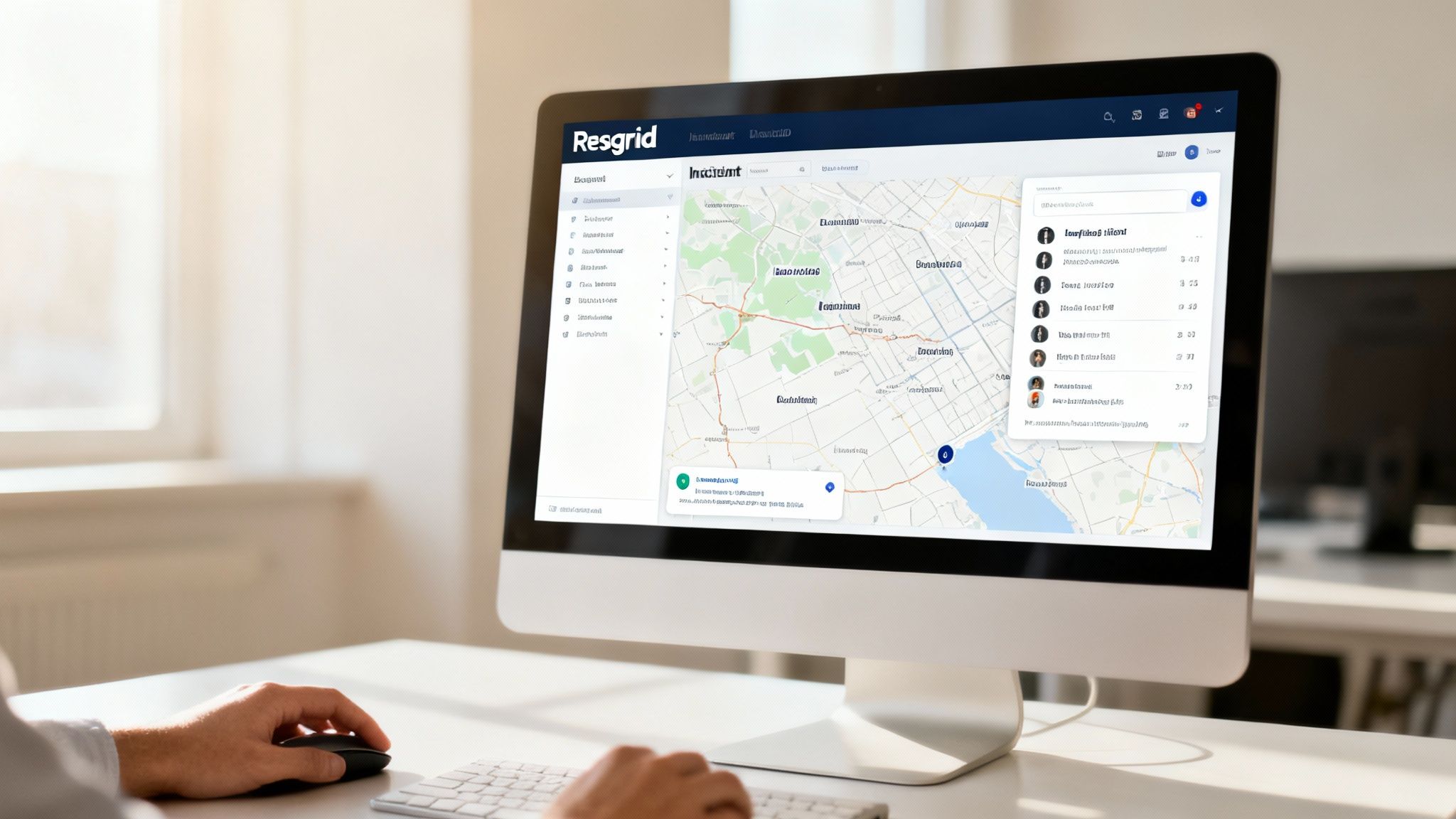
The Resgrid dispatch screen gives you a clean, central view of every active call and unit status, all in one place.
This interface is designed to let dispatchers manage multiple incidents efficiently, making sure resources are sent where they’re needed and that everyone has the latest information.
Cost-Effective Command for Every Agency
Maybe the biggest advantage is Resgrid's self-service model. It finally makes powerful incident action plan software accessible to organizations of any size. For years, only large municipal agencies with six-figure budgets could even dream of this level of technology. Smaller volunteer fire departments or rural EMS agencies were stuck with pen and paper.
Resgrid breaks this barrier by getting rid of the enormous upfront costs. There are no expensive contracts, no mandatory implementation fees, and no required on-site training sessions. Agencies can just sign up, configure the system for their needs, and get started right away.
This model is a direct path to saving money. A volunteer fire department can get the exact same real-time mapping and personnel tracking as a major metro department for a tiny fraction of the cost. That means they can put their limited funds toward things that really matter, like essential gear and training, instead of burning it on expensive software licenses.
This focus on accessible tech couldn't be more timely. The incident response services market is projected to grow at a staggering CAGR of 21.55% through 2033. That growth shows a massive demand for comprehensive response tools across every sector. You can dig into more of the data and what it means for the future of emergency services in this detailed market report.
By tying every facet of an incident into one affordable platform, Resgrid gives any organization the power to move from a reactive posture to a truly commanded operation—improving outcomes while protecting the bottom line.
Common Questions About IAP Software
When you're looking at bringing new tech into your agency, a lot of good questions come up. It's a big decision, and you're right to want to get into the weeds. This section tackles the most common questions we hear about incident action plan software, focusing on what it really means for your budget, your people, and your readiness.
Our goal here is to give you straight, practical answers. We'll skip the jargon and focus on how these tools actually affect your day-to-day operations and your bottom line.
How Does Incident Action Plan Software Reduce Agency Costs?
This is usually the first question, and it's the most important one. The savings from IAP software don't come from one magic bullet; they come from chipping away at operational inefficiencies right where they start. It’s a series of small, smart fixes that add up to a big financial win.
Here’s how the software directly saves money:
- Automating Administrative Tasks: Just think about how much time your command staff spends manually filling out ICS forms or pulling together after-action reports. Automating that grunt work frees up thousands of dollars in personnel-hours every single year.
- Preventing Resource Misallocation: With real-time tracking, you stop dispatching a specialized, expensive team from across the county when a perfectly capable unit is just a mile down the road. That alone cuts down on fuel, maintenance, and unnecessary wear on your apparatus.
- Reducing Operational Time: When commanders have a clear picture of what's happening, they can resolve incidents faster. Less time on scene means a direct drop in overtime pay and a lower chance of costly property damage.
Modern platforms have a self-service model that gets rid of the steep upfront licensing fees and mandatory training days tied to old-school enterprise software. This makes powerful IAP technology a real, financially viable option for agencies of any size, not just big departments with huge budgets.
Can IAP Software Be Used for Pre-Planned Events?
Absolutely. This is a huge benefit that really stretches the value of your investment. The same tools you rely on for a four-alarm fire are perfect for managing non-emergency events like parades, marathons, festivals, or any large community gathering.
Practical example: For a city marathon, you can use the software to pre-plan the entire event. You create digital assignments for every medical tent, police checkpoint, and water station. On race day, you can track all personnel in real-time on a map, dispatch roving paramedic teams to incidents instantly, and manage the entire operation from a single screen. This increases efficiency and provides a better, safer experience.
Is This Software Difficult to Implement and Learn?
We hear this concern a lot, especially from agencies that have been burned by clunky, frustrating software before. Modern incident action plan software is built with user-friendly interfaces to keep the learning curve as flat as possible. The whole point is to give you a tool that works for you in a high-stress situation, not against you.
Unlike the complex systems of the past, platforms like Resgrid are designed to be intuitive, often requiring very little formal training to get going. Being cloud-based also makes implementation a breeze—no need for a ton of on-site IT support or server maintenance.
Actionable insight: Start with a phased rollout. Use the software for weekly training drills first. This lets your team get comfortable with the features in a low-stress environment. Once they see how easy it is to track personnel and assign tasks during a drill, they will be far more confident using it on a real call.
How Does IAP Software Integrate with Existing Systems Like CAD?
Integration is non-negotiable for any modern IAP platform. Most handle this through APIs (Application Programming Interfaces), which basically act as a bridge, letting different software systems talk to each other and share data automatically.
For example, a CAD integration can be set up to instantly create an incident in your IAP software the second a call is dispatched. It can pull in all the vital details like the address, call type, and initial notes.
This connection delivers two huge cost-saving benefits:
- Eliminates Redundant Data Entry: It saves your dispatchers and command staff precious time by not having to type the same information into two or three different systems.
- Reduces Human Error: Automating that data transfer cuts down on the risk of typos or missed details that can cause real confusion and operational mistakes on scene.
When you're looking at any software, you should always ask about its API capabilities and if it has ready-made integrations for the public safety systems your agency already uses. This makes sure the new tool will fit into your existing workflow, not blow it up.
Ready to see how a truly integrated command and control solution can transform your operations while respecting your budget? Resgrid offers a comprehensive, self-service platform that puts powerful IAP tools in your hands without expensive contracts or hidden fees. Start streamlining your response today by visiting https://resgrid.com.