
A Practical Guide to Incident Management Systems Software
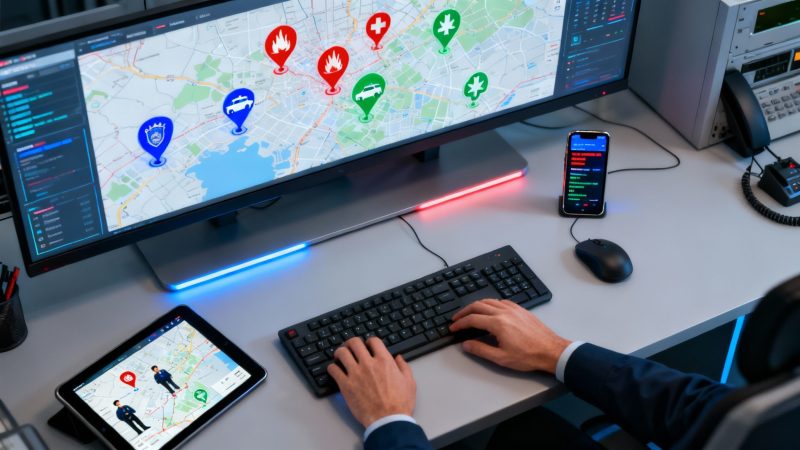
When a crisis hits, incident management software is your digital command center. It cuts through the noise of scattered radio calls and the confusion of messy whiteboards, pulling everything into a single, unified platform. The entire point is to replace guesswork with hard data, letting you make smarter, faster decisions when every single second is on the line.
That efficiency isn't just about better outcomes; it directly saves money by making sure you're sending the right people and equipment, not just whoever you can get ahold of, and slashing the time spent on administrative busywork. For example, reducing a single engine's response time by five minutes on every call can save thousands in annual fuel and maintenance costs, a tangible return on your software investment.
What Exactly Is Incident Management Systems Software?
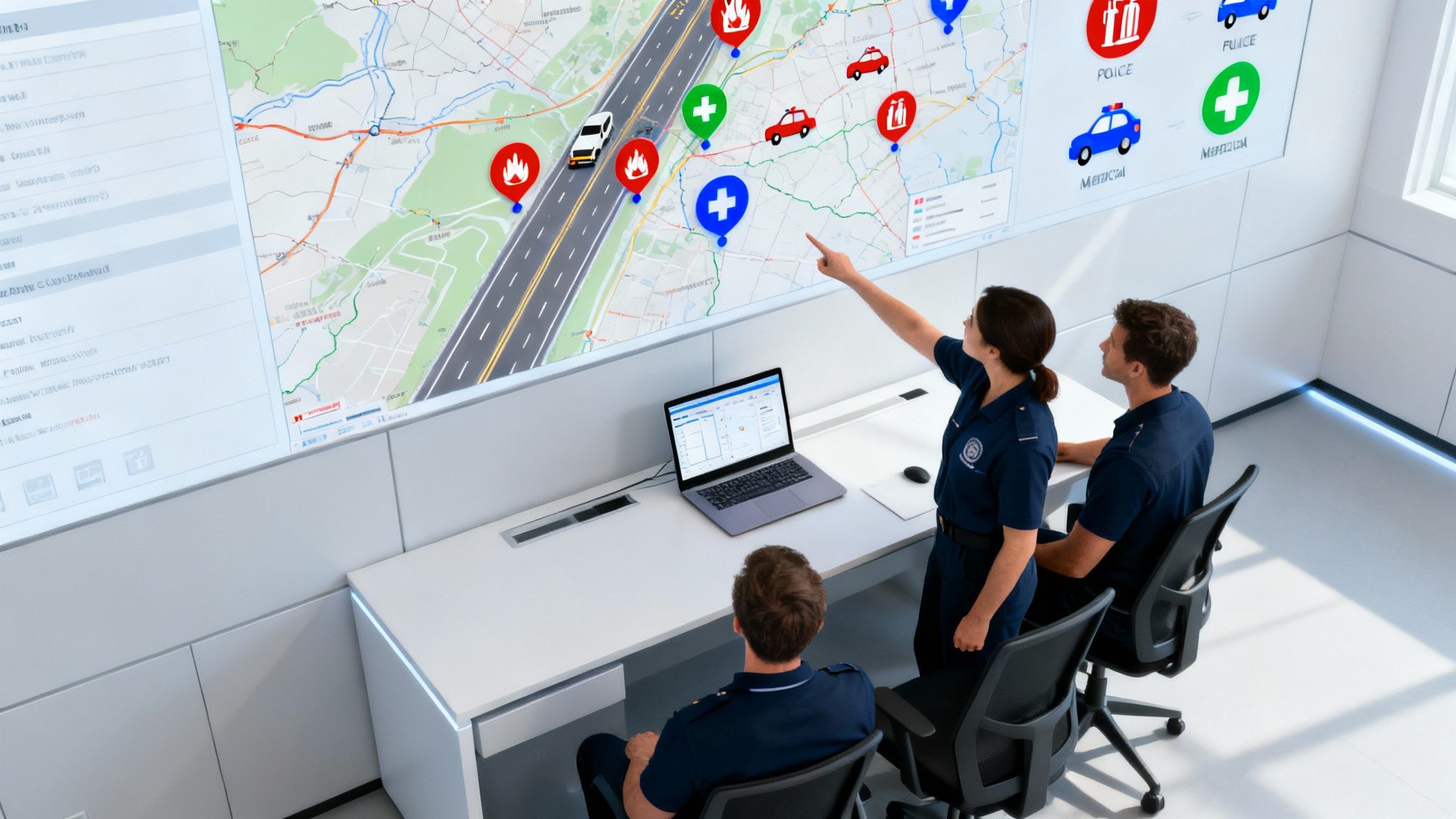
Picture a wildfire or a major multi-car pileup where police, fire, and EMS all have to work together perfectly. The old way of doing things relied on a patchwork of tools: different radio channels, paper maps that were outdated the second they were printed, and a constant stream of phone calls just to get a basic update. It was slow, full of errors, and created dangerous gaps in information.
Incident management systems software changes all that by acting as the single source of truth. It brings the whole response process into the digital age, creating a real-time operational picture that everyone can see—from the dispatcher in the command post to the boots on the ground.
A Practical Example of Cost Savings
Think about a volunteer fire department getting a call for a structure fire. Without a system, the chief is just guessing who's available based on radio chatter. This often means dispatching units from farther away than necessary, burning up precious time and fuel.
Now, put an incident management platform in that same station. The dispatcher pulls up a live map and instantly sees every available volunteer and their location. They can dispatch the three closest responders in seconds. This simple change saves money on fuel and vehicle wear-and-tear on every single call, which can easily add up to thousands of dollars a year for a busy department. The actionable insight here is to use the software's geo-location features to set up automated dispatch protocols based on proximity, ensuring you always send the most cost-effective unit first.
The Core Purpose: From Chaos to Control
At its heart, this software is about bringing order to chaos. It pulls all the critical functions needed to manage an incident—from the first alert to the final report—into one place.
This has some huge operational benefits:
- Faster Response Times: Automated dispatching and real-time location data get units on the scene faster. Simple as that.
- Improved Situational Awareness: When everyone is looking at the same map, the same resource status, and the same incident details, confusion evaporates.
- Enhanced Responder Safety: Knowing the exact location of every team member is non-negotiable for keeping people safe in hazardous environments.
- Simplified Reporting: The system logs every action, communication, and timestamp automatically. A reporting task that used to take hours now takes a single click.
This shift from manual, disconnected processes to an automated, data-driven approach is the foundation of modern emergency response. It not only leads to better outcomes but builds a more resilient and financially sound organization.
In a broader sense, these platforms provide the structure needed to manage any event that disrupts normal operations, ensuring a predictable, efficient, and cost-effective response every time. Understanding how specialized tools like absence management systems handle employee unavailability can even offer a wider perspective on managing different kinds of "incidents."
Essential Features of Modern Incident Management Software
To really get what modern incident management systems are all about, you have to look past the fancy definitions and get down to the features that make them essential on the ground. Think of these platforms as having four key pillars. When they all work together, they create a command environment that's smooth, smart, and driven by real-time data. This isn't just about making things run better; it's about real dollar savings from cutting out manual work and avoiding expensive mistakes.
This shift to smarter software is why the market is blowing up. The incident management software market, valued at USD 2.5 billion, is on track to hit USD 5.93 billion by 2032, chugging along at an 11.4% compound annual growth rate. The cloud-based stuff—which is a perfect fit for the dynamic needs of emergency agencies—already accounts for about 68% of the revenue and is set to grow at over 14% CAGR. You can dig into more of these numbers over at Verified Market Research.
Real-Time Dispatch and CAD Integration
Everything starts with the dispatch. The old way of doing things often meant a dispatcher was manually flipping through maps, checking who was available, and trying to remember which unit had what equipment. It was slow and just begging for human error. Modern software completely automates this.
By plugging directly into Computer-Aided Dispatch (CAD) systems, the software can instantly point to the closest, best-suited units for whatever the incident is. It’s not just about being fast; it’s about being right.
Here’s how that plays out: Imagine a rural EMS service that covers a huge, spread-out area. A call for a cardiac arrest comes in. Instead of the dispatcher wasting precious minutes on the radio trying to see which volunteers are around, the system does the work. It automatically finds the three closest certified paramedics using their phone's GPS and sends them the alert with a single click. This simple action can shave critical minutes off the response time—minutes that can literally be the difference between life and death. Financially, it saves a bundle by not dispatching a full ambulance crew from a station 20 miles away when a qualified responder is just two blocks from the scene. That's less fuel, less wear and tear on the vehicles.
Unified Communication Hubs
When information gets stuck in silos, things get dangerous. If police, fire, and medical teams are all on their own separate radio channels with no way to talk to each other, critical details fall through the cracks. A unified communication hub fixes this mess by pulling all the messaging into one central spot.
This is what ensures everyone—from the incident commander down to the newest person on the scene—is working off the same information. It gets rid of the "I thought you said…" confusion that can derail a complex, multi-agency response.
A practical example: During a music festival, a private security team, local police, and contracted EMS are all working together. The system's unified hub allows them to create a single "Event Ops" channel. When a medical issue arises, a security guard can send a text message that is instantly seen by both police supervisors and the nearest EMS team, eliminating the need to relay messages through three separate dispatchers. This streamlined communication prevents costly delays and ensures the right resources are sent immediately.
This hub usually includes:
- Push-to-Talk (PTT) features on mobile apps that work just like a traditional radio, but with clearer audio and automatic logging.
- Group and direct messaging for when you need to have a quiet, targeted conversation.
- Automated status alerts that ping all the right people when a unit is rolling, on-scene, or clearing the call.
Live Personnel and Asset Tracking
Situational awareness is the absolute bedrock of good incident command. If you don’t know where your people and your equipment are, you’re flying blind. Live tracking uses GPS to paint a complete, real-time picture of your entire operation on a single map.
This is a massive deal for responder safety. During a huge wildfire, a commander can see the exact location of every single firefighter and truck. This means they can make sure nobody gets left behind or sent into a hot zone that's already been compromised. It also keeps everyone honest and efficient. If you want to see what this looks like in practice, you can get a good overview of Resgrid's capabilities on our site.
Here’s how that plays out: A security company is managing crowd control at a big city festival. Suddenly, there's a medical emergency deep inside a dense crowd. Instead of trying to make sense of vague radio calls—"he's by the hot dog stand!"—the supervisor just looks at the live map. They spot the two closest security officers with first aid kits and send them the exact coordinates. No panicked searching, just a fast, professional response that impresses the event organizers. The money saved here comes from smarter deployment; you need fewer people to cover the same area effectively when you know exactly where everyone is, and that means lower payroll costs.
Automated Reporting and Analytics
The job isn’t done when the sirens stop. The paperwork that follows an incident can be a killer, taking hours of manual work that pulls key people away from their real duties. Automated reporting changes the game by logging every dispatch, message, and timestamp automatically. It can generate a comprehensive report with just one click.
But the real gold is in the analytics. The software takes all that raw data and turns it into insights you can actually use. Command staff can break down response times by district, see which pieces of equipment are being used most, and track training compliance. This data-driven approach gives organizations the hard evidence they need to justify budgets, place resources where they'll do the most good, and constantly fine-tune their operations. Actionable insight: Use the analytics to identify your busiest times and locations. You can then adjust staffing schedules to avoid unnecessary overtime pay, directly saving money by matching resources to historical demand.
How to Choose the Right Software for Your Budget
Picking the right incident management software isn’t just a tech decision—it’s a major financial one. Get it wrong, and you could be looking at budget blowouts, serious operational headaches, and a system that flakes out right when you need it most. To make a smart investment, you have to look past the sticker price and consider the total cost of ownership.
That means thinking about all the hidden expenses that creep in over time. We're talking about costs for training, ongoing maintenance, and those crucial support fees. A platform that looks like a bargain upfront can get expensive fast if it needs a ton of custom work or ropes you into pricey add-ons.
Evaluating Scalability and Future Growth
The first question you should always ask is: can this software grow with us? A small volunteer department might only need to support 50 users today, but what about five years from now? What happens if you merge with a neighboring district or expand your services? A system that can’t scale will eventually force you into a costly and disruptive migration.
Think about this scenario: A local security company starts out with a 20-person crew and picks a cheap plan capped at 25 users. A year later, they land a huge contract for a city-wide festival and need to bring on 50 temporary staff. Their software can't handle the load, forcing them to either pay for a rushed, expensive upgrade or resort to chaotic manual workarounds that put event safety at risk. A scalable solution would've let them add users temporarily without penalty, saving thousands and protecting their reputation. Actionable insight: Prioritize software with flexible, pay-as-you-go or open-source models that don't penalize you for temporary staff increases during major events.
This simple flowchart can help you quickly see if a platform's core features line up with what you actually need on the ground.
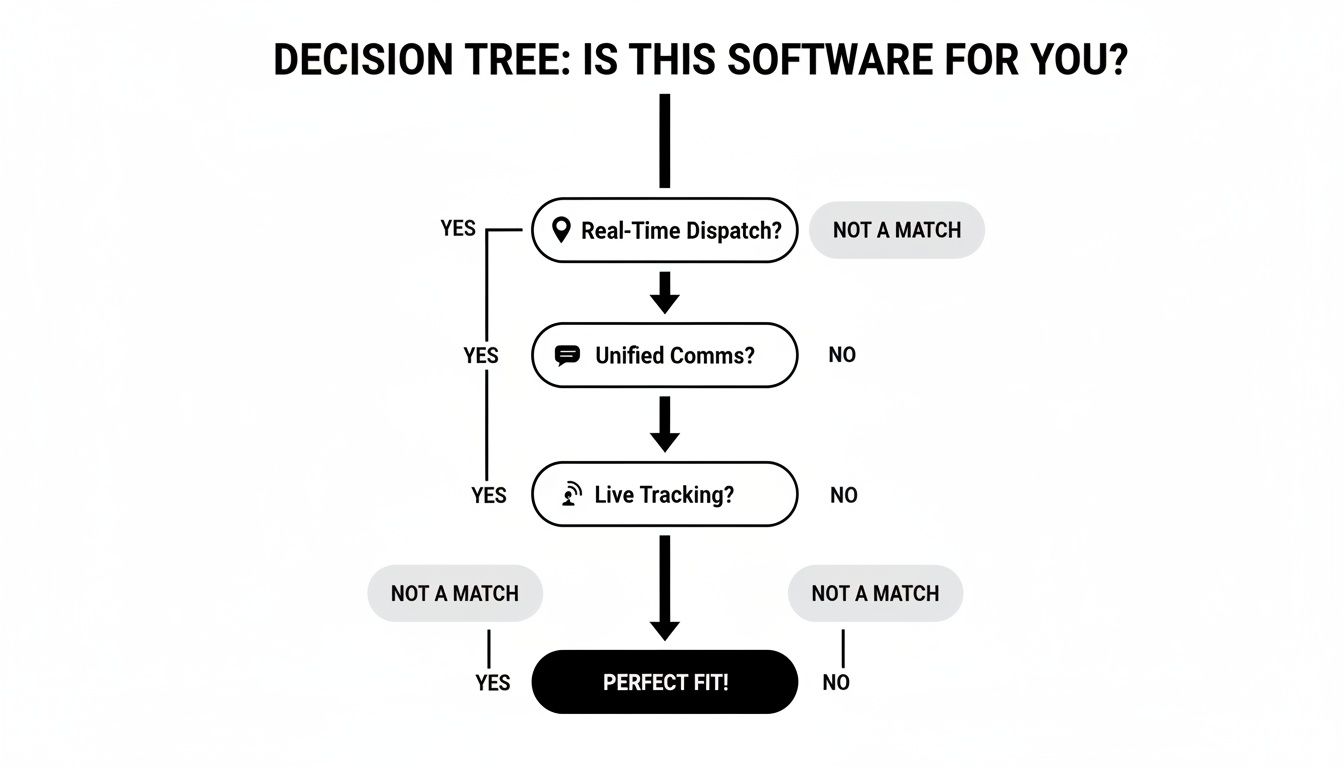
As you can see, a platform is only a "perfect fit" if it nails all three of these foundational requirements. It's a quick way to ensure you're not overpaying for a system that's going to fall short.
Ensuring Seamless Integration
Your new software won't be operating in a bubble. It has to play nice with the tools you already use, like GIS mapping, records management systems (RMS), and radio gateways. Without solid integration capabilities, your team will be stuck manually copying data from one system to another—a slow, error-prone process that completely defeats the purpose of having an automated system in the first place.
Practical example: A fire department's software integrates with the city's GIS system. When a call for a fire hydrant check comes in, the system automatically pulls the hydrant's last inspection date and flow rate. This saves crews a trip to the records office and prevents the costly mistake of sending an engine to a hydrant that's out of service. Before you sign anything, demand a clear list of what the software integrates with and ask about their API. A flexible API is your ticket to creating custom connections, which basically future-proofs your investment as your tech stack changes over the years.
Demystifying Pricing Models
You have to get a handle on the different pricing structures out there to keep costs under control. Each model comes with its own financial baggage that will directly hit your budget.
Comparing Software Models for a Smart Investment
Not all software pricing is created equal. Understanding the differences between SaaS, on-premise, and open-source models is key to finding a solution that fits your budget now and in the future.
| Criteria | Proprietary SaaS | On-Premise Software | Open-Source (e.g., Resgrid) |
|---|---|---|---|
| Initial Cost | Low; monthly subscription | High; large upfront license fee | Very low; no license fees |
| Ongoing Costs | Predictable monthly/annual fees | Recurring maintenance & support fees | Hosting & optional support costs |
| Scalability | Can be expensive to add users | Difficult and costly to scale | Highly flexible and cost-effective |
| Control & Customization | Limited to vendor's offerings | High, but requires IT expertise | Maximum control and flexibility |
| IT Overhead | Minimal; managed by vendor | High; requires dedicated IT staff | Low to moderate; managed by you |
Choosing the right model means balancing upfront costs with long-term flexibility and control, ensuring your investment pays off for years to come.
Here’s a quick rundown of what you’ll typically encounter:
- Per-User Subscriptions (SaaS): This is the most common model. You pay a monthly or annual fee for each person using the system. It offers predictable costs but can get incredibly expensive for large or growing organizations, especially those that rely heavily on volunteers.
- One-Time Licenses (On-Premise): This route involves a big upfront payment for the software license, plus recurring fees for maintenance and support. It gives you more control, but it requires a lot of capital and an in-house IT team to manage servers and updates.
- Open-Source Solutions: Platforms like Resgrid get rid of licensing fees completely. You only pay for hosting and any support you might want, which dramatically lowers the total cost of ownership. This model offers the most flexibility and is perfect for budget-conscious agencies.
By zeroing in on the total cost, you can dodge surprise expenses and pick a system that delivers real value, both financially and operationally. For a transparent look at how this can work, check out the flexible options available in Resgrid’s pricing structure.
The global push for better emergency readiness is causing some serious market growth. Right now, North America is leading the charge in the incident and emergency management market, holding 41.60% of the global revenue. This market, currently valued at USD 167.66 billion, is expected to hit USD 230.86 billion by 2031, thanks to strong federal funding and the adoption of more advanced tech. It's a clear sign that effective incident management solutions are more valued than ever.
Incident Management Software in Action
Lists of features and theoretical benefits are one thing, but the real test of any system is how it performs in the field. This is where incident management software truly proves its worth. We're not just talking about fancy dashboards; we're talking about tangible results that protect people, property, and budgets when it matters most.
Let’s step away from the abstract and look at a few stories from the trenches that show what this software can really do.
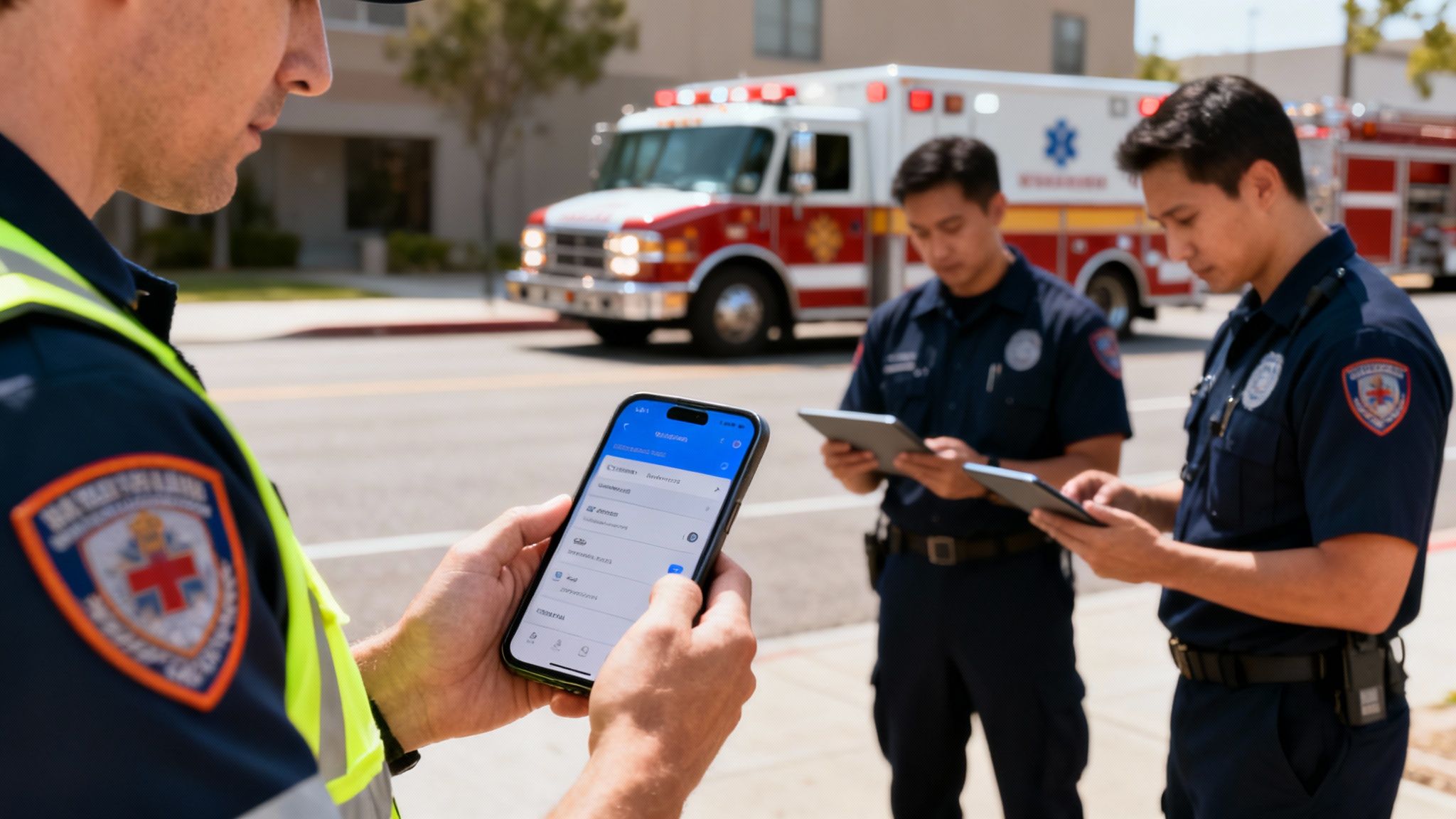
These aren't just hypotheticals. They show how the right platform fundamentally changes an organization's ability to handle a crisis, both effectively and economically.
Volunteer Fire Department Cuts Response Times
Imagine a volunteer fire department covering a huge rural county. For them, getting a crew assembled quickly was a constant battle. Dispatchers were stuck using radio calls and a whole lot of guesswork, which often led to delays and wasted resources. Every minute lost not only increased the risk to lives but also burned through fuel and put unnecessary wear on vehicles.
They decided to switch to a mobile-first incident management systems software, putting the power of coordination right in every volunteer's pocket.
- The Fix: As soon as a call dropped, the system instantly pinged every available member through a mobile app. Volunteers could immediately tap to confirm they were responding and even provide an ETA to the station or the scene.
- The Tech: The game-changers here were live personnel tracking via GPS and a unified messaging hub. Command could now see a real-time map of everyone heading in, letting them form crews and redirect units on the fly with a speed they never had before.
- The Result: In just six months, the department saw a staggering 30% reduction in average response times. That improvement didn't just save thousands in fuel costs—it directly translated to a better chance of saving lives and property.
Corporate Security Manages a Campus Lockdown
Over at a large tech campus, the corporate security team had a serious problem: their lockdown plan was a mess. It was a clunky combination of mass emails and phone trees that were slow, unreliable, and gave them zero visibility into whether employees were actually safe.
During a crisis, ambiguity is the enemy. The security team needed a system that provided absolute clarity, ensuring every employee received instructions and could be accounted for instantly.
They brought in an incident management platform built for robust communication and tracking.
- The Fix: During their next drill, they triggered a campus-wide lockdown alert through the new system. Instantly, every employee got a push notification with clear instructions and a simple prompt to mark themselves as "Safe."
- The Tech: This was all about mass notifications and real-time location tracking. A central dashboard gave the security team a live count of accounted-for staff and a map of their last known locations inside the campus buildings.
- The Result: The team hit a 98% accountability rate in under 15 minutes—a process that used to take hours of manual phone calls and checklist reviews. It was a massive win for employee safety and a clear demonstration to stakeholders that their security investment was paying off. You can explore how powerful mobile apps are the engine behind this kind of modern response.
City EOC Coordinates a Multi-Agency Flood Response
When a flash flood threatened several neighborhoods, a city's emergency operations center (EOC) faced the daunting task of coordinating a multi-agency response. In the past, trying to sync up police, fire, public works, and volunteer groups was pure chaos, often leading to duplicated efforts and critical resources being in the wrong place at the wrong time.
- The Fix: This time, the EOC used their incident management software as the single source of truth—the command-and-control hub for every agency involved.
- The Tech: They leaned heavily on resource and asset tracking to manage everything from sandbags and water pumps to rescue boats. A shared situational awareness map gave every agency leader the exact same operational picture, showing everything from road closures to active evacuation zones in real time.
- The Result: By deploying resources with surgical precision, the EOC prevented an estimated $500,000 in property damages. On top of that, the platform's automated logging and reporting made the post-event paperwork for federal reimbursement a breeze, saving hundreds of administrative hours.
Best Practices for a Successful Implementation

Even the most powerful incident management systems software is a wasted investment if your team doesn't actually use it. A successful rollout isn’t about just flipping a switch; it's about building a solid foundation of user adoption from day one. This takes a thoughtful strategy to weave the new tech into your existing operations, saving you a ton of money by avoiding costly rework and headaches down the road.
The demand for these platforms is surging for a reason. Projections show the incident response software market will more than double from USD 9.0 billion to USD 18.8 billion by 2032, growing at a 12.97% CAGR. SaaS models, which make up 62% of this market, are a huge hit with dispatch centers because they let you add critical features like personnel tracking without a massive upfront capital expense.
Start with a Phased Rollout
Jumping into a full-scale, department-wide launch is a recipe for disaster. It overwhelms users, makes troubleshooting a nightmare, and you'll never get any meaningful feedback. Trust me, a phased implementation is a much smarter and more cost-effective approach.
Practical example: A city's fire department decides to implement new software. Instead of pushing it to all 12 stations at once, they pilot it with just two stations for 90 days. This allows them to identify a critical bug in the reporting module that would have caused chaos department-wide. The small-scale test saves them hundreds of hours in potential data correction and retraining costs. This gradual approach minimizes disruption and saves money by catching issues before they impact your entire operation.
Secure Buy-In from the Ground Up
One of the most common—and expensive—mistakes we see is failing to involve field personnel in the selection and implementation process. If the boots on the ground feel like a system was forced on them without any input, they will resist using it. That kind of pushback can cripple the entire project.
To avoid this, create a feedback loop right from the start.
- Form a Committee: Make sure it includes people from every role—dispatchers, field responders, and command staff.
- Run Demonstrations: Let your users get their hands on the software before you make a final decision.
- Listen to Concerns: Actively ask for feedback on their workflow pain points and what features they actually need.
When your team feels a sense of ownership, adoption rates skyrocket. It transforms the software from "management's new tool" into "our system for a safer, more efficient response."
Develop Clear Protocols and Training
Never assume your team will just figure out the new system on their own. You have to develop and document clear Standard Operating Procedures (SOPs) before you go live. These protocols should cover everything from how an incident is created to how post-event reports are generated.
Once your protocols are set, conduct hands-on training that’s tailored to different roles. A dispatcher needs to master a different set of features than a firefighter or a security officer. Actionable insight: Create short, five-minute training videos for specific tasks (e.g., "How to Update Your Status," "How to Create a New Call"). This micro-learning approach is cheaper to produce than full-day classes and allows staff to refresh their skills on-demand, reducing the need for costly, repetitive training sessions. This focused training ensures everyone is confident in their role, reducing errors and maximizing the return on your software investment from the very first call.
Frequently Asked Questions
When you're looking at incident management software, a lot of questions pop up. It makes sense—budgets are almost always tight, and you can't afford to get this wrong. We'll tackle some of the most common questions we hear, giving you straight, practical answers about the real costs, capabilities, and security you should expect.
How Much Does This Software Typically Cost?
The price tag on these systems can be all over the map, and what you see upfront rarely tells the whole story. You've got to look at the total cost to really understand what you're getting into.
- SaaS Models: A lot of platforms go with a per-user, per-month fee. That might sound great for a small team, but let's say you're a volunteer fire department with 150 members. A $15/user/month fee balloons into $27,000 a year, and that's just for the software license.
- On-Premise Solutions: These hit you with a massive upfront cost for the license—we're talking tens of thousands of dollars right out of the gate. On top of that, you're on the hook for server maintenance, IT staff to run it, and yearly support contracts.
- Open-Source Options: This is where things get interesting. Platforms like Resgrid get rid of the licensing fees entirely. Your only real costs are for hosting and any support plans you might want. That simple change can slash your annual software bill by over 90% compared to a per-user SaaS model, making powerful tech a reality even for departments running on bake sales and donations.
Can It Integrate With Our Existing Radio Systems?
Absolutely. Any modern incident management platform worth its salt is built to play nice with the gear you already have. Integration isn't just a nice-to-have; it's what stops you from having to throw out perfectly good hardware and spend a fortune replacing it.
A classic example is linking up with Radio-over-IP (RoIP) gateways. You can set up your software to listen in on a specific radio channel. When dispatch says, "Engine 5, respond to a structure fire at 123 Main Street," the system hears it, automatically creates a new incident, plugs in the address, and pings the crew of Engine 5 on their phones. This means dispatch isn't stuck doing double data entry, and critical information gets to your people that much faster. This automation saves labor costs by freeing up dispatchers' time and reduces the risk of expensive errors from manual transcription.
Pro tip: Always, always check a platform's API capabilities before you commit. A solid, flexible API is your ticket to bridging the gap between new software and your legacy systems. It protects your hardware investment and keeps everything running smoothly.
Is This Software Hard For Non-Technical Users to Learn?
The best systems feel like they were designed by first responders, not just for them. They have to be dead simple to use, even for volunteers who aren't tech gurus. When the tones drop, the last thing anyone needs is to fight with a clunky app. A user-friendly design isn't a luxury—it saves real money by cutting down on training and making sure people actually use the tool.
Think about it this way: a good mobile app should be as intuitive as sending a text. Your crew should be able to update their status, check call details, and talk to the team in just a couple of taps. If a system takes hours of training just to handle the basics, it'll get left behind in the truck, and that's just a wasted investment. Look for clean dashboards and a mobile experience that just makes sense.
What Security Measures Protect Sensitive Incident Data?
This is non-negotiable. You're handling incredibly sensitive information, from patient data on a medical call to tactical details on a law enforcement scene. Any reputable provider will use a layered security strategy to lock that data down. A data breach isn't just an IT headache; it can lead to massive fines and destroy the trust you've built with your community.
Here's what to look for:
- Data Encryption: All data—whether it's zipping across the internet or sitting on a server—needs to be encrypted with industry-standard protocols.
- Secure Cloud Hosting: Using top-tier cloud providers like Amazon Web Services (AWS) or Microsoft Azure means your data lives in fortresses with physical security and constant monitoring.
- Role-Based Access Controls: This is mission-critical. It's how you ensure a firefighter can't see sensitive police intel, or a volunteer can only access details for their specific assignment. This granular control is your best defense against internal data leaks.
Ready to bring order to the chaos without breaking the bank? Resgrid offers a powerful, open-source platform that puts you in complete control. See how our flexible and cost-effective incident management systems software can empower your team by visiting https://resgrid.com today.