
Law Enforcement Scheduling Software a Guide to Modern Agency Operations
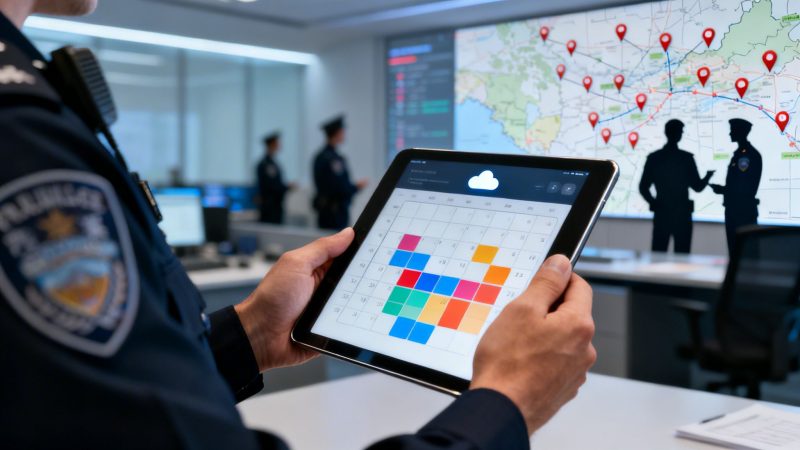
At its core, law enforcement scheduling software is a purpose-built system designed to automate how you create, manage, and track officer shifts, time off, and overtime. It's about finally ditching the clunky spreadsheets and outdated paper rosters for an intelligent tool that understands the unique rhythm of public safety. This isn't just about saving a few hours; it's about fundamentally changing how agencies manage their most valuable asset: their people.
Moving Beyond Spreadsheets to Strategic Scheduling

Trying to run a modern police department's roster with spreadsheets is like navigating a high-speed pursuit with a folded paper map. It might have worked years ago, but today, it’s a recipe for errors, delays, and frustration. For agencies looking to get ahead, moving from these old-school methods to a dedicated law enforcement scheduling software is no longer a luxury—it’s a critical operational upgrade.
This kind of tool is much more than a digital calendar. Think of it as the strategic command center for your entire workforce, built from the ground up to handle the relentless, 24/7/365 reality of police work.
The True Cost of Manual Scheduling
The old way of scheduling comes with a lot of hidden costs that slowly bleed budgets and burn out your command staff. Every hour a sergeant spends wrestling with Excel formulas, calling down a list to fill an open shift, or leafing through a binder to double-check a union rule is an hour they aren't spending on leadership or public safety. It adds up, and fast.
Here's a practical example: a sick call comes in for the overnight shift. Suddenly, a supervisor is stuck scrolling through phone numbers, trying to remember who's eligible for overtime and who's already maxed out. It's a frantic scramble that often ends with paying a premium rate just to get a body in a car.
Actionable Money-Saving Insight: By automating just the process of filling open shifts, a mid-sized agency can reclaim dozens of administrative hours every week. This allows command staff to focus on strategic initiatives rather than clerical tasks, directly translating into a more agile and cost-effective force. At an average supervisory pay rate, reclaiming just 15 hours a week can save over $35,000 annually in redirected labor costs.
This table gives a clear, side-by-side look at what a massive leap this transition represents. It's not just about new tech; it's about a new, more effective way of operating.
Manual Rosters vs Automated Scheduling at a Glance
| Operational Aspect | Manual Scheduling (Spreadsheets & Whiteboards) | Law Enforcement Scheduling Software |
|---|---|---|
| Shift Filling | Manual phone calls, texts; slow and inefficient. | Automated notifications to eligible officers; fast and fair. |
| Compliance | Relies on human memory; high risk of CBA/FLSA violations. | Built-in rules engine automatically prevents conflicts. |
| Overtime Management | Difficult to track and balance; prone to favoritism claims. | Fair, equitable distribution based on predefined rules. |
| Data & Reporting | Time-consuming to compile; data is often outdated. | Instant, real-time reports on staffing, costs, and trends. |
| Officer Access | Officers must call or be on-site to see the schedule. | 24/7 mobile access to shifts, leave requests, and open slots. |
| Adaptability | Rigid; struggles with last-minute changes or emergencies. | Highly flexible; adapts instantly to unexpected events. |
The difference is stark. Moving to an automated system frees up countless hours and provides the kind of operational oversight that was simply impossible before.
From Reactive Rosters to Proactive Deployment
Good scheduling software gets you out of reaction mode. Instead of just plugging holes in a schedule, you can start deploying your personnel with purpose, based on actual data and community needs. The system is built to juggle all the variables that make law enforcement scheduling a nightmare to do by hand.
It effortlessly manages the moving parts of the job, including:
- Complex union rules and collective bargaining agreements (CBAs)
- Mandatory court appearances and training sessions
- Minimum staffing requirements for each shift and special unit
- Sudden overtime needs due to emergencies or special events
This shift in approach lays the groundwork for smarter, data-driven decisions. To get beyond the limitations of manual records, departments need systems that provide Instant Access to All Security Documentation and scheduling data in one place. When your roster becomes a living, intelligent tool, you finally have the power to put the right officers in the right place at the right time—all without breaking your budget.
Core Features That Cut Costs and Boost Efficiency

Sure, ditching the old spreadsheet sounds nice, but that’s just scratching the surface. The real value of law enforcement scheduling software comes from the tools built specifically to fix the costly, nagging problems that command staff deal with every single day. These aren’t just flashy extras; they’re targeted solutions that cut down on grievances, improve efficiency, and actually pay for themselves.
Instead of just running through a list, let's look at how each feature directly solves a real-world headache. That’s how you can really see where the savings come from and how it changes things on the ground level.
Automated Shift Bidding and Filling
We’ve all seen it: the tension around shift assignments. When you do it by hand, the process is slow, mistakes happen, and it often leads to grievances that eat up way too much of a supervisor’s time. Automating the bidding process puts an end to all of that.
- Practical Example: The department posts the schedule for the next quarter. Instead of turning in paper slips or sending a flurry of emails, officers just log in and rank their preferred shifts. The system does the rest, automatically assigning spots based on seniority and union rules. What used to take days of manual work and create endless arguments now gets done fairly in a matter of minutes.
This also applies to those last-minute shift openings. An officer calls out sick? No more scrambling and making a dozen phone calls. The system instantly sees who is qualified and available and pushes out a notification to their phone.
Actionable Money-Saving Insight: You can slash unplanned overtime costs by up to 30% just by using automated rules to fill an open shift. Instead of defaulting to a senior officer at double-time pay, the software can be set to first offer the shift to part-timers or anyone who hasn't hit their overtime cap. This simple, automated step ensures the most cost-effective coverage every time.
Integrated Overtime and Extra-Duty Management
For most agencies, overtime is one of the biggest budget-busters. Without a solid system, trying to track, equalize, and manage it feels impossible. This is where spending gets out of control and where officers start feeling like the system is unfair.
A good scheduling platform gives you a single place to manage all overtime and extra-duty work. It makes sure every opportunity is offered fairly based on your department's rules, whether it’s a rotational list or a "lowest hours first" policy. For agencies moving away from manual tracking, looking into workforce management software is a crucial step toward getting a handle on your resources.
- Practical Example: A local school needs two officers for a football game. The admin posts the job in the system. It automatically notifies everyone who’s eligible, and they can sign up with a single click. The system then tracks who worked, ensuring the next opportunity is distributed just as fairly, and it even simplifies billing for the event.
It's not just about the money, either. This transparency helps prevent officer burnout by giving you a clear view of who might be taking on too many extra hours.
Automated Compliance and Certification Tracking
Let's be honest, keeping up with every officer’s certifications is a massive administrative headache. From firearms qualifications to CPR and defensive tactics, one missed expiration can create a huge liability for the department.
Law enforcement scheduling software solves this by tying compliance tracking directly to each officer's profile.
Key Compliance Tracking Functions
| Feature | How It Saves Money and Reduces Risk |
|---|---|
| Automated Alerts | Flags expiring certs weeks in advance, giving supervisors and officers plenty of time to act. |
| Skill-Based Scheduling | Physically stops you from assigning an unqualified officer to a specialized role (like K-9 or SWAT). |
| Centralized Records | Gives you a single, audit-ready source for all training and certification history. |
- Practical Example: The system can be configured to block an officer from being scheduled on patrol if their use-of-force certification is expired. When a scheduler tries to make the assignment, the software flags the conflict instantly, protecting the officer, the supervisor, and the entire agency from a major lawsuit. This turns a huge administrative burden into a quiet, automated process that just works. If you want to see more, you can learn how a good system manages complex shift patterns and keeps your personnel assignments locked down.
Calculating the ROI of Your Scheduling Software
For any agency leader, every dollar in the budget has to be justified. Bringing on law enforcement scheduling software isn't just about making things run a little smoother; it's a financial decision that needs to show a real, measurable return. Calculating this return on investment (ROI) is how you get the hard data to prove its worth.
Let's cut through the talk about "efficiency" and get down to brass tacks. We can break down the financial wins into three concrete areas. This is about real savings that hit your budget, and you can start tracking them from day one.
Reduced Overtime Spending
Uncontrolled overtime is a budget killer. It’s one of the biggest and most unpredictable costs for any department. When you’re scheduling by hand, it’s all too common to end up with last-minute holes that get filled at premium pay, simply because a supervisor doesn't have a clear, real-time view of who is the most cost-effective person to call.
This is where the software delivers an immediate payback.
- Practical Example: Imagine a day shift patrol spot opens up unexpectedly. Instead of a supervisor scrolling through a list and calling a senior officer who’s already on track for double-time, the system handles it. It automatically sends a notification to qualified part-time officers or those who haven't hit their overtime limit, offering the shift to the most affordable person based on your agency's rules. That one automated step, repeated countless times over a year, can save tens of thousands of dollars.
Before 2020, data showed that clunky manual scheduling was to blame for over 20% of overtime costs in major police departments. Now, with digital tools, agencies have been able to slash those expenses by up to 30% by maintaining coverage without just throwing money at the problem.
Lowered Administrative Overhead
If you actually quantify the hours your command staff burns on clerical scheduling work, you’ll uncover a massive "soft cost." Every hour a sergeant or lieutenant spends wrestling with a spreadsheet, fielding availability calls, or manually finding someone to cover a shift is an hour they aren't leading their team, running training, or working on critical initiatives.
Actionable Money-Saving Insight: Consider this real-world scenario: A 100-officer department where supervisors spend a combined 20 hours per week on manual scheduling. By automating these tasks, the agency reclaims over 1,000 administrative hours annually. At an average supervisory pay rate, this translates to over $50,000 in saved labor costs that can be directly reallocated to officer training, equipment upgrades, or community policing programs.
The software pays for itself just by giving your most experienced leaders their time back. Taking a look at the pricing models available can help you see just how quickly these savings can cover the initial cost.
Minimized Compliance and Grievance Costs
Union grievances and legal challenges over compliance aren't just expensive; they're a wrecking ball for morale. A lot of these disputes start with someone feeling there was favoritism in how shifts or overtime were handed out. When you're using manual systems, there's no clear audit trail, making these claims nearly impossible to defend.
A proper scheduling system creates an impartial, transparent record of every single action.
- Practical Example: An officer files a grievance, claiming they were unfairly passed over for an overtime opportunity. Instead of a "he said, she said" argument, the administrator can pull an exact log. The report will show precisely when the opportunity was posted, who was notified, who accepted, and why—all based on the predefined union rules baked into the system. This ironclad documentation can resolve a potential grievance in minutes, saving hundreds of hours and thousands in potential legal fees.
This kind of transparency drastically cuts down on the number of grievances filed in the first place.
The Tactical Advantages of Cloud-Based Platforms

When picking a law enforcement scheduling software, one of the biggest crossroads you'll face is the choice between an old-school, on-premise system and a modern cloud-based one. For more and more agencies, it's not even a question anymore. Moving to the cloud isn't just a tech trend; it's a fundamental shift that delivers real-world advantages in cost, access, and security.
The old way of doing things meant your department had to buy, house, and babysit its own expensive servers. That model locked you into a huge upfront cash outlay for hardware, on top of the ongoing bleed of paying IT staff for maintenance and the inevitable, costly upgrades. A cloud solution just wipes that whole financial and logistical headache off the table.
Dramatic Cost Reduction and Scalability
With a cloud-based platform, there are no physical servers to buy or worry about. Instead of cutting a massive check for capital expenses, you're looking at a predictable subscription fee. It’s a model that can save agencies up to 40% compared to the total cost of owning an on-premise system.
- No Hardware Costs: You completely sidestep the initial server purchase, which can easily run into the tens of thousands of dollars.
- Reduced IT Overhead: Your IT team is freed from the endless cycle of server maintenance, security patching, and hardware troubleshooting.
- Zero Upgrade Fees: The provider handles every software update and system improvement automatically. You always get the latest features without surprise bills.
Actionable Money-Saving Insight: Think about the true cost of a single server failure in an on-premise setup. You're on the hook for emergency repairs, potential data recovery, and all the staff overtime—costs that can spiral out of control in a hurry. A cloud platform builds in redundancy and expert support, turning a potential five-figure disaster into a non-issue that's just covered by your subscription.
This financial model also gives you incredible flexibility. When your department grows, or a major city-wide event demands a surge in resources, a cloud platform scales up instantly. You don't have to scramble to buy and install new hardware.
Unmatched Accessibility and Real-Time Response
Honestly, the biggest tactical win with the cloud is getting critical information from anywhere, at any time. This isn't just a nice-to-have feature; it’s an operational necessity for modern policing. On-premise systems chain your data to a physical server rack in a specific building, making it useless out in the field where your people actually work.
It's no wonder that cloud-based systems are taking over. According to Fortune Business Insights, cloud solutions are on track to grab over 63% of the market by 2026. The driving force is simple: first responders need to access schedules and personnel data in real-time, from anywhere. You can dig into more of the data behind the growth of law enforcement software on fortunebusinessinsights.com.
- Practical Example: Picture a city-wide emergency. A commander is at a mobile command post, miles from the station. A traditional, station-based system would leave them operating blind. With a cloud-based law enforcement scheduling software, they can pull out their phone, see real-time officer availability across every single unit, and redeploy personnel to critical hotspots on the fly. That’s a move that's simply impossible with an outdated system.
Enterprise-Grade Security for Every Agency
I get it. Some agency leaders hear "cloud" and immediately worry about data security. But the reality is that top-tier cloud providers offer a level of protection that far outstrips what a single department could ever hope to build or afford on its own. These companies employ entire teams of cybersecurity experts whose only job is to protect your data 24/7.
They use advanced encryption for your data, both when it's stored ("at rest") and when it's being sent ("in transit"), and they maintain multiple secure, redundant data centers. For a local department to replicate that level of security independently would be prohibitively expensive. By going with a trusted cloud platform, you're essentially getting an enterprise-grade security posture without the million-dollar price tag.
How Fair Scheduling Improves Officer Wellness and Retention
The schedule is more than just a grid of names and times. It’s where agency policy collides with an officer's personal life, and a poorly managed roster is a direct path to frustration, resentment, and burnout. But what if the schedule could be one of your most powerful tools for improving officer wellness and retention?
With intelligent law enforcement scheduling software, the focus shifts. Instead of just plugging holes, you're building a system grounded in fairness, transparency, and trust. When your officers feel they have some control over their work-life balance, you'll see a real, tangible boost in morale.
Empowering Officers with Self-Service Tools
A huge part of this shift is giving officers a say in their own time. Modern scheduling software puts control back into their hands with self-service features, which goes a long way in building trust and cutting down on administrative headaches.
- Practical Example: An officer realizes their kid has a school play next Thursday. The old way meant a string of phone calls, trying to track down a supervisor, and hoping someone could find a replacement. It was a hassle for everyone. Now, that same officer just opens a mobile app, posts their shift for a trade, and an alert goes out to all qualified colleagues. Another officer who wants the extra hours accepts the trade right in the app. The system checks all the union rules and staffing minimums, logs the change, and notifies command. What used to be a major disruption is handled in minutes.
Actionable Money-Saving Insight: By providing a transparent, self-service platform for shift swaps and leave requests, agencies remove a major source of daily frustration. This sense of control is a powerful antidote to burnout, showing officers that the department respects their personal time. Happier officers are more likely to stay, reducing turnover costs which can exceed $50,000 per officer when factoring in recruitment and training for a replacement.
Ensuring Fairness in Overtime and Shift Distribution
Nothing destroys morale quicker than the perception of favoritism, especially when it comes to overtime or undesirable shifts. When you’re scheduling by hand, it’s easy to unintentionally create bias, where the same folks always get the call for extra duty or get stuck with the worst assignments.
Law enforcement scheduling software eliminates this conflict by automating how these opportunities are distributed, all based on clear, impartial rules you set.
How Software Guarantees Fairness
| Scheduling Aspect | Manual Process Problem | Automated Software Solution |
|---|---|---|
| Overtime | Supervisors may call a preferred list, leading to arguments. | The system automatically rotates through an equitable list (e.g., lowest hours first). |
| Undesirable Shifts | Can feel like they're assigned arbitrarily, fueling resentment. | The system can track and balance these assignments over time for all officers. |
| Leave Approvals | Often "first come, first served" without any real context. | The system can weigh seniority and staffing needs to make fair approval decisions. |
This automated fairness is a game-changer for reducing internal conflict. It’s a big reason why police departments are embracing this technology, with the market projected to grow 7.5% to 14.0% annually through 2030. Even better, when scheduling is tied into CAD and RMS, agencies have seen response times cut by 20-30%. You can dig into more data on this trend and its impact on law enforcement software adoption at MarketsandMarkets.com.
When your team trusts the system, they can focus on their actual jobs, not on who’s getting what shift. By investing in a fair system, you're investing directly in the long-term well-being and retention of your people. To see more on this, check out how you can effectively manage your personnel records and assignments.
Your Step-by-Step Implementation Roadmap
Making the jump to a new law enforcement scheduling software feels like a massive project, and frankly, it can be if you don't have a solid game plan. But it doesn't have to be a nightmare. A successful switch isn't about flipping a switch overnight and hoping for the best. It's about a clear, step-by-step roadmap that gets you from your old, clunky system to a new one with as little friction as possible.
Breaking the whole thing down into manageable phases is the key. This approach keeps things from getting overwhelming and lets you build a smooth rollout that gets everyone on board and starts showing its value right away.
Assemble Your Project Team
First things first: you need to build your project team. This is not a one-person job. If you want this to stick, you need a cross-section of your agency involved from the get-go, making sure every perspective is covered.
Your go-to team should look something like this:
- A Command Staff Sponsor: A leader who can champion the project and has the pull to make critical decisions.
- An Administrative Lead: Someone who lives the current scheduling process and knows exactly where the pain points are.
- An IT Representative: The person who will handle the technical nuts and bolts of moving data and system integrations.
- Union Representation: Absolutely essential. You need someone at the table to ensure every new process aligns with your collective bargaining agreement (CBA).
- A Patrol Officer or End-User: Get someone from the street who will actually use the system every day. Their ground-level feedback is pure gold.
Having this mix of people ensures the final setup works for command staff, schedulers, and most importantly, for every officer out on patrol.

This simple flow—Team, Rules, Pilot—is how you take the risk out of the project. It’s a proven path.
Define Your Rules and Migrate Your Data
Okay, you've got your team. Now it’s time to take your agency’s operational DNA—all those rules, policies, and procedures—and build it right into the software. This is where you configure the system to do the heavy lifting for you.
- Practical Example: Let's say your CBA dictates that overtime must first be offered to officers on a rotational list with under 40 OT hours for the quarter. You’ll program that rule directly into the system. From that point on, whenever an overtime slot opens up, the software will automatically ping only the officers who fit that exact criteria. No more manual tracking, no more grievances.
Next up is data migration. This is where you pull all your personnel data—names, ranks, certifications, hire dates—from your old records and load it into the new system. A clean data import is non-negotiable for the software to work right.
Actionable Money-Saving Insight: Before you even think about migrating, do a data audit. Purging old records and fixing errors before you import them will save you dozens of hours of cleanup after you go live. Starting with clean data prevents costly mistakes, like assigning an officer to a post where their certification has unknowingly expired, which could lead to case dismissals or civil liabilities.
Launch a Pilot Program and Train Your Champions
Whatever you do, don't try a "big bang" launch where you flip the switch for the entire department at once. It’s a recipe for chaos. The smart move is a phased rollout, starting with a single, willing division or unit as your pilot group.
This small-scale test run lets you work out the kinks in a controlled environment. The people in this pilot group will become your "champions." They’ll be the first to see how easy it is to trade a shift on their phone or pick up overtime without a dozen emails. Their positive experiences will create a ripple effect, helping to win over the more skeptical folks in the department.
Once the pilot is humming along smoothly, you can start scheduling formal training. When you do, focus the training not just on the how of using the software, but on the why. Show officers how it gives them more control over their schedules. Show supervisors how it’s going to free them from hours of tedious administrative work every single week.
Some Questions We Get All The Time
When you get to the pointy end of deciding on new law enforcement scheduling software, the same few critical questions always seem to pop up. It makes sense—this is a big investment. Here are the straight answers you need.
How Secure Is Our Data If It’s Not on Our Own Server?
This is hands-down the biggest question we get, and for good reason. The truth is, a dedicated cloud platform's security is almost always tougher than what a single department can manage on its own. We’re talking about advanced encryption, plus secure data centers with teams of cybersecurity pros on watch 24/7.
- Practical Example: If a storm knocks out power at your station and your local server goes down, your whole scheduling operation could grind to a halt, costing you overtime and operational chaos to fix. With a cloud system, your data lives in several different places. If one data center has a problem, everything automatically flips over to another one with zero downtime for you. That redundancy alone saves a ton of headaches and money.
Can This Software Actually Handle Our Union and FLSA Rules?
Yes, absolutely. Honestly, this is one of the main reasons agencies make the switch. These systems are built with powerful rules engines designed specifically to automate the complexities of your collective bargaining agreements (CBAs) and the Fair Labor Standards Act (FLSA).
Actionable Money-Saving Insight: You can set the software to automatically manage things like overtime equalization based on your exact union contract—for example, a "lowest hours first" rule. This takes the guesswork away from supervisors and stops them from accidentally calling in a more expensive officer. It's a simple change that directly cuts down on premium pay and prevents the kind of costly grievances that drain your budget.
What’s the Training Really Like for Our People?
Modern scheduling software is built to be easy to pick up, especially the mobile apps most officers will be using. Training is pretty quick and tailored to what each person actually needs to do.
- Officers: Training is often a breeze. Usually, it's just a single session showing them how to check their schedule, put in for leave, or bid on an open shift from their phone.
- Supervisors & Admins: This group gets more time, focusing on building out schedules, handling approvals, and pulling reports. A "train the trainer" approach works great here, creating a few in-house experts who can help everyone else.
Getting everything up and running can take anywhere from a few weeks to a couple of months, really depending on your agency's size and how complex your rules are. Starting with a smaller pilot group is usually the fastest way to see results and make sure the full rollout goes smoothly for everyone.
Ready to see how a flexible, powerful scheduling platform can transform your agency's operations? The Resgrid system offers a unified solution for dispatch, scheduling, and management with a self-service model that eliminates contracts and costly implementation fees. Discover a better way to manage your team at https://resgrid.com.