
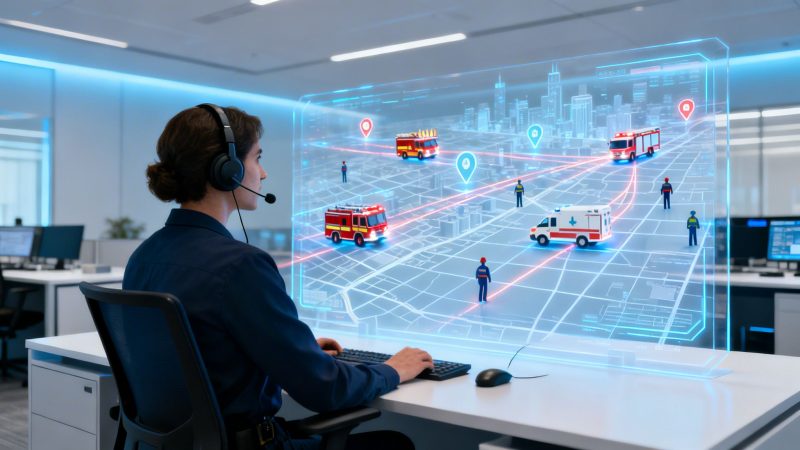
Operation Management Systems: Boost Efficiency with Real-Time Dispatch
An operation management system is the digital command center that brings your people, equipment, and tasks together in one place. It’s designed to be your single source of truth, cutting through the noise of spreadsheets, multiple apps, and endless radio chatter to create a unified, real-time picture of what’s happening.
What Are Operation Management Systems Really?

Think about trying to run a major incident with your team members all using different maps, communication channels, and status reports. It would be absolute chaos. That’s exactly what it feels like to manage field operations or an emergency response without a proper system—it's disjointed, inefficient, and opens the door for serious mistakes.
An operation management system (OMS) is the antidote to that chaos. It's less like a piece of software and more like an air traffic control tower for your entire organization. But instead of planes, you're coordinating your most critical assets: your people and your gear. It gives you a crystal-clear, live view of all your moving parts so everyone is on the same page, from the dispatcher to the boots on the ground.
Moving Beyond Disconnected Tools
Far too many organizations are still stuck in the past, trying to manage complex operations with a patchwork of outdated tools. We’ve all seen it: the constant back-and-forth on the radio, confusing email threads, and spreadsheets that are out-of-date the second you save them. This mess of disconnected systems creates information gaps that lead to missed calls, delayed responses, and a dangerous lack of situational awareness.
An OMS, like our own Resgrid platform, gets rid of that clutter by pulling everything into a single, cohesive interface. No more fighting with software that won't talk to each other or juggling a dozen different subscriptions. This isn't just about making things tidier; it has a real impact on your budget.
Actionable Insight: Consolidating multiple software subscriptions (for scheduling, messaging, and GPS) into one OMS can save money. Practical Example: A security company was paying for three separate services totaling $150/month. By switching to a single OMS, they got better functionality for $100/month, saving $600 annually while reducing administrative headaches.
A Tale of Two Incidents
Let's look at a multi-vehicle accident to see what a difference this makes in the real world.
Scenario 1: Without an OMS
The call comes in. The dispatcher starts scrambling, trying to raise the nearest unit on the radio. One crew doesn't answer—they’re at the fuel depot, but that detail isn't tracked anywhere. Another crew is closer, but they don't have the heavy rescue tools needed for the job. Precious minutes are wasted trying to sort it all out. By the time the right unit finally arrives, the scene is worse than when the call started. That confusion costs money in wasted fuel and overtime, and tragically, it can cost lives.
Scenario 2: With an OMS
The same call comes in. The dispatcher pulls up a live map in the OMS. In a single click, the system identifies the closest and best-equipped unit, automatically checking their live status and vehicle inventory. The crew is dispatched instantly through their mobile app, complete with all incident details and the fastest route. The incident commander can watch the entire response unfold on a single screen, making sure everything is coordinated, safe, and efficient.
This clear, streamlined approach delivers benefits you can feel immediately:
- Faster Response Times: Automated dispatching gets the right people moving in seconds, not minutes.
- Enhanced Crew Safety: Commanders have total visibility, which helps them make smart decisions to protect their teams in the field.
- Significant Cost Savings: Optimized routing burns less fuel, automated reports eliminate paperwork, and efficient staffing cuts down on unnecessary overtime.
While "OMS" is a broad term, there are specialized systems for different industries. For example, some organizations might look into an Integrated Workplace Management System (IWMS) for facility-focused operations. At the end of the day, it's all about turning operational chaos into predictable, reliable excellence.
What Makes a Good OMS? Let's Break It Down
When you’re looking at an operation management system, what actually separates a basic tool from something that truly transforms how your team works? It’s not just a list of features. It’s how those features work together to give you a single, clear picture of what’s happening on the ground.
A great OMS isn't just a handful of disconnected tools. Think of it more like an engine where every part has a job, and they all have to run in sync. When they do, you get a system that turns the chaos of an emergency into a coordinated, effective response. Let's get into the core functions that make this happen.
Dispatch and Call Management
This is the real nerve center of any response. Modern dispatching isn’t just about taking a call and radioing it out anymore. It’s about getting the right people, with the right gear, heading to the right place in seconds.
Practical Example: A structure fire call comes in. Instead of a dispatcher scrambling to check schedules or trying to remember who’s on duty, the OMS does the heavy lifting. It instantly sees who is available, what their qualifications are (like hazmat or paramedic), and even what equipment is on their truck.
Actionable Insight: With a single click, the system finds the closest, best-equipped unit and sends the dispatch directly to their phone. We've seen this take the assignment process from a couple of minutes of radio chatter down to under 10 seconds. This time saving directly reduces the risk of escalating damage, which in a commercial fire, can translate into preventing hundreds of thousands of dollars in property loss.
This kind of smart dispatching doesn't just make things faster; it cuts down on human error. You get the right assets moving from the get-go, avoiding the dangerous delays that come from sending the wrong team. If you want to see how this works in practice, you can check out the details on our dispatching and call management features.
Live Personnel and Asset Tracking
As soon as a team is dispatched, the next critical question is always, "Where are they?" Live tracking gives commanders a real-time, map-based view of every person and vehicle. This is more than just a dot on a map; it’s total situational awareness.
Practical Example: During a large-scale search and rescue for a missing hiker, the incident commander can watch every team’s location live on a single map. If a team accidentally wanders into a dangerous area or stops moving, the IC sees it instantly and can redirect them or send help. This shifts a commander from being reactive to proactive, preventing a bad situation from getting worse.
Actionable Insight: By tracking vehicle locations and routes, an OMS helps you optimize fuel use. Suggesting the most efficient routes to calls can reduce fuel costs by as much as 15%. For a fleet using 5,000 gallons a month, that’s a savings of 750 gallons—or over $3,000 saved at current fuel prices.
This live data also helps you reduce vehicle wear and tear and prevent lost equipment by creating a digital trail for high-value gear.
Integrated Communication Hubs
Nothing creates confusion faster than scattered communication. When your team is juggling radio traffic, text messages, and phone calls, critical information is bound to get lost in the shuffle. A proper OMS fixes this by pulling everything into one place.
Practical Example: A manager needs to fill an open shift for an unexpected event. Instead of spending an hour making individual phone calls, they send one broadcast message through the OMS to all qualified personnel. Staff can accept or decline with a single tap on their phones.
Actionable Insight: This eliminates hours of phone tag and helps you find available staff efficiently. By quickly filling shifts with on-call staff instead of mandating overtime for an already-working crew, a department can save significantly on time-and-a-half pay, often cutting 10-15% from its overtime budget.
Everyone from dispatch to the boots on the ground gets the same information at the same time, ensuring a common operating picture.
Automated Reporting and Analytics
Let's be honest: nobody likes doing paperwork, especially after a long shift or a major incident. A high-performing OMS handles the bulk of this for you.
Practical Example: After a major traffic incident, the system has already logged every action—when the call came in, which units were dispatched, their arrival times, and all communications. With a few clicks, a supervisor can generate a complete incident report for review and archiving.
Actionable Insight: Automating this process saves significant time. If each incident report takes 30 minutes to compile manually and your team handles 10 major incidents a week, you're saving 5 hours of administrative work weekly. That’s over 250 hours a year of skilled personnel time that can be reallocated to training or proactive duties, saving thousands in labor costs.
Core OMS Features and Their Practical Benefits
This table breaks down the main functions of an OMS and shows the direct, real-world benefits they provide for your team.
| Core Component | What It Does | Your Direct Benefit |
|---|---|---|
| Dispatch & Call Management | Intelligently assigns calls based on availability, skills, and location. | Faster response times, fewer errors, and the right assets sent the first time. |
| Live Tracking | Provides a real-time map view of all personnel and vehicles in the field. | Improved safety, better command decisions, and lower fuel/maintenance costs. |
| Communication Hub | Consolidates all team messaging (group, direct, alerts) into one secure platform. | No more lost information, less confusion, and faster staff notifications. |
| Reporting & Analytics | Automatically logs all operational data and generates comprehensive reports. | Less paperwork, data-driven insights for improvement, and easier budget justification. |
Ultimately, a good OMS isn’t about adding more technology; it’s about using the right technology to make everyone’s job simpler, safer, and more effective.
Let's be honest, any new system or piece of tech is only as good as its impact on your bottom line. Beyond all the bells and whistles, the real question is: does it actually save you money? A good operation management system isn't just another expense; it’s a tool that actively cuts costs and delivers a real return.
This whole process works like a loop, where dispatch, tracking, and communication all feed into each other, creating a constant flow of information.

When each stage informs the next, you create a cycle of efficiency that is the key to driving down your operational costs.
Slashing Overtime and Personnel Expenses
Ask any manager what one of their biggest budget headaches is, and they’ll probably say unplanned overtime. It’s what happens when you’re scrambling to fill a shift at the last minute because you don’t have a clear view of who's available, who's qualified, or who's already nearing their hour cap. That scramble leads to burnout and bloated payrolls.
An OMS with solid scheduling and staffing tools hits this problem where it hurts. Forget the endless spreadsheets and phone tag. You get a live dashboard showing everyone’s status, qualifications, and hours worked.
Practical Example: A volunteer fire department was struggling with administrative work for scheduling. By automating their shift callouts and event staffing, they were able to eliminate the need for a part-time administrator. Actionable Insight: This saved them over $15,000 a year in salary costs, which they reinvested into new personal protective equipment for their firefighters.
That’s not just about saving time; it's about saving serious money. When you can optimize your crew assignments, you stop overstaffing and avoid calling people in for unnecessary overtime.
Minimizing Asset and Vehicle Costs
Your fleet and your gear are huge investments. Keeping them in service and running efficiently is absolutely critical to your budget. Without a good system, it's easy to lose track of equipment, miss crucial maintenance, and just burn through fuel. An OMS brings much-needed accountability to your asset management.
Practical Example: A public works department digitally tagged their high-value equipment, like portable generators and pumps. After an emergency response, they could quickly see on their OMS dashboard that a generator was still at the incident site. A crew was dispatched to retrieve it, preventing the loss of a $5,000 asset.
Actionable Insight: Use the OMS to schedule preventative maintenance based on actual vehicle mileage and engine hours instead of a generic calendar. This proactive approach helps avoid costly, unexpected repairs. Catching a failing transmission early might cost $800 to fix, whereas a full breakdown and replacement on the road could cost over $4,000 and take a critical vehicle out of service for days.
This is the core of what modern Automatic Vehicle Location (AVL) and unit tracking technology provides.
Consolidating Technology and Administrative Tasks
Finally, an OMS saves money by cleaning up your tech stack and cutting down on mind-numbing admin work. So many organizations are paying for a handful of different, disconnected tools—one for scheduling, another for messaging, and maybe a third for GPS tracking.
Practical Example: An EMS agency was paying for a scheduling app ($50/mo), a separate mass-texting service ($40/mo), and a basic vehicle tracking system ($30/mo per vehicle). A unified system like Resgrid brought all of that into one platform for a single, lower price.
Actionable Insight: Review your current software subscriptions. By consolidating them into a single OMS, you can often cut monthly software spending by 20-30% while gaining more integrated functionality. This consolidation also eliminates the "paperwork tax" by automatically logging data, freeing your team from hours of tedious data entry so they can focus on their core mission.
The end result is a more effective team and a much healthier budget.
Your Guide to a Painless OMS Implementation
Bringing a new operation management system into the fold can feel like a massive undertaking. We get it. Modern, self-service platforms like Resgrid have really changed the game. Getting an OMS up and running successfully isn't some dark art of technical wizardry. It’s about having a smart, step-by-step plan.
Step 1: Figure Out What You Really Need
Before you even start looking at vendors, you have to know what a "win" looks like for your team. It's easy to get distracted by flashy features you’ll never touch. Instead, get real about your biggest operational headaches.
Practical Example: A rural EMS agency was struggling with volunteer availability. Their main problem wasn't tracking assets or complex logistics. They just needed a simple, mobile-friendly way to see who was on call and fill shifts on the fly. By zeroing in on that one core need, they avoided paying for a bloated, overly complicated system.
Actionable Insight to Save Money: Make two lists: "must-haves" and "nice-to-haves." When you start your search, focus only on vendors that nail your must-haves. This simple exercise ensures you aren't paying a premium for features that won't give you any real return. It can easily cut your initial software costs by 25% or more just by avoiding feature bloat.
Step 2: Compare Cloud vs. On-Premise Solutions
Your next big choice is deciding where the software will live. An on-premise solution means you have to buy, set up, and maintain your own servers. The alternative is a cloud-based system, or Software-as-a-Service (SaaS), where the provider handles all that infrastructure for you.
The shift toward cloud-based systems is happening for a good reason. For example, cloud deployments in manufacturing are expected to jump from $10.16 billion to $22.1 billion, fueled by the need to slash infrastructure costs.
Actionable Insight: For most organizations, a cloud-based OMS is the clear winner for saving money. You eliminate server hardware costs (saving $5,000-$10,000+ upfront), maintenance salaries, and expensive software update cycles. This can lower your Total Cost of Ownership (TCO) by over 50% compared to a traditional on-premise setup.
Step 3: Vet Your Vendors with Critical Questions
Once you have a shortlist of potential vendors, it's time to ask the tough questions. You're looking for a partner, not just another provider.
Here’s a practical checklist to help you vet potential OMS vendors:
- What are your total costs? Be direct. Ask about setup fees, training costs, per-user charges, and contract length. A flexible platform like Resgrid offers transparent, self-service pricing with no lock-in contracts.
- How does data migration work? A good partner should have a simple, straightforward process for importing your existing data—personnel, units, locations—to get you up and running fast.
- What does your support and training look like? Look for solid documentation, video tutorials, and responsive support. You need to know your team can get help when they need it, not three days later.
- How do you handle security and compliance? Your operational data is sensitive. Make sure the vendor uses industry-standard encryption and has clear, documented policies for protecting your data.
Step 4: Plan for a Smooth Team Onboarding
The final, and maybe most important, step is getting your team to actually use the system. The best software in the world is completely useless if nobody logs in.
Practical Example: A security company rolled out their new OMS to just one team for a two-week trial. That team gave feedback on the mobile app and suggested some simple tweaks, like customizing the status options. This feedback helped the managers fine-tune the setup before the company-wide launch, which massively reduced friction and boosted adoption.
Actionable Insight: Start small with a pilot group. This allows you to identify and fix issues on a small scale, preventing costly widespread training problems. This approach ensures the system is well-received, maximizing your return on investment from day one. For a deeper dive, learn more about configuring custom operational workflows in our guide.
By following these steps, you can confidently bring in an OMS that actually meets your needs, fits your budget, and gives your team the tools they need to succeed.
Showing That Your OMS is Actually Worth It
So you're looking at a new operation management system. But getting a new system up and running is just the start. The real challenge? Proving it's more than just a fancy new tool on the budget sheet. It all comes down to the data. You have to go beyond "it feels faster" and get into the hard numbers.
Focus on What Actually Counts
For first responders, we're talking about the numbers that directly impact safety, efficiency, and the bottom line. These are the KPIs that tell the real story.
Here are the ones you absolutely need to be tracking:
- Average Reduction in Response Time: Track the time from call creation to the second the first unit is on-scene. Shaving off even 30-60 seconds is a number every stakeholder understands.
- Percentage Increase in Unit Availability: Show how better scheduling and status updates mean more of your own units are available when seconds count, cutting down on mutual aid calls or expensive overtime.
- Hours Saved on Administrative Tasks: Show that each person is saving a couple of hours a week on paperwork, which can be reallocated to training or community work.
A Simple Way to Calculate Your ROI
Calculating your return on investment doesn't need a finance degree. It’s about connecting operational improvements to the money you're saving.
Practical Example: Let's Run the Numbers
Let’s look at two of the biggest cost centers: fuel and overtime. An OMS hits both of these hard.
Cutting Down on Fuel: Your system gives you smarter routing.
- Before OMS: Your fleet drove 10,000 miles last month.
- After OMS: With optimized routes, that dropped to 8,800 miles (a 12% reduction).
- Calculation: 1,200 fewer miles x $0.58/mile (average vehicle cost) = $696 saved in one month.
Slashing Overtime Pay: Automated scheduling means you aren't scrambling to fill shifts.
- Before OMS: Your team logged 100 hours of overtime last month.
- After OMS: You only needed 60 hours.
- Calculation: 40 fewer hours x $45/hour (average overtime rate) = $1,800 saved in one month.
Actionable Insight: In this quick example, your OMS just put $2,496 back into your budget in a single month. Annualized, that's nearly $30,000 in savings. This is the kind of hard data that justifies the initial cost and makes getting next year's budget approved a whole lot easier.
The wider market for Order Management Systems (a key part of broader operation management systems) is exploding for this exact reason, with a projected growth to $1.9 billion by 2026. For departments using a flexible platform like Resgrid, you can start seeing these benefits almost immediately. You can read the full research about these market trends.
The Future of Operations Management in 2026

When you're looking at an operation management system, you're making a bet on the future. By 2026, the line between running an operation and using predictive data will be gone. These aren't sci-fi ideas; they are tools that will soon be standard.
The Rise of AI and Predictive Operations
The next real jump for operations is a move from being reactive to being predictive. Artificial Intelligence (AI) is set to turn your OMS from a simple tracking tool into a strategic advisor.
Practical Example: An AI-driven system can chew through historical incident data, check weather forecasts, and look at public event calendars to flag potential hotspots. Before a 911 call even hits the dispatch center, the system can suggest moving an ambulance into a high-risk area.
Actionable Insight: Pre-positioning assets based on AI predictions doesn't just cut response times; it saves money. By staging a unit closer to a predicted incident zone, you reduce fuel consumption and vehicle wear for every response in that area. This proactive stance can decrease fuel usage for high-frequency calls by 5-10%.
Smarter Operations with the Internet of Things (IoT)
The Internet of Things (IoT) is another game-changer, connecting your physical gear directly to your digital command center.
Practical Example: A firefighter wearing a small biometric sensor can have their heart rate and core body temperature sent right to the OMS. If they start showing signs of heat exhaustion, the incident commander gets an instant alert.
Actionable Insight: This real-time health monitoring can prevent a serious medical event. Avoiding even one heat-related injury saves thousands in medical bills and worker's compensation claims, not to mention preventing the loss of a key team member during a critical incident. This is a direct, life-saving return on investment.
Staying ahead of this curve is vital, and understanding the Top Fleet Management Best Practices for 2026 will be key. Investing in a modern operation management system is about building the foundation for the smarter, safer, and more predictive operations of tomorrow.
Frequently Asked Questions About OMS
Considering a new operation management system (OMS) is a big deal. It’s completely normal to have a ton of questions, so let’s get into some of the most common ones we hear from departments just like yours.
How Secure Is Our Data in a Cloud-Based System?
This is always the first question, and frankly, it should be. The truth is, a reputable cloud-based OMS provides a level of security that’s often far beyond what most individual departments can afford to build and maintain on their own. These platforms use industry-standard AES-256 encryption, the same level trusted by banks and government agencies.
Practical Example: A dispatcher sends a call out to a crew's mobile app. That information is completely scrambled the second it leaves the dispatch console and stays that way until it pops up on the responder's screen. Even if someone managed to intercept it, all they'd see is gibberish.
Actionable Insight: This modern security model saves you from the huge headache and cost of managing your own secure servers. The cost to purchase, license, and maintain a secure on-premise server can easily exceed $10,000 in the first year alone, a cost that is completely eliminated with a secure cloud provider.
Can This Software Integrate with Our Existing Technology?
In most cases, absolutely. A modern OMS is built to be a central hub, not another disconnected tool. The magic behind this is something called an Application Programming Interface (API).
Practical Example: Your OMS can be set up to automatically pull call information directly from your existing Computer-Aided Dispatch (CAD) system. This means dispatchers aren't stuck entering the same information in two different places, which reduces errors and saves time on every single call.
Actionable Insight to Save Money: Using APIs is one of the best ways to save serious money. Instead of a massive "rip and replace" project, you can connect an OMS to your existing tools, extending the life of hardware and software you've already paid for. This approach can save an organization tens of thousands of dollars by avoiding unnecessary new equipment costs.
What Kind of Training Is Needed for Our Team?
The best systems are the ones people will actually use. While there's always a learning curve, a well-designed OMS should feel intuitive.
Practical Example: For a platform like Resgrid, a new volunteer can watch a 10-minute video tutorial on the mobile app and be ready to receive calls and update their status. The system is designed for self-service learning, so you don't need to pull everyone off-duty for a full day of classroom training.
Actionable Insight: Look for systems with robust self-service options like extensive online documentation and video tutorials. This model can save you thousands of dollars in formal training costs and reduce the time it takes to get new team members fully operational from weeks to just a few hours.
Ready to see how a modern, flexible, and cost-effective operation management system can improve your team's efficiency and safety? Take a look at the features of Resgrid and see how our platform can work for you. Start your journey at https://resgrid.com.