
Outage management system software That Saves Time and Money
Think of an Outage Management System (OMS) as the digital command center for any organization that can't afford downtime. It’s a specialized platform that cuts through the fog of a service disruption, replacing guesswork and frantic phone calls with real-time data and automated workflows. The whole point is to get services back online or manage an emergency with a level of speed and precision that just isn't possible with manual tracking.
What an Outage Management System Actually Does
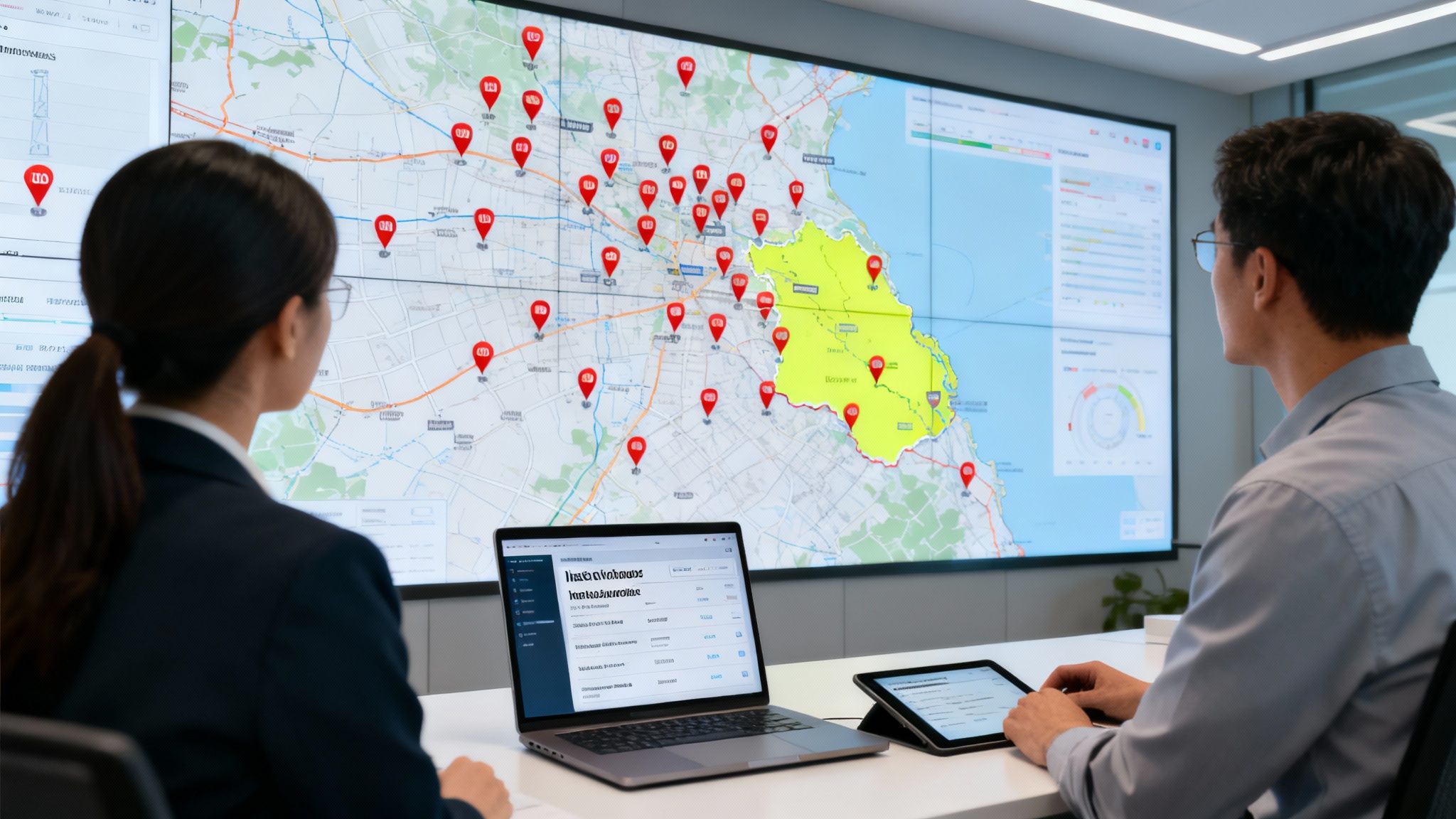
Imagine trying to direct firefighters, paramedics, and police during a city-wide blackout using nothing but paper maps and a phone tree. It would be absolute chaos. An OMS is the central nervous system in that exact scenario, bringing order and clarity when it’s needed most.
At its core, the platform gives you total visibility into your entire operation. Instead of dispatching crews based on a flood of incoming calls and fragmented information, an OMS shows you exactly where an outage is, which assets are affected, and where your teams are on a map—all in real time.
And this technology isn't just for massive utility companies anymore. Any organization where a fast, coordinated response is critical can use these same principles to save money, improve safety, and get better outcomes.
The Big Shift to a Proactive Response
Not that long ago, outage management was completely reactive. A customer would call to report a problem, and a dispatcher would manually look for the nearest crew to send out. Today’s systems have flipped that script. They’re proactive, hooking into sensors and other data sources to detect issues automatically, often before a single person is even aware there's a problem.
This shift toward automation has kicked off some serious growth. The global Outage Management System market ballooned from an estimated $493.7 million in 2016 to $1,148.6 million by 2021. It's now projected to hit a staggering $9.2 billion by 2034. This trend isn't just a blip; it highlights a fundamental change in how organizations everywhere are handling incident response.
Key Takeaway: An OMS isn't just a map with a few dots on it. It’s an intelligent platform that pulls in data from multiple sources to automate detection, simplify communication, and optimize how you deploy your people and equipment. It turns a sea of raw data into decisive, actionable intelligence.
How It Saves Real Money Through Efficiency
The biggest financial win from an OMS comes from radical gains in efficiency. By automating the grunt work and giving everyone a clear picture of the situation, organizations slash their operational costs. It’s that simple.
- Reduced Labor Costs: Automated incident logging and smart dispatching cut down on administrative overhead. A practical example is a water utility where call-takers previously spent 15 minutes manually creating each work order for a water main break. With an OMS, the ticket is auto-generated in seconds from a sensor alert, saving hundreds of paid hours per year. This also prevents costly overtime by making sure the right crew with the right skills gets sent the first time.
- Lower Fuel and Vehicle Expenses: Optimized routing based on real-time traffic and crew locations doesn't just get teams on-site faster—it cuts fuel consumption and reduces wear and tear on your vehicle fleet. For a fleet of 50 vehicles, a 15% reduction in fuel usage can save over $50,000 annually.
- Minimized Downtime Costs: Every minute of downtime costs money. Faster restoration means less lost revenue for businesses and fewer regulatory fines for utilities. For an e-commerce company, an hour of website downtime can cost over $100,000 in lost sales; an OMS can cut that recovery time in half.
This kind of software is a game-changer for industries constantly dealing with service disruptions. Take a look at the operational challenges faced by electrical contractors, for example. For them, a rapid and organized response isn't just about profitability—it's about safety.
Core Features That Drive Rapid Response
A modern Outage Management System isn't just a fancy digital map; it’s the command center for your entire operation. The right features don't just feel convenient—they directly translate into faster response times, lower operational costs, and much safer conditions for your crews. These tools work in concert to turn a chaotic, sprawling incident into a structured, manageable event.
At its heart, this software is built to kill the manual, error-prone tasks that bring a response to a grinding halt. It automates the tedious work of data collection, gives you clear visual context, and gets every team member on the same page. This foundation lets you shift from being reactive to proactive, tackling problems with speed and precision.
Automated Incident Logging and Ticketing
In the middle of an emergency, the last thing your team needs is to get bogged down with paperwork. Automated incident logging is the answer. As soon as a service disruption is picked up by a sensor or called in by a customer, the system instantly generates a digital ticket.
This ticket becomes the single source of truth for the incident, automatically capturing critical details like the time, location, and the specific assets affected. This simple bit of automation saves countless hours that would otherwise be burned on manual data entry.
Actionable Insight: A single mistyped address or the wrong asset number can send a crew to the completely wrong location, wasting hours and burning through hundreds of dollars in fuel and labor. Automation ensures accuracy from the get-go, eliminating the cost of these preventable errors. For example, a single wasted truck roll can cost a company over $500; eliminating just one per week saves $26,000 a year.
Intelligent Crew Dispatch and Tracking
Once an incident is logged, the next big challenge is getting the right people to the right place—fast. Intelligent crew dispatch goes way beyond just finding the "closest" unit. It crunches multiple factors in real time to make the smartest possible assignment.
The system looks at who's available, what specific skills are needed for the job, and even live traffic conditions to recommend the best team for the task. This data-first approach delivers some serious financial wins:
- Slashed Fuel Costs: By mapping out the most efficient route, the system cuts down on unnecessary travel, directly reducing fuel consumption across your entire fleet.
- Reduced Overtime Pay: Sending a crew with the correct equipment and expertise the first time means the job gets done right. This prevents repeat visits and failed service calls that lead to extended hours and ballooning overtime costs. In fact, a study found that optimizing field service routes can cut fuel costs by up to 20% and boost the number of completed jobs by over 25%.
Practical Example: A telecom company needs to dispatch a technician for a fiber optic cable break. Instead of sending the closest technician who only has copper cable experience, the OMS identifies a fiber-certified tech who is 10 minutes further away but can fix the issue in one visit. This prevents a costly second truck roll and hours of additional customer downtime, saving an estimated $1,000 on that single incident.
GIS and Geospatial Mapping
They say a picture is worth a thousand words. In outage management, a map is worth a thousand confused phone calls. Geographic Information System (GIS) integration provides a visual command center, transforming complex data into an easy-to-read, interactive map.
Instead of sorting through spreadsheets and text-based reports, dispatchers and field crews can see the entire operational picture in a single glance. They can visualize every outage location, the status of ongoing repairs, and the real-time position of every single crew member.
This shared visual context takes the guesswork out of the equation and dramatically cuts down on travel time. Crews no longer waste precious minutes hunting for a specific piece of equipment or a poorly marked address. The map guides them straight to the source of the problem, speeding up restoration and lowering the overall cost of the response.
Unified Communications Hub
During a critical incident, miscommunication can lead to disastrous and expensive mistakes. A unified communications hub brings messaging, status updates, and critical alerts together into one seamless platform. It makes sure that everyone—from the command center to the crew on the ground—is working from the same playbook.
This feature breaks down the information silos where one team has no idea what another is doing. Just imagine a scenario where two different crews get sent to the exact same incident because of a communication breakdown. That’s a pure waste of time, manpower, and money. A central hub ensures every update is shared with all relevant personnel instantly, keeping the entire team in sync and moving efficiently.
Actionable Analytics and Reporting
Finally, the most forward-thinking feature of an OMS is its ability to learn from the past to improve the future. Actionable analytics tools collect and analyze data from every single incident, turning raw information into powerful, strategic insights.
By spotting patterns in equipment failures, response times, and how resources are used, the system helps you make smarter long-term decisions that save money and prevent future headaches.
Actionable Insight: The system's analytics might show that a specific type of transformer in a particular neighborhood has failed three times in the last year during major heatwaves. Instead of just waiting for it to fail a fourth time, you can schedule proactive maintenance during a low-cost, off-peak period. That preventative action costs a tiny fraction of an emergency, middle-of-the-night repair, saving you thousands in overtime, equipment costs, and lost customer trust.
A good Outage Management System doesn't just help you react faster; it provides the data you need to prevent problems from happening in the first place. The financial benefits of this shift from reactive to proactive are substantial, turning core software features into direct, measurable cost savings.
Connecting OMS Features to Direct Cost Savings
Here’s a breakdown of how the core features of Outage Management System software deliver tangible financial benefits to your organization.
| Core OMS Feature | Primary Function | How It Saves You Money |
|---|---|---|
| Automated Ticketing | Instantly creates and populates incident reports from sensor or customer data. | Reduces administrative overhead and eliminates costly errors from manual data entry. |
| Intelligent Dispatch | Assigns the best-suited crew based on skills, location, and traffic. | Lowers fuel consumption (up to 20%) and minimizes expensive overtime pay. |
| GIS Mapping | Provides a real-time, visual overview of all assets, crews, and incidents. | Drastically cuts travel time and prevents wasted resources from crews going to wrong locations. |
| Crew Tracking | Monitors the real-time location and status of all field personnel. | Improves crew safety, accountability, and enables more efficient on-the-fly reassignments. |
| Unified Communications | Centralizes all messaging, alerts, and status updates onto a single platform. | Prevents redundant work and costly mistakes caused by miscommunication. |
| Analytics & Reporting | Identifies failure patterns and performance trends over time. | Enables proactive maintenance, preventing expensive emergency repairs and extending asset life. |
Ultimately, each of these features is designed not just to manage an outage, but to make the entire process more efficient, safer, and far less expensive. They provide a clear return on investment by optimizing the resources you already have.
Creating a Unified Command Center with Integration
An outage management system on its own is powerful, but it's a bit like a brain without a nervous system—full of potential but disconnected from the real world. You only unlock its true value when it's hooked into your other critical platforms, creating a single, automated view of your entire operation. Think of it like an orchestra: each system is an instrument, but you only get music when they all play together in sync.
This integration flips the switch, turning a simple tracking tool into a dynamic command center. Instead of people scrambling to pull data from different, walled-off systems, the information just flows. That connectivity means every decision is based on a complete, up-to-the-minute picture of what's happening on the ground.
Forging Vital System Connections
To build this unified view, an OMS needs to talk to several key systems. Every connection you add brings another layer of intelligence and automation to the table, making your entire response faster, smarter, and more efficient. These are the digital lifelines that feed the OMS the data it needs to perform.
Here are the fundamental integrations that create a truly responsive operational hub:
- Geographic Information Systems (GIS): Your GIS provides the map. It overlays your asset data—like poles, transformers, or hydrants—onto a detailed map, showing crews the exact location of every component. No more guesswork.
- Customer Information Systems (CIS): Connecting to your CIS lets the OMS automatically link an outage to specific customer accounts. This is huge for proactive communication, like sending automated text alerts that can slash inbound call volume by over 40% during a major event. That frees up your support staff to handle more complex issues.
- SCADA and IoT Sensors: This is your early warning system. Supervisory Control and Data Acquisition (SCADA) systems and Internet of Things (IoT) sensors are constantly monitoring the grid, instantly detecting pressure drops, power failures, or equipment problems and feeding that intel straight into the OMS.
For a truly effective command center, an OMS should also plug into platforms that manage the wider operational environment, like energy data management systems, which help process massive amounts of real-time data for better planning.
The flowchart below shows just how simple and powerful this integrated workflow can be, turning a complex mess of events into a clean, streamlined process.
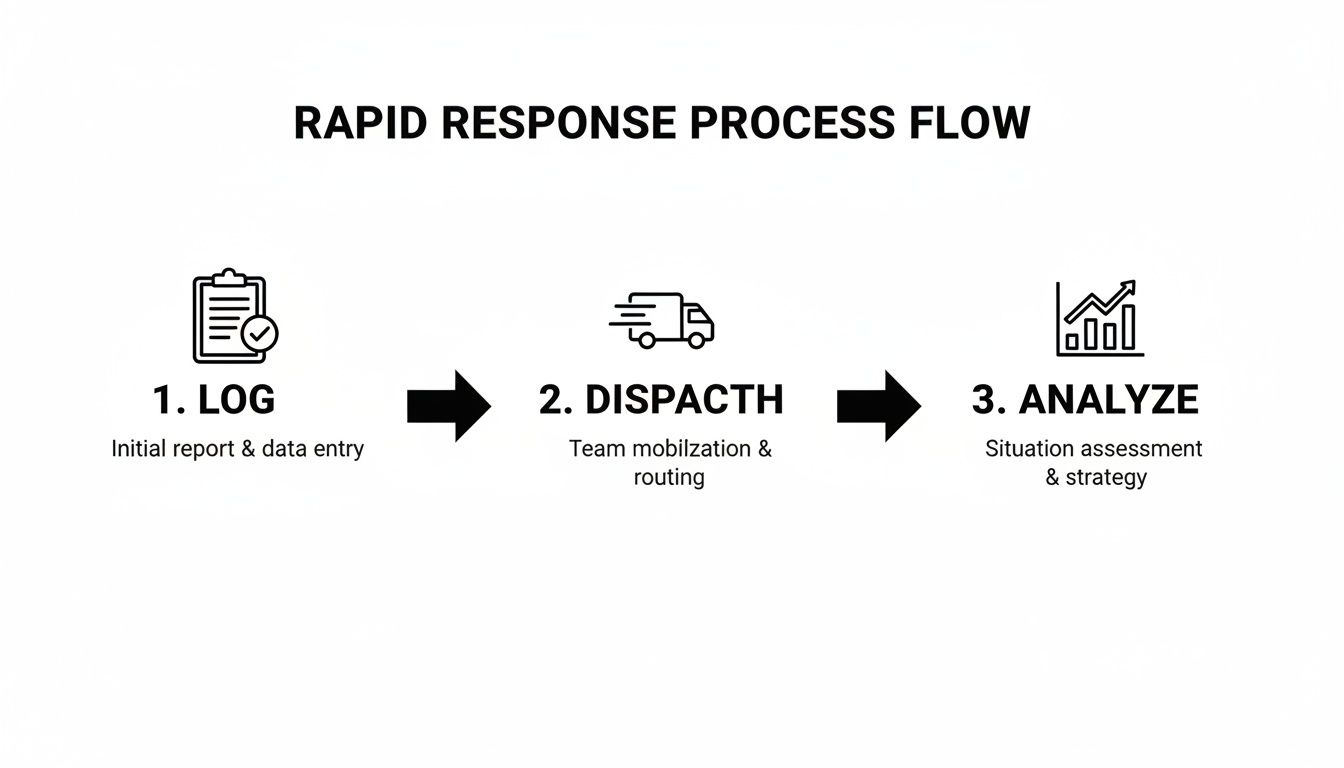
This automated flow—from logging an incident to dispatching a crew and analyzing what happened—cuts out the manual steps that bog down a response when every second counts.
The Power of Automated, End-to-End Workflows
When these systems are all talking to each other, the results are game-changing.
Let’s walk through a practical example: an IoT sensor on a pipeline detects a sudden pressure drop. That signal instantly tells the OMS to create an incident ticket. The OMS then asks the GIS to pinpoint the exact location and identify the affected assets. At the same time, it pulls customer data from the CIS to notify everyone in the area and dispatches the nearest qualified crew via their mobile app.
This entire sequence happens in seconds, with zero human intervention. This is why integrated OMS solutions are becoming essential for streamlining detection, reporting, and recovery.
Actionable Insight: Every manual step you eliminate saves money. By automating the workflow from detection to dispatch, you can reduce the average time-to-restore by 20-30%. For a commercial client losing $10,000 per hour of downtime, restoring service just one hour faster saves them that full amount, preserving customer loyalty and preventing contract penalties.
This seamless communication between systems—and people—is critical. Mobile apps play a massive role here, putting the power of the command center directly into the hands of your field crews. For first responders and other teams on the move, you can see the kinds of integrated mobile dispatch apps that make this possible.
How First Responders Benefit from OMS Principles
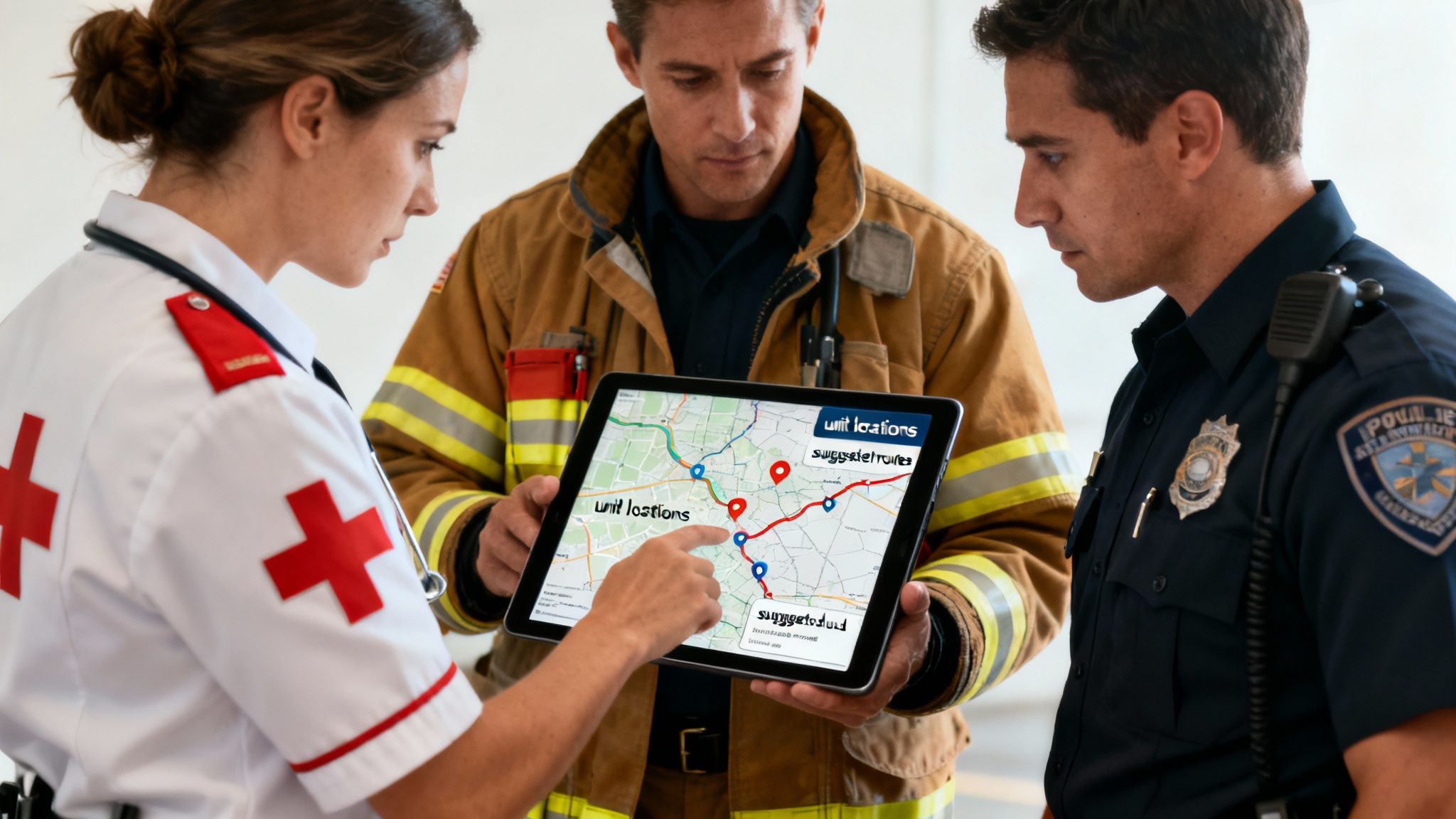
First responders don’t manage power grids, but they manage something far more critical: human lives. The core principles behind an outage management system software—total situational awareness, smart resource management, and coordinated response—are a perfect fit for public safety. The logic is the same; only the stakes are higher.
Instead of a power outage, a first responder's "outage" is a multi-car pileup, a hazardous material spill, or a wildfire. In those moments, the chaos is overwhelming. A solid response hinges on knowing exactly what’s happening, where your people are, and how to get them where they need to go, fast.
Translating Grid Logic to Life-Saving Action
Think about a major storm rolling through a city. A utility uses its OMS to find a downed power line and get the lights back on at a hospital. This is where the partnership with first responders really clicks.
A modern dispatch platform built on OMS principles can see that same power line data. A dispatcher can then immediately reroute an ambulance around the blocked road, saving precious minutes. This connection turns two separate operations into one coordinated, life-saving effort.
Key Takeaway: For first responders, the goal isn't just managing an incident; it's about making faster, smarter decisions under extreme pressure. Applying the command-and-control logic of an OMS gives you the framework to do just that, turning a chaotic scene into a structured response.
This approach translates directly into faster, safer, and more effective emergency services. It’s about taking the same tools that restore power and using them to protect people and property with unmatched efficiency.
Real-World Scenarios and Tangible Savings
The benefits really come alive when you look at how this works on the ground. A system built on OMS principles doesn't just throw data at you; it delivers actionable insights that save time, money, and most importantly, lives.
Here are some practical examples for public safety agencies:
- Real-Time Personnel Tracking: At a large building fire, a commander can see every firefighter's exact location on a digital map. This stops teams from being sent into already-cleared areas, saving time and reducing risk. The actionable insight here is that better visibility means you can accomplish the mission with fewer people, cutting down on unnecessary overtime and minimizing exposure to danger.
- Intelligent Incident Mapping: A dispatcher sees a traffic accident on their screen. Instead of just sending the closest unit, the system analyzes traffic data and unit availability to dispatch the paramedic crew with the fastest actual travel time, not just the shortest distance. This can shave critical minutes off response times, which is proven to improve patient outcomes.
- Integrated Messaging and Alerts: A hazmat spill happens on a highway. The incident commander can send an instant, targeted alert to all units nearby, complete with a map of the exclusion zone and safety protocols. This gets rid of frantic radio calls and ensures everyone gets the same critical information at once, preventing dangerous miscommunications.
How OMS Principles Directly Cut Agency Costs
For public safety, efficiency isn't just about speed—it's about stretching a tight budget. Every dollar saved on operations is a dollar that can be reinvested in training, equipment, or community programs.
A platform that applies the logic of an outage management system software provides a clear path to financial savings. By optimizing dispatch and routing, for instance, a police department can seriously cut its fleet's fuel consumption. One study showed that optimized routes can reduce fuel costs by up to 20%—a huge saving for any agency.
Actionable Insight: By having a clear, auditable log of every action taken during an incident, agencies can streamline post-event reporting. This cuts the administrative burden on personnel, freeing them up for more important tasks and reducing clerical overtime. For example, automating incident reports can save an officer 30 minutes per shift. For a 100-officer department, that’s 50 hours of administrative time saved every day, which can be reallocated to community policing, saving tens of thousands in overtime annually.
Choosing and Implementing Your Outage Management System
Picking the right outage management system software is a huge decision. It’s one that will hit your budget, your team's efficiency, and your ability to bounce back from a crisis. The trick is to start by looking at what you actually need, not getting wowed by flashy features you'll probably never touch. This is your no-nonsense guide to finding a system that fixes today’s headaches and is ready for whatever tomorrow throws at you.
Your goal should be to find a platform that empowers your team, not one that requires a squad of consultants just to get it running. A good implementation really comes down to three things: scalability, security, and integration.
Your Essential Evaluation Checklist
Before you sign on the dotted line, run any potential software through this checklist. Think of it as a pre-flight inspection; getting these answers upfront will save you from some serious buyer's remorse down the road.
-
Scalability: Can this system grow with you, or is it going to hold you back? For example, a small volunteer fire department might only need to track 20 members today. But what happens when you expand to 100 members and multiple stations? A scalable system handles that growth without a hiccup, saving you from a painful and expensive platform migration later.
-
Integration: How well does it play with the tools you already use? If your crew relies on specific mapping software or communication apps, the OMS should plug right in without a fight. A system that forces you to ditch tools your team knows and likes just creates friction and kills adoption rates.
-
Security: Does it meet critical compliance standards? For any organization handling sensitive data—especially in public safety—rock-solid security isn't just a nice-to-have. It’s the foundation of public trust and operational integrity.
If you want to get a better handle on what to look for, it’s worth reviewing a detailed breakdown of what modern platform security looks like for critical operations. It’ll give you a much clearer picture of the right questions to ask vendors.
Calculating Your Real-World Return on Investment
Figuring out the Return on Investment (ROI) for an OMS shouldn't feel like an abstract homework assignment. It’s about measuring real, tangible improvements you can see in your budget and operations. Forget the vague promises and focus on metrics you can actually track.
Start by looking at your current operational costs in these areas:
- Reduced Downtime Metrics: For utilities, this is often measured by the System Average Interruption Duration Index (SAIDI). For first responders, it’s all about cutting down the time it takes to get resources on-scene. Shaving even a few minutes off response times can have a massive impact on outcomes and how the public sees you.
- Lower Fuel and Overtime Costs: This is one of the easiest places to see direct savings. When you use intelligent dispatch and optimized routing, you cut fuel consumption across your entire fleet. One study found that smart route optimization can slash fuel costs by up to 20%. Better resource allocation also means fewer unnecessary call-outs and less money spent on overtime.
- Improved Public Trust and Safety: This one is a bit harder to put a number on, but it’s an invaluable return. Faster, more organized responses build confidence in your community. For public safety agencies, better situational awareness directly translates to increased safety for both your responders and the people they serve.
A Money-Saving Tip for Smart Implementation
Here’s a piece of advice that will save you a ton of money: prioritize systems with a transparent, self-service model.
A lot of the legacy systems in this space are riddled with hidden costs. We're talking hefty upfront implementation fees, mandatory training packages, and long-term contracts designed to lock you in. These expenses can easily double or even triple the initial sticker price of the software.
A self-service platform like Resgrid flips that old model on its head. It puts you in control, letting you get started fast without needing a sales team or expensive consultants holding your hand. This approach doesn't just save you money on day one; it gives you the flexibility to adapt the system to your needs as your organization grows. By choosing a transparent, scalable solution, you sidestep the financial traps of overly complex software and put your money into a tool that delivers value right away.
Your Next Steps Toward Operational Excellence
So, let's bring it all together. An outage management system isn't just a reactive tool you pull out when things go wrong; it’s a strategic asset for any team responsible for managing critical incidents. The benefits are clear and direct, giving you a powerful framework for operational success.
The core advantages we've talked about—total situational awareness, clear communication, and efficient resource dispatch—are the universal keys to better performance. We've seen how these capabilities lead to real, measurable cost savings, stronger operational resilience, and improved safety for everyone from your field crews to the public. Now, it's time to put that theory into practice.
Transitioning to a Modern Command Platform
For first responder agencies, security companies, and other organizations that need the power of an OMS without the typical baggage of utility-focused software, a modern, flexible platform is the logical next step. The goal here is to get a system that delivers value right away, without getting bogged down by costly implementation fees or long-term contracts that lock you in.
A self-service model puts you in the driver's seat from day one.
The most effective outage management system is one that fits your specific mission like a glove. It should give you a unified command platform with the tools to manage your unique challenges, whether that's a medical emergency, a security incident, or a large-scale public event.
Experience the Benefits Firsthand
The best way to really understand the impact of a unified system is to see it in action. We invite you to explore the features that make this kind of platform so effective for rapid response and coordinated action.
Taking that next step means seeing for yourself how an integrated command platform can truly change how your team operates. We encourage you to start a free trial and experience firsthand how a system built on these principles can improve your team's efficiency, cut costs, and ultimately lead to better outcomes when every second counts.
Frequently Asked Questions
Diving into outage management software can kick up a lot of questions. It's a big decision, so you're probably wondering about the cost, how long it takes to get running, and if it's even the right tool for your team. Let's tackle some of the most common questions we hear.
How Much Does Outage Management System Software Cost?
The price tag can be all over the map. The big, traditional systems built for massive utility companies? Those can easily run into the hundreds of thousands of dollars when you add up the software licenses, mandatory consulting fees, and weeks of training. That kind of budget just isn't realistic for most smaller agencies or businesses.
That's where modern platforms have changed the game, shifting to a subscription model. For instance, a volunteer fire department might get started for a simple monthly fee based on how many people are on their roster. This approach gets rid of the huge upfront cost and surprise fees, letting you pay only for what you actually need.
Is This Software Only for Utility Companies?
Not at all. The name might have started with utilities, but the job of managing incidents and getting resources where they need to go is something a lot of organizations do.
- First Responders: Use it for everything from car accidents to major emergencies, keeping track of every person and vehicle in real time.
- Security Companies: Deploy guards and react to alarms way more efficiently when they can see the whole operational picture at a glance.
- Event Organizers: Manage staff and solve logistical headaches during concerts or festivals to make sure everything runs smoothly and safely.
Basically, if your organization has to coordinate people and equipment during a critical event, this kind of technology can make a huge difference.
How Long Does Implementation Typically Take?
This really depends on the system's complexity. A legacy OMS can take months to get up and running, usually requiring a vendor's professional services team to be on-site for ages. That long, drawn-out process adds a ton of hidden costs and means you're waiting forever to see any return on your investment.
On the other hand, a modern, self-service platform can be operational in a matter of hours or days. You can sign up, set up your organization, and start adding your people yourself without waiting around for a consultant. This immediate-start model saves thousands in setup fees and gets powerful tools into your team's hands right away.
At Resgrid, LLC, we believe in giving you the command-and-control capabilities you need without the old-school price tag and complexity. You can see how our transparent, self-service platform works by visiting us at https://resgrid.com.