
Revolutionizing Public Safety: A Guide to Police Computer-Aided Dispatch
When you hear "police dispatch," you might picture someone talking into a radio, surrounded by maps and notepads. While the radio is still essential, the command center it connects to has undergone a massive digital shift. Today, that hub is the police computer-aided dispatch, or CAD, system.
Think of it as the digital command center for all law enforcement operations. It’s the software that takes an incoming emergency call and turns it into a clear, organized, and actionable response for officers on the street. It's the central nervous system connecting the public, dispatchers, and first responders in real-time.
The Digital Backbone Of Law Enforcement
At its heart, a police CAD system is the modern answer to the old-school way of doing things with paper cards and pure radio chatter. It's like an air traffic control tower for public safety, managing every incident from the first frantic call to the final after-action report. This tech gives dispatchers a complete operational picture, making sure the right people and equipment get to the right place as fast and as safely as possible.
The industry's rapid adoption of this technology tells the story. The global CAD market was valued at USD 2.26 billion in 2024 and is expected to hit USD 2.53 billion in 2025, with public safety agencies being the main driver. You can discover more insights about this growing market and see how it's impacting departments worldwide.
How A CAD System Works In The Real World
To really get it, let's walk through a typical scenario. A citizen dials 911 to report a break-in.
- The dispatcher picks up and immediately starts punching details into the CAD interface: the address, what's happening, and any descriptions of suspects or potential dangers.
- Instantly, the system logs the call, stamps it with an incident number, and pinpoints the location on a digital map.
- Using integrated Automatic Vehicle Location (AVL), the dispatcher sees every patrol unit's live position. The CAD system will often even suggest the closest available officer.
- With a couple of clicks, the call is assigned. All the critical details are instantly pushed to the officer's in-car laptop or mobile data terminal (MDT).
This whole sequence unfolds in seconds, transforming a potentially chaotic situation into a structured, efficient response. The officer now has all the key information before they even pull up to the scene, which is a massive boost for both their safety and their ability to handle the call effectively.
Actionable Money-Saving Insight: A modern CAD system isn't just about speed; it's about efficiency that saves real money. By optimizing unit allocation and always sending the closest available officer, agencies slash fuel consumption and vehicle wear-and-tear. For a department with 50 patrol cars, even a modest 5% reduction in mileage can save over $25,000 annually in fuel and maintenance costs—money that can be reallocated to training or community programs.
Below is a quick breakdown of what a CAD system is really doing behind the scenes, from the moment a call comes in until the incident is resolved.
Core Functions of a Police CAD System
| Function | Description | Practical Example |
|---|---|---|
| Call Taking & Logging | Captures and records all incoming call information in a structured format. | A dispatcher enters details from a 911 call about a traffic accident, including location, number of vehicles, and reported injuries. |
| Incident Creation | Automatically creates a unique incident record with a timestamp and case number. | The traffic accident call is assigned incident number #2024-001234, officially opening the case file. |
| Unit Recommendation & Dispatch | Suggests the most appropriate and closest units based on AVL data and unit status. | The system identifies Patrol Car 12 as being only two blocks away and recommends it for dispatch. |
| Real-Time Status Tracking | Monitors the status of all units (e.g., en route, on-scene, available) throughout the incident. | The dispatcher sees Car 12's status change from "Available" to "En Route" and then to "On-Scene" in the CAD interface. |
| Information Dissemination | Pushes critical updates and information directly to assigned units' mobile terminals. | The dispatcher adds a note that one vehicle is smoking, and that update appears instantly on the officer's in-car laptop. |
| Reporting & Analytics | Gathers data on response times, incident types, and unit activity for analysis and reporting. | A police chief runs a report to analyze average response times for Priority 1 calls over the last quarter. |
These functions work together seamlessly to create a single source of truth for the entire operation, ensuring everyone is on the same page from start to finish.
The Core Features That Power Modern Policing
To really get what a police computer aided dispatch system does, you have to look under the hood. It’s the specific tools inside that turn a simple logging program into a full-blown command-and-control platform. These core features are the engine driving modern policing, all working together to create a smart, coordinated response network. At its heart, CAD is all about capturing, organizing, and pushing out information with speed and accuracy.
It pulls this off through a suite of interconnected functions. These aren't just flashy add-ons; they are the absolute essentials that give dispatchers and officers the situational awareness needed to make tough calls under extreme pressure.
Real-Time Unit and Incident Management
The most basic, yet most critical, feature is the ability to see and manage everything as it’s happening. This covers call taking, incident creation, and keeping an eye on every unit's status. When a call hits the dispatch center, the dispatcher creates an incident file. This file becomes the single source of truth for everything related to that call, from the first notes jotted down to the final updates from officers on the scene.
At the same time, the system gives dispatchers a live dashboard showing the status of every single unit. They can see in an instant who's available, who's rolling to a call, who's already there, and who's tied up with paperwork. This real-time visibility is the bedrock of good resource management—it cuts through the fog of war and makes sure the right units are sent to the right places.
The infographic below shows how information typically flows from the initial 911 call to the final report, a journey managed end-to-end within the CAD system.
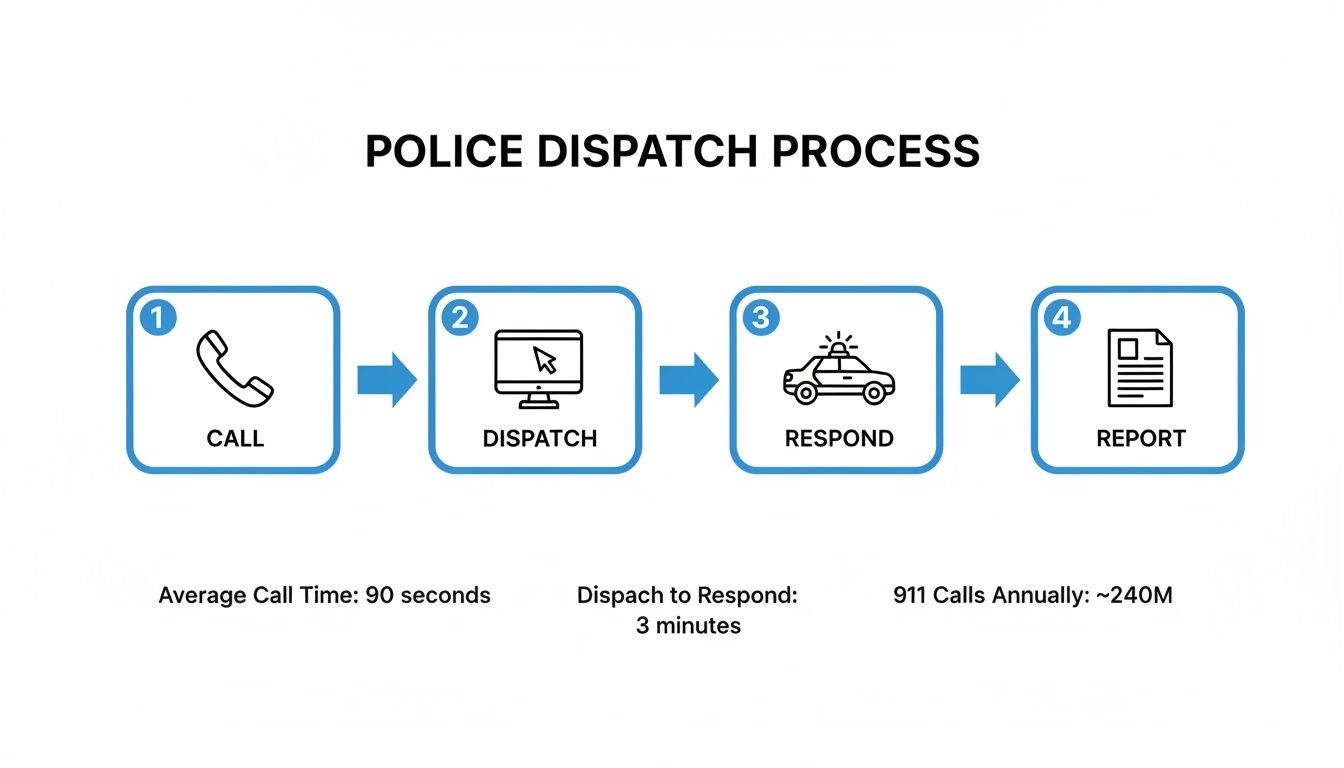
This process shows how the CAD system structures the entire lifecycle of an incident, creating a solid data trail for review and accountability down the line.
Geospatial Tools and AVL Mapping
This is where things get really powerful. Automatic Vehicle Location (AVL) mapping is a game-changer for dispatch. Think of it as a live, intelligent map that doesn’t just show you where an incident is, but also pinpoints the real-time position of every patrol car, motorcycle, and officer.
Instead of a dispatcher asking an officer for their twenty, they can just glance at the map and see the closest unit to a new call. That has a massive, direct impact on response times, where every single second counts.
Practical Example: A multi-car pileup happens on a busy highway. The dispatcher punches in the location, and the AVL map lights up. The system might show that Patrol Car 14 is only a quarter-mile away, but it also flags a huge traffic jam blocking the direct route. Seeing this, the dispatcher routes Patrol Car 19 instead, which is a little farther but has a completely clear path. That simple, data-driven decision can shave minutes off the response time—minutes that could literally be the difference between life and death for someone trapped in a wreck. This is where a CAD system proves its worth, time and time again.
Data Integration with Other Systems
A modern police CAD system doesn't live on an island. Its true strength comes from connecting with other critical public safety platforms, especially the Records Management System (RMS).
The RMS is the agency's digital filing cabinet for the long haul. It stores everything—arrest records, incident reports, witness statements, evidence logs, you name it. When CAD and RMS are properly integrated, information flows between them automatically.
- From CAD to RMS: An officer closes out a call in their vehicle's computer. The CAD system automatically kicks off a preliminary report in the RMS. This saves the officer a ton of time on paperwork and gets them back on patrol faster.
- From RMS to CAD: A new call comes in for a domestic dispute. The CAD instantly pings the RMS for any history at that address. It might pull up prior domestic violence calls or officer safety alerts, giving the responding officer crucial intel before they even arrive.
Actionable Money-Saving Insight: Seamless CAD-to-RMS integration can reduce an officer's report-writing time by 15-20 minutes per incident. For an officer handling four reports a day, that’s over an hour saved per shift. Across a 100-officer department, this adds up to thousands of hours of reclaimed patrol time annually, increasing community visibility without increasing headcount or overtime costs. You can learn more about how different dispatching features contribute to this well-rounded operational picture.
How CAD Delivers Real-World Agency Benefits
A modern police computer aided dispatch system does a whole lot more than just log calls. It's the engine that drives tangible outcomes—saving time, protecting lives, and making every dollar in an agency's budget go further. These systems turn a reactive dispatch center into a proactive, data-driven nerve center, fundamentally changing how an agency serves its community.
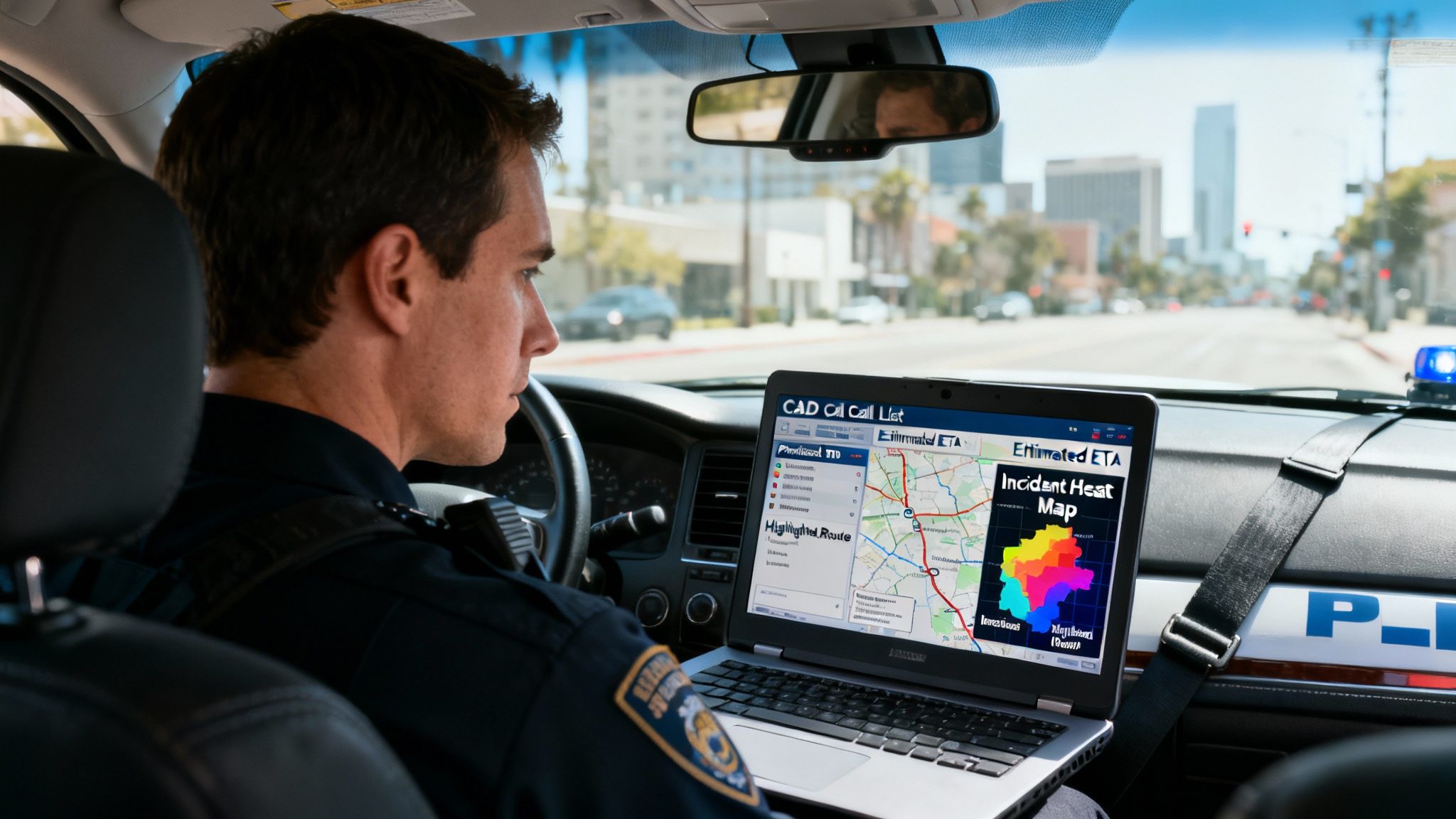
You can see the most immediate impact on officer safety. When a dispatcher sends call details, they’re not just sending an address. They're pushing a complete intelligence briefing straight to the officer's in-car terminal—premise history, known hazards, prior contacts at that location. This gives officers critical context before they even step out of the car.
Slashing Response Times and Boosting Efficiency
Faster response is what everyone talks about with a good CAD system, and for good reason. Using Automatic Vehicle Location (AVL) to see every unit's real-time position, dispatchers can send the closest available officer, guaranteed. It sounds simple, but that one feature shaves precious seconds—and often minutes—off response times when it counts the most.
But the efficiency gains don't stop there. Think about the paperwork. Integrated reporting features drastically cut down on administrative downtime. Once an incident is cleared, the initial CAD data forms the backbone of the official report, which can be completed and filed right from the patrol car. That means less time stuck at a desk and more time on patrol, which increases police visibility and community presence.
Actionable Money-Saving Insight: You can leverage your CAD's AVL and dispatch logs to optimize patrol routes and slash fuel consumption. By consistently assigning the closest unit, an agency can cut annual fuel costs by 5-10%. For a mid-sized department, that’s tens of thousands of dollars saved on fuel and vehicle maintenance, freeing up funds for things that really matter, like better equipment or training.
Turning Data into Proactive Crime Prevention
Here’s where it gets really interesting. A CAD system transforms historical data into a powerful tool for proactive policing. Every call for service, every officer-initiated stop, every resolution—it's all logged, creating an incredibly rich dataset of what's happening in the community. This data isn't just for record-keeping anymore; it's for prediction.
Emergency calls are the lifeblood of these systems, accounting for 73.2% of total volume in 2024. Agencies are now mining this historical data to pinpoint crime hotspots and deploy patrols predictively. Take Amarillo’s drone-as-first-responder program, for example. They use automated CAD triggers to launch drones within 90 seconds for 98% of incidents in known hotspots, dramatically cutting the initial time it takes to get eyes on a scene. You can discover more insights about these emerging CAD market trends to see where things are headed.
Optimizing Patrols to Reduce Overtime Costs
This predictive power offers another huge financial win: cutting overtime. By analyzing incident heat maps generated from CAD data, command staff can see exactly where and when certain crimes are most likely to happen. This allows them to adjust patrol schedules and staffing levels based on solid evidence, not just guesswork.
Practical Example:
- Problem: An agency is bleeding money on overtime for officers responding to late-night fights in an entertainment district every Friday and Saturday.
- CAD Data Analysis: The system's heat map confirms a huge spike in "Disturbing the Peace" and "Assault" calls between 11 PM and 2 AM in that specific area.
- Solution: Instead of calling in off-duty officers and paying overtime, the agency adjusts its standard patrol schedules to beef up staffing in that district during those peak hours.
This kind of data-driven scheduling not only slashes overtime costs but also puts officers exactly where they’re needed most, deterring crime before it even starts. Suddenly, the police computer aided dispatch system becomes an essential tool for both financial and tactical planning in modern law enforcement.
Integrating CAD Into Your Public Safety Ecosystem
A powerful police computer aided dispatch system never works in isolation. Think of it as the central hub of a wheel, with spokes connecting out to every other critical piece of technology your agency uses. This interconnectedness creates a single source of truth, tearing down data silos and making sure everyone is working from the same real-time information.
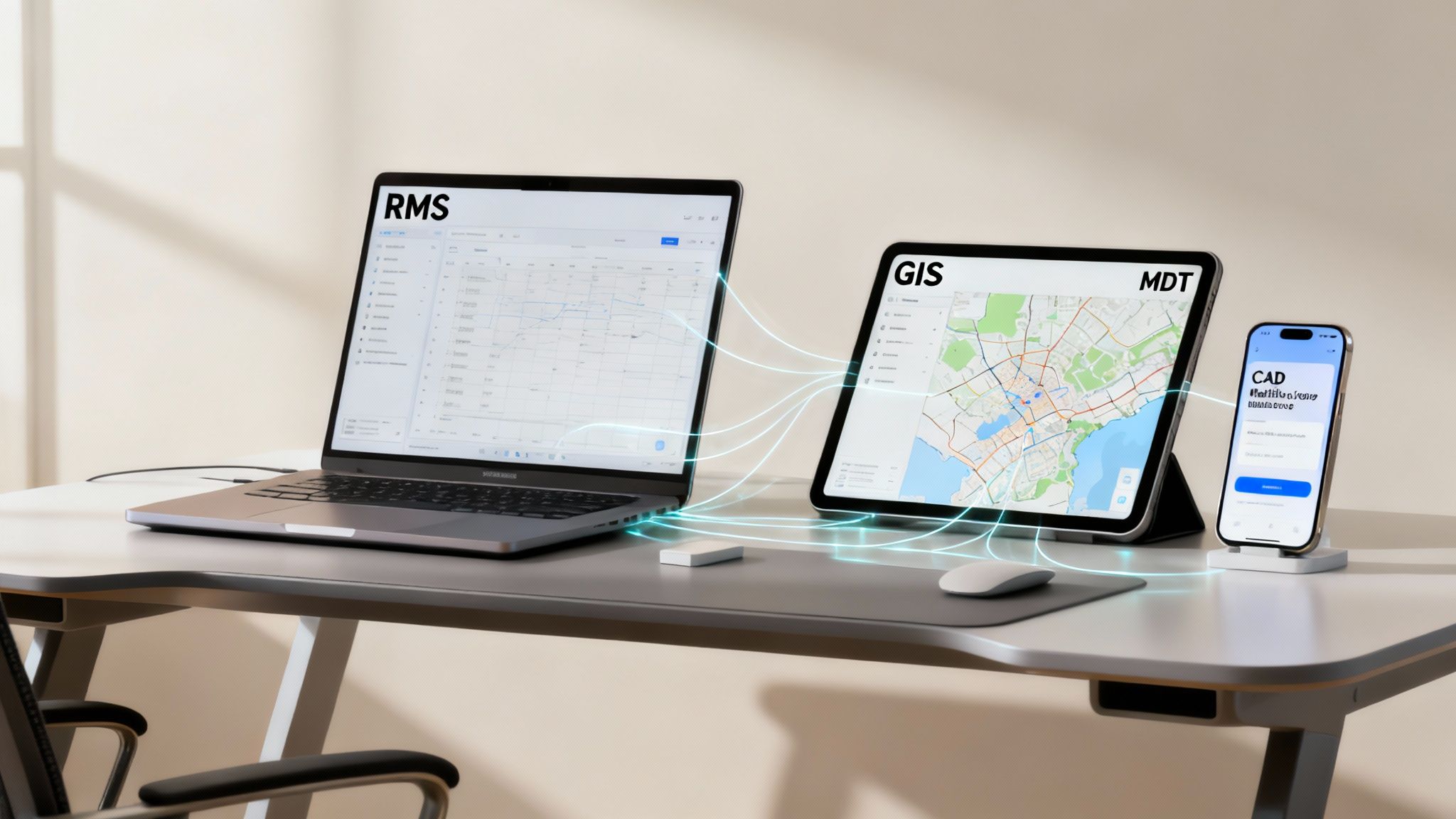
Real operational intelligence happens when data flows seamlessly between your CAD and these other platforms. When these systems can talk to each other, they don't just add value—they multiply it, creating a smarter and safer environment for both your officers and the community they serve.
Core Systems for CAD Integration
To build a truly effective ecosystem, your CAD has to connect with a few key systems. Each integration has a specific job, feeding crucial data into the dispatch process and ensuring a rock-solid record of every incident from start to finish.
This web of connections is where the real magic happens. So, what systems are we talking about?
It starts with making sure your CAD can speak the same language as your other essential software. We've put together a quick table outlining the most critical integrations and why they matter.
Essential Police CAD System Integrations
| Integrated System | Primary Function | Benefit to Operations |
|---|---|---|
| Records Management (RMS) | The agency's official, long-term database for all incident data. | Instantly populates reports from CAD data and pushes historical officer safety alerts from RMS back into live calls. |
| Mobile Data Terminals (MDT) | In-vehicle computers for officers in the field. | Delivers call details, status updates, and messages directly from dispatch to the patrol car, without delay. |
| Geographic Info (GIS) | Advanced mapping with multiple data layers. | Provides critical context like property lines, utility infrastructure, and hydrant locations for better awareness. |
| 911/Telephony Systems | Manages incoming emergency calls and caller location data. | Automatically creates a new CAD event with ANI/ALI data, saving seconds and reducing manual entry errors. |
| Jail Management (JMS) | Tracks inmate booking, housing, and release information. | Connects arrest data from CAD directly into the booking process, ensuring a seamless chain of custody for records. |
| Evidence Management | Catalogs and tracks all physical and digital evidence. | Links evidence logs directly to the corresponding CAD incident number for airtight case file management. |
These integrations aren't just about convenience; they're about officer safety and operational effectiveness.
Practical Example: An officer initiates a traffic stop. Thanks to a tight RMS integration, they run the license plate through their MDT and a flag immediately pops up in their CAD display. The system shows the registered owner has a history of violent offenses and an active warrant. Without that link, the officer might have approached the vehicle with a standard level of caution. With it, they have the intelligence needed to change their approach, wait for backup, and handle the situation with a much higher degree of safety—all without tying up a dispatcher to manually dig through records.
Planning Integrations to Save Money
Failing to plan for integrations is one of the costliest mistakes an agency can make. Bolting on connections after a system is already in place almost always leads to expensive custom development fees and frustrating delays.
Actionable Money-Saving Insight: Before you even look at vendors, conduct a thorough "integration audit" of your existing tech stack. Make a checklist of every single system your new CAD needs to talk to. Hand this list to vendors during the RFP process and require them to detail their standard integration capabilities and any extra costs. This foresight prevents you from getting blindsided by unexpected, five-figure development charges down the road.
On top of that, these integrations create new pathways for data to travel, making cybersecurity an absolute priority. A recent report revealed that cyberattacks targeting CAD systems doubled in 2024, with a staggering 83% of these breaches originating on connected municipal and law enforcement networks. As you map out your ecosystem, understanding the security protocols for each connection is non-negotiable. You can explore the foundational elements of platform security by reading our guide on Resgrid’s commitment to data protection.
Flexible, modern platforms can also act as a bridge, connecting newer technologies to an older, legacy CAD system. This strategy can extend the life of a core system that still works but lacks modern integration options, saving taxpayers hundreds of thousands of dollars by delaying a full-scale replacement.
Choosing the Right CAD Solution for Your Agency
Picking a new police computer aided dispatch system is one of the biggest calls a chief or agency leader can make. This isn't just another piece of software; it's the operational heartbeat of your department. Get it right, and you'll see huge gains in efficiency and officer safety. Get it wrong, and you're staring down the barrel of years of headaches and wasted tax dollars. It's a tough balancing act between technical specs, the budget, and—most crucially—the people who will use it every day.
One of the first forks in the road is how you want to deploy it. A huge part of this decision comes down to understanding the differences between on-premises vs. cloud computing models. Are you going to maintain your own servers in-house, or are you going with a modern cloud-based service? That choice alone will steer your agency's budget and IT roadmap for a long, long time.
Calculating the True Total Cost of Ownership
It’s tempting to just look at the sticker price, but the real cost of a CAD system is so much more than what's on the vendor's initial quote. To make a smart financial decision, you have to look at the Total Cost of Ownership (TCO), which pulls in all the other expenses that creep up over the life of the system.
If you don't account for these "hidden" costs, your budget is going to get blown to bits. Think hard about these areas:
- Implementation and Training: What's the real cost to get this thing up and running and to get every single dispatcher and officer comfortable using it? Skimping on the training budget is one of the fastest ways to guarantee a failed rollout.
- Ongoing Maintenance and Support: What are the yearly fees for tech support and software updates? If you’re running it on-premise, you also have to factor in server replacement cycles and the time your IT staff will spend keeping it alive.
- Integration Fees: Is the vendor going to nickel and dime you to connect the CAD to your RMS, GIS, or 911 systems? These custom hookups can add a staggering amount to the final bill.
Actionable Money-Saving Insight: Put together a super-detailed Request for Proposal (RFP) that makes vendors break down every single cost. Seriously, itemize everything. Also, create a "must-have" feature list and a separate "nice-to-have" list. This keeps you from overpaying for bells and whistles you don't need and makes vendors accountable for every line item, so you don't get hit with ugly surprises down the road.
Vetting Vendors and Involving Your Team
The vendor you pick is more than just a supplier; they're a partner you'll be stuck with for years. You absolutely have to vet their reliability, their track record, and the actual quality of their customer support. Ask them for references from agencies that are about your size and deal with similar challenges. A cheap vendor with awful support will cost you way more in downtime and pure frustration than a slightly more expensive one that actually picks up the phone.
But maybe the most important thing you can do is get your end-users involved from day one. Your dispatchers and officers are the ones who will be living in this system, under incredible pressure, every single shift. Their buy-in isn't just nice to have; it's everything.
- Form a Selection Committee: Pull in people from dispatch, patrol, investigations, and IT. Everyone gets a seat at the table.
- Mandate User Participation in Demos: Don't let vendors pitch only to the command staff. Your frontline people need to get their hands on the software and give you their honest, unfiltered feedback.
- Listen to Their Concerns: If a dispatcher tells you a workflow is clunky or an officer says the mobile app is a nightmare to use, you need to take that seriously. Ignoring them is a surefire way to get resistance to change and a system that nobody wants to use.
The Rise of Cloud-Based and AI-Powered CAD
The entire market is shifting toward smarter, more flexible systems. Cloud-based CAD and AI integrations are changing the game for police dispatch. The market is projected to explode from USD 2.6 billion in 2024 to USD 7 billion by 2034. Right now, the U.S. market alone is sitting at USD 710 million as agencies scramble for better real-time information. We're seeing predictive analytics help with smarter unit deployment and live video from drones giving dispatchers eyes on a scene like never before.
For departments trying to get modern capabilities without breaking the bank, scalable platforms are the way to go. You can find plans that range from basic dispatching all the way up to full-blown command solutions. Take a look at Resgrid’s straightforward pricing to get a feel for how a flexible model can be tailored to fit your agency’s real-world needs and budget.
Frequently Asked Questions About Police CAD Systems
Jumping into public safety tech, especially something as fundamental as a CAD system, always kicks up a lot of questions. Whether you're leading an agency, managing the IT backbone, or just a stakeholder trying to understand the landscape, you need straight answers. We'll tackle some of the most common questions we hear about Police CAD systems right here.
We're going to break down the practical stuff—from the real financial impact and implementation headaches to how new tech is changing the game and whether smaller outfits can even get in on it.
How Does a Cloud-Based CAD System Save an Agency Money?
The biggest way a cloud-based CAD system saves money is by eliminating the massive, upfront capital cost of buying and maintaining your own servers. Instead of dropping a huge chunk of capital all at once, agencies shift to a predictable subscription fee. It becomes a manageable operational expense, not a budget-breaking purchase.
This completely changes the financial model. That subscription usually wraps in server maintenance, all the critical security updates, and routine data backups—things you'd otherwise be paying your IT staff to handle. This frees up your tech folks to work on other priorities and kills the painful cycle of replacing expensive, aging hardware every few years.
Practical Example: An agency might sidestep a $150,000 server purchase by opting for a cloud CAD. Instead, they budget for a $2,000 monthly subscription. That move not only protects their capital for things like new patrol cars but also gives them built-in disaster recovery, a service that might have cost them an extra $30,000 to set up on their own.
Plus, cloud systems grow with you. You only pay for what you actually use and can scale your plan up or down as your agency's needs change. This avoids the classic, costly mistake of buying way more server power than you'll ever need.
What Are the Biggest Mistakes to Avoid During CAD Implementation?
The two mistakes that cost the most time, money, and sanity during a CAD implementation are skimping on the planning phase and shutting out your end-users. Too many agencies rush into a purchase without doing a deep dive into their actual needs, and they end up with a system that's either way too complicated or missing features they can't live without.
An even bigger blunder is failing to bring dispatchers and officers into the selection and testing process from day one. If the people on the front lines find the system clunky or slow during a high-stress call, they just won't use it. Adoption will tank, and the whole investment is undermined.
Here are a few specific pitfalls we see all the time:
- Underfunding Training: A quick webinar isn't training. You have to budget for real, hands-on training for everyone who will touch the system.
- Ignoring Data Migration: Don't underestimate how messy and time-consuming it is to pull historical data from an old system. Rushing this can lead to serious delays and lost data.
- Poor Vendor Communication: A smooth rollout depends on a partnership. You need a detailed project plan with clear timelines, solid support from the vendor, and constant feedback from the people who will rely on the system every single day.
Can Smaller Organizations Use This Technology?
Absolutely. The idea that CAD is only for huge, metropolitan police departments is a thing of the past. Modern, cloud-based CAD is not only accessible but incredibly valuable for all sorts of smaller organizations.
We're talking about smaller town police forces, campus security teams, hospital safety departments, and even private security firms. At their core, they all have the same needs: they have to track their people, manage incidents as they happen, and keep a solid record of every response for liability and review.
Practical Example: A university campus security team of 20 officers uses a scalable cloud CAD to manage everything from noise complaints in dorms to medical assists at sporting events. Instead of paying for a complex system designed for a city, they use a basic package that gives them AVL mapping of their officers on golf carts, incident logging, and mobile access for a few hundred dollars a month. This professionalizes their operation and provides critical documentation without the six-figure price tag.
How Is AI Changing Police CAD Systems?
Artificial intelligence (AI) and machine learning are pushing CAD systems from being simple record-keeping tools to being smart, proactive partners. The most immediate impact is in the world of predictive analytics.
By digging through years of historical crime data, AI can start to identify potential hotspots for certain crimes at specific times of the day or week. This lets agencies get ahead of the curve, deploying patrols to deter crime before it even happens, instead of just reacting after the fact.
AI is also poised to make dispatching a lot smarter. We're heading toward systems that will automatically suggest the best unit for a call, factoring in not just location but also live traffic, an officer's specific training (like crisis intervention), and maybe even their current fatigue level. AI will also start handling more of the routine administrative work, freeing up dispatchers to focus their attention on high-priority events and giving them real-time analytical insights during a major incident.
In today's world, a modern dispatch system isn't a luxury; it's essential for the situational awareness and data-driven insights public safety demands. Resgrid offers a flexible, scalable, and cost-effective dispatch solution built to empower first responders and organizations of every size. See how our platform can fit your agency's needs at https://resgrid.com.