
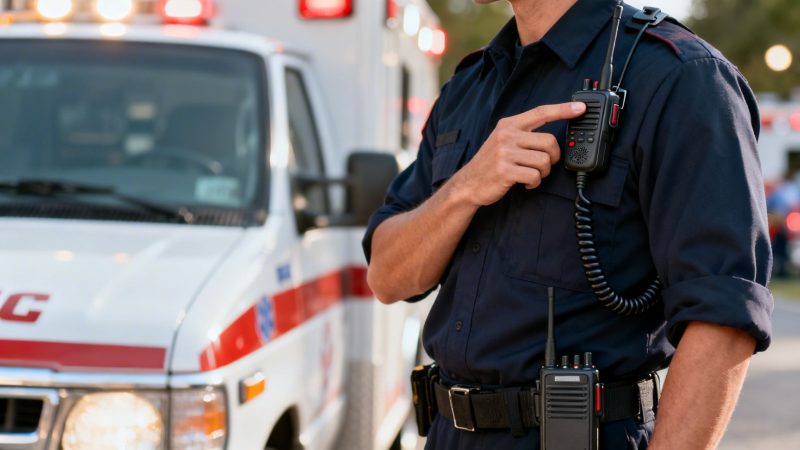
Portable radio mic: Essential Setup and Tips for First Responders
When you're on a scene, every second matters. A portable radio mic isn't just another gadget—it's the critical link that keeps your team connected, safe, and effective. For first responders and dispatch centers alike, these systems deliver clear, untethered communication that can completely change the game.
This guide will walk you through it all, from initial setup to best practices on the ground, with practical examples and cost-saving insights woven throughout.
Why Clear Comms Are a Lifeline for First Responders

In the middle of a high-stakes incident, being physically tied to a vehicle-mounted radio is a massive liability. A portable radio mic gives an incident commander or any on-scene crew member the freedom to move, assess, and coordinate from anywhere. It ensures their voice is heard clearly by dispatch and every other unit, which is absolutely essential for maintaining command and control.
For example, think about a paramedic working on a patient deep inside a multi-story building after a fire. With a portable mic, they can relay vitals and request a specific piece of equipment directly to the command post and the incoming ambulance without ever leaving the patient's side. That steady stream of information allows for smarter resource allocation and helps the receiving hospital prepare, potentially saving valuable minutes that impact patient outcomes.
Overcoming On-Scene Limitations
The real value of a portable radio mic snaps into focus when you compare it to the old way of doing things. Shouting across a chaotic scene or constantly running back to the truck to relay information is not just inefficient; it's dangerous.
These systems are built to solve some of our biggest on-scene headaches:
- Background Noise: Quality mics are designed to zero in on the user's voice, cutting right through the noise of sirens, power tools, and general chaos.
- Distance and Obstacles: They push your communication range far beyond what a standard handheld radio can manage, especially inside complex buildings or across large incident sites.
- Accountability: Every single transmission can be logged. This creates an indisputable record for after-action reviews, helping your team learn and improve over time.
This isn't just a fleeting trend—it's fast becoming the standard. The global microphone market hit an incredible $3.63 billion in 2023, with handheld wireless models being a major driver of that growth. This surge shows just how much professional fields are coming to depend on portable audio.
A practical example: A fire captain at a large commercial structure fire can use a portable radio mic to direct teams on the roof, coordinate ventilation, and talk to interior crews—all at the same time, from one strategic spot. That kind of total situational awareness is just not possible when you're chained to a truck.
The table below breaks down the immediate wins you'll see by adopting this technology.
Immediate Benefits of a Portable Radio Mic System
| Benefit | Impact on Operations | Cost-Saving Insight |
|---|---|---|
| Enhanced Safety | Frees hands for tasks and allows for better situational awareness. | Reduces the risk of on-the-job accidents and injuries, leading to lower worker's compensation claims and fewer personnel on leave. |
| Improved Mobility | Command can move to the best vantage point without losing comms. | Optimizes personnel deployment. For example, one person can manage comms while mobile, freeing up another to handle a different critical task. |
| Clearer Audio | Noise-canceling mics cut through sirens, wind, and equipment noise. | Fewer misunderstood commands means fewer costly errors, less repeated work, and more efficient use of resources like water or medical supplies. |
| Greater Accountability | All transmissions can be logged for review and training. | Provides clear data for performance reviews, identifying training gaps, and defending against liability claims, potentially saving thousands in legal fees. |
These benefits aren't just theoretical; they have a real, measurable impact on how effectively and safely your team operates every day.
Integration for Maximum Impact
A portable radio mic is powerful on its own, but its true potential is realized when you integrate it with a management platform like Resgrid. When an incident commander gives an update, that audio can be fed directly into the system. This gives dispatchers and command staff a live, unfiltered view of what's happening on the ground.
This seamless link between voice and data is a huge leap forward. Critical information gets captured accurately, slashing the risk of human error that comes from passing messages down the line. You can explore https://resgrid.com/features to see how these kinds of integrations create a total dispatch solution.
At the end of the day, a reliable portable radio mic makes your team safer, more efficient, and more accountable. Period.
Choosing and Installing Your Gear on a Budget
Finding the right portable radio mic is one thing. Getting it installed and running without blowing your department’s entire budget is a whole different ballgame. The real secret is to stick with reliable, field-tested gear that gets the job done, regardless of the brand name on the box. This mindset helps you build a rock-solid comms setup that saves you money upfront and prevents headaches down the road.
Your mounting solution is the first and easiest place to find some serious savings. Sure, a permanent, custom-drilled installation looks clean in a command vehicle, but it's also expensive and locks you into one configuration. For situations where you need to get up and running fast, or use different vehicles, a simple and powerful magnetic mount is a much smarter, more versatile choice.
Smart Mounting Solutions
You can grab a high-quality magnetic mount for around $20 to $30, and they provide a surprisingly strong base for your receiver's antenna. A practical tip: find one with a rubberized bottom; it’ll save you from scratching up the paint on your vehicles, avoiding costly touch-up repairs later. This approach lets any unit—from the chief's SUV to a mutual aid truck—become a temporary comms hub in a matter of seconds.
For a more permanent setup, like inside a mobile command post trailer, don't overthink it. A strip of heavy-duty industrial Velcro or a basic L-bracket from the local hardware store can work wonders. I've seen departments use a $5 L-bracket and a few self-tapping screws to secure a receiver inside a cabinet. It wasn’t pretty, but it was secure, out of the way, and saved them hundreds on a so-called "professional" installation.
The goal here is simple: get your gear locked down without overspending. It's about being practical.
This practical approach is just as crucial when you get to cabling. Cabling is notorious for being a hidden cost and, honestly, one of the most common points of failure I see in the field.
Saving Money on Essential Cabling
You absolutely do not need to splurge on expensive, big-name cables for your system to work well. The link between your receiver and the vehicle's radio or a command post mixer is usually a standard XLR or 1/4-inch cable. A well-made, generic XLR cable with solid connectors will perform identically to a brand-name one that costs three times as much.
Instead of looking at the brand, focus on the build quality. Here's what actually matters:
- Thick, flexible rubber jacketing: This is what protects the internal wires when they get stepped on, shut in a door, or repeatedly packed up.
- Secure metal connectors: The little latch on an XLR connector needs to feel solid. A loose connection is a guaranteed source of audio crackle and dropouts.
- Proper shielding: A well-shielded cable is your best defense against interference from all the other electronics crammed into a modern response vehicle. It keeps your signal clean.
Just by focusing on these practical qualities, you can easily cut your cabling costs by more than half without losing an ounce of performance.
Here's another trick that will save you money and keep your gear running longer: reinforce your cables at their weakest points. That spot where the cable joins the connector is always under stress and is almost always the first place a cable fails.
A dead-simple DIY fix can make a huge difference. Just slide a short piece of heat-shrink tubing over the connector and the first inch of the cable and hit it with a heat gun. This creates a tough strain relief that protects the connection. This tiny investment—literally cents per cable—can prevent a $30 to $50 replacement and, more importantly, a critical comms failure on scene. Doing this across all your gear could easily save your agency hundreds of dollars over the equipment's lifespan.
Pairing Mics with Radios for Flawless Integration
A portable radio mic is only as good as its connection. If it can't talk to your radio, it's just dead weight. Thankfully, getting that flawless connection isn't some dark art—it’s about following a simple, methodical process to get your gear synced up for crystal-clear audio. Taking a few minutes here prevents the garbled transmissions and frustrating dead air that can bring an entire operation to a halt.
First things first: you need to pair the microphone to its receiver. Most modern systems have made this incredibly straightforward. You'll typically find a "sync" or "pair" button on both the handheld mic and the receiver. Just hold them down until their indicator lights flash or turn solid, confirming they've found each other.
A practical example: Always do this with both units right next to each other before heading into a scene. It ensures you get a rock-solid initial link before you start moving around and potentially go out of range.
Configuring for Crystal-Clear Audio
Once the mic and receiver are talking, it's time to dial in the audio settings. This is what separates professional-grade comms from amateur hour. The goal is simple: find that sweet spot where your voice comes through loud and clear, without any distortion or feedback. You’ll start by adjusting the audio gain on your receiver.
Think of gain as the microphone's sensitivity level. If you set it too high, your voice will sound distorted and "hot," and the mic will pick up every single background sound. But if you set it too low, you'll sound faint and distant, forcing your team to strain to hear critical information.
An actionable insight: A great rule of thumb is to set the gain so that your normal speaking voice pushes the receiver's audio meter into the upper-middle of its range—usually the top of the green or the low yellow zone. This gives you enough headroom to shout if you need to without clipping or distorting the signal.
The adoption of portable radio mics has been a game-changer for emergency response, especially in dispatch centers and for on-scene command where real-time voice clarity can be the difference between a controlled scene and total chaos. By 2024, the global microphone market hit $4.32 billion, and it's on track to reach $4.46 billion in 2025, largely driven by the wireless handheld models that first responders rely on. You can dig into more of these market trends over at Fortune Business Insights.
This visual shows the simple, three-step workflow for getting your radio gear set up right.

Following a consistent process, from choosing your gear all the way to reinforcing your cables, is what builds true reliability out in the field.
Integrating with Resgrid for Smart Operations
This is where all that careful setup really pays off. Picture an incident commander at a multi-vehicle accident. They're using their portable mic to relay a patient's vitals—heart rate, respiration, GCS score.
That transmission isn't just heard by dispatch; it's captured. With a platform like Resgrid, that audio can be instantly logged right inside the CAD, creating an accurate, time-stamped record of every communication. This not only makes after-action reports and insurance documentation a breeze but, more importantly, it drastically reduces the risk of miscommunication that plagues the "game of telephone" when critical info is passed from person to person.
Troubleshooting Common Mic Pairing and Audio Issues
Even with the most meticulous setup, things can go wrong in the field. The trick is knowing how to diagnose and fix the problem on the spot without needing to call in a radio tech. Most issues are surprisingly simple to solve if you know what to look for.
Here’s a quick-and-dirty guide to the most common problems you'll run into and how to sort them out without a fuss.
Troubleshooting Common Mic Pairing and Audio Issues
| Symptom | Likely Cause | Cost-Effective Solution |
|---|---|---|
| No Audio | Mismatched frequencies or dead batteries. | Double-check that the mic and receiver frequencies match exactly. Swap in fresh batteries—the simplest fix is often the right one and costs nothing to try. |
| Static or Hiss | Radio frequency (RF) interference. | Use the receiver's scan function to find a clear, open channel. Try moving the receiver's antenna away from other electronics or power sources. This avoids a costly and unnecessary repair. |
| Feedback/Screeching | The mic is too close to a speaker that's outputting its own signal. | Move the microphone further away from any speakers. Lower the receiver's output volume or nudge the mic's gain down slightly. It's a free fix that takes seconds. |
| Audio Dropouts | You've exceeded the system's operational range or something is blocking the signal. | Move closer to the receiver to re-establish a clear line-of-sight. If possible, elevating the receiver's antenna on the vehicle can dramatically improve reception for free. |
Don't let these little hiccups derail your comms. A quick check of this table can often get you back up and running in under a minute.
On-Scene Best Practices for Effective Communication

Having the best portable radio mic money can buy is a great start, but it’s field-tested technique that truly saves the day. Effective on-scene communication isn't just about gear; it's a discipline built on smart habits that maximize performance under intense pressure. These are the practices that ensure your voice cuts through the chaos when every word counts.
One of the most critical skills, and one that's easy to forget in the moment, is proper mic placement. For example, during a storm or a high-wind event, even a slight change in how you hold your mic can make a huge difference. Instead of speaking directly into it, which exposes the element to wind shear, try positioning the mic just below your mouth and aiming it slightly upward. This small, free adjustment uses your jaw and chin to block the wind, dramatically reducing noise and improving clarity for everyone listening.
Maintaining a Strong Signal
Your body, your vehicle, and the surrounding environment can all either help or hinder your radio signal. A clear line-of-sight between your mic's transmitter and the receiver is always the goal. If you're working around a large metal structure like a tanker truck or a concrete building, be mindful of how it can block your signal. Sometimes, just taking two steps to the side is all it takes to restore a perfect connection.
A practical example: At a multi-vehicle accident on a highway, incident command can get cluttered. The key is disciplined radio etiquette. Instead of open-ended chatter, use clear, concise phrases: "Command from Engine One, patient is extricated." This keeps the channel free for others and prevents critical updates from being lost in the noise.
This disciplined approach is what allows teams to coordinate complex actions without stepping on each other's transmissions. It turns a potential communication bottleneck into a streamlined flow of vital information.
Smart Battery Management Strategies
An extended incident will test the limits of your equipment, and batteries are often the first to fail. Relying on disposable batteries isn't just expensive; it’s risky. A much better long-term strategy is to invest in high-capacity rechargeable batteries and a vehicle-based rapid charger.
This one-time purchase provides a significant cost saving over time. For a few hundred dollars, you can equip your primary response vehicles with a system that ensures you always have fresh power on hand. This avoids spending thousands on disposables over the years and reduces the risk of running out of power mid-incident.
Here are a few practical tips we've learned for on-scene power management:
- Label and Rotate: Use a marker to date your batteries and rotate them regularly. This ensures even wear and helps you track which ones are losing their charge capacity, so you replace them before they fail on scene.
- Keep a Backup Set: Always have a fully charged backup set ready to go. Keep it in a "go bag" or a designated, easy-to-reach compartment in the truck.
- Avoid Extreme Temps: Don't leave batteries baking on the dashboard in the summer or freezing in a gear locker during winter. Extreme temperatures will degrade their performance and shorten their lifespan, forcing you to buy replacements sooner.
Innovation in the portable radio mic space is also helping a lot. Leading manufacturers like Shure and Sennheiser are developing beamforming arrays that can cut background noise by up to 30%, which is vital for clarity in loud urban environments. This technology, combined with a 65% professional market share for XLR-based systems, shows how committed the industry is to empowering teams in crisis. By using this technology and integrating it with powerful platforms, you create a complete response ecosystem. Check out our available Resgrid apps to see how you can connect your team.
Simple Maintenance for Long-Term System Reliability
Your gear has to work. Every single time. There's no room for doubt when you're on a call, and proactive care is what separates a reliable portable radio mic from a very expensive paperweight.
It's not about complicated tear-downs or needing an engineering degree. A simple, 15-minute maintenance check each week can be the difference between a successful operation and a critical gear failure. Honestly, it's one of the best ways to extend the life of your equipment and save your agency thousands in unnecessary repairs and replacements in the long run.
Proactive Care and Field Repairs
Let's start with the basics: a weekly visual inspection. Take a close look at your cables, especially near the connectors. This is where most problems begin. You're looking for any nicks, frays, or signs of stress. A loose connection can inject static right when you don't need it, or worse, cause a total audio dropout.
Keeping your connectors clean is another ridiculously easy win. Dust, grime, and moisture love to build up inside the connectors on your mic and receiver. A quick blast from a can of electrical contact cleaner, followed by plugging and unplugging the cable a few times, can scrape away that gunk and keep your audio signal crisp. A single can costs about $10 and can service your entire fleet for months.
Actionable Insight: I can't tell you how many times I've seen a receiver sent out for repair because of a loose XLR connector. Before you pack it up, just check if the mounting screw has rattled loose from vibration in the vehicle. A quick turn with a multitool can often fix the issue right there, saving you a $100 repair bill and weeks of downtime.
Battery storage is another one of those things that gets overlooked but is absolutely critical. Always store your batteries in a cool, dry place. And for goodness' sake, keep them away from your metal tools to prevent any chance of accidental discharge or corrosion.
Building a Simple Maintenance Kit
You don't need a mobile workshop to keep your portable radio mic system in top shape. A small, dedicated go-bag can handle most of the routine upkeep and minor field fixes you'll encounter.
Here’s a practical list of what I keep in mine, all for under $50:
- Electrical Contact Cleaner: A small can is a must-have for cleaning out connectors.
- Multitool: Absolutely invaluable for tightening loose screws, securing mounts, and a hundred other quick fixes.
- Heat-Shrink Tubing: A cheap and incredibly effective way to reinforce cable ends or patch up minor damage to the outer jacket.
- Zip Ties or Velcro Straps: For keeping your cables managed and preventing them from getting snagged, kinked, or damaged.
These simple habits build resilience into your comms setup. You move from reacting to failures to preventing them from ever happening. If you do hit a wall with a more complex problem, you can always find more detailed information by checking out our support guides over at the Resgrid help center.
Your Portable Radio Mic Questions Answered
We’ve worked with a lot of departments making the jump to a portable radio mic system for the first time. Over the years, we've noticed the same questions pop up again and again.
So, we’ve put together some quick answers to help you sidestep the common pitfalls, get the most out of your gear, and even save a little money in the process.
What Is the Real-World Battery Life
Most manufacturers will rate their professional systems for 8-10 hours, but take that with a grain of salt. Your actual mileage will vary. Frequent transmissions or operating in cold weather will drain batteries much faster. A practical example: A battery that lasts 8 hours in normal weather might only last 5-6 hours on a cold winter night.
Here’s an actionable insight that will save you a ton of money long-term: Invest in high-capacity rechargeable AA batteries and a rapid charger you can keep in the truck. A solid brand like Eneloop Pro works great. This initial investment is far cheaper than constantly buying disposables and ensures you always have a fresh set ready when you need it.
Can I Use Mics from Different Brands
Technically, you might be able to, but we strongly advise against it unless you've done your homework. If you're going to mix and match brands, you have to be absolutely sure the microphone and receiver operate on the exact same frequency band (for example, UHF 520-580 MHz) and use the same signal companding technology.
A mismatch between the mic and receiver can lead to all sorts of problems—heavily distorted audio, a constant hiss, or just no connection at all. To avoid headaches and wasted money, always buy systems as a matched pair from the manufacturer. If you're unsure, just call their tech support before you buy.
It's a simple step that saves you from ending up with a box of incompatible, useless gear.
How Do I Prevent Signal Interference
Interference is a real problem, especially at large, chaotic scenes with multiple agencies all trying to communicate. Your best defense is to be proactive. Before you even step out of the vehicle, use your receiver's built-in scan function to find a clear, open frequency.
Here's a practical tip that costs nothing: Talk to the other agencies on scene and coordinate your frequencies beforehand. This simple bit of communication is free and stops the vast majority of interference issues before they even start. If your system has digital encryption, turn it on. That'll add another layer of security and help maintain signal integrity.
What Is the Best Way to Connect to a Mixer
For connecting your receiver to a command post audio mixer, a balanced XLR cable is your best bet. It's durable, budget-friendly, and reliable. While some receivers have a 1/4-inch output, the locking mechanism on an XLR connector is much more secure, and it’s way less susceptible to noise, especially over longer cable runs.
And you don't need to splurge on a premium brand name. A well-made generic XLR cable with solid connectors and decent shielding will do the job perfectly and save you some cash. Just focus on the build quality, not the logo on the package.
With a platform built for the complexities of first response, Resgrid ensures your team stays connected and informed. Our comprehensive tools integrate dispatching, messaging, and tracking to make your operations more efficient. Learn more about what Resgrid can do for your team.