
Software for Emergency Management: Optimize Response and Operations
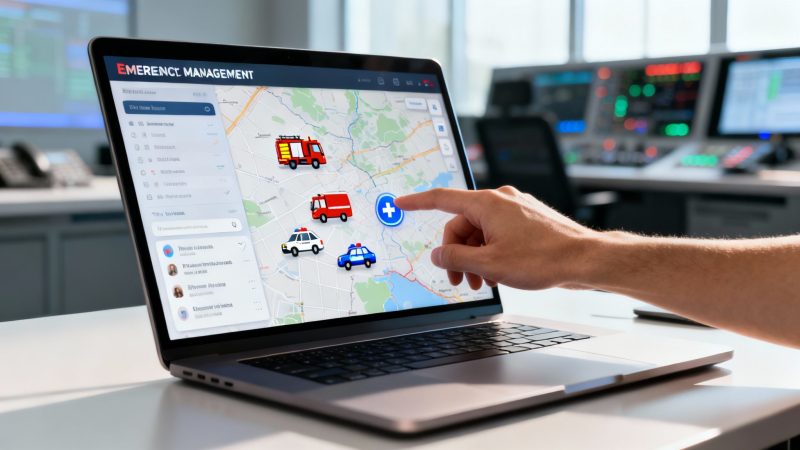
Think of emergency management software as a digital command center. It’s designed to cut through the fog of war that often descends during a crisis, replacing scattered radio chatter and messy spreadsheets with a single, clear picture for everyone involved. When seconds count, this kind of system helps dispatchers, first responders, and command staff make faster, smarter, and safer decisions.
What Exactly Is Emergency Management Software
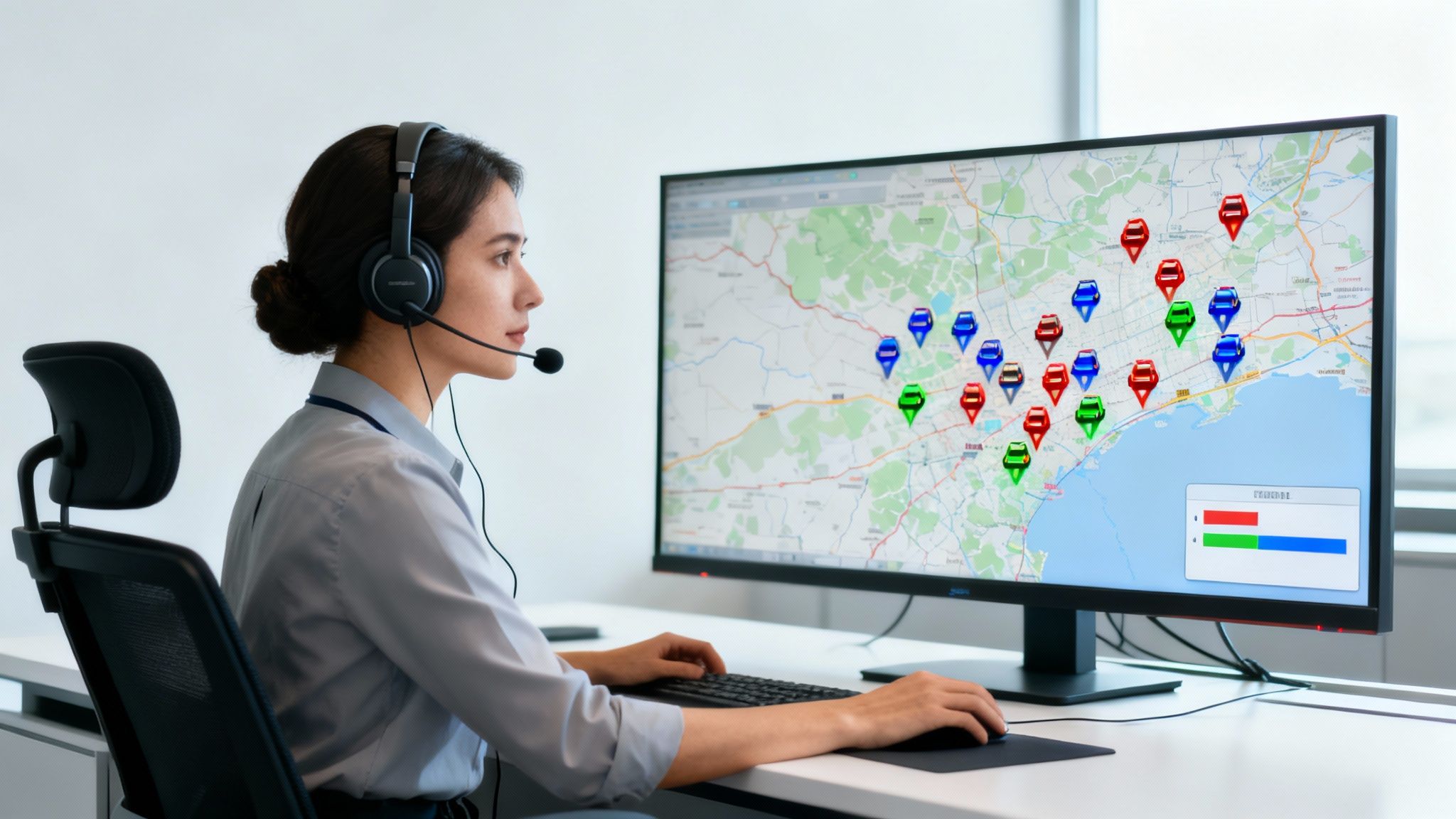
Ever tried to coordinate a big family dinner where everyone is texting, calling, and shouting instructions at the same time? It's chaos. That's a pretty good picture of what an emergency response can feel like without a central system to keep things organized.
This software acts like the conductor's score in an orchestra. It takes all those disjointed pieces of information and turns them into a synchronized, effective operation. It gives dispatchers, responders on the ground, and commanders back at base a unified, real-time view so everyone is working from the same playbook. No more guessing where your units are—you can see their live locations on a map. No more playing telephone to relay a message—you can send instant alerts directly to the right people.
Bringing Clarity to Crisis
The whole point of emergency management software is to achieve situational awareness. That’s just a formal way of saying you have a crystal-clear, up-to-the-minute understanding of what’s happening as an event unfolds. This clarity is what allows leaders to stop reacting and start commanding.
Take a volunteer fire department battling a wildfire. Without a central system, the chief is trying to juggle radio traffic, phone calls, and text messages just to keep track of crews, equipment, and where the fire is heading. It’s a recipe for disaster.
With dedicated software, all that information is pulled together onto a single screen.
- Live Unit Tracking: See the exact location of every engine and firefighter.
- Incident Mapping: Overlay the fire's boundary, evacuation zones, and water sources right on the map.
- Instant Communication: Send targeted text or app notifications to specific teams without tying up the radio.
It’s a fundamental shift from reactive communication to proactive command and control. That’s the real value these platforms deliver.
A Practical and Actionable Money-Saving Tool
Getting everyone on the same page isn't just about safety and efficiency—it's also about saving money. Let's be real, inefficient responses burn through valuable resources like fuel, personnel hours, and equipment at an alarming rate.
Think of it this way: sending two ambulances to a scene that only requires one, simply due to a communication breakdown, doubles the operational cost for that response. Software prevents these costly errors by providing a clear picture of who is assigned and what resources are needed.
Practical Example: A small security firm managing a large public event. By using a platform with real-time tracking, they can save a surprising amount on fuel and personnel. Instead of having guards patrol randomly, a dispatcher can see an incident on a camera and dispatch the single closest guard. This targeted approach cuts down on unnecessary movement, which means less fuel consumed and less paid walking time.
Actionable Money-Saving Insight: Implement geofences around key areas or venues. When a unit enters or leaves a designated zone, the system can automatically log their time, eliminating manual check-ins and reducing administrative overhead. This ensures accurate time tracking for billing clients or managing payroll, directly saving money on administrative labor.
Whether it’s a local fire department handling a car crash or a corporate security team responding to a medical incident in a huge facility, these platforms are the backbone of modern crisis response. They aren't just a tech upgrade; they represent a fundamental change in how emergencies are managed, leading to better, faster, and more cost-effective outcomes.
The Core Features That Drive Modern Response
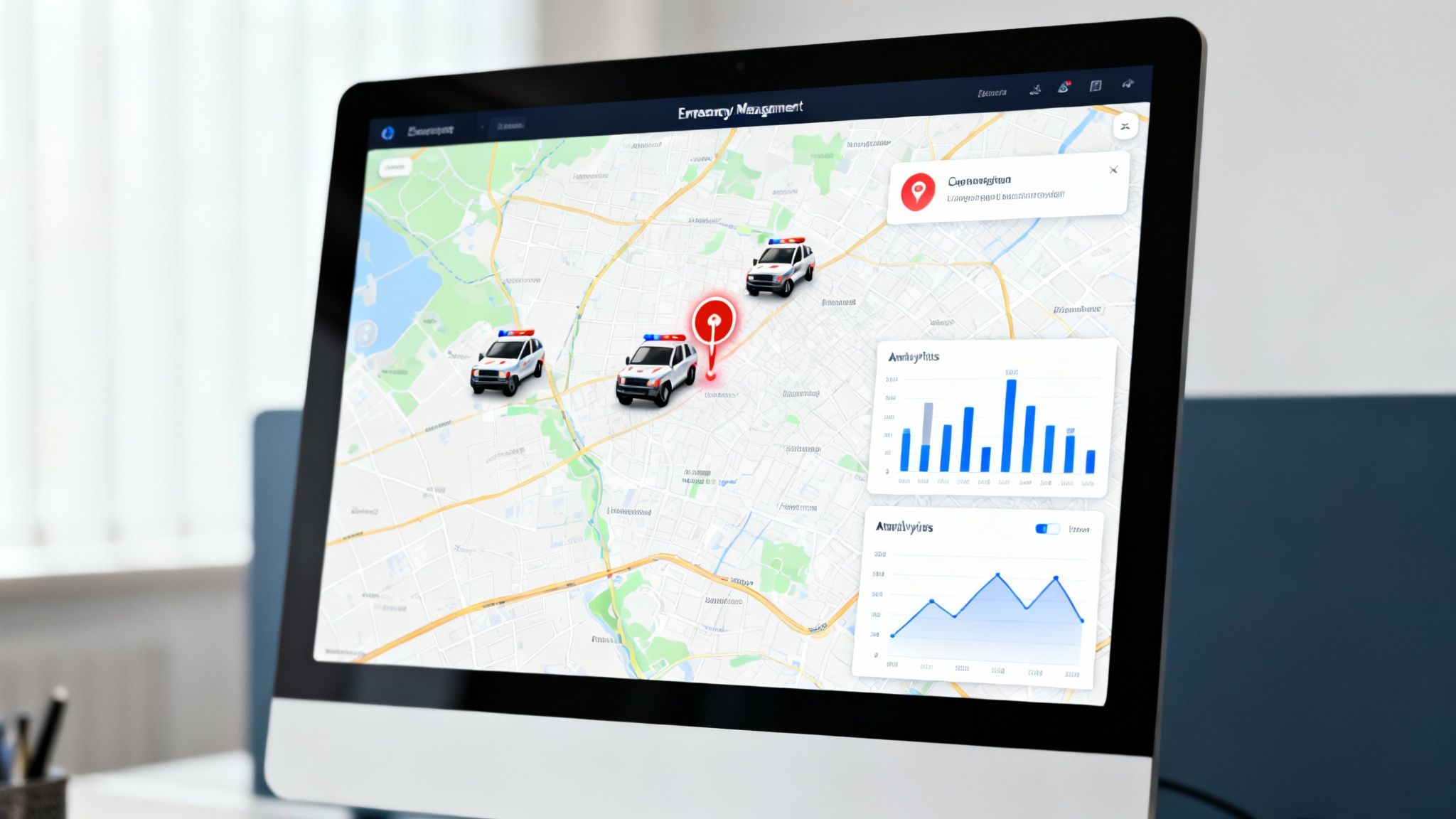
To really get what makes software for emergency management so valuable, you have to look under the hood. The real power isn’t in one single gadget but in how a whole set of features work together, kind of like the engine, transmission, and steering in a car. Each part does its job, but it’s how they combine that gives you a smooth, powerful machine.
These tools aren't just fancy add-ons; they're the bedrock of any modern response operation. The market numbers tell the story. Valued at USD 0.44 billion in 2025, the global emergency management software market is expected to jump to USD 1.36 billion by 2035. That's a compound annual growth rate of 11.3%, signaling a massive shift toward digital tools to handle complex crises.
Let's break down the core pieces that make these systems non-negotiable.
Dispatch and Computer-Aided Dispatch (CAD)
Think of the dispatch module as the operation's brain. Old-school dispatching—relying on voice calls and someone manually typing everything in—is slow and riddled with opportunities for human error. A modern CAD system puts that entire process on autopilot and hits the accelerator.
Practical Example: A rural volunteer ambulance service receives a call for a cardiac arrest. Instead of a dispatcher manually calling volunteers one by one, the CAD system automatically identifies the five closest qualified EMTs based on their phone's GPS and sends a simultaneous alert. The first to accept is dispatched, cutting response time dramatically.
Actionable Money-Saving Insight: A volunteer ambulance service can use automated dispatch to slash fuel costs. Instead of sending a crew from the main station across town, the system can ping a volunteer who is already near the scene. That simple change cuts down on mileage, vehicle wear, and fuel for every single call.
Real-Time Messaging and Alerts
If dispatch is the brain, messaging is the central nervous system. It makes sure critical information gets to the right people, right now, without all the noise. No more chaotic "reply-all" email threads or trying to decipher garbled radio chatter.
Good software lets you be precise. An incident commander can push an evacuation order to teams inside a specific danger zone while keeping command staff updated in a separate, secure channel. That kind of targeted communication prevents wires from getting crossed and ensures everyone has exactly the information they need to stay safe.
- Group Messaging: Set up dedicated channels for specific teams, incidents, or command levels.
- Targeted Alerts: Blast critical updates via push notifications, SMS, or email to just the people who need them.
- Message Confirmations: See exactly who has read and acknowledged important messages, closing the loop on accountability.
Personnel and Resource Tracking
You can't manage what you can't see. Knowing where your people and equipment are is absolutely fundamental, and this feature delivers a live, common operating picture. It puts every team member, vehicle, and critical asset on a single map, updated in real time.
Practical Example: During a search and rescue operation in a large park, the command post can see the live location of every search team. They can ensure teams are not duplicating efforts by searching the same area twice, which saves valuable time and volunteer energy.
Actionable Money-Saving Insight: Use the asset tracking feature to manage high-value equipment like thermal cameras or defibrillators. By knowing the exact location and status of each item, you prevent the costly mistake of purchasing redundant equipment because an item was misplaced. This can save thousands of dollars on unnecessary capital expenditures.
For a deep dive into platform capabilities, you can explore the various features available in modern systems. A huge part of this is also documentation. Solid systems track every decision and task, creating a clear record for after-action reviews and accountability. You can learn more about creating essential meeting minutes with action items that reinforce this process.
Reporting and Analytics
The job isn't over just because the emergency is. The after-action reporting process is where you learn, improve, and justify your budget. Trying to piece together reports manually is a nightmare of digging through paper logs, dispatch records, and handwritten notes. It can take dozens of hours.
Software for emergency management automates this entire headache. It logs every action, message, and decision as it happens. With just a few clicks, a manager can pull comprehensive reports detailing response times, how resources were used, and complete incident timelines. That data is gold when you're justifying budgets, applying for grants, or spotting weaknesses to fix in training.
Actionable Money-Saving Insight: Generate automated reports on unit response times and time-on-scene. Use this data to identify inefficiencies in deployment strategies. For example, if a report shows one station consistently has longer travel times, you can justify relocating assets or adjusting response districts, which can save significant fuel and maintenance costs over a year.
How Different Teams Use This Software in the Field
The real test for any technology isn't a flashy demo in an office—it's how it holds up under pressure when lives are on the line. Let's step into the boots of a few different teams to see how software for emergency management actually works when things go sideways.
Each scenario shows how a central platform can wrestle a chaotic event into a controlled, coordinated response. The core principles of clear communication and shared awareness are universal, whether you're in public safety or private security.
Fire Department at a Highway Pileup
Picture a multi-vehicle pileup on a busy highway. It’s pure chaos. In the old days, the Incident Commander (IC) would be drowning in radio traffic, trying to track units and coordinate with police and EMS, all while standing on a dangerous roadside.
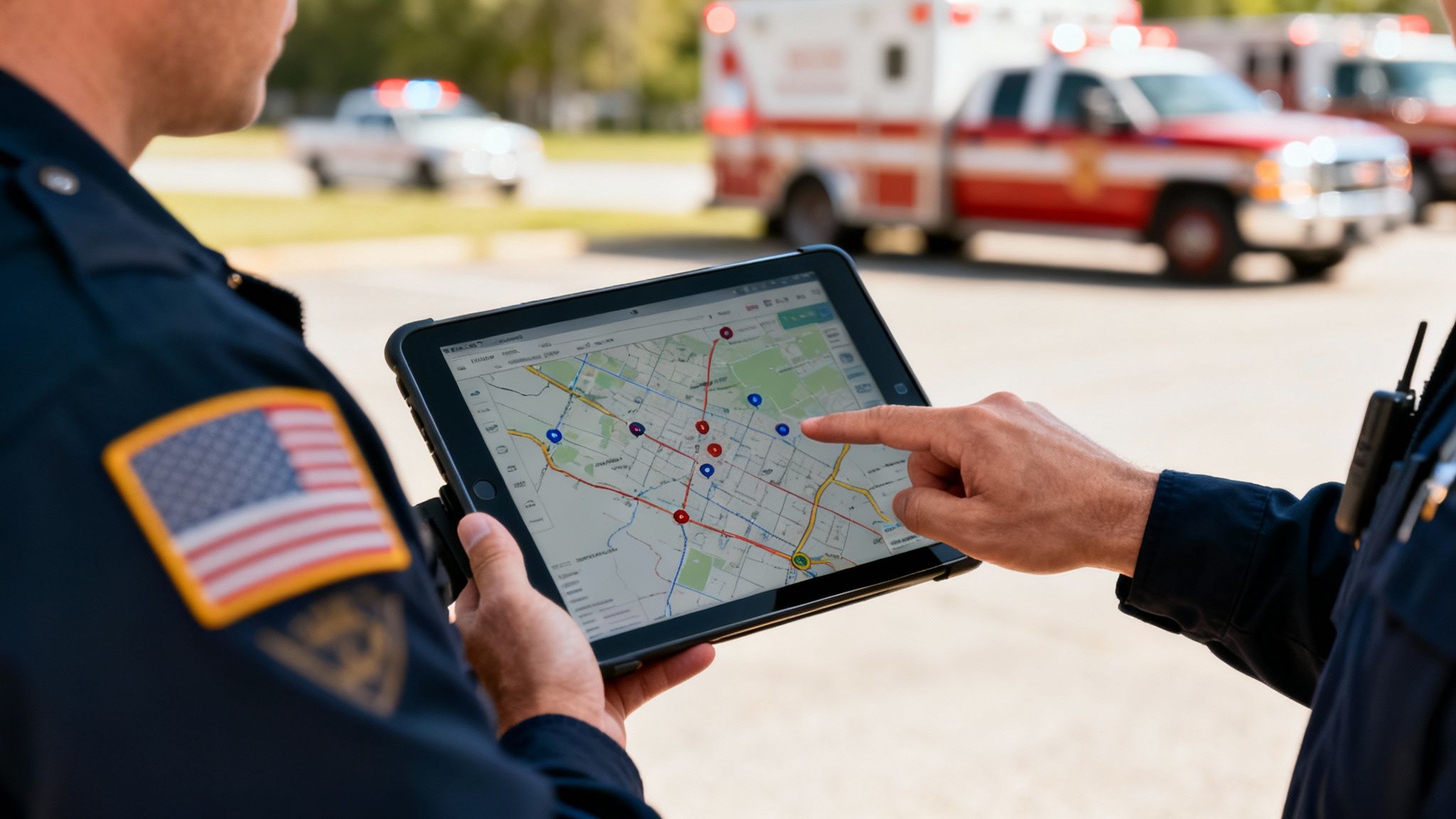
Modern software completely changes the game. The IC pulls up the incident on a rugged tablet.
- A Unified Map: Instead of guessing, the IC sees the live GPS location of every engine, ambulance, and police car on a single map. They can immediately see who is closest and direct units to block the right lanes, creating a safe zone for responders.
- Quiet Coordination: The primary radio channel is already noisy. Rather than adding to it, the IC can silently request a heavy rescue truck or more ambulances through the platform. That request is logged, tracked, and confirmed without a single word spoken over the air.
- Patient Tracking: As crews begin triage, they can update each person’s status right in the system. The IC gets a real-time count of critical, serious, and minor injuries, which helps them allocate transport units where they’re needed most.
Actionable Money-Saving Insight: By getting all agencies on one map, the IC can stop redundant resources from being sent. If police confirm they've got traffic control locked down, the IC can cancel an incoming fire engine dispatched just for that purpose. That saves fuel, personnel hours, and unnecessary vehicle wear and tear.
Music Festival Security and Medical Teams
Now, let's go behind the scenes at a massive music festival. With tens of thousands of people packed together, even a minor incident can snowball into a major problem. Here, the event’s command center uses emergency management software as its eyes and ears.
Practical Example: A call comes in for a medical emergency deep in the crowd. Instead of trying to give verbal directions over the blaring music, a dispatcher drops a pin at the exact GPS coordinate. A mobile medical team on a UTV sees that pin pop up on their device and navigates directly to the patient, cutting through the chaos.
Actionable Money-Saving Insight: Use the platform to manage shift changes and breaks for security and medical staff. Automated reminders and a clear staffing dashboard prevent costly coverage gaps or unnecessary overtime caused by poor manual coordination. This ensures you are staffed appropriately without overspending on personnel.
This same system helps manage lost child reports. A parent's info and the child's description are pushed out to every security member instantly. When the child is found, the report is cleared in real-time so no one wastes time looking for a child who is already safe.
Corporate Security Responding to a Hurricane
Finally, imagine a global security operations center (GSOC) for a big corporation. A hurricane is barreling toward a city where they have a major office. Their top priorities are keeping employees safe and keeping the business running.
The GSOC uses the software to draw a geographic boundary around the storm's projected path. They then send a targeted "Are you safe?" notification to every employee inside that zone. With a single tap, employees can report their status. The GSOC gets a live dashboard showing who's safe, who needs help, and who hasn't checked in yet, turning a multi-day phone tree nightmare into a task that takes just minutes.
Actionable Money-Saving Insight: By quickly confirming employee safety and identifying who needs assistance, the company can minimize business disruption. This rapid accountability reduces the financial impact of downtime and allows the business to resume operations faster, directly protecting revenue.
They can also coordinate evacuation logistics, track the location of company vehicles, and send out updates about office closures—all from that one central hub. You can learn more by exploring the specialized mobile apps that put these capabilities directly into the hands of personnel in the field.
The Tangible Financial Benefits of the Right Platform
When you're looking at investing in new tech, it really has to deliver a clear return. Software for emergency management is no different. It's about more than just boosting safety and shaving seconds off response times; the right platform brings direct, measurable financial wins that you can see on your bottom line.
This isn't just a niche market, either. The emergency management software sector was valued at USD 1.5 billion and is projected to more than double to USD 3.08 billion by 2032. A big driver for this growth is the shift to cloud-based solutions that cut down on upfront costs and offer way more flexibility, putting powerful tools within reach for organizations of all sizes. You can dive deeper into the data on this expanding market and its trends.
The financial argument for this kind of software really boils down to three things: cutting operational waste, getting the most out of your expensive assets, and bringing down financial risk.
Driving Down Costs with Operational Efficiency
Let’s be honest: time is money, especially when the tones drop. Old-school manual processes like paper schedules, verbal dispatches, and hand-written reports aren't just slow—they’re expensive. They eat up countless administrative hours and are a fast track to racking up costly overtime.
Automating these jobs creates immediate savings. A smart scheduling system can slash dispatcher overtime by more than 15% by intelligently filling shifts and avoiding unnecessary overlap. Similarly, automated incident reporting can save hundreds of admin hours every year, freeing up your people to focus on training and prep instead of being buried in paperwork.
Practical Example: A small volunteer fire department used to spend hours every week calling members to cover community events. After implementing a system with automated scheduling and availability tracking, they cut that admin time by a whopping 90%. They could then redirect those volunteer hours to critical equipment maintenance, which saved them a fortune on future repair bills.
Optimizing Your Most Expensive Resources
Your people, vehicles, and equipment are your biggest investments. Making sure they're used effectively is just good financial sense. Software with real-time tracking gives you the visibility you need to make smart, cost-saving decisions in the heat of the moment.
For example, live vehicle tracking lets a dispatcher send the absolute closest unit to a call. That simple change minimizes fuel burn and reduces wear-and-tear on your apparatus. Precise asset management means you know exactly where that expensive thermal camera is, preventing you from buying a duplicate of an item you already have but just couldn't find.
- Fuel Savings: Optimized routing and dispatch can cut fuel consumption by 10-20%.
- Reduced Maintenance: Fewer miles on the road means lower maintenance and repair costs. Simple as that.
- Preventing Redundant Purchases: Knowing you have three generators in storage keeps you from buying a fourth one "just in case."
Mitigating Financial Risks and Unlocking Funding
Good risk management is a powerful financial tool. Modern software gives you the solid, automated reporting you need to prove compliance, which can help lower insurance premiums and even secure grant funding. The system captures a detailed data trail of every action, decision, and communication.
This kind of documentation is gold when you're demonstrating operational effectiveness to insurance providers, often leading to lower liability premiums. On top of that, grant applications almost always require hard data on things like response times and resource allocation—metrics that are nearly impossible to track down without an automated system.
Actionable Money-Saving Insight: Before applying for a grant, use your software's reporting tools to generate a one-page data sheet highlighting key performance indicators like improved response times or more efficient resource use. Presenting this hard data makes your application far more compelling and significantly increases your chances of securing funds that can offset the software's cost and other operational expenses.
One of the smartest money-saving moves is to find a platform with a flexible model. Look for solutions that don't lock you into long-term contracts or require expensive, mandatory implementation consultants. This approach lets your organization see these savings without a massive upfront cost. To see what I mean, you can check out different pricing structures that prioritize flexibility. Choosing an open-source or no-contract model puts the financial control right back where it belongs: in your hands.
How To Choose and Implement Your System

Picking the right software for emergency management can feel overwhelming, but a solid, structured approach makes it completely manageable. Don't think of it as just buying a product; see it as a strategic investment in your team's resilience and effectiveness. A methodical evaluation ensures you land a system that solves real problems and delivers a genuine return.
The trick is to break the process down. You need to tackle three distinct stages: a deep dive into your own needs, a clear-eyed evaluation of your options, and a smart, phased implementation. Follow these steps, and you’ll find a platform that fits your team perfectly, avoiding the headache of buyer's remorse later on.
Assess Your Unique Needs First
Before you even think about watching a sales demo, you have to look inward. The best software isn't the one with the longest feature list—it's the one that solves your specific problems. Get your people in a room, from the command staff to the boots on the ground, and have a brutally honest conversation about your operational pain points.
Kick off the discussion with questions like these:
- Communication Gaps: Where do things fall apart when an incident kicks off? Is it radio traffic jams, missed texts, or just not having everyone on the same page?
- Reporting Burdens: How many hours are we burning on manual incident reports and paperwork? What crucial data do we always seem to miss?
- Operational Blind Spots: What's the one piece of information you wish you had in real-time but can't get? (Think exact unit locations, personnel availability, or patient counts).
- Resource Management: How are we tracking our gear and people right now? Do we ever struggle to know who’s available or where a critical piece of equipment is?
This internal audit becomes your blueprint. It gives you a concrete checklist to hold vendors against, making sure you stay focused on solutions for your daily headaches instead of getting sidetracked by flashy features you'll never use.
Evaluate Key Platform Criteria
Once you know what you need, you can start looking at systems. It's just like buying a vehicle; a small-town fire department doesn't need a massive, all-terrain command truck. The software has to fit your operational landscape. As you compare options, some solid advice on choosing effective incident management software can be a huge help, since incident response is at the heart of what you do.
When you're comparing platforms, zero in on these critical factors:
- Ease of Use: Is the interface actually intuitive? A system that’s a pain to learn will slow everyone down and be nearly impossible to use under pressure. Your team should be able to get the hang of it fast.
- Scalability: Can this thing grow with us? A small volunteer squad might just need basic dispatch today, but what about five years from now? Your software should scale without forcing you into a costly and painful migration.
- Integration Capabilities: Does it play well with others? A great platform will connect with your existing GIS, radio systems, and other tools to create a single, unified command center, protecting the investments you've already made.
- Support and Training: What happens when you get stuck? Look for vendors with solid documentation, helpful tutorials, and a support team that actually responds. You want to empower your team, not create hidden costs.
To keep your evaluation on track, a simple checklist can make all the difference. It helps you compare apples to apples and forces you to think about the long-term budget impact of each choice.
Software Selection Checklist
| Evaluation Criteria | Questions to Ask Vendors | Why It Matters for Your Budget |
|---|---|---|
| User Interface (UI) | Can we get a trial for our field personnel? Is it mobile-friendly and easy to navigate under stress? | A complicated UI leads to longer training times and lower adoption, wasting the money you spent. |
| Core Feature Set | Does it solve the top 3-5 problems from our needs assessment? Are critical features add-ons? | Paying for features you don't need is a budget killer. Make sure the core package meets your needs. |
| Integration | What pre-built integrations do you offer (e.g., CAD, GIS)? What does a custom integration cost? | Seamless integration avoids costly data entry and saves money by working with tools you already own. |
| Scalability & Pricing | How does your pricing change as we add users or units? Are there tiered feature levels? | Predictable pricing prevents budget surprises as your organization grows. Avoid being penalized for success. |
| Implementation & Support | Are professional services mandatory? What's included in your standard support plan? | Hidden implementation and support fees can double the initial cost. Look for self-service options. |
Using a checklist like this ensures you're asking the right questions upfront, so you can make a decision that's not only operationally sound but also financially smart.
Actionable Money-Saving Insight: Prioritize self-service platforms. Many vendors lock you into thousands of dollars in mandatory setup and training fees. By choosing a system your team can configure and roll out, you can slash your initial investment and get started on your own timeline, not a consultant's.
Plan for a Smooth Implementation
The final piece of the puzzle is rolling out your new software. A "big bang" launch where you flip a switch overnight is a classic recipe for disaster. You're much better off with a phased approach that builds confidence and momentum along the way.
- Find Your Champions: Identify a few tech-savvy, respected members of your team to become the go-to experts. Get them trained up first and let them help teach their peers. Their buy-in is contagious.
- Start with a Pilot Program: Don't go all-in at once. Roll the software out to a single team or for a specific type of call. This lets you iron out the kinks and get real feedback before a full-scale deployment.
- Provide Clear Training: Use a mix of training styles—hands-on workshops, short video tutorials, and simple cheat sheets. Make sure everyone knows not just how to use the software, but why it makes their job easier and safer.
By carefully assessing your needs, evaluating platforms against the right criteria, and implementing your system in a measured way, you set your organization up for a huge win. This approach minimizes risk, gets everyone on board, and ensures your investment pays off for years to come.
Common Questions About Emergency Management Software
Jumping into new technology always kicks up a few questions. When it comes to software for emergency management, the people holding the purse strings usually have the same worries: cost, compatibility, and getting everyone up to speed. Let's tackle these head-on, because sorting them out can actually uncover some serious savings.
What’s This Going to Cost Us?
The price tag on this kind of software is all over the map, but the good news is you're not stuck with eye-watering, long-term contracts anymore. The old way of doing things meant steep per-user fees and licensing costs, which was a non-starter for a lot of organizations trying to watch their budget.
But things have changed. Modern platforms have a much more flexible way of doing things. Open-source options and no-contract models give you powerful tools without the crazy price or commitment. This means you can scale up or down whenever you need to, so you’re only ever paying for what you actually use.
Actionable Money-Saving Insight: Find a platform with a no-contract, self-service model. You’ll sidestep thousands of dollars in mandatory setup fees and consultant costs right from the start. This puts your team—not a vendor—in complete control of the timeline and the budget.
Will It Play Nice with Our Existing Gear?
Yes, it has to. That’s a dealbreaker. No one wants to throw out perfectly good investments like radio systems or their Geographic Information Systems (GIS). The best software today is built to integrate, using Application Programming Interfaces (APIs) to talk to the tools you already have.
Think of an API as a universal translator. It lets your new command software have a conversation with your existing mapping and radio hardware. This ties everything together into one system where information flows freely, getting you the most value out of the trusted equipment you already own.
How Hard Is It to Get Everyone Trained Up?
Worries about the learning curve are completely valid—pulling people off their duties for training gets expensive fast. The trick is to pick a platform with a clean, intuitive interface that feels familiar right away, kind of like using any other app on your smartphone.
Look for systems that offer a ton of self-service training materials, like video tutorials and solid documentation. This lets your people learn at their own pace, which drastically cuts down on the need for pricey on-site trainers and minimizes the time your team is off the floor.
For over a decade, Resgrid, LLC has been building a flexible, open-source platform to meet these exact needs. We offer a powerful dispatch and management solution without the high costs or restrictive contracts you’ll find elsewhere. See how it works at https://resgrid.com.