
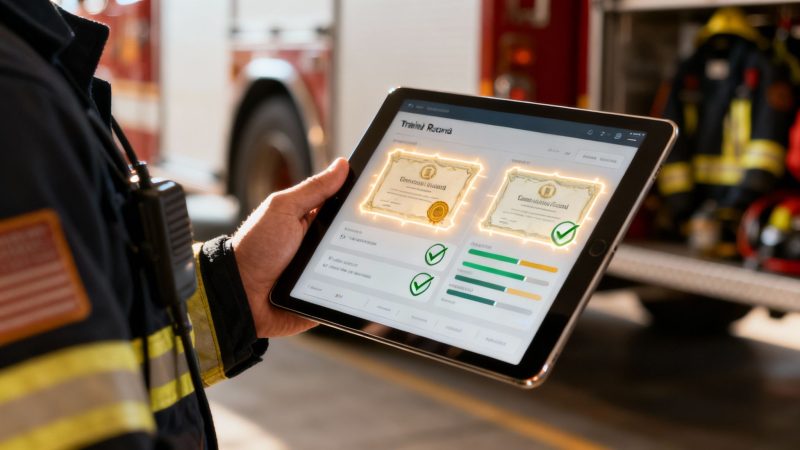
Mastering First Responder Training Record Management
Training record management is just a formal way of saying you have a system for creating, storing, and keeping track of all your team's training activities and certifications. But for first responders, it's so much more than paperwork—it’s the backbone that proves your agency is ready, compliant, and legally defensible. Getting this right has a direct impact on how effective you are in the field and how stable your budget is.
Why Training Record Management Is Your Agency's Lifeline

Think of your training records as the official logbook for your agency's most valuable asset: your people. Just like an aircraft's maintenance log proves it’s safe to fly, a solid training record system proves your team is qualified, competent, and ready to respond safely and effectively. It's the central nervous system that links individual skills to your entire department's readiness.
This system is way more than just an administrative checklist. When done right, it becomes a strategic tool that supports every part of your operation, from making daily crew assignments to defending your actions in court after a major incident.
The Foundation of Operational Readiness
At its core, training record management is all about making sure you have the right people with the right skills in the right place when the call comes in. Without a clear, easy-to-access system, you’re operating with blind spots. For first responders, those aren't just abstract risks; they are real-world liabilities that can have serious consequences.
An organized system lets a supervisor instantly verify who's qualified for a specific job. Imagine you need to pull together a specialized technical rescue team right now. A good system allows you to identify every member with up-to-date confined space, swift water, or high-angle rescue certifications in seconds, not hours shuffling through binders.
A well-maintained training record is more than a compliance checklist; it's a real-time snapshot of your agency's capabilities and its ability to meet the community's needs safely and professionally.
This kind of visibility is absolutely crucial for spotting skill gaps before they turn into critical failures on scene. For instance, the data might show that only a small percentage of your medics have renewed their Pediatric Advanced Life Support (PALS) certification. That's an actionable insight. It tells you exactly what training to schedule, directly strengthening your agency's ability to handle pediatric emergencies.
A Powerful Shield Against Liability
When a critical incident goes sideways, your training records are often your first and most powerful line of defense. They provide undeniable, time-stamped proof that your personnel were trained and certified according to national, state, and local standards. That documentation can be the single deciding factor in a negligence lawsuit.
Let's say your department faces a lawsuit claiming improper ventilation techniques at a structure fire. Being able to immediately produce records showing that every single firefighter on that scene recently completed and passed a certified ventilation course can completely dismantle the plaintiff's argument. This alone can save your agency from devastating financial penalties.
Of course, these records have to be accurate, complete, and totally secure. Your ability to maintain their integrity is paramount, which is why having strong digital security for your management platform is non-negotiable.
A Direct Path to Saving Money
While setting up a modern training record system does require an investment, the return is measured in real, direct cost savings. In fact, sticking with an inefficient or nonexistent system is probably draining your budget in ways you don't even realize.
Here are a few practical ways a solid system saves you money:
- Avoiding Compliance Fines: Agencies like OSHA and state EMS boards can hit you with heavy fines for non-compliance. An automated system that tracks certification expirations and mandatory training hours keeps you audit-ready at all times, preventing costly penalties that can wreck a municipal budget.
- Reducing Legal Exposure: The cost of a single lawsuit can be catastrophic. By providing a clean, defensible record of training, you dramatically cut your legal risk and the massive expenses that come with settlements and litigation.
- Eliminating Redundant Training: Without a central system, it’s all too easy to waste money sending personnel to courses they’ve already taken. A clear record stops this from happening, ensuring every dollar in your training budget is spent filling actual skill gaps.
- Lowering Insurance Premiums: Many insurance providers offer lower premiums to agencies that can demonstrate a serious commitment to risk management. A comprehensive training record system is tangible proof of that commitment, showing you're taking proactive steps to keep your people competent and safe.
The Real Cost of Neglecting Your Training Records

Let's be blunt: failing to keep accurate training records isn't some minor administrative headache. It's a direct threat to your agency's budget and your ability to operate safely. The real cost of letting this slide goes way beyond a messy file cabinet. We're talking about crippling fines, indefensible lawsuits, and insurance premiums that can blow a hole in even the healthiest budgets.
When you're managing teams in high-stakes environments, every single certification and completed drill is a layer of protection. Without a reliable training record management system, those layers can disappear without anyone noticing, leaving your entire organization dangerously exposed.
Facing the Regulators and the Courts
Public safety watchdogs like the Occupational Safety and Health Administration (OSHA), the National Fire Protection Association (NFPA), and state EMS boards don't mess around. They have specific, non-negotiable rules for how training must be documented. Failing an audit isn't just a slap on the wrist; it almost always comes with hefty fines.
Think about this real-world scenario: one of your people gets seriously hurt on the job. OSHA investigates and finds you can't prove they completed their mandatory annual hazmat refresher course. The fines from that one oversight could easily wipe out your equipment budget for the year. This isn't just a bad dream; it's a costly reality for departments that aren't prepared.
But legal challenges are where things get even scarier. After any critical incident, you can bet the first thing an opposing lawyer will demand to see are your training logs.
An incomplete or inaccessible training record is often interpreted as a lack of training itself. In a court of law, this simple failure can be the pivot point that turns a defensible action into a multi-million-dollar negligence verdict.
Imagine a volunteer fire department getting hit with a lawsuit that could bankrupt them after a complex technical rescue. Their saving grace is a modern record system that provides time-stamped, verifiable proof that every single firefighter on that call had just recertified their specialized rescue training a few weeks prior. Suddenly, that one piece of data is priceless.
The Financial Drain of Disorganization
Beyond the headline-grabbing costs of lawsuits and fines, poor record-keeping creates a slow, steady financial bleed through day-to-day inefficiency. These hidden costs pile up over time, draining your budget bit by bit.
- Soaring Insurance Premiums: Insurers are all about calculating risk. An agency with messy, paper-based, or incomplete records screams "high risk." On the flip side, showing them a robust, auditable digital system for tracking certifications is a powerful way to argue for lower liability premiums, potentially saving thousands every year.
- Wasted Administrative Hours: Manually tracking expiration dates in spreadsheets or physical folders eats up hundreds of hours of your staff's time. Those are hours that could be spent writing grants, doing community outreach, or actually training. The cost of that lost productivity is a huge, unnecessary expense.
- Operational Downtime: What happens when a key person's certification lapses without warning? They might have to be pulled from active duty, creating staffing gaps and forcing you to pay overtime to cover shifts. That's a direct, avoidable financial hit caused by a simple failure to track things properly.
Today's training record management isn't just a spreadsheet. It’s an integrated system that combines training matrices with management software on one platform. The industry is catching on—in 2024, 47% of brands in the U.S. training sector now offer mandatory or compliance training. As detailed by experts at trainanddevelop.ca, putting clear procedures in place is no longer just a good idea; it's a core operational necessity. Investing in an effective system isn't an expense—it's one of the smartest cost-saving moves your agency can make.
Actionable Strategies for Flawless Record Management
Moving from a pile of disorganized records to a flawless system doesn’t mean you have to blow your budget. It’s about having a playbook of smart, practical strategies you can put into action right now. This isn't just theory—it's about building a reliable, cost-effective system, one step at a time, that improves efficiency, keeps you compliant, and saves real money.
Great training record management is built on two things: consistency and proactive oversight. The whole point is to create a system that works for you, catching little problems long before they turn into expensive headaches. These strategies are your roadmap.
Establish Ironclad Data Entry Standards
There's an old saying: "garbage in, garbage out." It's the absolute truth in record-keeping. Inconsistent data entry is the number one reason these systems fail. Think about it—one person logs a course as "HazMat Ops," while someone else types in "Hazardous Materials Operations." That one small difference makes accurate reporting and searching next to impossible.
Fixing this is simple. Create a standardized list of course names, certification titles, and abbreviations. This single step brings uniformity to your data and makes it truly reliable. A critical piece of this puzzle also involves implementing robust identity verification to ensure the person credited for the training is the one who actually did it, protecting the integrity of every record.
Automate Expiration and Renewal Alerts
Trying to manually track expiration dates for dozens, or even hundreds, of certifications is a recipe for disaster. It's also a massive waste of administrative time. A single lapsed certification can force a unit out of service, triggering overtime costs to cover a shift or, worse, leaving you with an operational gap during an emergency. This is where automation pays for itself over and over.
A modern system can be set up to automatically send renewal reminders to both the individual and their supervisor 90, 60, and 30 days before a credential expires.
This single automated feature can reclaim hundreds of administrative hours annually. More importantly, it acts as a critical safety net, preventing the high costs and liabilities associated with deploying uncertified personnel.
Implement Regular Record Audits
Don't wait for an outside auditor to show up and find problems. Proactive internal audits are your best defense. Schedule quarterly reviews of your training records to spot discrepancies, catch expiring qualifications, and identify personnel who are falling behind on mandatory hours.
For example, a police department can run a quick quarterly audit on firearm qualifications. If they catch an officer whose certification is about to lapse, they avoid the huge liability of sending them out on patrol and the overtime costs of covering their shifts while they rush to recertify. These small, consistent checks save a fortune in the long run.
The growing global focus on employee development just reinforces how vital this is. The workplace training sector hit an incredible $401 billion in 2024, with U.S. corporate spending alone reaching $101.8 billion in 2023. For first responders, this trend makes it clear that accurate training record management isn't just admin work—it's a critical operational need to ensure every team member is certified and ready to go.
Define and Enforce Retention Policies
Knowing what to keep and for how long is crucial for both compliance and data security. Different records have different legal retention requirements, and these often vary by state and agency type. Not following the rules can lead to serious legal penalties.
It’s a good idea to work with your legal counsel to establish a clear, written retention policy. It should spell out:
- What to Keep: Specify which records are mandatory, like state-issued certifications, course completion certificates, and signed skill competency forms.
- How Long to Keep Them: A common best practice is to hold onto records for 5-7 years after an employee separates from the agency, but get confirmation from your legal team.
- How to Dispose of Them: Outline the secure method for destroying records once their retention period is over to protect sensitive personal information.
By creating and actually enforcing these policies, you ensure your agency is always ready for a legal challenge or an audit.
Modern vs Outdated Training Record Management
It's one thing to talk about these strategies, but it's another to see the night-and-day difference between a modern system and the old way of doing things. One approach saves time, money, and headaches, while the other creates risk and inefficiency. The contrast is pretty stark.
| Characteristic | Modern System (e.g., Resgrid) | Outdated Method (e.g., Spreadsheets/Paper) |
|---|---|---|
| Data Entry | Standardized fields, dropdowns, and automation ensure consistency. | Manual entry leads to typos, inconsistencies, and unusable data. |
| Expiration Tracking | Automated alerts sent 90/60/30 days out to personnel and supervisors. | Manual, calendar-based tracking that is prone to human error. |
| Auditing | Instant reports generated with a few clicks, ready for internal or external review. | A painful, manual process of sifting through files or spreadsheet rows. |
| Accessibility | Secure, cloud-based access from anywhere, on any device. | Records are locked in a file cabinet or on a single office computer. |
| Compliance Risk | Low. Automated tracking and clear retention policies prevent lapses. | High. Lapsed certifications and missed requirements are common. |
| Cost | Low operational cost; saves thousands in administrative time and fines. | High hidden costs from wasted time, overtime, and potential liabilities. |
Ultimately, adopting a modern system isn't just an upgrade; it transforms your record management from a costly administrative burden into a powerful, cost-effective asset.
Choosing a System That Works for Your Agency
Picking a training record management system isn't just about ticking a box for new software. It's a real investment in your agency's efficiency, budget, and legal standing. The right platform is more than a digital filing cabinet; it becomes an active partner in your operations. Think of it as an automated assistant chief who’s always on the clock, keeping a sharp eye on every detail.
This guide will walk you through the non-negotiable features your system absolutely must have. We'll skip the confusing tech speak and get straight to what each feature actually does for you—how it saves money, cuts down on administrative headaches, and keeps your people safe and compliant.
The Central Dashboard: An At-A-Glance Command Center
First things first: you need a central dashboard. It should give you an immediate, visual snapshot of where your agency stands on compliance. You shouldn't have to hunt through menus or run complicated reports just to answer a simple question: "Are we compliant right now?"
A great dashboard works like a command center. It uses color-coded charts and alerts to instantly show what percentage of your team is current, who’s getting close to an expiration date, and where you have critical skills gaps.
Practical Example: A fire chief logs in and immediately sees a red alert flashing on the dashboard. 15% of the department's EMT certifications are set to expire in the next 30 days. Without that instant visual cue, this critical detail might have been buried in a spreadsheet, only to be found after it was too late. That single feature just prevented an operational crisis and the headache of pulling an engine company from service.
Automated Alerts That Prevent Costly Lapses
Let's be honest, manually tracking hundreds of expiration dates is not just a pain—it's a recipe for failure. One missed renewal can create a massive financial ripple effect. This is exactly why automated alerts aren't a luxury; they're a core requirement for any modern system.
The system should automatically ping both the individual and their supervisor at set intervals—say, 90, 60, and 30 days—before a certification expires.
Money-Saving Insight: Automated alerts directly kill the need to pay overtime to cover for a medic or officer whose certification unexpectedly lapsed. This feature alone can pay for the entire system by preventing just a handful of last-minute staffing scrambles caused by something totally preventable.
Customizable Reports for Seamless Audits
When an auditor shows up and asks for your training records, your response should be a few clicks, not a week-long panic digging through paper files. Your system must have a powerful and flexible reporting engine that lets you pull detailed reports in seconds.
Look for the ability to filter reports by individual, station, certification type, or date range. You should be able to instantly generate a complete training history for a specific team member or prove that every single firefighter has completed their annual mandatory training.
Practical Example: During a surprise OSHA audit, the safety officer is asked to prove all personnel have completed their annual HazMat awareness training. Instead of breaking a sweat, the training officer generates a PDF report in under a minute that lists every employee, the course completion date, and a link to their digital certificate. The audit goes off without a hitch, and potential fines are avoided.
Mobile Access for Real-Time Field Updates
Training and certification happen out in the field, not chained to a desk. Any system that ties you to a desktop computer is already out of date. Mobile access is absolutely crucial for keeping your records accurate and current.
Your team should be able to snap a picture of a course completion certificate and upload it directly from their phone, right after a class ends. This completely eliminates the risk of paperwork getting lost in a truck cab and ensures records are updated in real-time, not weeks later when someone finally remembers to turn it in.
For a deeper look into what a full suite of modern tools can do, you can explore the various capabilities of a comprehensive first responder platform at https://resgrid.com/features to see how mobile access fits into the bigger operational picture. To make an informed choice, it's also worth researching different Learning Management Systems for corporate training and what they offer.
Your Blueprint for a Seamless System Transition
Let’s be honest: making the jump from paper files or a jumble of spreadsheets to a modern, digital training record management system feels like a huge undertaking. It's easy to get bogged down in the details. But with a solid plan, the transition can be surprisingly smooth, efficient, and even save you money in the long run. This blueprint breaks the process down into simple, manageable stages.
The trick is to stop thinking of it as one massive project. Instead, see it as a series of deliberate steps. Each stage—from cleaning up your data to getting your team to actually use the new system—builds on the last. This creates momentum and minimizes the disruption to your day-to-day operations. It’s the secret to a successful rollout that starts delivering value from day one.
This flowchart shows the straightforward, three-stage journey from messy data to a fully adopted digital system.
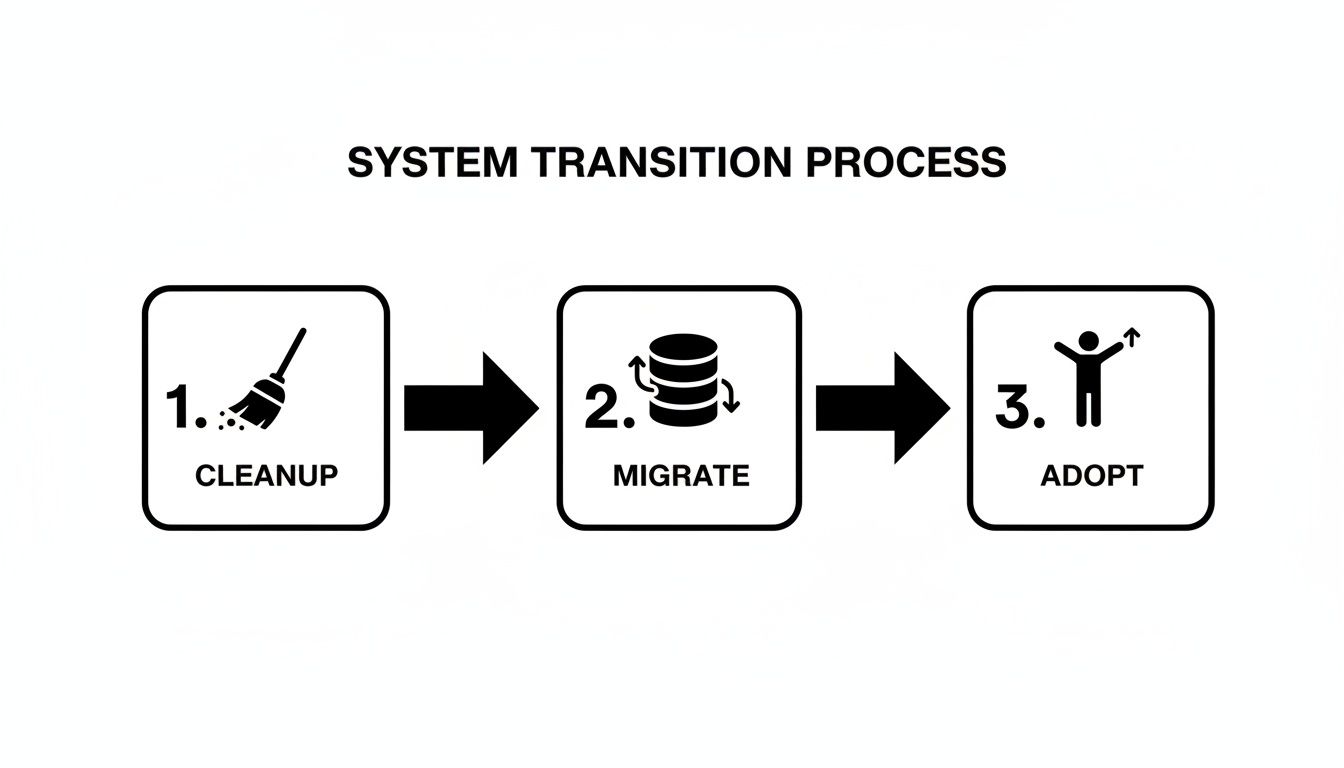
As you can see, a successful switch starts with cleaning up your existing data before you move it. That’s followed by the technical migration and, crucially, a focus on getting your team to embrace the new tool.
Stage 1: Data Cleanup and Standardization
Before you even think about moving a single file, you have to clean house. This is the most critical and most often skipped step. Trust me, skipping it is a costly mistake. Migrating messy, inconsistent, or duplicate data into a new system just poisons the well from the start, guaranteeing you’ll be doing expensive rework down the line.
Money-Saving Insight: Dedicating time to data cleanup before migration can save you hundreds of administrative hours. Standardizing course names and getting rid of duplicate entries ensures your new system is accurate and reliable from the get-go.
Start by creating a master list of standardized training titles. Is it "HazMat Awareness," "Hazardous Materials – Awareness Level," or "HAZ-AWR"? Pick one, document it, and make sure everyone uses that exact term from now on.
Next, get all your existing records into a single, clean spreadsheet. This is your chance to:
- Remove Duplicates: Hunt down and delete redundant entries for the same person and course.
- Correct Errors: Fix typos in names, dates, and certification numbers. You know they're in there.
- Fill in Gaps: Identify missing information and make a real effort to track it down now, not later.
Stage 2: Phased Migration and Configuration
Once your data is clean, you can finally start the migration. Resist the urge to do it all at once. A "big bang" switch usually leads to chaos and frustrated users. Instead, go for a phased rollout to keep things manageable and build some positive momentum.
A phased approach gives you a chance to work out the kinks in a controlled way. You can test the system, get feedback, and prove its value on a smaller scale. This makes getting buy-in from the whole organization a lot easier.
Here's a practical example: A fire department decides to start its transition with just one thing: EMT renewals. They migrate only that data for all personnel. This small, focused pilot lets the training officer perfect the process, train a small group of users, and show everyone how the new automated alerts prevent those last-minute certification scrambles.
During this stage, you’ll also configure the system to fit your agency’s needs. This means setting up automated alerts for expiring certs, creating custom report templates for audits, and defining who can see and do what with user roles and permissions.
Stage 3: User Adoption and Training
A new system is only as good as the people who use it. The final—and most important—stage is getting your team on board. You can’t just send out an email with a login link and hope for the best.
Hold hands-on training sessions that focus on the "what's in it for me" factor. Show your team how the new system makes their lives easier—how they can upload a certificate from their phone in seconds or see all their qualifications in one place without digging through a folder.
A great way to drive adoption is to weave the system into your daily workflows. For instance, when a team member finishes a drill, have them log it immediately through one of your agency's connected mobile command and response apps. This reinforces the new habit and shows the system’s practical value in real time. It makes the change feel less like a top-down order and more like a real operational upgrade.
Common Questions About Training Record Management
When you start looking at a modern system for training record management, it’s completely normal for questions and concerns to pop up. A lot of agencies are in the same boat, wrestling with everything from legal requirements to just overcoming the inertia of "the way we've always done it." Getting straight answers to these common questions is key to making a smart decision, avoiding expensive mistakes, and building a system that actually works for your team.
Below, we’re tackling three of the most frequent questions we hear from first responder agencies. The answers are all about practical advice that saves money and makes your operations run smoother.
How Long Must We Keep Training Records?
This is probably one of the most critical compliance questions an agency has to answer. The short answer? It depends. There’s no single federal law that sets a universal retention period for all first responder training records. Instead, you'll find that policies vary a ton based on state laws, local government rules, and your own agency's specific needs.
That said, a widely accepted best practice is to hang on to training records for 5 to 7 years after an individual’s employment with the agency ends. This long runway gives you a solid defense against potential legal challenges that might surface years after someone has left.
Actionable Insight: The most important thing you can do is talk to your legal counsel. They can help you draft a formal, written retention policy that will hold up in an audit or a lawsuit. A clear policy doesn't just keep you compliant; it also stops you from holding onto records longer than necessary, which can create its own set of data management headaches.
Are Spreadsheets Good Enough for Managing Records?
Spreadsheets can feel like the go-to "free" option, but that’s a dangerous myth. While you don’t pay an upfront software cost, they bury you in hidden costs from inefficiency, risk, and simple human error. Don't think of a spreadsheet as a free tool—think of it as a system that bills you in wasted time and increased liability.
These hidden costs pile up fast:
- Data Entry Errors: One typo can make a record impossible to find, basically wiping it from existence. Fixing these manual mistakes chews up countless admin hours that could be spent on something far more important.
- No Audit Trail: Spreadsheets can't tell you who changed a record or when. This lack of a verifiable audit trail is a fatal flaw during a legal investigation and can make your data look completely untrustworthy.
- Lack of Automated Alerts: There’s no built-in way to automatically track expirations. This manual burden almost guarantees certifications will lapse, leading to compliance failures, operational downtime, and overtime costs to cover shifts.
- Major Security Risks: A spreadsheet file can be copied, emailed, or deleted in a heartbeat, creating a huge risk of a data breach involving sensitive personnel information.
A dedicated software system is built specifically to head off these expensive problems, making it a much more cost-effective choice in the long run.
What Is the Biggest Hurdle When Going Digital?
Making the switch to a digital system really boils down to two major challenges that can sink the whole project if you don't manage them: messy data and poor user adoption. Getting these two things right is the secret to a smooth and successful transition.
First, you have to deal with the messy data. Trying to migrate years of inconsistent, duplicated, or incomplete records into a shiny new system is like pouring dirty fuel into a new engine—it's just not going to run right.
Practical Example: Before you import a single record, get a team together to clean up your existing data. Create a master list of standardized course names (for example, make sure everyone uses "Hazardous Materials Operations" instead of a mix of "HazMat Ops" and "HMO"). That time you invest upfront will save you from painful data correction projects down the road and ensure your reports are accurate from day one.
The second hurdle is user adoption. Even the best software on the planet is useless if your team won't use it. The key is showing them how the new system makes their lives easier, not harder.
Money-Saving Insight: When you're training people, focus on the high-value, time-saving features. Show personnel how they can upload a certificate from their phone in 30 seconds instead of handing in paperwork. When they see the new system actually saves them time and effort, adoption will follow, and you'll get the full return on your investment.
Resgrid provides a unified, easy-to-use solution for first responders that simplifies dispatch, messaging, and personnel management. See how our platform can bring clarity and efficiency to your training record management by visiting https://resgrid.com.