
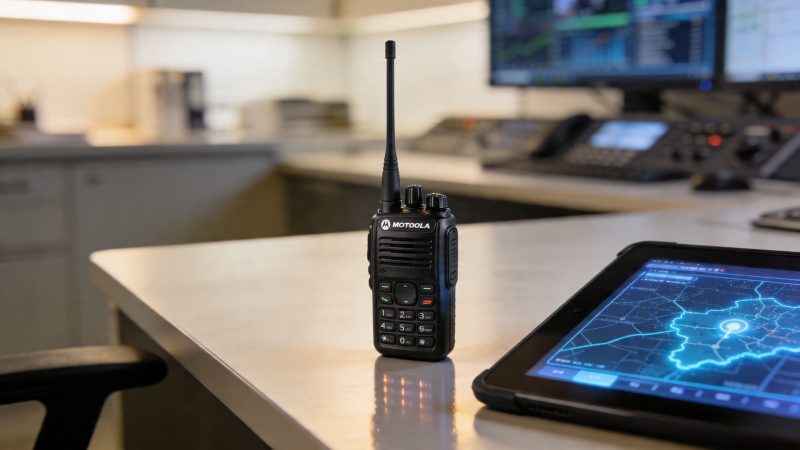
Master Your UHF Motorola Radio: Guide & Integration
A crew is inside a concrete school building. One firefighter is in the stairwell, one is on the second floor, and command is outside near the apparatus. Traffic starts to stack up. Someone steps on another transmission. A location update gets clipped. Then dispatch asks for a status check, and everyone on the channel has to stop what they’re doing just to repeat basic information.
That’s usually the moment people realize they don’t have a radio problem. They have a system problem.
A uhf motorola radio can solve a big part of that problem, but only if you choose it for the environment you work in and only if you treat it as part of a larger dispatch and accountability setup. A radio that works well inside buildings, handles heavy traffic cleanly, and supports modern data features can improve safety and cut waste at the same time. A radio that’s overbought, badly programmed, or isolated from the rest of your workflow becomes an expensive handheld no one fully uses.
Motorola’s public safety reputation wasn’t built on marketing language. In 1943, Motorola developed the SCR300, the world’s first FM portable two-way radio for the U.S. Army. It weighed 35 pounds and established the reliability legacy that later led to compact handhelds like the HT200 used by police and fire departments worldwide, as noted in Motorola’s company timeline. That history still matters because public safety buyers usually aren’t looking for novelty. They’re looking for gear that keeps working when conditions are bad.
Beyond Push to Talk Why Your Radio Choice Matters
A radio choice shows up in the field long before anyone looks at a spec sheet again. It shows up when a patrol team moves from the parking lot into a concrete stairwell. It shows up when an EMS supervisor tries to reach crews spread across a campus. It shows up when event security has enough people on one channel that routine traffic starts blocking urgent calls.
That’s why I don’t treat a radio as a stand-alone purchase. I treat it as the center of a communications chain that includes coverage, audio clarity, accessory reliability, programming discipline, and dispatch workflow. If any one of those breaks, the radio user gets blamed, even when the underlying issue sits somewhere else.
Where agencies usually get it wrong
The first mistake is buying for brand prestige instead of operational fit. A premium handheld with every option available won’t help much if your team mostly needs strong in-building UHF coverage, clear audio, and straightforward controls. The second mistake is buying too cheaply, then paying for it in failed batteries, bad speaker mics, or endless programming changes through a dealer.
The third mistake is the most expensive over time. Agencies buy radios without thinking about how those radios will feed status, location, or message data into dispatch.
Practical rule: Buy the radio for the mission, not for the catalog.
A city fire department, hospital security unit, school police team, or industrial emergency response group usually needs dependable indoor performance and manageable channel use more than they need broad-area marketing claims. In those settings, a uhf motorola radio often makes more operational sense because the radio isn’t just helping people talk. It’s helping command maintain awareness.
What good radio buying actually looks like
A better approach starts with three questions:
- Where do people lose communications most often: Inside schools, hospitals, towers, parking decks, warehouses, or campuses.
- What traffic clogs channels: Routine status updates, repeated acknowledgments, and duplicate dispatch traffic.
- What costs keep coming back: Accessory replacement, programming fees, battery replacement, and avoidable upgrades.
If your answers point toward indoor use, dense structures, and high message volume, the radio decision affects much more than voice quality. It affects how quickly crews clear traffic, how well dispatch sees field activity, and how often you pay for workarounds.
Understanding UHF and How It Differs From VHF
Most buyers don’t need a physics lecture. They need to know which band works better where they operate.
UHF is usually the better fit for built-up environments. VHF usually shines in open terrain. That’s the short version, but the reason matters because a lot of expensive mistakes start when agencies buy the wrong band for the places they use every day.

Think of it like a spotlight and a floodlight
A simple analogy works well in the field.
UHF behaves more like a focused spotlight. It’s well suited to indoor and urban environments where signals have to deal with walls, steel, concrete, offices, schools, hospitals, warehouses, and multi-story structures. VHF is more like a broad floodlight. It can be a strong choice across open rural terrain where there are fewer obstacles to get in the way.
That’s why a county road crew or rural sheriff’s operation may still prefer VHF in wide-open coverage areas, while a municipal fire department, hospital team, or campus security unit often leans UHF.
Why UHF became such a practical public safety choice
The FCC’s allocation of the 450-470 MHz UHF bands was a turning point because it allowed more compact radio designs and improved indoor penetration compared with older VHF systems. That shift helped Motorola develop major public safety technologies, including the first trunking system in 1979 and digital Spectra radios in the 1980s, according to this history of Motorola UHF development and FCC UHF band allocation.
That matters in practical terms for two reasons.
- Smaller antennas: UHF portables are easier to carry and manage on a duty belt, turnout gear, or vest.
- Better building performance: In many public safety settings, the radio has to work in structures, not just parking lots.
Better indoor performance is often worth more than theoretical range you rarely use.
A quick decision framework
If you’re deciding between UHF and VHF, use the environment first.
| Operating environment | Usually the better fit | Why |
|---|---|---|
| Dense city blocks | UHF | Handles buildings and urban obstructions better |
| Schools and hospitals | UHF | More practical for in-building communication |
| Warehouses and industrial sites | UHF | Stronger fit for indoor and mixed indoor-outdoor work |
| Rural roads and open farmland | VHF | Better suited to long open stretches |
| Large outdoor parks with little obstruction | VHF | Often favored where distance matters more than building penetration |
Trade-offs that buyers should admit up front
No band wins everywhere.
- UHF downside: If your jurisdiction is mostly open rural ground, UHF may not deliver the same practical long-distance behavior you’d expect from VHF in those conditions.
- VHF downside: Once crews move inside large structures, VHF often becomes frustrating fast.
- Mixed operations: Some agencies work across both environments and need a more careful fleet strategy, especially if mutual aid, interoperability, or multi-band requirements are involved.
A lot of radio frustration comes from using the right brand on the wrong band. If most of your trouble starts indoors, a uhf motorola radio deserves a serious look before you spend money trying to fix indoor coverage problems with programming tweaks alone.
Key Motorola UHF Radio Models for Public Safety
Not every Motorola radio belongs in every fleet. Some are worth the premium because they solve a real operational problem. Others are excellent radios that become budget traps when agencies buy features their users never touch.
The smarter way to shop is to match the radio tier to the mission, then spend the rest of the budget on programming discipline, batteries, chargers, speaker mics, and the dispatch side of the operation. That usually produces more value than buying the most expensive portable in the lineup and then cutting corners everywhere else.
Motorola UHF Radio Models At a Glance
| Model Series | Ideal Use Case | Key Features | Durability (IP/MIL-STD) | Price Tier |
|---|---|---|---|---|
| MOTOTRBO R2 | General operations, public works, school security, support units | Straightforward digital UHF operation, good battery performance, simple controls | Rugged design suitable for daily field use | Lower to mid |
| MOTOTRBO R7 | Frontline public safety, high-noise operations, complex incident environments | Higher-end audio performance, advanced noise handling, stronger feature set for demanding users | Built for demanding duty use | Upper mid to high |
| MOTOTRBO SL300 series | Hospitality, events, executive protection, low-profile operations | Slim form factor, discreet carry, lighter profile | Better for lighter duty than hard frontline abuse | Mid |
| MOTOTRBO Ion | Agencies wanting radio plus smart device workflow in one unit | Radio functions plus broader smart-device style workflow, data-friendly platform | Rugged professional design | High |
| APX series UHF-capable options | Mission-critical public safety and interoperability-heavy agencies | Advanced public safety feature sets, GPS and data capabilities on many configurations | Public safety grade ruggedness | High to premium |
The R2 is often the money saver
A lot of teams don’t need a top-tier portable. They need a dependable one that’s easy to train on, sturdy enough for routine abuse, and good enough that users don’t fight the interface.
That’s where the MOTOTRBO R2 often makes financial sense. It fits agencies that need digital UHF performance without paying for every premium feature available. Think school districts, utility crews, event support teams, hospital facilities, or volunteer organizations that need reliability but still have to protect budget.
One practical example: if your users mostly do short voice exchanges, status traffic, and building-to-building coordination, an R2-style purchase often leaves room in the budget for spare batteries, quality speaker microphones, and charger infrastructure. That’s usually a better operational decision than buying a smaller number of premium radios and forcing users to share accessories.
The R7 earns its cost in loud and messy environments
The MOTOTRBO R7 makes more sense when the environment is punishing. Fireground support roles, transportation hubs, heavy industrial work, and other loud settings benefit more from premium audio handling than administrative users do.
If your crews work around pumps, fans, generators, traffic, or crowd noise, better audio isn’t cosmetic. It reduces repeats, cuts misunderstandings, and lowers fatigue. That matters over a full shift.
If users constantly ask for repeats, the issue may not be training. It may be poor audio performance for the environment.
Still, some buyers overspec the R7. If your organization runs mostly quiet indoor operations with controlled workflows, the added spend may be hard to justify across the whole fleet. In that case, reserve higher-tier radios for command, supervisors, or the noisiest assignments.
The SL300 fits low-profile work, not hard abuse
The SL300 series is useful when portability and appearance matter. Event teams, hospitality, executive protection, house supervisors, and similar users often prefer a radio that doesn’t feel bulky. It carries well and supports discreet operations.
The trade-off is obvious. A slim radio is attractive because it’s easier to wear, but many agencies make the mistake of assigning low-profile models to jobs that are rough on gear. If a user is climbing, crawling, working in weather, or frequently dropping radios onto hard surfaces, this class of device may not be the most economical long-term choice.
Use it where discretion matters. Don’t force it into roles where a thicker, tougher portable would last longer.
The Ion is a workflow decision, not just a radio decision
The MOTOTRBO Ion is for agencies that want to combine radio communication with broader smart-device style work. It can be attractive for supervisors, command staff, or teams that live in both voice and data.
That doesn’t mean every fleet should rush toward it.
A smart radio can reduce device sprawl for some users, but it can also increase training, support needs, and policy questions around apps, updates, and user behavior. If your organization struggles to maintain simple radio templates, a more complex endpoint may create more work than value.
How to avoid overspending
Use role-based purchasing instead of fleet-wide uniformity.
- Frontline suppression or noisy field assignments: Put higher-tier audio where the noise problem is real.
- General support users: Use solid mid-tier digital radios that cover the core job well.
- Supervisors and command: Consider more advanced units only if they’ll use the added capabilities.
- Low-profile customer-facing roles: Choose slim models when wearability matters more than extreme ruggedness.
The cheapest fleet is rarely the lowest bid. It’s the fleet that matches users to radios correctly, keeps accessory failures down, and avoids buying premium hardware for people who only need dependable push-to-talk.
Digital Features That Save Time and Protect Your Team
The jump from analog to digital matters most when channel demand rises. That’s when features stop feeling optional and start saving time.
Motorola’s MOTOTRBO radios use DMR TDMA technology to split a single 12.5 kHz channel into two virtual time slots, which doubles calling capacity and supports simultaneous voice and data transmissions. For first responders, that means less congestion during major incidents and up to 40% better battery life because the radio transmits half the time, as described in Motorola’s MOTOTRBO digital radio brochure.

Why TDMA saves money in the real world
Most agencies feel the benefit before they fully understand the acronym.
With analog, one channel handles one conversation at a time. With TDMA, that same channel can carry two time slots. That doesn’t just help a busy incident. It can delay or reduce the need for more frequencies, more infrastructure, or complicated workarounds to separate voice traffic.
If your team regularly deals with status traffic, supervisor traffic, and operational traffic at once, digital capacity becomes a direct budget issue.
- Fewer bottlenecks: Routine traffic is less likely to crowd out urgent voice.
- Better battery performance: Radios don’t spend the same continuous time transmitting.
- Data without sacrificing voice capacity: Useful when users send location or status information alongside voice operations.
Features that matter when things go sideways
A modern uhf motorola radio should also be judged on how it handles urgency.
Transmit Interrupt is one of those features that sounds technical until you need it. In a busy event or emergency, command may need to break through lower-priority traffic. That can be the difference between a controlled channel and a clogged one.
Emergency alerts, lone worker functions, and man-down style capabilities also deserve attention for agencies that operate with isolated staff, overnight details, utility response, perimeter teams, or hazardous assignments. These aren’t flashy options. They’re risk controls.
Buy digital features that remove friction during a bad day. Skip the ones that only look impressive during a demo.
Security and message discipline
Encryption and cleaner digital signaling matter most when operational details shouldn’t be casually intercepted or misunderstood. Police, investigative teams, schools, hospitals, critical infrastructure, and executive protection details often care about this more than a general commercial fleet does.
The other half of secure communication is workflow discipline. A radio system becomes safer when users can move routine updates off the main voice path and use structured status or team messaging tools for operational communication where appropriate. That keeps the channel available for traffic that needs voice.
Hazardous environments need a separate buying standard
Some teams can’t treat safety certification as an optional upgrade. If the radio is heading into explosive-risk or regulated hazardous environments, Intrinsically Safe models belong in the conversation from the beginning.
That choice affects cost, battery planning, and accessory selection. It also changes what “good enough” means. A general-duty radio with attractive pricing is still the wrong radio if the environment requires certified equipment.
Integrating Your Radios with a Dispatch Platform like Resgrid
A radio that only carries voice leaves a lot of value on the table. Modern fleets can support location, status, and message workflows that reduce voice clutter and give dispatch a clearer picture of the incident.
That’s where many agencies hit a wall. They buy capable radios, but no one maps out how those radios will connect to dispatch operations in practice.

A significant content gap exists for first responders trying to connect Motorola radios with modern open-source dispatch software. Radios like the APX series have strong GPS and data features, but there’s little practical guidance for using them with platforms for real-time tracking and messaging, even though unified communications is sought by 70% of dispatch centers, according to this discussion of dispatch software integration gaps for Motorola radios.
What integration should actually do
The goal isn’t to make the radio more complicated. The goal is to move repeatable traffic into cleaner workflows.
A good integrated setup can let dispatch see personnel location updates, receive structured status changes, maintain cleaner event logs, and reduce repetitive voice acknowledgments. That helps command staff because they spend less time asking where units are and more time making decisions.
Practical examples include:
- On scene status updates: A unit arrives and updates status without tying up the main voice channel.
- Supervisor awareness: Command can see who is en route, who is staged, and who has cleared.
- Location visibility: GPS-capable radios support better personnel awareness during larger incidents or campus operations.
- After-action cleanup: Structured digital status is easier to review than handwritten logs and fragmented voice notes.
Is Your Radio Ready for Integration
Before buying or upgrading, run a simple readiness check.
Check the radio itself
- GPS capability: If tracking matters, confirm whether the model includes it or requires added configuration.
- Bluetooth and data options: Useful for accessories and broader workflow flexibility.
- Programmable controls: Status and workflow shortcuts matter more than extra menu screens.
- Digital platform compatibility: Make sure the fleet is built around a digital architecture that supports the workflows you want.
Check the system behind the radio
- Repeater and network design: A capable portable can still fail in a weak system design.
- Dispatch software fit: Verify that the platform supports the kind of computer-aided dispatch workflows for field operations your agency employs.
- Back-end connectivity: Dispatch rooms and equipment rooms need stable physical infrastructure. Teams planning new consoles, mapping displays, or integration endpoints should pay attention to reliable data cabling for dispatch platforms because bad cabling generates intermittent problems that users often blame on the radios.
Most “radio issues” reported to communications staff are really coverage, programming, or integration issues.
What works and what doesn’t
What works is simplicity. Start with a few meaningful digital workflows and make them reliable. Status buttons, GPS awareness for supervisors, and cleaner dispatch visibility usually provide value quickly.
What doesn’t work is trying to turn every radio into a miniature computer all at once. Agencies that overload users with too many button functions, too many templates, or too many half-tested workflows usually end up with people falling back to plain voice.
A staged rollout is cheaper and more durable operationally:
- Get the voice side stable.
- Add location where it helps command.
- Add status workflows that reduce routine airtime.
- Train users on the handful of functions they’ll use every shift.
This short demo is useful if you’re evaluating how a modern dispatch environment should look in practice.
The cost angle agencies often miss
Integration can save money without reducing capability. It cuts repeated voice traffic, reduces manual status logging, improves supervisor awareness, and helps agencies avoid buying isolated systems that duplicate the same job poorly.
That matters because a uhf motorola radio is at its best when it feeds a bigger operational picture. If your next fleet upgrade doesn’t improve dispatch awareness, you’re probably paying for only part of the value the hardware can provide.
Programming Licensing and Essential Accessories
A lot of radio purchases go off track after delivery. The radios arrive, but licensing is fuzzy, programming is inconsistent, and accessories get chosen by price alone. That’s where hidden costs pile up.
The hardware matters. The setup process matters just as much.
Licensing choices affect cost and flexibility
Before anyone starts programming channels, confirm how the radios will be licensed and used. Agencies generally need to match their frequency plan to their real operating model, not the broadest possible wish list.
If your team works on fixed sites with predictable coverage needs, a dedicated frequency approach may make sense. If operations are more mobile or temporary, other frequency arrangements can be more practical. The key is to avoid buying radios first and asking licensing questions later. That usually leads to rework, delays, or systems that don’t fit your actual deployment.
Dealer programming versus in-house control
Customer Programming Software, often called CPS, is the tool used to configure radios. It controls items like channels, zones, button functions, scan lists, and signaling behavior.
Dealer programming is fine when your fleet is small, your templates rarely change, or you don’t have a trained communications lead. In-house management becomes more attractive when your operation changes often, runs events, or supports multiple unit types.
Here’s the practical trade-off:
- Dealer programming: Lower internal burden, but slower changes and recurring service cost.
- In-house programming: More control and faster updates, but requires training, discipline, and version control.
- Hybrid approach: Dealer builds the base template, your team handles routine updates.
For many agencies, hybrid is the sweet spot. It saves money without forcing every radio task onto operational staff.
Don’t let three different people make field template edits without a master plan. Radio fleets drift out of alignment fast.
If your team runs into setup questions or workflow issues around support and system use, it helps to have a clear path to technical help for configuration and operations.
Accessories are where cheap decisions get expensive
A poor speaker microphone can make a good radio sound bad. A weak battery can make a reliable radio look unreliable. A cheap charger can shorten battery life or create daily frustration that users blame on the handheld.
That’s why total cost of ownership matters more than line-item price.
Accessories worth buying carefully
- Speaker microphones: Buy for the environment. Rain, gloves, turnout gear, and noise all change what “usable” means.
- Batteries: Genuine or proven high-quality batteries usually cost more up front and less over time because they fail less often in service.
- Chargers: Multi-unit and vehicle charging choices should match your staffing pattern, not just your storage shelf.
- Carry options: Cases, clips, and holsters matter because radios that are awkward to wear get dropped or left behind.
Special caution for hazardous environments
For hazardous zones, Intrinsically Safe UHF radios require closer attention to certification and support planning. Regulatory frameworks such as FCC Division 1 and European ATEX Zone 1 are often misunderstood, and agencies also need to plan for trade-offs like a potential 20% reduction in average battery life compared to standard models, according to this overview of Intrinsically Safe Motorola radio considerations.
That has practical consequences. If your hazmat, industrial, or special operations teams use IS radios, battery rotation, spare inventory, and approved accessories should be part of the initial budget. Don’t discover those constraints after deployment.
What saves money over time
The best savings usually come from preventing recurring pain.
- Standardize templates: Fewer programming variations mean less confusion and easier support.
- Stock the right spares: Spare batteries and mics prevent rushed low-quality purchases later.
- Match accessories to the role: Quiet office users and exterior field crews don’t need the same setup.
- Document everything: Channel plans, firmware, accessory assignments, and update history reduce troubleshooting time.
A well-managed radio fleet costs less to live with. That’s the difference between owning radios and constantly chasing radio problems.
Conclusion Your Path to Smarter Communications
A uhf motorola radio is rarely just a handheld purchase. It’s an operational decision that affects coverage inside buildings, channel capacity during busy incidents, battery planning, accessory spend, and how well dispatch sees what’s happening in the field.
The strongest buying decisions come from honesty. If your crews work in schools, hospitals, towers, warehouses, campuses, or dense urban areas, UHF often solves the problem you have. If your users need clean digital capacity, structured status traffic, and better battery performance, modern Motorola digital features can deliver real value. If your operation depends on dispatch awareness, the radio should be chosen with integration in mind from day one.
The mistake is buying on prestige, habit, or a feature list copied from another agency.
Buy for the environment. Buy for the users. Buy for the workflow. Then support the fleet with disciplined programming, better accessories, and a dispatch setup that turns radio traffic into usable operational awareness.
That approach is what saves money. It also gives crews a system they’ll trust when conditions get noisy, crowded, and complicated.
If you're ready to connect radios, dispatching, messaging, personnel tracking, and reporting in one place, Resgrid, LLC offers an open-source platform built for first responders, dispatchers, and operational teams that want practical capability without the burden of costly contracts or heavy implementation overhead.