
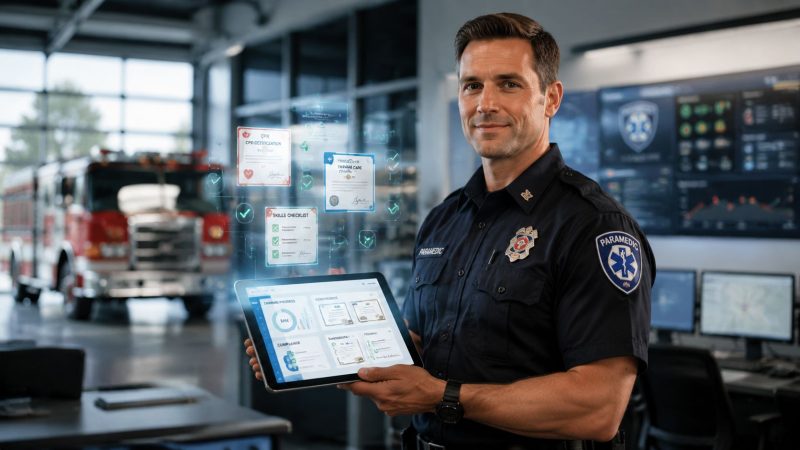
Continuing Education Tracking a Guide for First Responders
A captain gets the email at the wrong time. License renewal is coming up, one medic's required education can't be verified, and the records live in three places: a binder at headquarters, a spreadsheet on someone's desktop, and a stack of PDFs in an inbox nobody owns anymore.
That's how continuing education tracking usually fails in public safety. Not because people don't care, but because the system was built for convenience instead of proof. It worked when the agency was small, the rules were simple, and everyone knew where the paper lived. It stops working when staff rotate, requirements split by category, and an outside board wants verification in a format your internal process can't produce.
For first responder agencies, CE tracking isn't clerical cleanup. It's part of deployability, compliance, and cost control. If a firefighter, EMT, nurse, dispatcher, or specialty team member can't prove they met the right requirement at the right time, that problem shows up on the schedule, in renewal delays, and during audits.
Moving Beyond the Panic of Expiration Notices
The panic usually starts with a missing document, but the actual problem started earlier. Someone treated continuing education tracking like a reminder list instead of a readiness system.
That approach doesn't match the size of the environment agencies now operate in. The U.S. continuing education market was valued at $66.91 billion in 2024 and is projected to reach $95.98 billion by 2030, a 6.2% CAGR, according to continuing education market figures compiled here. At that scale, CE tracking is not a side chore. It's a large compliance and revenue-management function, and public safety agencies sit right in the middle of that pressure.
What expiration panic really costs
When a department relies on scattered records, the first visible symptom is usually an expiration notice. The hidden costs show up elsewhere:
- Shift disruption: A qualified person may need to be pulled from an assignment until records are confirmed.
- Administrative drag: Training officers spend hours reconstructing what should have been captured once.
- Audit exposure: A completed class doesn't help if nobody can prove the provider, date, category, and source document.
- Budget waste: Agencies pay twice when they repurchase training or send members back through education they already completed.
A better frame is operational readiness. If your credential data isn't current, searchable, and attached to the right person, you don't know who's field-ready.
Readiness starts with one source of personnel truth
Training data should sit alongside the rest of your personnel record, not in a disconnected training file. That's why agencies often move toward systems that tie qualifications, expirations, and member status together. If you're trying to see how that looks in practice, personnel management tools for responder organizations show the kind of structure that keeps credential data tied to the individual instead of floating around in spreadsheets.
Practical rule: If a captain can't answer “Who is currently cleared for this role?” without calling three people, the CE tracking system is incomplete.
The goal isn't to create more administration. It's to end scramble mode. A solid system tells you what's due, what's missing, what's approved, and what can be produced on demand when a board, accreditor, or internal reviewer asks for proof.
Design Your CE Tracking Policy and Data Model First
Most agencies shop for software too early. They know records are messy, so they buy a tool and hope the tool will create order. It won't. If the policy is fuzzy, the software just becomes a faster way to store confusion.
Your first deliverable should be a written CE tracking policy. Short is fine. Clear is mandatory.

What the policy must settle
A usable policy answers a handful of decisions before any record gets entered:
- Eligible education: What counts for CE in your agency. State-approved classes, in-house drills, conference sessions, online modules, vendor courses, self-study, or some combination.
- Submission responsibility: Whether the individual member submits documents, whether supervisors can submit on their behalf, and the deadline for doing it.
- Approval authority: Who reviews records, who can reject them, and who makes final category assignments when a course could fit more than one bucket.
- Retention standard: How long records are kept and where the backed-up repository lives.
- Audit response process: Who pulls records, who checks them, and how the agency responds when an outside body requests proof.
A system without a policy is just a digital shoebox.
Build the data model around proof, not convenience
The strongest guidance here is simple. A robust workflow should be built around source-of-truth documentation rather than certificates alone, retaining the who, what, and where of each activity, plus supporting material such as sign-in sheets and session notes in a backed-up electronic repository, as described in Eventur's guidance on CE tracking pitfalls.
That means each CE record should capture more than “8 hours completed.” For emergency services, I'd treat these fields as the minimum practical record:
| Field | Why it matters |
|---|---|
| Member name and ID | Prevents duplicate or mismatched records |
| License or role tied to the training | Connects the CE to the right credential |
| Course title and provider | Proves what the activity actually was |
| Delivery type | Distinguishes live, online, conference, in-house, or self-study |
| Completion date | Supports renewal windows and audit timing |
| Credit type or category | Handles ethics, clinical, leadership, hazmat, or other buckets |
| Hours awarded | Tracks toward the correct requirement |
| Source documents | Certificate, roster, sign-in, notes, approvals |
| Verification status | Shows whether the agency reviewed and accepted it |
A practical example: if one medic attends a trauma update at a regional conference, the certificate alone may show completion. The stronger record also stores the provider agenda, the session date, the category assigned by the training office, and the uploaded certificate PDF. If that same medic gets audited later, your office isn't guessing what the class covered.
Save money before you buy
This planning step is where agencies avoid expensive mismatches. If your requirements include category mapping, board-specific reporting, and file retention, then a basic completion tracker may cost less upfront but more later when staff have to maintain side files to fill its gaps.
For teams trying to organize student records in one place, the useful takeaway isn't the education sector branding. It's the records principle: centralize profiles, documents, and activity history so staff don't rebuild the same file every renewal cycle.
Choosing Your System Spreadsheets vs Specialized Software
Most departments pass through the same sequence. They start with binders. They move to spreadsheets. Then they hit a wall when reporting, reminders, and verification get too messy to manage manually.
The question isn't which option is cheapest this month. It's which one creates the lowest total burden on captains, training officers, and the agency over time.

Where each method breaks
Here's the field view.
| Method | What works | What fails |
|---|---|---|
| Paper binders | Simple to start, familiar to everyone | Hard to search, easy to lose, weak for shared access, painful during audits |
| Spreadsheets | Cheap, flexible, better than paper for sorting | Manual entry errors, version confusion, weak document control, limited workflow |
| Specialized software | Structured records, permissions, reminders, reporting, attachments | Requires setup discipline and clear policy |
Paper binders still exist because they feel tangible. But they only work when the volume is low and the person maintaining them never changes. In public safety, both assumptions fail.
Spreadsheets are the common middle ground. They can work for a small unit with stable rules and one disciplined owner. They usually fail when multiple people edit them, when certificates live outside the sheet, or when category-based requirements force staff to maintain separate tabs and handwritten notes.
The hidden cost of free
Agencies often say the spreadsheet is free. It isn't. It shifts cost from subscription dollars to labor hours, cleanup work, duplicate entry, and missed deadlines.
A spreadsheet-based setup usually creates problems like these:
- Records drift apart: The sheet says complete, but the certificate is in email.
- Supervisors can't trust live status: By the time someone updates the file, a shift assignment may already have been made.
- Audits become reconstruction projects: Staff have to pull files, rename attachments, and explain category decisions after the fact.
- Turnover resets the process: When the person who built the workbook leaves, so does the institutional memory.
Cheap systems get expensive when one missing record sidelines a licensed member.
Specialized software isn't automatically the right answer, but it becomes the rational answer once your agency needs approvals, file attachments, expiration alerts, role-based access, and reporting. Some departments compare options by listing their real operational needs first, then checking platforms against those needs side by side. A useful starting point is a software comparison approach for response organizations, especially if your training records need to connect with broader staffing and operations.
A practical selection test
Before you commit, run these three scenarios against any system:
- A member submits an outside course from a phone. Can the document be uploaded and reviewed without office follow-up?
- A captain checks who is deployable today. Can current qualification status be seen without calling the training office?
- A board requests proof for a renewal window. Can staff export a defensible record with attachments and status history?
If the answer is no, the low purchase price won't matter much.
Building an Audit-Proof Submission and Verification Workflow
An audit-proof continuing education tracking process depends on one thing: every record moves through the same path every time. No side deals. No “just email it to me.” No undocumented approvals.
That workflow should start with the member and end with a verified, categorized, searchable record.

The five-stage workflow that holds up under review
Stage one is submission. The member completes training and uploads the required proof immediately. That can be a certificate PDF, a photo scan, a roster entry, or other approved documentation based on your policy. The key is speed and consistency. Same-day submission prevents the memory gap that kills record quality.
Stage two is completeness review. An admin or training officer checks whether the record includes the required basics: person, provider, date, training title, hours, and source document. Incomplete records go back fast, before they age into mystery files.
Stage three is verification and categorization. Many agencies often falter here. Someone must confirm the training counts, assign it to the correct requirement bucket, and log any notes that explain the decision. If a course satisfies one category but not another, that should be visible in the record.
Stage four is acceptance and retention. Once approved, the system locks the record into the member's file with its documents attached. The record should be backed up and preserved under your retention policy.
Stage five is compliance reporting. Supervisors and administrators need filtered views by person, role, station, credential, or renewal cycle.
Why this must work with outside verification
State-mandated digital compliance is no longer a side issue. The Texas Medical Board states that, starting September 1, 2026, it will exclusively use CE Broker for verification rather than accepting other platforms, according to the Texas Medical Board's continuing education tracking guidance. That means your internal system has to produce audit-ready data that can support those external workflows.
For emergency service leaders, the lesson is broader than Texas. Boards increasingly care less about what your internal spreadsheet says and more about whether the compliance trail is machine-verifiable, regulator-visible, and easy to defend.
What the workflow should automate
You don't need to automate everything. You do need to automate the parts that people predictably forget.
- Submission routing: New CE records should land with the right reviewer automatically.
- Rejection reasons: Members should see exactly what's missing.
- Expiration alerts: Supervisors need warning before a lapse affects staffing.
- Status changes: Approved, pending, rejected, expired, and renewed records should be obvious.
- Escalation paths: If a record sits too long, somebody else gets notified.
For agencies evaluating workflow tooling, workflow features built for operational teams are the kind of capability set to look for: repeatable processes, assigned tasks, and status visibility. That matters more than flashy dashboards because audit readiness is built in the handoff points, not the homepage.
Integrating CE Data for True Operational Readiness
A standalone CE tracker can store records. An integrated system can prevent staffing mistakes.
That distinction matters in first response because qualification status isn't an academic detail. It affects who can ride, who can supervise, who can fill specialty roles, and who should be held back until a requirement is fixed. When CE data sits in a silo, captains make schedule and deployment decisions with stale information.
The deployment problem most trackers miss
Many trackers fail because they're built around one total-hours number. That's not how real compliance works. Arizona's board provides a clear example by requiring hours in distinct categories such as behavioral health ethics/mental health law, cultural competency and diversity, and substance abuse counseling-specific categories, as shown in Arizona's continuing education tracker form. The lesson for emergency services is obvious: category mapping matters.
A responder may look compliant on total hours and still be short in the one category that blocks renewal. That's the kind of failure that surprises agencies at the worst moment because the top-line number looked fine.
If your system only tracks total hours, it can tell you someone is done when they're actually noncompliant.
What integration should connect
For operational readiness, CE data should feed at least three other functions.
Scheduling and staffing. If a member's required education expires or a mandatory category remains incomplete, the scheduling system should flag that condition before the person is assigned to a role that depends on the credential.
HR and onboarding. New hires often arrive with prior education, outside certificates, and pending renewals. If HR data and training data stay separate, agencies duplicate entry and miss deadlines during the handoff from hiring to field assignment. For leaders thinking through system architecture, DynamicsHub's HR integration advice is useful because it focuses on practical data flow and ownership questions that also apply to public safety environments.
Career progression and specialty qualification. Promotion boards, field training assignments, and specialty team selection all depend on knowing who holds current education in the right categories. Integrated records turn that from detective work into a filter.
A simple field example
Take a mixed fire and EMS agency with members who need different education buckets based on licensure and assignment. One lieutenant needs leadership CE, a paramedic needs clinical content, and a hazmat technician needs role-specific refreshers. If the system only stores a running hour total, all three can appear current while one of them is short in the exact category the board or internal standard requires.
An integrated model handles that differently:
- The member record stores each credential and renewal cycle.
- Each CE activity maps to one or more approved categories.
- Scheduling checks active qualifications before assignment.
- Supervisors see upcoming gaps by station or unit.
- HR can review training history during transfers, promotions, or onboarding.
That's where savings show up. Not as a flashy line item, but as fewer duplicate classes, fewer surprise removals from duty, less admin cleanup before renewals, and better use of training budget because you can target real shortfalls instead of sending everyone to the same generic class.
One practical option in this space is Resgrid, which combines personnel tracking, qualifications, scheduling, and related operational data in one environment. That kind of shared data model is often more valuable than a standalone CE log because the credential record can influence staffing decisions instead of sitting in a separate database.
Reporting for Compliance and Continuous Improvement
A weak reporting setup answers one question: “Did this person finish enough hours?” A strong one answers the questions chiefs and captains need to manage.
Who is near renewal and missing required proof? Which station has a cluster of pending verifications? Which specialty team has category shortfalls? Which classes were attended but didn't change field behavior or compliance outcomes?

Build reports for the person who has to act
Different roles need different views.
The individual member needs a clean renewal snapshot. What's completed, what's pending, what documents are missing, and which category still needs work.
The station captain or supervisor needs team readiness. Who is current, who is at risk, and what upcoming deadlines will affect staffing.
The chief, training captain, or compliance lead needs board-ready proof and trend visibility. That includes unresolved records, overdue approvals, and patterns that justify next quarter's training spend.
A report nobody can act on is decoration. A useful report points directly to the next decision.
Measure what happens after the class
The higher standard isn't completion. It's behavior change and compliance after education. A Cochrane review of continuing-education meetings found that compliance with desired practice may improve when meetings are shorter, attendance is better, take-home materials are provided, theory is explicit, and opinion leaders are used, but the review also noted substantial variation in effect sizes and many studies with unclear risk of bias. That's why the review's practical takeaway is so important for system design: track attendance, follow-up timing, and post-event practice metrics, not just credit hours.
For first responder agencies, that can look like:
- Attendance linked to outcomes: Did the people who attended a protocol update follow it in the field afterward?
- Follow-up timing: Was there a check-in after the class, or did the training disappear once credit was awarded?
- Practice metrics: Did documentation quality improve, did protocol exceptions decrease, or did compliance checks get cleaner?
Field note: If your reporting ends at “certificate received,” you're tracking paperwork, not readiness.
Use reports to spend less, not just document more
With continuing education tracking, it stops being a cost center. If reports show repeated shortfalls in one category, you can fund targeted training instead of broad retraining. If one provider's classes generate clean compliance records and another provider's classes create constant verification problems, you can stop paying for administrative pain. If one unit consistently submits late, you can fix the workflow there instead of tightening the whole agency.
That's the practical value. Better records reduce rework. Better reporting reduces wasted training dollars. Better visibility helps keep qualified people in the field.
And when the audit letter lands, your team isn't hunting through drawers, inboxes, and shared drives. You're exporting a record set that already matches the way the agency operates.
If your agency wants continuing education tracking tied to scheduling, personnel records, qualifications, and reporting in one operational system, take a look at Resgrid, LLC. It's built for first responders and public safety teams that need training and credential data to do more than sit in a spreadsheet.