
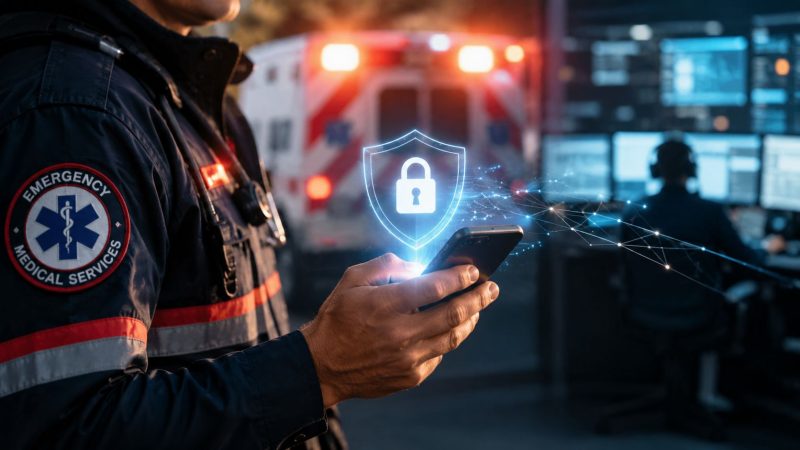
HIPAA Compliant Messaging for First Responders: Guide 2026
A lot of agencies are in the same bad spot right now. Dispatch needs to move patient details fast. Crews are spread across personal phones, shared tablets, radios, and station computers. Someone ends up sending a name, age, complaint, or scene photo through ordinary text because it's easy and everyone already has it.
That shortcut feels harmless until the wrong person sees it, the right person misses it, or nobody can later prove who received what. In emergency operations, those aren't separate problems. They're the same system failure showing up in different ways.
HIPAA compliant messaging matters because it fixes both sides of the issue. It protects protected health information, and it gives you a more disciplined communication workflow. If you build it right, you don't just reduce legal risk. You cut repeat calls, reduce radio congestion, tighten handoffs, and stop wasting staff time chasing acknowledgments.
When Seconds and Security Both Count
A dispatcher gets a medical call with a complicated scene. The unit en route needs allergy information, a medication list, and a quick update from law enforcement that the scene is clear. The hospital wants a heads-up before arrival. If your team relies on plain SMS, personal chat apps, and voice relays, the information gets fragmented fast.
One responder sees the message. Another doesn't. A supervisor forwards part of it into a group thread. Someone screenshots the update to send it to a nurse. Now you've got delay, duplication, and a privacy problem at the same time.
That's why this topic keeps surfacing in public safety and healthcare. It's not just compliance staff worrying about rules. It's operations people trying to keep communication fast without creating a mess.
Confusion has been common for years
A lot of clinicians have never trusted ordinary texting for patient information. In a 2017 study of surgeons, 63% of surveyed surgeons believed standard text messaging did not meet HIPAA requirements. That same research involved 409 responses and an 11% response rate, which is worth remembering because it shows how limited the surveyed sample was. Even so, the result captures a real operational truth. Teams have long known that casual texting and protected health information don't mix well.
Practical rule: If your people are improvising with consumer texting during critical incidents, your communication system is already too loose.
For first responders, the danger isn't only exposure of PHI. It's also missed action. A message can be private and still fail if the medic never sees it, the charge nurse gets it too late, or dispatch can't verify acknowledgment.
What a better system changes on shift
A proper secure messaging platform gives you a controlled path for patient details, unit coordination, and handoff updates. You can define who gets access. You can track who viewed a message. You can separate routine chatter from information that belongs in a secure channel.
That structure saves money in plain operational ways:
- Fewer repeat transmissions: Dispatch doesn't have to resend the same details across radio, text, and phone.
- Cleaner handoffs: Field crews can pass critical information without relying on memory at the back door of the ED.
- Less cleanup later: Supervisors and compliance staff spend less time reconstructing who said what.
HIPAA compliant messaging isn't red tape when it's done correctly. It's the communication backbone you wish you'd had before the first bad near-miss.
What HIPAA Compliant Messaging Really Means
Think of standard SMS like a postcard. It's convenient, familiar, and easy to send. It's also a poor choice for protected health information because too many parts of the chain are outside your control.
HIPAA compliant messaging is closer to an armored courier service. The message is protected while moving. It's protected while stored. Access is limited to the people who are supposed to have it, and there's a record of what happened.

It's built on a legal framework, not just a feature list
The U.S. framework behind this started when the HIPAA Privacy Rule became effective on April 14, 2003, and the Security Rule followed on April 21, 2005, establishing the rules that later governed electronic messaging of PHI in practice, as outlined in this overview of HIPAA-compliant texting requirements.
The practical takeaway is simple. Compliance isn't just “we encrypted the message.” The system also needs access controls, audit logs, secure storage, patient consent where applicable, and a Business Associate Agreement when a vendor handles PHI.
If you're evaluating platform capabilities, look closely at how the product handles secure team communication, not just chat bubbles. That's where tools with integrated operational messaging features for coordinated response workflows become more useful than generic texting replacements.
The three goals that matter on the ground
HIPAA's security model is often described through confidentiality, integrity, and availability. For a dispatch chief, those aren't abstract.
| Goal | What it means in operations | What failure looks like |
|---|---|---|
| Confidentiality | Only authorized people can see PHI | A patient update lands on the wrong device or in the wrong chat |
| Integrity | The message stays accurate and unaltered | A forwarded detail gets changed, dropped, or misread |
| Availability | The right person can access it when needed | The crew can't retrieve the handoff information during transport |
If a message is secure but unavailable when the ambulance is inbound, the workflow still failed.
What does not count
A password on a phone does not make SMS compliant. A consumer chat app with encryption does not automatically solve identity, logging, retention, or vendor accountability. And a fast message that leaves no usable trail creates headaches later for QA, supervision, and incident review.
Real HIPAA compliant messaging is a system. That distinction matters because agencies often overspend on the wrong thing. They buy “secure chat” and then discover they still need policy, user controls, retention rules, and reliable operational workflows around it.
The Four Pillars of a Truly Secure System
When I evaluate a messaging platform for emergency operations, I don't start with the app screen. I start with the failure points. Lost phone. Shared login. Forwarded message. Deleted evidence trail. Staff member who should never have seen the patient detail in the first place.
A compliant system has to hold up against those ordinary failures. According to SlickText's summary of HIPAA-compliant texting controls, a system must combine encryption in transit and at rest, unique-user authentication, role-based access, and audit logging. If any one of those is missing, encrypted messages can still end in PHI exposure or audit trouble.

Pillar one and two
Encryption protects the message in transit and at rest. That means the content is protected while moving between users and while stored on the platform. On its own, though, encryption isn't enough. If a shared account opens the message, the platform didn't fail cryptographically. Your process failed operationally.
Unique-user authentication and role-based access are what close that gap. Every user should have a named account. Access should follow role and need. Dispatch may need one view, field supervisors another, hospital liaisons another.
A few questions separate serious vendors from weak ones:
- Named access: Can every user be identified individually, or do teams still share accounts?
- Role limits: Can you restrict who can send, view, export, or delete message content?
- Device control: What happens if a responder loses a phone or leaves the agency?
For a closer look at vendor safeguards, review how the platform documents its security controls and data protection model.
Pillar three
Audit logging is where mature systems stand apart from “secure enough” tools. You need a record of who sent, viewed, or deleted a message. In a review, nobody wants to hear that a critical patient update was “probably seen.”
Audit trails do three jobs at once:
- Support compliance
- Support supervision
- Support operational troubleshooting
If a nurse says pre-arrival information never came through, or a crew says dispatch didn't send the update, the log matters.
A system without usable logs turns every dispute into a memory contest.
Pillar four
The last pillar is broader than the app itself. It includes secure storage, retention control, and backup or recovery planning so information remains available when systems or devices fail. The infographic calls this out as secure data backup and recovery, and in practice that matters because emergency operations don't stop when a handset dies or a workstation is replaced.
Here's the simplest checklist I give buyers:
| Check | Why it matters |
|---|---|
| Encrypted in motion and storage | Prevents exposed PHI during transfer or on saved devices |
| Named user accounts | Ties access to a person, not a shared phone |
| Role-based permissions | Limits unnecessary exposure |
| Full audit history | Proves access and supports incident review |
| Retention and recovery controls | Preserves availability during outages or device loss |
If a vendor can't answer these cleanly, keep moving.
Implementing Compliant Workflows for First Responders
A secure platform only pays off when the workflow matches the practicalities of the shift. Dispatch has to launch communication fast. Crews need minimal taps. Supervisors need visibility without drowning in chatter. Hospitals need what they need, not a full transcript of every field conversation.
That's where agencies often stumble. They buy a secure texting tool, hand out logins, and assume the problem is solved. It isn't. You need a communication pattern that tells your people what belongs in the secure channel, who receives it, and what happens when a message isn't acted on.

Before and after on a real call flow
Here's the old pattern many agencies know too well.
- Dispatch sends partial details by radio
- A supervisor follows up by personal text
- The crew calls the hospital from a personal phone
- Later, everyone argues about what was sent
Now compare that with a disciplined secure workflow.
- Dispatch creates the incident and sends the secure alert
- Assigned units receive the same patient-related details in the compliant channel
- On-scene updates stay in that channel if they include PHI
- Hospital handoff data goes to authorized recipients through the same controlled path
- Supervisors can review acknowledgments and message history afterward
That design cuts friction. It also cuts hidden labor. Your people stop duplicating work across radio, text, and callback loops.
Compliance isn't the same as urgency
This point gets missed all the time. A secure message is not enough for critical operations if nobody knows whether it was seen. As OnPage's guide to HIPAA-compliant messaging for healthcare communication points out, the fundamental operational question is not just whether the system is secure, but whether the right person will receive and act on the alert fast enough.
That distinction matters for dispatch, escalation, and alert-until-read situations. A basic secure messenger can store PHI safely and still be the wrong tool for urgent callout, specialty team activation, or an inbound patient update that requires immediate action.
Field advice: Separate “secure conversation” from “critical alerting” in your buying process. Some products do one well and the other poorly.
A workflow that saves money
If you want compliance to reduce cost instead of adding bureaucracy, build around these habits:
- Route by role, not by habit: Don't blast everyone. Send patient details only to assigned units and authorized recipients.
- Use secure messaging for PHI, radio for broad coordination: Radio remains useful, but it shouldn't carry patient specifics that belong in a protected channel.
- Set acknowledgment rules: Decide which message types need read confirmation, escalation, or supervisor visibility.
- Limit free-form sprawl: Use templates for common updates such as unit assignment, transport status, and hospital notification.
- Write fallback rules: If the secure app is unavailable, your people should know exactly what can go over SMS, what cannot, and when to switch to voice.
For agencies building repeatable operational paths, it helps to work from defined workflow tools for dispatch and response processes rather than relying on informal message threads.
Mixed devices need policy, not wishful thinking
Most departments don't operate in a clean, single-device environment. You've got agency-owned tablets, personal phones, station desktops, and hospital contacts outside your system. That means your workflow has to account for logouts, lost devices, shared spaces, and handoffs between shifts.
Keep the rules plain:
- PHI goes in the secure platform.
- Non-sensitive logistics can stay in lower-risk channels if policy allows.
- Shared devices need tighter sign-in discipline.
- Patient-facing texting needs consent and boundaries.
When those rules are written and enforced, crews move faster because they stop guessing.
How to Choose a Vendor Without Wasting Your Budget
Most agencies don't lose money because they picked the cheapest vendor. They lose money because they bought the wrong category of tool, paid for features nobody uses, or discovered later that “HIPAA capable” meant “you configure the hard parts yourself.”
Start your vendor review with the expensive mistakes, not the sales demo.

The short scorecard that matters
Use this set of questions in every vendor meeting:
| Question | Why you're asking |
|---|---|
| Will you sign a BAA? | Without it, the vendor relationship is a problem if they handle PHI |
| How do you handle named users and roles? | Shared access creates avoidable exposure |
| What audit data can supervisors actually review? | Logs must be useful, not buried |
| How are messages protected in transit and at rest? | This is foundational |
| What happens on lost or replaced devices? | Field reality matters more than brochure language |
| Can the system support urgent escalation, not just chat? | Dispatch operations need more than a message thread |
| How is pricing structured? | Per-user pricing can get expensive fast in mixed staffing models |
| What does setup require from our side? | Hidden implementation work becomes real cost |
The budget issue isn't just license cost. It's training time, admin time, policy cleanup, and the cost of carrying duplicate systems because the new one can't handle dispatch reality.
Watch for hidden cost traps
Some tools are fine for office healthcare teams and a poor fit for responders. Others are decent for secure chat but weak at incident-driven workflows. A few common traps:
- Overbuying enterprise collaboration: You pay for a broad suite when you really needed secure operational messaging.
- Underbuying alerting: The app is compliant, but it can't handle time-critical escalation.
- Ignoring mixed environments: Hospital partners, volunteers, reserve staff, and contractors often complicate user licensing and access control.
- Buying around your CAD instead of with it: If staff must retype incident data, they'll create shortcuts.
Here's a practical gut check. If the vendor can't explain how dispatch, field units, supervisors, and receiving facilities would use the product during the same incident, they probably don't understand your environment.
A quick walkthrough can help frame the questions you should be asking:
Buy the process, not the screenshot
You don't need the prettiest app. You need a system your people will use under stress. That means fewer taps, clearer routing, and admin controls that don't require a full-time babysitter.
One option in this space is Resgrid, which combines dispatch-oriented communication and operational management in one platform and uses a self-service model rather than contract-heavy implementation. That matters for agencies trying to avoid paying separately for messaging, coordination, and incident tooling when one system can cover the workflow.
Ask every vendor to walk through one real incident from dispatch to hospital handoff to after-action review. Marketing claims get thin very quickly during that exercise.
Common Myths That Expose Your Agency to Risk
Bad messaging habits usually survive because someone says, “We've always done it this way,” or “It's fine if the patient said okay.” Neither statement will protect your agency when a message leaks, a device is shared, or an audit asks for proof.
Myth one: SMS is okay if the patient consents
This is the most common shortcut. It's also one of the most misunderstood. Sprinto's discussion of HIPAA-compliant text messaging notes that standard SMS is insufficient for PHI because it lacks end-to-end encryption, strong identity verification, and immutable audit trails. The same guidance also makes clear that even with patient consent, organizations must inform patients of the risks and use protections such as encryption and access controls under a signed BAA when PHI is involved.
Consent does not magically upgrade plain text into a secure clinical channel.
What works better is a policy split:
- Use secure messaging for PHI
- Use plain SMS only for low-risk notifications if policy allows
- Document consent and keep identifying detail out of low-security channels where possible
Myth two: Encrypted consumer apps are automatically compliant
Encryption is one control. It is not the whole system. If the app can't give you vendor accountability, user management, audit history, and administrative control, it may still be a bad fit for PHI.
Agencies often get trapped by technical half-truths. Somebody hears “it's encrypted” and stops asking harder questions about access, retention, and oversight.
The right question isn't “Does this app encrypt messages?” It's “Can we manage it, prove access, and control PHI inside it?”
Myth three: Small, volunteer, or hybrid agencies don't need to worry as much
Operational size doesn't change the risk created by loose handling of patient information. Small organizations often face more device sharing, more informal communication, and less formal policy enforcement. That can make messaging discipline more important, not less.
If your people handle PHI, the message path matters. A volunteer patch on the shoulder doesn't make insecure texting harmless.
Myth four: A secure app alone fixes the problem
It doesn't. The app has to be paired with rules people can follow on shift. That means clear decisions about what goes where, who can receive it, how long it stays available, and what happens when the primary channel fails.
Agencies usually don't get in trouble because they lacked software. They get in trouble because they had software and no workflow.
The Real ROI of Compliant Communication
The return on HIPAA compliant messaging isn't just about avoiding penalties. It shows up in daily operations.
You reduce repeated transmissions. You cut down on side-channel texting. You make handoffs cleaner. Supervisors spend less time sorting out what happened after the fact. Crews spend less time guessing where patient details should go.
For first responders, the best communication system is one that protects PHI while helping the right person act fast. That means secure routing, clear accountability, and workflows built for dispatch reality instead of office convenience.
If you treat compliance as a box to check, it will feel like overhead. If you treat it as the design standard for reliable communication, it becomes a force multiplier. Your team gets faster, cleaner, and easier to manage.
That's the ultimate payoff. Better privacy controls and better operations end up reinforcing each other.
If you're evaluating HIPAA compliant messaging for dispatch, field response, or multi-agency coordination, take a hard look at Resgrid, LLC. It offers messaging, dispatch, workflow, and operational management in one platform, which can help agencies reduce tool sprawl and build a more controlled communication process without piling on contract-heavy implementation.