
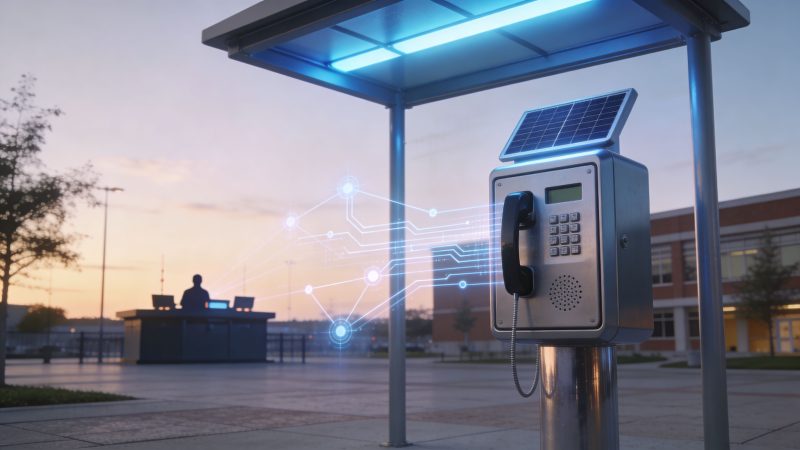
Emergency Call Boxes: Modern Solutions & Integration
A lot of city and campus managers are in the same spot right now. They have aging blue light towers, a few dead spots where mobile service is unreliable, a dispatch team already juggling too many systems, and a budget that won’t tolerate a vanity project. The easy mistake is to treat emergency call boxes as a hardware question. They’re not. They’re an operations question.
The decision isn’t whether emergency call boxes are old or modern. It’s whether you want a fixed, always-known point of emergency access that can still work when a phone is lost, dead, broken, or stuck on an overloaded network. If you deploy them as isolated boxes on poles, they often disappoint. If you make them part of a dispatch workflow, they become much harder to ignore and much easier to justify.
Rethinking Emergency Call Boxes in the Mobile Age
Mobile phones changed public safety expectations, but they didn’t eliminate communication failure. Large events can overload nearby networks. Remote trails and parking edges still have weak coverage. In a panic, people also forget basic things. They can’t describe where they are, they drop the phone, or they freeze.
That’s why emergency call boxes still matter. They’re no longer a universal answer across every block and roadway. They’re a targeted resilience tool for places where fixed location, instant identification, and direct access to help matter more than convenience.
This isn’t a new idea. Before the telephone, about 500 American cities used telegraph-based call boxes, and Washington, D.C.’s early wrought-iron fire boxes sent location-linked signals to firehouses so responders could dispatch from a map, as documented by 99% Invisible’s history of emergency telegraphs and call boxes. The technology changed. The operating principle didn’t.
Where they still earn their keep
Emergency call boxes make the most sense in places with one or more of these conditions:
- Predictable dead zones where staff already know mobile coverage drops.
- Large pedestrian environments such as campuses, parking decks, transit platforms, and event grounds.
- Remote or linear spaces like trails, perimeters, marinas, and utility corridors.
- High-noise or high-stress settings where a visible, dedicated help point is easier to use than a phone.
A modern deployment also has to survive cyber and device management realities. If a call box is IP-connected, it should be treated like any other field endpoint. A practical reference is Sheridan Technologies’ guide to IoT security best practices for high-reliability systems, especially for teams that are connecting safety hardware to broader networks.
A call box is most valuable when it solves a known failure mode, not when it’s installed because it looks reassuring on a site plan.
If you’re evaluating where these devices fit operationally, it helps to think beyond the pole and the speaker grille. The relevant question is how the activation enters your software, your maps, and your staffing workflows. That’s where platforms used for emergency operations apps and field coordination become part of the planning discussion, even before procurement starts.
The Anatomy of a Modern Emergency Call Box
A student hits the blue button in a parking structure at 11:40 p.m. Rain is coming down, traffic noise is bouncing off concrete, and their phone battery is dead. In that moment, nobody cares how the tower looked in the purchasing brochure. What matters is whether the unit powers up, sends the right location into dispatch, opens a clear audio path, and keeps working after years outside.

What the housing and power system tell you
Start with the enclosure, because field reliability usually fails at the cabinet, mount, door seal, or power system long before it fails at the button. Outdoor units need a housing that can handle weather, corrosion, tampering, and repeated service access without turning every maintenance visit into a repair job.
Manufacturer specifications for one current emergency call box line list IP65-rated enclosures, dimensions of 600mm L x 420mm H x 70mm D, 12-24V DC operation, an operating range of -5°C to 60°C, and solar or battery backup with up to 72 hours autonomy, according to the manufacturer specification sheet for emergency call boxes.
Those numbers matter, but they only matter in context.
A slim enclosure may fit a wall neatly, but it can limit battery size, serviceability, or future add-ons. Solar can cut trenching costs on trails, lots, and perimeter roads, but shaded sites turn that savings into recurring truck rolls and battery complaints. Pole mounting looks simple on paper, yet a weak base plate or poor anchoring can shorten the life of the whole installation.
Procurement teams should ask a few blunt questions early:
- Can maintenance staff open and service the unit quickly?
- Is the battery easy to replace without specialized parts or excessive labor?
- Will the mounting method hold up to vibration, weather, and casual abuse?
- Can the unit report low battery, door tamper, or power loss before a user discovers the failure?
That last point is often missed. A call box that only reveals its status after someone presses the button is a hardware purchase, not a managed safety asset.
Audio quality matters more than brochure features
Users do not study instructions at the point of need. They press once and expect to reach someone who can help.
That makes the audio path the core of the box.
Current models commonly support SIP over GSM or VoIP, full-duplex voice, auto-dial logic, and escalation to backup numbers if the first contact does not answer. The practical value is simple. The box should get a caller to a live, trained person fast, without forcing them to retry, guess, or move to another location.
Audio performance also has to match the environment. Parking decks, transit stops, stadium edges, and road corridors create very different noise conditions. A unit that sounds fine in a quiet lobby can perform poorly outdoors if speaker output, microphone tuning, echo handling, and enclosure design were treated as checkbox features instead of field requirements.
Here’s a useful product demo to compare against vendor claims and your own requirements:
The communication path you choose changes the whole project
The communications method is where call box projects either fit cleanly into operations or become expensive exceptions. The right answer depends on the site, the IT team, the radio environment, and how alerts reach dispatch.
| Communication path | Where it works well | Main trade-off |
|---|---|---|
| Analog line | Existing legacy sites with stable infrastructure | Aging service, harder modernization path |
| VoIP or SIP | Campuses and buildings with reliable network management | Requires solid network design and security |
| Cellular | Fast deployments and remote sites without hardwired connectivity | Coverage and recurring carrier dependency |
| Radio-integrated | Agencies with strong LMR or P25 infrastructure | Requires coordination with radio and dispatch teams |
SIP and IP-connected units can be the best long-term fit, especially if your team wants centralized monitoring, remote diagnostics, and cleaner integration with CAD or security platforms. They also bring switch configuration, VLAN planning, power-over-Ethernet questions, firewall rules, and cybersecurity responsibilities. Cellular is faster to deploy and often cheaper up front in remote areas, but recurring carrier costs and dead-zone surprises can erase that advantage over time.
I usually advise buyers to judge the communications path by what happens after activation, not just by how fast the box can be installed. If the alert cannot pass location data cleanly into your CAD, GIS, or responder view, you are paying for a speaker pole instead of a dispatch tool. That is why mapping support belongs in the conversation during specification, not after award. Teams evaluating integration should look closely at incident mapping and live location tools for emergency response.
The best specifications answer operational questions clearly. Can the unit be tested remotely? Can supervisors see battery and communications status without sending a technician? Does the box send an identifiable location record to dispatch every time? Can it fail over in a predictable way? Those are the details that turn an emergency call box from standalone hardware into a useful part of a modern response system.
Strategic Deployment for Maximum Impact and Deterrence
Most call box programs overspend in one of two ways. They either scatter too many units across low-risk areas, or they place towers where they look impressive but don’t solve a real response problem.
Placement drives value. Quantity doesn’t.
Start with risk, not with a map pin quota
A good site survey looks at what responders and users will face. That means walking the property, checking lighting, listening for ambient noise, and documenting where people feel isolated. On a campus, that usually includes parking structures, pedestrian cut-throughs, dorm approaches, and path intersections. In a city setting, it may include transit connections, trailheads, waterfront edges, and public garages.
Use a deployment screen like this:
- Known communication gaps: Identify where mobile calls fail or become unreliable.
- Traffic patterns: Focus on where people move at night, not just during business hours.
- Dispatch clarity: Favor locations that remove location ambiguity for callers.
- Responder access: Avoid placements that are technically visible but hard for units to reach fast.

A parking structure is a classic example. One well-placed emergency call box near a choke point with good sightlines can outperform several poorly placed units hidden deep in corners.
Visibility helps, but bad placement can backfire
The deterrence question gets argued endlessly. Hard recent metrics are limited, but practitioners continue to value visibility. Campus Safety notes that the psychological effect is meaningful. Opportunists often avoid well-lit, monitored areas, and the presence of a visible blue light tower can reassure community members even as its direct deterrent value remains debated in the mobile era, according to Campus Safety’s discussion of call box basics and visibility.
That doesn’t mean every visible location is good. A tower can create a false sense of safety if it’s tucked into an area where a person has to step away from open sightlines to use it.
Common siting mistakes include:
- Entrapment spots: Recessed alcoves, stair corners, and blind turns.
- Poor acoustics: Locations beside mechanical equipment or constant traffic noise.
- ADA afterthoughts: Units that are visible but awkward or difficult to access.
- Decorative spacing: Evenly distributed boxes that satisfy a diagram but ignore risk.
If you’re building a coverage plan, map likely incidents and access routes together. A box should help the user and help the responder. It should never do just one of those jobs. A response mapping workflow is useful here because it forces teams to think in terms of sightlines, routes, staging, and asset locations instead of just counting installations.
Don’t ask, “How many call boxes should we buy?” Ask, “Where does a fixed emergency access point remove the most uncertainty?”
That question usually leads to fewer devices, better placements, and a lower maintenance load.
Integrating Call Boxes with Your Dispatch System
A standalone emergency call box is only half a solution. The useful version is the one that turns a button press into a workflow your dispatchers can act on immediately.
That workflow should be simple. A person activates the box. The system identifies the unit. Dispatch sees the exact location, the nature of the input, and the communication path. The nearest appropriate resource gets assigned fast.

What a smart call box workflow looks like
The most effective integrations use one event to trigger several actions at once. Depending on the hardware and your environment, that event may arrive through IP, radio, email parsing, dry contact, or an API-connected middleware layer.
A practical sequence looks like this:
- User presses the button and opens voice communication.
- The unit sends an identifier and location tied to that exact call box.
- Dispatch software creates or updates an incident without manual re-entry.
- Operators see the device location on the map and can route units accurately.
- Supervisors and field personnel receive notification based on role or proximity.
Organizations usually discover whether they bought a safety device or just a phone in a metal box.
Why radio integration often wins on cost and resilience
If your agency already runs land mobile radio, that infrastructure can do much of the heavy lifting. Motorola notes that two-way radio-integrated call boxes can use existing LMR infrastructure to provide direct dispatch access, with benchmarks showing response times cut by 25-50% and connection in under 3 seconds on congested networks through priority preemption, according to Motorola Solutions information on two-way radio call boxes.
That matters operationally for three reasons:
- You avoid duplicating networks when a reliable one already exists.
- You reduce dependence on cellular coverage in disaster or overload conditions.
- You can use established dispatch habits instead of forcing staff to learn a separate monitoring process.
For many municipal and campus environments, radio integration is the cheapest smart path if the backbone is already in place. The expensive mistake is adding a new monthly service stack because it looks modern on paper.
The lowest hardware quote can produce the highest operating cost if it forces you into extra carrier fees, duplicate monitoring, and manual dispatcher workarounds.
The dispatch console has to support the field reality
Communications and incident management start to overlap. The call itself is only one part of the event. Dispatchers also need context, escalation logic, and a clean handoff to responders.
If your team is comparing communication workflows, it can help to look at broader call centre software concepts for queueing, routing, and operator handling, then translate the relevant parts into public safety or campus security operations. Not every feature belongs in dispatch, but the discipline of reducing handoffs and ambiguity definitely does.
A practical integration checklist should include:
- Unique device IDs: Every emergency call box should identify itself clearly.
- Mapped coordinates: Don’t rely on operator memory of box locations.
- Status monitoring: Supervisors should know when a unit is offline, tampered with, or on backup power.
- Escalation paths: Failed calls should route cleanly to secondary destinations.
- Event logging: Every activation, test, and fault should be time-stamped and reviewable.
If your software environment supports dispatching workflows and unit assignment, you can treat the box as a field trigger rather than a standalone communications endpoint. That’s a much better use of the investment. It cuts re-keying, reduces location errors, and keeps your records cleaner after the incident.
Calculating the True Cost and ROI of Your Call Box System
Emergency call boxes are easy to underestimate at budget time. Buyers focus on the unit price, installation quote, and maybe the visibility hardware. Then the actual costs start showing up.
The better way to evaluate them is through total cost of ownership, not sticker price.

CAPEX is only the opening bill
Initial project costs usually include the obvious items. Hardware, poles, foundations, wiring, labor, permits, signage, and any required trenching. If you need power and data at a difficult location, installation can quickly outweigh the device itself.
This is why some remote deployments lean toward solar or radio-backed designs. They can reduce civil work and speed installation when site conditions support them. But there’s no free lunch. You’re trading trenching for battery management, environmental exposure, and field servicing.
A quick planning view helps:
| Cost area | What teams often forget |
|---|---|
| Hardware | Mounting kits, strobe options, interface modules |
| Installation | Trenching, site restoration, electrical coordination |
| Connectivity | Carrier fees, network equipment, radio integration labor |
| Operations | Testing, cleaning, battery replacement, vandalism response |
Neglect is expensive
A neglected emergency call box doesn’t stay neutral. It becomes a liability. A 2020 Security Industry Association analysis highlighted that poorly maintained call boxes can become ineffective and costly, and warned that organizations without a clear TCO plan for integration and maintenance can inflate project expenses by 30-50%, as discussed in Verkada’s article referencing SIA’s TCO concerns.
That’s a useful warning because it matches what field teams already know. A safety asset that isn’t tested and integrated ends up doing three bad things at once:
- It fails when someone needs it
- It consumes staff time through reactive repairs
- It creates reputational and liability problems once users stop trusting it
If you can’t afford to test and maintain the box, you can’t afford to install it.
How to think about ROI without fooling yourself
ROI is where many call box discussions go off the rails. Low call volume doesn’t automatically mean the system failed. These are not productivity devices. They are risk controls.
A sound ROI discussion should include:
- Risk reduction: Does the box provide a reliable access point where alternatives are weak?
- Dispatch efficiency: Does activation arrive with enough context to save operator time?
- Public confidence: Does the visible system improve perceived safety in a meaningful area?
- Lifecycle stability: Can your team keep the system operational without heroic effort?
The money-saving move is usually selective deployment plus disciplined maintenance. Install fewer units. Put them where they solve a documented problem. Standardize parts where possible. Test on schedule. Remove or relocate units that no longer fit the environment instead of carrying dead weight for years.
That approach won’t make the project flashy. It will make it defensible.
Making the Right Choice for Your Organization
The right emergency call box program starts with a blunt internal review. What problem are you trying to solve? If nobody can answer that clearly, pause the purchase.
Some organizations need a fixed emergency contact point in remote terrain. Some need visible reassurance and direct access in parking structures. Others already have strong mobile coverage and only need a few hardened boxes tied into dispatch at the edges of operations. Those are different projects, and they shouldn’t share the same procurement template.
Questions worth asking before you issue an RFP
Use this shortlist in planning meetings and vendor calls:
- What are the actual risk areas: Remote edges, loud spaces, isolated walkways, event surge zones?
- What infrastructure do you already own: LMR, campus fiber, managed network segments, solar-ready locations?
- How will the alert enter operations: Voice only, mapped event, incident creation, supervisory notification?
- Who will test and maintain the units: Facilities, security, communications, or a contractor?
- What happens when a unit fails: Is there monitoring, or do you find out from a user complaint?
The strongest programs are boring in the best way. The equipment is standardized. The locations make sense. Dispatch sees the same type of event every time. Maintenance has a checklist. Leadership can explain why each device exists.
Good decisions usually look smaller and smarter
A lot of buyers still compare emergency call boxes as if they were standalone towers competing on visibility alone. That misses the operational value. A box that ties cleanly into your workflow is usually worth more than a fancier unit with weak integration.
One more practical filter helps. If a vendor spends most of the presentation on beacon brightness, cosmetics, or optional camera add-ons, ask them to show the actual fault reporting, call routing, maintenance workflow, and integration method. That’s where long-term value lives.
The organizations that get this right don’t buy reassurance. They buy reliability, clarity, and a manageable operating model.
Frequently Asked Questions about Emergency Call Boxes
Are emergency call boxes required on campuses or public sites
A city manager usually asks this after an incident, a budget review, or a board meeting. The short answer is that requirements vary. Some sites face specific grant conditions, internal policy requirements, accessibility obligations, or insurer expectations. Others have no direct mandate at all.
That is why the better question is not only, “Are we required to install them?” It is, “Can we justify the risk decision, the placement plan, and the response model if something goes wrong?” On campuses and public sites, that review should include legal, security, ADA, risk management, and facilities. A visible tower by itself does not prove reasonable care. Location coverage, accessibility, test records, and documented response handling usually matter more than the hardware finish.
What should I look for in bad weather or harsh outdoor environments
Start with the failure points, not the brochure. Outdoor units live or die based on enclosure rating, operating temperature range, power resilience, corrosion resistance, drainage, and serviceability.
Conditions matter. A box near salt air, plowed snow, irrigation spray, desert dust, or roadside vibration will fail in different ways. Ask the vendor how the speaker, microphone, button, and power components hold up after repeated exposure. Ask how quickly your team can replace a battery, power supply, or communications module in the field. If the answer requires a factory return for routine failures, operating costs will catch up with you fast.
The best outdoor unit is usually the one your staff can keep working with standard tools and a realistic maintenance schedule.
Can older call boxes be upgraded instead of replaced
Often, yes. I recommend upgrade evaluations when the pole, enclosure, and location still make sense, but the communications path or reporting method does not.
Older boxes can sometimes be brought into a modern dispatch environment with interface hardware, SIP conversion, network upgrades, or monitored gateways. That can preserve useful field assets and reduce capital cost. It also helps spread spending across budget cycles, which matters for cities and campuses trying to improve coverage without replacing every device at once.
Still, legacy hardware should earn its place. If an upgrade leaves you with unreliable audio, weak supervision, hard-to-source parts, or a one-off integration nobody wants to support two years from now, replacement is usually the cheaper decision over the life of the system.
How often should the system be tested
Use a test schedule your organization will follow. Monthly or routine checks are common, but the right interval depends on risk, environment, and staffing.
At minimum, confirm the button works, audio is clear, power status is healthy, and the alert reaches the right console, queue, or incident workflow with the correct location information. That last part gets missed more often than buyers expect. A box can place a call and still fail operationally if dispatch receives poor location data, no event tag, or no supervisory alert when the unit goes offline.
Document the result every time. If a unit fails, there should be a work order, a retest, and a clear owner.
If you’re trying to make emergency call boxes part of a smarter dispatch ecosystem instead of just another isolated hardware purchase, Resgrid, LLC is worth a look. Its platform gives first responders, dispatch teams, security operations, and event managers a practical way to tie alerts, mapping, personnel coordination, messaging, and reporting into one operating picture, without forcing a bloated implementation model.