
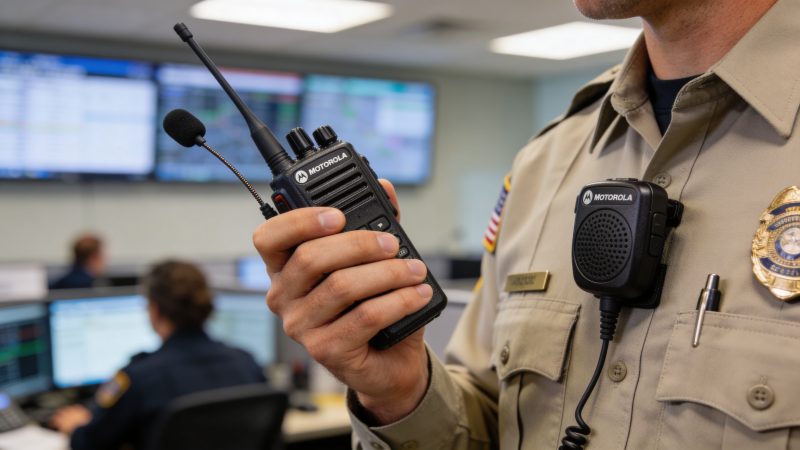
Motorola Wireless Mic: Radios, Dispatch & Savings Guide
Your fleet manager just asked a simple question that usually turns into an expensive mistake: “Should we buy Motorola wireless mics for the radios?”
The right answer isn’t yes or no. It’s, “For which users, on which radios, in which vehicles, tied to which workflow?” That’s where agencies either build a clean, reliable setup or burn budget on accessories that look compatible on paper and fail in the field.
A motorola wireless mic is one of those accessories that can make a team faster and safer when it’s deployed correctly. It can also create pairing headaches, charging problems, and false expectations if you treat it like consumer Bluetooth gear. Public safety users need to think in terms of mission path, not gadget appeal. Voice path, range, battery handling, firmware, dispatch workflow, and hazard rating all matter.
The practical view is simple. Buy wireless mics for the jobs that benefit from untethered operation. Standardize the configurations. Test them with your radios and your dispatch workflow before you scale. Then maintain them like mission gear, not office electronics.
Understanding the Core Concept of Wireless Mics in Public Safety
A wireless remote speaker microphone is best understood as a remote control for your radio lifeline. It lets a user keep the radio on the belt, in a vest, or in the vehicle while still talking and listening through a mic positioned where it’s easiest to reach. The difference is mobility. A wired speaker mic keeps you attached to the radio. A wireless one gives you room to move without giving up radio access.
That matters in real work. Patrol officers step away from the car to run plates or manage a stop. Fire officers move around apparatus and command posts. EMS crews need hands available for patient care, not for fishing a portable radio out from under a jacket or seat belt.

What makes it different from consumer Bluetooth
New fleet managers often get tripped up. They hear “wireless mic” and think earbuds, phone pairing, and office headset behavior. That’s the wrong mental model. Motorola’s wireless RSMs are built around radio use, push-to-talk discipline, rugged housing, and predictable behavior under field stress.
Motorola’s role in this category goes back a long way. The company traces that line to the 1940 Handie-Talkie SCR536, described by Motorola as the world’s first handheld portable two-way radio used in WWII, with an integrated hand microphone that let soldiers communicate on the move, a direct ancestor of today’s first responder wireless mic designs (Motorola history timeline).
Practical rule: If your users think a wireless mic behaves like a phone headset, train them again before deployment.
Why agencies adopt them
A good wireless mic solves three recurring field problems:
- Mobility around the vehicle: Officers and field supervisors can stay on the radio while outside the cab, around the trunk, or at the rear of an ambulance.
- Faster access to PTT: The mic stays where the hand can find it quickly, even with outerwear or body armor.
- Safer radio placement: The radio can stay secured instead of being constantly unclipped, handled, and dropped.
There’s also a workflow benefit. Users who can hear and answer dispatch without returning to the driver’s seat usually work more smoothly. That doesn’t mean every user needs one. Desk-bound supervisors and low-mobility positions often don’t get enough value to justify the added complexity.
Where they fit and where they don’t
A motorola wireless mic makes the most sense when the user regularly moves away from the mounted radio or can’t comfortably reach the portable. It makes less sense for users who already wear the radio high on the body with a wired mic that’s easy to access, or for roles where the environment punishes Bluetooth stability and there’s no real mobility gain.
The best deployments start with one question: does untethered operation remove a real operational delay? If the answer is yes, keep going. If the answer is “it looks convenient,” you’re probably about to overspend.
Key Motorola Wireless Mic Models for First Responders
At 2 a.m., the wrong mic choice shows up fast. A patrol unit is out on a DUI stop, the officer is at the rear quarter panel, traffic is loud, and dispatch is trying to push an update from CAD. If the mic drops audio, clips speech, or dies halfway through shift, nobody cares what the brochure promised.
Choosing a Motorola wireless mic gets easier when you buy for the job, not for the label on the box. Some models earn their cost in noise control. Others make sense because they let a user work around a vehicle without dragging a cord or walking back to the radio every few minutes. If your agency is also tying radio traffic into software-driven workflows, including computer-aided dispatch tools like Resgrid Dispatch, the best mic is the one that keeps transmissions clear and predictable enough for dispatchers to act on the first call.

The models worth knowing
The WM800 is the premium option for loud scenes. Motorola’s product literature says it uses four high dynamic range microphones with beam-forming and adaptive noise suppression (WM800 data sheet). In field terms, this is the unit to test for freeway incidents, pump operations, crowd control details, airport ramps, and any assignment where the user is fighting engine noise or heavy ambient sound.
The RLN6544 and RLN6554 series fits more standard mobile and patrol work. These are the units agencies usually consider when the user needs freedom around the vehicle, straightforward push-to-talk access, and a setup that does not burden training staff. They are rarely the flashiest option, but they are often the most practical for broad deployment.
The RLN6544A family and other long-range public safety variants belong in assignments where the vehicle is a base point, not the user’s fixed position. That includes traffic posts, perimeter control, fairgrounds, public works support, and larger incident scenes where supervisors and operators drift well beyond normal direct-pairing distance.
Buy by assignment, not by spec sheet
| Model Series | Best Fit | What it does well | Trade-off to watch |
|---|---|---|---|
| WM800 | High-noise response environments | Better voice pickup and speech clarity in loud conditions | Higher cost. Usually more mic than a quiet-cab user needs |
| RLN6544 / RLN6554 | Patrol, EMS field supervision, routine vehicle-based work | Good balance of mobility, familiar operation, and easier standardization | Less forgiving than premium noise-managed units in very loud scenes |
| RLN6544A long-range family | Perimeter, scene control, utilities, event operations | Supports work farther from the vehicle radio position | More setup complexity and more failure points if the install is sloppy |
That last column matters. Agencies waste money when they buy every user the highest-spec model and then discover half the fleet works in conditions that never justify it.
What works in the field
For patrol, the RLN6544 or RLN6554 type of setup is usually the safest starting point. Officers need quick PTT access, enough range to move around the car, and a charging routine that survives shift work. If the unit is easy to dock, easy to replace, and easy for fleet staff to support, deployment usually goes better than with a more specialized model.
For fire support roles, roadside incidents, and loud municipal work, the WM800 deserves a hard look. Clear audio is not a luxury in those environments. If dispatch has to ask for repeats while crews are near pumps, fans, traffic, or generators, the mic is already costing you time.
For command staff, traffic teams, utility coordination, and event security, long-range models can justify themselves quickly. I have seen agencies buy standard-range wireless mics for these roles because the unit price looked better, then spend the next year dealing with users who keep drifting out of usable range and grabbing portable radios as a workaround. That is paying twice.
The trade-offs buyers usually miss
Battery management is one of the first problems. A better mic does not help if crews do not return it to the charger, or if your charging plan depends on users remembering steps at shift change. Ask how the device will be charged in the vehicle, in the station, and in spare rotation before you approve the order.
Audio quality is the second trap. Noise suppression can help a lot, but it does not fix bad mic placement, poor training, or users talking across the mic instead of into it. I would rather support a slightly less advanced model that crews wear correctly than a premium unit they treat like a speaker clipped to a vest.
Then there is standardization. Mixed fleets are usually the right answer, but only if you keep them under control. One model for patrol, one for loud-scene specialists, and one for long-range users is manageable. Six different accessories across the same shop usually turns procurement, spare parts, and training into a mess.
Buy the expensive model for the people who actually need it. Buy the durable, easy-to-support model for everyone else. That is how agencies cut replacement costs without hurting operations.
Integrating Mics with Radios and Dispatch Systems
A patrol supervisor signs off on wireless mics because the demo sounded good at the bench. Two weeks later, officers are keying up from the back of the cruiser, dispatch gets clipped audio, and the night shift starts asking for old wired setups. That failure usually starts in integration, not in the mic itself.
The mic is one part of a voice chain that has to survive real use. Audio starts at the user, passes through the wireless accessory, hits the paired radio or vehicle interface, moves across the radio network, and ends up where dispatchers can hear it clearly enough to act. If any link is wrong, the whole purchase feels like a bad decision.
The signal path that actually matters
Portable-based installs are the simplest on paper:
- User speaks into the wireless mic
- Mic sends audio and PTT to the paired portable radio
- Radio transmits over the agency network
- Dispatch receives the call and works it
Vehicle-centered installs add another dependency. That is where agencies get tripped up.
- User speaks into the wireless mic
- Mic connects through a mobile mic or gateway device
- Gateway feeds the vehicle radio path
- Traffic moves across the network to dispatch
That extra hardware changes range, reliability, and price. Direct portable pairing can work fine for officers who stay close to the radio. It is the wrong fit for crews who step away from the cab, work around the rear of an ambulance, or talk from outside a fire apparatus while the radio stays mounted inside. In those cases, the gateway or mobile interface is what makes the system usable. Skip it, and crews start changing their behavior to work around the gear.
I have seen agencies create their own problem here. They buy the lower-cost wireless mic, mount mobile radios in vehicles, and assume the accessory will cover the same footprint in every assignment. Patrol might get by. EMS crews working around the patient compartment usually will not. Public works and scene command units can be even less forgiving because users wander farther and talk in worse RF conditions.
Where dispatch software fits, and where it does not
Dispatch software does not pair to the mic. It depends on the radio side doing its job first.
That matters more now because agencies are asking one system to do more. If your team uses dispatch software for unit tracking, incident assignment, and status updates, bad field audio creates downstream problems fast. Dispatchers repeat traffic. Unit status changes lag because the original transmission was missed. Supervisors lose confidence in the event log because voice traffic and on-screen activity stop matching.
The money-saving move is to map the voice workflow before you place the order. Check where users speak from, where the radio sits, how calls are logged, and which assignments require hands-free movement around a vehicle. If your dispatch process depends on quick status changes and clean voice acknowledgments, a weak accessory setup costs more in overtime and repeat transmissions than it saves on the quote.
Failure points I see in the field
Integration breaks for predictable reasons:
- Range assumptions are wrong: The agency buys for hallway demos instead of vehicle-side use.
- Radio programming is inconsistent: One batch of radios supports the accessory correctly, another batch does not.
- Vehicle kits are mixed: One unit has the needed interface hardware, the next identical-looking unit does not.
- Dispatch workflow was never part of the test: Shop staff confirm pairing, but nobody checks how the setup performs during a traffic stop, patient handoff, or multi-unit response.
- Audio routing is treated as a given: The user can key up, but receive audio or talkback behavior does not match the assignment.
A fleet manager should test integration by job type, not by product family. Put a patrol officer beside the trunk. Put an EMT at the rear doors. Put a supervisor outside the command vehicle with the engine running and two other radios active nearby. Those are the conditions that tell you whether the system is ready for service.
Wireless mics earn their keep when they are bought as part of the radio and dispatch workflow. Bought as a convenience accessory, they usually fail in the first place your crews critically need them.
Pairing Setup and Best Practice Workflows
A deputy steps out on a night stop, leaves the mobile radio in the car, and expects the wireless mic to work because it paired fine in the shop that morning. Then the first transmission clips, the receive audio is too low under traffic noise, and dispatch asks for a repeat. That problem usually starts with setup, not with the user.

A pairing routine that avoids wasted time
Pairing needs to be treated like radio provisioning, not like handing out a Bluetooth accessory from a retail box. The agencies that get good results use the same routine every time and document it in the fleet record so the next replacement does not turn into a guessing exercise.
Use a repeatable sequence:
- Charge the mic and the host radio first: Low battery creates bad first impressions and false trouble tickets.
- Verify the exact radio configuration: Matching model families is not enough. Firmware, accessory support, and programming have to line up.
- Pair at the bench before vehicle install or field issue: Users can learn tones, indicator lights, and button timing without engine noise and interruptions.
- Test both directions of audio: Confirm transmit audio, receive audio, emergency button behavior if assigned, and any routing through the mobile or portable.
- Run a job-based walk test: Patrol should test around the car. EMS should test from the patient compartment and rear doors. Supervisors should test outside the command vehicle with other radios active nearby.
A clean pair means very little if the user cannot hear dispatch over road noise or key up without shifting grip.
Patrol workflow that actually saves time
The practical win with a Motorola wireless mic is not the pairing screen. It is what happens after the officer leaves the driver's seat.
On a roadside stop, the officer may be at the trunk, passenger side rear quarter, or a few steps off the shoulder retrieving gear and maintaining sight lines. If the mic is positioned right and the audio path is set correctly, the officer can acknowledge dispatch, request another unit, or update status without climbing back into the cab or fishing for a second radio under stress. That cuts wasted movement and keeps attention on the stop.
I tell fleet managers to watch for one detail during testing. Can the user operate the PTT cleanly with gloves, outer carrier, seat belt hang-up points, and body position all working against them? If the answer is no, the pairing was technically successful but operationally poor.
EMS workflow and dispatch software discipline
EMS crews expose bad setup faster than almost anyone. A medic kneeling at patient side does not have spare hands for accessory problems. The mic has to be clipped where turnout gear, straps, and PPE do not block the speaker or PTT. Audio has to remain clear while the radio stays secured.
Voice procedure should also match the dispatch process your crews already use. If your agency ties radio traffic to digital assignments, unit states, and task tracking, build the mic test into those steps. A simple method is to pair the mic, send a status change, acknowledge a dispatch, and complete one short field update using the same incident workflow tools for dispatch and response coordination the crew uses on a real call. That catches setup problems that a bench test misses.
A short demo helps users lock this in before field issue:
Daily habits that keep pairing problems from coming back
Wireless mic failures often show up as "random" complaints. They usually are not random. The unit was left uncharged, clipped in a bad location, swapped between radios without documentation, or never checked at sign-on.
Set a few practical rules that crews will follow:
- Use a standard clip position by assignment: Patrol outer carriers, fire turnout coats, and EMS jackets all need different placement.
- Keep charging locations fixed and labeled: Shared gear fails fast when chargers wander.
- Require a sign-on function check: One short transmit and receive check prevents a lot of repeated calls from the field.
- Log re-pairs and swaps in the fleet file: If a mic starts bouncing between vehicles or radios, you need a record before the problem becomes expensive.
Treat the wireless mic like part of shift readiness. Agencies that do that spend less time chasing avoidable accessory complaints and less money replacing gear that was never set up right in the first place.
Saving Money Through Smart Procurement and Maintenance
Most agencies overspend on wireless mics in one of two ways. They either buy premium configurations for users who don’t need them, or they buy the cheapest workable option and then pay for it later in failures, replacements, and lost time. The cheaper path on paper often becomes the expensive path in service.
Smart buying starts with assignment-based procurement. Frontline patrol, field supervisors, fire command, EMS transport, event security, and support staff don’t all need the same accessory package. If you issue one top-end model to everyone, you’ll waste budget. If you issue stripped-down units to users who need long-range or better audio handling, you’ll create operational workarounds that cost time every shift.
Where to save and where not to
Cut cost where failure is tolerable. Don’t cut cost where failure creates radio silence.
Use this logic:
- Frontline field users: Buy the model that matches the environment. This is not where you gamble on “close enough.”
- Administrative or low-mobility users: Consider simpler accessories or wired options if they rarely work away from the radio.
- Mixed fleets: Standardize chargers, batteries, and mounting practice where possible, even if the mic models differ.
A fleet manager can save real money just by refusing to buy “one size fits all” packages.
Maintenance that prevents replacement
A wireless mic usually dies young because of handling and charging abuse, not because the electronics were weak from day one. Build a short preventive routine and enforce it.
- Clean charging contacts: Dirty contacts cause false battery complaints and inconsistent charging.
- Inspect seals and covers: If the unit has a port cover or jack seal, check that it still closes properly.
- Check clips and strain points: Broken attachment hardware often leads to drops, and drops usually become “audio problems” later.
- Retire damaged batteries early: A bad battery gets blamed on the mic, the charger, and the radio before someone finally replaces it.
- Store spares correctly: Don’t toss loose accessories into a gear bin where buttons get held down and clips get crushed.
Buy fewer models, document each configuration, and keep a spare pool of tested accessories. That saves more money than bargain shopping one unit at a time.
Think in total operating cost
The purchase order is only the entry point. The actual cost lies in failed shifts, replacement cycles, extra support time, and accessories that never get fully deployed because nobody standardized them. Agencies also forget software and radio configuration work when budgeting. If comms staff have to spend hours per unit fixing compatibility and retraining users, that labor belongs in the cost calculation.
Subscription-style software can help agencies avoid overcommitting budget elsewhere. Before you lock in hardware quantity, it’s worth understanding how your broader communications stack is priced, including platforms with self-service deployment models such as Resgrid pricing.
The best savings move is simple. Buy the right number of the right models, support them properly, and stop replacing preventable failures.
Troubleshooting Common Issues and Regulatory Notes
When a motorola wireless mic fails in the field, the user usually reports it as one problem. “It won’t pair.” “Audio is bad.” “It keeps dropping.” In reality, there are several different failure points, and each one has a different fix.
The most common mistake is assuming physical compatibility means operational compatibility. It doesn’t. A mic may match the radio family and still fail because of software, settings, or unsupported fleet versions.

The first thing to check
Firmware. That’s the one agencies skip because the hardware appears correct.
A documented issue with Motorola wireless mic integration is that many units may fail to pair with APX radios without a free software update introduced after April 2016, even when the accessory is otherwise physically compatible (Magnum Electronics FAQ). If you’re inheriting an older fleet, assume nothing and verify radio software before you blame the mic.
A field troubleshooting checklist
Use a short elimination process instead of random trial and error.
Verify firmware status
Confirm the radio has the required software support for the accessory.Test with a known-good unit
Swap in a mic that already works on the same radio family. This quickly tells you whether the issue is the accessory or the radio setup.Clear and repeat pairing
Old pair records and rushed field attempts cause a lot of false failures.Check charging and battery condition
Low or unstable battery behavior often looks like pairing instability.Test in a lower-interference area
Vehicles, electronics, and dense scene equipment can complicate troubleshooting. Move to a cleaner environment before concluding the unit is bad.Inspect the user’s carry position
A body-worn placement under heavy gear or beside metallic equipment can affect real-world behavior.
Interference and accessory confusion
Users often describe any audio problem as “Bluetooth interference,” but common issues include microphone placement, clothing rub, speaker blockage, or wind hitting the audio ports. That’s why training matters. A user who clips the mic under a heavy outer layer will get bad results from good hardware.
There’s also confusion between field radio microphones and studio or podcast microphones. They solve different problems. If someone on your team needs a refresher on how windscreens and speech noise control work in a recording context, this guide to best microphone pop filters is a useful contrast. It helps explain why public safety mics prioritize durability, placement, and intelligibility over studio-style sound quality.
If a mic works on the bench and fails in the field, inspect placement and radio software before ordering replacements.
Regulatory and liability notes
This part is not optional. Some wireless mics are suitable for hazardous environments, and some are not. The WM800, for example, is noted in verified data as having HazLoc Div 2 certification in its documented configuration, while the underserved-angle notes also point out that some other models discussed in the market are not intrinsically safe. A fleet manager cannot treat those as interchangeable.
If a crew works near flammables, dust hazards, or other controlled-risk environments, check the exact certification status of the specific accessory model before issue. “Rugged” is not the same thing as approved for hazardous locations. Using a non-approved accessory in the wrong environment creates a safety problem first and a liability problem second.
Exposure guidance matters too. The same market guidance notes users should follow device handling instructions such as keeping the unit the recommended distance from the face where applicable. Put those points into training, not just the purchasing file.
The Future of Wireless Mics and Situational Awareness
The next step for the motorola wireless mic category isn’t just better audio. It’s voice, video, and AI in the same shoulder-worn device. That shift changes what the accessory is for. It stops being only an audio endpoint and starts becoming a field data collection tool.
Motorola’s SVX represents that trend. The company positions it as an AI-enhanced remote speaker microphone that combines voice, video, and AI, marking a move beyond older voice-only models and raising practical questions about battery life under AI workloads and compatibility with legacy APX and XPR-style fleets (Motorola SVX overview).
Why that matters operationally
Once a shoulder mic can capture video and assist with AI-driven functions, the workflow changes fast. Supervisors start thinking about evidence capture, scene review, and real-time situational updates. Dispatch and command staff start asking how that information is routed, stored, and reviewed. IT starts asking different questions than radio techs ask.
That mirrors the broader conversation around body worn cameras in modern security. The hardware itself matters, but the primary value comes from how the footage, metadata, and event records fit into day-to-day operations.
The strategic takeaway
Agencies should be cautious about buying tomorrow’s promise without checking today’s compatibility. Newer AI/video accessories may push departments into radio refreshes, charger changes, retention policy updates, and new training requirements. If your current fleet still struggles with simple accessory standardization, adding video at the mic level may magnify those problems.
The smarter view is to build a clean foundation now. Standardized radios. Documented accessory support. Clear charging practice. Repeatable field workflows. Once that base is solid, advanced shoulder-worn devices become an upgrade path instead of a disruption.
Your Action Plan for Deploying Motorola Wireless Mics
Start with the users, not the catalog. Identify who benefits from untethered radio access. Patrol, field supervisors, EMS crews, event teams, and perimeter staff usually rise to the top. Office users and low-mobility roles often don’t.
Next, map the full system before you buy. The mic, radio, vehicle hardware, firmware, charging setup, and dispatch workflow all have to line up. If one link is weak, the whole investment underperforms. Most complaints blamed on the accessory are really system design problems.
Then protect the budget by thinking past upfront price. Buy the right model for the role. Keep configurations standardized. Maintain batteries, clips, contacts, and seals. Verify hazardous-location suitability where required. Test every configuration in the actual environment where it will be used.
If you do those three things well, a motorola wireless mic becomes more than a convenience accessory. It becomes a reliable field tool that cuts wasted motion, improves access to communications, and supports cleaner operations without forcing users back to the vehicle every few minutes.
The hardware matters. The integration matters just as much.
If your agency wants a practical way to tie field communications into dispatching, personnel tracking, messaging, reporting, and day-to-day operations without heavy implementation overhead, take a look at Resgrid, LLC. It gives first responders, emergency managers, security teams, and businesses a unified platform that’s flexible enough to support real-world workflows instead of forcing your team into someone else’s process.