
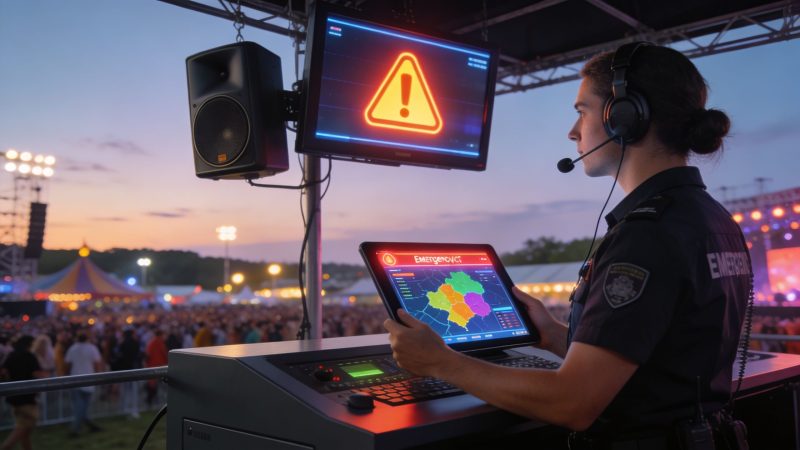
Rave Emergency Alert System Design & Deployment
The failure usually starts small. Security spots lightning on the radar. Medical wants to hold a pedestrian route open. Stage management is asking whether to pause the set. Someone grabs a radio, someone else opens a group text, and the crowd hears three different instructions within two minutes.
That’s why a rave emergency alert system can’t be treated like a nice add-on. At a live event, communication is part of life safety. If your alerting process depends on one overloaded person, one channel, or one vendor workflow you haven’t tested under pressure, you don’t have a system. You have a hope.
Rave Mobile Safety is the benchmark many teams recognize. It was founded in 2004 and serves over 8,000 clients, and its systems were used in 38 million incidents in 2020 according to Rave Mobile Safety background information. That scale matters because it shows what modern emergency communications platforms are expected to handle. It does not mean an event organizer has to buy into a closed ecosystem to get solid results.
A better approach for many event teams is to build around requirements first, then connect the right tools. That usually saves money, avoids buying features you’ll never use, and makes it easier to swap components later when your event grows or your operating model changes.
Why Your Event Needs a Dedicated Alert System
A packed dance floor changes the math of emergency communication. Loud audio masks voice instructions. Cell networks get congested. People move toward whatever looks familiar, not necessarily whatever is safest. If your only plan is a PA announcement and a few radios, you’re vulnerable the moment one part fails.

What goes wrong at live events
A common breakdown looks like this:
- Operations sends one message: “Pause ingress at the east gate.”
- Security hears something else on radio traffic: “Shut east gate.”
- Medical asks for a path to Stage B: nobody relays it to front-of-house.
- Attendees see staff moving fast: they assume there’s a threat and start pushing toward exits.
None of that requires a major incident. It only requires fragmented communication.
A dedicated system fixes the chain of command and the delivery path at the same time. One operator or small authorized group can trigger a message. The same instruction reaches staff, contractors, on-site agencies, and in some cases the public, using the channels each group monitors.
Practical rule: If your event can pause music, stop entry, redirect movement, or evacuate a zone, it needs a dedicated alert workflow tied to named decision-makers.
Why generic public alerts aren't enough
Public warning systems and venue social accounts have their place, but they aren’t enough for event operations. They’re too broad, too slow for internal coordination, or too dependent on voluntary attention. Event teams need messages that can target a backstage lane, a single stage, a vendor row, or all credentialed staff without rewriting the process every time.
A good rave emergency alert system should support:
- Fast activation: operators shouldn't build messages from scratch during a crowd issue.
- Group targeting: medical, security, traffic, staff, and attendees often need different instructions.
- Redundancy: if text is delayed, signage and PA still carry the message.
- Clear accountability: someone owns the send decision, someone owns field confirmation, and someone owns external coordination.
The practical build decision
Teams often get trapped by the “all-in-one” pitch. A proprietary platform can look simpler in a demo because one dashboard controls everything. The trade-off shows up later when you need to connect it to your existing radios, signage software, dispatch process, or contractor tooling.
For an event organizer, flexibility usually beats brand prestige. Buy the outcomes you need. Don’t buy a monolith unless you know exactly how it will fit your staffing model, venue setup, and budget over time.
Start with a Rave-Specific Risk Assessment
Before you compare platforms, map the risks that matter at a rave or festival. Most wasted spending in alerting comes from buying for abstract worst cases while missing the incidents that happen every event season.
Build a simple event risk matrix
Use a two-axis matrix. One axis is likelihood. The other is impact. Keep it practical. Don’t overengineer scoring if your team won’t use it.
Start by listing likely incident types:
- Severe weather: lightning, extreme heat, high wind, heavy rain.
- Medical surge: overdoses, dehydration clusters, crowd-related injuries.
- Localized crowd pressure: stage barricade issues, choke points, blocked corridors.
- Lost or missing person cases: minors, vulnerable adults, separated groups.
- Security threats: fights, weapon reports, suspicious packages, perimeter breach.
- Small fire or smoke event: food vendor area, generator zone, temporary structures.
Then ask two blunt questions for each one:
- How likely is this at this venue, with this crowd, in this season?
- If it happens, who needs to know first, and who needs to move?
Map each risk to an alert capability
This step saves money because it stops feature creep. If a risk doesn’t require a capability, don’t pay for it.
Here’s a practical mapping example:
| Risk | Required capability | What not to overbuy |
|---|---|---|
| Severe weather | Site-wide alerting, shelter messaging, staff acknowledgment | Advanced integrations you won't use |
| Crowd surge near one stage | Geo-targeted or group-targeted messaging, supervisor escalation | Community-wide alert tools |
| Medical incident in dense crowd | Fast internal alerting, route-clearing messages, two-way updates | Public-facing app features if staff-only is enough |
| Missing person | Role-based notifications, photo or detail sharing if your workflow allows | Broad blast messaging that creates panic |
| Perimeter breach | Zone-specific messaging, command escalation, dispatch coordination | Generic marketing-style SMS tools |
A risk assessment should produce a shopping list. If it produces a pile of software demos, the process went off track.
Pull cyber and operational risk into the same conversation
Most event teams separate life safety from digital risk, and that’s a mistake. If your alerting depends on cloud tools, contractor accounts, shared credentials, tablets, or temporary networks, you also need a basic review of account access, admin roles, and system dependencies. A practical starting framework is this IT risk assessment guide, which helps teams think through operational exposure before they commit to tooling.
Keep the document short enough to use
A useful risk assessment for an event should fit on a few pages. It should name:
- Top incident scenarios
- Authority to send
- Primary and backup channels
- Audience groups
- Fallback actions when tech fails
If your team won’t read it during a show week briefing, it’s too long. The best plans are the ones operators can recall under noise, fatigue, and time pressure.
Designing Your Multi-Channel Notification Mix
Single-channel alerting fails in exactly the conditions where you need it most. Loud environment, distracted audience, overloaded networks, and moving crowds all punish one-path communication. Your notification design should assume at least one channel underperforms.

Rave Alert is a useful benchmark here because it is trusted to send over 1.2 billion notifications annually, supports over 60 languages, and has capacity to transmit more than 4,000 SMS messages per second according to this overview of the Rave Mobile Safety ecosystem. That tells you what serious infrastructure looks like. It also tells you why your design should focus on reach and redundancy rather than on a single flashy feature.
Why opt-in alone is a weak model
Traditional mass notification systems that rely on public opt-ins often struggle to reach more than 10 to 15% of a population, which leaves a significant portion of the population outside the system during a crisis, according to Motorola Solutions’ write-up on Rave Mobile Reach and opt-in limitations. For events, that problem gets worse because attendees buy late, transfer tickets, arrive with guests, or ignore app prompts.
If your attendee communication depends entirely on voluntary registration, expect gaps. A stronger model combines attendee data you already control, on-site channels, and staff-only channels that don’t depend on the public doing anything right.
Comparison of Emergency Notification Channels
| Channel | Relative Cost | Audience Reach | Delivery Speed | Key Weakness |
|---|---|---|---|---|
| SMS text | Moderate | Strong for known contacts | Fast | Fails when contact data is poor or networks are congested |
| PA system | Low to moderate if already installed | Broad on-site reach | Immediate | Hard to hear in loud zones, no confirmation |
| Mobile app push | Lower ongoing cost if you already have an app | Good for engaged users | Fast | Weak adoption if attendees don’t install or enable notifications |
| Digital signage | Moderate setup cost | Strong in fixed sightlines | Fast | Limited for people away from screens |
| Social media | Low direct cost | Broad public visibility | Variable | Not reliable for urgent action |
| Staff radio plus platform messaging | Moderate | Strong for internal teams | Fast | Radio traffic gets chaotic without message discipline |
Build layers, not a stack of unrelated tools
The right mix depends on audience:
- Attendees need simple public instructions: PA, signage, SMS when possible.
- Staff need precise operational direction: direct messaging, dispatch-based notifications, role groups.
- Command needs confirmation: response tracking, acknowledgments, and a live view of who has seen what.
For internal coordination, it helps to centralize staff communication in a system designed for operational messaging rather than ad hoc chat threads. A dedicated team messaging capability for emergency operations is useful when you need group-based communication tied to incidents instead of casual conversation.
Use the PA to tell people what to do now. Use messaging tools to tell staff who is doing what next.
A cost-conscious mix that usually works
For many event teams, the most economical starting architecture is:
- PA for immediate site-wide instruction
- SMS for credentialed staff, vendors, and pre-loaded attendee lists where appropriate
- Digital signage for visual reinforcement
- A staff operations platform for internal updates and acknowledgments
That approach is usually more resilient than buying one expensive platform and expecting it to solve every communication problem by itself.
Integrating Your Core Dispatch and Alerting Platform
Channels are only outputs. A key question is what system triggers them, logs the event, tracks actions, and gives supervisors one operating picture. That platform becomes the brain of your response.
Closed platforms look easy until integration starts
This is the part many buyers learn too late. Vendor demos show polished workflows, but they rarely show the ugly middle. Existing CAD tools, venue systems, security contractor software, medical documentation processes, and signage platforms often don't line up cleanly.

A documented gap in vendor marketing is the lack of transparency on integration complexity and costs. Agencies often discover hidden fees when trying to connect proprietary alert systems to existing CAD or third-party dispatch platforms, as noted on the Rave Alert product page discussion referenced in the verified data. That issue matters just as much for venues and event operators as it does for public agencies.
What a central platform should actually do
A core dispatch and alerting platform should handle four jobs well:
- Incident intake: create a record quickly when security, medical, or operations reports a problem.
- Alert launch: send the right message to the right groups without bouncing between tools.
- Status tracking: show who acknowledged, who is assigned, and what still needs action.
- After-action reporting: preserve a timeline for review, insurance, compliance, and contractor accountability.
If one of those functions sits outside the system, make that a deliberate choice, not an accident.
A modular build is often cheaper over time
Here’s the practical contrast.
A proprietary all-in-one suite may reduce initial decision fatigue because one vendor sells the whole package. But if you later need to replace only one component, such as SMS delivery, signage control, or dispatch workflow, you may find the bundle resists change. That’s where lock-in gets expensive.
A modular setup usually looks like this:
- One dispatch layer for incident creation and assignment.
- Messaging and notifications connected by API or webhook.
- Separate downstream tools for signage, voice, or specialty outputs.
- Shared reporting and personnel records.
That design takes more planning up front. It usually gives you more advantage later.
For teams comparing options, an operational dispatching platform is worth evaluating when you want the command layer to stay independent of any one notification vendor. That separation protects you from having to rebuild the whole stack just because one module no longer fits.
Proprietary ecosystems save effort on day one. Open architectures save pain in year two.
Practical examples that reduce spend
A few examples from the field model:
- Keep your existing signage tool if it already works. Connect alerts into it instead of replacing it.
- Use role groups instead of broad lists. Security supervisors, medical leads, and gate teams shouldn’t receive the same operational text.
- Separate attendee alerting from staff dispatching. One workflow rarely serves both well.
- Negotiate integration scope in writing. If a vendor says a connection is supported, ask whether support includes setup, testing, and ongoing maintenance.
The cheapest software isn’t always the lowest-cost system. The lower-cost system is the one that fits your workflows without forcing expensive workarounds.
Defining Staff Roles and Crafting Clear Messages
Technology doesn't solve hesitation. People do. If nobody knows who can send an alert, who approves wording, and who confirms field conditions, even a strong platform will sit idle while the incident gets worse.
Assign roles before the event opens
Most events don’t need a huge command structure. They do need unambiguous authority.
A workable model looks like this:
Alert Initiator
This person has authority to launch pre-approved alerts for defined scenarios. Usually that’s the operations lead, security supervisor, or incident commander.Communications Lead
This person manages wording, channel selection, and coordination with stage management, public information staff, or outside agencies.Field Confirmation Lead
Usually a security or medical supervisor. They confirm whether the condition is improving, expanding, or resolved.Agency Liaison
If local public safety, EMS, or venue management is involved, one person handles that interface so messaging stays consistent.
For staffing visibility and accountability, a personnel management system for response teams helps when you need to know who is on shift, who is assigned, and who is available to acknowledge tasks in real time.
Write messages people can act on
Bad messages create delay because recipients have to interpret them. Good messages tell people what happened, where it matters, and what action to take now.
Use this formula:
Event + location + action + authority
Examples work better than theory.
Severe weather warning
Use:
“Severe weather approaching. Move indoors or to designated shelter areas now. Follow staff instructions.”
Avoid:
“We are monitoring weather conditions and recommend that guests remain aware.”
The second message sounds calm, but it doesn’t tell anyone what to do.
Medical incident near a stage
Use:
“Medical teams responding near Stage B. Please clear a path and follow staff direction.”
Avoid:
“Incident reported near Stage B. Stand by.”
That creates curiosity and congestion.
Evacuation order
Use:
“Evacuate the east lot now. Use west and south exits only. Do not move toward the east gate.”
Avoid:
“Please exit the venue in an orderly fashion.”
That’s too vague for a directional problem.
Short messages reduce panic because they remove guesswork.
Keep templates pre-approved
Build templates for your highest-probability incidents and have legal, venue leadership, and operations approve them before show day. Then train staff on when each template is used and who can modify it.
A strong template library should include:
- Weather shelter
- Localized medical response
- Crowd redirection
- Gate closure
- Evacuation
- All clear
Don’t try to write elegant prose during a live incident. Write plain instructions that survive noise, adrenaline, and partial attention.
Testing, Drills, and Navigating Legal Compliance
An alerting system that hasn’t been drilled is just a diagram. The only way to learn whether your people, processes, and tools work together is to run them under controlled stress.

Modern alert systems use web-based architecture with two-way communication, allowing dispatchers to send alerts and receive real-time response data, success rates, and feedback, which is critical for validating drills, according to user review analysis of Rave Alert capabilities. That matters because a drill shouldn’t stop at “message sent.” You need to know whether the right people got it and whether they acted.
Run drills in three levels
Use a progression instead of jumping straight into a large exercise.
Tabletop drill
Walk through a scenario verbally. Confirm decision authority, message choice, escalation path, and fallback actions.Functional drill
Send test messages to staff groups, confirm acknowledgments, and verify that signage, PA, or downstream systems react as expected.Live operational drill
Simulate event conditions with noise, time pressure, and cross-team coordination. Measure confusion points, not just technical delivery.
Compliance mistakes are expensive and avoidable
Two legal areas usually deserve early review.
- TCPA considerations for SMS: if you’re texting people, make sure your consent model, contact source, and messaging practices are appropriate for your use case and jurisdiction. Don’t assume event registration language automatically covers every alerting scenario.
- ADA accessibility: audio-only alerts leave people out. Visual instructions, readable screens, captioned content where relevant, and plain language all improve accessibility and operational clarity.
Security testing matters too, especially if contractors, temporary admins, or event networks touch your alert stack. If your system is internet-facing, an external review such as Affordable Pentesting for external security can help identify exposed weaknesses before an incident forces everyone to rely on the platform.
What to review after every drill
- Who received the message
- Who acknowledged it
- Who acted incorrectly
- Which channels lagged or failed
- Which templates caused questions
- Whether authority lines held up under pressure
The drill is successful when it exposes weaknesses while the venue is still calm enough to fix them.
If you want a more flexible way to handle dispatching, messaging, personnel management, and operational coordination without getting trapped in expensive implementation cycles, take a look at Resgrid, LLC. It gives first responders, event operators, and emergency management teams an open, practical platform that can fit into a modular alerting strategy instead of forcing everything into a closed ecosystem.