
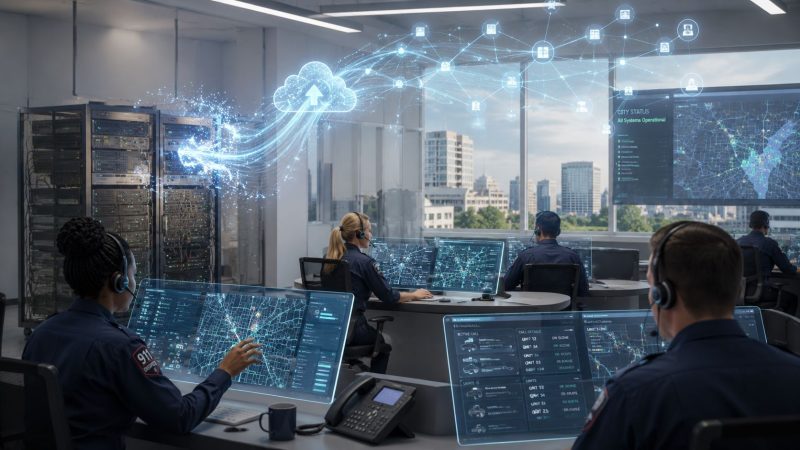
Legacy System Migration: Critical Dispatch Guide 2026
At 2:13 a.m., the CAD screen locks up right as a weather event starts pulling in mutual aid traffic. One dispatcher is writing details on paper. Another is trying to re-enter unit status from memory. Supervisors are on the phone with neighboring agencies because the old interface won't reliably pass updates. That's the moment many teams realize their legacy platform isn't “old but stable.” It's an operational liability.
That situation is more common than most leaders want to admit. Industry research shows that 88% of organizations worldwide are still held back by legacy technologies. In first responder environments, that doesn't just mean slower reporting or annoying workarounds. It means brittle dispatch workflows, fragile integrations, and too much dependence on one aging server, one retiring admin, or one undocumented script.
Public safety teams also face a problem that generic IT migration guides usually gloss over. You can't tell dispatch to accept downtime because the upgrade window is convenient. Calls still come in. Units still move. Mutual aid still needs status changes, messaging, and tracking to keep flowing. That changes the entire migration playbook.
I've seen teams get stuck because they think the only path forward is a giant vendor-led replacement. It isn't. There are practical ways to modernize in phases, preserve data integrity, and avoid mandatory consulting-heavy contracts if your team is disciplined about scope, testing, and rollback.
For organizations comparing broader modernization paths, some of the same operational and governance concerns show up outside public safety too. CloudOrbis has a useful piece with insights on IT modernization for Canadian firms, especially around planning modernization as a business continuity issue instead of a pure infrastructure project.
If your current stack still runs dispatch, staffing, and incident coordination through patched-together legacy components, start by examining where your day-to-day risk lives. In most agencies, it's in the workflows that operators depend on every minute, not in the systems diagram. That's also why teams evaluating modern dispatch operations often start with capabilities like centralized dispatch workflows before they touch infrastructure.
Introduction
A dispatch center rarely fails all at once. It degrades in pieces.
First, the old personnel board lags behind reality. Then a mapping module needs a restart after a busy shift. Then an interface to another system drops messages often enough that operators build a manual backup process and call it normal. By the time leadership starts talking seriously about legacy system migration, the system usually still “works,” but only because the people around it are compensating for it every day.
That's what makes migration in public safety different from a standard back-office IT refresh. Dispatch, personnel tracking, status changes, and real-time messaging are operational systems. They aren't just software assets on a spreadsheet. If they stall during a large incident, the cost shows up immediately in radio traffic, responder confusion, and slower coordination.
A lot of agencies know this, but they still postpone action because the alternatives look risky. A hard cutover feels dangerous. A full rewrite sounds expensive. A managed migration contract can look like the only safe option until the quotes arrive. So teams stay on unsupported databases, aging operating systems, and custom glue code that nobody wants to touch.
Legacy system migration in a dispatch environment isn't a technology project first. It's a continuity project.
The good news is that modernization doesn't have to start with a rip-and-replace program. The safer path is usually smaller and more deliberate. Audit what matters. Isolate the most fragile dependencies. Move low-risk components first. Put data validation ahead of infrastructure decisions. Keep the old and new worlds interoperable long enough to prove the new one under live conditions.
That approach takes more discipline than bravado, but it works better where downtime isn't acceptable.
The Foundation Assessing Your System and Choosing a Strategy
A dispatch migration starts failing long before cutover if nobody can answer three basic questions. What runs the operation. What breaks if one dependency disappears. Which parts can change without putting responders at risk.
That assessment has to get specific fast. In public safety systems, the outage risk rarely sits only in the main application. It sits in the report export a supervisor runs at shift change, the GIS feed with a brittle field mapping, the printer driver tied to one workstation, the script that syncs status data to another agency, and the unwritten workaround dispatchers use every night because the legacy queue locks up under load.

What to audit before you migrate
Start by mapping the system the way operations experience it, not the way the old procurement file describes it. For a mission-critical dispatch environment, I want one working inventory that shows infrastructure, data paths, integrations, operational workarounds, security gaps, and retirement candidates in the same place. If those items live in separate documents owned by separate teams, hidden dependencies survive until test week.
A useful assessment covers at least these areas:
- Infrastructure review. Identify every server, database engine, storage dependency, scheduled task, local workstation requirement, and hardware constraint. Include status boards, printers, mobile data touchpoints, and any component that depends on low-latency local networking.
- Data audit. Document tables, field types, retention rules, archive stores, duplicates, malformed values, and the manual fixes staff apply to keep records usable.
- Integration map. Trace each connection to alerting tools, GIS, identity providers, reporting pipelines, regional systems, CAD-adjacent tools, chat platforms, and notification services.
- Workflow capture. Sit with dispatchers, supervisors, and technical staff during normal use and during failure handling. The shortcuts they use under pressure usually expose the fundamental business rules.
- Security review. Check unsupported components, shared accounts, weak logging, outdated transport assumptions, excessive local admin rights, and any access path that exists only because “it always worked.”
- Dependency risk. Identify old libraries, proprietary connectors, scripts with no owner, and services that nobody has tested outside the original environment.
Analysts at AWS note in their migration guidance that dependency mapping is one of the first tasks because undocumented application relationships regularly change sequencing, effort, and risk during modernization projects. Review those dependencies before choosing the path, not after the budget is approved.
Practical rule: If operators have a workaround, treat it as part of production design until you prove the new system removes the need for it.
One more planning item gets ignored too often. Decide early how you will retire old hardware, storage media, and appliances that hold dispatch data or credentials. Decommissioning is part of the migration, especially for agencies trying to modernize without handing the whole process to a vendor. Reworx Recycling has a practical overview of Reworx Recycling ITAD insights that is worth reviewing before you shut down legacy infrastructure.
Choosing the strategy that fits the workload
A dispatch stack usually needs more than one migration strategy. Trying to rehost everything is how teams preserve old failure modes in a newer environment. Trying to rebuild everything is how timelines slip until leadership loses confidence.
Use the strategy that matches the operational role of each component.
| Strategy | Typical Cost | Timeline | Operational Risk | Best For |
|---|---|---|---|---|
| Rehost | Lower relative cost | Shorter | Moderate if dependencies are poorly understood | Stable supporting systems that need newer infrastructure |
| Replatform | Moderate relative cost | Medium | Lower than a rebuild if interfaces are controlled | Systems that need platform improvements without major logic changes |
| Refactor | Higher relative cost | Longer | Lower long-term risk, higher delivery complexity | Core dispatch functions with deep technical debt |
| Replace | Varies widely | Medium to long | High if workflows don't match operations | Commodity functions or legacy modules that no longer fit the mission |
Rehost
Rehosting fits supporting tools that are operationally important but logically stable. Historical reporting, document archives, and lookup services are common candidates.
It does not solve brittle state management, poor queue behavior, or bad integration design. If the dispatch core fails because of application logic, moving it to newer infrastructure just changes the address of the problem.
Replatform
Replatforming works when the application behavior is still acceptable, but the database, runtime, or middleware is overdue for change. This is often the best middle path for scheduling, reporting, administrative consoles, and adjacent modules that need better maintainability without a full rewrite.
The trade-off is discipline. Interface contracts, performance baselines, and rollback options need to be defined up front, or a “small platform change” turns into a broad regression hunt.
Refactor or rebuild
For real-time dispatch functions, refactoring is often the honest choice. Unit status, incident updates, personnel movement, and live message routing tend to carry too much accumulated debt for a shallow migration to be safe over the long term.
That costs more in engineering time. It usually costs less than carrying fragile assumptions into another decade of service.
How smaller agencies avoid contract-heavy projects
Many agencies do not need a mandatory managed migration contract to modernize safely. They need a plan that reduces risk in stages, keeps the old system available while the new one proves itself, and lets internal teams control sequencing. That is a better fit for self-service adoption, open standards, and open-source tooling where it makes sense.
The pattern I trust most in zero-downtime environments is the Strangler Fig approach. Put a controlled interface around the legacy platform. Move one capability at a time. Keep interoperability in place until operators are using the new path under live conditions without surprises.
A practical sequence looks like this:
- Keep the legacy database and dispatch core active for current operations.
- Add a modern API layer for read-heavy functions such as incident lookup and unit status visibility.
- Move lower-risk services first, such as messaging, analytics, or non-critical reporting.
- Introduce selected write paths only after field mappings, sync rules, and audit checks hold up under parallel use.
- Retire old modules only after usage data and operator feedback show they are no longer part of daily operations.
That approach works because it puts money into validation, interoperability, and rollback options instead of forcing an all-at-once replacement. In first responder systems, that is the difference between modernization and a very expensive outage.
The Core Execution Migrating Data and Maintaining Interoperability
Most migration pain shows up in data before users ever see the new interface. The schema looks straightforward until you hit free-text fields, overloaded codes, null handling that means different things in different tables, or date fields that operators have been compensating for manually for years.
That's why data work needs its own discipline. A landmark NIST study found that approximately 60% of legacy data migrations fail on the first attempt, often during ETL because of schema mismatches and data integrity issues.

Build the data dictionary before you write migration logic
Think of a data dictionary as a translation guide between two systems that speak similar but incompatible languages. If the old platform stores an incident type one way and the new platform expects a different structure, you need explicit mapping rules. Not guesses. Not “we'll fix it in testing.”
A usable data dictionary should define:
- Field meaning. What the field represents in operations, not just its table name.
- Data type mapping. How legacy field types convert into the target model.
- Allowed values. Enumerations, code sets, fallback values, and invalid states.
- Source of truth. Which system owns the field during phased migration.
- Transformation rules. Trimming, normalization, date conversion, and lookup substitution.
- Exception handling. What happens when a value can't be converted cleanly.
A practical example: a legacy field called event_id may not be equivalent to a new incident_id if the old system reused identifiers across operational contexts. If you map them as if they were identical, you don't just create bad records. You create false confidence.
Don't let developers infer field meaning from names alone. In dispatch systems, names are often historical accidents.
Run migration in controlled pulls
Bulk export, transform, and load sounds efficient. It's also how teams discover serious issues too late. A safer execution pattern is to move in pulls.
Use this order:
- Small sample pull. Select a narrow set of representative records. Include edge cases, archived records, invalid values, and unusual operational states.
- Larger production-scale pull. Validate throughput, transformation behavior, logging, and reconciliation under realistic volume.
- Static full-data migration. Run the broader move only after mappings, scripts, and validation checks hold up.
Before each pull, clean the source data where you can. Remove duplicates. Correct malformed code values. Normalize date and status formats. Flag records that need manual review.
After each pull, validate both structure and meaning:
- Record counts against the source set
- Field-level mapping for critical operational data
- Attachment and note integrity where supported
- Search behavior in the target platform
- Historical timeline consistency for events, statuses, and messages
Preserve interoperability during the transition
Even a clean data migration won't save you if the new system can't still talk to everything around it. In public safety environments, interoperability problems show up fast. Regional alerting feeds stop landing. Message relays break. Unit status updates don't propagate consistently. Supervisors start running side channels to compensate.
The cheapest long-term fix is usually not custom point-to-point code. It's an integration layer.
A modern API gateway or an iPaaS tool can sit between the old and new environments and handle translation, routing, authentication, and monitoring. Tools in this category help because they reduce the need to rewrite every interface at once. They also let your team expose legacy functions in a cleaner way while you phase them out.
A practical pattern looks like this:
- Legacy system stays operational for core transactions during the early phase.
- API layer exposes read services for incidents, units, personnel, and resource lookups.
- Selective write paths move next, once ownership rules are explicit.
- Event logging and health checks monitor every transaction crossing the boundary.
- Old connectors retire gradually instead of all at once.
That saves money in two places. You avoid paying to rebuild brittle one-off integrations immediately, and you avoid future maintenance on hand-coded adapters that nobody wants to own later.
Go-Live with Confidence Testing Cutover and Rollback Plans
The worst migration habit in public safety is the big bang mentality. It sounds decisive. It also assumes you'll discover serious problems only after the switch, with no safe way to absorb them.
That's unacceptable in a dispatch environment.

Why phased cutover beats the dramatic launch
A phased cutover lets old and new systems coexist while you prove the new path under real operating conditions. That means dispatchers can continue working, supervisors can compare outputs, and technical staff can catch mismatches before they become operational incidents.
This approach depends on a proper staging environment and disciplined validation. Expert analysis shows that skipping a proper staging environment for pre-migration testing leads to a 40% higher incidence of data corruption and functional failure after going live.
Here's the practical difference:
- A big bang cutover forces every workflow, integration, and user behavior to succeed at once.
- A phased cutover limits blast radius. If a secondary workflow fails, the center can keep operating while the team isolates and fixes it.
- A parallel run gives you the strongest safety net because both systems process live or mirrored activity during the transition window.
If you can't describe exactly how you'll revert within minutes, you're not ready to go live.
Test like the system will be used, not like the vendor demoed it
The test plan should reflect dispatch reality. Operators don't click screens in neat sequences. They multitask, interrupt themselves, bounce between incidents, and handle malformed information while the phone is ringing.
Use multiple testing layers:
Unit and service testing
Developers validate field conversions, API responses, queue handling, permissions, and service-level failure cases.
Integration testing
Test every external dependency that matters in live operations. That includes messaging, regional feeds, identity systems, GIS, notifications, and exports consumed by downstream teams.
Performance testing
Push concurrent activity through the new environment. Look for delayed updates, stale caches, race conditions, and user-visible lag in key workflows.
User acceptance testing
Put actual dispatchers, supervisors, and operations staff on realistic scenarios. Don't settle for “they logged in and it looks fine.” Give them shift-change pressure, overlapping incidents, mutual aid coordination, and exception handling.
A practical UAT script might include:
| Test area | What users should validate | Failure sign |
|---|---|---|
| Incident creation | New incidents save correctly and appear in expected views | Missing fields or delayed visibility |
| Unit status changes | Status updates sync correctly across screens and related workflows | Inconsistent state or stale displays |
| Personnel tracking | Personnel movements and assignments remain accurate | Lost assignments or duplicate records |
| Messaging | Internal and operational messages appear in the right context | Missing or delayed communication |
| Reporting handoff | Shift and supervisor reports reflect current data | Counts or timelines don't match |
Rollback is a procedure, not a comfort blanket
Teams love saying they have backups. That's not enough. A backup helps only if you can restore service under pressure, with a defined command path, known steps, and tested timing.
A real rollback plan includes:
- Trigger conditions. Define what kind of failure forces reversion.
- Authority. Name who can call rollback without committee delay.
- Technical steps. Document system re-pointing, sync cutoff, service restart order, and user instructions.
- Communication path. Tell dispatch, supervisors, partner agencies, and technical staff exactly what changes when rollback starts.
- Data reconciliation. Identify how you'll handle records created during the failed cutover window.
- Dry runs. Practice the rollback in advance.
If operators need help during testing or cutover prep, make sure they have a straightforward support path and documentation structure in place. Teams often underestimate how much smoother the transition goes when staff know where to get help fast, whether that's internal runbooks or a formal support portal like an accessible support center.
Sustaining Success Security Training and Long-Term Optimization
The first storm after go-live is its ultimate test.
A dispatch platform can pass cutover, pass validation, and still fail a month later because a forgotten service account has too much access, supervisors are building side spreadsheets again, or a quiet integration dependency starts dropping updates under load. In public safety systems, post-migration work is operations work. If uptime matters and bad data can send people to the wrong place, security, training, and optimization need the same discipline as the migration itself.

Recheck the architecture after the move
Post-migration security review is required. New platforms usually remove some old weaknesses, but they also create fresh exposure through role drift, inherited admin rights, over-permissive APIs, stale service credentials, and missing logs around critical actions.
Hidden dependencies do not disappear at go-live. They show up later as jobs that fail only overnight, exports that still rely on an old file share, or partner interfaces that break because one field changed format. I have seen centers declare success, then spend weeks chasing issues that traced back to one undocumented script nobody wanted to admit was still in production.
A practical review should cover:
- Access control. Confirm role assignments, least-privilege settings, and separation between daily operations and system administration.
- Auditability. Verify that unit status changes, record edits, administrative actions, and login events are logged and retained where your team can readily use them.
- Integration boundaries. Review which external systems can create, modify, read, or trigger records, and shut down anything left broader than intended.
- Data handling. Check retention rules, archive behavior, export permissions, backup scope, and any copy of operational data that still lands outside governed storage.
- Recovery readiness. Update incident response, failover, and restore procedures to match the new stack, not the retired one.
For a practical benchmark, compare your controls against security capabilities for mission-critical operations. The goal is not a cleaner diagram. The goal is a system operators trust at 3 a.m. during a multi-agency incident.
Train by role, task, and failure mode
Generic training wastes time and leaves dangerous gaps. Dispatchers, supervisors, administrators, and field-facing users touch different parts of the system, make different mistakes, and need different recovery steps when something goes wrong.
Train around the work they perform:
- Dispatchers need call intake, unit assignment, status changes, messaging, queue handling, and what to do when a record does not save or an update arrives late.
- Supervisors need audit review, exception handling, escalation paths, reporting checks, and enough system understanding to spot bad operational data before it spreads.
- Administrators need configuration control, permission management, interface awareness, and change discipline so a quick fix does not create a wider outage.
- Field-facing users need only the workflows they use, with clear limits on what they should edit versus what must stay under dispatch control.
Power users help if you use them correctly. Put a few respected operators through realistic scenarios early, let them document friction points, and have them pressure-test job aids before broad rollout. Peer-led correction works better than polished vendor training, especially if your agency chose a self-service or open approach and needs internal capability instead of permanent contract dependence.
Optimize with live operational evidence
The first ninety days should be treated as an active tuning period. That does not mean changing everything. It means watching the right signals and fixing the small defects that turn into permanent workarounds.
Useful post-migration indicators include:
| Focus area | What to watch | Why it matters |
|---|---|---|
| Dispatch flow | Delays, re-entry work, or abandoned transactions | Shows whether core workflows are friction-free |
| User behavior | Repeated mistakes, help requests, or workaround creation | Reveals design issues before they harden |
| Integration health | Failed syncs, delayed updates, or queue buildup | Protects cross-system continuity |
| Security posture | Access anomalies, logging gaps, or unauthorized changes | Confirms governance in live conditions |
| Reliability | Restart patterns, degraded screens, or intermittent failures | Exposes hidden instability |
Use that review cycle to simplify forms, remove duplicate steps, tighten permissions, tune alerts, and retire any legacy connector that still exists only because nobody has had time to shut it off. That last part matters. A lot of migration budgets get wasted supporting old interfaces long after the new platform can stand on its own.
The best long-term results come from teams that treat modernization as capability building, not a one-time install. That is how agencies reduce vendor lock-in, keep control of their operating costs, and modernize dispatch without betting the center on a single cutover weekend or an oversized support contract.
Conclusion The Future of Your Dispatch Operations
A successful legacy system migration doesn't come from bravery. It comes from discipline.
The agencies that do this well start with a hard assessment of what really runs their operation. They choose strategy by workload, not by fashion. They treat data mapping as a frontline risk issue, not a back-office technical detail. They avoid dramatic cutovers in favor of phased change, parallel validation, and tested rollback. Then they keep tuning security, training, and operations after go-live so the new system earns trust under pressure.
That matters because dispatch technology isn't just infrastructure. It shapes how quickly teams coordinate, how clearly information moves, and how confidently leaders can operate during complex events. Modernization done well improves resilience as much as it improves usability.
The encouraging part is that you don't need an oversized contract or a full rip-and-replace plan to get there. Smaller agencies can modernize in stages. Budget-constrained teams can use self-service patterns, open-source friendly approaches, and careful interface design to reduce risk while controlling cost. The point isn't to make the migration look impressive. The point is to protect operations while steadily removing fragility from the stack.
If your center is still leaning on a system that survives mostly because your people work around it, that's the signal to start. Map the dependencies. Isolate the dangerous pieces. Move in phases. Validate relentlessly. Keep the rollback ready.
That's how you build a dispatch operation that's more agile today and far more resilient for whatever comes next.
If you're ready to modernize dispatch, personnel tracking, messaging, and operational coordination without getting trapped in costly implementation contracts, Resgrid, LLC is worth a serious look. It gives first responders and public safety teams an open-source, self-service platform built for real operational use, with dispatching, tracking, reporting, and communication in one system. That means you can reduce tool sprawl, avoid unnecessary vendor overhead, and move toward a cleaner migration path that saves money while protecting continuity.