
The Real Cost of Project Management: A Practical Guide
A project rarely feels expensive on day one. The budget gets approved, the timeline looks reasonable, and everyone assumes the hard part is doing the work.
Then reality shows up. A vendor misses a dependency. Field staff can't attend training at the same time. Dispatch needs the new system live before storm season. Someone realizes the reporting workflow was never defined. At that point, the cost of project management stops looking like a salary line or a software subscription. It starts showing up as overtime, rework, delay, confusion, and decisions made too late.
That's especially true in emergency services. A business can absorb some friction in a CRM rollout. A fire department, EMS agency, or emergency management team often can't. Coordination failures affect staffing, response readiness, mutual aid, reporting, and public trust. The question isn't "How much does project management cost?" It's "What does poor coordination cost us if this rollout slips or goes live half-finished?"
Beyond the Budget A Look at Project Management Costs
Project management is often initially perceived as a visible expense. Such expenses typically involve the project manager's hours, planning meetings, the software bill, and possibly a consultant. While these costs are relevant, they're only the surface.
The larger expense usually comes from execution quality. McKinsey and the University of Oxford found that, on average, IT projects ran 45% over budget and 7% over time, while delivering 56% less value than predicted, as summarized in these IT project management statistics. That's the number set I keep in mind whenever someone says they want to save money by "keeping project management light."
If your organization is replacing dispatch software, rolling out personnel tracking, or standardizing incident reporting, a weak coordination layer creates costs in places finance doesn't always tag as project management. Supervisors spend more time clarifying tasks. Line staff duplicate work. Vendors wait on internal decisions. Leaders hold extra meetings because nobody trusts the status reports.
What readers usually miss
The cost of project management includes two different buckets:
- Direct cost such as management labor, software, training time, and reporting effort
- Failure cost such as delays, bad handoffs, workarounds, reconfiguration, and lower operational value after launch
A lot of organizations try to cut the first bucket and accidentally increase the second.
Good project coordination is cheaper than a sloppy rollout that needs six months of cleanup.
That trade-off becomes sharper in first response environments. If a public safety team implements a new scheduling, messaging, or status tracking process, the hidden costs aren't abstract. People miss notifications. Coverage gaps become harder to spot. Officers or volunteers revert to side channels because the official process isn't usable under pressure.
A more practical way to think about cost
When I evaluate the cost of project management, I don't start with "How much is the PM tool?" I start with four practical questions:
| Question | Why it matters |
|---|---|
| How many people need coordination? | More handoffs mean more planning and follow-up labor. |
| How often does the work change? | Frequent change increases forecasting, communication, and governance effort. |
| What happens if adoption is weak? | In operations-heavy teams, poor adoption creates persistent workarounds. |
| What does delay interrupt? | Delays can affect grants, compliance, staffing, readiness, or customer service. |
That's why the cost of project management should be treated as an operational control problem, not an admin overhead problem. The fee is visible. The consequences of weak control are usually much larger.
The Five Core Components of Project Management Costs
Most budgets hide project management inside a few scattered lines. Salary here. Software there. A little training time somewhere else. That makes it hard to see what you're funding.
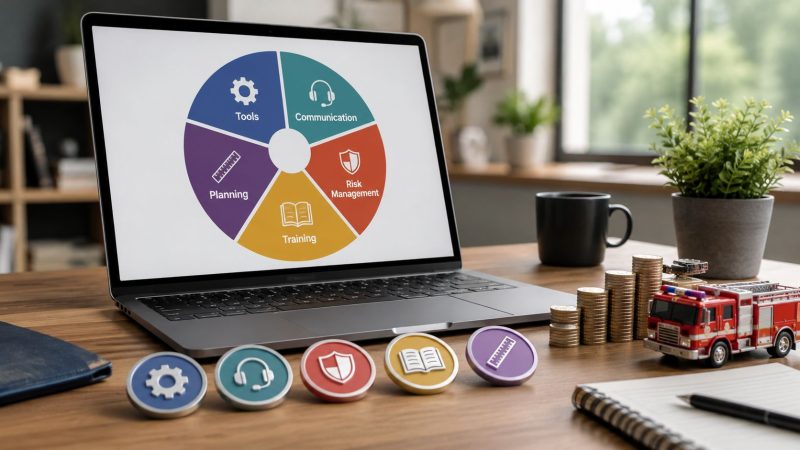
I prefer to break the cost of project management into five components. Once you do that, it becomes much easier to decide where to spend, where to simplify, and where cutting corners will backfire.

Labor
Labor is usually the biggest line item. It includes the project manager, department leads, admins, IT support, trainers, and every team member pulled into planning, testing, data cleanup, and rollout support.
Mainstream project management software often costs about $5 to $50 per user per month, but labor often dominates total cost. The same pricing overview also notes that project management specialists had a median annual wage of $100,750 as of May 2024 in the U.S., which is why staffing overhead usually matters more than the tool itself, according to this software pricing guide.
In an emergency communications project, labor isn't just one PM. It also includes battalion chiefs reviewing workflows, dispatch supervisors validating call flows, and volunteers attending late-evening training because they can't join daytime sessions.
Tools and software
This is the easiest component to spot and the easiest one to over-focus on. Teams compare subscriptions, negotiate licenses, and spend weeks discussing features while ignoring the process around them.
Typical tool costs include:
- Project platforms such as scheduling, task tracking, workflow, and reporting tools
- Communication tools like chat, incident messaging, and document collaboration
- Specialized systems such as CAD-adjacent workflows, rostering, or asset visibility tools
- Integration costs when systems need to exchange data cleanly
Software matters, but buying a bigger platform doesn't automatically lower the cost of project management. If the team can't maintain the workflow, the tool becomes one more thing to administer.
Infrastructure and overhead
Some projects need almost no physical overhead. Others depend on rooms, devices, connectivity, staging environments, and temporary support capacity.
This category often includes:
- Workspaces and utilities for implementation sessions
- Test devices and equipment used during validation
- Administrative support for procurement, compliance, and documentation
- Time overhead from approvals, governance reviews, and status reporting
Practical rule: Count the time your operational leaders spend supporting the project. If a captain, supervisor, or dispatcher is pulled into recurring coordination work, that's project management cost even if it never appears in a PM budget code.
Training and development
Training isn't optional. It's part of the cost. Teams still underbudget it all the time.
A rollout fails subtly when people know just enough to click through the basic process but not enough to use the system under pressure. In first responder settings, that gap matters. A platform can be technically deployed and still be operationally unsafe if users don't understand escalation, accountability, or message handling.
Risk and contingency
Every real project needs room for the unexpected. Vendor delays, staffing changes, bad data, policy revisions, and failed assumptions all land here.
This isn't padding. It's the price of realism. If your team is implementing a tool used during incidents, exercises, or staffing events, your cost of project management should include time and budget for fallback plans, issue triage, and controlled changes.
How to Estimate Your Project Management Budget
Estimating the cost of project management gets easier when you stop searching for one perfect formula. Different projects need different methods. A quick internal process cleanup doesn't need the same rigor as a multi-station deployment with training, integrations, and operational signoff.

Use a percentage when you need a fast benchmark
For a rough top-down estimate, many teams start with a percentage of total project cost. PMI-linked material notes that project management costs commonly run about 4% to 8% of total installed cost during construction, with combined costs across phases potentially reaching 7% to 11%, as discussed in this PMI library article on how much project management is enough.
A simple formula looks like this:
Estimated PM budget = total project cost × planning percentage
This method is useful when you're trying to get budget approval or compare options early. It is not enough for a critical deployment by itself. Construction percentages are a benchmark, not a universal answer for every software, dispatch, or operational change project.
Use analogous estimating when you've done similar work before
If your team has already rolled out a scheduling system, records platform, or field reporting change, use that history. Look at what consumed time. Not what you planned, what happened.
A practical formula is:
Estimated PM budget = prior similar project PM cost, adjusted for complexity
Make specific adjustments for things like:
- More locations that increase training and support load
- More stakeholders that increase approvals and meeting time
- Higher operational risk that requires tighter testing and fallback planning
This works well for agencies and operations teams because prior rollouts usually reveal the same pain points. Data migration takes longer than expected. Shift-based training is harder to schedule. Configuration decisions linger unless one owner has final authority.
Use bottom-up estimating for high-stakes work
For a major implementation, build the estimate from tasks, roles, and time. This takes longer, but it's the most defensible method.
A practical version is:
Estimated PM budget = sum of all coordination tasks × expected labor effort + tool and support costs
Break the work into chunks such as planning, vendor coordination, documentation, testing, training, go-live support, and post-launch review. Then assign owners and expected effort.
Here's the kind of line-item thinking that prevents surprises:
| Work item | What to count |
|---|---|
| Planning and setup | Scope decisions, kickoff, stakeholder mapping |
| Process design | Workflow review, approvals, documentation |
| Testing | User acceptance, issue logging, corrections |
| Training | Session prep, delivery, attendance coordination |
| Launch support | Command coverage, triage, communication |
| Stabilization | Follow-ups, fixes, adoption support |
If you need a practical pricing reference while comparing deployment options, review Resgrid pricing alongside your internal labor estimate. The software line matters, but the stronger budget usually comes from accurately counting coordination work around the tool.
Real World Scenarios and Cost Breakdowns
A budget becomes believable when it matches the way the work unfolds. Two projects can use similar tools and still carry very different project management costs because the coordination burden is different.
Scenario one for a business team
A company is deploying a new CRM for a sales team. The software setup matters, but the coordination burden sits mostly in workflow decisions, data cleanup, user permissions, training, and adoption follow-up.
The five cost components show up like this:
- Labor covers the PM, sales operations lead, IT admin, and team leads reviewing pipeline stages and reporting
- Tools include the CRM itself plus migration utilities, task tracking, and internal communication tools
- Infrastructure is light. Mostly meeting time, admin approvals, and test environments
- Training focuses on role-based usage, reporting habits, and data entry standards
- Risk centers on poor adoption, messy legacy data, and sales reps reverting to spreadsheets
This type of project usually gets expensive when leadership assumes configuration is the hard part. It usually isn't. The expensive part is getting agreement on how people should work after launch.
A practical save here is to cut decision latency. One owner should approve stage definitions, reporting standards, and exception handling. If every dispute gets escalated to a committee, the cost of project management rises fast because the team burns time waiting.
Scenario two for a volunteer fire department
Now take a multi-station volunteer fire department implementing a new CAD-adjacent coordination and personnel tracking setup. The software may not be more complicated than the CRM project, but the environment is.
The cost mix changes because the operating conditions change:
| Cost component | CRM rollout | Fire department rollout |
|---|---|---|
| Labor | Mostly business-hours coordination | Shift-based and volunteer availability complicate scheduling |
| Tools | Standard business stack | Operational messaging, status visibility, and personnel workflows matter more |
| Infrastructure | Light testing needs | Device checks, radio-room workflow validation, and staged rollout support |
| Training | Office-based adoption | Must work for officers, responders, and support personnel in real conditions |
| Risk | Revenue and reporting disruption | Readiness, accountability, and communication failures |
In a fire department setting, a cheap rollout can become costly if the team skips field validation. A workflow that looks fine in a conference room can fail during a callout, a drill, or a weather event.
Test the system the way people will use it at 2 a.m., not the way it looks during a daytime demo.
The practical budget driver here is coordination across availability constraints. Volunteers, chiefs, dispatch partners, and support staff don't share the same schedule. That means more effort goes into training design, approvals, communications, and launch sequencing.
What saves money in this scenario is phased deployment. Start with one station, one operational workflow, or one user group. Fix friction early. Then expand. That costs less than a broad launch followed by confusion, retraining, and informal workarounds that never fully disappear.
Actionable Strategies to Reduce Project Management Costs
Cost reduction works when it removes waste, not when it removes control. The teams that save the most money usually don't slash coordination. They tighten it.

Tools and labor are the two biggest cost centers. The global online project management software market was estimated at $5.6 billion in 2023 and is projected to reach about $11.4 billion by 2032, while one industry compilation put average project manager pay at about $92,274 per year, according to this project management statistics roundup. That's why smart savings usually come from using people and software better, not just paying less for them.
Right-size the tool stack
A common mistake is buying an enterprise platform for a coordination problem that mostly needs clear workflows, messaging, accountability, and visibility.
Before adding another subscription, audit what each system is doing:
- Remove overlap where two tools track the same tasks or messages
- Choose pricing that matches usage instead of paying for feature depth nobody will administer
- Standardize the minimum stack so teams don't build side systems in spreadsheets and chat threads
If you're trying to optimize your SaaS spend, start by identifying duplicate tools created during urgent rollouts or departmental exceptions. Those leftovers become permanent overhead if nobody cleans them up.
For teams managing incidents, staffing, and operational workflows, one option is to use a platform with workflow support and dispatch-oriented coordination features such as Resgrid workflows. The practical point isn't the brand. It's matching the tool to the operating model so your team isn't paying for complexity it won't use.
Reduce meeting load without losing control
A lot of project cost hides in recurring meetings that produce little change. If the PM, supervisors, and admins all attend the same status meeting every week without decisions being made, that's labor waste.
Use a simple split:
- Async status updates for progress, blockers, and owner changes
- Short decision meetings only when trade-offs need live discussion
- Weekly issue review with named owners and due dates
- Go-live command rhythm only during high-risk windows
This lowers labor cost and usually improves clarity because people stop mistaking attendance for coordination.
A short video can help teams rethink how they manage process and delivery in practice.
Roll out in phases
Big-bang launches create expensive cleanup. A phased rollout contains risk, shortens feedback loops, and reduces retraining.
Start with a narrow slice:
- One station or department
- One workflow
- One reporting path
- One training cohort
Then fix the rough edges before expanding. This saves money across labor, training, and risk because the team isn't solving every issue at full scale.
Smaller launches expose process flaws while they're still cheap to fix.
Tighten scope before you add features
Scope creep is one of the fastest ways to inflate the cost of project management. The danger isn't just extra work. It's the chain reaction. More features mean more testing, more approvals, more training, and more support.
Use one rule: if a feature doesn't protect operations, compliance, or core usability for this phase, move it to a later release.
Measuring the ROI of Good Project Management
Cheap project management can be expensive. That sounds obvious, but a lot of teams still evaluate PM only by asking whether they minimized overhead.
The better question is whether the coordination effort produced value. A good PM function reduces waste, helps teams make decisions sooner, keeps rollout quality high, and shortens the time between purchase and useful operation.

What to measure in practice
Typically, ROI comes from a mix of operational and financial indicators. You don't need a perfect model. You need a useful one.
Track measures like:
- Rework reduction by counting how often workflows need to be redone after approval
- Time-to-value by watching how long it takes from kickoff to stable operational use
- Adoption quality through completion of required steps, not just logins
- Issue resolution speed during rollout and stabilization
- Operational reliability such as fewer missed handoffs, fewer side-channel workarounds, or smoother shift transitions
In emergency services, the ROI conversation should be tied to mission outcomes. If a new coordination system improves accountability, staffing visibility, message delivery, or incident readiness, that return matters even when it doesn't show up as a neat line-item saving.
Match the pricing model to the coordination need
Project management isn't always billed the same way. Providers may charge hourly, embed PM into the project, sell it as a separate service, or structure it as a retainer, as described in this guide on charging for project management time. The ROI improves when the delivery model fits the actual complexity of the work.
Here's a practical way to consider this:
| Delivery model | Best fit |
|---|---|
| Hourly | Small projects with limited coordination windows |
| Embedded in project fee | Defined implementations where scope is stable |
| Retainer | Ongoing operational improvement, multi-phase deployments, or recurring coordination needs |
A public safety team might prefer a model that supports ongoing refinement after launch because operational use tends to surface issues that office testing misses.
Use automation carefully
Automation can improve ROI, but only if it reduces real coordination work instead of creating new review layers. Features that help summarize tasks, surface issues, or organize follow-up can reduce admin drag. In that context, tools that support operational automation and assistance, such as Resgrid AI features, can be part of the ROI equation if they shorten response time for routine coordination work.
The key is simple. Measure the value created after launch, not just the cost paid during setup.
From Cost Center to Value Driver
The cost of project management isn't just the fee for a PM, a license, or a planning session. It's the full price of getting coordinated work done in practice. That includes labor, tools, overhead, training, and risk. It also includes the losses that pile up when coordination is weak.
Teams save money when they get practical about trade-offs. They estimate based on the shape of the work, not generic assumptions. They avoid oversized tool stacks. They reduce meeting waste. They phase rollouts. They protect training. They choose a delivery model that fits the project instead of forcing every job into the same template.
That mindset matters even more in emergency services. A business system can sometimes limp through a rough rollout. A dispatch, staffing, or response-related system usually can't. The cost of project management has to be judged against reliability, readiness, and operational clarity.
When teams treat project management as a strategic control function, they spend more intentionally and waste less. That's the shift that matters. The goal isn't to make project management cheap. The goal is to make it worth the investment.
If your team is evaluating the cost of project management for dispatch, staffing, messaging, or response coordination, Resgrid, LLC is worth a look. It gives first responders, emergency management teams, and operations-focused organizations a practical platform for dispatching, personnel tracking, workflows, messaging, and reporting, with deployment options that can fit different operational and budget needs.