
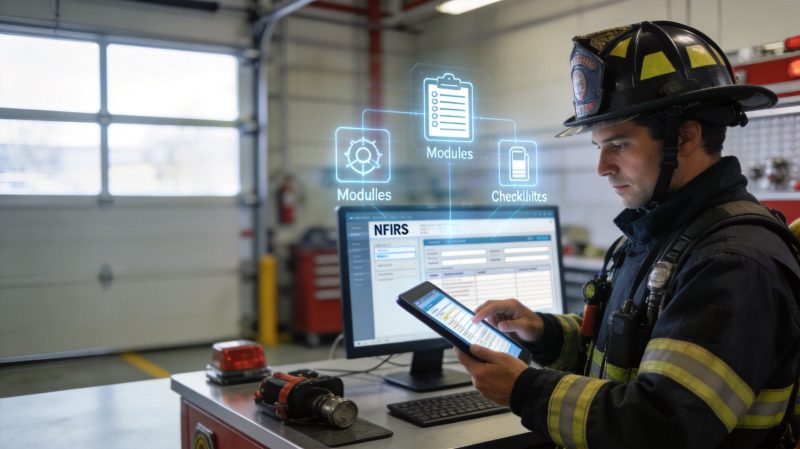
NFIRS Fire Reporting: A Practical Guide for 2026
It's the end of the shift. The rigs are back in service, the station has finally gone quiet, and someone still has to finish the incident report. That's usually the moment NFIRS becomes everybody's least favorite task.
Most departments treat nfirs fire reporting like a compliance chore. Fill the boxes, pick the codes, send it to the state, move on. That approach gets reports filed, but it leaves a lot of value on the table. The same report that feels like paperwork is also the record your department uses to support grant applications, explain workload to city leadership, and justify where staffing, training, and equipment dollars need to go.
A new chief usually sees the pain first. Crews complain about duplicate entry. Officers get reports kicked back over coding mistakes. Admin staff chase missing reports at the end of the month. Then budget season hits, and everyone wants clear data.
That's why NFIRS matters. It's not just a national reporting requirement. It's an operational record, a funding record, and a management record. When your process is clean, reporting gets faster, fewer submissions come back for correction, and your department has better information for decisions that affect money.
From Compliance Headache to Strategic Asset
The mistake is thinking NFIRS only exists for somebody else. It doesn't. Yes, it supports state and federal analysis, but the immediate benefit lands inside your own department.
A chief needs defensible numbers when asking for apparatus replacement, overtime support, prevention staffing, or software. A grant reviewer wants evidence that the department understands its call volume and risk profile. A town manager wants to know whether last year's investments changed anything meaningful. NFIRS is often the record sitting underneath all three conversations.
What changes when you treat reporting as an operations function
Departments that struggle with reporting usually have one of three problems:
- Reports start too late. The officer tries to reconstruct the incident long after the details have gone cold.
- Coding lives in one person's head. Everyone waits for the “NFIRS person” to fix mistakes.
- Dispatch and reporting don't talk to each other. Crews enter the same address, times, and unit details more than once.
Those are workflow problems, not firefighter problems.
Practical rule: If a report takes too much memory to finish, the system is doing too little work.
The better approach is to build NFIRS into normal operations. Capture what dispatch already knows. Standardize what officers choose most often. Review errors before submission, not after the state rejects them. That cuts admin friction and improves trust in the data.
Why chiefs should care about the financial side
Compliance protects access. Good data supports requests.
NFIRS participation is technically voluntary, but it's nearly universal and commonly required for federal grant applications, which is why departments treat compliance as essential according to Prodigiq's NFIRS overview. That means bad reporting isn't just an administrative nuisance. It can affect funding opportunities and weaken the case for local budget support.
A clean reporting program won't solve every budget problem. It will give you a stronger file when you need to show workload, hazards, outcomes, and trends in a language funders understand.
The Foundations of NFIRS Reporting
A chief usually feels the stakes of NFIRS when a grant writer asks for three years of incident history and the department has to explain gaps, inconsistent coding, or reports still sitting in draft. At that point, NFIRS is no longer a reporting chore. It is part of the department's financial record.
NFIRS gives local departments, states, and the U.S. Fire Administration a shared reporting structure for incident activity. That common structure is what lets your kitchen fires, alarms, EMS assists, and hazardous conditions roll up into data that supports planning, prevention work, code discussions, and budget requests. If your entries are inconsistent, the report still gets filed, but its value drops fast when someone tries to compare trends across months, stations, or jurisdictions.

The scale matters. NFIRS captures incident activity from departments across the country, and that gives chiefs a benchmark they do not get from a local spreadsheet alone. It also raises the cost of sloppy reporting. A missed casualty entry, a bad property-use code, or the wrong incident type does not just create local cleanup work. It weakens trend analysis, muddies demand data, and can make your department look less busy or less at risk than it really is.
What officers need to understand first
NFIRS 5.0 is built in modules. The Basic Module starts every incident. Additional modules are added only when the incident calls for them, such as fire, structure fire, casualty, hazmat, or arson. Officers do not need to memorize the whole system on day one. They need to know how to match the incident they handled to the records NFIRS requires.
That sounds simple until crews are rushed, reports are done late, and details are split between CAD notes, unit logs, and memory. Departments cut error rates when they stop treating NFIRS as a blank form and start feeding it from systems that already hold verified information. Pulling unit assignments, timestamps, and staffing from dispatch or personnel and accountability records gives officers a cleaner starting point and reduces the re-entry work that causes mistakes.
Standardization is what makes the data useful
NFIRS works only if the same incident is coded the same way by different officers and different departments. That is the trade-off. Standard coding takes more discipline up front, but it gives chiefs cleaner year-over-year reports, better risk analysis, and stronger support when asking for apparatus, staffing, or prevention funding.
This is also where many departments get tripped up. They focus on finishing the report, not finishing it consistently. A report can be complete enough to submit and still be unreliable for planning if one crew codes smoke scares as alarms, another codes them as good intent calls, and a third leaves key fields blank. The administrative requirement gets met. The management value does not.
Why this matters for grants and budgets
Federal funding questions usually come down to proof. Show call volume. Show fire loss. Show response demand by area, property type, or hazard profile. Show why one station runs harder than another. NFIRS is often the record behind those answers.
Clean reporting will not win a grant by itself. It does give the department something many chiefs need and few have enough of, defensible numbers. It also helps during budget season, when local officials want to know whether rising costs match real service demand. Departments that build accurate NFIRS habits into daily operations are in a better position to support grant narratives, justify staffing requests, and explain capital needs without scrambling to rebuild the story later.
A Field Guide to Key NFIRS Modules
At 0730, the company officer is finishing a kitchen fire report before shift change. The crew did solid work. The fire stayed in the cooking area, nobody was hurt, and the house remained habitable. The hard part now is choosing the right module path so the report reflects what happened, not just what dispatch sent.
That distinction matters. A report built from the wrong incident type wastes review time, creates avoidable corrections, and weakens the data chiefs later use for grant support and budget requests.
Every NFIRS incident starts with NFIRS-1, the Basic Module. After that, officers add only the modules that match the event found on scene. For a routine dwelling fire, that usually means the Basic Module plus the Fire Module and the Structure Fire Module. If the circumstances point to intentional fire setting, add the Arson Module.
What to open for a routine dwelling fire
For the kitchen fire example, the officer will usually need at least:
| Module | Required For | Key Data Captured |
|---|---|---|
| Basic Module (NFIRS-1) | Every incident response | Incident type, location, times, actions taken, aid given or received, basic loss and use details |
| Fire Module (NFIRS-2) | Fire incidents | Fire origin details, equipment involved in ignition, factors contributing to ignition |
| Structure Fire Module (NFIRS-3) | Fires involving a structure | Building status, area of origin, detectors, suppression systems, flame spread, item first ignited |
| Arson Module (NFIRS-11) | Suspected or confirmed incendiary events when applicable | Cause and suspicious factors tied to possible intentional fire setting |
Start with the Basic Module. Confirm the incident type. Then add the supporting modules that fit the incident. Officers who open every possible module at the start usually create more work for themselves.
The fields that slow officers down
The time sink is rarely the obvious stuff. It is the fields that sound alike, overlap a little, and carry different coding consequences.
Incident type
Incident type controls the rest of the report. It affects which modules are required and shapes how the incident appears in local, state, and federal summaries.
Use the final on-scene finding, not the dispatch complaint. A residential fire alarm can end as burnt food with no fire extension. A reported odor investigation can end as a confirmed structure fire. Officers who code from dispatch notes instead of scene conditions usually create the errors reviewers catch later.
Actions taken
Record the main operational actions, not every task completed at the address. Extinguishment, overhaul, ventilation, salvage, and search may all be relevant, but the entries should reflect the primary actions that describe the incident outcome.
Consistency matters here. If one captain codes a routine smoke removal as ventilation and another leaves it off entirely, the department loses a clean picture of what crews are doing on working incidents.
Property use
Property use should match the occupancy involved in the incident. It is not the parcel classification, the billing record, or where units staged.
For a single-family dwelling kitchen fire, the property use should reflect that occupancy. If crews regularly debate a few common occupancies, settle them with a short department guide and keep it beside the reporting workstation.
Module selection gets easier with repeatable call patterns
Officers do not need to memorize the full code set to get faster. They need a reliable path for the incidents the department sees every week.
A practical training setup looks like this:
- List your recurring incidents. Dwelling fires, alarms, smoke scares, vehicle fires, unauthorized burns, service calls, and medical assists usually cover a large share of the work.
- Build the module path for each one. Show what starts with NFIRS-1 and what gets added based on actual conditions.
- Use local scenarios. A garden apartment cooking fire, a detached garage fire, and a commercial alarm reset will teach faster than generic examples.
- Keep the guide where reports are completed. If officers have to search shared drives or flip through old binders, they will guess.
Departments can shave off more time by tying report preparation to CAD and staffing records. If the officer can verify who was assigned, who arrived, and which apparatus was on the run from the same workspace, the report goes faster and the staffing record holds up better during review. Tools that connect reporting with personnel and roster tracking help cut down on reconstruction after the fact, especially on busy shifts with move-ups, callbacks, or mutual aid.
That matters beyond clerical speed. Accurate unit, staffing, and incident records make it easier to show operational demand by company and station area when grant applications or budget hearings require defensible numbers.
A quiet reporting problem many departments miss
No-activity periods still have to be accounted for. If the department has no incidents for a reporting period, the absence of a submission can look like a reporting gap rather than a quiet month.
The fix is routine. Build monthly closeout habits that cover both active and inactive periods. Chiefs who expect the same reporting cadence every month usually see fewer surprises from state coordinators and less cleanup work at the end of the year.
Your Pre-Submission Quality Assurance Checklist
Bad QA costs labor. It also costs confidence.
When NFIRS data is sloppy, the damage doesn't stop at a rejected file. Someone has to reopen the report, find the officer, compare notes, correct codes, and resubmit. That's paid time. If the same errors repeat across shifts, the department ends up funding avoidable administrative work with operations dollars.

A simple quality gate fixes most of that. The workflow that works in the field is not elaborate. It's short, repeatable, and tied to the calls your crews run.
Build the checklist around three control points
A proven NFIRS implementation method includes three pieces: establish state points of contact and local rules, learn the reporting interface and coding requirements, and create departmental cheat sheets with common NFIRS 5.0 codes to reduce errors, as discussed in this NFIRS implementation video.
Turn that into a pre-submission checklist:
- Confirm the local rule set. Some states and jurisdictions add their own expectations on timing, validation, or review. Your officers should know what the state coordinator cares about before they submit.
- Check the code path. Review incident type, actions taken, and attached modules together. If those three don't line up, the report usually needs work.
- Use a department cheat sheet. Keep common local codes in one place. That standardizes reporting across stations and reduces “close enough” coding.
What a useful cheat sheet actually contains
A cheat sheet should be short enough to use under pressure. If it's ten pages long, crews won't touch it.
A strong version usually includes:
| Item | What to include |
|---|---|
| Common incident types | The codes officers choose most often in your jurisdiction |
| Standard actions taken | Plain-language reminders for your most common operational actions |
| Property use references | Frequent occupancies in your district with the correct NFIRS description |
| Module triggers | Which incidents require fire, structure fire, casualty, or other add-on modules |
| Local reminders | State-specific quirks, monthly deadlines, and no-activity expectations |
Add one human review before the file leaves
Software validation catches formatting and some logic errors. It won't catch every judgment error.
That's why a short peer review helps. On significant incidents, have another company officer or admin reviewer look at the core narrative logic. Did dispatch type and final incident type diverge appropriately? Do the actions taken reflect what the tactical worksheet says? Does property use match the occupancy?
A two-minute review before submission is cheaper than a twenty-minute correction after rejection.
This is one of the easiest places to save money using the service you already have. If your reporting platform includes validation prompts, use them as part of sign-off rather than clicking past them. The time saved comes from preventing rework, not from rushing submission.
A quick officer-level QA routine
Before an officer clicks submit, this sequence catches most problems:
- Read the incident type out loud. It forces a final reality check.
- Match modules to the event. No missing structure fire module on a building fire. No unnecessary add-ons on a minor non-fire call.
- Verify timestamps and units. If dispatch data imported incorrectly, fix it now.
- Check property use and actions taken together. These often reveal coding drift.
- Confirm no missing required fields. Especially on reports completed late or interrupted mid-entry.
The best QA systems aren't glamorous. They just stop preventable mistakes before they consume payroll hours.
Navigating Submission Workflows and Deadlines
A report can be coded correctly, pass QA, and still fail your department if it stalls in the submission queue. I have seen departments discover in grant season that months of incident data never made it through the state pipeline. At that point, the problem is no longer clerical. It affects the record you use to justify staffing, apparatus, prevention work, and budget requests.
At the department level, the path is usually simple. An officer completes the incident record, a reviewer checks it if your process includes that step, and the file is transmitted to the state program. The state then handles its release cycle to the U.S. Fire Administration. The weak point is rarely the official process on paper. It is the handoff between people, systems, and deadlines.

Why timeliness matters operationally and financially
NFIRS data only helps your department if it is complete enough to be counted and current enough to be useful. Chiefs often feel the pain later. A federal grant application asks for incident history by category. A budget hearing turns to call volume, response activity, or fire loss. Prevention staff need occupancy patterns. If reporting lags by a month or two, the numbers are weaker than they should be, or staff scramble to rebuild them by hand.
Late submission also hides workload. If EMS assists, alarms, cooking fires, and outside rubbish fires sit in draft status, your official activity picture shrinks. That can distort local planning and undercut the case for personnel, training, and equipment.
Monthly discipline beats quarterly cleanup
The departments that stay current usually treat NFIRS as a standing business process, not an end-of-quarter project. Monthly cadence is practical because it catches bottlenecks before they turn into a backlog that one admin person has to dig out.
A usable monthly process includes:
- Closing open incidents before month end. Old drafts tend to have the worst memory gaps.
- Reviewing rejected or returned records. A rejection sitting for three weeks is a process failure, not just a data issue.
- Submitting required no-activity periods. If your state expects them, missing them creates avoidable follow-up.
- Assigning one owner for final transmission. Shared responsibility often means no responsibility.
- Checking that the state accepted the batch. Sent is not the same as received.
For departments trying to make this routine instead of personality-driven, a documented workflow setup for review and submission helps assign ownership and deadlines clearly.
What chiefs should monitor
A chief does not need to inspect every module. The chief should watch whether the reporting process is healthy, current, and producing a usable record for decisions.
| Warning sign | What it usually means |
|---|---|
| Rising draft count | Reports are starting in the field but stalling before final review |
| Repeated state rejections | Training issue, inconsistent coding, or poor handoff between reviewer and submitter |
| Missing no-activity intervals | Administrative tracking gap |
| One person fixing every problem | The process depends on tribal knowledge |
| Last-minute submission rushes | Deadlines are being managed by memory instead of workflow |
Those indicators matter because submission workflow is budget workflow. If your incident history is delayed or incomplete, your department loses time twice. First in rework, then again when command staff have to defend funding decisions with partial numbers. Clean, on-time NFIRS submission gives you a stronger operational record and a better foundation when grant and budget questions land on the chief's desk.
Saving Time and Money with Dispatch Integration
At 0730, the overnight company officer is finishing reports from calls that ended hours earlier. The CAD screen already has the address, unit times, and incident number. The officer still has to type those same details into NFIRS, then stop to verify whether dispatch or the field notes are right. That is where departments lose labor, and it is one of the easiest reporting problems to fix.
The biggest drain in NFIRS reporting is duplicate entry. Dispatch captures the first version of the incident. Crews confirm or correct details on scene. Later, an officer re-enters much of the same information into the report. You are paying trained personnel to do clerical rework.

Departments get better results when dispatch and reporting are connected from the start. If incident data is created at call intake and updated through en route, arrival, and clear times, the NFIRS record starts partially built. The officer reviews and completes it instead of rebuilding the call from memory.
That changes more than convenience. It improves the quality of the incident history you use for AFG narratives, local budget requests, staffing discussions, and apparatus replacement planning. Chiefs do not get much value from data that is late, incomplete, or coded inconsistently because people were rushing through re-entry at the end of the shift.
What should pre-populate and what should stay manual
Automation works best when it handles fields that are already known and leaves judgment calls to the officer.
Good candidates for pre-population include:
- Address and location details. Dispatch already captured them.
- Unit assignments and status times. These should flow from CAD or dispatch logs.
- Basic incident identifiers. Incident number, date, and jurisdiction should be system-generated.
- Personnel and apparatus references. If staffing and unit rosters already exist, pull them in.
Fields that still need officer review include final incident type, actions taken, cause-related fields, and module-specific details such as fire spread, area of origin, and contributing factors. Good automation removes retyping. It does not replace fire service judgment.
Where the budget savings come from
Chiefs hear “integration saves time” so often that it starts to sound like vendor language. The savings are easier to defend when you tie them to work hours and error reduction.
When dispatch data feeds the report:
| Manual step removed | Budget impact |
|---|---|
| Retyping times and unit history | Less officer admin time after incidents |
| Rebuilding crew lists from memory | Fewer corrections and callbacks |
| Re-entering addresses and occupancy basics | Lower error rate on routine calls |
| Chasing incomplete records at month end | Less admin cleanup labor |
Those hours add up across a year. More important, they move labor back to training, inspections, prevention work, fleet checks, and response readiness.
There is also a grant angle here. Stronger NFIRS records give chiefs cleaner incident volume, property use, and response pattern data when they need to explain risk, workload, or service demand. If dispatch integration reduces missing fields and timing errors, the department has a better factual base for federal grant applications and budget hearings.
The most affordable report is the one your team enters once.
What works and what doesn't
The departments I see succeeding with this follow a simple division of labor. Dispatch creates the incident shell. Field crews confirm the event details and add what changed on scene. The officer finishes the fields that require interpretation. Administrative staff review exceptions instead of repairing routine reports.
A weak setup does the opposite. It leaves NFIRS until the end of the day, outside the dispatch workflow, with no data handoff. Officers then type known information a second time, small discrepancies creep in, and report completion slows down.
The video below gives a useful reference point for how integrated public safety workflows can reduce reporting friction:
Using modern platforms without overcomplicating the process
A department does not need a massive software rollout to improve nfirs fire reporting. It needs a system that captures data once, routes it cleanly, and keeps officers focused on the fields that require fireground judgment. A practical starting point is dispatching software for public safety workflows that can pass core incident data into reporting.
Resgrid, LLC also offers NFIRS-capable reporting within its broader platform. That matters for agencies that want dispatch, personnel, and reporting connected in one system. The main question is operational, not branding. Does the system reduce duplicate entry, improve report accuracy, and make monthly compliance easier to sustain?
For a new chief, this is the right budget question to ask vendors and internal staff: which fields are captured at dispatch, which fields are officers typing again, and why? Every unnecessary field entry costs labor. Every preventable error weakens the data set you will later use to justify funding.
Departments that get this under control usually do three things well. They standardize coding for common incidents. They review reports before submission. They connect dispatch data to reporting so officers are not reconstructing the same call twice.
If your department wants to reduce duplicate entry, tighten NFIRS compliance, and connect dispatch data with reporting workflows, Resgrid, LLC is one option to evaluate. Its platform is designed for first responders and dispatch teams that need dispatching, personnel tracking, messaging, and reporting in one system, which can help departments spend less time on administrative rework and more time on operations.